5 Steps to Create Your Own Personal Online Directory

Generating summary...
Picture this: you’ve spent years bookmarking useful resources, collecting contacts, and curating content in your niche—but it’s all scattered across browser tabs, spreadsheets, and half-forgotten notes apps. What if you could turn that chaos into a polished, searchable hub that showcases your expertise, drives traffic, and maybe even generates income? That’s exactly what a personal online directory can do for you.
A personal online directory is more than just a fancy link list. It’s a curated, organized collection of resources, businesses, tools, or contacts built around your unique perspective or area of expertise. Unlike generic bookmark managers or social media profiles, a well-crafted directory becomes a destination—a trusted reference point for your audience and a powerful asset for your personal brand. Whether you’re a consultant wanting to showcase industry tools, a local expert mapping neighborhood gems, or an enthusiast building the definitive guide to your passion, creating your own directory puts you in control of the narrative and the platform.
TL;DR – Quick Takeaways
- Start with a focused niche – narrow your topic and define clear listing criteria to stand out from generic directories
- Choose your platform wisely – weigh self-hosted CMS control against hosted builder convenience based on your technical skills and budget
- Prioritize data quality – implement listing templates, regular audits, and validation processes to maintain trust and authority
- Launch strategically – seed your directory with strong anchor content, optimize for SEO from day one, and plan your traffic channels
- Build trust through transparency – clear privacy policies, editorial guidelines, and user protections are non-negotiable in today’s landscape
Step 1: Define Your Niche, Goals, and Audience
The biggest mistake new directory creators make? Trying to be everything to everyone. I remember launching my first directory attempt years ago—a sprawling “best tools for entrepreneurs” collection that was so broad it might as well have been Yahoo circa 1998. It went nowhere because there was no clear reason for anyone to choose my directory over established alternatives.

Your personal online directory needs a razor-sharp focus. Start by drilling down into subtopics within your broader interest area. If you’re passionate about sustainable living, don’t create “The Green Directory”—there are hundreds of those. Instead, consider “Zero-Waste Beauty Products Made in the Pacific Northwest” or “European Vintage Furniture Restoration Shops.” The narrower your niche, the easier it becomes to establish authority and attract a dedicated audience.
Narrowing the Focus (Topic Areas and Subtopics)
Think about the intersection of your expertise, your audience’s needs, and gaps in existing directories. Use this three-circle framework: What do you know deeply? What does your target audience desperately need organized? What isn’t already comprehensively covered? Your sweet spot lives where these three overlap.
Consider subcategories and filtering dimensions early. A directory of coworking spaces could segment by city, amenities, pricing tier, or industry focus. A resource list for freelance writers might organize by writing type (technical, creative, copywriting), client industry, or tool category (grammar checkers, project management, invoicing). These taxonomies will shape your entire structure, so sketch them out before you build anything.
End Goals for the Directory
Be honest about what you want from this project. Are you building personal brand authority in your field? Generating affiliate income from recommended tools? Creating a lead magnet for your consulting practice? Establishing yourself as the go-to resource hub for a specific community? Different goals demand different approaches to monetization, content depth, and promotion strategies.
Scope and Governance: What Gets Listed vs. What Doesn’t
Establishing clear listing criteria from the start saves you countless headaches down the road. What quality signals will you look for? Do listings need to meet minimum traffic thresholds, have verified business registration, maintain certain customer ratings, or align with specific values (eco-friendly, independently owned, etc.)?
Document these criteria in a simple internal guide. For example: “Only include tools with at least 500 verified users, active development within the past 6 months, and available customer support.” This clarity helps with consistent curation decisions and builds user trust when you eventually publish your editorial standards.
Updating Cadence and Maintenance Plan
Dead links and outdated information kill directory credibility faster than anything else. According to research on business listing sites, users abandon directories with stale information at significantly higher rates than those with fresh, verified data. Plan your review cycle before launch—will you audit quarterly, monthly, or only when users report issues?
Consider building maintenance into your content calendar. Block out the first Monday of each month for link checking and listing updates, or assign specific categories to specific weeks. The local business directory model shows that consistent updates correlate strongly with user retention and search visibility.
Competitor and Landscape Check
Before you invest serious time, audit what’s already out there. Search for directories in your niche and analyze the top 5-7 results. What do they do well? Where are the gaps in their coverage, user experience, or content depth? Look beyond just the listings themselves—examine their taxonomy, search functionality, community features, and monetization approaches.
Take notes on specific weaknesses you can address. Maybe existing directories in your space have terrible mobile experiences, lack detailed descriptions, haven’t updated in years, or use confusing category structures. These pain points become your competitive advantages.
Step 2: Choose the Right Platform and Architecture
The platform decision shapes everything from your launch timeline to your long-term flexibility. This isn’t about finding the “best” option—it’s about finding the right fit for your technical comfort level, budget, and growth plans. I’ve seen brilliant directories built on simple WordPress installs and equally impressive ones on custom-coded platforms; what matters is alignment between tool capabilities and your specific needs.
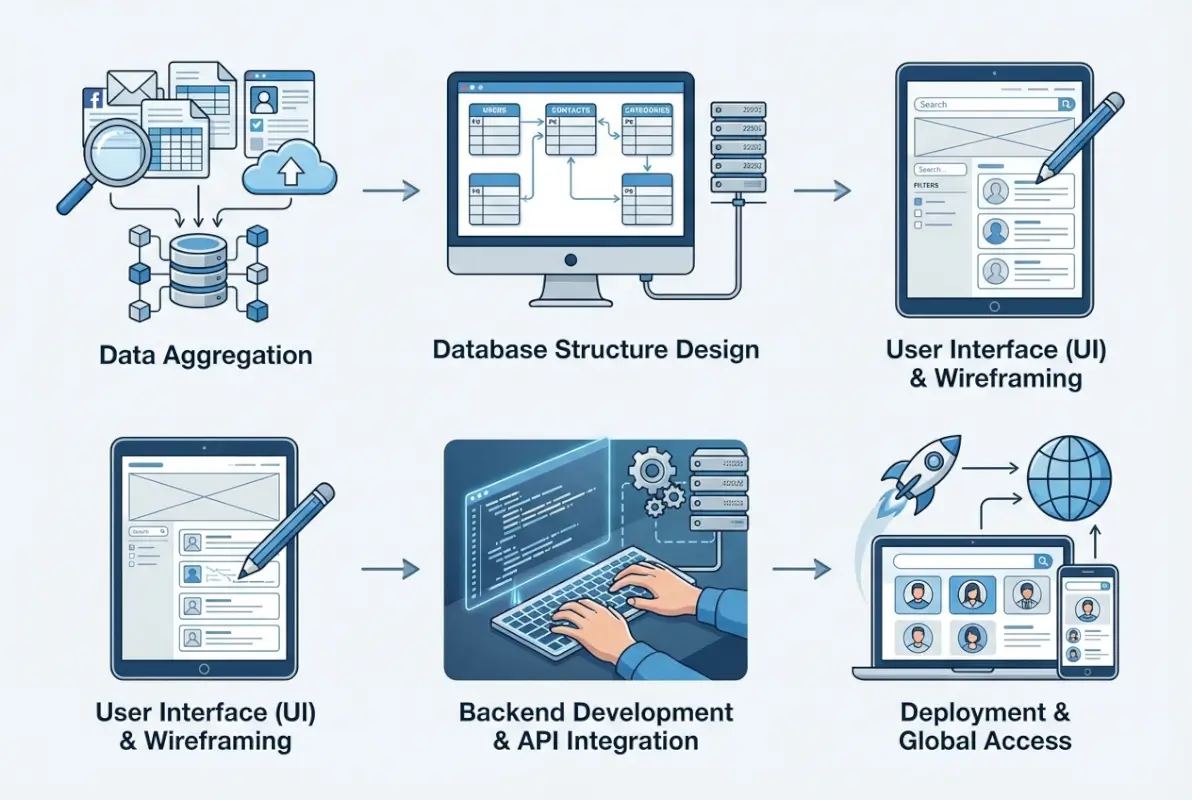
Platform Options: Self-Hosted CMS vs. Hosted Directory Builders
Self-hosted solutions (WordPress with directory plugins, custom builds, or frameworks like Django) give you maximum control and flexibility. You own your data completely, can customize every detail, and aren’t locked into a vendor’s feature roadmap or pricing changes. The tradeoff? You’re responsible for security updates, hosting costs, technical troubleshooting, and potentially hiring developers for custom features.
Hosted directory builders (platforms like those discussed at MakeADir and similar services) handle the technical infrastructure for you. They typically offer templates, built-in search and filtering, hosting, and ongoing maintenance. You sacrifice some control and data portability but gain faster launch times and reduced technical overhead—ideal if coding isn’t your strength or time is your limiting factor.
| Factor | Self-Hosted CMS | Hosted Builder |
|---|---|---|
| Initial Setup | Complex, requires technical skills | Simple, template-based |
| Customization | Unlimited (with dev skills) | Limited to platform features |
| Ongoing Cost | Hosting ($5-50/mo) + plugins | Subscription ($20-100/mo) |
| Data Ownership | Full control | Platform-dependent export |
| Security Updates | Your responsibility | Handled by platform |
Data Model and Taxonomy Design
Your directory’s data structure is its skeleton—get this wrong and everything built on top becomes awkward. At minimum, each listing needs: a title, URL/contact info, category assignment, description, and publication status. Beyond the basics, consider what filtering and search dimensions matter most to your audience.
For a restaurant directory, you might add fields for cuisine type, price range, dietary options, neighborhood, and hours. A software tools directory might track pricing model, integrations, company size fit, and platform compatibility. Think through your users’ primary discovery paths—how will they want to filter and sort?
Hierarchies, Categories, and Filtering
Flat category structures work for small directories (under 50 listings), but anything larger needs hierarchy. Design a taxonomy with 5-10 top-level categories and 3-5 subcategories within each. Avoid going more than three levels deep—users get lost in overly nested structures.
Consider both browse and search patterns. Some users know exactly what they want (search-dominant), while others prefer to explore categories (browse-dominant). Your interface should support both behaviors without feeling cluttered or confusing.
SEO-Conscious Structure
Directory pages can rank incredibly well for long-tail searches if you structure them properly from the start. Use clean, descriptive URLs (yoursite.com/web-design-tools/wireframing, not yoursite.com/cat?id=47). Implement schema markup (LocalBusiness, Product, or Organization schemas depending on your content type) to help search engines understand and display your listings.
Plan your internal linking strategy early. Category pages should link to relevant subcategories and featured listings. Individual listing pages should link back to their categories and related listings. This creates a strong internal link network that distributes page authority and helps search engines crawl your entire directory efficiently. Following simple steps to structure your online directory properly pays dividends in organic traffic over time.
Page Speed and Mobile Usability
According to industry data on directory usage patterns, mobile devices now account for the majority of directory searches and listings views. Your directory absolutely must work flawlessly on phones and tablets. That means responsive design, touch-friendly navigation, and fast load times even on slower connections.
Optimize images aggressively (compress, lazy load, use modern formats like WebP), minimize JavaScript, and leverage browser caching. Test your directory on actual mobile devices, not just browser developer tools—the real-world experience often reveals issues desktop testing misses.
Accessibility and User Experience
Accessible directories aren’t just ethically sound—they’re more usable for everyone. Ensure sufficient color contrast (use tools like WebAIM’s contrast checker), provide keyboard navigation for all interactive elements, include descriptive alt text for images, and structure headings logically.
The search and filter experience makes or breaks directory usability. Users should be able to find relevant listings in 2-3 clicks or one search query maximum. If your directory grows beyond 100 listings, invest in proper search functionality—not just basic keyword matching, but filtering by multiple attributes simultaneously.
Step 3: Build Your Directory with Editorial and Data Quality in Mind
Content quality separates valuable directories from digital landfills. You’re not just aggregating links—you’re curating a trusted resource. That means establishing standards, creating repeatable processes, and committing to ongoing maintenance. The directories that become authoritative references in their niches are the ones that take this editorial role seriously from day one.

Create Listing Templates and Content Standards
Consistency builds trust. Develop a listing template that ensures every entry provides similar depth and type of information. For a business directory, that might mean: 150-word description, 3-5 key features or services, contact information (phone, email, website), social media links, location/service area, and founding year. For a tools directory: description, pricing structure, key features, integrations, pros and cons, and alternative options.
Write at least 5-10 sample listings yourself before opening up to user submissions. This establishes your quality baseline and helps you refine the template based on real content challenges you encounter. These seed listings also give you reference points when reviewing contributed content.
Descriptions, Images, and Metadata Best Practices
Unique descriptions are non-negotiable. Don’t copy-paste from the business’s website or existing directories—write fresh summaries that highlight what makes each listing relevant to your specific audience. If you’re building a directory of writing tools, explain how each tool fits into different writing workflows, not just what features it has.
High-quality images improve both engagement and SEO (through image search). Set minimum image requirements: dimensions (1200x800px minimum), file format (JPEG for photos, PNG for logos), and acceptable file size (under 200KB). If you’re accepting user-submitted images, moderate them before publication to maintain visual consistency.
Owner Authentication and Listing Validation
How will you verify that listings are legitimate and that submitters have the right to list them? For business directories, require verification via email to the business domain or phone confirmation. For resource directories, check that submitted links are active and lead to the described content. Implement a “claimed” vs. “unclaimed” status for business listings—this creates an incentive for businesses to engage with your directory and verify their information.
Build a simple verification checklist: Does the URL work? Is the business/resource still operating? Do the contact details match public information? Are there any red flags (excessive promotional language, suspicious domain age, negative reviews)? Run through this checklist for every listing before it goes live, similar to how top free business directories maintain their quality standards.
Data Governance and Ongoing Curation
Create a quarterly audit schedule and stick to it. Check for dead links using automated tools (Screaming Frog, Broken Link Checker, or built-in CMS plugins), verify that businesses are still operating, update changed contact information, and remove listings that no longer meet your quality criteria. Set a clear policy: listings with broken links get flagged and contacted; if not fixed within 30 days, they’re removed.
Track listing performance metrics—which entries get the most views, clicks, or user engagement? These insights help you understand what your audience values most and can guide future curation decisions. Low-performing listings might need better descriptions, different categorization, or removal if they’re genuinely not relevant.
User-Generated Contributions vs. Manual Curation
Will you accept user submissions, or maintain strict editorial control? User submissions can accelerate directory growth and reduce your workload, but they require moderation infrastructure and quality controls. If you do accept submissions, implement a review queue—never publish directly. Create a submission form with required fields that match your listing template, and set clear expectations about review timelines (typically 3-5 business days).
Manual curation gives you complete quality control but limits scale. It’s the right choice when you’re building authority in a specialized niche and your personal vetting is part of the value proposition. Hybrid approaches work well too: you manually curate a core set of premium listings while accepting reviewed user submissions for a broader secondary tier.
Content Strategy Beyond Listings
The best directories aren’t just databases—they’re content hubs. Supplement your listings with how-to guides, comparison articles, case studies, and industry insights. For a directory of project management tools, publish guides on choosing the right tool for different team sizes, comparison posts highlighting specific use cases, or interviews with power users sharing their workflows.
This supporting content serves multiple purposes: it attracts organic search traffic for informational queries, establishes your expertise, provides context for your listings, and gives you opportunities for internal linking. Plan a modest editorial calendar—even one substantial piece per month builds value over time.
Step 4: Launch Strategy, Growth, and Traffic Acquisition
A directory with perfect architecture and curated listings generates zero value if nobody finds it. Your launch and growth strategy needs to be as thoughtful as your content curation. The good news? Directories have built-in SEO advantages—they naturally create interlinked pages around focused topics, exactly what search engines reward.

Pre-Launch Checklist
Before you announce your directory to the world, ensure the technical foundation is solid. Submit your XML sitemap to Google Search Console and Bing Webmaster Tools. Verify that all category and listing pages are indexable (check your robots.txt and meta robots tags). Set up canonical tags properly—each listing should point to itself as the canonical URL to avoid duplicate content issues if you syndicate or cross-list content.
Populate your directory with at least 30-50 quality listings before launch, distributed across your main categories. This “anchor content” gives early visitors enough substance to find value and gives search engines enough pages to understand your directory’s focus. Empty or thin categories create a poor first impression and tank your credibility.
Seed Listings and Anchor Content
Your initial listings should represent the best, most essential resources in your niche. Think of them as your directory’s portfolio—these are the examples you’d point to when explaining why someone should use your directory. Write especially detailed descriptions for these seed listings, include high-quality images, and ensure all metadata is complete.
Consider featuring these anchor listings prominently on your homepage and category pages during your initial months. This highlights your quality standard and gives you strong examples to reference when onboarding contributors or promoting the directory.
SEO Best Practices for Directories
Directory SEO revolves around relevance, authority, and freshness. Target long-tail keywords in your category pages and listing descriptions—not just “project management tools,” but “project management tools for remote creative teams under 20 people.” These specific queries have less competition and higher conversion potential.
Build authority through strategic external links to your directory (more on that in a moment) and by becoming a resource that others naturally reference. Freshness comes from your regular updates and new listings—search engines favor directories that consistently add and refresh content. Following best practices seen in business directory listings for startups can significantly boost your visibility in competitive niches.
Traffic Channels and Distribution
Don’t rely solely on SEO—diversify your traffic sources from day one. Identify relevant online communities where your target audience gathers (Reddit, Facebook groups, Slack communities, industry forums) and become a valuable contributor. Share your directory when genuinely relevant, but focus first on being helpful and building relationships. Nobody likes a spammer, but most communities welcome well-timed resources that solve real problems.
Email outreach works surprisingly well for new directories. Reach out to the businesses or tools you’ve listed and let them know you’ve featured them. Most will appreciate the exposure and many will share it with their audience or link to their listing. This creates early backlinks and referral traffic while building relationships with stakeholders in your niche.
Social Signals, Newsletters, and Partner Cross-Promotion
Launch a simple newsletter alongside your directory—even if it’s just a monthly roundup of new listings and featured resources. This builds a direct relationship with your audience independent of platform algorithms. Offer an email subscription option prominently on your directory and consider creating a lead magnet (downloadable guide, curated “best of” list) to encourage signups.
Explore partnership opportunities with complementary directories, blogs, or services in your niche. Guest posting, collaborative content, resource exchanges, and joint newsletters can all introduce your directory to relevant audiences. Look for win-win scenarios where both parties provide genuine value to their respective audiences.
Conversion and Engagement
What actions do you want visitors to take? Define your primary conversion goals: newsletter signups, listing submissions, clicks to listed resources, or for monetized directories, premium membership purchases. Design your interface and calls-to-action around these goals without being pushy or interrupting the core directory experience.
Simple engagement boosters include bookmark/favorite functionality, user accounts that save preferences, social sharing buttons on individual listings, and “suggest an edit” options that involve your community in quality maintenance. Each of these creates a reason for users to return and engage more deeply.
Analytics and Iteration
Install Google Analytics (or your preferred analytics platform) from day one. Track overall traffic, traffic sources, top-performing pages, search terms (via Search Console), bounce rates by page type, and conversion events. Set up goal tracking for your primary conversions so you can measure what’s working.
Review your analytics monthly and look for patterns. Which categories attract the most traffic? Which listings get the most clicks? What search terms bring in traffic? Use these insights to guide your content strategy—double down on what’s working and reconsider what isn’t.
A/B Testing Ideas for Filters, Layouts, and Feature Sets
Once you have steady traffic (500+ monthly visitors), experiment with improvements. Test different homepage layouts: featured listings vs. category browse vs. search-first. Try variations of your filtering interface: sidebar filters vs. top-bar dropdowns. Experiment with listing display formats: card view vs. list view vs. detailed expanded view.
Run one test at a time and give each variant at least two weeks to gather meaningful data. Focus on metrics that matter—not just clicks, but engagement depth and conversion rates. Small improvements compound over time.
Step 5: Legal, Privacy, and Trust Considerations
The less sexy but absolutely critical foundation of any successful directory: legal compliance and user trust. Cut corners here and you risk everything from user abandonment to regulatory fines. The investment in getting this right from the start is minimal compared to the cost of fixing problems later (ask me how I know).

Privacy and Data Protection
Even if your directory only collects basic contact information from users or listing submitters, you need a privacy policy that clearly explains what you collect, how you use it, how you protect it, and users’ rights regarding their data. If you’re in or serve users in the EU, GDPR compliance is mandatory. For California residents, CCPA applies.
Follow guidance from authoritative sources like the UK Information Commissioner’s Office which provides comprehensive frameworks for data handling and user rights. Key principles: collect only what you need, secure it properly, be transparent about usage, and make it easy for users to access, correct, or delete their information.
How You Handle Business Data and User Submissions
If you’re listing businesses, you may be handling information those businesses consider proprietary or sensitive. Clarify in your terms whether you’re claiming any ownership over submitted content (you generally shouldn’t be) and what rights submitters grant you (typically a license to display and promote the listing as part of your directory).
Implement basic security measures: use HTTPS across your entire site, hash and salt any passwords if you have user accounts, keep your CMS and plugins updated, perform regular backups, and consider security plugins or services if you’re on a self-hosted platform. These aren’t optional—they’re the minimum responsible standard.
Transparency and Trust Signals
Modern users are rightfully skeptical of online directories after years of spammy, low-quality aggregators. Build trust through radical transparency. Publish an About page that explains who you are, why you created this directory, and what qualifies you to curate it. Include editorial guidelines that explain your listing criteria and review process.
If you verify listings or claims, display verification badges or indicators. If certain listings are paid or sponsored, disclose that clearly and consistently. If you earn affiliate commissions from clicks to certain listings, state that upfront. Transparency doesn’t hurt monetization—it actually increases user trust and engagement when done honestly.
Reviews, Moderation Policies, and User Safety
If you allow user reviews or comments on listings, you need moderation policies and the capacity to enforce them. Decide upfront: will you moderate before publication (slow but safe) or after (fast but risky)? What content violates your policies (spam, abuse, off-topic content, false claims)? How quickly will you respond to reported content?
Protect users from scams and low-quality listings. If a listed business accumulates serious complaints or you discover misleading information, have a clear process for investigation and potential delisting. Your directory’s reputation is only as good as its worst listing.
Compliance and Terms
Your Terms of Service should cover: acceptable use of your directory, intellectual property rights (yours and submitters’), disclaimer of warranties, limitation of liability, and dispute resolution process. If you operate internationally, specify which jurisdiction’s laws govern your terms and where disputes will be resolved.
Include disclaimers appropriate to your directory type. For business directories: “Listings do not constitute endorsements.” For product directories: “Information may be outdated; verify with providers before purchasing.” For service directories: “Perform your own due diligence before engaging listed services.” These won’t eliminate all liability, but they do set reasonable expectations.
Resources like those found in comprehensive free business directory sites often provide templates and examples you can adapt (but always customize to your specific situation and consult legal counsel for anything complex or high-risk).
Optional Step 6: Monetization and Sustainability
Not every directory needs to generate revenue, but if yours does, plan your monetization strategy carefully to balance income with user experience. The most successful directory monetization comes from providing genuinely valuable upgrades, not from degrading the free experience to force users toward paid options.
Monetization Options
Featured listings or premium placement offers businesses enhanced visibility in exchange for a fee. This works when you have sufficient traffic to make that visibility valuable. Typically, featured listings appear at the top of category pages or search results, include enhanced profiles with more images or detail, or get promoted in newsletters and social media.
Affiliate links work naturally in directories recommending products or services where you can join affiliate programs. When users click through and purchase, you earn a commission. Disclose affiliate relationships clearly—most users understand and accept this when you’re genuinely recommending quality options. Directory-style comparison sites in niches like web hosting, software tools, or financial services often generate substantial affiliate income.
Membership and access tiers create recurring revenue. Offer a free tier with core directory functionality and premium tiers with advanced features: downloadable lists, exclusive content, priority support, ad-free browsing, or advanced search and filtering. This model works best when you have a highly engaged niche audience willing to pay for significant additional value.
Long-Term Maintenance Plan
The harsh truth about directories: they require ongoing effort to remain valuable. Plan for sustainability from the start. How many hours per month can you realistically dedicate to updates, curation, and content creation? If that number is less than 10 hours, keep your scope modest—a well-maintained directory of 100 listings beats an abandoned directory of 1,000 stale entries.
Consider building community governance as you grow. Recruit volunteer moderators or curators from your most engaged users. Implement contributor rewards (recognition, free premium features, revenue sharing) to incentivize quality submissions. The most sustainable directories often evolve into community resources rather than solo projects.
Scaling Content Moderation and Technical Support
As your directory grows, so does the volume of submissions, user questions, and technical issues. Build scalable processes early: templated responses for common questions, automated checks for submission quality, and clear escalation paths for complex issues. Document everything in a simple operations manual so you can eventually onboard help (or sell the directory if that’s your goal).
Set realistic response time expectations and communicate them clearly. “User submissions reviewed within 5 business days” is better than promising 24-hour turnaround you can’t maintain. Underpromise and overdeliver whenever possible.
Quick-Win Playbook: Your 30-Day Launch Action Plan
Theory is great, but you need concrete steps to move from concept to live directory. Here’s a practical 30-day roadmap that condenses the framework into weekly milestones. Adjust timelines based on your available hours—if you can only dedicate 5 hours weekly, stretch this to 60 days.
Days 1–7: Niche and Taxonomy Finalization
- Days 1-2: Define your niche and write a one-paragraph positioning statement explaining what makes your directory unique and who it serves
- Day 3: Research 5-7 competing directories, noting their strengths, weaknesses, and gaps you can fill
- Days 4-5: Design your category taxonomy on paper or in a spreadsheet (top-level categories, subcategories, tags/filters)
- Day 6: Draft your listing criteria and quality standards document
- Day 7: Create your listing template with all required and optional fields defined
Days 8–14: Platform Setup and Seed Content
- Days 8-9: Choose your platform, purchase hosting if needed, and complete basic installation/setup
- Day 10: Implement your taxonomy (create categories, configure fields and filters)
- Days 11-13: Write and publish 30-50 seed listings across all main categories using your template
- Day 14: Create essential pages: About, Contact, Privacy Policy, Terms of Service, Editorial Guidelines
Days 15–30: Launch Prep, Indexing, and Initial Promotions
- Days 15-16: Optimize all pages for SEO (meta titles, descriptions, header tags, schema markup)
- Day 17: Generate and submit XML sitemap to Google Search Console and Bing Webmaster Tools
- Day 18: Set up analytics and conversion tracking
- Days 19-21: Conduct thorough quality review—test on mobile, check all links, fix any issues
- Days 22-23: Create launch announcement content (blog post, social media posts, email if you have a list)
- Days 24-26: Reach out to listed businesses/resources to notify them and request sharing
- Day 27: Submit to relevant online communities and directories (meta, I know)
- Days 28-30: Monitor initial traffic and feedback, fix any issues, start planning next batch of content
Checklist for Ongoing Success
After launch, establish these recurring routines to maintain momentum and quality:
- Weekly: Review and publish new user submissions (if accepting them), respond to user inquiries, monitor analytics for anomalies
- Monthly: Add 10-15 new curated listings, publish one piece of supporting content (guide/comparison/case study), review top-performing content for optimization opportunities
- Quarterly: Run comprehensive link check across all listings, audit and update stale information, review and refine category taxonomy based on usage patterns, analyze traffic trends and adjust strategy
- Annually: Major content audit (remove consistently underperforming or outdated listings), review and update all legal pages, assess monetization opportunities and user feedback, plan technical improvements or platform upgrades
Example Frameworks and Templates
Concrete examples beat abstract advice—here are practical templates you can adapt immediately for your directory project.
Listing Template Example: Software Tool Directory
- Tool Name: [exact name]
- Category: [primary category] / [subcategory]
- One-line description: [15-20 word summary of core function]
- Full description: [150-250 words covering what it does, who it’s for, key differentiators]
- Pricing: [Free / Freemium / Paid – with starting price if applicable]
- Key features: [bullet list of 3-5 standout features]
- Integrations: [major platforms it connects with]
- Best for: [team size, industry, or use case this tool excels at]
- Website URL: [link]
- Founded: [year]
- Company size: [startup / small / mid / enterprise]
Taxonomy Template: Local Business Directory
Top-level categories (example for a city directory):
- Food & Dining
- Restaurants (subcategories: Cuisine type, Price range, Dining style)
- Cafes & Coffee Shops
- Bars & Nightlife
- Food Markets & Specialty Shops
- Services
- Professional Services (Legal, Accounting, Consulting)
- Home Services (Cleaning, Repair, Landscaping)
- Personal Services (Salons, Fitness, Wellness)
- Retail & Shopping
- Fashion & Apparel
- Home & Garden
- Electronics & Tech
- Books & Media
Content and Outreach Templates
Listing notification email:
Subject: We featured [Business Name] in [Your Directory Name]
“Hi [Contact Name],
I recently launched [Your Directory Name], a curated directory of [niche description]. I was impressed by [specific thing about their business] and included [Business Name] in our [category] section.
You can view your listing here: [URL]
If you’d like to claim and enhance your listing with additional information or images, just reply to this email. Also, if you find the directory useful, we’d appreciate you sharing it with your network.
Thanks for the great work you’re doing!
[Your name]”
User submission confirmation:
“Thanks for submitting [Business/Resource Name] to [Your Directory Name]! We review all submissions within 3-5 business days to ensure quality and accuracy. You’ll receive an email once your listing is published or if we need any additional information. We appreciate you helping build this resource!”
Frequently Asked Questions
What is a personal online directory and how is it different from a link list?
A personal online directory is a curated, organized collection of resources built around a specific niche or expertise area, with searchable categories, detailed descriptions, and quality controls. Unlike a simple link list, directories offer filtering, search functionality, standardized information for each entry, and ongoing curation. Directories serve as navigable reference hubs rather than flat lists.
Do I need to own hosting to run a directory?
No, you have options. Hosted directory builders manage all technical infrastructure for you through monthly subscriptions, requiring no hosting knowledge. Alternatively, self-hosted solutions using platforms like WordPress give you more control but require you to manage hosting, security, and updates. Choose based on your technical comfort level and desire for customization.
How often should I update directory listings?
At minimum, conduct quarterly comprehensive audits checking for broken links, closed businesses, and outdated information. More actively managed directories benefit from monthly reviews and continuous updates as you discover changes. The specific cadence depends on your niche’s volatility—rapidly changing industries need more frequent updates than stable ones.
What are the best practices for listing quality and trust?
Establish clear listing criteria and apply them consistently, verify listings before publication when possible, write unique descriptions rather than copying content, implement regular audits to remove dead links and closed businesses, clearly disclose paid or sponsored listings, and publish your editorial standards publicly. Quality and transparency build user trust over time.
How can I monetize my directory without alienating users?
Focus on value-add monetization: featured placements that genuinely increase visibility, premium memberships offering meaningful additional features, or affiliate links for products you authentically recommend. Always disclose commercial relationships transparently. Avoid degrading the free experience to force upgrades—sustainable monetization enhances rather than diminishes the core directory value.
What platform is best for a beginner building a directory?
For complete beginners, hosted directory builders like those mentioned earlier offer the easiest path—they handle technical complexity while you focus on content. For those with basic WordPress familiarity, WordPress with directory-specific plugins provides good balance of ease and flexibility. Avoid complex custom solutions until you’ve validated your concept with a simpler platform.
How do I ensure my directory is SEO-friendly?
Use clean, descriptive URLs for all pages, implement schema markup appropriate to your listing type, create unique meta titles and descriptions for category and listing pages, build strong internal linking between related pages, ensure mobile responsiveness and fast load times, and regularly add fresh content. Submit your sitemap to search engines and focus on earning quality backlinks.
Can I accept user-submitted listings or should I curate everything manually?
Both approaches work depending on your goals. Manual curation offers complete quality control and makes your editorial judgment part of the value, but limits scale. User submissions can accelerate growth but require moderation infrastructure and clear quality standards. Many successful directories use a hybrid: manually curated premium listings plus vetted user submissions for broader coverage.
What legal documents does my directory need?
At minimum, you need a Privacy Policy explaining data collection and usage, Terms of Service covering acceptable use and liability limitations, and if you accept submissions, clear terms for submitted content. Depending on your jurisdiction and directory type, you may also need cookie policies, GDPR compliance documentation, or specific disclaimers. Consult legal counsel for complex situations.
How many listings should I launch with?
Aim for 30-50 quality listings distributed across your main categories before public launch. This provides enough substance for visitors to find value and for search engines to understand your focus, without overwhelming you during the setup phase. You can always add more post-launch, but launching with too few listings creates a poor first impression.
Take Action and Build Your Directory
You now have the complete framework—from niche definition and platform selection through launch strategy and ongoing sustainability. The gap between reading this guide and having a live, valuable directory is simply execution. Start with the 30-day action plan, adjust the timeline to fit your schedule, and commit to shipping something functional rather than waiting for perfection.
The most successful personal directories I’ve seen share a common trait: they started small, focused tightly on serving a specific audience need, and evolved based on real user feedback rather than assumptions. Your first version won’t be perfect, and that’s exactly as it should be. Launch, learn, iterate.
Your Next Steps
Choose one action from the Days 1-7 plan and complete it today. Write your positioning statement, sketch your category taxonomy, or research three competing directories. Forward momentum matters more than elaborate planning.
As your directory grows, consider potential enhancements like API access for developers, advanced filtering capabilities, mobile apps, or integration partnerships with complementary services. But those come later—first, build the foundation and prove the concept works.
Your curated expertise has value, your network has potential, and your niche has space for a well-executed directory. The tools and knowledge are all here. What you build with them is entirely up to you.
Was this article helpful?