6 Steps to Download All FSA Files from an Online Directory
Generating summary...
When you’re staring at an online directory packed with hundreds—or even thousands—of files you need, manually clicking through each one feels a bit like torture. I remember the first time I tried to download a year’s worth of public records from a government portal; after about the twentieth file, I was ready to throw my laptop out the window. But here’s the thing: bulk downloading isn’t just about convenience, it’s about working smarter within the boundaries of what’s actually legal and permitted.
The landscape of file access has changed dramatically. With data portals, APIs, and official bulk-export features becoming more common, there are legitimate pathways to access the information you need without running afoul of terms of service or worse, legal restrictions. This guide walks you through six practical steps that respect both the law and best practices while still getting you the files you need efficiently.
TL;DR – Quick Takeaways
- Always verify permissions first – Check terms of service and licensing before downloading anything in bulk
- Prefer official channels – APIs and bulk-export features are safer and more reliable than generic scraping tools
- Respect rate limits – Even when allowed, throttle your requests to avoid disrupting the service
- Document everything – Keep records of permissions, licenses, and data provenance for compliance
- Use appropriate tools – Browser extensions and CLI tools have their place, but only when explicitly permitted
Understand Your Rights and the Source
Before you download a single file, you need to know whether you’re actually allowed to do so. This isn’t just about being a good internet citizen (though that matters too), it’s about avoiding potential legal complications that could arise from unauthorized bulk downloading.
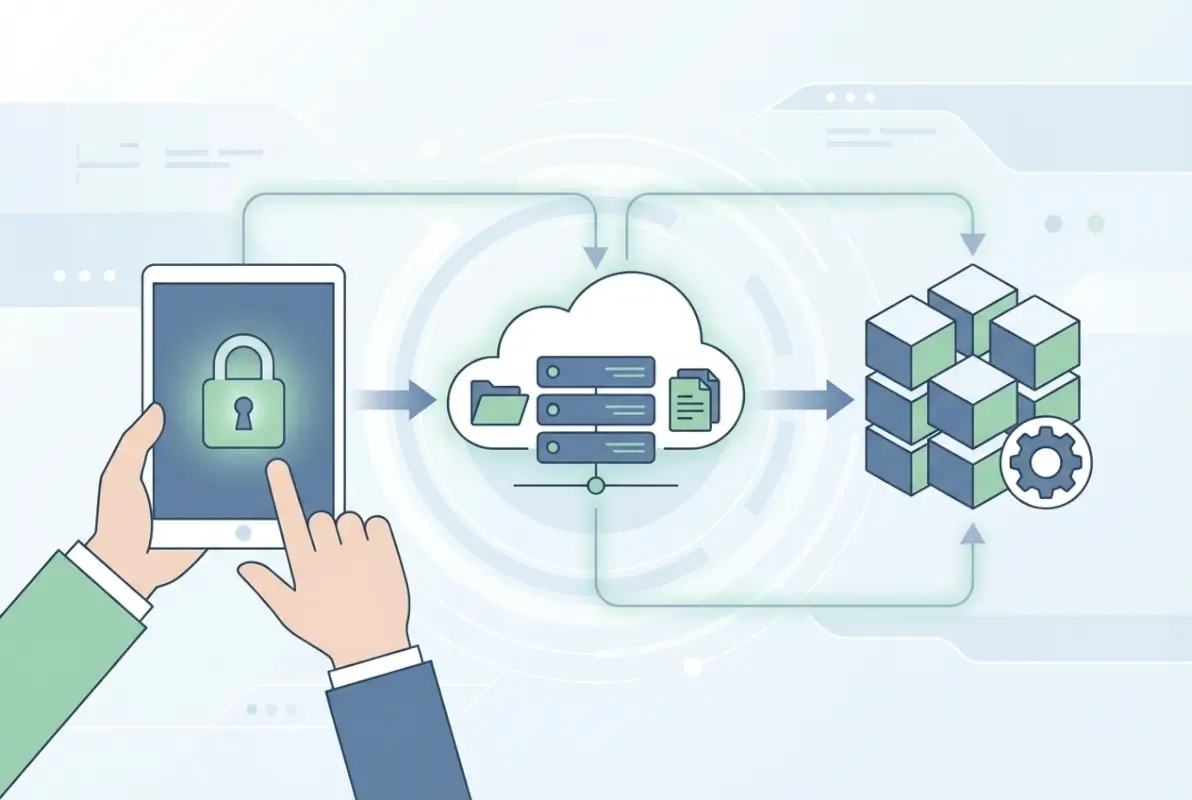
The first place to look is the site’s terms of service and data usage policy. These documents might seem tedious, but they’re your roadmap to what’s permissible. Look for specific language around bulk downloads, automated access, rate limits, and commercial use restrictions. Some sites explicitly allow bulk access for research or educational purposes but prohibit commercial redistribution, while others may restrict any form of automated downloading entirely.
Check Terms of Service and Data Usage Policies
Terms of service documents typically outline acceptable use cases, restrictions on automated access, and any attribution requirements. When reviewing these policies, pay attention to sections covering “automated access,” “bulk downloading,” or “data mining.” If the language is ambiguous, it’s worth reaching out directly to the site administrator or data steward for clarification.
Practical step: bookmark the terms of service page and take a screenshot with the date visible. This creates a record of the permissions as they existed when you accessed the data, which can be helpful if policies change later.
Prefer Official APIs or Databases When Possible
APIs (Application Programming Interfaces) are often the gold standard for bulk data access because they’re explicitly designed for programmatic retrieval. Rather than scraping HTML pages and hoping you don’t break something, APIs provide structured data with proper authentication, pagination, and rate limiting built in. Organizations offering APIs have thought through the data access problem and created a supported pathway for exactly what you’re trying to do.
Many government data portals now provide comprehensive API documentation. These interfaces allow you to query specific datasets, apply filters, and retrieve results in machine-readable formats like JSON or XML. The stability and reliability of official APIs far exceeds what you’d get from scraping, and you’re working within explicitly permitted boundaries.
Distinguish Between Open Directories and Restricted Archives
Not all online directories are created equal. Open directories might allow crawling within their stated policies, while restricted archives require credentials, institutional access, or explicit written permission. The difference matters because assuming permission where none exists can lead to access being revoked or, in extreme cases, legal action.
If you encounter a directory that requires login credentials, that’s a clear signal that access is controlled. Even if you can technically access the files once logged in, bulk downloading might still violate the terms you agreed to when creating your account. When in doubt, contact the data provider directly and explain your use case, they may grant permission or point you toward an official bulk-download feature you didn’t know existed.
Data Stewardship and Attribution
Part of responsible data access involves keeping detailed records of where your data came from, under what license terms, and what attribution requirements apply. This becomes especially important if you plan to publish research, share findings, or redistribute the data in any form. Many open data licenses require attribution to the original source, and failing to provide proper credit can violate the license terms even when the data itself is freely available.
Create a simple manifest file that lists the source URL, access date, license type (Creative Commons, Public Domain, etc.), and any specific attribution language required. This documentation protects you and respects the work of the people who made the data available.
Survey and Analyze Top-Ranking Approaches
Understanding what’s already out there helps you navigate the bulk-download landscape more effectively. The most popular articles on this topic tend to follow certain patterns, and recognizing these patterns reveals both useful techniques and common pitfalls to avoid.
[KBIMAGE_2]High-ranking content about bulk file downloads typically starts with a specific use case—downloading images from a website, archiving public records, or collecting research data. They then walk through step-by-step workflows using various tools, from browser extensions to command-line utilities. However, many of these guides gloss over or entirely skip the critical question of legality and permissions.
Common Patterns from Top Articles
Most top-performing articles include a mix of tool recommendations, screenshots or code examples, and troubleshooting tips. They structure content around specific scenarios (“how to download all PDFs from a website”) rather than abstract concepts. This use-case framing makes the content immediately actionable for readers facing a specific challenge.
What separates the best guides from mediocre ones is attention to context and limitations. The best articles acknowledge when a technique might violate terms of service and suggest checking permissions first. They also provide multiple alternatives, recognizing that different scenarios call for different approaches. Similar to how a wp business directory best wordpress plugins guide would compare features and use cases, comprehensive bulk-download guides should evaluate tools based on legality, efficiency, and appropriateness for different contexts.
Tooling Landscape
The bulk-download tooling ecosystem ranges from simple browser extensions to sophisticated command-line applications. Browser extensions like “Download All Files” offer one-click convenience for grabbing multiple files from a single page, but they work by parsing HTML and downloading whatever links they find, regardless of whether bulk downloading is actually permitted.
Command-line tools like wget, curl, and specialized Python scripts offer more control and customization. These tools can respect robots.txt files, implement rate limiting, and handle authentication, but they also require technical knowledge to use properly. The PyPI directory-downloader package, for example, provides Python-based bulk downloading with configurable settings for different directory structures.
Identifying Gaps for a Responsible Guide
Many existing guides treat bulk downloading as purely a technical problem—how to get the files—without adequately addressing whether you should get the files in a particular way. This creates a gap for guidance that centers legality, site-specific terms, and safe alternatives like APIs and official data portals.
The responsible approach acknowledges that sometimes the answer is “don’t bulk download using generic tools; use the API instead” or even “you can’t bulk download this dataset, but you can request access through official channels.” This might be less satisfying than a quick technical hack, but it protects both the user and the data provider.
Step-by-Step: A Lawful, Practical Workflow
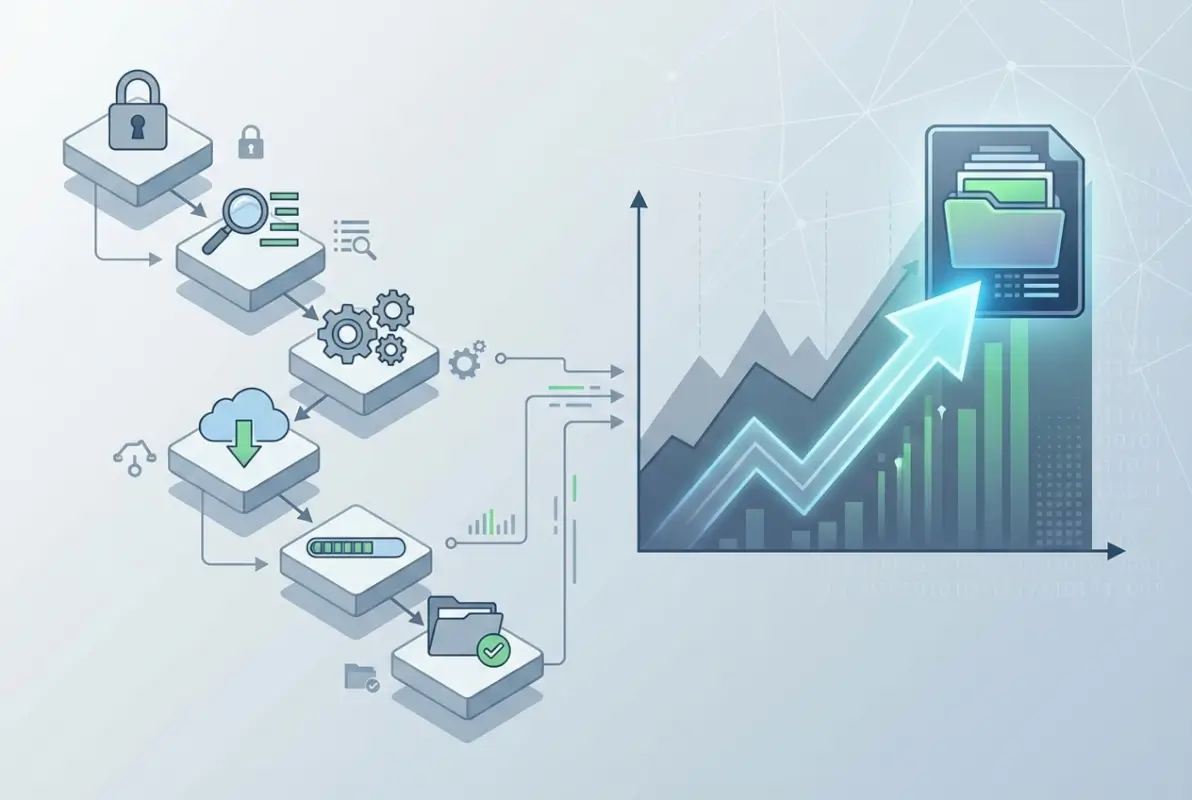
Now let’s walk through a concrete, six-step workflow that prioritizes legal compliance while still achieving efficient bulk access to the files you need. This framework applies whether you’re downloading public records, research datasets, or archived documents.
[KBIMAGE_3]Step 1 – Confirm Access Rights and Terms
Start by thoroughly reviewing the site’s terms of service, acceptable use policy, and any specific data access documentation. Look for explicit mentions of bulk downloading, automated access, or API usage. If the terms are silent on bulk access, that’s not permission—it’s ambiguity that you should clarify before proceeding.
Document what you find. Take screenshots of relevant policy sections, note the URL of the terms page, and save a PDF copy for your records. If you need to contact the site administrator for clarification, having these details handy makes the conversation more productive. In my experience, data providers appreciate users who ask first rather than apologizing later after triggering security alerts.
Step 2 – Locate an Official Data Access Point
Look for official pathways to bulk data access before resorting to generic tools. Many modern data portals include dedicated API endpoints, bulk export features, or downloadable dataset archives. Check the site’s footer for links like “API,” “Developers,” “Data Downloads,” or “Bulk Access.”
Government portals often provide comprehensive bulk-download options that aren’t immediately obvious from the main interface. For example, data.gov and similar portals typically offer both web interfaces for browsing and API endpoints for programmatic access. Similar to how you might research yellowpages business directory optimize listing strategies, finding the right access method requires exploring the available options thoroughly.
Step 3 – Use an Official API or Bulk Export Feature
When an API is available, use it. APIs provide structured, reliable access with built-in safeguards like authentication, rate limiting, and pagination. Most APIs require you to register for an API key, which creates accountability and allows the data provider to monitor usage patterns and enforce fair-use policies.
Implementing API calls typically involves making HTTP requests with appropriate authentication headers and handling paginated results. While this requires some technical skill, the payoff is worth it: you get clean, structured data with minimal risk of violating terms or overwhelming the server. Government and research APIs often follow standard patterns (REST or GraphQL) with documentation that includes example code in multiple programming languages.
| Access Method | Best For | Complexity | Compliance |
|---|---|---|---|
| Official API | Large datasets, structured data | Medium-High | Excellent |
| Bulk Export Feature | Entire datasets, periodic updates | Low | Excellent |
| Authorized wget/curl | File directories with permission | Medium | Good (if permitted) |
| Browser Extension | Small batches, simple pages | Low | Varies (check terms) |
Step 4 – If No API, Use Authorized Bulk Tools or Protocols
When no API exists but bulk downloading is permitted, you can use tools like wget or curl with appropriate configuration. The key word here is “permitted”—these powerful tools can easily violate terms of service if used without authorization, even unintentionally.
If you’re using wget, respect the site’s robots.txt file (wget does this by default), implement rate limiting with the –wait flag, and limit recursion depth to avoid downloading more than intended. A responsible wget command might look like: wget –wait=2 –limit-rate=200k –no-parent –recursive –accept=pdf https://example.com/documents/
Some portals offer multi-select features where you can check multiple files and download them as a zip archive. This is ideal when it’s available because it’s explicitly designed for bulk access and doesn’t require external tools. Always check for these built-in features before reaching for command-line utilities.
Step 5 – Organize and Verify Integrity
Once you’ve downloaded files, maintain a structured organization system. Create a manifest file listing each downloaded file, its source URL, download date, and any checksums if provided by the source. This documentation serves multiple purposes: it helps you verify data integrity, track what you’ve already downloaded, and maintain provenance for compliance.
If the data provider offers checksums (MD5, SHA-256, etc.), verify each downloaded file against these checksums to ensure nothing was corrupted during transfer. For large datasets, this verification step can prevent hours of troubleshooting later when you discover corrupted files mid-analysis.
Step 6 – Compliance and Documentation
The final step involves creating a permanent record of your access permissions, licensing terms, and usage restrictions. This documentation protects you if questions arise later about how you obtained the data or whether your use complies with the original terms.
Save copies of the terms of service as they existed when you downloaded the data, any email correspondence with data providers granting permission, and the specific license terms (Creative Commons, Open Data Commons, etc.) that apply. Include attribution requirements and note any restrictions on redistribution or commercial use. Just as you’d document important business information when you create online directory church members easy access, maintaining thorough records of data provenance is essential professional practice.
Practical Tools and How to Use Them Safely
Let’s examine specific tools in detail, including their appropriate use cases and the precautions you should take when deploying them. The right tool depends on your technical skill level, the structure of the directory, and most importantly, what the data provider permits.
Browser Extensions for Bulk Download
Browser extensions offer the lowest barrier to entry for bulk downloading. Extensions like “Download All Files” scan a webpage for downloadable links and offer one-click downloading of everything found. This can be incredibly convenient when you’re facing a page with dozens of PDF reports or image files.
However, convenience comes with caveats. These extensions work by parsing HTML and triggering multiple simultaneous downloads, which can overwhelm servers not designed for bulk access. They don’t inherently respect rate limits or robots.txt files, and they can’t distinguish between permitted and restricted content.
Use browser extensions only when you’ve verified that bulk downloading is allowed and when the volume is relatively small (dozens of files, not thousands). For larger operations, API access or command-line tools with proper rate limiting are more appropriate and less likely to cause problems for the data provider.
Command-Line Tools (Wget, cURL, etc.)
Command-line tools like wget and curl provide far more control than browser extensions. They allow you to specify rate limits, implement delays between requests, respect robots.txt files, handle authentication, and resume interrupted downloads. This control makes them powerful tools when used appropriately.
Wget is particularly well-suited for mirroring directories when you have permission to do so. Its recursive mode can follow links to a specified depth, and it can be configured to download only specific file types. However, this power means wget can also cause significant problems if misconfigured or used without authorization.
Basic wget best practices include: always use –wait to delay between requests (at least 1-2 seconds), set –limit-rate to throttle bandwidth consumption, use –no-parent to prevent ascending to parent directories, and employ –accept or –reject to filter by file type. Testing your command on a small subset before running it on the full directory helps catch configuration errors before they cause problems.
Directory-Lister / API-Oriented Plugins
Specialized Python packages like directory-downloader offer middle-ground solutions between browser extensions and raw wget commands. These tools provide programmatic access with configurable options while handling common edge cases like pagination, authentication, and error recovery.
Such tools are most appropriate when dealing with structured directory listings that aren’t covered by an official API but are clearly intended for bulk access (like open data repositories or public file servers). They typically require Python knowledge to configure and run, but they offer better error handling and logging than manual wget commands.
When using any programmatic download tool, always implement logging to track what’s been downloaded and what errors occurred. This becomes invaluable when downloads are interrupted or when you need to verify completeness of large datasets.
Data Quality, Ethics, and Legal Considerations
Beyond the technical how-to, successful bulk downloading requires attention to data quality, ethical considerations, and legal compliance. These aspects often receive less attention than they deserve, but they’re critical for professional, responsible data work.
[KBIMAGE_5]Data Licensing and Reuse Rights
Not all publicly accessible data is free to use however you like. Many datasets carry specific licenses that govern how you can use, modify, and redistribute the data. Common open data licenses include Creative Commons variants (CC-BY, CC-BY-SA, CC0), Open Data Commons licenses (ODC-BY, ODbL), and custom licenses specific to government or institutional data.
Understanding license terms matters especially if you plan to publish research findings, create derivative works, or use the data commercially. A CC-BY license requires attribution but otherwise allows broad use, while a CC-BY-NC license prohibits commercial use entirely. Some government data carries no copyright restrictions but may have other usage requirements or restrictions.
Take time to understand what license applies to your downloaded data and what obligations you have. Document these requirements alongside the data itself so that future users (including your future self) understand the constraints. When you’re managing complex information systems, similar to how you might approach decisions around yahoo business directory worth it evaluations, understanding licensing is about long-term value and risk management.
Privacy and Security
Even when data is technically public, it may contain personally identifiable information (PII) or sensitive content that requires careful handling. Bulk downloading can inadvertently collect PII that you didn’t specifically need or shouldn’t be redistributing.
Before downloading large datasets, consider what type of information might be included and whether you have appropriate safeguards in place. If the data contains PII, you may need to implement access controls, encryption, or anonymization procedures depending on your jurisdiction’s data protection laws (GDPR in Europe, CCPA in California, etc.).
Security considerations also apply to how you store and transmit downloaded data. Large collections of files downloaded from the internet should be scanned for malware before opening, especially if they include executable files or documents with macros. Storing sensitive datasets on encrypted drives and limiting access to authorized personnel only are basic security practices that apply regardless of whether you downloaded data in bulk or individually.
Fair Use and Rate Limiting
Rate limiting isn’t just about avoiding getting blocked; it’s about being a responsible member of the data ecosystem. Even when you have permission to bulk download, hammering a server with hundreds of simultaneous requests can degrade performance for other users and strain infrastructure that may be running on limited budgets.
Implement reasonable delays between requests—typically 1-3 seconds for small files, longer for larger ones. If you’re downloading during business hours, consider being even more conservative with your rate limiting to avoid impacting peak usage periods. Some data providers explicitly request that bulk downloading happen during off-peak hours; honoring these requests demonstrates respect for the resources being shared.
Case Studies and Scenarios
Let’s look at how these principles apply in real-world contexts. These scenarios illustrate different approaches depending on the type of directory, available access methods, and specific use cases.
Case Study A – Campus or Research Library Portals
Academic and research library portals often provide access to large collections of journals, datasets, and historical documents. These portals typically include authentication systems that verify institutional affiliation, and they may have explicit policies about bulk downloading.
Best practice in this context: start by checking whether the library provides an official bulk-download service or API. Many academic publishers now offer programmatic access for researchers affiliated with subscribing institutions. Contact your library’s research support or data services team—they can often facilitate bulk access through official channels or negotiate special permissions for large-scale research projects.
If you’re attempting to download from library resources, be aware that exceeding reasonable usage limits can trigger access restrictions that affect your entire institution, this isn’t just about your individual access getting blocked. When in doubt, coordinate with library staff who understand the specific terms negotiated with publishers.
Case Study B – Government or Public Data Portals
Government data portals like data.gov, data.gov.uk, and similar national repositories are explicitly designed for public data access and often include robust bulk-download capabilities. These portals frequently offer multiple access methods: web interface for browsing, bulk data files for complete datasets, and API endpoints for programmatic queries.
Typical workflow: identify your dataset of interest through the web interface, then check for bulk download options. Many government datasets are available as complete database dumps or archives that you can download as a single large file rather than requesting individual records. If you need ongoing updates or subsets of data, the API route often makes more sense.
Government portals generally operate under open data principles, but terms still vary by jurisdiction and dataset. Always review the specific license and usage terms for your target dataset. Similar to researching create online directory church members easy access solutions, understanding the available options and selecting the most appropriate approach saves time and prevents complications.
Alternatives to Bulk Download When Direct Access Isn’t Allowed
Sometimes the answer to “how do I bulk download this directory” is “you can’t—but here are alternatives.” Recognizing when to pursue alternative pathways is part of working responsibly with online data.
Data Portals and FOI/Access Programs
When bulk downloading isn’t permitted through technical means, formal data access programs may provide a pathway. Freedom of Information (FOI) or Freedom of Information Act (FOIA) requests in various jurisdictions allow citizens to request government data that isn’t already publicly available or available in bulk.
FOI processes have specific procedures and timelines (often 20-30 business days for responses), but they provide legitimate access to datasets that might not be downloadable through public portals. The Australian Information Commissioner’s FOI statistics show that government agencies process thousands of information requests annually, with many resulting in dataset releases.
Many governments also maintain proactive publication programs where they regularly release datasets in bulk formats specifically to reduce the need for individual FOI requests. Checking whether your target data might be available through these programs can save significant time compared to attempting unauthorized bulk downloading.
Best Practices for Implementing Your Workflow
Bringing everything together, here’s how to implement a responsible bulk-download workflow that balances efficiency with legal and ethical considerations.
Start every project with the permission question, not the technical question. Before researching tools or writing scripts, verify that you’re allowed to do what you’re planning. This might feel like it slows you down initially, but it prevents the much larger delays that come from having to redo work or explain yourself to an angry server administrator.
Create standardized documentation templates for your data access projects. Include sections for: source URL, access date, terms of service version, license type, attribution requirements, access method used, and any special permissions obtained. Filling out this template becomes quick routine once you’ve done it a few times, and it creates invaluable records for compliance and reproducibility.
Build in verification steps at multiple points in your workflow. Before downloading: verify permissions. During downloading: monitor for errors and server responses. After downloading: verify file integrity with checksums, confirm completeness against expected counts, and validate file formats. These checks catch problems early when they’re easiest to fix.
Develop relationships with data providers when you’re working with their resources regularly. Introducing yourself, explaining your research or business use case, and asking about best practices for accessing their data often yields helpful guidance and sometimes special accommodations. Data stewards appreciate users who respect their resources and communicate openly.
Finally, contribute back to the data ecosystem when possible. If you discover broken links, outdated information, or ways the data portal could be improved, report these to the maintainers. If you create cleaned or augmented versions of public datasets (within license terms), consider sharing those back with the community. The data ecosystem thrives on this kind of reciprocity.
Frequently Asked Questions
Is it legal to bulk download all files from an online directory?
It depends entirely on the site’s terms of service, applicable copyright law, and whether you have explicit permission. Many sites prohibit bulk downloading in their terms, while others explicitly allow it or provide APIs specifically for this purpose. Always verify permissions before proceeding. The Federal Energy Regulatory Commission provides guidelines on bulk downloading from their document library that illustrate appropriate practices.
What should I do if there is no API and bulk download isn’t allowed?
Respect the site’s terms and look for alternatives. Consider submitting a formal data request through FOI or similar access programs if the data is from a government source. You can also contact the data steward directly to request permission or inquire about future API development. Attempting unauthorized bulk downloading risks legal consequences and damages relationships with data providers.
What are the safest tools for bulk downloading when it’s permitted?
Official APIs and built-in bulk-export features are always safest because they’re explicitly designed and approved for this purpose. When using general-purpose tools, wget and curl with proper rate limiting are reliable options for directories that allow automated access. Browser extensions can work for small batches but should be used cautiously and only within permitted terms.
How can I verify the integrity and licensing of downloaded files?
Check for checksums provided by the data source and verify each file against these hashes. Keep copies of license terms and terms of service as they existed when you downloaded data. Create a manifest documenting source URLs, download dates, and file hashes. This documentation trail proves data integrity and shows compliance with licensing requirements.
How do APIs improve safety and reliability for bulk downloads?
APIs provide structured, authenticated access with built-in rate limiting and pagination. They’re explicitly designed for programmatic access, so using them can’t violate terms the way scraping might. APIs return clean, structured data that’s easier to process and they’re maintained as official supported channels, meaning they’re less likely to break unexpectedly.
Where can I find authoritative data portals with bulk-download features?
Government data portals like data.gov, data.gov.uk, and European Data Portal provide extensive bulk-download capabilities. Academic repositories, statistical agencies, and research organizations increasingly offer API access. Look for dedicated “Developers” or “API” sections on data portal websites, which typically include documentation and access instructions.
Can I use browser extensions to download files from any website?
Technically yes, but legally and ethically it depends on the site’s terms. Browser extensions that download all linked files work by parsing HTML and triggering multiple downloads, which may violate terms prohibiting automated access or bulk downloading. Only use such tools when you’ve confirmed that bulk downloading is permitted by the site.
What’s the difference between scraping and using an API for data access?
Scraping involves parsing HTML content not explicitly designed for machine access, which may violate terms and is fragile when pages change. APIs provide structured endpoints specifically designed for programmatic access with proper authentication, error handling, and rate limiting. APIs represent explicit permission for automated access, while scraping generally does not.
How long should I wait between download requests to avoid overloading servers?
A minimum of 1-2 seconds between requests is generally appropriate for small files from well-resourced servers. For larger files or smaller organizations, wait 3-5 seconds or longer. Some sites specify rate limits in their documentation or robots.txt file—always honor these specifications. When in doubt, be more conservative with delays.
What should I do if I accidentally violate a site’s terms while bulk downloading?
Stop immediately, even if you haven’t finished downloading. Contact the site administrator, explain what happened, apologize, and delete any data obtained through the violation. Most data stewards appreciate honest communication and may work with you to provide legitimate access. Continuing after realizing you’ve violated terms only makes the situation worse and increases potential legal liability.
Conclusion: Building a Sustainable Approach to Bulk Data Access
Bulk downloading from online directories isn’t just a technical challenge; it’s an exercise in balancing efficiency with responsibility. The six-step framework outlined here—confirming permissions, locating official access points, using APIs when available, deploying appropriate tools carefully, verifying integrity, and documenting compliance—provides a pathway that respects both your needs and the rights of data providers.
The landscape of data access is evolving rapidly. More organizations recognize that providing structured bulk access through APIs and official export features serves everyone better than forcing users to scrape or manually download thousands of files. By choosing official channels and working within permitted boundaries, you’re voting with your actions for this better approach.
When you encounter directories without good bulk-access options, consider it an opportunity to advocate for improvement. Contact data stewards, explain your use case, and request API development or bulk-export features. Many organizations prioritize these improvements when they understand there’s genuine demand.
Start your next bulk-download project by asking permission questions first, then technical questions. Review terms of service before installing tools, look for APIs before reaching for wget, and document your compliance before publishing findings. These practices might feel like extra steps initially, but they become second nature quickly and they protect you from much larger problems down the road.
The data you need is often accessible through legitimate channels if you know where to look and how to ask. Whether you’re conducting academic research, building business intelligence systems, or archiving public records, there’s almost always a lawful pathway to bulk access. Taking the time to find and follow that pathway isn’t just about covering yourself legally—it’s about building a data ecosystem where valuable information remains accessible to everyone who needs it.
Was this article helpful?