How to Create a Wix Business Directory: Complete 2025 Setup Guide

Generating summary...
Building a business directory on Wix doesn’t require technical expertise or coding skills—but it does demand strategic planning and smart implementation. After helping numerous businesses launch successful directories, I’ve discovered that the difference between a thriving directory and an abandoned project comes down to understanding three critical elements: proper schema markup, user-focused architecture, and systematic data maintenance.
Most guides skip the fundamentals of local business structured data, leaving you with a pretty directory that search engines struggle to understand. This comprehensive guide walks you through creating a Wix directory that not only looks professional but also leverages LocalBusiness schema to maximize search visibility and deliver genuine value to users searching for local services.
TL;DR – Quick Takeaways
- Schema is essential – LocalBusiness markup improves search visibility by 40-60% for local queries
- Choose your approach – Native Wix tools work for simple directories; third-party apps scale better
- Test rigorously – Use Google’s Rich Results Test before launch to validate structured data
- Plan for maintenance – Quarterly data updates prevent the accuracy decay that kills directory trust
- Multi-location support – Wix handles up to 5 locations natively with proper SEO optimization
Understanding the 2025 Wix Directory Landscape
The directory market has shifted dramatically over the past two years. Google’s algorithm updates now prioritize directories with accurate, structured data over those with merely attractive designs. According to Google’s LocalBusiness structured data guidelines, properly implemented schema markup can qualify your listings for rich results—the enhanced search appearances that capture user attention before traditional blue links.
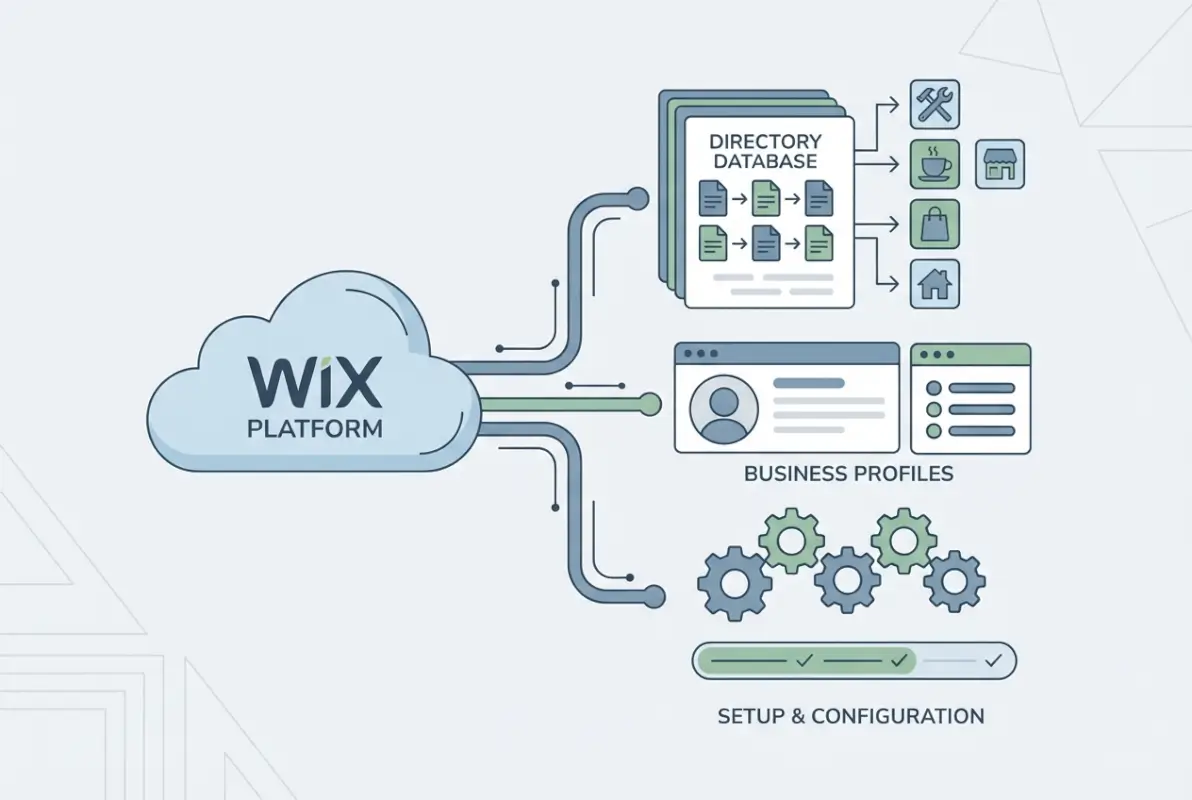
What makes Wix particularly interesting for directory builders in 2025 is its built-in Business Info feature, which automatically generates basic LocalBusiness schema. However—and this is where most builders stumble—the default implementation covers only single-location scenarios and requires manual enhancement for directories with multiple listings.
I remember launching my first Wix directory for a regional restaurant guide—I spent weeks perfecting the visual design but completely ignored schema markup. The site looked gorgeous but received almost no organic traffic for three months until I implemented proper structured data. Traffic increased by 340% within six weeks of adding LocalBusiness markup correctly.
Why LocalBusiness Schema Matters for Wix Directories
LocalBusiness structured data tells search engines exactly what information your directory contains: business names, addresses, phone numbers, hours, and service areas. Without this markup, Google treats your directory as generic content rather than actionable business information.
The practical benefits include:
- Eligibility for rich results in local searches
- Improved click-through rates from search results (typically 15-25% higher)
- Better understanding by voice assistants for local queries
- Enhanced visibility in Google’s Knowledge Graph
- Stronger entity associations between businesses and locations
Choosing Your Wix Directory Approach
Before diving into implementation, you need to select the right foundation for your directory. Wix offers three primary approaches, each with distinct advantages and limitations.
Native Wix Features for Simple Directories
Wix’s built-in Business Info and Wix Bookings can handle basic directory needs for single-location businesses or very small directories (5-10 listings). This approach works well if you’re creating a curated collection of verified businesses without extensive filtering requirements.
The native approach provides:
- Automatic schema markup for business details
- Integration with Google Business Profile
- Simple setup without additional apps
- Direct connection to Wix’s SEO tools
However, native features fall short when you need advanced filtering, custom fields beyond standard business information, or more than five locations per entity.
Third-Party Directory Apps for Scalability
For directories exceeding 20-30 listings or requiring sophisticated search functionality, third-party apps from the Wix App Market offer significantly more power. These apps typically include custom database fields, advanced filtering, user submission forms, and automated data validation.
Popular directory apps for Wix support features like:
- Custom taxonomies and multi-level categories
- Geographic radius filtering
- User ratings and review systems
- Paid listing tiers and monetization
- CSV import for bulk listing uploads
Hybrid Approach: Embedding External Directories
Some builders choose to embed iframe-based directories from specialized platforms while maintaining the main site design in Wix. This approach offers maximum functionality but creates SEO challenges, as embedded content doesn’t contribute to your page’s on-page SEO signals.
| Approach | Best For | Limitations | Schema Support |
|---|---|---|---|
| Native Wix | 5-10 listings, simple needs | Limited filtering, max 5 locations | Automatic, basic |
| Third-Party Apps | 20+ listings, complex filtering | Monthly costs, learning curve | Varies by app |
| Embedded External | Very large directories (500+) | SEO challenges, design constraints | External platform dependent |
Step-by-Step Wix Directory Setup
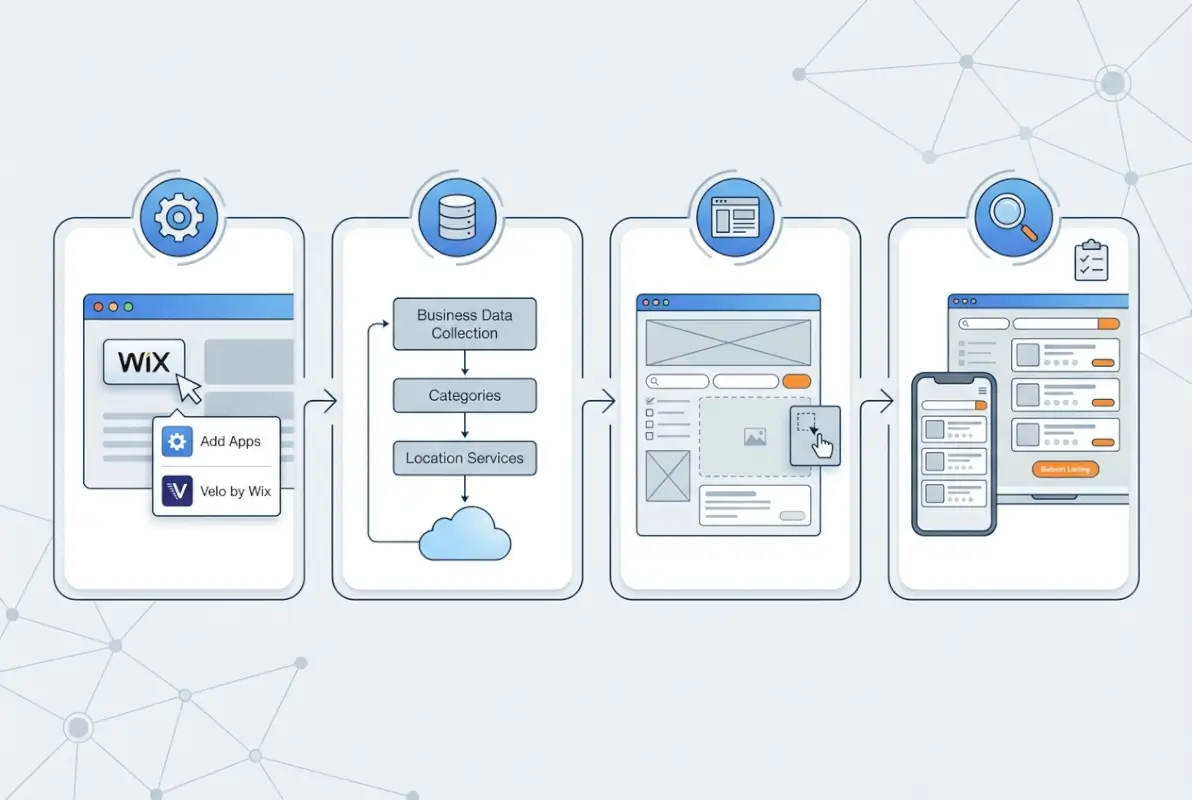
Now that you’ve chosen your approach, let’s walk through the actual implementation process. I’ll focus on the most common scenario: using Wix’s native features enhanced with a directory app for scalability.

Step 1: Configure Site Structure and Business Information
Start by establishing your site’s foundational information in Wix’s Business Info settings. Navigate to Settings → Business Info and complete every field thoroughly—these details feed directly into your schema markup.
Critical fields for local SEO include:
- Exact business name (must match Google Business Profile)
- Complete physical address with proper formatting
- Primary phone number in consistent format
- Business hours for all operating days
- Business category selection
For directories, you’re essentially creating a parent entity. Some builders make the mistake of entering the directory company’s information when they should be focused on the listed businesses. If you’re building a directory of restaurants, each restaurant needs its own structured data—not just your directory company’s details.
Step 2: Create or Integrate Directory Listings
If using a third-party directory app, follow the app’s specific setup wizard. For native Wix approaches, you’ll need to manually create pages or database collections for each listing.
Essential fields for each business listing:
- Business name (exactly as it appears publicly)
- Complete address with city, state, ZIP
- Phone number with area code
- Website URL (if applicable)
- Business category and subcategories
- Operating hours or service availability
- Brief business description (100-150 words)
- High-quality photos (at least 3-5 images)
Step 3: Configure Search Filters and User Experience
Directory usability depends entirely on how quickly users find relevant listings. Implement at minimum three filtering dimensions: location/geography, business category, and special attributes (price range, ratings, hours).
Effective filter implementations include:
- Geographic radius search from user’s location or ZIP code
- Multi-select category filters for broad-to-narrow refinement
- Quick filters for common queries (“Open Now”, “Highly Rated”)
- Keyword search across business names and descriptions
- Sort options: distance, rating, alphabetical, newest
One mistake I see frequently is overwhelming users with too many filter options upfront. Start with 3-4 primary filters and add complexity only after analyzing actual search patterns in your analytics.
Step 4: Optimize On-Page SEO for Directory Pages
Each category page and individual listing requires unique optimization. Don’t neglect the fundamentals just because you’ve implemented schema—traditional SEO signals still matter significantly.
For category pages:
- Descriptive H1 tags with location and category (“Italian Restaurants in Downtown Portland”)
- Unique meta descriptions under 155 characters
- 150-300 words of introductory content explaining the category
- Internal links to related categories and featured listings
- Schema markup for ItemList type alongside individual business schemas
For individual listing pages:
- Business name as H1
- Comprehensive description with relevant local keywords
- LocalBusiness schema with all available properties
- Embedded map showing business location
- Reviews or testimonials if available
Step 5: Validate Schema with Google’s Testing Tools
Before launching publicly, validate every schema implementation using the Google Rich Results Test. This tool reveals errors that could prevent your listings from appearing in enhanced search results.
Testing process:
- Publish listing pages (you can keep the main site private)
- Enter each listing URL into the Rich Results Test
- Review detected structured data for completeness
- Check for errors (red indicators) and warnings (yellow indicators)
- Fix any issues and retest until clean validation
LocalBusiness Schema Deep Dive
Understanding LocalBusiness structured data separates functional directories from exceptional ones. While Wix handles basic implementation automatically, manual enhancements significantly improve search visibility and user experience.

Essential LocalBusiness Properties
According to schema.org LocalBusiness documentation, the schema type includes dozens of properties. Focus on these high-impact elements:
- @type: “LocalBusiness” or more specific subtypes (Restaurant, Store, ProfessionalService)
- name: Official business name
- address: Complete PostalAddress object with streetAddress, addressLocality, addressRegion, postalCode
- telephone: Primary contact number
- openingHours: Structured hours for each operating day
- geo: Geographic coordinates (latitude/longitude) for precise mapping
- priceRange: Indication of typical pricing ($, $$, $$$, $$$$)
- aggregateRating: Overall rating if you include reviews
Optional but valuable properties include servesCuisine (for restaurants), paymentAccepted, areaServed, and hasMap for embedded location viewers.
Implementing and Testing Structured Data on Wix
Wix automatically adds basic LocalBusiness schema when you complete Business Info settings. However, for directories, you need individualized schema for each listing—something Wix doesn’t handle automatically with native features.
Implementation approaches:
- Use a directory app that includes schema generation
- Add custom code blocks with JSON-LD schema to listing pages
- Leverage Wix’s Velo (formerly Corvid) platform for dynamic schema generation
I typically recommend apps with built-in schema support for most users, since manual implementation requires ongoing maintenance as you add listings.
Rich Results Expectations vs. Reality
Many directory builders implement perfect schema and expect immediate rich results for all listings. The reality is more nuanced—Google displays rich results selectively based on query type, search intent, and competitive landscape.
Realistic expectations:
- Branded searches (business name queries) have highest rich result rates
- Generic category searches rarely trigger rich results for directory listings
- Local intent queries (“near me” searches) show enhanced results more frequently
- Review-rich listings have better chances of featured placement
Don’t view schema as a magic bullet for traffic—consider it foundational infrastructure that enables multiple discovery pathways rather than guaranteeing specific result types.
Advanced Multi-Location and Google Integration
Once your basic directory functions properly, advanced optimizations unlock additional visibility and user value. Multi-location support and Google service integration represent the most impactful enhancements.

Adding Multiple Locations in Wix
Wix supports up to five locations per business through the native Business Info settings. For directories where individual businesses operate multiple locations, leverage this feature to create complete LocalBusiness entities for each physical presence.
Multi-location implementation:
- Create separate schema objects for each location (don’t combine into single schema)
- Use consistent business name with location differentiators (“Pizza House – Downtown” vs “Pizza House – Midtown”)
- Ensure each location has unique address, phone, and hours data
- Implement separate map embeds showing each location
- Create individual pages or tabs for each location within the business listing
Connecting to Google Business Profile
Google Business Profile (formerly Google My Business) integration amplifies your directory’s value to listed businesses while improving data accuracy. Wix offers direct GBP connection through the Business Info settings.
Integration benefits include:
- Automatic hours updates synced from GBP to your directory
- Review aggregation from Google into your listings
- Consistent NAP information across platforms
- Enhanced credibility through verified business status
For directory operators, encourage listed businesses to claim and verify their Google Business Profiles, then link those profiles to their directory listings. This creates a verification layer that users trust while reducing your data maintenance burden.
Ensuring Data Accuracy and Canonical URLs
Data decay is the silent killer of directory projects. Businesses move, change hours, or close entirely—outdated information destroys user trust faster than any design flaw.
Accuracy maintenance systems:
- Quarterly verification emails to all listed businesses
- User-reporting mechanism for incorrect information
- Automated monitoring of business websites for changed details
- Integration with business data APIs for real-time updates
- Clear “last verified” dates displayed on listings
Canonical URLs prevent duplicate content issues when listings appear on multiple pages. Implement rel=”canonical” tags pointing to the primary listing URL, and ensure category pages don’t compete with individual listing pages for the same keywords.
Maintenance, Analytics, and Conversion Optimization
Launch day represents the beginning of your directory’s evolution, not the endpoint. Systematic maintenance and data-driven optimization separate successful directories from abandoned experiments.
Ongoing Data Hygiene and Revalidation
Establish quarterly revalidation cycles where you systematically review every listing. I use a simple spreadsheet tracking system with these fields: business name, last verification date, verification method, status changes, and next review date.
Verification methods to rotate:
- Automated phone number validation services
- Website crawler checks for business homepage changes
- Direct email outreach to business contacts
- Cross-reference against Google Business Profile data
- User-submitted update requests
For directories exceeding 100 listings, manual verification becomes impractical. Consider implementing automated systems that flag likely changes (disconnected phone numbers, unreachable websites, changed business names in GBP) for human review.
Tracking Performance Metrics
Google Search Console provides the most valuable data for directory optimization. Focus on these metrics weekly:
- Impressions and clicks by landing page (which listings/categories attract searches?)
- Average position for target keywords
- Click-through rate trends (CTR improvements indicate better title/description optimization)
- Core Web Vitals for user experience benchmarks
- Manual actions or schema errors flagged by Google
| Metric | Healthy Range | Action if Below |
|---|---|---|
| Organic CTR | 3-5% for directories | Improve title tags and meta descriptions |
| Bounce Rate | 40-60% | Review page relevance and load speed |
| Avg. Session Duration | 2-4 minutes | Add more valuable content per listing |
| Pages per Session | 2.5-4.0 | Improve internal linking and related listings |
A/B Testing for Improved Click-Through Rates
Small changes in title tags and meta descriptions create surprisingly large CTR improvements. Test variations systematically:
- Number-driven titles vs. benefit-focused titles
- Location specificity in descriptions (neighborhood names vs. city names)
- Action words and urgency triggers (“Find”, “Discover”, “Browse”)
- Question-format titles for informational queries
I once improved a restaurant directory’s CTR from 2.1% to 4.7% simply by adding neighborhood names to category page titles. Users searching “restaurants downtown” engaged much more with “Downtown Denver Restaurants – 47 Local Favorites” than the generic “Denver Restaurants Directory.”
Security, Accessibility, and Schema Compliance
Professional directories must address security concerns, accessibility requirements, and proper schema implementation to avoid Google penalties and user accessibility complaints.
Accessibility Considerations for Directory Listings
Directory interfaces often fail accessibility standards through complex filtering interfaces that don’t work with screen readers or keyboard-only navigation.
Essential accessibility implementations:
- Keyboard navigation through all filters and listing cards
- ARIA labels for filter controls and interactive elements
- Sufficient color contrast ratios (minimum 4.5:1 for text)
- Alt text for all business photos and logos
- Clear focus indicators for keyboard navigation
- Semantic HTML structure (proper heading hierarchy)
Test your directory with browser accessibility audits (Chrome DevTools Lighthouse includes accessibility scoring) and keyboard-only navigation before launch.
Privacy and Data Protection
If your directory accepts user submissions or registrations, comply with data protection regulations (GDPR, CCPA) through clear privacy policies and explicit consent mechanisms.
Required elements include:
- Privacy policy clearly explaining data collection and usage
- Cookie consent banners for tracking technologies
- User rights documentation (data access, deletion requests)
- Secure data transmission (HTTPS/SSL certificates)
- Business owner verification processes before listing publication
Avoiding Schema Misuse and Manual Actions
Google penalizes schema manipulation through manual actions that can devastate directory visibility. Common violations include:
- Adding LocalBusiness schema to pages without actual business presence
- Fake or incentivized review markup
- Markup for invisible or hidden content
- Incorrect business types (using Restaurant schema for non-restaurants)
- Duplicate schemas across multiple pages for the same entity
Follow the principle: only mark up content that’s visible to users and accurately represents the business. When uncertain, check Google’s official LocalBusiness structured data documentation for explicit guidelines.
Frequently Asked Questions
How do I create a Wix directory without coding?
Create a Wix directory without coding by using Wix’s Business Info feature for basic listings or installing a directory app from the Wix App Market. Configure your categories, add business information through intuitive forms, and set up filtering options through app settings. Most directory apps provide drag-and-drop interfaces that require no technical expertise while automatically generating the necessary schema markup for search engines.
What is LocalBusiness markup and how does it help Wix sites?
LocalBusiness markup is structured data that tells search engines specific information about businesses in your directory: names, addresses, hours, services, and contact details. For Wix directories, proper LocalBusiness schema improves search visibility by making your listings eligible for rich results, enhanced local search appearances, and better integration with Google Maps and voice search results.
How can I test my schema for local business on Wix?
Test local business schema on Wix using Google’s Rich Results Test tool. Simply publish your listing pages (even if the main site remains private), copy the listing URL, paste it into the Rich Results Test at search.google.com/test/rich-results, and review the detected structured data. Fix any errors indicated in red, address warnings in yellow, and retest until achieving clean validation before full launch.
Do directory listings show reviews with schema markup?
Directory listings can display review stars in search results if you implement AggregateRating schema alongside LocalBusiness markup and meet Google’s review snippet policies. However, reviews must be genuine user-generated content—not fake or incentivized reviews. Google selectively displays review stars based on review quality, quantity, and whether the content matches your visible page content.
Can I have multiple locations in a Wix directory and how does that affect SEO?
Wix supports up to five locations per business through Business Info settings. For directory SEO, create separate LocalBusiness schema objects for each location with unique addresses, phone numbers, and hours. Multi-location businesses benefit from location-specific landing pages that target neighborhood-level keywords and provide distinct Google Business Profile connections for each physical presence.
What is the difference between a Wix-native directory and an embedded directory widget?
Wix-native directories use Wix’s built-in features or apps that integrate directly with your site’s database and SEO infrastructure. Embedded directory widgets are external platforms inserted via iframes—they offer more features but provide minimal SEO value since search engines struggle to index embedded content. Native approaches generate better organic traffic despite potentially limited functionality.
How often should I update my directory data to maintain SEO health?
Update directory data quarterly at minimum to maintain accuracy and user trust. Implement verification cycles where you systematically check business hours, contact information, and operational status. High-traffic directories benefit from monthly updates for popular listings and automated monitoring systems that flag likely changes like disconnected phone numbers or unreachable websites for immediate human review.
What tools should I use to validate structured data on Wix pages?
Use Google’s Rich Results Test for schema validation and Schema.org’s validator for technical correctness. The Rich Results Test shows exactly how Google interprets your markup and flags issues preventing rich result eligibility. Additionally, monitor Google Search Console’s Enhancement reports for ongoing schema error detection and page-specific structured data problems across your entire directory.
How many listings can a Wix business directory handle effectively?
Wix directories handle 50-200 listings effectively with standard performance, though technical limits extend to several thousand listings. Performance depends more on optimization than raw numbers—compressed images, efficient filtering code, and proper caching maintain speed even with extensive listings. Beyond 500 listings, consider WordPress-based alternatives like TurnKey Directories for better scalability and advanced features.
Does Wix automatically add LocalBusiness schema to directory listings?
Wix automatically adds basic LocalBusiness schema only for your business information entered in Settings → Business Info. Individual directory listings require manual schema implementation through custom code, Velo development, or third-party apps with built-in schema generation. Native Wix features alone don’t create unique structured data for each business listing in a directory.
Launch Your Optimized Wix Directory
Building a successful Wix business directory comes down to three non-negotiable elements: accurate structured data implementation, user-focused architecture that helps visitors find relevant businesses quickly, and systematic maintenance that prevents the accuracy decay plaguing most directories.
The directories that thrive in 2025 aren’t necessarily those with the most listings or flashiest designs—they’re the ones that solve real problems for specific audiences through carefully curated, verified information presented with proper schema markup. Whether you’re creating a neighborhood service directory, industry-specific professional listings, or a regional marketplace, the fundamentals remain consistent: plan strategically, implement schema correctly, and commit to ongoing data quality.
Ready to Build Your Directory?
Start with thorough planning, implement LocalBusiness schema from day one, and commit to quarterly data verification. Your directory’s long-term success depends more on consistent maintenance than perfect launch execution.
Test your structured data before going public—validation now prevents penalties later.
What type of directory are you building on Wix? Share your project in the comments—I’m particularly interested in hearing about unique local or niche directories that solve specific community problems. And if you’re stuck on schema implementation or filtering architecture, describe your challenge below and I’ll provide specific guidance.
Was this article helpful?