How to Create a Business Directory Website in 7 Days (Complete 2026 Guide)

Generating summary...
Building a profitable business directory website doesn’t require months of development or a technical degree. I’ve helped dozens of entrepreneurs launch successful directories in just one week, and the process is more straightforward than most people think. The real challenge isn’t the technical setup—it’s understanding the strategic foundations that separate thriving directories from abandoned projects.
What most guides won’t tell you is that your success depends less on fancy features and more on solving a specific problem for a defined audience. The directories that generate consistent revenue focus relentlessly on data quality, user experience, and building trust before worrying about advanced monetization. In this guide, I’ll walk you through the exact 7-day framework that works in 2026, complete with the security considerations, SEO strategies, and monetization models that actually matter.
TL;DR – Your 7-Day Directory Blueprint
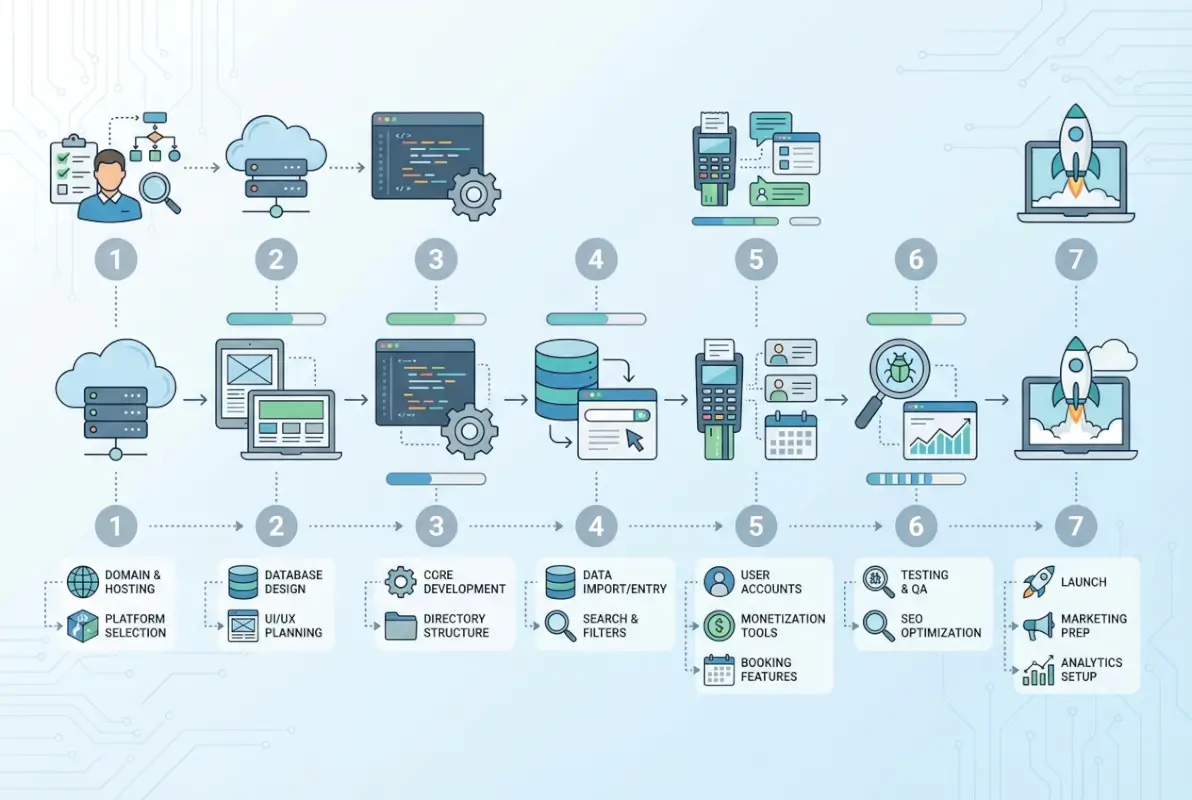
- Day 1: Define your niche, research competitors, map out essential features and categories
- Day 2: Secure domain and hosting, install WordPress, configure SSL and basic security
- Day 3: Install directory theme/plugin, customize design, set up core page templates
- Day 4: Build category structure, create 30-50 seed listings with proper schema markup
- Day 5: Implement SEO foundations, add content, configure structured data
- Day 6: Set up monetization systems, create listing tiers, test payment flows
- Day 7: Final testing, security hardening, soft launch with initial outreach
Understanding the Modern Business Directory Landscape
The business directory model has evolved significantly beyond the digital Yellow Pages concept. Today’s successful directories serve as specialized discovery platforms that solve specific problems for both consumers and businesses. Whether you’re building a local service directory, a niche industry catalog, or a regional business finder, the fundamentals remain consistent: provide accurate information, facilitate connections, and build trust through quality.
According to Pew Research data on internet usage patterns, local search behavior continues to drive significant online activity, with users increasingly expecting rich, verified information when researching businesses. This creates opportunities for well-executed directories that prioritize data quality over quantity.
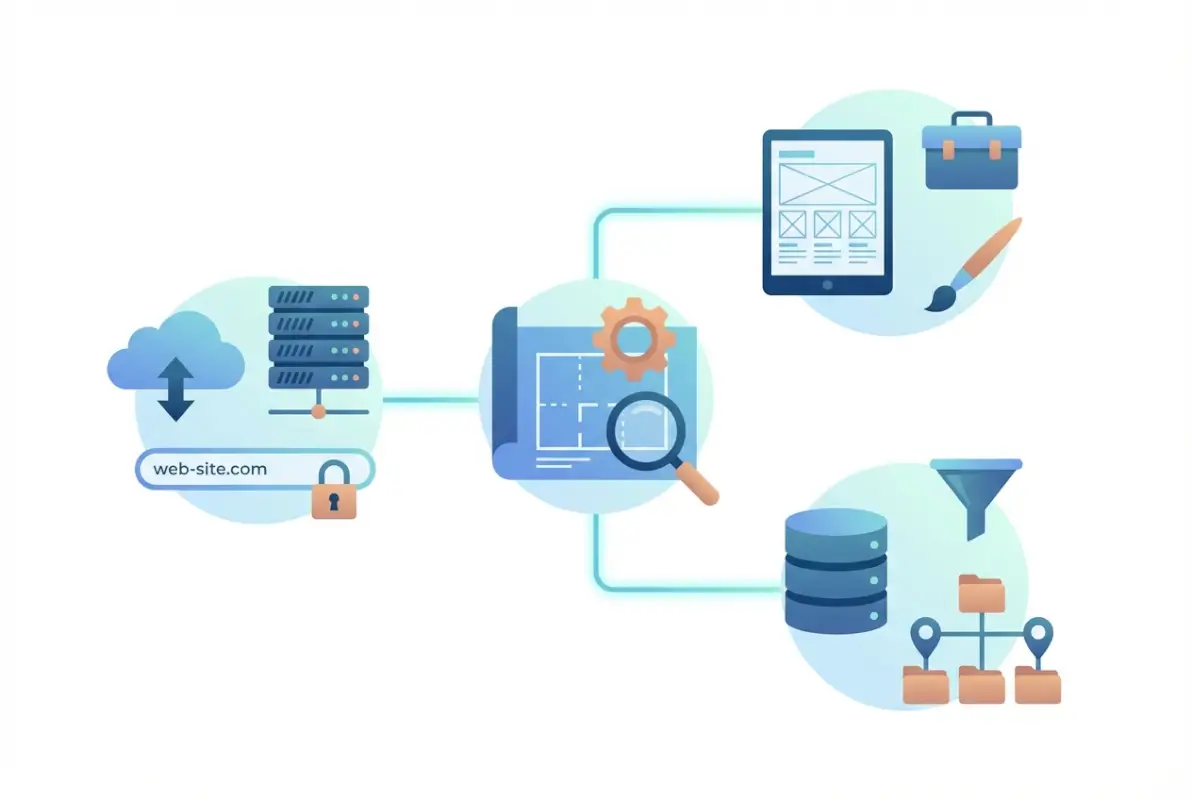
The competitive landscape includes established players like Yelp, Angie’s List, and industry-specific directories, but there’s substantial room for focused alternatives. Most generic directories struggle with three core issues: outdated information, poor mobile experiences, and weak moderation systems. Your opportunity lies in addressing these gaps within a specific niche or geography.
Why WordPress Remains the Best Foundation
While headless CMS options and custom builds have their place, WordPress continues to dominate directory development for practical reasons. It powers over 40% of websites globally, which translates to extensive plugin ecosystems, abundant developer talent, and proven scalability. More importantly, directory-specific themes and plugins have matured significantly, offering robust features without custom development costs.
The alternative approaches—fully custom builds or SaaS platforms like Brilliant Directories—work in specific scenarios. Custom development makes sense when you need unique features not available in plugins and have $10,000+ budget. SaaS platforms work when you want zero technical management but can accept limited customization and ongoing subscription costs (typically $50-200/month).
Day 1: Strategic Planning and Competitive Research
Most directory failures happen because builders skip this crucial planning phase, jumping straight into setup. I’ve watched numerous projects launch with beautiful designs but no clear value proposition or target audience. Your Day 1 work determines whether you’ll build something people actually use or another abandoned directory site.
Start by defining your specific niche with brutal honesty. “A directory for all businesses in my city” is too broad unless you’re in a small town with limited existing options. “A verified directory for licensed home contractors in suburban Chicago” gives you focus, a clear value proposition (verification), and a defined geography.
Competitor Analysis That Actually Matters
Don’t just browse competitor sites—systematically document what they do well and where they fall short. Create a spreadsheet tracking 5-10 competing directories with columns for: listing submission process, verification methods, monetization model, unique features, mobile experience quality, and user complaints (check their social media and review sites).
| Analysis Factor | What to Document | Why It Matters |
|---|---|---|
| Listing Depth | Required fields, optional fields, verification status | Determines your quality bar and differentiation |
| Search Experience | Filter options, sorting, map integration quality | Primary user interaction point—must excel here |
| Monetization | Free tier limitations, paid tier pricing and features | Reveals market pricing and upgrade incentives |
| Content Strategy | Blog frequency, topics, engagement levels | Shows organic traffic strategies and gaps |
Pay special attention to verified complaints. When users complain that “listings are always outdated” or “I can never reach these businesses,” you’ve identified clear differentiation opportunities. Your business directory listing essential facts should address the specific pain points your competitors ignore.
Defining Your Feature Set and Data Model
Your directory’s data structure determines everything from user experience to SEO performance. At minimum, each listing needs: business name, category, location (address, city, region), contact information (phone, email, website), description, and operating hours. Beyond basics, consider what makes your niche valuable—certifications for contractors, menu categories for restaurants, or specialization areas for professional services.
Day 2: Technical Foundation and Security Setup
Your hosting and domain decisions impact everything from site speed to security posture. I’ve seen too many directories launch on budget shared hosting, only to crash during their first traffic spike or get compromised due to weak security configurations. Invest properly here—it’s the foundation everything else builds on.
For domain selection, prioritize clarity over cleverness. “ChicagoContractorDirectory.com” beats “BuilderHub.io” for local SEO and user trust, even if it’s less catchy. Keep it under 20 characters when possible, avoid hyphens and numbers, and check that social media handles are available for consistent branding.
Hosting Requirements for Directory Sites
Directory sites have different requirements than typical blogs. You need solid database performance (listings are database-heavy), reliable uptime (businesses depend on their profiles being accessible), and room to scale (successful directories grow quickly). Shared hosting works initially, but plan to upgrade to managed WordPress or VPS hosting once you exceed 10,000 monthly visitors.
| Hosting Tier | Best For | Monthly Cost | Key Features |
|---|---|---|---|
| Shared (SiteGround, Bluehost) | Initial launch, under 5K visitors | $5-15 | SSL, daily backups, WordPress optimization |
| Managed WordPress | Growing directories, 5K-50K visitors | $30-80 | Automatic updates, enhanced security, CDN |
| VPS or Cloud | Established directories, 50K+ visitors | $80-200 | Dedicated resources, custom configuration |
WordPress Installation and Essential Security Hardening
Most hosts offer one-click WordPress installation, which is fine, but don’t skip security configuration immediately after. The OWASP Top 10 security risks highlight common vulnerabilities that affect WordPress sites, including injection attacks, broken authentication, and security misconfigurations.
Your immediate security checklist: change the default admin username from “admin”, use a password manager to generate a strong admin password (20+ characters), install Wordfence or Sucuri Security plugin, enable two-factor authentication, configure automatic backups to external storage, and limit login attempts. These basics prevent 90% of common attacks.
Configure SSL immediately (most hosts include free Let’s Encrypt certificates). Your site must run on HTTPS, both for security and because Google penalizes non-HTTPS sites in search rankings. Verify the SSL is working properly by checking for the padlock icon and testing at SSL Labs.
Day 3: Directory Platform Setup and Design Customization
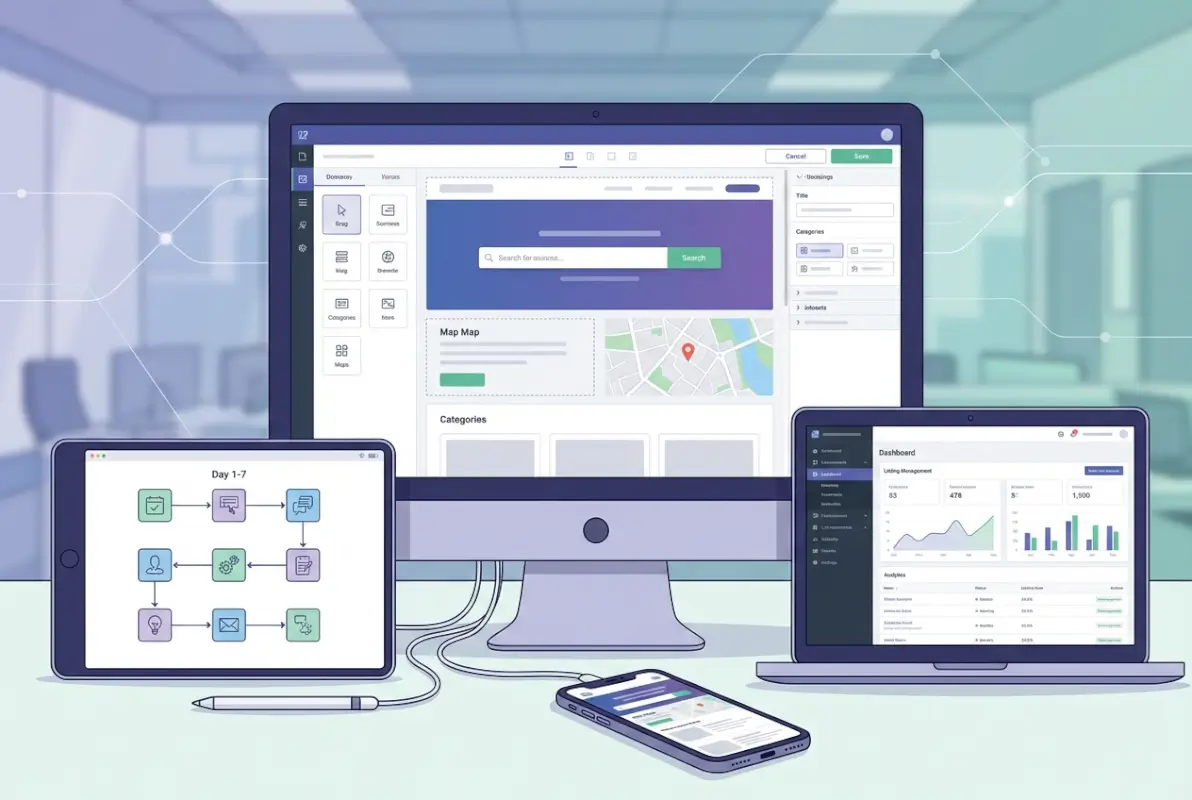
This is where your directory takes visual form. The theme and plugin decisions you make today determine how much customization you’ll need later, so choose carefully. For WordPress directories, you essentially have two paths: dedicated directory themes (ListingPro, Directory Engine, ListGo) or directory plugins (GeoDirectory, Business Directory Plugin) with a general theme.
I typically recommend dedicated directory themes for most builders because they integrate listing functionality with design from the start, reducing plugin conflicts and simplifying setup. The tradeoff is less design flexibility if you want a highly custom look later. Directory plugins offer more design control but require more configuration work to get everything working smoothly.
Essential Plugin Stack for Directory Sites
Beyond your core directory solution, you’ll need supporting plugins for functionality, security, and optimization. Keep this lean—every plugin adds potential security vulnerabilities and performance overhead. I’ve seen directories with 40+ plugins that load in 8 seconds, destroying user experience and SEO.
Your essential plugin list: directory core (GeoDirectory or equivalent), SEO plugin (Yoast or RankMath), security plugin (Wordfence), caching plugin (WP Rocket or W3 Total Cache), image optimization (Smush or ShortPixel), form builder (WPForms or Gravity Forms), and analytics (MonsterInsights or direct Google Analytics). That’s 7 plugins total. Add payment processing (WooCommerce or Stripe integration) only when ready to monetize.
Design and Mobile Optimization
Over 60% of directory searches happen on mobile devices, so mobile-first design isn’t optional. Test every page on actual mobile devices (not just desktop browser resize), paying special attention to search filters, map functionality, and listing contact forms. These are the highest-friction points on mobile.
For design customization, focus on: clear branding (logo, colors matching your niche), intuitive search prominence (search should dominate your homepage), category navigation (visual icons improve engagement), trust signals (testimonials, listing count, verification badges), and clean listing layouts. Resist the urge to over-design—directory users want information quickly, not visual complexity.
Day 4: Category Structure and Initial Listing Population
Your category structure is the organizational backbone of your directory. Poor categorization creates frustrated users who can’t find what they need, while overly complex taxonomies overwhelm and confuse. I’ve seen directories fail purely because their category structure didn’t match how users naturally think about their niche.
Use the category research from Day 1 to build a logical hierarchy. For a local services directory, main categories might include: Home Services, Professional Services, Health & Wellness, Automotive, Food & Dining, Retail, and Events & Entertainment. Each gets 3-5 subcategories (Home Services breaks into Plumbing, Electrical, HVAC, Landscaping, Cleaning, etc.).

Creating High-Quality Seed Listings
Launch with 30-50 complete, high-quality listings rather than 200 minimal entries. Users judge directory quality by listing depth, not just count. Each seed listing should include: complete business information, 2-3 paragraph description, operating hours, service area, 3-5 photos (many businesses have images on their website you can reference), and accurate category placement.
Source initial listings through: manual research using Google Maps and existing directories, outreach to businesses offering free premium listings during launch, public business registries (chambers of commerce, licensing databases), and industry associations. Always verify information is current—outdated listings destroy trust immediately.
Structured Data Implementation for Listings
Structured data (schema markup) helps search engines understand your listings and can earn rich results in search. Implement LocalBusiness schema for each listing, including name, address, phone, hours, price range, and review ratings once you have them. Most directory plugins handle basic schema automatically, but verify it’s implemented correctly using Google’s Rich Results Test tool.
Your business directory ID what it is why you need one system should use clean, SEO-friendly URLs with location and category indicators where logical (yoursite.com/chicago/plumbers/business-name rather than yoursite.com/?listing=12345).
Day 5: SEO Foundation and Content Strategy
SEO determines whether anyone finds your directory. The good news is that directory sites have natural SEO advantages—each listing creates unique content, location-based pages target local search, and the utility of aggregated information attracts backlinks naturally. The challenge is executing technical SEO properly and creating supporting content that drives organic traffic.
Start with technical SEO fundamentals: XML sitemap generation and submission to Google Search Console, robots.txt configuration allowing search engines to crawl listings, proper canonical URL setup to prevent duplicate content issues, mobile-responsive design verification, page speed optimization (compress images, enable caching, minimize CSS/JS), and clean URL structure.
On-Page SEO for Directory Pages
Each page type needs specific optimization. Category pages should target “[niche] in [location]” keywords with unique descriptions for each category explaining what users will find. Location pages target “[niche] in [city]” with local context and business counts. Individual listings need unique titles following the pattern “Business Name – Category | Your Directory” and meta descriptions pulling from the business description.
| Page Type | Primary Keyword Target | SEO Priority |
|---|---|---|
| Homepage | [Niche] directory [location] | High |
| Category Pages | [Category] in [location] | Critical |
| Location Pages | [Niche] in [specific city/neighborhood] | Critical |
| Individual Listings | [Business name] + [category] | Medium |
| Blog Content | Long-tail informational queries | High |
Content Creation for Directory Growth
Beyond listings, create supporting content that attracts organic traffic and establishes topical authority. Launch with 5-8 foundational articles: “How to Choose a [Service] in [Location]” guides, “Top 10 [Category] Businesses in [City]” roundups, industry trend articles, comparison guides, and local event coverage if relevant to your niche.
Your blog content should drive users to directory listings naturally. An article on “How to Find a Reliable Contractor in Chicago” should link to your contractor category page and reference specific listed businesses as examples. This creates internal linking that helps SEO while providing genuine value. Check out this local business directory guide for additional content strategies.
Day 6: Monetization Systems and Revenue Planning
A directory without monetization is a hobby project. Day 6 focuses on building sustainable revenue streams that align with the value you provide. The most successful directories use tiered listing models where basic presence is free (building volume) and enhanced features require payment (generating revenue).
Your free tier should include: business name, category, address, phone, basic description (100-200 words), and one image. This attracts businesses initially and builds listing volume. Paid tiers add value through: extended descriptions with formatting, photo galleries (5-10 images), video embedding, social media integration, logo display, featured placement in category and search results, removal of competitor ads, and analytics on profile views and clicks.
Pricing Strategy and Tier Structure
Research competing directories’ pricing during Day 1 to inform your structure. For local service directories, typical pricing ranges: Basic (free), Premium ($25-50/month), Featured ($75-150/month), and Enterprise ($200+/month for multi-location businesses or chains). Price based on the value of customer acquisition in your niche—B2B services can charge more than consumer services.
| Listing Tier | Monthly Price | Key Differentiators |
|---|---|---|
| Basic | Free | Name, category, contact, short description, 1 image |
| Premium | $35-65 | + Extended description, 5 images, social links, hours, website link |
| Featured | $95-175 | + Priority placement, unlimited images, video, lead forms, badge |
| Enterprise | $250-500 | + Multiple locations, analytics dashboard, API access, dedicated support |
Alternative and Supplementary Revenue Streams
Don’t rely solely on paid listings. Diversify with banner advertising (once you have traffic), sponsored content and featured business spotlights, lead generation fees (charge per qualified inquiry), affiliate partnerships with business services (accounting software, payment processors, marketing tools), and premium content or industry reports. Some best low cost business directories for startups begin with advertising-only models before introducing paid listings.
Set up payment processing through Stripe or PayPal integration (most directory plugins support both). Test the complete payment flow yourself by creating a test business listing and purchasing each tier. Verify that: payment confirmation emails send properly, listing upgrades apply immediately, receipt generation works, and subscription management functions for monthly billing.
Day 7: Testing, Security Review, and Strategic Launch
Launch day isn’t about making your site public—it’s about systematic verification that everything works as intended. I recommend a soft launch approach where you make the site accessible but don’t announce it widely, allowing 24-48 hours to catch issues under real conditions before your official announcement.
Your comprehensive testing checklist should cover functionality (search and filter accuracy, listing submission process, user registration and login, contact forms and inquiry delivery, payment processing, email notifications), cross-browser compatibility (Chrome, Firefox, Safari, Edge), mobile devices (iOS and Android, various screen sizes), and performance (load time under 3 seconds, database query optimization, image compression verification).
Security Hardening Before Launch
Revisit security configurations one final time before going live. Directory sites become targets once they gain traction because they collect business data and potentially payment information. Follow OWASP Top 10 guidance for web application security, focusing on: injection prevention (validate all user inputs), authentication security (strong passwords, 2FA, session management), sensitive data protection (encrypt payment data, use HTTPS everywhere), and security logging (monitor for suspicious activity).
Run a security scan using Wordfence or Sucuri to identify vulnerabilities. Verify that: all plugins and themes are updated to latest versions, database credentials use strong passwords, file permissions are configured correctly (directories 755, files 644), admin area is protected with 2FA, and backups are configured and tested (actually restore from a backup to verify it works).
Launch Strategy and Initial Outreach
Your launch announcement should target three audiences: businesses you’ve listed (notify them they’re included, offer free premium upgrade for verification/claiming), potential users in your target geography or niche (social media, local forums, industry groups), and press and influencers (local media, industry bloggers, relevant online communities).
Create a simple launch promotion that creates urgency: “First 100 businesses to claim their listing get 3 months premium free” or similar. This incentivizes early adoption and helps you gather testimonials. The hotfrog business directory reasons get listed asap article demonstrates effective messaging for business owner outreach.
Post-Launch: Growth and Optimization Framework
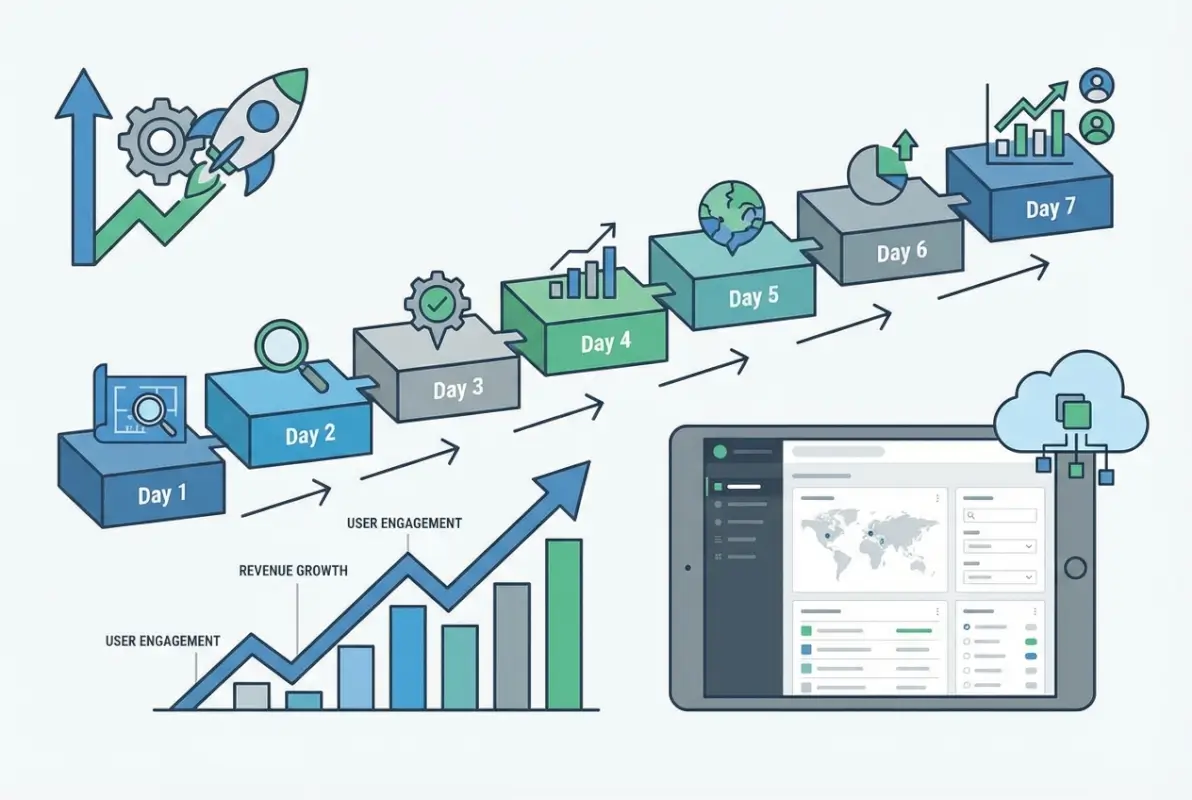
The 7-day build is just the beginning. Successful directories require consistent effort in three areas: content and listings growth, user engagement and community building, and technical optimization and security maintenance. Block out dedicated time weekly for directory management—2-3 hours minimum for established directories, more during growth phases.
Month 1 focus should be reaching 100 total listings (combination of seed listings and business submissions), publishing 4-6 supporting blog articles, setting up Google Analytics goals tracking conversions, launching social media presence with consistent posting schedule, and gathering initial user feedback through surveys or direct outreach. Track metrics that matter: monthly visitors, listing submissions, paid upgrades, search rankings for target keywords, and user engagement (time on site, pages per visit).
Scaling Strategy and Long-Term Planning
As your directory grows, you’ll face decisions about expansion: adding new categories, expanding geographically, or deepening within your existing niche. I’ve found that deepening before expanding usually works better—become the definitive resource for Chicago contractors before adding surrounding suburbs, or dominate plumbing before adding other home services.
Technical scaling considerations emerge around 500-1,000 listings and 25,000+ monthly visitors. You’ll need better hosting (move from shared to VPS or managed WordPress), enhanced caching, database optimization (add indexes on frequently queried fields), CDN implementation for global performance, and possibly search optimization with Elasticsearch for complex filtering. Monitor site performance weekly and plan upgrades before slowdowns impact user experience.
Frequently Asked Questions
Can you really build a functional business directory in just 7 days?
Yes, following this framework allows you to launch a functional directory with essential features, quality listings, and monetization systems in one week. However, building a successful directory that generates significant traffic and revenue requires ongoing effort beyond the initial 7-day build. The timeline works because you focus on core functionality first and add advanced features iteratively.
What’s the minimum budget needed to create a business directory website?
You can launch a basic directory for $200-500 covering domain registration ($12-15/year), hosting ($5-15/month initially), premium directory theme ($50-80 one-time), essential plugins ($50-100 for premium versions), and SSL certificate (usually free). Plan for $30-50/month ongoing costs once launched. Custom development would increase costs to $5,000-20,000 depending on complexity and features.
Which platform is best for building a business directory in 2026?
WordPress remains the best platform for most directory projects due to its flexibility, extensive plugin ecosystem, SEO capabilities, and lower cost compared to custom development. It powers 40%+ of websites globally, ensuring long-term support and developer availability. Alternatives like SaaS platforms (Brilliant Directories) work for users wanting zero technical management but accepting higher ongoing costs and limited customization.
How do business directories generate revenue?
The primary monetization model is tiered listings where basic presence is free and enhanced features require paid subscriptions ($25-200/month depending on tier and niche). Secondary revenue streams include display advertising once you have traffic, sponsored content and business spotlights, lead generation fees, affiliate partnerships with business service providers, and premium content or industry reports. Successful directories typically use 3-4 revenue streams.
How many listings do you need before launching a directory?
Launch with 30-50 complete, high-quality listings rather than hundreds of minimal entries. Users judge directory quality by listing depth and accuracy, not just count. Quality seed listings with photos, detailed descriptions, and verified information create better first impressions and SEO performance than numerous skeleton entries with just basic contact information.
What security measures are essential for directory websites?
Essential security includes SSL encryption (HTTPS), strong admin credentials with two-factor authentication, security plugin installation (Wordfence or Sucuri), regular plugin and theme updates, automated backups to external storage, login attempt limiting, and input validation to prevent injection attacks. Directory sites require enhanced security because they handle business data and potentially payment information, creating legal and reputational risks if compromised.
How important is mobile optimization for business directories?
Mobile optimization is critical—over 60% of directory searches happen on mobile devices. Your directory must provide excellent mobile experiences including fast loading (under 3 seconds), easy-to-use search and filters, readable listing information, functional maps and directions, and mobile-friendly contact forms. Google penalizes sites with poor mobile experiences in search rankings, directly impacting organic traffic.
What’s the best way to get initial listings for a new directory?
Source initial listings through manual research using Google Maps and existing directories, direct outreach to businesses offering free premium listings during launch, public business registries from chambers of commerce or licensing databases, and industry association directories. Always verify information is current before publishing. Offering launch promotions incentivizes businesses to claim and verify their listings quickly.
How do you handle outdated or inaccurate business listings?
Implement a claim and verification system where business owners can claim their listings and update information directly. Schedule quarterly audits checking for closed businesses and outdated contact information. Add user reporting functionality allowing visitors to flag incorrect information. Set up automated reminders asking listed businesses to verify their information annually. Data freshness directly impacts user trust and SEO performance.
What metrics should you track to measure directory success?
Track total monthly visitors, listing submissions (organic and paid), conversion rate from free to paid listings, search rankings for target keywords, average time on site and pages per visit, revenue per visitor, user retention rate, and listing claim rate. Set up Google Analytics goals tracking key conversions like listing submissions, contact form submissions, and paid upgrades. Review metrics monthly and adjust strategy based on trends.
Was this article helpful?