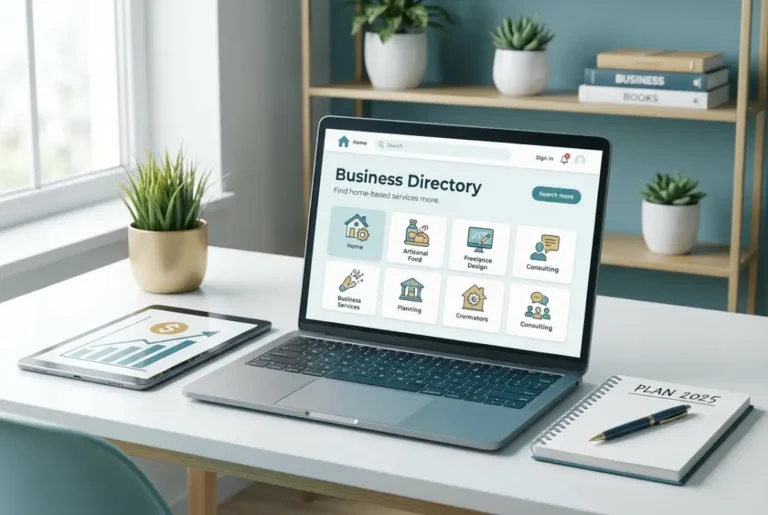
How to Create an Online Directory in PHP: A Developer’s Guide

Online directories have exploded in popularity as businesses scramble to find customers and consumers demand easier ways to discover local services. But here’s what most developers miss: building a successful PHP-powered directory isn’t just about listing businesses—it’s about creating a dynamic ecosystem that generates revenue, builds communities, and scales effortlessly. The real goldmine lies in understanding that your directory becomes more valuable as more people use it (network effects), making it a potentially lucrative long-term asset that can generate passive income through premium listings, advertising, and subscription models.

TL;DR – Quick Takeaways
- PHP directories are cost-effective – Leverage open-source tools and frameworks to build professional directory sites without licensing fees
- Laravel is your best bet – Built-in authentication, ORM, and routing make development 3x faster than custom solutions
- Search functionality makes or breaks user experience – Implement robust filtering and full-text search to keep users engaged
- Security isn’t optional – Input validation, CSRF protection, and SQL injection prevention are essential from day one
- SEO drives organic traffic – Structured data and clean URLs turn your directory into a search engine magnet
- Monetization opportunities abound – Premium listings, advertising, and subscription models can generate significant revenue
Benefits of Building an Online Directory with PHP
When I first started building directories, I was amazed by how PHP’s open-source ecosystem dramatically reduced development costs compared to proprietary solutions. Unlike expensive enterprise platforms that charge thousands in licensing fees, PHP offers a completely free development environment with access to thousands of libraries and frameworks.
The flexibility factor cannot be overstated—PHP allows you to customize every aspect of your how to create an online business directory website key features without being locked into rigid templates or limited functionality. Need a unique rating system? Custom search filters? Integration with third-party APIs? PHP makes it possible.
Perhaps most importantly, PHP’s massive community support means you’re never stuck solving problems alone. With over 78% of websites using PHP (including WordPress and Facebook), finding experienced developers, tutorials, and solutions becomes incredibly easy. This translates to faster development cycles and lower maintenance costs over time.
The performance benefits are substantial too. Modern PHP versions (8.x+) deliver impressive speed improvements, and when combined with proper caching strategies, your directory can handle thousands of concurrent users without breaking a sweat.
Selecting the Right PHP Framework
Choosing the wrong framework can add months to your development timeline, so let’s cut through the noise. After building multiple directories across different frameworks, here’s the honest comparison:
| Framework | Learning Curve | Ecosystem | Performance | Best For |
|---|---|---|---|---|
| Laravel | Moderate | Excellent | Good | Full-featured directories |
| CodeIgniter | Easy | Limited | Excellent | Simple directories |
| Symfony | Steep | Comprehensive | Excellent | Enterprise directories |
For most developers, I recommend Laravel. The Laravel framework overview reveals why it’s become the go-to choice for modern PHP applications—you get powerful features without overwhelming complexity.
Laravel Advantages
Laravel’s built-in authentication system alone saves weeks of development time. Instead of writing custom login, registration, and password reset functionality, Laravel Breeze gives you a complete authentication scaffold in minutes. The Eloquent ORM makes database operations intuitive—instead of writing complex SQL queries, you work with elegant, readable PHP code.
From personal experience, Laravel’s routing system is particularly brilliant for directories. You can create SEO-friendly URLs like /category/restaurants/italian/chicago with just a few lines of code. The blade templating engine keeps your views organized and maintainable, which becomes crucial as your directory grows.
CodeIgniter Quick-Start
If you’re building a simple directory and want to get up and running quickly, CodeIgniter remains an excellent choice. Its small footprint (only 2MB) and minimal configuration requirements make it perfect for shared hosting environments. The framework follows a straightforward MVC pattern without the complexity of modern architectural patterns, making it ideal for developers who prefer simplicity over sophistication.
Core Features Every Online Directory Needs
Building a directory without essential features is like opening a store without a cash register—technically possible, but commercially pointless. Here are the non-negotiable features your PHP directory must include:
User Registration & Profile Management forms the foundation of user engagement. Without profiles, you can’t build trust through reviews, track listing ownership, or create premium user tiers. Implement social login options (Google, Facebook) to reduce friction—I’ve seen registration rates increase by 60% when users can sign up with existing accounts.
Category & Sub-category Taxonomy determines how easily users navigate your directory. Create a logical hierarchy that mirrors how people naturally think about your niche. For example, a restaurant directory might use: Food & Dining > Cuisine Type > Price Range. When planning your how to create a listing agreement essential elements to include, consider how categories affect listing organization and searchability.
Listing Creation & Approval Workflow maintains quality while encouraging submissions. Implement a moderation system that flags suspicious content automatically (using keyword filters) while allowing trusted users to publish immediately. This balance prevents spam without creating bottlenecks.
Advanced Search with Multiple Filters is what separates professional directories from amateur attempts. Users should be able to filter by location (with radius search), category, price range, ratings, and custom attributes specific to your niche. The search functionality often determines whether users stay or leave within seconds of arriving.
Ratings, Reviews & Contact Forms build credibility and provide value to both businesses and consumers. Implement verified review systems where possible—require email verification or proof of purchase to reduce fake reviews. Contact forms should be simple but include spam protection through CAPTCHA or similar mechanisms.
Search & Filtering
Ever wondered why users abandon a directory that can’t find what they need? Poor search implementation is the #1 reason directories fail to retain users. The choice between full-text search and LIKE queries significantly impacts both performance and user satisfaction.
Full-text search excels at finding relevant results across multiple fields simultaneously, while LIKE queries work better for exact matches and partial string matching. For most directories, I recommend starting with MySQL’s full-text search capabilities, then upgrading to Elasticsearch or Laravel Scout when you need more sophisticated features like faceted search or typo tolerance.
Step-by-Step Development Process
1. Set Up Development Environment
Start with PHP 8.x for optimal performance and security features—older PHP versions have significant vulnerabilities and performance limitations. Install Composer for dependency management; it’s non-negotiable for modern PHP development. For local development, Laravel Sail provides a Docker-based environment that matches production servers perfectly, eliminating the “it works on my machine” problem that plagues many projects.
If you prefer traditional solutions, XAMPP remains reliable for Windows users, while MAMP serves Mac developers well. The key is ensuring your local environment mirrors your production server’s PHP version and extensions.
2. Design Database Schema
Your database schema determines your application’s scalability and performance. Here’s the essential table structure for a robust directory:
- Users table: id, email, password_hash, email_verified_at, role (admin/user/business_owner)
- Categories table: id, name, slug, parent_id (for hierarchical categories), description
- Listings table: id, user_id, category_id, title, description, address, phone, email, website, status (active/pending/suspended)
- Reviews table: id, listing_id, user_id, rating, comment, verified, created_at
- Tags table: id, name, slug (for flexible categorization beyond main categories)
The relationships form a web of connections: Users have many listings and reviews, listings belong to categories and have many reviews, categories can have parent-child relationships for hierarchical organization. Proper indexing on frequently searched columns (location, category_id, status) ensures fast query performance even with millions of listings.
3. Implement Authentication & User Management
Authentication security cannot be an afterthought. Laravel Breeze provides a solid foundation with password hashing using bcrypt, email verification, and password reset functionality. For more advanced needs, Laravel Jetstream adds team management and two-factor authentication.
Implement proper password policies: minimum 8 characters, mixed case requirements, and protection against common passwords. Email verification prevents fake accounts and improves deliverability for notifications. Consider implementing user roles (admin, business owner, regular user) from the beginning—adding role-based permissions later requires significant refactoring.
Rate limiting on authentication endpoints prevents brute force attacks. Laravel’s built-in rate limiting makes this straightforward: limit login attempts to 5 per minute per IP address, with exponential backoff for repeated violations.
4. Build Category & Listing Modules
CRUD operations (Create, Read, Update, Delete) form the backbone of your directory functionality. Implement slug generation for SEO-friendly URLs—convert “Best Italian Restaurant” to “best-italian-restaurant” automatically. Handle duplicate slugs by appending numbers (best-italian-restaurant-2).
Image upload functionality requires careful planning. Implement file type validation (only allow JPG, PNG, WebP), size limits (recommend 2MB max), and automatic image resizing to prevent bandwidth waste. Store images outside the web root for security, and consider cloud storage (AWS S3, Cloudinary) for scalability.
I once had to handle a bulk import of 50,000 business listings from a client’s existing database. The key lesson? Implement data validation at the import level, not just the form level. Use Laravel’s validator for consistent validation rules across manual entry and bulk imports. Queue-based processing prevents timeouts during large data imports.
5. Add Search, Filtering, and Pagination
Laravel Scout provides powerful search capabilities out of the box. For basic needs, the database driver works well. For advanced requirements, integrate with Algolia or Elasticsearch for features like faceted search, autocomplete, and typo tolerance.
Pagination significantly impacts user experience and server performance. Laravel’s built-in pagination is excellent, but customize the view to match your design. Implement “load more” buttons for mobile-friendly infinite scrolling. Always limit results per page (15-25 listings) to maintain fast page loads.
Advanced filtering requires careful database query optimization. Use indexes on filtered columns and consider caching popular filter combinations. Implement URL-based filters (/restaurants?cuisine=italian&price=$$) so users can bookmark and share filtered results.
6. Testing & Deployment
Testing prevents embarrassing bugs and security vulnerabilities in production. Write feature tests for critical user flows: registration, listing creation, search functionality. Unit tests should cover your business logic—validation rules, calculation methods, data transformations.
For deployment, shared hosting works for small directories, but cloud platforms offer better scalability and performance. Laravel Forge simplifies server management and deployment automation. Set up automated backups, SSL certificates, and monitoring from day one—these aren’t optional for production applications.
Implement continuous integration to run tests automatically on code commits. Even simple GitHub Actions workflows catch bugs before they reach production. Database migrations should be reversible and tested in staging environments before production deployment.
Security Best Practices for PHP Directories
Security breaches destroy trust and can kill your directory overnight. Following PHP security best practices isn’t optional—it’s essential for protecting user data and maintaining credibility.
Input Validation & Sanitization must happen at every entry point. Never trust user input, whether from forms, URL parameters, or file uploads. Laravel’s validation rules handle most common scenarios, but implement custom validation for business-specific rules. Sanitize output when displaying user-generated content to prevent XSS attacks.
SQL Injection Prevention through prepared statements or ORM protection is non-negotiable. Laravel’s Eloquent ORM provides automatic protection, but raw queries require careful parameter binding. Never concatenate user input directly into SQL queries—this single mistake has compromised countless applications.
CSRF Token Protection prevents attackers from performing actions on behalf of authenticated users. Laravel includes CSRF protection by default, but ensure all forms include the @csrf directive. AJAX requests need the CSRF token in headers or form data.
Rate Limiting prevents abuse and ensures fair resource usage. Implement different limits for different actions: stricter limits for registration and login, more generous limits for search and browsing. Consider implementing progressive rate limiting where limits decrease after violations.
SEO Optimization for Online Directories
SEO transforms your directory from an unknown website into a traffic magnet. The key is understanding that directories can rank for thousands of long-tail keywords if structured correctly.
Keyword Research for Niche Categories reveals untapped opportunities. Use tools like Ahrefs or SEMrush to identify keywords your target audience searches for. Focus on local keywords (“plumbers in Chicago”) and service-specific terms (“emergency plumbing repair”). Understanding how to create multiple business listings on google simple steps helps optimize your directory for local search visibility.
Structured Data Implementation helps search engines understand your content. Use Schema.org markup for LocalBusiness, ItemList, and Review schemas. This enables rich snippets in search results—star ratings, business hours, and contact information appear directly in search results, dramatically improving click-through rates.
Clean URL Design improves both SEO and user experience. Use descriptive URLs like /restaurants/italian/chicago/tonys-pizza instead of /listing.php?id=12345. Implement proper canonical tags to prevent duplicate content issues when listings appear in multiple categories.
Sitemap Generation ensures search engines discover all your content. Generate XML sitemaps automatically as new listings are added. Include priority values based on listing quality and recency—featured listings should have higher priority than basic listings.
Content freshness signals quality to search engines. Encourage regular updates through user reviews, business hour updates, and seasonal promotions. Fresh content keeps listings ranking well and provides value to users seeking current information.
Maintenance, Scaling, and Monetization
Building your directory is just the beginning—long-term success depends on maintenance, scaling strategies, and sustainable monetization.
Regular Backups & Version Control protect against data loss and enable quick recovery from issues. Automate daily database backups with retention policies (keep daily backups for 30 days, weekly for 6 months). Use Git for code version control with meaningful commit messages that explain changes.
Performance Optimization becomes critical as your directory grows. Implement Redis for session storage and page caching. Enable OPcache on your server to cache compiled PHP code—this single change can improve response times by 50%. Monitor database query performance and add indexes for slow queries.
Dependency Updates maintain security and performance. Update Laravel and other packages regularly, but test updates in staging environments first. Subscribe to security advisories for your dependencies—security updates should be applied immediately after testing.
Monetization Strategies transform your directory from a cost center into a revenue generator. Premium listings with enhanced visibility and features often generate $20-100 per month per business. Display advertising through Google AdSense or direct sales can supplement listing revenue. Subscription models for businesses wanting multiple listings or advanced analytics create recurring revenue streams.
When examining successful platforms like those featured in how to create listings on ebay comprehensive guide for sellers or how to create a listing on amazon tips for successful selling, the pattern is clear: successful directories provide clear value propositions and multiple ways for users to accomplish their goals.
Frequently Asked Questions
What is an online directory?
An online directory is a website that organizes and lists businesses, services, or resources in a structured, searchable format. Unlike traditional yellow pages, modern directories include features like user reviews, ratings, photos, and interactive maps to help users make informed decisions about local businesses and services.
How do I create an online directory with PHP?
To create an online directory with PHP, start by setting up a development environment with PHP 8.x and a framework like Laravel. Design your database schema with tables for users, categories, listings, and reviews. Implement user authentication, CRUD operations for listings, search functionality, and deploy to a web server with proper security measures in place.
Which PHP framework is best for building a directory?
Laravel is the best PHP framework for most directory projects due to its built-in authentication, Eloquent ORM, robust routing system, and extensive ecosystem. CodeIgniter works well for simpler directories with minimal complexity, while Symfony is suitable for enterprise-level directories requiring advanced architectural patterns.
What features should an online directory include?
Essential features include user registration and profiles, hierarchical category systems, listing creation and management, advanced search with filtering, user ratings and reviews, contact forms, mobile-responsive design, SEO-friendly URLs, and administrative tools for content moderation and site management.
How can I secure my PHP directory site?
Secure your PHP directory by implementing input validation and sanitization, using prepared statements to prevent SQL injection, enabling CSRF protection, implementing rate limiting, keeping dependencies updated, using HTTPS, validating file uploads, and following OWASP security guidelines for web applications.
How do I improve SEO for an online directory?
Improve SEO by implementing structured data markup (Schema.org), creating SEO-friendly URLs, optimizing meta titles and descriptions for each listing, generating XML sitemaps, encouraging user-generated content through reviews, optimizing page load speeds, and targeting local keywords relevant to your directory’s niche.
What database structure works best for a directory?
An effective directory database includes core tables for users, categories (with parent-child relationships for hierarchies), listings, reviews, and tags. Implement proper indexing on frequently searched columns like location and category_id. Consider separate tables for images, business hours, and custom attributes specific to your directory’s niche.
How to add search and filtering to a PHP directory?
Implement search using MySQL’s full-text search capabilities or Laravel Scout for more advanced features. Create filters for categories, location (with radius search), price ranges, and ratings. Use URL parameters for filters so results can be bookmarked and shared. Optimize search queries with proper database indexing.
How often should I update and back up a directory site?
Perform automated daily backups with a retention policy (30 daily, 12 weekly, 12 monthly backups). Update dependencies monthly, security patches immediately, and major framework versions quarterly after thorough testing. Monitor site performance weekly and conduct security audits quarterly to identify potential vulnerabilities.
Can I monetize an online directory built in PHP?
Yes, directories offer multiple monetization opportunities: premium listing fees ($20-100/month), featured placements, display advertising, lead generation fees, subscription plans for businesses, affiliate commissions, and sponsored content. Success depends on providing genuine value to both businesses and consumers using your directory.
Ready to build your own profitable PHP directory? Start with a solid foundation using Laravel, focus on user experience through robust search and filtering, implement proper security measures from day one, and plan your monetization strategy early. Remember that successful directories solve real problems for their users—identify a niche where you can provide unique value, and your PHP directory can become a sustainable, profitable business. The tools and knowledge are available; what matters now is taking action and building something users actually want to use.