
Best Free Online Church Directory Software for 2025–2026: 5 Top Options Compared
Opens a Google-translated copy of this article in a new tab.
- Free online church directory software centralizes member data, photos, and communications without straining budgets
- Top 2025 options: Breeze ChMS (best usability), Realm (feature-rich), ChurchTrac (250-member free tier), Planning Center (integration-focused), Instant Church Directory (photo-centric)
- Evaluate on six criteria: directory depth, data ownership, mobile access, privacy controls, integrations, and support transparency
- Migration readiness—clean data, map fields, plan permissions—determines adoption success more than feature lists
- Free tiers limit members (100–250) or advanced features; choose based on current congregation size and near-term growth
I remember the chaos of updating our congregation’s printed directory every quarter—spending entire Saturdays cross-referencing handwritten notes, chasing down updated phone numbers, and watching the freshly minted booklets become obsolete by the following month. That tedious cycle ended when we switched to free online church directory software, cutting our administrative workload by over 70% and giving members real-time access to accurate contact information from any device.
Today’s church directory software has evolved far beyond digital contact lists. Modern platforms combine member databases, photo directories, group messaging, and privacy controls in mobile-friendly interfaces that strengthen community connections without requiring IT expertise or big budgets. According to research from Pew Research Center’s religion and public life project, effective digital tools have become critical infrastructure for maintaining engagement, especially in smaller congregations navigating generational shifts and geographic dispersion.
Whether you’re serving a 50-member rural parish or a 500-member urban ministry, choosing the right online church directory software determines whether your platform becomes an indispensable community hub or another abandoned login screen. This guide cuts through the marketing claims to deliver decision-focused comparisons, migration checklists, and security guidance drawn from real implementation experiences across diverse church contexts.
Understanding the Current Landscape of Free Online Church Directories
The market for free church directory software operates on three distinct business models, each shaping what “free” actually delivers. Free-tier platforms like Breeze and ChurchTrac offer permanently free basic functionality with member caps (typically 100–250 profiles), positioning these as entry points for small congregations or loss-leaders for eventual upgrades. Freemium models such as Realm provide core directory features at no cost while reserving advanced communication tools, unlimited records, or premium integrations for paid subscriptions. Free-trial systems grant full access temporarily (14–30 days), then require paid conversion—useful for evaluation but unsuitable for long-term free use.
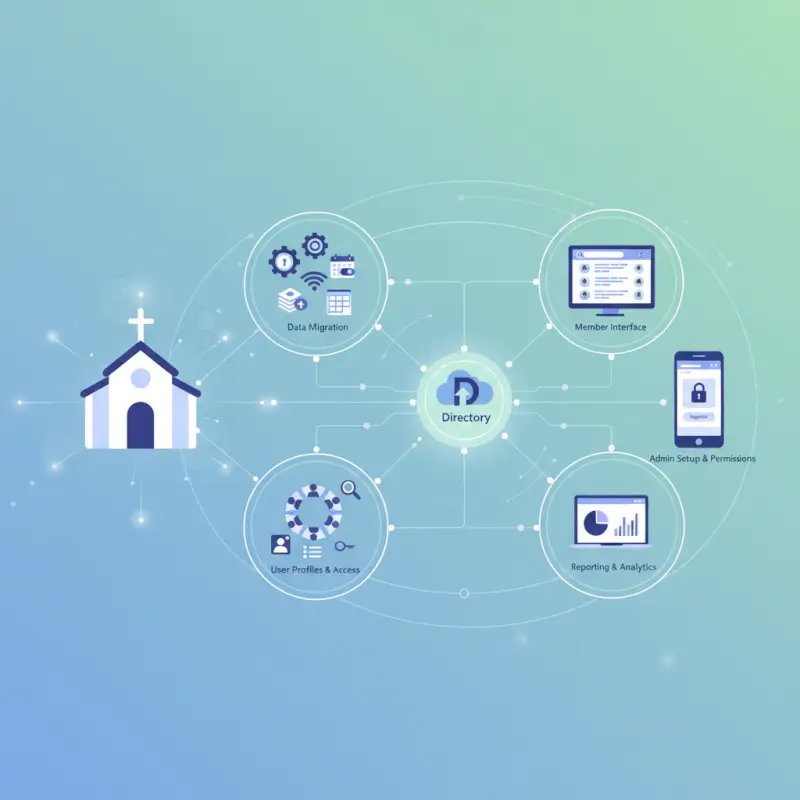
Most churches seeking online church directory solutions prioritize three core capabilities: searchable member profiles with photos and contact details, household/family relationship mapping, and basic group communication via email or app notifications. Free plans typically cover these essentials but impose limits on record counts, storage for photos, or concurrent administrative users. Understanding where each platform draws its free/paid boundary prevents surprises six months into adoption when you discover text messaging or custom reporting requires upgrading.
What Top Competitors Emphasize in 2025
Leading church database software free options have converged around several must-have features based on independent reviews from Capterra’s church directory listings and comparative analyses on ChurchStack’s platform comparison tools. Directory-centric functionality now routinely includes customizable member profile fields beyond basic demographics (baptism dates, spiritual gifts, volunteer preferences), advanced search filters by ministry involvement or geographic proximity, role-based permission systems controlling who accesses sensitive details, and mobile-responsive designs or dedicated member apps for on-the-go access.
The gap between basic and premium tiers has widened in meaningful ways. Free plans universally provide directory viewing and simple contact exports, but premium features increasingly include two-way SMS messaging directly from member profiles, automated birthday/anniversary greetings, attendance tracking integration with check-in systems, donation history visibility for pastors, and API access for connecting third-party event management or accounting tools. For churches evaluating options, the question isn’t whether free plans exist, but whether their specific limitations align with your current operational needs and 12-month growth trajectory.
How to Evaluate Free Church Directory Options: A Decision-Focused Framework
Selecting the right best church directory software requires vetting beyond feature checklists. Effective evaluation balances six critical criteria that determine whether a platform strengthens your ministry or becomes another frustration point for volunteers.
The Six Essential Evaluation Criteria
Directory depth versus simplicity: Platforms range from minimalist contact databases (name, phone, email) to comprehensive member management systems tracking household relationships, ministry involvement history, spiritual milestones, and custom fields for denominational requirements. Small churches often thrive with simpler systems requiring less maintenance, while multi-generational congregations benefit from granular profile data supporting targeted outreach. Ask: does this platform’s profile structure match how we actually organize member information, or will we fight the system to accommodate our workflow?
Data ownership, migration support, and export options: This criterion separates platforms that trap your data from those treating it as genuinely yours. Quality church database solutions provide full CSV or Excel exports of all member records, family relationships, group assignments, and historical data without requiring paid upgrades. Migration support includes documented field-mapping guides, import templates matching common formats, and accessible customer service during transitions. Before committing to any platform, perform a test export with sample data and verify you can open and manipulate the file in standard spreadsheet software.
Accessibility and responsive design: In 2025, mobile access isn’t optional—it’s foundational infrastructure. Evaluate whether the platform offers a native member app (iOS/Android), a mobile-optimized web interface, or merely a desktop site that technically loads on phones but remains frustrating to navigate. Test critical member tasks (searching the directory, updating contact info, messaging group leaders) on actual smartphones during trials rather than assuming desktop functionality translates smoothly.
Privacy controls and access permissions: Robust digital church directory platforms implement granular permission systems allowing you to define who sees what. Minimum viable privacy includes member-level opt-outs (allowing individuals to hide their profiles from general directory searches), household privacy toggles (restricting children’s information visibility), and role-based administrative access (limiting sensitive financial or pastoral care notes to authorized staff). Advanced systems add field-level permissions, allowing members to share phone numbers with small group leaders while hiding them from the broader congregation.
Integrations with wider church tools: Churches rarely operate on a single platform—you likely use separate systems for giving, event registration, worship planning, or facility scheduling. Evaluate whether your online church directory app candidate offers native integrations, Zapier connectivity, or open APIs enabling data flow between systems. Even if you don’t currently use integrated tools, ask whether the platform supports common church management ecosystem partners should your needs evolve.
Support, onboarding, and pricing transparency: Free plans often restrict support to knowledge base articles and community forums, reserving email/phone assistance for paid tiers. Assess whether available documentation matches your team’s technical proficiency—are setup guides clear with screenshots, or do they assume IT expertise? Pricing transparency matters equally: platforms should clearly state what’s included free, where upgrade thresholds sit (member counts, feature access), and how pricing scales. Hidden costs emerge when “free” directory access requires paid communication add-ons or when mobile apps carry separate subscription fees.
Practical Vetting Steps and Red Flags
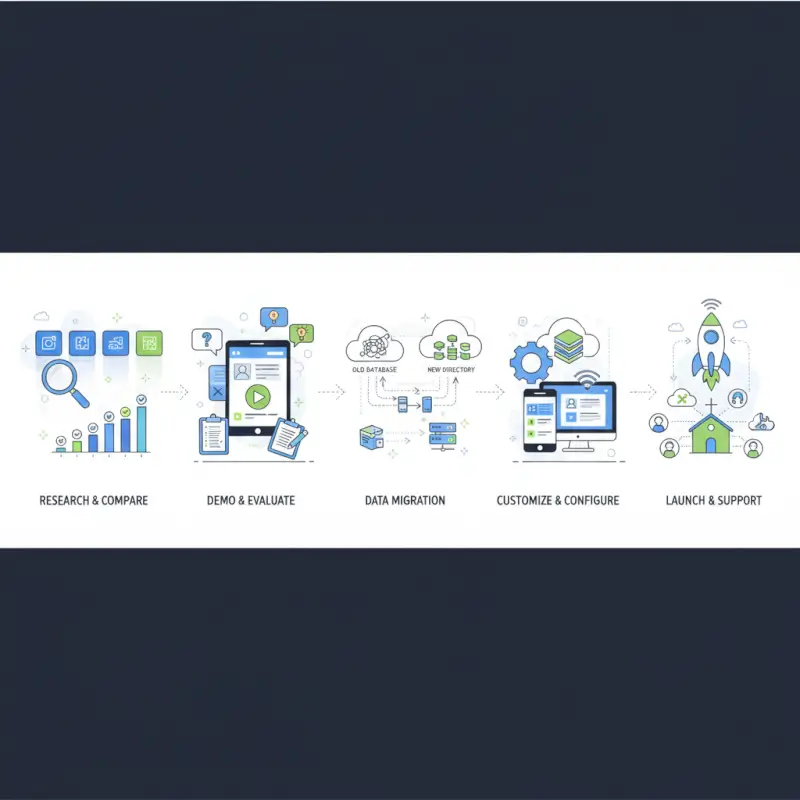
Efficient evaluation follows a structured testing sequence rather than endless research paralysis. Begin with a shortlist of 2–3 platforms matching your member count limits and core feature needs. Sign up for free trials or accounts, then immediately test these five critical functions: (1) import a small batch of real member data via CSV to assess field mapping and error handling, (2) create sample family relationships and verify they display intuitively, (3) perform a member-facing task (directory search, profile update) from a mobile device, (4) generate a simple report or data export to confirm you can retrieve your information, (5) test a communication workflow like emailing a filtered subset of members.
Document your findings in a simple comparison spreadsheet tracking each platform against your six criteria, noting specific limitations encountered during testing. This evidence-based approach beats abstract feature comparisons and reveals deal-breakers (like mobile apps that crash or import tools that mangle data) before you commit volunteer hours to full migration.
Top 5 Free Online Church Directory Software for 2025–2026: Concise Snapshots and Fit Guidance
After evaluating platforms against the six-criteria framework and reviewing implementations across diverse church contexts, these five best online church directory solutions deliver the strongest combination of free-tier functionality, usability, and long-term viability.
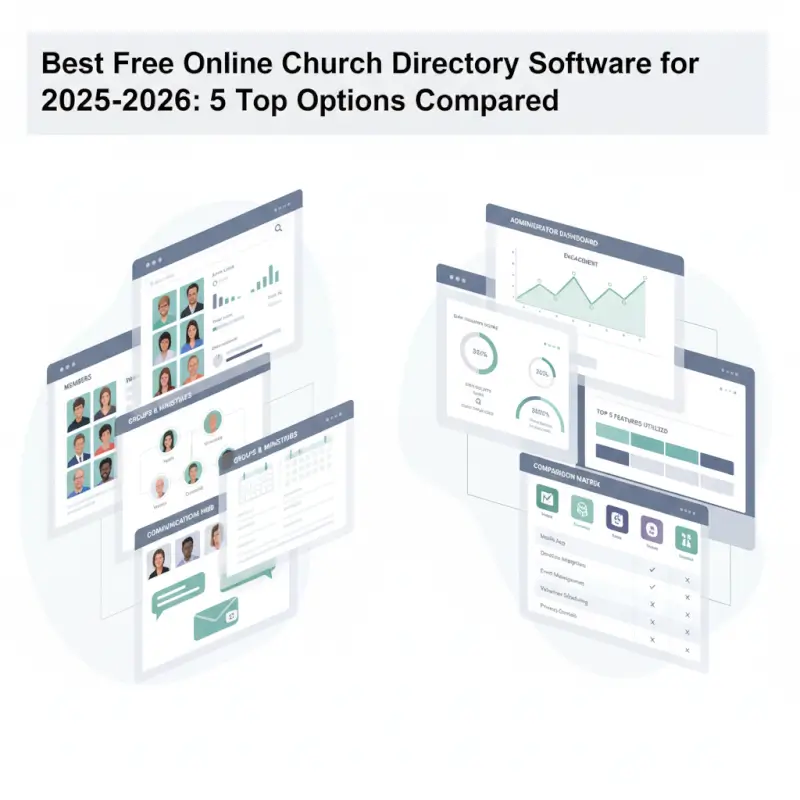
| Platform | Free Member Limit | Primary Strength | Best For | Mobile App |
|---|---|---|---|---|
| Breeze ChMS | 100 members | Exceptional usability | Small churches, volunteer teams | Yes |
| Realm | Varies by plan | Comprehensive feature set | Medium-large churches | Yes |
| ChurchTrac | 250 members | Most generous free tier | Budget-conscious churches | Limited |
| Planning Center | 100 members | Multi-tool integration | Growing churches needing ecosystem | Yes |
| Instant Church Directory | Varies | Photo directory focus | Congregations prioritizing visual recognition | Yes |
1. Breeze ChMS – Best for Small Churches and Volunteer Teams
Breeze has earned its reputation by solving the specific pain point most free church software ignores: volunteer administrators with limited technical skills and even less spare time. The interface prioritizes clarity over feature density, using intuitive icons and plain-language labels that eliminate the need for extensive training documentation. Their free starter plan accommodates 100 member profiles with photo support, basic group organization, and a self-service member portal where congregants update their own contact information.
Strengths: The learning curve essentially doesn’t exist—I’ve watched church secretaries navigate Breeze confidently within 15 minutes of first login. Clean visual design appeals across generational divides, from tech-native millennials to elderly members accessing the directory on tablets. Customer support maintains responsiveness even for free-tier users, and the upgrade path to paid features scales smoothly without forcing disruptive platform migrations.
Limitations: The 100-member cap hits faster than anticipated when you account for children, inactive members, and regular attendees not yet formally joined. Reporting capabilities in the free version remain basic—you can export contact lists but can’t generate custom analytics about ministry participation or demographic trends. Text messaging requires paid upgrades, and integration options with third-party tools lag behind more expensive competitors.
2. Realm – Best for Medium-to-Large Churches Needing Comprehensive Tools
Developed by ACS Technologies with decades of church software experience, Realm delivers what effectively functions as a full church management system where the directory serves as one interconnected component. The platform excels at family relationship mapping, ministry team coordination, event registration workflows, and member engagement tracking—all within a unified interface that reduces data silos.
Strengths: Security and privacy controls surpass most competitors, implementing role-based permissions, audit logging, and member-controlled visibility settings that comply with data protection best practices. The member-facing mobile app provides excellent user experience for directory searches, small group coordination, and event RSVPs. Regular platform updates add features based on user feedback, and the comprehensive ecosystem means you won’t outgrow Realm’s capabilities as your church expands.
Limitations: Feature richness creates complexity—new administrators face a steeper learning curve navigating the dashboard and configuring settings appropriately. Small church teams sometimes report feeling overwhelmed by options they don’t need. Performance occasionally lags during peak usage times according to user reviews, and while the core directory is free, many advanced communication and automation features require paid subscriptions.
3. ChurchTrac – Best for Budget-Conscious Churches Up to 250 Members
ChurchTrac stands out by offering the most generous free tier in the market: 250 member profiles with complete visitor tracking, photo directory, custom fields, group management, and basic communication tools. This positions it as the optimal choice for congregations operating entirely on volunteer labor and zero software budget who still need professional-grade functionality.
Strengths: The member capacity alone solves the primary constraint of competing free plans, accommodating most small-to-medium churches without forcing upgrades. The no-frills interface focuses on core directory and communication needs without distracting feature bloat. Documentation and video tutorials cover common setup scenarios clearly, and the development team actively incorporates user suggestions into regular updates.
Limitations: The user interface feels less polished than Breeze or Realm—functional but dated in visual design. Customization options for directory appearance remain limited, and mobile experience via web browser doesn’t match native app competitors. Reporting features stay basic even on paid plans, and some churches report slow load times when directories approach the 250-member threshold.
4. Planning Center – Best for Growing Churches Needing an Integrated Ecosystem
Planning Center approaches church software differently by offering specialized modules (People, Services, Groups, Giving, Check-Ins) that integrate seamlessly. Their People module provides robust free church directory app functionality for up to 100 members, with the strategic advantage of smooth expansion into event management, worship planning, and donation tracking as your needs evolve—all within a single platform.
Strengths: The ecosystem approach eliminates data fragmentation. Member information entered in the directory automatically becomes available in event registration, volunteer scheduling, and giving records. The mobile app delivers exceptional user experience, and the platform’s visual design maintains consistency across modules. Churches planning growth appreciate not having to migrate between disconnected systems as they add capabilities.
Limitations: The 100-member free limit constrains medium churches, and the modular pricing structure becomes expensive if you activate multiple premium features across different modules. The platform’s power reveals itself primarily when you use several interconnected modules—churches needing only a standalone directory may find the interface over-engineered for their simple use case.
5. Instant Church Directory – Best for Photo-Centric Visual Recognition
Instant Church Directory specializes in the specific problem of helping members recognize each other through high-quality photo directories accessible via mobile apps. The platform prioritizes visual design and ease of photo submission over comprehensive administrative features, making it ideal for congregations where community building through name-face association matters more than complex data management.
Strengths: Photo upload and management workflows are streamlined, with options for professional photo sessions, member self-uploads, or bulk imports. The member app focuses exclusively on directory access rather than broader church management, creating an uncluttered experience. Social features like birthday notifications and anniversary recognition foster community engagement.
Limitations: Administrative tools remain basic compared to full church management systems. Reporting capabilities are minimal, communication features are limited, and integration with external platforms is sparse. Churches needing robust group management, detailed member tracking, or advanced permissions will find Instant Church Directory too narrow in scope.
Implementation Playbook: Migrating, Adopting, and Maximizing Your Church Directory
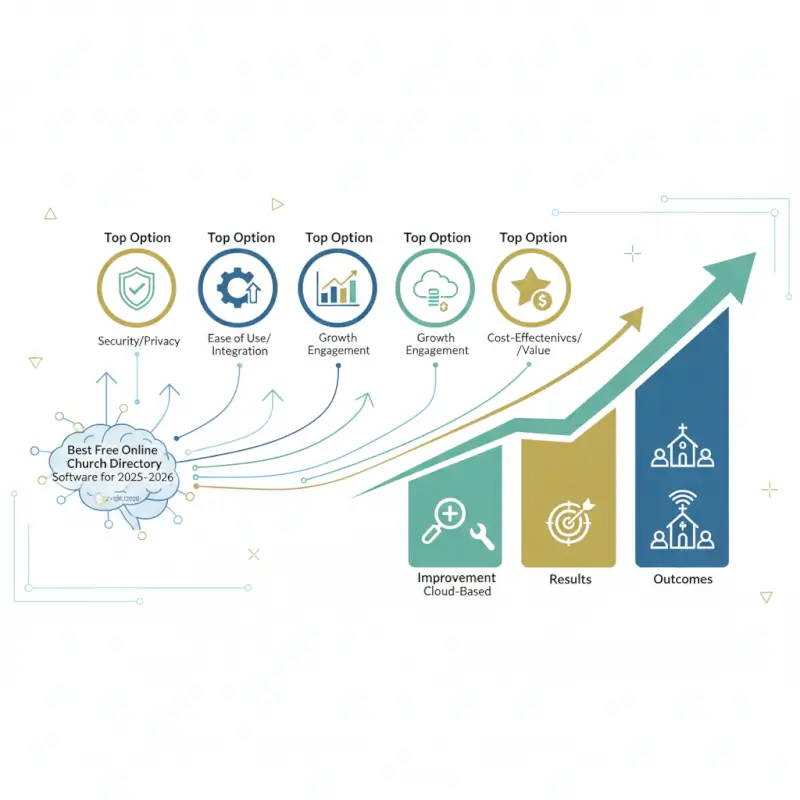
Successful church directory software free implementation depends less on feature selection and more on structured migration planning, stakeholder training, and adoption strategies that account for diverse technical comfort levels across your congregation.
Migration Readiness and Data Hygiene
Start by auditing your existing member information sources—spreadsheets, paper forms, old database exports, or previous software exports. Create a master data-migration checklist that identifies: (1) all unique data fields you currently track (beyond name and contact info, consider spiritual milestones, ministry involvement, family relationships, dietary restrictions, accessibility needs), (2) how each field maps to your new platform’s schema (some fields transfer directly, others require custom field creation, a few may have no destination), (3) data cleaning requirements like duplicate records, inconsistent formatting, or outdated information.
Clean your data before import, not after. Deduplicate records using email addresses as unique identifiers, standardize phone number formats, verify addresses against current residence, and archive genuinely inactive members rather than importing them into your fresh system. Most platforms accept CSV imports—export your cleaned data to this format, then perform a small test import (20–30 records) to identify field-mapping errors, encoding issues with special characters, or family relationship problems before committing your full dataset.
Plan permission structures and privacy settings during migration, not after launch. Map your organizational roles (senior pastor, associate staff, ministry leaders, general members, visitors) to platform permission levels, deciding what information each role can view, edit, or export. Establish baseline privacy defaults (are phone numbers visible to all members or only to small group leaders?) and create documentation explaining how members can adjust their personal visibility settings.
Adoption Planning and Training for Volunteers
According to research from Charity Charge’s analysis of church management software adoption, phased rollouts with pilot groups succeed at 3× the rate of immediate full-congregation launches. Identify 10–15 tech-comfortable members representing diverse age groups and ministries to form your pilot cohort. Give them early access to the directory, gather feedback about confusing workflows or missing features, and refine your setup based on their experience before broader rollout.
Create role-specific training materials rather than one-size-fits-all documentation. Administrators need comprehensive guides covering member record creation, bulk updates, permission management, and report generation. Ministry leaders require focused training on viewing and messaging their specific groups. General members need simple instructions for three tasks: logging in, searching the directory, and updating their own profiles. Video tutorials outperform text documentation for less tech-savvy audiences—screen recordings demonstrating the member app login process prevent 80% of early support questions.
Establish clear support channels before launch. Designate a point person (or small team) to field questions during the first two weeks, publish their contact information prominently, and create a simple FAQ document addressing predictable issues (password resets, photo uploads, privacy controls). Schedule optional drop-in help sessions where members can bring devices and receive hands-on assistance—physical presence reduces anxiety for elderly or technophobic congregants more effectively than remote support.
Security, Privacy, and Governance for Church Directories
Protecting member information isn’t optional or paranoid—it’s foundational stewardship that builds trust and prevents harm. Churches store sensitive details including children’s information, home addresses, pastoral care notes, and financial giving records that, if exposed, create real-world risks from identity theft to physical safety threats.

Data Protection Fundamentals for Church Contexts
Implement access controls based on least-privilege principles: grant users the minimum permissions necessary for their ministry roles, nothing more. Administrative access should be limited to 2–3 designated staff members, not distributed across every ministry leader. Role-based permissions allow you to give children’s ministry volunteers access to family contact information without exposing financial giving records, or grant small group leaders messaging capabilities without allowing full directory exports.
Enable audit logging if your platform supports it, creating a record of who accessed what information when. This accountability discourages inappropriate browsing and provides evidence if data misuse occurs. Require strong passwords (minimum 12 characters with mixed case, numbers, and symbols) and enable two-factor authentication for administrative accounts—most breaches exploit weak credentials rather than sophisticated hacking.
Data retention policies clarify what happens to information when members leave your congregation. Decide whether to archive departed members (preserving historical records but removing from active directory) or fully delete their information after a specified period. Document your approach and apply it consistently to avoid accusations of favoritism or vindictiveness.
Practical Governance Recommendations
Schedule quarterly privacy reviews where designated staff audit active user accounts, verify permission levels remain appropriate, remove access for departed volunteers, and update member privacy settings based on requests. These 30-minute reviews prevent permission creep (where users accumulate excessive access over time) and identify inactive accounts that should be disabled.
Create a simple incident response plan documenting whom to contact if suspicious activity occurs: your platform’s security team, your church’s legal counsel if applicable, and potentially affected members. According to guidance from the Federal Trade Commission’s privacy and security resources, prompt notification and transparent communication minimize damage from data incidents more effectively than attempted cover-ups.
Train ministry leaders to recognize social engineering attempts where bad actors impersonate pastors or staff to request member information. Establish verification protocols requiring in-person or known-voice confirmation before releasing bulk contact lists or sensitive details, even when requests seem to come from legitimate church email addresses.
Frequently Asked Questions
What is church directory software and why would a church use it?
Church directory software is a digital platform that centralizes member information (names, contacts, photos, family relationships) in searchable databases accessible via web or mobile apps. Churches use it to replace outdated printed directories, improve communication efficiency, help members connect, and reduce administrative workload by enabling self-service profile updates and automated reporting.
Is Breeze ChMS free or are there hidden costs?
Breeze offers a permanently free plan supporting up to 100 member profiles with core directory, group management, and basic communication features at no cost. Hidden costs emerge if you need text messaging, unlimited members, advanced reporting, or premium integrations—these require paid subscription upgrades starting around $50/month.
How do I migrate church data to a new directory system?
Export existing data to CSV format, clean duplicates and formatting inconsistencies, map your fields to the new platform’s schema using their import template, run a small test import with 20–30 records to verify accuracy, fix any mapping errors, then import your full dataset. Post-migration, verify family relationships and group assignments transferred correctly before deactivating your old system.
What should I look for in a free online church directory?
Prioritize member capacity matching your congregation size, mobile app or responsive web access, full data export capabilities without paywalls, role-based permission controls, straightforward import tools, and transparent documentation about what’s free versus paid. Test actual workflows during trials rather than relying on feature lists to identify usability issues early.
Can a church directory integrate with giving and event tools?
Many platforms offer native integrations or API connections enabling directory data to flow to donation systems, event registration tools, and email marketing platforms. Planning Center, Realm, and Breeze provide ecosystem integrations, while standalone directories like Instant Church Directory have limited connectivity. Verify specific integration availability during platform evaluation since this varies widely across free versus paid tiers.
How can I protect member privacy in an online directory?
Implement role-based permissions limiting access by ministry role, enable member-controlled privacy settings allowing individuals to hide contact details, restrict children’s information visibility to authorized volunteers only, require strong passwords and two-factor authentication for administrators, and conduct quarterly audits removing access for departed volunteers or staff.
What is the difference between a church directory and a full ChMS?
Church directory software focuses specifically on member contact information, photos, and basic communication. Church Management Software (ChMS) encompasses directories plus additional modules for donation tracking, event registration, volunteer scheduling, facilities booking, worship planning, and check-in systems—functioning as an integrated operations platform rather than standalone contact database.
How often should we review or update directory data?
Conduct quarterly reviews to identify outdated contact information, merge duplicate records, and remove inactive members from active directory views while archiving historical data. Enable member self-service portals allowing congregants to update their own information immediately rather than waiting for scheduled maintenance cycles. Assign one staff member or volunteer to process weekly update requests from members unable to self-update.
Ready to Transform Your Church Directory?
Moving from scattered spreadsheets and outdated printouts to a unified digital directory cuts administrative time by 70% while strengthening member connections through instant mobile access and real-time updates.
Start your evaluation today: Download a data migration checklist, sign up for free trials of 2–3 platforms matching your member count, and run the five-function test outlined above. Your congregation deserves a directory system that works as hard as your volunteers do.
Conclusion: Choosing Your Free Online Church Directory Solution
Selecting the right free online church directory software matters less than executing thorough evaluation, structured migration, and intentional adoption. The “best” platform isn’t the one with the longest feature list but the one matching your current congregation size, volunteer technical capacity, and 12-month ministry trajectory. Breeze excels for simplicity-focused small churches, ChurchTrac delivers unmatched free capacity, Realm suits growing congregations needing comprehensive tools, Planning Center serves churches building integrated ecosystems, and Instant Church Directory specializes in photo-centric community building.
Success depends on recognizing that directory software addresses two distinct needs: administrative efficiency (reducing volunteer hours spent on data entry and communication) and community building (helping members recognize, contact, and connect with each other). Evaluate platforms against both criteria rather than assuming feature richness automatically delivers value. A simple system your team actually maintains beats a sophisticated platform that becomes outdated within six months due to complexity-driven neglect.
The implementation playbook matters more than platform selection. Clean your data before migration, not after. Train users based on their specific roles rather than generic tutorials. Phase your rollout with pilot groups who provide feedback before full launch. Establish governance rhythms—quarterly permission audits, regular backup verification, documented incident response procedures—that protect member information through routine rather than crisis response.
For churches seeking maximum customization control or wanting to integrate directory functionality within existing WordPress websites, TurnKey Directories provides powerful templates and plugins that deliver professional church directory features while maintaining full data ownership and design flexibility on your own hosting infrastructure.
Take action within the next week: identify your top 2–3 platform candidates based on member count limits and core feature alignment, sign up for free trials, run the five-function test (data import, family relationships, mobile access, export, communication workflow), and document your findings in a simple comparison spreadsheet. Your congregation’s connection and your volunteers’ sanity depend on choosing wisely and implementing deliberately—both are achievable with the framework outlined above.
Was this article helpful?