How to Find a Company’s Staff Directory: 6 Essential Methods That Work

Generating summary...
Ever tried reaching the right person at a company only to hit a wall of automated phone trees and generic contact forms? You’re not alone. Finding a company’s staff directory – whether you’re a job seeker trying to connect with hiring managers, a sales professional seeking decision-makers, or simply someone needing to reach a specific department – can feel maddeningly difficult in today’s privacy-conscious business landscape.
Here’s the thing most people don’t realize: while businesses increasingly restrict public access to employee information, the data you need is often still out there. It’s just hidden in places most people don’t think to look. Through years of professional networking and business development work, I’ve discovered that locating staff directories isn’t about having special access or expensive tools – it’s about knowing where to search and how to approach the task strategically.
TL;DR – Quick Takeaways
- Start with the obvious – Company websites often hide directories in “About,” “Team,” or “Contact” sections
- LinkedIn is your best friend – The “People” tab on company pages reveals current employees you can filter by role and location
- Advanced search operators work – Google searches like “site:company.com directory” uncover hidden pages
- Direct requests often succeed – HR and PR departments frequently share directory information for legitimate business purposes
- Privacy matters – Always use contact information ethically and comply with data protection regulations
- Specialized tools save time – Platforms like Hunter.io and RocketReach aggregate public employee data efficiently
Why Companies Restrict Access to Staff Directories (And Why It Matters)
Before diving into how to find staff directories, it’s worth understanding why this information has become harder to access. The reasons go beyond simple privacy concerns – they reflect fundamental shifts in how businesses think about security, employee protection, and communication channels.

Most organizations deliberately limit public access to employee information to protect their staff from spam, phishing attempts, and unwanted solicitation. According to the Federal Trade Commission’s privacy guidelines, businesses have an obligation to safeguard personal information, and employee contact details fall squarely into this category.
But here’s what makes this challenging: legitimate business communication suffers when directories are completely locked down. Sales professionals can’t reach decision-makers. Job candidates can’t personalize their applications. Journalists struggle to find the right sources. Partners and vendors waste time navigating bureaucratic phone systems.
The key is finding the balance between respecting privacy and accessing the information you genuinely need for professional purposes. That’s exactly what the strategies in this guide help you achieve.
Method 1: Master Company Website Navigation and Search
Your first stop should always be the company’s official website. While many businesses don’t prominently display staff directories, the information often exists somewhere on their site – you just need to know where to look and how to search effectively.
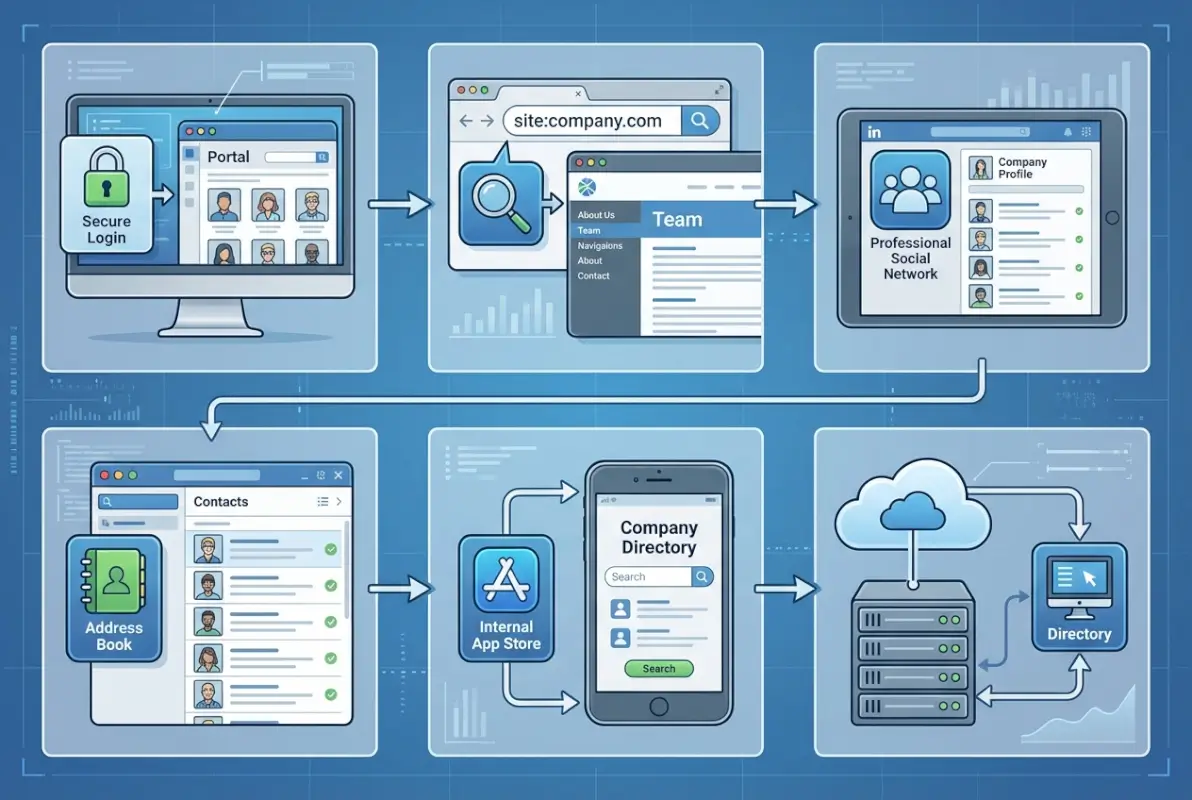
Start with the obvious locations: check the footer area (which often contains links to less prominent pages), “About Us” sections, pages labeled “Our Team,” “Leadership,” or “Staff,” and the “Contact” page. For educational institutions, look for “Faculty Directory” or “People Finder” links. Government agencies typically maintain public directories under “Contact” or “Employee Directory” sections.
Advanced Website Search Techniques
When manual navigation fails, advanced search techniques can uncover hidden directories. Use your browser’s search function (Ctrl+F or Cmd+F) to scan pages for terms like “directory,” “staff,” “team,” or “employees.” Check the website’s sitemap (usually at company.com/sitemap.xml) which lists all pages, including those not in main navigation.
For public companies, investor relations sections frequently list executives and board members. Press or media rooms typically include PR contacts and subject matter experts. Annual reports, which are often published as PDFs, may contain organizational charts or personnel lists.
Industry-Specific Directory Locations
Different industries follow distinct patterns for directory accessibility:
| Industry Type | Typical Location | Accessibility Level |
|---|---|---|
| Universities & Colleges | Main navigation or searchable database | Fully public, comprehensive |
| Government Agencies | Contact or About pages | Public, often detailed |
| Healthcare Organizations | “Find a Doctor” or provider pages | Providers listed, staff limited |
| Non-Profits | About or Team pages | Leadership and key staff |
| Corporate Businesses | Varies widely by company | Executives only to fully hidden |
Understanding these patterns helps you know where to focus your search efforts based on the type of organization you’re researching.
Method 2: Leverage Advanced Google Search Operators
When website navigation doesn’t yield results, Google’s advanced search operators become incredibly powerful tools for uncovering staff directories that aren’t prominently featured. These specialized search commands can find hidden pages, documents, and email patterns that standard searches miss.
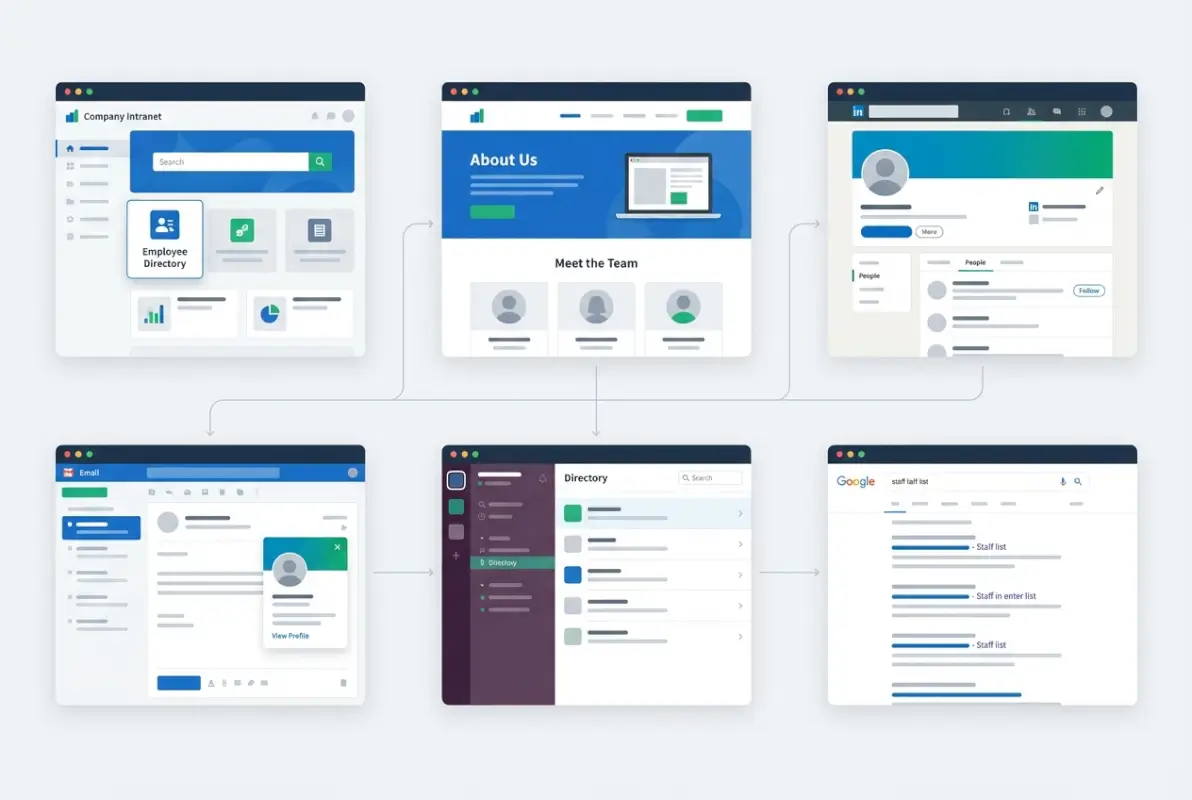
Essential Search Operators for Directory Discovery
The site-specific search is your foundation. Use site:companyname.com "staff directory" to limit results to only the company’s domain. Try variations like “employee directory,” “our team,” “meet the team,” or “people.”
Filetype searches reveal directories stored as documents rather than web pages. Try site:companyname.com filetype:pdf directory or site:companyname.com filetype:xlsx employees. Organizations sometimes publish staff lists in Excel or PDF format for internal use that remain publicly accessible.
•
site:companyname.com intitle:directory – finds pages with “directory” in the title•
site:companyname.com inurl:staff OR inurl:team – searches URLs for these terms•
"@companyname.com" site:companyname.com – reveals email patterns•
cache:companyname.com/directory – shows cached versions of removed pagesEmail pattern discovery can be especially valuable. Search for site:companyname.com "@companyname.com" to find examples of employee email addresses. Once you identify the pattern (firstname.lastname@, flastname@, etc.), you can construct addresses for specific individuals.
Boolean Search Combinations
Combine operators for more precise results. Try "company name" AND (directory OR "staff listing" OR "our team" OR employees) to cast a wider net. Use the asterisk wildcard: "company name" * directory helps find variations like “employee directory,” “staff directory,” or “people directory.”
The related sites search (related:companyname.com) finds similar organizations that might list the target company’s staff in partnership announcements or industry directories. I once found a complete leadership team listed on a partner company’s “Our Clients” page this way, complete with contact emails.
Method 3: Utilize LinkedIn’s Company Pages and Search Features
LinkedIn has become the single most valuable resource for finding company personnel, offering features that effectively function as public staff directories for most organizations. With over 900 million members, chances are high that the person you’re looking for maintains a LinkedIn profile.
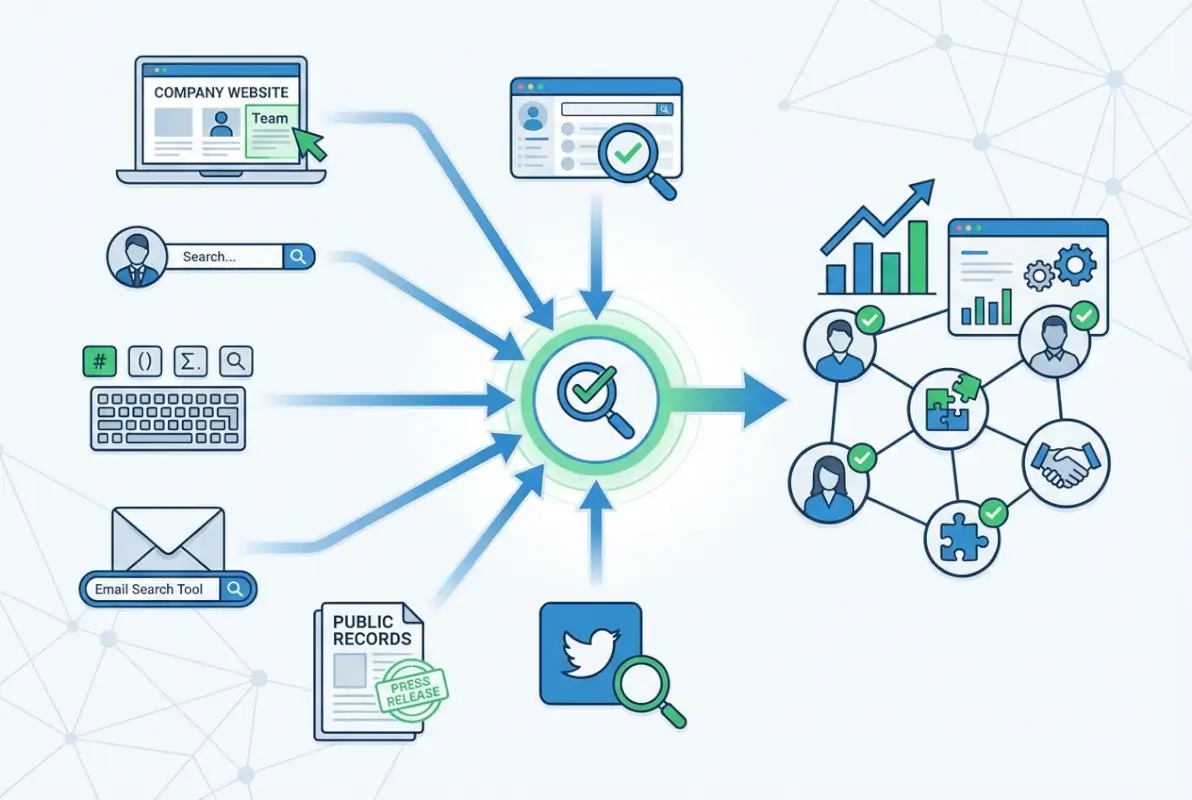
The Company Page “People” Tab
Start by navigating to the company’s LinkedIn page and clicking the “People” tab. This shows employees who have listed the company as their current employer. You can filter results by location, current employees versus alumni, and use the search box to find specific names or roles.
The advanced search functionality (available with premium accounts like Sales Navigator, though basic search is often sufficient) lets you filter by job title, seniority level, years at company, and function. This is particularly useful when you need to find someone in a specific role but don’t have their name.
Strategic Connection and Outreach
When you find the right person, examine your connection paths. LinkedIn shows mutual connections who can provide warm introductions – these are far more effective than cold outreach. Look at the person’s recent activity, posts they’ve shared, and articles they’ve written to understand their priorities and interests.
Join industry-specific groups where employees might participate. Group members are often more accessible for messaging, and shared group membership provides a natural conversation starter. Monitor company job postings, which frequently list hiring managers or department heads you can connect with.
Beyond LinkedIn: Other Professional Networks
Twitter/X can reveal employees who list their employer in their bio. Search for phrases like “works at [company name]” or “[company name] team.” These individuals are often more accessible than through official channels.
For technology companies, GitHub profiles frequently list employer information. Search for the company name within GitHub to find engineering staff. Industry-specific platforms like Behance (design), ResearchGate (academic/scientific), or AngelList (startups) serve similar functions for their respective fields.
Method 4: Contact HR or Corporate Communications Directly
Sometimes the most effective approach is simply asking. Human Resources and Public Relations departments are natural gatekeepers for staff information and often share directory details for legitimate business purposes. The key is approaching them strategically with a clear, professional request.

Crafting an Effective Directory Request
Your request should be concise, specific, and transparent about your purpose. Generic requests get ignored; specific ones that demonstrate legitimate need often receive helpful responses.
Start by identifying the right department. HR handles internal directory requests and general employee information. PR or Corporate Communications fields media inquiries, partnership opportunities, and external business development. Reception or general information lines can often direct you to the appropriate person.
Subject: Request for [Specific Department] Contact Information
Dear [Company] Team,
I’m [your name] with [your organization], and I need to connect with your [specific department/role] regarding [specific, legitimate reason].
Could you please provide contact information for this department or direct me to the appropriate person who handles [specific area]?
Thank you for your assistance.
[Your name and professional details]
Following Up Strategically
If you don’t receive a response within 3-5 business days, a strategic follow-up often works. Reference your original email, add any new information that strengthens your case, and keep it brief. Try different channels – if email doesn’t work, call the main number and politely explain your request.
I remember needing to contact the sustainability department at a major retailer for research purposes. After a brief call to corporate communications explaining my project, they provided exactly the right contact within hours – saving what could have been days of searching.
Method 5: Use Specialized Contact Finder Tools
Several purpose-built platforms aggregate employee information from public sources, saving significant research time. While these require investment (or have limited free tiers), they can be invaluable for regular prospecting or research needs.
Top Contact Discovery Platforms
| Tool | Primary Use | Key Feature | Free Tier |
|---|---|---|---|
| Hunter.io | Email pattern discovery | Domain search shows company email structure | 50 searches/month |
| RocketReach | Executive contacts | High accuracy for C-level contacts | 5 lookups/month |
| ZoomInfo | Enterprise database | Comprehensive org charts | Contact for trial |
| Lusha | Direct dial numbers | Chrome extension for LinkedIn | 5 credits/month |
| Apollo.io | Sales prospecting | Combined database and outreach | Limited searches |
These tools work by aggregating information from public sources – websites, social media profiles, business filings, and other legitimate data sources. They often include data verification features to ensure contact information is current, which is valuable since employee information changes frequently.
For occasional needs, free tiers usually suffice. If you regularly search for contacts across multiple companies, paid subscriptions become worthwhile investments that pay for themselves in time saved.
Method 6: Respect Privacy While Being Persistent
As you pursue staff directory information, maintaining ethical standards protects both you and the people you’re researching. The regulatory landscape has become increasingly strict, with frameworks like GDPR in Europe and CCPA in California placing significant restrictions on personal data collection and use.
Legal and Ethical Boundaries
Employee contact information constitutes personal data subject to privacy regulations. According to FTC privacy guidance, this information should only be used for legitimate purposes with appropriate safeguards.
Never use automated scraping tools on websites or platforms where terms of service prohibit it. Don’t attempt to access password-protected directories or use deceptive means to obtain information. Avoid circumventing security measures, which could potentially violate computer fraud laws.
Best Practices for Using Directory Information
Once you obtain contact information legitimately, follow these principles:
- Purpose limitation – Use information only for the specific purpose you stated when requesting it
- Data minimization – Collect and retain only the minimum information necessary
- Transparency – Be clear about how you obtained someone’s information when first contacting them
- Respect opt-outs – Immediately honor requests to stop contacting someone
- Security measures – Store contact information securely with appropriate access controls
- Limited retention – Don’t keep directory information longer than necessary
These practices not only keep you compliant with regulations but also build trust with the organizations and individuals you’re contacting. Through simple steps, you can establish protocols that protect both your interests and others’ privacy.
Frequently Asked Questions
How do I find a company’s employee directory if it’s not on their website?
Start with LinkedIn’s company page and check the “People” tab to see current employees. Use Google search operators like site:companyname.com “directory” or “staff” to find hidden pages. Try specialized tools like Hunter.io to discover email patterns. Contact HR or PR departments directly with a specific, legitimate request. Check industry databases and professional associations that might list company personnel.
What information is typically included in a staff directory?
Standard staff directories include employee names, job titles, departments, work phone numbers, and email addresses. More comprehensive directories may add office locations, manager relationships, organizational hierarchy, areas of expertise, and photos. Government and educational institution directories tend to be more detailed, while private companies often limit information to essential contact details only.
Is it legal to search for employee contact information online?
Yes, searching for publicly available employee information is legal. However, how you obtain and use that information matters significantly. Using publicly accessible company websites, LinkedIn profiles, and legitimate search tools is acceptable. Automated scraping that violates terms of service, accessing password-protected systems, or using deceptive methods crosses legal boundaries. Always comply with privacy regulations like GDPR and CCPA.
How can I verify if a staff directory is current and accurate?
Cross-reference information across multiple sources – compare website listings with LinkedIn profiles and specialized databases. Check publication dates on directory pages for recent updates. Verify email addresses using email verification tools or by sending test messages. Contact the company’s main reception to confirm whether specific individuals still work there in listed roles. Recent LinkedIn activity indicates current employment.
What should I do if a company refuses to share their staff directory?
Respect their decision and try alternative approaches. Focus on finding the specific individual you need rather than requesting complete directories. Use LinkedIn to identify and connect with people in relevant departments. Ask for introductions through mutual connections. Attend industry events where company representatives might be present. Build relationships gradually rather than seeking immediate access to comprehensive directories.
Can I use social media to find company employees?
Absolutely. LinkedIn is most effective for professional connections, with company pages listing current employees. Twitter/X profiles often mention employers in bios. Facebook company pages sometimes feature team members. GitHub reveals technical staff at technology companies. Instagram showcases employees at visual businesses like design agencies or retail. Industry-specific platforms like Behance, ResearchGate, or AngelList serve specialized sectors.
How often should I update saved staff directory information?
Review and update quarterly at minimum, or before any important outreach campaign. Employee information changes frequently due to promotions, role changes, and departures. Set calendar reminders to verify key contacts every 90 days. Remove outdated information promptly to avoid embarrassing mistakes. Consider implementing automated tools that flag potentially outdated records based on age or failed contact attempts.
What are the best free tools for finding employee contact information?
LinkedIn’s basic search is the most powerful free option, though limited compared to premium. Hunter.io offers 50 free monthly searches for email patterns. RocketReach provides 5 free lookups monthly. Google’s advanced search operators cost nothing and can uncover hidden directories. Company websites themselves remain free resources. GitHub, professional association directories, and public records for government employees provide no-cost alternatives.
Are there privacy concerns with publishing employee directories publicly?
Yes, significant concerns exist. Public directories expose employees to spam, phishing, unwanted solicitation, and potential social engineering attacks. Organizations must balance accessibility with employee protection. Privacy regulations like GDPR require consent before publishing personal data. Many companies now limit public directories to executives and customer-facing roles while keeping general staff information private or accessible only through authentication.
How do I approach someone I found through a staff directory search?
Be transparent about how you found their information. Personalize your message based on their role and interests. Clearly state your specific, legitimate purpose for contacting them. Keep initial outreach brief and professional. Respect their time by making your request or value proposition immediately clear. Use appropriate channels – LinkedIn for professional networking, email for business inquiries. Follow up thoughtfully but don’t spam.
Take Action: Your Next Steps
Finding a company’s staff directory isn’t about having special access or expensive tools – it’s about combining strategic searching, ethical practices, and persistence. Whether you’re a job seeker, sales professional, researcher, or simply someone who needs to reach the right person, these six methods provide a comprehensive toolkit for locating the contacts you need.
Your Action Plan
Start with the company website and LinkedIn – these free resources solve most directory needs. If those don’t work, try advanced Google searches and direct outreach to HR or PR departments. Reserve specialized tools for regular prospecting needs or when other methods fail.
Most importantly: always approach directory searches with respect for privacy, transparency about your purpose, and commitment to ethical use of the information you find.
Remember that behind every email address and phone number is a real person with privacy expectations and limited time. The most successful professional relationships start with thoughtful, respectful outreach that demonstrates genuine value for both parties. Use these techniques to find the right people, then focus your energy on building meaningful connections that deliver lasting results.
Start today with one company you need to research. Apply these methods systematically, track what works, and refine your approach. Within a few weeks you’ll have developed an efficient process for locating staff directories and connecting with key personnel at virtually any organization – a skill that will serve you throughout your professional career.
Was this article helpful?