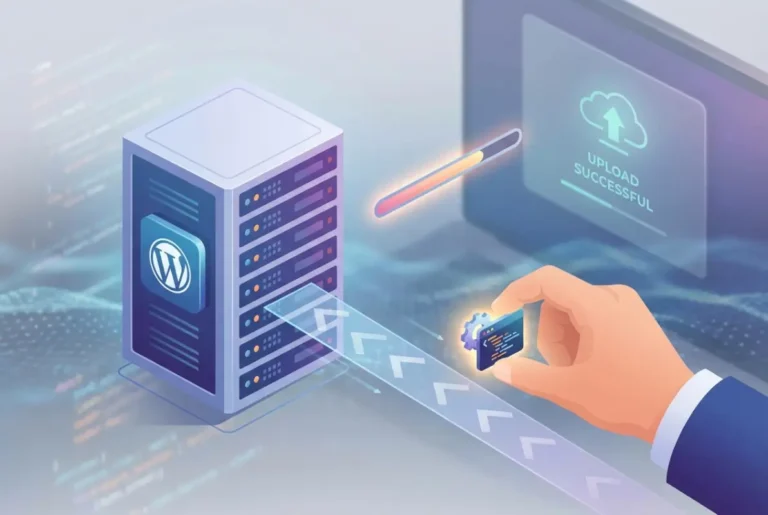
How Plugins Get Data: Understanding API and Plugin Integration

Generating summary...
Have you ever wondered how your weather app knows the temperature in real-time, or how your social media feed seamlessly updates without you lifting a finger? Behind these everyday conveniences lies a sophisticated technological framework that most of us never see. When you install a plugin that displays live sports scores, syncs your contacts across platforms, or processes credit card payments, you’re witnessing API integration at work—the invisible backbone of modern software connectivity.
Understanding how plugins retrieve and manage data through APIs isn’t just technical trivia—it’s becoming essential knowledge for developers, business owners, and anyone who wants to grasp what’s happening behind the digital curtain. Whether you’re building your first plugin or simply curious about the technology powering your favorite applications, this guide will demystify the process of API and plugin integration in practical, accessible terms.
The beauty of API integration lies in its ability to make complex systems talk to each other effortlessly. It’s like having a universal translator that allows applications built in different languages, by different teams, at different times, to share information and functionality as if they were designed together from the start.
- APIs (Application Programming Interfaces) act as communication bridges between different software systems, enabling plugins to request and receive data seamlessly
- Most modern plugins use REST APIs for their simplicity, though SOAP and GraphQL serve specialized needs
- Secure API integration requires robust authentication methods like API keys, OAuth 2.0, or JWT tokens
- Successful implementations depend on thorough documentation review, proper rate limit handling, and comprehensive error management
- When implementing APIs, prioritize security, performance optimization, caching strategies, and regular maintenance
- Understanding API integration opens possibilities for extending application functionality beyond what any single system could achieve alone
What is an API and Why Does It Matter?
Think of an API as a messenger service between different software applications. Imagine you’re at a restaurant—you don’t walk into the kitchen to prepare your meal yourself. Instead, you communicate your order to a waiter who acts as an intermediary, taking your request to the kitchen and bringing back your prepared food. This is essentially how an API functions in the digital world.
An API, or Application Programming Interface, establishes a set of rules and protocols that define how different software applications can communicate and share information. It creates a standardized contract between the service provider and the consumer, abstracting away the underlying complexity so applications can interact without needing to understand each other’s internal workings.
Consider when a weather plugin displays the temperature for your location. The plugin doesn’t need to understand meteorological data collection, weather modeling algorithms, or sensor networks. It simply makes a structured request to a weather API, which returns the relevant information in a standardized format that the plugin can easily interpret and display.
According to the Mozilla Developer Network, APIs exist at multiple computing levels—from operating system APIs that allow applications to access hardware resources, to web APIs that enable cloud-based services to communicate across the internet. This versatility makes them indispensable in modern software architecture.
Why APIs Are Essential for Modern Software
- Modularity and Reusability: Developers can leverage existing functionality without rebuilding from scratch
- Accelerated Development: Pre-built API services dramatically reduce development time
- Specialization: Companies focus on their core competencies while integrating best-of-breed services
- Ecosystem Growth: Platforms become more valuable as developers build extensions and integrations
- Cross-Platform Integration: Diverse systems and technologies can work together seamlessly
Without APIs, each application would exist as an isolated island, limited to its built-in capabilities and data. With them, the possibilities for integration and enhancement become virtually unlimited. This is why understanding API and plugin integration has become so crucial for anyone working with modern software systems.
How Plugins Use APIs to Retrieve Data
Plugins are specialized software components designed to extend the functionality of existing applications. Whether you’re working with WordPress plugins, browser extensions, or add-ons for productivity software, their power typically comes from their ability to pull in external data and functionality—and that’s precisely where API integration becomes critical.
The gravity forms wordpress plugin key features benefits demonstrate how powerful API integration can be when implemented correctly, allowing form submissions to trigger actions across multiple systems.
The Plugin Architecture for Data Retrieval
Most plugins follow a predictable architectural pattern when retrieving data through APIs:
| Stage | Process | Purpose |
|---|---|---|
| Request Initiation | Plugin generates a request for specific data | Identifies what information is needed |
| API Communication | Request sent to appropriate API endpoint | Establishes connection with data source |
| Data Processing | Plugin transforms returned data as needed | Converts data into usable format |
| Presentation | Plugin displays or utilizes the data | Delivers value to end user |
Plugins typically require external data for various purposes—displaying content from other services, synchronizing information across platforms, or enabling interactions with third-party systems. An e-commerce plugin, for instance, might need product information, inventory status, pricing data, and transaction capabilities, all delivered through appropriate API integrations.
Critical Functions of APIs in Plugin Ecosystems
APIs serve multiple vital functions that make plugins powerful and versatile:
Real-time Data Access: APIs allow plugins to retrieve up-to-date information whenever needed, ensuring users always see current data rather than outdated snapshots.
Bidirectional Synchronization: Changes made in one system can be automatically propagated to others via API calls, maintaining consistency across platforms without manual intervention.
Feature Extension: Plugins can leverage specialized services without rebuilding that functionality from scratch, dramatically reducing development complexity and time.
Authentication Proxying: APIs enable secure access to protected resources on behalf of users, handling complex authentication flows transparently.
According to OAuth 2.0, modern plugin architecture increasingly relies on standardized authentication protocols that allow plugins to access user data across services while maintaining robust security and privacy protections.
Implementation Steps for API Integration
Implementing API integration for a plugin typically involves these essential steps:
- Identifying Required APIs: Determine which APIs provide the necessary data or functionality for your plugin’s objectives
- Studying API Documentation: Thoroughly understand endpoints, authentication requirements, rate limits, and data formats
- Setting Up Authentication: Implement the required authentication method, whether API keys, OAuth tokens, or other mechanisms
- Writing Request Code: Develop the code that makes API calls and handles responses appropriately
- Implementing Error Handling: Create robust mechanisms to deal with API failures, timeouts, or unexpected responses
- Designing Caching Strategies: Determine how to store and refresh API data to minimize unnecessary calls and improve performance
- User Interface Integration: Design how retrieved data will be presented within the application for optimal user experience
I remember working on a plugin project several years ago where we integrated with a popular CRM API. We spent three full days studying the documentation before writing a single line of code, and that investment paid enormous dividends when implementation time came. Most API integration challenges stem from insufficient understanding of the API’s requirements and behaviors rather than actual coding difficulties.
REST vs SOAP vs GraphQL: Choosing the Right API Protocol
When integrating APIs into plugins, developers face a critical decision about which API protocol to use. Each approach has distinct advantages and limitations that make them suitable for different scenarios. Understanding these differences is essential for successful API and plugin integration.
REST (Representational State Transfer)
REST has become the dominant API paradigm for web applications due to its simplicity and scalability. REST APIs use standard HTTP methods (GET, POST, PUT, DELETE) and typically return data in JSON or XML format, making them intuitive for developers familiar with web technologies.
| Advantages | Limitations |
|---|---|
| Leverages existing HTTP infrastructure | May require multiple requests for related data |
| Stateless operations improve scalability | Can result in over-fetching or under-fetching data |
| Simple to implement and understand | Less formal specification than alternatives |
| Excellent caching capabilities | Documentation quality varies widely |
| Wide adoption and tool support | No built-in error handling standards |
REST is particularly well-suited for public APIs where simplicity and broad accessibility are priorities. The gym trainer directory find best fitness professionals utilizes REST APIs to pull in trainer profiles and availability data from multiple sources, demonstrating the protocol’s versatility.
SOAP (Simple Object Access Protocol)
SOAP is an older, more structured protocol that uses XML exclusively and provides built-in standards for security and transaction management. While less common in modern development, SOAP remains prevalent in enterprise environments where formal contracts and robust security features are paramount.
Key Strengths of SOAP:
- Strict contracts via WSDL (Web Services Description Language) ensure predictability
- Built-in error handling and recovery mechanisms
- True language and platform independence
- Strong security features including WS-Security
- Better suited for complex enterprise operations requiring ACID compliance
Notable Drawbacks:
- Verbose XML format significantly increases payload size
- More complex to implement and maintain than REST
- Steeper learning curve for new developers
- Less efficient for simple data exchanges
- Requires more bandwidth and processing power than alternatives
SOAP tends to be favored in financial services, healthcare, and other enterprise environments where formal contracts and built-in security features outweigh considerations of simplicity or bandwidth efficiency.
GraphQL: The Modern Alternative
As a newer entrant to the API landscape, GraphQL was developed by Facebook to address specific limitations of REST by allowing clients to request exactly the data they need—no more, no less.
GraphQL Advantages
- Precise Data Requests: Clients specify exactly what data they need, eliminating over-fetching
- Single Request Efficiency: Retrieve data that would require multiple REST calls in one query
- Strong Typing System: Self-documenting APIs with built-in validation
- Excellent Developer Tools: Introspection capabilities and powerful debugging interfaces
- Real-time Capabilities: Built-in subscription support for live data updates
GraphQL Challenges:
- More complex server implementation requirements
- Caching is more challenging than with REST
- Potential for expensive queries if not properly constrained
- Newer technology with less widespread adoption (though growing rapidly)
- Learning curve for teams familiar with REST patterns
GraphQL shines when working with complex, interconnected data where clients have varying data needs. It’s particularly valuable for mobile applications where bandwidth efficiency is crucial and for applications requiring flexible data queries.
In my experience integrating various APIs over the past decade, I’ve found that GraphQL can significantly reduce development time once you climb the initial learning curve. On one project, we switched from making seven separate REST API calls to a single GraphQL query, which dramatically improved both performance and code maintainability. The key is choosing the right tool for your specific use case rather than following trends.
The choice between these protocols isn’t always exclusive—many projects use REST for simple operations while implementing GraphQL for more complex data requirements. The granite plugins essential tools for js developers demonstrate how modern JavaScript tools can work with multiple API types seamlessly, providing flexibility for diverse integration needs.
API Authentication and Security for Plugin Integration
Security is paramount when integrating APIs into plugins. When a plugin connects to an external API, it often handles sensitive data or performs actions on behalf of users, making proper authentication and security practices absolutely essential. A single security vulnerability can compromise user data, expose credentials, or enable unauthorized actions that damage trust and violate regulations.
Critical Security Risks in API Integration
Unsecured API integrations present several significant threats:
- Data Breaches: Exposed API keys or tokens can lead to unauthorized access to sensitive information, potentially affecting thousands of users
- Account Compromise: Attackers could perform actions on behalf of users without permission, from posting content to making purchases
- Rate Limit Abuse: Unauthorized use of your API credentials could trigger rate limiting or generate unexpected charges
- Data Tampering: Without proper validation, malicious data could be injected through API responses
- Reputation Damage: Security incidents severely impact user trust and can result in regulatory penalties
Consider the case of a payment processing plugin—if its API integration is compromised, attackers could potentially redirect funds, access financial information, or disrupt business operations. The gravity forms stripe plugin accept payments wordpress site demonstrates how crucial proper security implementation is for handling sensitive financial transactions.
Common Authentication Methods for API and Plugin Integration
Modern APIs typically implement one or more of the following authentication mechanisms:
API Keys
API keys are simple string identifiers included with API requests to verify the calling application. While straightforward, they have important limitations.
When to Use API Keys:
- Public APIs with lower security requirements
- Server-to-server communication
- As a first layer in multi-factor authentication
- Rate limiting and usage tracking
Security Considerations:
- API keys often identify only the application, not the end user
- If intercepted, can be used until manually revoked
- Should never be embedded in client-side code
- Require secure storage and regular rotation
OAuth 2.0
OAuth is an authorization framework that allows applications to access resources on behalf of users without exposing user credentials. It’s become the industry standard for secure API and plugin integration scenarios.
| OAuth Strengths | Implementation Challenges |
|---|---|
| Separates authentication from authorization | More complex to implement correctly |
| Provides limited scoped access | Requires maintaining refresh tokens |
| Users can revoke access without changing passwords | Authorization flows can be challenging |
| Supports various grant types for different scenarios | Token management adds complexity |
| Industry standard with broad support | Different providers implement slightly differently |
OAuth is ideal for plugins that need to access user data from third-party services like social media platforms, cloud storage, or SaaS applications.
JWT (JSON Web Tokens)
JWTs are compact, self-contained tokens that can securely transmit information between parties. They’ve become increasingly popular for stateless authentication in modern web applications.
JWT Advantages:
- Contains all necessary information within the token itself
- Reduces database lookups for session validation
- Can include expiration times and custom claims
- Digitally signed to ensure integrity and prevent tampering
- Works well across distributed systems
JWT Limitations:
- Cannot be revoked before expiration (typically kept short-lived to mitigate this)
- Token size increases with more claims
- Requires secure storage on client side
- Payload is base64 encoded, not encrypted (don’t include sensitive data)
JWTs work particularly well for maintaining session state and authorization in single sign-on scenarios and microservices architectures.
Best Practices for Securing API Endpoints
Beyond choosing the right authentication method, implement these additional security practices:
🔒 Essential Security Checklist
- Use HTTPS Exclusively: All API communications must be encrypted using TLS 1.2 or higher
- Implement Rate Limiting: Prevent abuse by limiting requests from a single source
- Validate All Input: Never trust data received from API responses without validation
- Practice Least Privilege: Request only the permissions your plugin actually needs
- Secure Credential Storage: Never hardcode API keys or tokens in source code
- Proper Error Handling: Avoid exposing sensitive information in error messages
- Regular Security Audits: Periodically review your API integration security
- Keep Dependencies Updated: Ensure all libraries used for API communication are current
- Implement Comprehensive Logging: Maintain audit trails of API activities for troubleshooting
- Consider IP Restrictions: When possible, restrict API access to specific IP ranges
I once consulted on a plugin that stored API keys directly in JavaScript files accessible to anyone who viewed the page source. This fundamental security error led to significant abuse of the API quota and exposed user data before the vulnerability was discovered. Proper credential storage using environment variables or encrypted configuration files would have prevented this entirely—a costly lesson that emphasizes why security can never be an afterthought in API and plugin integration.
Real-World API Integration Use Cases
API integrations power countless plugin functionalities across various domains and industries. Understanding these common use cases can inspire new possibilities and help developers identify the most appropriate integration patterns for their specific needs.
Popular Plugin Categories Using APIs
Social Media Integration Plugins
These plugins leverage APIs from platforms like Facebook, Twitter, Instagram, and LinkedIn to display social feeds, enable sharing functionality, or allow users to authenticate using their social credentials. Each platform provides specific APIs with unique authentication requirements, rate limits, and data structures that plugins must navigate.
Payment Gateway Plugins
E-commerce and donation plugins integrate with payment processor APIs like Stripe, PayPal, Square, or Authorize.net to securely process transactions. These integrations must handle sensitive financial data while complying with security standards like PCI DSS, making them among the most security-critical API implementations.
Map and Location Services
Plugins that display maps or provide location-based information typically integrate with APIs like Google Maps, Mapbox, or OpenStreetMap. These APIs provide geocoding, routing, visualization capabilities, and points of interest that would be impractical to build from scratch.
Email Marketing Plugins
These integrate with services like Mailchimp, ConvertKit, Constant Contact, or ActiveCampaign to sync contact lists, track engagement metrics, and trigger automated email campaigns based on user actions within the main application.
Analytics and Tracking Plugins
By integrating with analytics APIs from Google Analytics, Matomo, Mixpanel, or similar services, these plugins help website owners track visitor behavior, conversion funnels, and gather actionable insights without leaving their primary platform.
The graphic design resources find top talent platform demonstrates how APIs can connect creative professionals with potential clients by integrating portfolio data from multiple sources into a unified directory experience.
Case Studies of Successful API Implementations
Weather Widgets: A Classic Integration Example
Weather widgets represent one of the most enduring examples of API integration, pulling real-time meteorological data from services like OpenWeatherMap, Weather.gov, or Weatherstack. Successful weather plugin implementations typically:
- Cache data intelligently to respect API rate limits while maintaining freshness
- Provide location-based customization using geolocation APIs
- Transform complex weather data into user-friendly displays
- Handle various units of measurement and localizations
- Implement fallback data sources when primary APIs are unavailable
Content Curation and Aggregation Plugins
News aggregation and content curation plugins use APIs from sources like The New York Times, Reuters, or specialized content providers to display relevant articles based on keywords, categories, or user preferences. These implementations demonstrate sophisticated filtering and personalization while maintaining proper attribution and copyright compliance.
CRM Integration Plugins
Plugins that connect website forms, e-commerce platforms, or customer service tools with Customer Relationship Management systems like Salesforce, HubSpot, or Zoho demonstrate the power of bidirectional API integration. These plugins not only send data to the CRM but also retrieve and display relevant customer information within the host application, creating a seamless experience across platforms.
Reduced Development Time
Using pre-built API services
Cost Savings
Compared to building functionality in-house
Faster Time-to-Market
For plugin features using API integration
Industry-Specific API Integration Applications
Healthcare and Medical Applications
In healthcare applications, plugins might integrate with electronic health record (EHR) systems, insurance verification services, prescription databases, or telemedicine platforms. These integrations must maintain strict HIPAA compliance while providing valuable functionality like appointment scheduling, prescription management, or patient portal access.
Financial Services and Banking
Financial plugins often integrate with stock market APIs, banking systems, cryptocurrency exchanges, or accounting platforms. These integrations require exceptional security measures and often deal with real-time data that must be accurate and timely. Plaid and Yodlee APIs, for example, enable secure bank account connections for financial management plugins.
Education and E-Learning
Learning Management Systems (LMS) use plugins that integrate with textbook publishers, assessment tools, video platforms, or academic databases. These integrations enhance the learning experience by bringing diverse educational resources into a unified platform while tracking student progress and engagement.
Real Estate and Property Management
Property listing plugins integrate with Multiple Listing Service (MLS) APIs to display current real estate inventory. Advanced implementations might also connect with mortgage calculators, neighborhood data services, virtual tour platforms, or property management systems to create comprehensive real estate experiences.
E-commerce and Retail
Beyond payment processing, e-commerce plugins integrate with inventory management systems, shipping calculators, tax services, product recommendation engines, and marketplace platforms. Successful e-commerce API integrations synchronize product data, pricing, and inventory levels across multiple sales channels in real-time.
The versatility of API integration means that virtually any industry can benefit from connecting specialized services with the applications their users already know and trust. For businesses looking to implement these integrations efficiently, platforms like TurnKey Directories provide WordPress-based solutions with built-in API integration capabilities, reducing development time and complexity.
Best Practices for Implementing API and Plugin Integration
Successful API integration isn’t just about making connections work—it’s about creating reliable, maintainable, and efficient systems that deliver consistent value to users. Here are essential best practices to follow when implementing API integrations in your plugins.
Planning and Design Principles
Start with Comprehensive Documentation Review
Before writing a single line of code, thoroughly review the API documentation. Understanding endpoints, authentication requirements, rate limits, data structures, and error codes will save countless hours of troubleshooting later. Create a checklist of requirements and capabilities to ensure you understand what the API can and cannot do.
Design for Failure from Day One
APIs can and will fail occasionally—whether due to network issues, service outages, rate limiting, or deprecated endpoints. Plan how your plugin will handle timeouts, authentication failures, and service unavailability. Always provide graceful fallbacks and clear, actionable error messages that help users understand what’s happening.
Plan for API Versioning
APIs evolve over time, and providers may deprecate old versions or introduce breaking changes. Design your integration with abstraction layers that can accommodate version changes with minimal disruption to your plugin’s core functionality. Monitor the API provider’s changelog and migration guides regularly.
Map Data Transformations Early
APIs rarely return data in exactly the format your plugin needs. Plan how you’ll transform, filter, and restructure the data to fit your requirements while maintaining data integrity. Document these transformations so future developers understand the mapping logic.
Respect Rate Limits as Design Constraints
Understand the API’s rate limits and design your integration to work comfortably within them. Implement caching strategies, batch operations when possible, and avoid unnecessary requests. Rate limits aren’t just suggestions—exceeding them can result in service suspension or additional costs.
Planning Checklist for API Integration
- ✓ Read complete API documentation and understand all endpoints
- ✓ Identify authentication method and obtain necessary credentials
- ✓ Document rate limits and plan caching strategy
- ✓ Map data transformations needed between API and plugin
- ✓ Design error handling for all possible failure scenarios
- ✓ Create abstraction layer for API version management
- ✓ Plan testing strategy including edge cases
- ✓ Establish monitoring and alerting mechanisms
I’ve seen developers rush into coding API integrations without proper planning, only to discover halfway through that the API doesn’t support a critical function, has prohibitive rate limits, or requires complex authentication that doesn’t fit their architecture. Taking time to plan properly almost always results in faster overall development and more robust implementations.
Testing and Debugging Strategies
Leverage Sandbox Environments
Most major APIs provide testing environments that don’t affect production data or incur charges. Use these extensively during development to test all scenarios, including edge cases and error conditions. Never test directly against production APIs during initial development.
Build Comprehensive Automated Tests
Create a test suite that verifies all aspects of your API integration, including successful requests, error handling, authentication flows, and data transformations. These tests become invaluable when updating your plugin or when the API changes. Include tests for rate limit handling and timeout scenarios.
Implement Mock API Responses
For development and testing, create mock responses that simulate various API scenarios without requiring actual API calls. This approach speeds up development, allows testing offline, and enables testing of edge cases that might be difficult to trigger with the real API.
Monitor API Calls During Development
Use tools like Postman, Insomnia, or browser developer tools to inspect actual API requests and responses during development. This visibility helps identify issues quickly, from authentication problems to unexpected data formats.
Implement Detailed Logging
Add comprehensive logging throughout your API integration code, including request details, response codes, timing information, and parsing or transformation errors. However, be careful not to log sensitive data like authentication tokens, passwords, or personal information.
Monitoring and Maintaining API Integrations
| Maintenance Task | Frequency | Purpose |
|---|---|---|
| Monitor Error Rates | Continuous | Detect API issues before users report them |
| Review API Changelog | Weekly | Stay ahead of upcoming changes or deprecations |
| Audit Usage Patterns | Monthly | Optimize requests and avoid rate limits |
| Rotate Credentials | Quarterly | Maintain security best practices |
| Performance Testing | Quarterly | Ensure integration remains responsive |
| Security Review | Semi-annually | Identify and address security vulnerabilities |
Set Up Proactive Alerting
Implement monitoring that alerts you to API integration issues before users report them. Watch for increased error rates, slower response times, authentication failures, or unexpected response patterns. Tools like New Relic, Datadog, or custom monitoring scripts can track these metrics.
Stay Informed About API Changes
Subscribe to the API provider’s developer newsletter, follow their change logs, and join developer forums or Slack channels to stay ahead of upcoming changes, new features, or deprecations. Many API providers announce breaking changes months in advance.
Implement Circuit Breaker Patterns
Use the circuit breaker pattern to prevent cascading failures when an API becomes unavailable. This approach stops your plugin from making repeated failed requests that could affect overall system performance, automatically retrying after a cooldown period.
Review and Optimize Regularly
Periodically audit your API usage to ensure you’re not approaching rate limits, incurring unnecessary costs, or making redundant requests. Look for opportunities to optimize by reducing request frequency, consolidating multiple requests, or implementing more aggressive caching.
Plan for API Retirement
APIs sometimes get deprecated or shut down entirely. For critical integrations, maintain contingency plans that might include alternative API providers, degraded but functional operations, or user notifications about upcoming changes. Document these contingency plans so they’re readily available when needed.
Maintaining API integrations is an ongoing process, not a one-time implementation. The most successful plugins have teams that actively monitor and evolve their integrations as both their needs and the APIs themselves change over time. This proactive approach prevents small issues from becoming major problems and ensures your plugin continues delivering value reliably.
Frequently Asked Questions About API and Plugin Integration
What is an API in simple terms?
An API (Application Programming Interface) is a set of rules that allows different software applications to communicate with each other. Think of it as a messenger that takes requests from one application, delivers them to another, and returns the response. Just like a waiter in a restaurant takes your order to the kitchen and brings back your food, an API takes data requests from your plugin to external services and returns the requested information.
How do plugins retrieve data through APIs?
Plugins retrieve data through a four-step process: First, they authenticate with the API using credentials like API keys or OAuth tokens. Second, they send formatted requests to specific API endpoints asking for particular data. Third, the API processes the request and sends back a response, usually in JSON or XML format. Finally, the plugin transforms this data into a format suitable for display or use within the application.
What’s the difference between REST and GraphQL APIs?
REST APIs use standard HTTP methods and return fixed data structures from predefined endpoints, often requiring multiple requests to gather related information. GraphQL allows clients to request exactly the data they need in a single query, eliminating over-fetching and under-fetching problems. REST is simpler to implement and better for straightforward use cases, while GraphQL excels when working with complex, interconnected data or when different clients need different data structures.
What authentication method should I use for my plugin?
The choice depends on your security needs and use case. Use API keys for simple server-to-server communication or public APIs with lower security requirements. Implement OAuth 2.0 when your plugin needs to access user data from third-party services on behalf of users. Choose JWT tokens for stateless authentication in modern web applications or microservices. For maximum security, especially with sensitive data, OAuth 2.0 is generally the best choice.
How do I handle API rate limits in my plugin?
Handle rate limits through intelligent caching, storing API responses for appropriate periods to minimize requests. Implement request queuing to batch non-urgent calls during off-peak times. Monitor your usage patterns to stay well below limits. Use webhooks instead of frequent polling when available. When rate limits are reached, implement exponential backoff—waiting progressively longer between retry attempts. Design your plugin to degrade gracefully when limits are exceeded rather than failing completely.
What tools are essential for API integration development?
Essential tools include API testing platforms like Postman or Insomnia for exploring endpoints and testing requests. Use documentation tools like Swagger or OpenAPI for understanding API specifications. Implement monitoring solutions like New Relic or Datadog to track API performance and errors. Leverage programming language-specific libraries like Axios for JavaScript or Requests for Python. Version control systems like Git are crucial for managing integration code changes over time.
How do I secure API credentials in my plugin?
Never hardcode API credentials directly in your source code or commit them to version control. Use environment variables or encrypted configuration files to store sensitive credentials. Implement server-side authentication proxies when possible to keep credentials off client devices. Rotate credentials regularly and immediately revoke any credentials that may have been exposed. For WordPress plugins specifically, use the Options API or a secure key management system rather than storing credentials in plain text.
What should I do when an API I depend on changes?
Stay proactive by subscribing to API provider newsletters and monitoring their changelog regularly. When changes are announced, test them in sandbox environments before they affect production. Use abstraction layers in your code that isolate API-specific logic, making updates easier to implement. Maintain support for both old and new API versions temporarily to ensure smooth transitions. Communicate changes to your users well in advance if functionality will be affected.
How can I test API integrations effectively?
Create automated tests that cover successful requests, error scenarios, authentication flows, and edge cases. Use mock API responses during development to test without consuming API quotas or affecting production data. Leverage sandbox environments provided by API providers for realistic testing. Implement integration tests that verify the entire data flow from API request through data transformation to final presentation. Test rate limiting behavior and timeout handling specifically, as these often cause real-world issues.
Should I build my own API integration or use an existing solution?
Consider existing solutions like integration platforms (Zapier, Integromat) or pre-built WordPress plugins when you need common functionality quickly and don’t require deep customization. Build custom integrations when you need specific features not available in existing solutions, require precise control over data handling, or need to optimize performance for high-volume operations. For businesses seeking flexible, customizable directory solutions with robust API integration capabilities, platforms like TurnKey Directories offer WordPress-based systems that balance ease of use with customization options.
Master API Integration for Your Next Plugin Project
Understanding how plugins get data through API integration opens up endless possibilities for extending applications and creating powerful user experiences. Whether you’re a developer building your next plugin, a business owner evaluating integration options, or a technical decision-maker planning your technology stack, mastering API integration has become an essential skill in today’s interconnected digital landscape.
The key to success isn’t just making connections work—it’s creating secure, efficient, and maintainable systems that reliably deliver value. Start with thorough planning, implement with security as a priority, and maintain vigilance as both your needs and the APIs themselves evolve. The digital ecosystem thrives on connections, and by harnessing the power of API and plugin integration, you’re contributing to a more integrated, capable, and useful digital world.
Was this article helpful?