How to Look Up a Business Listing: 6 Online Directories to Use

You’ve probably searched for your own business online and wondered if you’re showing up in all the right places. Or worse, you discovered three different versions of your address floating around the internet, each one slightly wrong. I remember the first time I Googled my own bakery and found our phone number from two moves ago still listed on Yelp – no wonder we kept getting confused calls about a location we’d left three years earlier.

Looking up and managing your business listings isn’t just about vanity metrics or keeping things tidy. It’s about making sure customers can actually find you when they’re ready to buy. When your business information is scattered across dozens of directories with inconsistent details, search engines don’t know which version to trust. That confusion doesn’t just hurt your rankings, it sends potential customers to dead phone numbers or outdated addresses.
The good news? You don’t need to be everywhere on the internet. Six strategic directories cover most of your bases, and learning how to search, claim, and verify each one takes less time than you’d think. This guide walks you through the exact process I use to audit business listings, the data fields that matter most, and the common mistakes that trip up even experienced business owners.
TL;DR – Quick Takeaways
- Focus on six core directories – Google Business Profile, Bing Places, Yelp, Apple Maps, Facebook, and relevant industry-specific platforms cover 80% of local search visibility
- NAP consistency is critical – Your Name, Address, and Phone must match exactly across all platforms to build search engine trust
- Claim before you optimize – Verify ownership of each listing first, then enhance with photos, hours, and categories
- Audit quarterly – Set a recurring calendar reminder to check all listings for accuracy and fix inconsistencies before they damage rankings
- Track referral traffic – Monitor which directories actually send customers your way to prioritize maintenance efforts
Core Concepts for Local Business Listings
Before diving into individual directories, let’s establish what we’re actually working with. A business listing is any online profile that displays your company’s basic information to potential customers. These listings serve as digital storefronts scattered across the web, each one acting as a potential entry point for someone searching for what you offer.

The power of these listings comes from their interconnected nature. Google doesn’t just look at your website when deciding where to rank you locally – it cross-references dozens of data sources to validate that your business is legitimate, active, and consistently represented. When directories show conflicting information, it signals to search algorithms that something might be off.
What is a Business Listing and Why It Matters
Think of each business listing as a citation vouching for your existence. Google Business Profile (formerly Google My Business) acts as your primary storefront on Google Search and Maps. Bing Places does the same for Microsoft’s ecosystem. Yelp brings reviews and community engagement. Apple Maps reaches the iOS user base who often bypass Google entirely on their devices.
Facebook’s business listings tap into social discovery, while traditional directories like Yellow Pages variants still drive traffic in certain industries and regions. Each platform serves a slightly different audience, but they all contribute to what SEO professionals call “citation signals” – independent confirmations that your business exists at a specific location.
According to research from BrightLocal’s Business Listings Visibility Study, businesses with complete and accurate listings across major directories see measurably better local pack rankings. It’s not magic; it’s about building a consistent digital footprint that search engines can verify.
Key Data Fields Across Directories
Not all directories ask for the same information, but certain core fields appear everywhere. Your NAP data – Name, Address, Phone number – forms the foundation. These three elements need to match character-for-character across every platform. If your website says “123 Main Street” but Yelp says “123 Main St,” that’s an inconsistency worth fixing.
Beyond NAP, most directories request your website URL, business hours, primary category, and a business description. Some platforms allow you to add services, pricing information, photos, and special attributes (wheelchair accessible, outdoor seating, etc.). The more complete your profile, the more likely it surfaces in relevant searches.
| Data Field | Why It Matters | Common Mistakes |
|---|---|---|
| Business Name | Primary identifier for matching citations | Adding keywords or location descriptors |
| Address | Validates physical location for local search | Abbreviating Street vs. St. inconsistently |
| Phone Number | Contact verification and customer access | Using tracking numbers instead of main line |
| Website URL | Directs traffic and builds domain authority | Linking to Facebook instead of actual website |
| Categories | Determines which searches you appear in | Choosing too many unrelated categories |
| Hours of Operation | Prevents frustrated customers at closed doors | Forgetting to update for holidays or season changes |
One detail I’ve seen trip people up repeatedly: using different phone numbers across platforms. Maybe you set up a call tracking number for Facebook ads but used your main line on Google. Search engines interpret this as conflicting information rather than sophisticated marketing. Stick with one primary phone number for all listings unless you have a very specific reason to vary it.
The Importance of Data Consistency and Its Impact on Local SEO
Consistency builds trust, both with customers and with algorithms. When Google’s crawlers find your business name spelled identically across fifty different websites, that reinforces your legitimacy. When they find ten variations of your address, it creates uncertainty.
The BrightLocal Local Citations Trust Report found that even minor inconsistencies – like using LLC in some places but not others – can dilute the value of your citations. It’s not that one discrepancy will tank your rankings overnight, but accumulated inconsistencies erode the trust signals you’re trying to build.
Service area businesses face an extra challenge here, because you might be tempted to create multiple listings with different addresses for different service zones. Don’t do it. Google specifically penalizes this practice. Instead, use one primary location and define your service areas within that listing. For more complex multi-location strategies, consider exploring tips for effective business directory submissions that address service area nuances.
The Six Essential Online Directories to Use
You could spend months submitting to every directory on the internet, or you could focus on the six platforms that deliver 90% of the results. These directories command the most traffic, carry the most authority with search engines, and reach the widest range of potential customers. Let’s break down each one and how to maximize your presence there.

Google Business Profile (GBP) / Google Maps
If you only claim one listing in your entire business life, make it Google Business Profile. This platform directly powers Google’s local search results and the map pack that appears at the top of local queries. When someone searches “coffee shop near me,” GBP determines which three businesses get featured.
To search for your existing listing, simply Google your business name plus your city. If a knowledge panel appears on the right side with your business info, you’ve got a listing (claimed or unclaimed). Click “Claim this business” if it’s unclaimed, or “Suggest an edit” if someone else controls it and you need to request access.
The verification process typically involves Google mailing a postcard with a verification code to your business address, though phone and email verification are sometimes offered for established businesses. Once verified, fill out every single field Google provides – add photos, select all relevant categories, list your services, post updates, and respond to reviews.
According to research highlighted in BrightLocal’s guide to Google’s local search algorithm, GBP signals – including completeness, category selection, and review volume – rank among the strongest local ranking factors. This isn’t a set-it-and-forget-it platform; businesses that post weekly updates and respond to reviews within 24 hours consistently outrank competitors with static profiles.
Bing Places for Business
Yes, Bing still matters. Microsoft’s search engine powers about 12% of desktop searches in the US, and that percentage skews heavily toward an older, often higher-income demographic. Bing Places integrates with Windows, Cortana, and Microsoft’s various business tools, giving you access to users who never touch Google.
To find or create your Bing listing, visit Bing Places for Business and search for your company. The platform often imports basic data from existing sources, so you might find a partial listing already waiting. Claim it, then enhance it with the same level of detail you’d give Google – photos, hours, description, categories.
Bing’s verification process is typically faster than Google’s, often offering instant phone verification. The interface is less polished than GBP, but the fundamentals remain the same: complete profiles rank better than sparse ones. If you operate in industries that skew toward Bing’s user base – legal services, healthcare, B2B – this platform deserves serious attention.
Yelp
Love it or hate it, Yelp drives serious traffic in certain verticals. Restaurants, home services, auto repair, healthcare, and hospitality businesses can’t afford to ignore it. Yelp’s review ecosystem is both its strength and its challenge – the platform is ruthlessly strict about review authenticity, which protects credibility but also frustrates business owners who feel unfairly penalized.
Search for your business on Yelp.com to see if a listing already exists. Most likely, someone has already created one (Yelp auto-generates listings from various data sources). Click “Claim this business” and go through their verification process, which might involve receiving a phone call or confirming details via email.
Once claimed, optimize your profile with high-quality photos, detailed business description, and accurate attributes. Yelp’s algorithm favors businesses that maintain complete profiles and engage with reviewers. One thing I learned the hard way: never ask customers directly to leave Yelp reviews. Yelp’s filter aggressively suppresses reviews that appear solicited. Instead, focus on delivering exceptional service and let reviews come naturally.
For businesses managing multiple platforms, understanding how business directory submission services boost SEO can help you balance the time investment across all channels without burning out.
Apple Maps
iPhone users often default to Apple Maps, bypassing Google entirely. If your customer base includes iOS users (which statistically includes higher-income demographics), your Apple Maps presence matters. The challenge? Apple Maps doesn’t have a standalone business portal like Google or Bing.
Apple sources business data primarily through partnerships with Yelp, TomTom, and other aggregators. Your best path to an accurate Apple Maps listing is ensuring your information is correct on these source platforms. However, you can suggest changes directly through the Apple Maps app by searching for your business, scrolling down, and tapping “Report an Issue.”
For more direct control, create an account at Apple Business Register, though this portal has limited functionality compared to Google’s offering. Focus on consistency across Yelp and other Apple data sources, and most of your Apple Maps information will eventually sync correctly.
Facebook/Meta Business Listings
Facebook’s business listings live within your Facebook Business Page, making them part social platform, part directory. The advantage here is reach – Facebook’s user base dwarfs dedicated directory sites, and local discovery features surface businesses to users based on location and interests.
If you already have a Facebook Page, you’ve got most of a business listing. Navigate to your Page settings and ensure your address, phone, hours, and website URL are all current. Add your business to relevant Facebook categories and fill out the “About” section with keyword-rich but natural language.
Facebook’s local search isn’t as robust as Google’s, but users do search for businesses directly on the platform, especially when they’re already in the Facebook ecosystem. The social proof from page likes, reviews, and engagement also contributes to overall online reputation, which indirectly impacts SEO through brand signals.
Yellow Pages/White Pages Variants and Major Local Directories
The original printed Yellow Pages may be fading, but the online versions still drive traffic. YP.com (the official Yellow Pages digital property) maintains authority with search engines and gets millions of monthly visitors. YellowPages.com (a separate entity) and various regional Yellow Pages sites serve different markets.
Search your business name on these platforms to find existing listings. Many businesses appear automatically through data aggregators, meaning you might have an unclaimed profile waiting. Claiming usually requires email verification and sometimes a phone call to confirm legitimacy.
These directories are particularly valuable for local service businesses – plumbers, electricians, contractors – where users still actively search for help. Don’t overlook them just because they feel old-fashioned; they often rank well in Google search results themselves, giving you an extra visibility opportunity.
Industry-Specific or High-Authority Directories
Beyond the big six, targeted directories for your specific industry can deliver highly qualified traffic. Lawyers have Avvo and FindLaw. Doctors have Healthgrades and ZocDoc. Contractors have HomeAdvisor and Angie’s List (now Angi). Restaurants beyond Yelp can leverage OpenTable and TripAdvisor.
Research which directories dominate your vertical by Googling common service queries plus your city and seeing which platforms rank. If a directory consistently appears in top results for your target keywords, it’s worth claiming a profile there. These niche directories often have lower competition than the major platforms, making it easier to stand out.
The key is selectivity – don’t chase every directory that accepts submissions. Prioritize those with genuine traffic and industry authority. Low-quality directories with sparse listings and minimal visitor activity won’t move the needle on your SEO and can actually dilute your citation quality if they contain incorrect information.
How to Search and Locate Listings Effectively
Now that you know which directories matter, let’s talk about the systematic process of finding, claiming, and verifying each listing. This isn’t complicated, but it does require methodical execution and attention to detail. I’ve seen businesses rush through this step and create more problems than they solve.
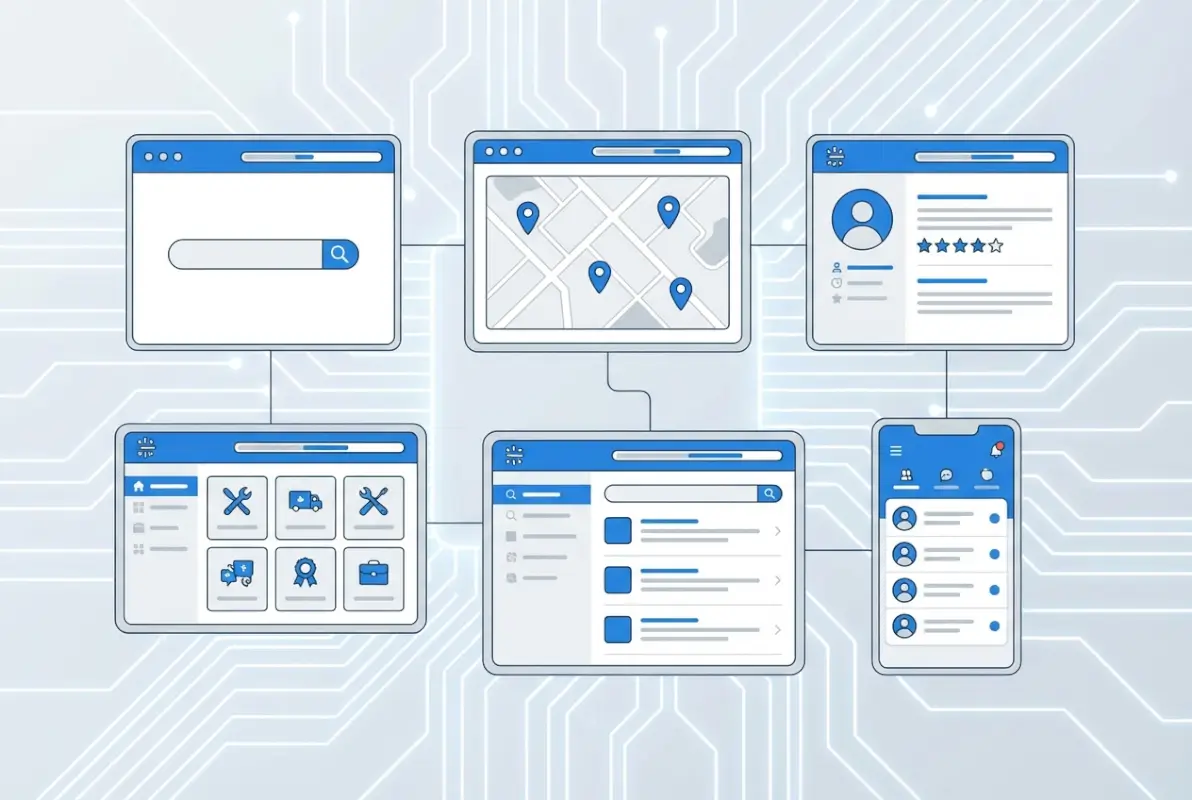
Step-by-Step Search Workflow
Start by creating a simple spreadsheet with columns for each directory name, listing URL, claim status, verification status, and last update date. This tracking sheet becomes your central reference as you work through each platform.
For each directory, follow this sequence:
- Search for your business using your exact business name plus city. Note the URL of any existing listing.
- Assess claim status – is it already claimed (possibly by a previous employee or agency), unclaimed, or non-existent?
- Claim the listing if unclaimed, or request access if someone else controls it.
- Verify ownership through whatever method the platform requires (postcard, phone, email).
- Complete all fields with consistent NAP data and additional information like photos and categories.
- Document the login credentials in a secure password manager so you can access the listing for future updates.
Don’t try to tackle all six directories in one sitting. Verification can take days or weeks (especially for mailed postcards), so spread the work out and tackle one or two platforms at a time. This also prevents password confusion and reduces errors from rushing.
Managing Multiple Locations
Multi-location businesses face exponentially more complexity. Each physical location needs its own complete listing on each directory, with location-specific NAP data and, ideally, unique descriptions and photos.
Google Business Profile allows bulk location management through a single dashboard once you verify multiple locations. Bing offers similar functionality. Yelp requires individual listings but lets you link them under one parent company profile. The process varies by platform but generally supports businesses with multiple storefronts.
If you operate as a service area business (SAB) without a physical storefront customers visit, Google requires you to hide your address and instead define service areas by city or zip code. Other directories handle SABs differently, so check each platform’s specific guidelines. Never create fake addresses to appear in multiple cities – it violates platform terms and can get all your listings suspended.
Verifying Accuracy and Avoiding Duplicates
Duplicate listings are one of the most common and damaging issues I encounter when auditing business directories. They happen when automatic data imports create a listing, then the business manually creates another, or when inconsistent NAP data tricks algorithms into treating one business as two separate entities.
Search multiple variations of your business name (with and without Inc, LLC, abbreviations) to find hidden duplicates. If you discover multiple listings for the same location on the same platform, most directories offer a merge or removal process. Google’s “Mark as duplicate” option, Yelp’s duplicate flagging system, and direct support channels on other platforms can consolidate listings.
Merging is almost always better than deleting – it preserves accumulated reviews and history while correcting the duplication. Never try to maintain multiple listings intentionally to game the system; algorithms detect this and will penalize all related listings.
What to Do When Information is Missing or Incorrect
You’ll inevitably find listings with wrong phone numbers, outdated addresses, or weird business names you never authorized. Don’t panic. Every platform provides tools to request corrections, though the process and speed vary.
If you control the listing (you’re logged in as the owner), simply edit the incorrect information directly. Changes to most fields take effect immediately, though some platforms review modifications before publishing them publicly.
If someone else claimed your listing (a former marketing agency, previous owner, or even a competitor), you’ll need to request access. Google and Bing have “Request access” workflows where you prove ownership through documentation. Yelp requires contacting support directly. Document everything – send emails, take screenshots, and keep records of your ownership evidence (business licenses, utility bills, etc.).
For unclaimed listings with wrong information, claim the listing first, then correct the data. For listings you can’t claim or edit, use the “Suggest an edit” features most platforms offer, though these suggestions may take weeks to review and implement.
Data Hygiene and Maintenance Checklist
Getting your listings claimed and optimized is just the start. Real value comes from maintaining accuracy over time, because businesses change – new phone systems, updated hours, seasonal services, rebranding. Your listings need to evolve alongside your business or they become liabilities instead of assets.

Create a Master Record of Listings
Your master record should live in a shared spreadsheet accessible to everyone who might need to update business information – owners, managers, marketing staff. At minimum, include these columns:
- Directory name
- Listing URL
- Login email/username
- Business name as it appears
- Address
- Phone number
- Website URL
- Primary category
- Verification status
- Last audit date
- Notes (any issues, pending changes, etc.)
This sheet serves two purposes: it ensures consistency when making updates across platforms, and it provides a quick reference for troubleshooting when something goes wrong. When you hire a new marketing person or agency, hand them this document so they’re not starting from scratch trying to figure out your digital footprint.
Many business owners discover too late that they don’t actually control their own Google Business Profile because an agency set it up years ago with their company email. If this is you, the login process for various platforms might help you reclaim access or set up proper credentials from the start.
Schedule Regular Audits
Set a recurring calendar reminder every 90 days to audit your top six listings. This quarterly check takes less than an hour but catches problems before they snowball. During each audit:
- Verify NAP data matches your current information
- Check that hours (including special holiday hours) are accurate
- Scan for duplicate listings that might have appeared
- Update photos if you’ve remodeled or changed branding
- Review and respond to any new reviews
- Check that your website URL still works (in case of domain changes or site migrations)
Many businesses go years without touching their Yelp or Bing listings after initial setup. Meanwhile, phone numbers change, services evolve, and hours shift seasonally. These outdated listings actively harm your business when customers call disconnected numbers or show up during hours you’re closed.
For businesses managing listings across multiple platforms, exploring top business directory software solutions can automate much of this monitoring and alerting you when inconsistencies appear.
How to Measure Impact
Directory listings contribute to SEO and visibility, but how do you know which ones actually drive results? Start by setting up tracking:
- Google Analytics referral sources: Check which directories send traffic to your website and how that traffic converts
- Phone tracking: Use different tracking numbers for different directories if you want granular data on which platforms drive calls (just keep one “official” number for NAP consistency)
- Review platforms: Monitor which directories accumulate reviews, signaling active user engagement
- Local pack rankings: Track whether you appear in Google’s local 3-pack for target keywords, a key indicator GBP optimization is working
Don’t expect directory listings alone to transform your business overnight. They’re one component of a broader local SEO strategy that includes your website, content marketing, and backlink profile. That said, I’ve seen businesses jump from page two to the local pack simply by claiming and optimizing their GBP and fixing inconsistent citations across directories.
Best Practices for Optimizing and Leveraging Listings
Claiming a listing is the baseline. Optimizing it is where you pull ahead of competitors who settle for the bare minimum. Most business owners stop after entering their NAP data and wonder why they’re not seeing results. The businesses that dominate local search treat directory listings as active marketing channels rather than passive placeholders.

Be Specific and Up-to-Date with Business Attributes
Every directory offers special attributes or filters that help users narrow searches. On Google, these include “wheelchair accessible,” “outdoor seating,” “free Wi-Fi,” and dozens more depending on your business category. On Yelp, attributes like “good for groups” or “accepts credit cards” help you appear in filtered searches.
Fill out every relevant attribute honestly. Customers get annoyed when they arrive expecting wheelchair access you don’t actually provide, but they’re delighted when your listing accurately reflects features they care about. These attributes also signal to algorithms that your profile is actively maintained and comprehensive.
Keep hours religiously current, especially around holidays. Google penalizes businesses with frequently outdated hours, and customers posting angry reviews about arriving to find you closed when your listing said you’d be open damages your reputation far beyond any SEO impact.
Use Consistent Branding and Imagery
Your cover photo, logo, and supplementary images should be high-quality and consistent across platforms. When possible, use the same cover image on Google that you use on Yelp and Facebook so customers instantly recognize your brand regardless of where they find you.
That said, don’t just upload the same five photos everywhere and call it done. Platforms like Google heavily favor listings that regularly add fresh photos. Upload new images monthly showing your products, team, interior, exterior, and happy customers (with permission). Google’s algorithm specifically ranks businesses with recent photos higher in search results.
Avoid stock photos or generic images. Real photos of your actual business outperform polished stock imagery both algorithmically and psychologically. Customers can spot stock photos instantly and they don’t build trust the way authentic images do.
Encourage and Manage Reviews
Reviews drive rankings, click-through rates, and conversion rates. Businesses with higher star ratings and more review volume consistently outrank competitors with sparse reviews, even when other SEO factors are equal. The challenge is encouraging reviews without running afoul of platform policies that prohibit incentivized or solicited reviews.
Focus on making the review process frictionless. After a positive customer interaction, send a follow-up email thanking them and including links to your preferred review platforms. Don’t tell them what to say or offer discounts in exchange for reviews – just make it easy for happy customers to share their experience.
Respond to every review, positive and negative. Thank customers who leave great reviews, and professionally address concerns in negative reviews. Your responses are public and demonstrate to prospective customers that you care about feedback and customer service. Google also factors in review response rates when ranking listings.
Monitor for and Resolve Inconsistencies
Even with careful initial setup, inconsistencies creep in over time. Data aggregators pull information from various sources and sometimes override your manual edits with outdated information. Competitors or vandals occasionally suggest malicious edits. Automated systems misinterpret address formats.
Use free tools like Moz Local Check or Yext’s consistency checker to scan for inconsistencies across major directories. These tools crawl dozens of platforms and flag discrepancies in your NAP data. Some issues you can fix yourself by logging into the offending directory; others require contacting platform support or data aggregators to correct source data.
This ongoing monitoring is tedious but essential. Just as you wouldn’t let your website go months with broken links or outdated content, don’t let your directory listings languish with incorrect information that actively repels customers.
Leverage GBP and Other Listings to Improve Click-Through and Engagement
Google Business Profile offers features like Posts (short updates you can publish directly to your GBP), Q&A sections, appointment booking, and product catalogs. Most businesses ignore these features, giving you an easy competitive advantage if you use them.
GBP Posts appear in your knowledge panel and can highlight special offers, events, new products, or company news. They’re essentially free advertising that can influence customers in the consideration phase. Posts expire after seven days (except events and offers), so maintaining a posting schedule keeps your listing fresh and signals active management to Google’s algorithm.
The Q&A section on GBP lets anyone ask questions about your business, and anyone (including you) can answer. Don’t leave this section to chance – seed it with common questions and helpful answers, positioning yourself to control the narrative. Monitor new questions and respond promptly before competitors or trolls post misleading answers.
These engagement features won’t make sense for every directory, but where they exist, use them. They demonstrate active management, provide additional keyword opportunities, and give customers more reasons to choose you over competitors with bare-bones listings.
Common Pitfalls and Quick Wins
Let’s talk about the mistakes that tank listing optimization efforts and the low-hanging fruit you can grab for immediate improvement. I’ve audited hundreds of business listings over the years, and certain patterns emerge again and again.
Avoiding Fake or Low-Quality Directories
Not every directory deserves your time. Spam directories with thin listings, no traffic, and suspicious submission processes can actually harm your SEO by associating your business with low-quality neighborhoods of the web. They’re the digital equivalent of getting your business card posted on a community center bulletin board in a town you don’t serve.
Red flags include directories that charge money just to submit (legitimate directories monetize through premium features, not basic submissions), sites with obviously fake or duplicate business listings, and platforms with no visible traffic or engagement. If you’ve never heard of a directory and can’t find evidence anyone uses it, skip it.
Focus on the established platforms with real users. A complete profile on the six core directories discussed earlier outperforms sparse presence on fifty marginal directories.
Avoiding Duplicate Listings and Data Drift
We covered duplicates earlier, but it’s worth emphasizing because this problem compounds over time. Every time you work with a new marketing agency, switch phone systems, or move locations, you create opportunities for duplicate listings with old information to proliferate.
Data drift happens when you update information in one place but forget to update everywhere. Your website shows new hours, but Google still lists the old schedule. Your phone system changed to a new number, but Yelp has the disconnected line. Each inconsistency erodes trust and costs you customers.
Set a trigger: whenever you make a significant business change (move, rebrand, change services), immediately update all six core directory listings before announcing the change publicly. This prevents the scramble of fixing listings after customers have already encountered wrong information.
Prioritizing High-Value Directories First
If you’re overwhelmed by the prospect of managing multiple platforms, start with Google Business Profile exclusively. Get it 100% complete, optimized, and maintained before touching anything else. GBP delivers more value than any other listing for most businesses.
After GBP is dialed in, add whichever platform makes most sense for your industry – Yelp for restaurants and services, LinkedIn for B2B, industry-specific directories for specialized verticals. Build gradually rather than trying to establish presence everywhere simultaneously and doing a mediocre job across the board.
Handling Ownership and Access Issues
What happens when you discover your Google Business Profile is claimed by someone else – maybe an employee who left the company, an agency you no longer work with, or a stranger who somehow verified the listing? This situation is more common than you’d think, and resolving it requires patience.
Google’s “Request access” process allows you to petition for ownership. You’ll need to verify your connection to the business through phone or postcard verification while the current owner is notified of your request. If they don’t respond within a certain timeframe, you gain access.
For stubborn cases where the current owner refuses to relinquish control, you may need to submit proof of business ownership to Google support – business licenses, articles of incorporation, utility bills. Document everything and be prepared for the process to take weeks or even months. Similar processes exist for Yelp and other platforms, though specifics vary.
Prevention is easier than resolution: maintain control of logins from day one, use company email addresses rather than personal ones for business listing ownership, and document access credentials in a secure shared location.
Case Studies and Practical Templates
Theory is helpful, but implementation is what drives results. Let’s look at a realistic optimization timeline and provide templates you can use to structure your own listing management.
30/60/90-Day Listing Refinement Plan
Days 1-30: Foundation
- Create master NAP document with official formatting
- Claim Google Business Profile and submit verification request
- Search for and document existing listings across all six core directories
- Claim any unclaimed listings and initiate verification processes
- Upload logo and basic business information to all claimed listings
Days 31-60: Optimization
- Complete all GBP fields including posts, Q&A seeding, and attributes
- Upload high-quality photos to all verified listings (minimum 5 per platform)
- Write unique business descriptions for each platform (don’t copy-paste the same description everywhere)
- Set up review request workflow and send to recent happy customers
- Identify and merge or remove any duplicate listings discovered
Days 61-90: Refinement and Systems
- Set up referral tracking in Google Analytics to monitor directory traffic
- Establish review response protocol and respond to all existing reviews
- Create quarterly audit calendar reminder
- Document login credentials in secure password manager
- Train relevant team members on updating listings when business information changes
This phased approach prevents overwhelm while building a solid foundation. By day 90, you should have complete, optimized, actively managed listings across all major platforms with systems in place to maintain accuracy.
Example Data Sheet and Audit Template
Here’s a simplified version of the tracking spreadsheet referenced throughout this guide. Customize it to include the specific directories and data fields relevant to your business:
| Directory | Listing URL | Status | Last Audit | Notes |
|---|---|---|---|---|
| Google Business Profile | [Insert URL] | Verified | 01/15 | Added new photos, updated winter hours |
| Bing Places | [Insert URL] | Claimed, pending verification | 01/10 | Waiting for verification code |
| Yelp | [Insert URL] | Verified | 01/15 | Responded to 3 new reviews |
| Apple Maps | N/A | Pulling from Yelp | 01/15 | Data appears accurate |
| [Insert URL] | Active | 01/14 | Updated cover photo | |
| YP.com | [Insert URL] | Verified | 01/12 | All fields complete |
Update this sheet after each audit cycle, noting what you changed and when. Over time, you’ll build a valuable historical record of your listing management that helps identify patterns, troubleshoot problems, and train new team members.
Frequently Asked Questions
Do I need to list my business on all directories to succeed?
No, you don’t need presence on every directory. Focus on the six core platforms (Google Business Profile, Bing Places, Yelp, Apple Maps, Facebook, and a relevant traditional or industry directory) first. Complete optimization on these major platforms delivers more value than superficial presence across dozens of minor directories.
How often should I update listing information?
Audit your listings quarterly at minimum, but update immediately whenever business information changes (new phone number, address, hours, services). Major directories like Google Business Profile benefit from fresh content monthly through posts and new photos, while static fields only need updates when your actual business details change.
What is the impact of inconsistent data across listings?
Inconsistent NAP data confuses search algorithms and erodes trust signals that contribute to local rankings. Studies show that even minor discrepancies (like “Street” vs. “St.”) can dilute citation value. More importantly, incorrect information frustrates customers who encounter wrong phone numbers or outdated addresses, damaging your reputation and losing sales.
Which directories drive the most local visibility in 2026?
Google Business Profile remains the dominant force in local search visibility, directly powering Google’s local pack results. Yelp drives significant traffic in restaurant, home service, and healthcare verticals. Apple Maps matters increasingly for iOS-dominant demographics. Bing Places serves a smaller but often higher-income user base. Industry-specific directories vary by vertical but can deliver highly qualified traffic.
How should I handle duplicate listings for multiple locations?
Each physical location needs its own unique listing with location-specific NAP data. Never create multiple listings with the same address trying to rank for different cities – platforms detect and penalize this. For service area businesses without physical storefronts, use one primary listing and define service areas within that profile rather than creating fake locations.
How can I verify a listing is claimed and correctly managed?
Search for your business on each directory platform. If you can edit the listing directly through a dashboard you control, it’s properly claimed. If you see “Claim this business” or can only “Suggest edits,” it’s either unclaimed or claimed by someone else. Check your password manager or master spreadsheet for login credentials to confirm you have administrative access.
Are there risks or costs associated with submission services?
Legitimate directory management services can save time but vary widely in quality. Risks include agencies creating listings under their own email addresses (you lose access if you part ways), services that submit to low-quality spam directories that harm SEO, and recurring fees for work you could do yourself. If using a service, ensure they provide transparency, use your credentials, and focus on high-authority directories.
How do I measure ROI from directory listings?
Track referral traffic in Google Analytics to see which directories send visitors to your website. Monitor phone call sources if using tracking numbers. Watch local pack rankings for target keywords as a leading indicator of GBP effectiveness. Review volume and customer feedback quality signal engagement. Most importantly, consistent directory presence is a foundational SEO element that contributes to overall visibility rather than a standalone tactic with isolated ROI.
What’s the difference between citations and business listings?
Citations are mentions of your NAP data anywhere online, while business listings are profiles you can claim and manage. A news article mentioning your business name and address is a citation. Your Google Business Profile is a listing. Both contribute to local SEO, but listings give you control over the information and allow direct customer engagement.
Should I hire someone to manage my business listings?
It depends on your time, technical comfort, and business size. Single-location businesses can handle six core directories themselves in a few hours per quarter. Multi-location enterprises or businesses without internal marketing resources may benefit from professional management. If hiring help, prioritize providers who emphasize accuracy and consistency over quantity of submissions.
Taking Control of Your Local Presence
Business directory listings represent one of the most controllable aspects of your local SEO strategy. Unlike backlinks or domain authority that develop slowly over time, you can claim and optimize key listings in a matter of weeks. The businesses that dominate local search results aren’t lucky – they’re methodical about maintaining accurate, complete, consistently optimized directory presence.
Start with Google Business Profile and get it perfect before expanding to other directories. Establish your master NAP document before touching any platform to ensure consistency from day one. Build gradually, focusing on complete optimization of a few key directories rather than superficial presence everywhere. Set up systems – quarterly audits, review response protocols, centralized credential management – so maintenance becomes routine rather than crisis-driven.
The ROI from directory management isn’t always immediately obvious because it’s foundational work that supports everything else. But I’ve watched businesses transform their local visibility by fixing citations and optimizing listings, often seeing results within weeks. Your competitors are probably neglecting this work, leaving outdated information scattered across the web. That’s your opportunity.
Remember that directory optimization is ongoing, not a one-time project. Your information will change, platforms will evolve, and competitors will challenge your rankings. The businesses that maintain discipline around directory management – treating it as seriously as they treat their website or storefront – are the ones that consistently appear when customers search for what they offer.