How to Index a Directory Listing in Google: 6 SEO Best Practices

Getting your directory listing indexed by Google isn’t just about clicking “submit” and hoping for the best. After years of working with directory sites—from local business catalogs to niche B2B platforms—I’ve learned that indexing is a nuanced dance between technical precision, content quality, and understanding exactly how Google’s crawlers evaluate what deserves a spot in their index. The truth most SEO guides won’t tell you? Google doesn’t index everything, and sometimes that’s actually working as intended. The real skill lies in creating directory listings that Google wants to index because they genuinely serve searchers better than alternatives.

Whether you’re managing a business directory, a real estate listing platform, or any catalog-style website, the principles of getting your pages discovered and indexed haven’t changed fundamentally—but the execution details have become far more sophisticated. Let me walk you through what actually works in practice, not just theory.
TL;DR – Quick Takeaways
- Crawlability comes first – No indexing happens without proper access; check robots.txt, server configs, and canonical tags before anything else
- Sitemaps are your roadmap – They don’t guarantee indexing, but they dramatically improve discovery speed for directory content
- Quality beats quantity – Google actively devalues thin, auto-generated directory listings; invest in substantive, unique content
- Metadata and structure matter – Clear titles, descriptions, and schema markup help Google understand and classify your listings properly
- Monitoring is mandatory – Use Search Console’s URL Inspection tool and index status reports to catch issues early
- Security considerations exist – Not all directory content should be publicly indexed; assess privacy implications before pushing for indexation
How Google Crawls and Indexes Directory Listings: Core Concepts
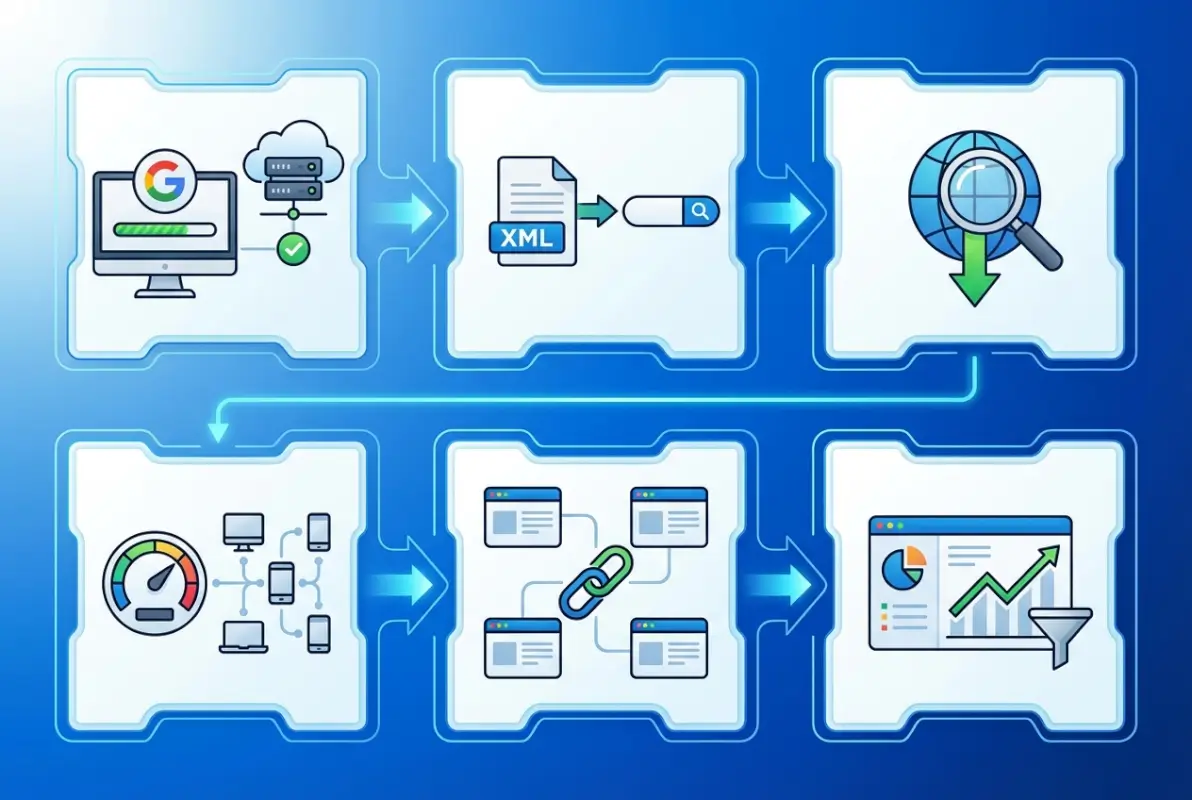
Understanding how Google actually processes directory listings requires grasping the fundamental workflow that happens behind the scenes. When you publish a new listing page, Google doesn’t automatically know it exists—discovery is the critical first step. Google’s crawlers (primarily Googlebot) find new URLs through three main paths: following links from already-indexed pages, reading your sitemap files, or receiving explicit submission requests through Search Console. This discovery phase determines whether your listing even gets a chance at indexing.

Once discovered, the crawling process begins. Google’s bots fetch your page content, analyzing HTML structure, internal links, images, and any structured data markup you’ve implemented. This is where many directory sites stumble—if your pages load slowly, require JavaScript to render content, or sit behind authentication walls, crawlers may fail to access the actual listing information. I’ve seen dozens of directory platforms lose months of potential traffic simply because their server configuration inadvertently blocked bot access to certain URL patterns.
What Indexing Is and How Crawling Leads to Indexing
Crawling and indexing aren’t the same thing, though people often conflate them. Crawling means Google visited your page and read its contents. Indexing means Google decided that page was valuable enough to store in its searchable database and potentially show in search results. This distinction matters enormously for directory listings because Google’s official crawling and indexing documentation makes clear that crawling a page doesn’t obligate them to index it.
The indexing decision depends on multiple quality signals: content uniqueness, usefulness to searchers, technical accessibility, and compliance with webmaster guidelines. For directory listings specifically, Google evaluates whether each listing provides distinct value compared to similar pages. If you have fifty nearly-identical listings for “plumbers in Seattle” that differ only in phone numbers, Google may choose to index only a handful and ignore the rest as low-value duplicates.
The Role of Sitemaps and URL Structure in Discovery
Sitemaps function as your directory’s table of contents for search engines. When you submit a sitemap to Google Search Console, you’re essentially handing Google a prioritized list of URLs you want crawled. For large directory sites with thousands of listings, sitemaps become crucial because they help Google discover deep pages that might otherwise require dozens of link clicks from your homepage to reach.
URL structure plays an equally important role in crawl efficiency. Clean, hierarchical URLs like yoursite.com/category/subcategory/listing-name help both crawlers and users understand your site’s organization. Avoid URL patterns with excessive parameters, session IDs, or randomly generated strings—these patterns signal poor site architecture and can confuse crawlers about which version of a page to index. When working with how to index directory listing methods website owners implement, clear URL structures consistently rank as a foundational success factor.
When Directory Listing Pages Will or Won’t Be Indexed
Google maintains explicit reasons for not indexing pages, and directory listings hit several common triggers. New pages simply might not have been crawled yet—indexing isn’t instant and can take days or weeks even after submission. More problematically, technical barriers like noindex meta tags, disallow directives in robots.txt, or password protection will definitively prevent indexing regardless of content quality.
Content quality issues present a subtler challenge. If your directory listings contain minimal unique text, duplicate content from other sites, or appear to be automatically generated without human curation, Google may crawl but consciously choose not to index them. The official FAQ on crawling and indexing explains that Google prioritizes pages that add genuine value, and thin directory entries rarely meet that bar in competitive verticals.
Best Practice 1 — Ensure Crawlability and Access for Directory Listings
The foundation of any indexing strategy starts with making sure Google can actually reach your directory listings. This sounds basic, but crawlability issues cause more indexing failures than any other single factor. Your server configuration, robots.txt file, and page-level directives all act as gatekeepers that either welcome or block search engine crawlers. I remember troubleshooting a legal directory once where the entire /listings/ subdirectory was accidentally blocked in robots.txt—three months of new content sat completely invisible to Google simply because of one misplaced line in a text file.
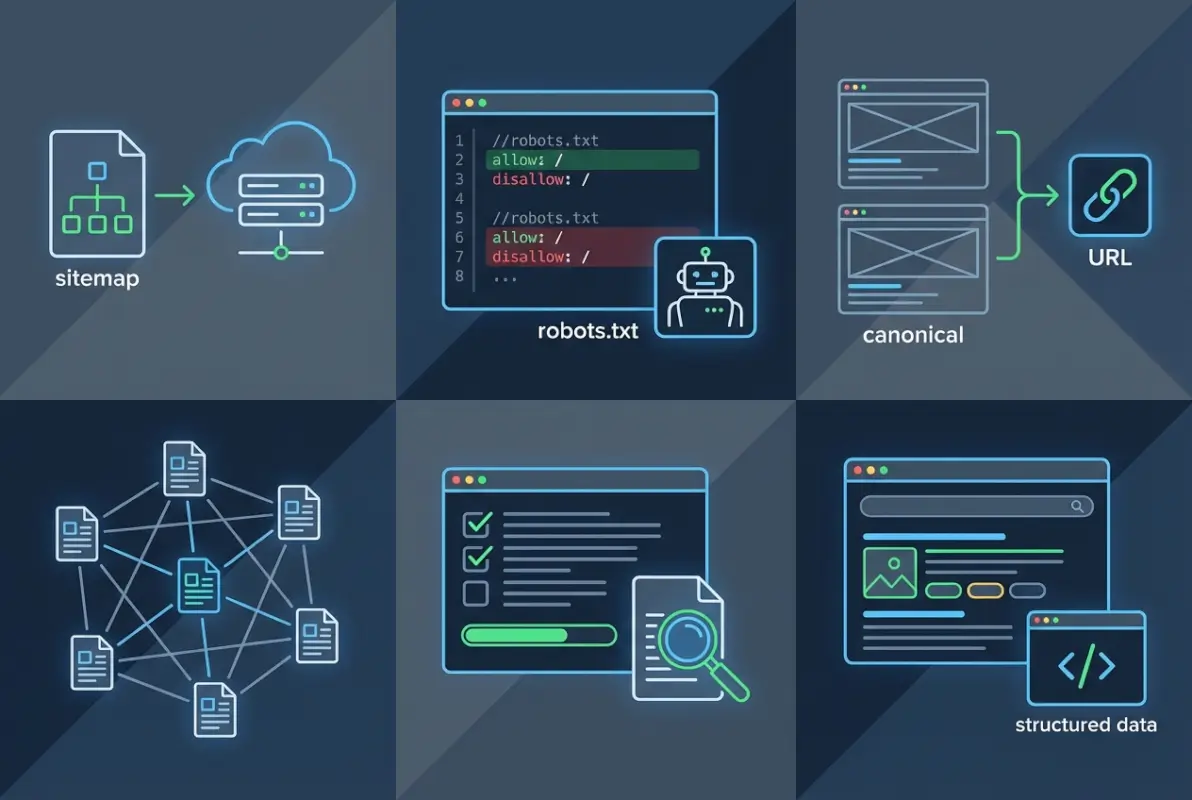
Start by auditing your robots.txt file at yoursite.com/robots.txt. This file tells crawlers which parts of your site they can access. For directory listings, you typically want to allow full access unless specific sections contain sensitive or duplicate content. Be especially careful with wildcard patterns that might inadvertently block legitimate listing pages. Combine this with checking your server response codes—pages returning 404, 403, or 500 errors can’t be indexed regardless of content quality.
Use Clean, Crawlable URLs and Avoid Blocking Crawlers
Crawlable URLs follow a simple principle: if a human can access the page in a standard browser without logging in or enabling JavaScript, Google should be able to crawl it. Avoid relying on JavaScript frameworks to render critical listing content, since Googlebot’s JavaScript processing, while improved, still creates potential indexing delays and failures. Server-side rendering or progressive enhancement approaches work better for directory content that needs reliable indexing.
Check your site’s internal linking structure to ensure listing pages receive adequate link equity. Orphaned pages—those with no internal links pointing to them—depend entirely on sitemap discovery, which is less reliable. Every directory listing should be reachable through at least 2-3 internal link paths from high-authority pages on your site. This redundancy improves both crawl frequency and perceived importance.
Verify Canonicalization and Avoid Duplicate Content
Directory sites face unique duplicate content challenges when the same listing appears accessible through multiple URL patterns (sorting options, filter combinations, pagination, etc.). Canonical tags tell Google which version of a page should be considered the “master” copy for indexing purposes. For example, if a restaurant listing appears at both /restaurants/italian/joes-pizza and /search?cuisine=italian&name=joes-pizza, the canonical tag should point to whichever URL you want appearing in search results.
Implement canonical tags consistently across your entire directory. Missing or contradictory canonical directives confuse Google about which pages deserve indexing priority, potentially leading to none of your variations ranking well. Self-referential canonicals (pointing to themselves) on unique listings help reinforce that each page stands alone as indexable content. When managing strategies to increase google business listing visibility local seo tips recommend, proper canonicalization prevents your own site architecture from cannibalizing your search presence.
| Canonicalization Scenario | Recommended Action | Impact on Indexing |
|---|---|---|
| Unique listing page | Self-referential canonical | Signals page is index-worthy |
| Filtered/sorted view | Canonical to base category | Consolidates ranking signals |
| Paginated listings | Self-referential on each page | Allows indexing of deep pages |
| Session ID or tracking params | Canonical to clean URL | Prevents duplicate indexing |
Diagnose with URL Inspection and Indexing Status
Google Search Console’s URL Inspection tool provides the most direct insight into how Google sees your directory listings. Enter any specific listing URL to see whether Google has indexed it, when it was last crawled, and any issues preventing indexing. This tool reveals problems that might not be obvious from external observation—like mobile rendering issues or blocked resources that interfere with content interpretation.
For individual high-priority listings that need faster indexing, the URL Inspection tool offers a “Request indexing” option. This prompts Google to recrawl the page relatively quickly, though Google’s recrawl guidance emphasizes this doesn’t guarantee immediate indexing. Reserve this for genuinely important pages rather than bulk-submitting hundreds of listings, which can actually slow overall crawl rates as Google treats it as potential spam behavior.
Monitor your index coverage report in Search Console weekly to catch emerging patterns. A sudden increase in excluded pages or crawl errors often indicates technical changes that inadvertently broke crawlability. Early detection means you can fix these issues before significant traffic loss occurs. Pay particular attention to the “Discovered – currently not indexed” status, which signals pages Google found but deemed not valuable enough to index—a content quality red flag worth investigating.
Best Practice 2 — Structure and Metadata to Help Google Understand Directory Listings
Once crawlability is sorted, the next layer involves helping Google actually understand what your directory listings contain and why they matter to searchers. Think of metadata and structured markup as a translator between your human-readable content and Google’s algorithmic processing. Poorly optimized metadata doesn’t prevent indexing, but it severely limits your ability to rank for relevant queries or earn rich result features that dramatically improve click-through rates.
Title tags and meta descriptions serve as your listing’s first impression in search results. For directory pages, generic titles like “Business Listing #12345” waste valuable real estate that should contain location, category, and distinctive attributes. Compare that to “Joe’s Pizza – Family-Owned Italian Restaurant in Downtown Seattle Since 1989” which gives both users and Google clear context about what they’ll find. Every listing title should be unique across your directory, incorporating the most important search terms people actually use when looking for that type of business or service.
Use Meaningful Page Titles, Meta Descriptions, and Structured Data Where Appropriate
Meta descriptions don’t directly impact ranking, but they heavily influence whether searchers click your result over competitors. For directory listings, the meta description should summarize the listing’s unique value proposition in 150-155 characters. Include actionable details like hours, pricing ranges, specialty services, or distinguishing features. Avoid duplicate meta descriptions across listings—if you can’t write unique descriptions for every page, it’s better to let Google auto-generate them from page content than to duplicate identical text.
Heading structure (H2, H3 tags) within listing pages helps Google parse content sections logically. Use headings to organize information hierarchies: business overview, services offered, location details, customer reviews, etc. This structure improves both SEO and user experience simultaneously, which aligns perfectly with Google’s preference for content that serves human needs first.
Implement Schema Markup Where Relevant
Schema.org structured data markup gives Google explicit, machine-readable information about your listings. For directory content, LocalBusiness schema is particularly valuable, allowing you to mark up business name, address, phone number, hours, price range, and aggregate ratings in a format Google can directly extract for rich results. When you see search results displaying star ratings, hours, or maps directly in the SERP, that’s schema markup at work.
Implementation can happen through JSON-LD code embedded in your page HTML, or through structured data attributes in your existing markup. JSON-LD is generally easier to manage and Google’s preferred format. For a restaurant directory listing, you might implement Restaurant schema (which extends LocalBusiness) including menu sections, cuisine types, and reservation options. Test your schema implementation using Google’s Rich Results Test tool to catch syntax errors before they prevent rich result eligibility.
Don’t over-mark up content or include schema for elements not visibly present on the page—Google treats this as deceptive markup and may apply manual penalties. Your schema should accurately represent content users can see and interact with on the page itself. When applied properly to support efforts to improve google business listing optimization tips focus on, structured data can be the difference between a plain blue link and a prominent enhanced result that captures attention.
Internal Linking Strategy to Aid Discovery
Strategic internal linking distributes ranking authority throughout your directory while helping crawlers discover and understand relationships between pages. Every listing should receive contextual links from category pages, related listings, geographic pages, and featured/popular sections. The anchor text of these links matters—descriptive anchor text like “best Italian restaurants downtown” carries more SEO value than generic “click here” links.
Create content hubs that naturally link to collections of related listings. If you run a professional services directory, publish articles like “Top 10 Marketing Consultants for Small Businesses” that link to relevant listings with contextual explanations of why each made the list. This approach provides crawler paths to your listings while adding genuine editorial value that improves engagement metrics. The key is making links feel natural and helpful rather than forced or manipulative, something I learned the hard way after watching Google devalue an over-optimized directory site that plastered every page with excessive exact-match anchor text.
Best Practice 3 — Sitemaps and Crawl Budget for Large Directory Sites
For smaller directories with a few hundred listings, sitemaps are helpful. For large-scale directories with thousands or millions of pages, sitemaps become absolutely critical infrastructure. They provide Google with a comprehensive URL inventory and signal your indexing priorities through lastmod dates and frequency hints. Without well-maintained sitemaps, large portions of your directory risk remaining undiscovered or infrequently updated in Google’s index, particularly for deep pages far from your homepage in the link hierarchy.
Sitemap strategy for directories differs from typical content sites because you’re dealing with pages that update frequently (new listings, modified information, deleted entries) and potentially millions of URLs that need organized into manageable files. XML sitemaps have a 50,000 URL limit per file and 50MB uncompressed size restriction, so large directories need sitemap index files that reference multiple individual sitemaps organized by category, location, or date ranges. This organizational structure helps both with maintenance and allows you to prioritize crawling of certain directory sections.
Submit a Sitemap to Inform Google About Directory Listings and Their Updates
Submit your sitemap through Google Search Console under the “Sitemaps” section. Google doesn’t guarantee crawling every URL in your sitemap immediately, but submission dramatically improves discovery rates compared to relying solely on link-based crawling. For dynamic directories where listings frequently change, update your sitemap automatically whenever significant content updates occur—new listings added, existing listings modified, or pages deleted.
The lastmod tag in your sitemap tells Google when each URL was last updated, helping prioritize recently changed content for recrawling. Be honest with this tag—artificially updating lastmod dates on unchanged pages wastes crawl budget and can reduce Google’s trust in your sitemap accuracy. Include only indexable URLs in your sitemap; don’t include noindexed pages, redirecting URLs, or pages blocked by robots.txt, as this creates noise that reduces sitemap effectiveness.
Monitor the “Sitemaps” report in Search Console to track how many submitted URLs were actually discovered and indexed. Large discrepancies between submitted and indexed counts indicate either quality issues (Google chose not to index) or technical problems (crawl errors, access issues). This reporting provides early warning signals about systematic directory problems worth investigating.
Consider the Crawl Budget for Large Directories
Crawl budget refers to the number of pages Google will crawl on your site within a given timeframe. For small to medium directories, crawl budget rarely limits indexing—Google will crawl everything worth indexing. However, for directories with hundreds of thousands or millions of pages, crawl budget becomes a strategic constraint that requires active management. Google allocates crawl budget based on site authority, technical performance, and perceived content value.
Optimize crawl budget by ensuring your most valuable listings are easiest to crawl. Use internal linking to prioritize high-quality pages, eliminate crawl traps like infinite calendar pagination or filtering combinations, and actively noindex low-value pages (empty categories, thin search result pages) that consume budget without adding indexation value. When you include plugin wordpress step by step guide functionality manages, ensure caching and performance optimizations prevent plugins from slowing page load times, which directly impact how many pages Google crawls per session.
Use RSS/News Sitemaps for Time-Sensitive Listings (Where Applicable)
Standard XML sitemaps work well for evergreen directory content, but time-sensitive listings—events, limited-time offers, daily deals, or breaking news in industry directories—benefit from specialized sitemap types that signal urgency to Google. News sitemaps (for content meeting Google News criteria) and RSS/Atom feeds can trigger faster crawling for fresh content that needs rapid indexing.
Most general directories won’t qualify for Google News sitemaps, but RSS feeds remain useful for highlighting your newest or most recently updated listings. Include your RSS feed URL in your robots.txt file to help Google discover it, and ensure the feed contains full content or substantial excerpts rather than just headlines, which helps Google assess content value without requiring immediate full page crawls. According to recent content indexing research, properly implemented feeds can reduce average indexing time by 30-40% for new pages on established sites.
Best Practice 4 — Directories vs. Content Quality: What Google Wants
Here’s where many directory sites fail: they focus obsessively on technical SEO while ignoring the fundamental question Google asks about every page—does this provide genuine value to searchers? Google has grown increasingly sophisticated at identifying thin, low-effort directory listings that exist primarily for SEO purposes rather than user benefit. The algorithmic filters and manual review teams actively work to prevent low-quality directories from cluttering search results, which means your indexing success depends as much on content quality as technical execution.

The tension with directories is that they often contain repetitive structural content (business name, address, phone, hours) with minimal unique differentiation between listings. Google understands this pattern but expects directories to add value through curation, original descriptions, verified information, user reviews, photos, and contextual detail that helps searchers make informed decisions. A directory listing that merely republishes information already available on the business’s own website adds nothing and risks being classified as duplicate or low-value content.
Focus on High-Quality, User-First Directory Content
Quality for directory listings means comprehensive, accurate, and genuinely helpful information that isn’t easily found elsewhere in the same form. Instead of generic two-sentence descriptions, invest in detailed overviews that explain what makes each listing unique, who the target audience is, what problems the business solves, and what users can realistically expect. Include original photography when possible rather than relying on stock images or business-provided photos that appear across multiple sites.
User-generated content like reviews, ratings, questions and answers, and photos adds significant differentiation that Google values highly. Platforms that successfully combine structured directory data with authentic user experiences consistently outrank purely informational directories. Moderate this content to maintain quality but resist the temptation to only show positive reviews—authenticity including critical feedback actually increases trust and engagement metrics that feed Google’s quality assessment.
Fact-checking and regular updates matter enormously. Directories filled with outdated phone numbers, closed businesses, or incorrect hours frustrate users and signal poor maintenance to Google. Implement verification systems for listings, add “last verified” timestamps, and periodically audit high-traffic pages for accuracy. The directories that dominate search results invest substantially in data quality as their core competitive advantage.
Avoid Thin or Automatically Generated Listings
Google’s quality guidelines explicitly warn against auto-generated content created without sufficient human review or value-add. For directories, this commonly manifests as scraped business data from other sources, algorithmically generated descriptions using templates with minimal customization, or listings created en masse without individual curation. These approaches might generate thousands of pages quickly, but they rarely achieve sustained indexing or ranking success.
The telltale signs Google looks for include nearly identical content structure across pages with only names/locations swapped, descriptions that read awkwardly or contain obvious template markers, and content that appears duplicated from other sites. If you’re pulling listing data from third-party sources (which many directories do), you must add substantial original content, editorial perspective, or user-generated elements that transform the borrowed data into something meaningfully different.
Quality thresholds have risen significantly. What worked for directory SEO five years ago—basic listings with 50-100 words of description—now gets filtered out as insufficient. Modern successful directories treat each listing as a mini-landing page with 300-500+ words of unique, helpful content augmented by multimedia, user interactions, and contextual information. Yes, this requires more resources, but it’s the only sustainable approach given Google’s quality evolution. The work involved in approaches to increase views airbnb listing optimization strategies emphasize reflects this reality—superficial efforts simply don’t cut through anymore.
Content Stewardship: Freshness vs. Evergreen Content
Directory content sits in an interesting space between evergreen (business fundamental information rarely changes) and fresh (hours, offerings, and status update regularly). The most effective approach balances stable core content with regularly updated elements that signal ongoing maintenance. Google’s freshness signals can boost rankings for recently updated pages, but only if the updates represent genuine content improvement rather than artificial date-bumping.
Prioritize freshness for time-sensitive elements like current promotions, seasonal offerings, event listings, or availability information. Keep evergreen content like business history, service descriptions, and location details stable unless substantive changes occur. Document update timestamps clearly so users and Google can assess information currency—a “Last updated: March 2023” note on a page viewed in November tells everyone the content might be stale.
Develop content refresh schedules based on listing category. Restaurant listings might need monthly updates for menu changes, while professional services could operate on quarterly review cycles. Automated systems can flag listings that haven’t been updated within expected timeframes for editorial review. This systematic approach to maintenance prevents the common directory problem where initial indexing succeeds but rankings gradually decline as content ages without refresh.
| Content Type | Update Frequency | Google Impact |
|---|---|---|
| Business hours/contact info | Verify monthly | High – affects user experience metrics |
| Photos and media | Add quarterly | Medium – freshness signal |
| User reviews | Continuous (user-driven) | High – unique content generation |
| Service descriptions | Annual or as-needed | Medium – evergreen value |
| Event listings | Real-time | High – time-sensitive content |
Best Practice 5 — Security, Policy, and Risk Considerations for Directory Indexing
While most directory operators focus on maximizing indexation, sometimes the smartest SEO decision is deliberately preventing certain content from being indexed. Directory listings can expose sensitive information, create privacy concerns, or generate policy compliance issues if not managed carefully. Understanding when and why to restrict indexing prevents problems that could affect your entire domain’s standing with Google, not just individual pages.
Directory indexing from a security perspective goes beyond SEO—it involves assessing what file paths and information structures your directory exposes publicly. Many directory platforms inadvertently allow indexing of administrative pages, user profile directories, or technical files that should remain private. According to directory indexing security guidance, exposed server directories remain one of the more common website vulnerabilities that can reveal sensitive configuration details to attackers crawling for security weaknesses.
Directory Listing Exposure Risk and Privacy Considerations
Before pushing for maximum indexation, audit what personal or business information your listings contain. Directories of professionals often include home addresses, personal phone numbers, or other details individuals may not want publicly searchable. Even business directories can expose information some operators prefer to keep off search engines—temporarily closed businesses, businesses in bankruptcy proceedings, or listings with legal disputes.
Implement clear listing privacy controls that let business owners choose indexation preferences. Options might include fully public, limited visibility (accessible via direct URL but noindexed), or completely private listings visible only to logged-in directory users. This tiered approach balances your growth goals with legitimate privacy concerns that, if ignored, can generate legal complications or reputation damage that far outweighs SEO benefits.
For international directories, privacy requirements vary significantly by jurisdiction. European GDPR regulations impose strict controls on personal data processing and display, while California’s CCPA creates disclosure and opt-out requirements. Build consent frameworks and privacy controls into your directory platform from the start rather than retrofitting them after problems emerge—the latter approach always costs more and usually happens after rankings already suffered from hasty deindexing of problematic content.
Avoid Creating Content That Could Trigger Negative Policy Actions
Google’s webmaster quality guidelines prohibit various content types and behaviors that can result in manual actions—penalties that tank your entire domain’s search visibility. For directories, common violations include deceptive practices (fake reviews, misleading business information), hidden text or links, user-generated spam that goes unmoderated, and coordinated inauthentic behavior like review manipulation schemes.
Implement robust content moderation systems that catch spam listings, fake reviews, and prohibited content before it accumulates. The challenge with directories is scale—manual review of every submission becomes impractical beyond a few hundred listings. Combine automated filtering (duplicate detection, suspicious pattern identification) with spot-check manual review and user reporting systems that crowdsource quality control.
If you do receive a manual action notification in Search Console, respond immediately with thorough remediation. Document what violations occurred, explain how you fixed them, and detail new processes that prevent recurrence. Google’s reconsideration process examines whether you truly addressed root causes or just cleaned up visible examples while leaving systemic problems in place. I’ve seen directories that took six months to recover from manual actions because they treated symptoms rather than fixing the underlying content quality or moderation failures.
Best Practice 6 — Monitoring, Testing, and Iterating Your Directory Indexing
Getting your directory listings indexed isn’t a one-time project—it’s an ongoing process that requires consistent monitoring, testing of optimization approaches, and adaptation to Google’s evolving algorithms and priorities. The directories that maintain strong search visibility over years build systematic observation and iteration into their operational routines rather than treating SEO as a set-it-and-forget-it technical checklist. Your monitoring systems should catch problems before they significantly impact traffic while also identifying opportunities to expand your indexed footprint strategically.
Effective monitoring combines several data sources: Google Search Console for crawl/index status, analytics for traffic patterns and engagement metrics, rank tracking for visibility on target keywords, and server logs for crawler behavior analysis. Each source provides different insights that together form a complete picture of your directory’s indexing health. Relying on just one data source leaves blind spots that can hide significant problems until revenue impact forces investigation.
Regularly Check Index Status and Use Search Console
Google Search Console’s Index Coverage report should become your weekly dashboard for monitoring directory health. This report categorizes your URLs into four buckets: indexed successfully, crawled but not indexed, excluded (intentionally or unintentionally), and errors preventing indexing. Track how these numbers change over time—gradual increases in “crawled but not indexed” often signal declining content quality or emerging duplicate content issues, while sudden spikes in error pages indicate technical problems needing immediate attention.
Set up email alerts in Search Console for critical issues like site-wide indexing drops or manual actions. These alerts provide early warning that something broke—maybe a site migration changed URL structures, a server configuration blocked crawlers, or a plugin conflict introduced noindex tags sitewide. The faster you catch these issues, the less traffic loss you’ll experience. In my experience monitoring multiple directory sites, the difference between catching a crawlability issue within hours versus weeks can mean the difference between minimal impact and catastrophic traffic loss.
Use the URL Inspection tool not just for troubleshooting but for proactive monitoring of your most valuable listings. Spot-check a representative sample weekly to verify they remain indexed, render properly for mobile, and display all critical elements. This sampling approach catches localized issues that might not trigger site-wide alerts but still affect important pages generating significant traffic or revenue.
Use A/B Testing and URL-Level Experiments
Not all optimization theories work equally well across different directory niches or site structures. A/B testing lets you validate which indexing and content strategies actually improve your specific directory’s performance rather than assuming best practices apply universally. Google’s own documentation acknowledges that crawling and indexing don’t guarantee specific results—you need to test and measure what works for your situation.
Structure experiments carefully to isolate variables. For example, test whether longer listing descriptions (500+ words) improve indexing rates and rankings compared to shorter ones (200-300 words) by implementing different approaches across comparable listing categories and measuring results over 2-3 months. Similarly, experiment with schema markup implementations, internal linking patterns, or content freshness schedules to identify what moves the needle for your particular directory structure and content type.
Document all tests and results in a centralized knowledge base that informs future decisions. Over time, this builds institutional knowledge about what works specifically for your directory rather than relying on generic advice that might not apply to your niche. The most sophisticated directory operators run continuous low-risk experiments that incrementally improve indexing and ranking performance while avoiding site-wide changes that could accidentally harm established rankings.
Plan for Changes in Google’s Indexing Signals
Google’s ranking factors and indexing criteria evolve constantly as algorithms improve and searcher behavior changes. What worked perfectly last year may become less effective or even counterproductive as updates roll out. The only sustainable approach involves staying informed about official Google guidance, monitoring industry-wide changes through reputable SEO news sources, and maintaining flexibility to adjust your directory’s technical and content approaches as needed.
Follow Google Search Central’s official blog and documentation updates to catch announced changes before they broadly impact sites. Major algorithm updates often include advance guidance about what types of content or technical implementations will be affected. When updates roll out, immediately analyze your directory’s performance in Search Console and analytics to identify whether you were positively or negatively impacted, then adjust accordingly.
Build technical infrastructure that allows relatively quick pivots when needed. Tightly coupled, inflexible directory platforms become liabilities when you need to implement new schema types, change URL structures, or modify content templates in response to algorithmic shifts. The most resilient directories balance stability (frequent unnecessary changes harm SEO) with adaptability (ability to respond to legitimate strategic needs).
Best Practice 7 — When to Use Advanced Indexing Tools
For most directories, standard indexing methods—sitemaps, URL Inspection, and quality content—handle indexing needs adequately. However, certain scenarios benefit from Google’s more specialized indexing tools designed for scale or urgency. Understanding when these advanced tools add value versus when they’re unnecessary overhead helps you allocate technical resources efficiently while maximizing indexing outcomes for listings that truly need accelerated processing.
Indexing API for Large-Scale or Time-Sensitive Listings
Google’s Indexing API allows programmatic notification when URLs are created or updated, potentially triggering faster crawling than sitemap-only approaches. However, this API isn’t designed for general directory use—Google restricts it primarily to job posting and livestream video structured data. Unless your directory specifically falls into these categories, the Indexing API likely isn’t available or appropriate for your listings.
For directories that do qualify, the Indexing API quickstart documentation explains implementation requirements including authentication setup and usage limits. The API works best for content that needs indexing within hours rather than days—job listings that expire quickly or livestreams happening imminently. For evergreen directory content without time urgency, standard sitemaps remain the more appropriate indexing method.
Misuse of the Indexing API (submitting content outside approved use cases) can result in API access revocation and potentially broader penalties affecting your domain. Only implement this tool if you’ve confirmed your content type qualifies and you have legitimate need for accelerated indexing beyond what sitemaps provide. The approval and technical setup overhead only makes sense when the indexing speed improvement translates to measurable business value.
When to Leverage URL Submission via Google’s Official Channels
The URL Inspection tool’s “Request indexing” feature provides a middle ground between passive sitemap submission and the programmatic Indexing API. Use this for high-priority individual listings that need faster attention—your most valuable pages, newly launched featured listings, or pages with significant content updates that warrant immediate recrawling.
However, Google limits how many manual URL submissions you can make, and excessive requests can actually slow your overall crawl rate as Google interprets frequent submissions as low-quality signal manipulation. Reserve manual submissions for genuinely important pages (perhaps your top 50-100 listings) rather than attempting to manually submit thousands of pages. For bulk indexing needs, properly configured sitemaps remain far more effective and sustainable.
The official guidance from Google’s recrawl documentation emphasizes that requesting recrawl doesn’t guarantee immediate indexing—it simply prompts Google to revisit the page sooner than might otherwise occur. Set realistic expectations that requested indexing might take days or occasionally weeks, not minutes or hours, even with explicit submission.
Frequently Asked Questions About Indexing Directory Listings
Can Google index a public directory listing?
Yes, Google can and will index public directory listings if they’re crawlable, provide valuable content, and don’t violate quality guidelines. Ensure your listings have clean URLs, aren’t blocked by robots.txt or noindex tags, and offer substantive unique information. Following Google’s crawling and indexing guidance optimizes discoverability and indexing success for directory content.
How long does it take for Google to index a directory listing?
Indexing timeframes vary significantly based on site authority, crawl budget, and content quality. New listings typically take anywhere from a few days to several weeks to appear in search results. Submitting sitemaps and using the URL Inspection tool can accelerate discovery, but neither guarantees immediate indexing. Google’s indexing FAQ explains that patience is necessary as crawling/indexing happens on Google’s schedule, not on demand.
Should I use a sitemap for directory listings?
Absolutely. Sitemaps significantly improve Google’s ability to discover and prioritize crawling your directory listings, especially for large sites with thousands of pages. Submit an updated sitemap through Google Search Console and maintain it with accurate lastmod dates. According to official recrawl guidance, sitemaps are one of the most effective ways to inform Google about your directory structure and content updates.
What if Google isn’t indexing my directory pages?
Common reasons include: pages too new (not yet crawled), crawlability issues (robots.txt blocks, noindex tags), poor content quality (thin or duplicate content), or technical errors. Use Google Search Console’s URL Inspection tool to diagnose specific problems for affected pages. Fix identified issues before requesting recrawl. The crawling and indexing FAQ covers troubleshooting steps for various non-indexing scenarios.
What is the difference between submitting URLs and using the Indexing API?
Manual URL submission through Search Console’s URL Inspection tool prompts recrawling of individual pages—useful for high-priority listings. The Indexing API enables programmatic batch notifications for large-scale or time-sensitive content, but it’s restricted to specific content types like job postings. For most directories, sitemap submission combined with occasional manual URL requests provides adequate indexing support without API complexity.
Do directory listings automatically improve my site’s SEO?
No, indexing directory listings doesn’t automatically boost rankings. Search visibility depends on content quality, user experience, site authority, and how well Google can crawl and understand your pages. Low-quality or thin directory listings may be indexed but never rank meaningfully. Focus on creating genuinely valuable listings following best practices and monitor performance through Search Console rather than assuming indexation equals SEO success.
How do I prevent duplicate content issues across directory listings?
Use canonical tags to specify the preferred version when similar content appears at multiple URLs. Write unique descriptions for each listing rather than using template text. Implement structured internal linking that helps Google understand content relationships. Noindex low-value filter pages and search results that create duplicate content without adding user value. Proper canonicalization prevents your own site structure from competing against itself.
Can I speed up indexing for newly added directory listings?
Yes, to some extent. Submit or update your sitemap immediately after adding listings. Use the URL Inspection tool to request indexing for your highest-priority new pages. Ensure new listings receive internal links from already-indexed category or featured pages. Build site authority through quality content and backlinks, which increases overall crawl frequency. However, recognize that Google controls ultimate indexing speed—you can influence but not force immediate indexing.
Should I noindex directory pages that receive little traffic?
Low traffic alone isn’t a reason to noindex pages. However, if pages are genuinely low-quality (thin content, duplicate information, poor user experience), noindexing them can conserve crawl budget for more valuable content. Evaluate whether improving the page quality makes more sense than hiding it. For pages with legitimate purpose but naturally limited search demand, keeping them indexed maintains comprehensive directory coverage without harm if content quality is solid.
How often should I update directory listings to maintain indexing?
Update frequency depends on content type and your resources. High-priority listings benefit from monthly verification of accuracy. Add user reviews, photos, or content enhancements quarterly. Conduct comprehensive audits of all listings annually. The key is genuine updates that improve value, not artificial date-bumping. Google rewards fresh, accurate content while ignoring or devaluing pages that change dates without substantive improvements.
Taking Action on Your Directory Indexing Strategy
If you’ve read this far, you now understand that indexing directory listings successfully requires balancing technical precision with genuine content value—neither alone suffices. The directories that dominate search results don’t rely on tricks or shortcuts; they systematically ensure crawlability, provide substantive unique content, maintain data accuracy, and continuously monitor performance while adapting to Google’s evolution.
Your immediate action items should be: audit your current crawlability using Search Console’s URL Inspection tool, verify your sitemap includes all valuable listings with accurate lastmod dates, assess content quality honestly against top-ranking competitors, and establish weekly monitoring routines that catch problems early. These foundational steps take precedence over advanced techniques because they address the most common failure points that prevent directory indexing success.
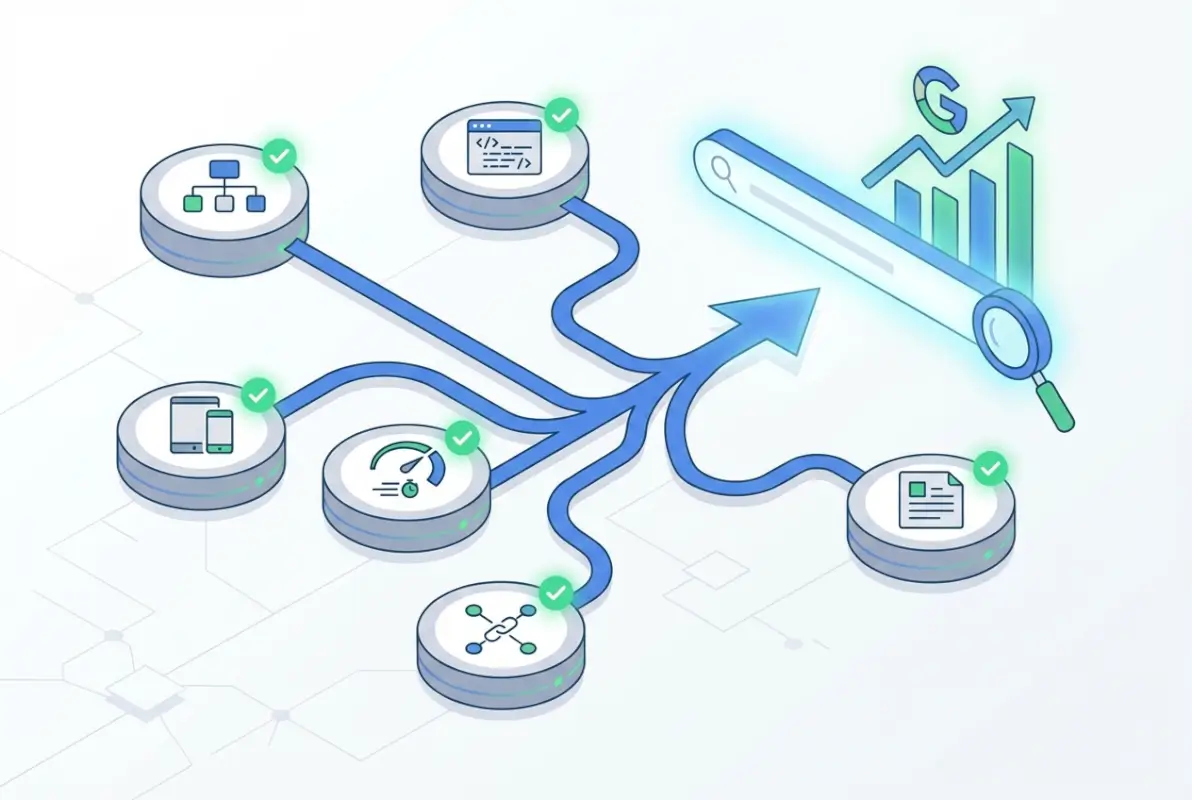
Remember that Google doesn’t owe you indexing or rankings. They provide those benefits when your directory demonstrably adds value to their search ecosystem by helping users find what they need more effectively than competing results. Align your directory operations with that principle, implement the six best practices covered here systematically, and you’ll build sustainable search visibility that survives algorithm updates and continues growing as your directory matures.
Start with the foundational practices today, measure your results objectively, and refine your approach based on what works specifically for your directory’s niche and structure. The work is substantial, but for directories that commit to excellence, the search traffic rewards justify the investment many times over.