5 Steps to Download Large Videos from a Friend’s Online Directory
When a friend shares access to their online directory packed with large video files, your first instinct might be to fire up a download manager and start grabbing everything in sight. But here’s the thing most people miss: the fastest route to downloading those videos isn’t always the smartest one, and treating your friend’s digital storage like a public buffet can land you in hot water—legally, ethically, and sometimes even technically. I remember the first time a colleague gave me access to their university research directory with dozens of lecture recordings; I assumed clicking “download all” was fine until our IT department flagged unusual bandwidth usage and I had to explain myself to three different people.

The reality is that downloading large videos from someone else’s online directory requires a deliberate approach that balances efficiency with responsibility. Whether you’re accessing shared course materials, collaborative project files, or personal media your friend has graciously shared, understanding the right way to handle these transfers protects everyone involved and ensures you actually get the files you need without corruption, interruption, or unwanted consequences.
TL;DR – Quick Takeaways
- Permission first, always – Explicit consent from the directory owner isn’t optional; it’s the legal and ethical foundation for any download
- Use legitimate transfer tools – Cloud services like OneDrive, Google Drive, or academic platforms like Globus offer built-in security and integrity checks
- Verify file integrity – Large video transfers often corrupt; checksum verification prevents wasted time discovering broken files later
- Respect access controls – Just because you can access something doesn’t mean you should download or redistribute it
- Plan for bandwidth and storage – A 50GB video library needs forethought about network capacity and local disk space
Legal and Ethical Groundwork
Before you touch a single download button, you need crystal clarity on permissions. This isn’t just about being polite—it’s about avoiding copyright infringement, violating terms of service, and potentially exposing yourself to legal liability. The assumption that “my friend said it’s okay” covers you is dangerously incomplete.
Start by confirming explicit permission directly with the directory owner. A casual “sure, go ahead” in a text message might feel sufficient, but for large-scale transfers or materials with any commercial, educational, or copyrighted content, you want documented permission. This protects both parties if questions arise later about who accessed what and when.
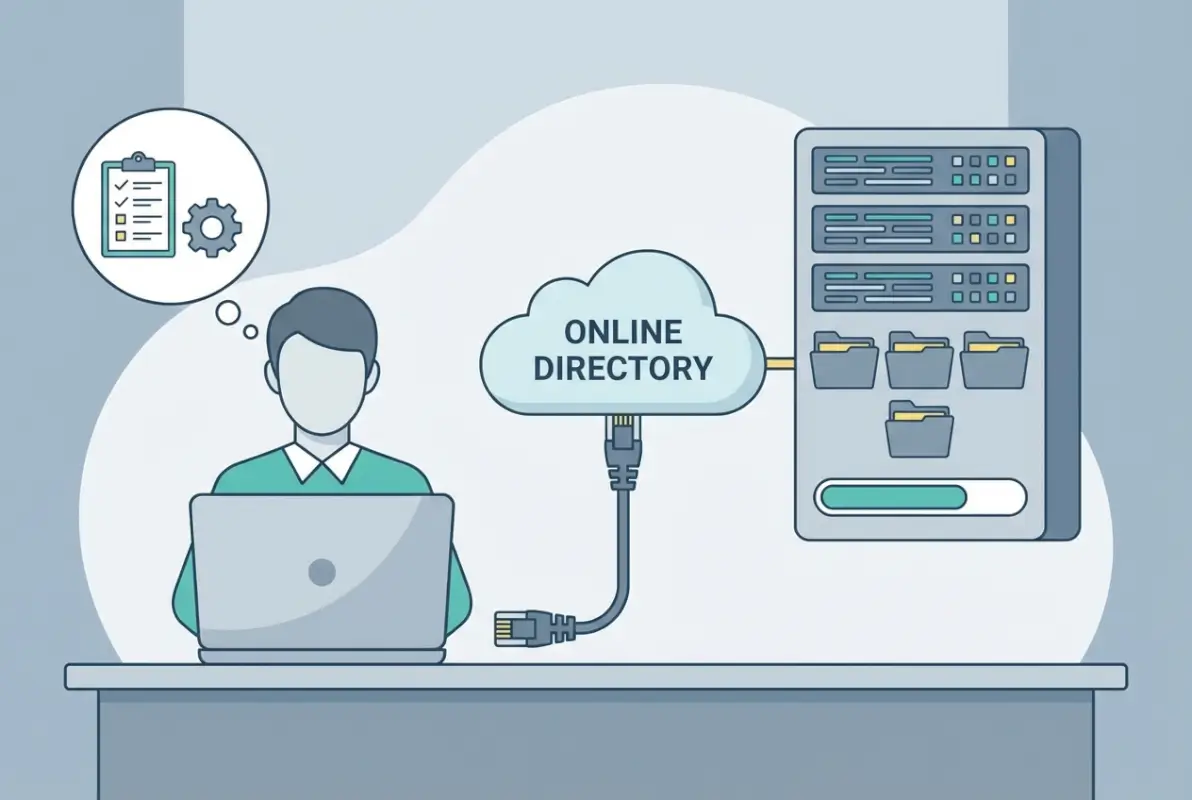
Next, examine any terms of use governing the directory platform itself. Many cloud storage services and institutional repositories include explicit restrictions on bulk downloading, automated tools, or sharing outside specific user groups. For example, a university’s video portal might grant you viewing access but prohibit downloading for offline storage—violating these terms can result in account suspension or worse.
Understanding Fair Use and Copyright Limitations
Fair use is one of the most misunderstood concepts in digital content sharing. According to the U.S. Copyright Office, fair use allows limited use of copyrighted material without permission for purposes like criticism, commentary, education, or research. However, wholesale downloading of someone’s video library rarely qualifies as fair use, even if you intend educational purposes.
The four-factor test for fair use considers purpose and character of use, nature of the copyrighted work, amount used, and effect on the market. Downloading a single lecture excerpt for a class presentation might pass muster; downloading an entire semester’s worth of proprietary training videos almost certainly won’t. When in doubt, institutional resources like those from Harvard’s Office of General Counsel provide detailed guidance on navigating these gray areas.
Institutional Policies Matter
If the videos reside on university servers, corporate networks, or other institutional infrastructure, additional policies likely apply. These organizations typically maintain strict data governance rules about who can access, download, and redistribute content. Your friend might have legitimate access to share viewing privileges but lack authority to grant download rights.
Before proceeding, verify whether the content falls under any institutional review board protocols, privacy regulations (like FERPA for educational records), or confidentiality agreements. A quick consultation with IT or legal counsel can save enormous headaches later.
Inventory and Access Assessment
Once you’ve established legal permission, the next step is understanding exactly what you’re dealing with. Large video collections come with complexities that don’t exist for smaller files—you need to know file counts, total sizes, formats, and existing organization before planning your transfer strategy.
Begin by cataloging the directory contents without downloading anything. Most cloud platforms and file managers let you generate file listings or export metadata. Note total file sizes (individual and aggregate), video formats (MP4, MOV, AVI, MKV, etc.), and whether files are organized in subdirectories or dumped in a single folder. This inventory step prevents surprises like discovering you need 200GB of storage space when you only have 50GB available.
Verify File Formats and Compatibility
Not all video formats play nicely with all devices and media players. Before committing to a massive download, check whether the formats align with your intended use. ProRes files might be perfect for video editing workflows but unnecessarily large for simple playback; conversely, heavily compressed web-optimized formats might look terrible on a large screen.
If you discover incompatible formats, coordinate with the directory owner about potential transcoding before transfer. Converting a 100GB video collection on your local machine takes time and processing power; having the owner export in your preferred format beforehand can save both resources.
Check Transfer Options and Permissions
Different directory configurations offer different transfer mechanisms. Some possibilities include:
- Direct file access – You can browse and download individual files with standard browser or client tools
- Shared links – The owner provides time-limited or password-protected URLs for specific files or folders
- Sync clients – Services like Dropbox or OneDrive let you sync directories to your local machine automatically
- FTP/SFTP access – More technical setups might require file transfer protocol clients
- Command-line tools – Academic environments often use rsync, scp, or specialized transfer utilities
Each method has trade-offs in speed, reliability, resumability, and complexity. According to MIT’s research computing documentation, large-scale transfers benefit enormously from tools designed for that purpose—Globus and OnDemand offer features like automatic resumption, integrity checking, and bandwidth optimization that basic browser downloads lack.
Assess Network and Storage Constraints
Large video downloads strain both network bandwidth and local storage. A 4K video can easily exceed 10GB; multiply that by dozens of files and you’re looking at significant time and space requirements. Calculate your available bandwidth—both download speed and any data caps your ISP imposes—and your free storage capacity across potential destination drives.
For truly massive collections (500GB+), consider whether you even need to download everything locally. Cloud-to-cloud transfers, streaming access, or selective downloading of priority files might serve your actual needs better than a complete mirror.
Legitimate Transfer Mechanisms You Can Use with Consent
With permission secured and your inventory complete, you’re ready to choose a transfer method. The “right” option depends on file sizes, your technical comfort, available tools, and whether the directory is on consumer cloud storage, institutional infrastructure, or personal servers.
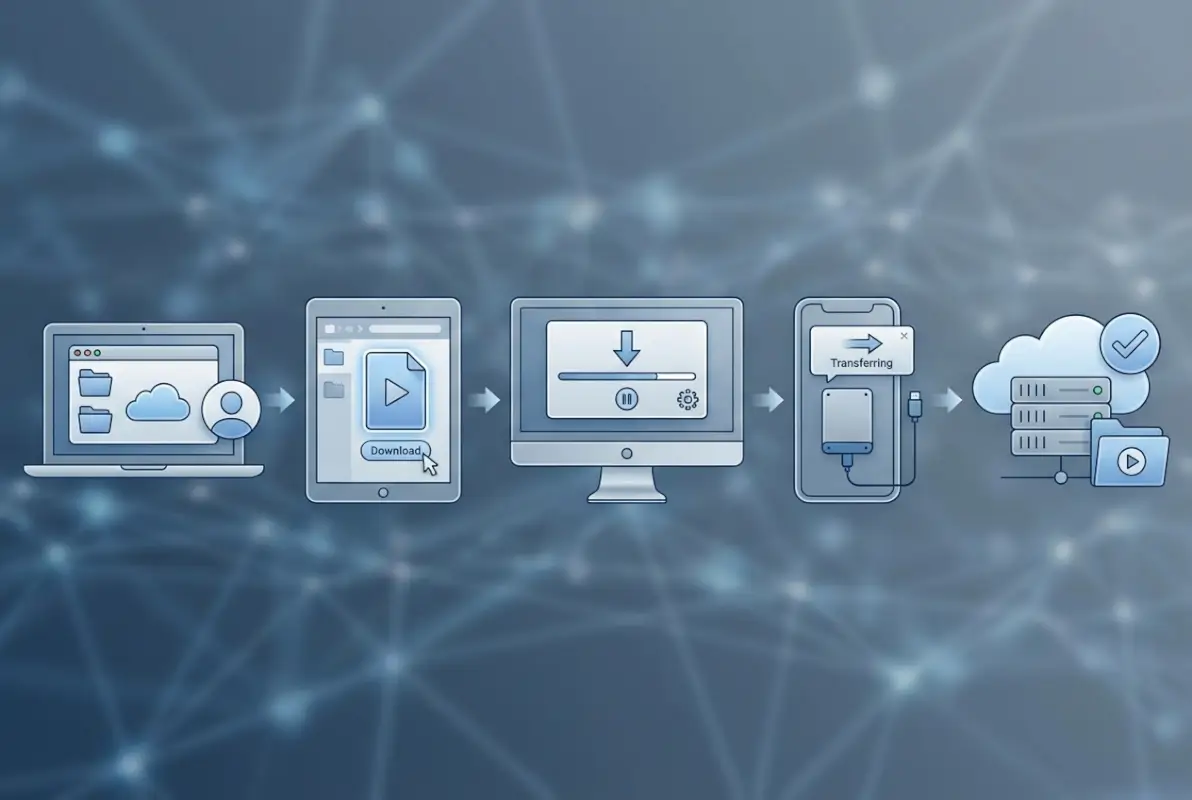
Cloud-based sharing platforms represent the most accessible option for most users. Services like Google Drive, Microsoft OneDrive, and Dropbox offer straightforward sharing mechanisms with built-in access controls, making them ideal for authorized transfers between individuals or small groups.
Cloud-Based Shared Folders
When your friend’s videos live on mainstream cloud storage, shared folder access is typically the smoothest path. The owner can grant you view or download permissions on specific folders, and you download through the service’s web interface or sync client. This approach includes several advantages: automatic virus scanning, built-in previews to verify content before downloading, and usually reliable resume capabilities if transfers interrupt.
OneDrive, commonly used in educational settings, offers particularly robust sharing options. According to guidance from Durham College, educators can share videos through OneDrive with granular permission controls that distinguish between viewing, downloading, and editing rights. This means you can receive access tailored exactly to your needs without over-broad permissions.
A practical workflow for cloud folder downloads:
- Confirm the owner has granted download (not just view) permissions on the shared folder
- Access the folder through the service’s web interface or install the sync client
- If using web interface, select files and use the “Download” option (usually limited to a certain total size per operation)
- If using sync client, add the shared folder to your sync queue and let the client handle the transfer
- Monitor for completion and verify file counts match your inventory
| Platform | Max Single Download | Best For | Resume Support |
|---|---|---|---|
| Google Drive | ~15GB (web), unlimited (sync) | Consumer/small business use | Yes (sync client) |
| OneDrive | 10GB (web), unlimited (sync) | Education/enterprise settings | Yes (sync client) |
| Dropbox | ~20GB (web), unlimited (sync) | Collaborative projects | Yes (sync client) |
| Box | Varies by plan | Enterprise compliance needs | Yes (sync client) |
Dedicated High-Capacity Transfer Tools
For academic or research contexts involving hundreds of gigabytes or terabytes, consumer cloud storage often proves inadequate. Universities and research institutions typically deploy specialized transfer infrastructure designed for large datasets—tools like Globus and OnDemand that handle massive files with reliability commercial services can’t match.
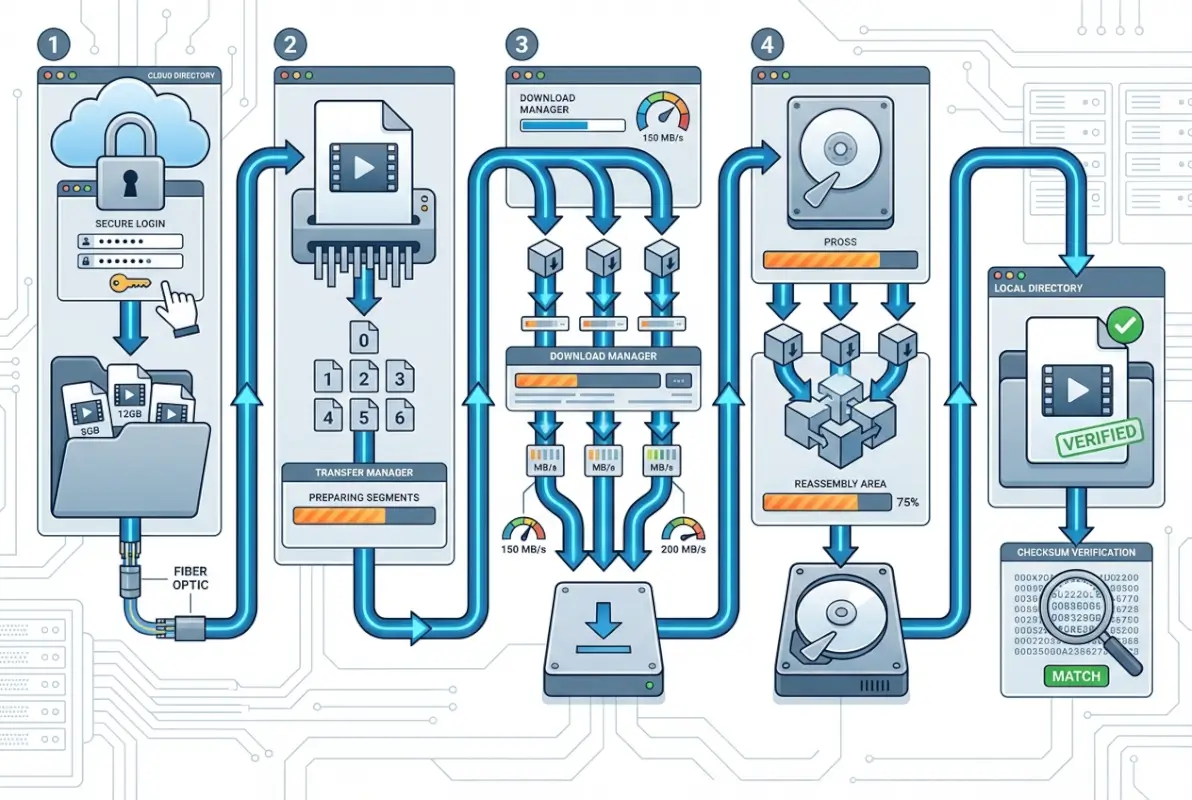
These platforms offer several critical advantages: optimized transfer protocols that maximize throughput, automatic retry and resumption for failed transfers, integrity verification through checksums, and detailed logging for auditing purposes. If your friend’s directory resides on university infrastructure, asking whether Globus endpoints are available can transform a multi-day nightmare into an overnight automated process.
MIT’s research computing documentation highlights that these tools also integrate with institutional authentication systems, meaning access control happens through existing credentials rather than ad-hoc password sharing. This approach maintains security auditing trails and ensures transfers comply with data governance policies.
Direct Downloads from Secure Portals
Many institutions host video content on dedicated media platforms like Panopto, Kaltura, or custom content management systems. These platforms prioritize streaming over downloading, but authorized users can often export content with appropriate permissions.
The advantage of portal-based downloads is built-in access control and usage tracking. According to MIT Sloan’s Panopto guidance, the platform maintains detailed logs of who accessed what content and when—useful accountability for both content owners and authorized users. The downside is these systems sometimes transcode videos during export, potentially degrading quality or requiring format conversions.
Time-Limited Links with Revocable Access
For one-time transfers or situations requiring extra security, time-limited share links offer a middle ground between permanent access and completely open sharing. Most cloud platforms let owners generate links that expire after a set period (hours, days, weeks) or after a certain number of downloads.
This approach minimizes risk by ensuring access doesn’t persist beyond its intended purpose. If you only need specific videos for a short-term project, requesting expiring links rather than ongoing folder access demonstrates respect for the owner’s content security and simplifies cleanup after the transfer completes.
Step-by-Step Options You Can Pursue (With Consent)
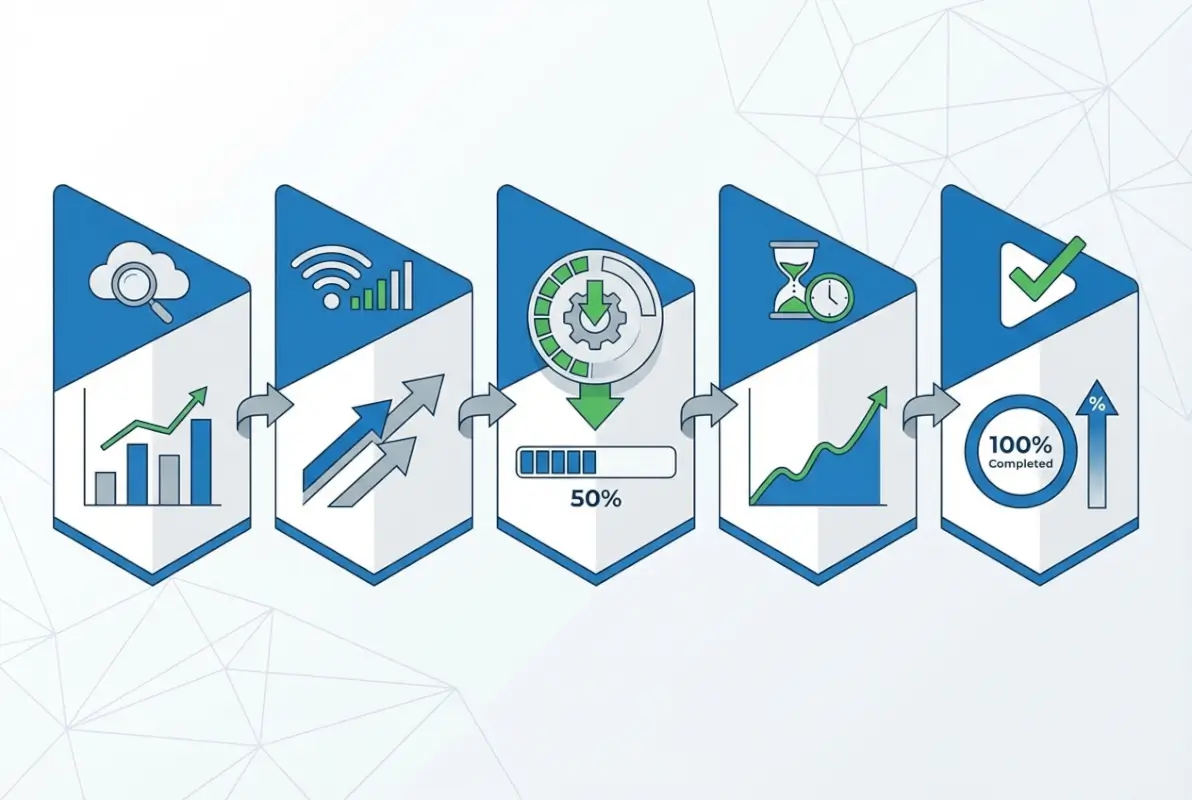
Theory is helpful, but practical execution determines whether your download succeeds or descends into frustration. The specific steps vary based on your chosen transfer method, but certain best practices apply universally: verify before you start, monitor during transfer, and validate afterward.
Let’s walk through the most common scenarios you’ll encounter, with concrete steps that account for real-world complications like interrupted connections, partial downloads, and file verification.
Direct Access to a Shared Folder
When you have direct read access to the directory (whether through cloud sharing, network mount, or VPN), this workflow ensures reliable downloads:
- Verify permissions explicitly – Open the shared folder and check that you can actually select and download files, not just view them. Some share configurations allow browsing but block downloading.
- Create a destination folder – Set up a dedicated local directory with sufficient space, clearly labeled with the source and date to avoid confusion later.
- Test with one small file – Before committing to bulk downloads, grab a single small video to verify the process works and check download speeds.
- Use batch selection carefully – Most interfaces let you select multiple files, but extremely large selections can time out or crash. Group downloads in logical chunks (by subdirectory, by date, etc.).
- Enable resume features – If using a sync client or download manager, confirm resume/retry options are active in case your connection drops.
- Monitor progress actively – Don’t just start the download and walk away for hours. Check periodically that progress is occurring and speeds are reasonable.
- Verify completeness – After downloads finish, compare file counts and total sizes against your original inventory to catch any missing items.
I learned the importance of that last step the hard way when I downloaded what I thought was a complete lecture series, only to discover weeks later that three middle sessions were missing—the platform had silently skipped them due to filename character issues, and I didn’t notice until preparing for a presentation.
Using a Cloud-Shared Link
When the owner provides a shared link rather than folder access, the process differs slightly:
- Save the link securely – Store the URL in a password manager or secure note, especially if it’s meant to be private or time-limited.
- Check expiration and limits – Before starting, verify if the link has download count limits or expiration dates that might interrupt your transfer.
- Access from a stable connection – Shared links sometimes lack resume capabilities, so use a reliable network connection that won’t drop mid-transfer.
- Download systematically – If the link points to a folder with multiple files, document which ones you’ve downloaded to avoid duplication or gaps.
- Notify the owner when complete – Let them know you’ve finished so they can revoke access if appropriate, demonstrating respect for their content control.
Downloading a Packaged Archive
If your friend packages the videos as a ZIP, TAR, or other archive format, this simplifies some aspects while introducing others:
- Verify archive integrity options – Ask if the owner included checksum files (MD5, SHA256) that let you verify the download wasn’t corrupted.
- Ensure sufficient space – You need room for both the compressed archive AND the extracted files, often doubling space requirements temporarily.
- Use a download manager for large archives – A 50GB ZIP file absolutely requires a tool with resume capability; browser downloads will fail.
- Verify before extracting – If checksums are available, verify the archive downloaded completely before spending time extracting potentially corrupted content.
- Extract to the right filesystem – Some archive formats include file metadata (permissions, timestamps) that don’t translate across different operating systems or file systems.
- Keep or delete the archive strategically – Decide upfront whether you’ll keep the compressed version as a backup or delete it to reclaim space.
Transferring to Your Own Device
When moving videos from any source to local storage, these technical considerations prevent common problems:
- Use wired connections when possible – WiFi is convenient but inconsistent for multi-gigabyte transfers; Ethernet provides stable speeds and fewer dropped connections.
- Avoid simultaneous heavy network use – Streaming, gaming, or video calls during large downloads compete for bandwidth and can cause failures.
- Schedule for off-peak times – If on shared institutional networks, overnight transfers avoid congestion and throttling.
- Monitor device temperature and performance – Hours-long downloads can stress laptops; ensure adequate cooling and avoid resource-intensive tasks during transfer.
- Have a backup power plan – For truly large transfers on laptops, plug in or ensure sufficient battery plus power-saving settings won’t interrupt the process.
File Formats, Integrity, and Performance
Even perfect execution of the download process doesn’t guarantee usable videos at the end. Large video files are particularly susceptible to corruption during transfer, format compatibility issues, and performance problems that only surface when you try to actually use them.
Understanding video formats helps you anticipate problems before they derail your work. Common formats include MP4 (highly compatible, good compression), MOV (Apple ecosystem, often larger files), AVI (older format, widely supported but inefficient), MKV (flexible container, excellent quality but sometimes compatibility issues), and various professional formats like ProRes or DNxHD used in video production.

Handling Partial Downloads and Resuming Interruptions
The single most frustrating scenario in large video downloads is discovering a 40GB transfer failed at 99% and you have to start over. Modern download tools include resume capabilities, but they’re not foolproof and require proper setup.
Browser downloads generally don’t resume reliably—if your connection drops or the browser crashes, you’re starting from scratch. This is why dedicated download managers (Free Download Manager, Internet Download Manager, or command-line tools like wget or curl with resume flags) are essential for large files. These tools save partially completed downloads and pick up where they left off when you reconnect.
For cloud sync clients, resumption is typically automatic but not instantaneous—the client needs to recognize the interruption and restart the transfer, which can take minutes. During that gap, verify the client didn’t mark the file as “failed” and remove it from the queue entirely, requiring manual re-addition.
Verifying Integrity Through Checksums and Hashes
A downloaded video file that plays perfectly for the first 10 minutes then glitches into unwatchable corruption represents wasted time and bandwidth. Integrity verification prevents this by mathematically confirming every byte transferred correctly.
Checksums (MD5, SHA-1) and cryptographic hashes (SHA-256) generate a unique fingerprint for a file. The directory owner can provide these fingerprints alongside the original files; after downloading, you generate fingerprints for your downloaded copies and compare. If they match exactly, the transfer was perfect; any difference means corruption occurred.
Most operating systems include command-line tools for generating checksums:
- Windows: certutil -hashfile filename SHA256
- macOS/Linux: shasum -a 256 filename (or md5sum for MD5)
For multiple files, automated scripts can batch-check an entire directory against a checksum manifest file. This seems tedious, but discovering corruption before deleting the source is infinitely better than discovering it after.
Network and Device Considerations
Your download speed is only as fast as the slowest link in the chain. Understanding bottlenecks helps set realistic expectations and optimize performance.
Bandwidth limitations come from multiple sources: your ISP’s download speed tier, the upload speed of the source server/service, network congestion at either end, and bandwidth throttling by the hosting platform. A gigabit fiber connection is useless if the source can only upload at 10Mbps or if the cloud service throttles free-tier users.
Storage performance matters more than most people realize. Writing a 100GB video to a slow external USB 2.0 drive can bottleneck even a fast download, causing buffering and potential timeouts. SSDs handle large writes much better than mechanical hard drives; if possible, download to local SSD storage then move to archival drives afterward.
Staying Safe During the Process
Security and privacy concerns don’t evaporate just because your friend authorized the download. Malware, data breaches, and privacy violations can still occur through seemingly legitimate transfers if you’re not careful about sources, tools, and handling of sensitive content.
The first rule of safe downloads: verify the source’s legitimacy before trusting any files. Even content from a friend’s directory could be compromised if their account was hacked or if they unknowingly uploaded infected files. This is especially relevant for directories containing user-contributed content rather than files the owner created personally.
Avoiding Untrusted or Unauthorized Sources
Just because a directory is accessible doesn’t mean accessing it is authorized. Publicly exposed storage buckets, misconfigured cloud shares, or directories discovered through leaked links fall into dangerous territory—downloading from these can violate computer fraud laws even if no password was required.
Verify authorization directly with the owner, not through intermediaries. “My friend said you’d give me access” isn’t sufficient; the owner should personally confirm and ideally provide access through official sharing mechanisms that create audit trails.
Scanning for Malware and Verifying Legitimacy
Video files can contain malware, though it’s less common than with executable files or documents with macro capabilities. The risk increases when downloading from directories that mix video with other file types or when the videos might have been obtained from questionable sources.
Before opening downloaded videos, run them through antivirus scanning. Most modern security suites can scan video files for embedded exploits or suspicious payloads. Cloud storage platforms typically scan uploads automatically, but don’t rely on this as your only defense—a recent upload might not have been scanned yet.
Pay attention to file extensions. A file named “vacation_video.mp4.exe” is obviously suspicious, but more subtle tricks exist. Ensure video files have legitimate video extensions (.mp4, .mov, .avi, .mkv, etc.) and that opening them launches your media player, not unexpected applications.
Protecting Privacy for All Parties
Videos often contain sensitive information beyond the visual content—metadata like GPS coordinates, creator names, device information, and timestamps that might reveal private details. If you’re downloading content containing identifiable individuals or sensitive locations, you have ethical (and sometimes legal) obligations to protect that information.
Consider stripping metadata if you need to share downloaded videos with others, especially if those others weren’t in the original authorized access group. Tools like ExifTool can remove embedded metadata while preserving the video content itself.
Be mindful of where you store downloaded videos, particularly on shared devices or cloud accounts. Just because you were authorized to download doesn’t mean everyone with access to your devices should have access to the content.
Compliance with Privacy Laws and Institutional Policies
Depending on content type and context, various regulations may govern how you handle downloaded videos. Universities often maintain strict policies about storing educational content on personal devices, particularly if it contains student information or proprietary research data.
Stanford’s guidance on course content access emphasizes that access granted for viewing doesn’t automatically include rights to download, redistribute, or retain content beyond a course’s duration. Similar policies exist across most educational institutions, and violating them can jeopardize academic standing or employment.
When Permission Is Unclear or Access Is Restricted
Sometimes you encounter directories where permission status is ambiguous—the owner gave verbal consent but hasn’t actually shared access, or you have view-only permissions but need downloads, or the content appears in search results but has access controls you could potentially bypass. These situations require careful navigation.
The safest approach when permission is unclear is always to ask explicitly rather than proceeding based on assumptions. “I think they’d be fine with it” or “They shared it publicly so it must be okay” are recipes for problems. Direct communication takes minutes; cleaning up after an unauthorized access incident takes much longer.
Requesting Official Access or Transfer Bundles
If you need content from a directory where you currently lack download permissions, the legitimate path is requesting the owner upgrade your access level or provide the content through an alternative method. Most cloud platforms make changing share permissions trivial—literally a few clicks—so this isn’t an onerous request.
Alternatively, ask if the owner can create a time-limited download link or export a package specifically for you. This approach gives them control over exactly what you receive and creates a clear record of authorized transfer that protects both parties.
For institutional content, formal request processes often exist through libraries, IT departments, or content management system administrators. These processes might seem bureaucratic, but they exist to protect intellectual property, ensure license compliance, and maintain audit trails for content distribution.
Seeking Alternative Legitimate Channels
Sometimes the reason a directory restricts downloads is because legitimate licensed alternatives exist elsewhere. Rather than downloading a professor’s personal copy of a documentary, for example, your institution’s library might have streaming access or the content might be available through legal services like Kanopy or educational video platforms.
This is particularly relevant for copyrighted media like films, TV shows, commercial training videos, or published lectures. The person sharing their directory might have legal access for personal use but lack rights to redistribute; seeking the content through proper licensing channels protects everyone involved.
Consulting Institutional IT or Legal Counsel
When in doubt about the appropriateness of downloading specific content, institutional resources can provide guidance without judgment. IT departments deal with these questions regularly and can clarify what’s permitted under organizational policies; legal counsel can address copyright and licensing concerns.
This is especially important when the content has commercial value, contains sensitive information, or came from sources with complex licensing (like academic conferences, proprietary training programs, or collaborative research projects). A quick consultation can prevent serious downstream problems.
Troubleshooting and Best-Practice Pitfalls
Even with perfect planning and legitimate access, large video downloads encounter common problems that derail the process or compromise results. Recognizing these pitfalls and knowing how to address them separates smooth transfers from frustrating time-sinks.
Downloading Without Explicit Permission
The most fundamental mistake is proceeding without clear authorization. This encompasses several scenarios: accessing a directory your friend mentioned but never actually shared, using credentials someone gave you for different purposes to access their storage, or downloading content marked “view only” through technical workarounds.
Each of these violates the principle of least privilege—you should have exactly the access you need for your authorized purpose, not whatever access you can technically achieve. The fact that you can bypass a restriction doesn’t mean you should, and ignorance isn’t a valid defense if problems arise.
Ignoring File Integrity Checks
Skipping verification seems like a time-saver until you discover days later that your downloaded videos are corrupted. The frustration of re-downloading 100GB because you didn’t spend 30 seconds checking a checksum is profound, I can tell you from personal experience.
Even if the directory owner doesn’t provide checksums, generating your own immediately after download creates a baseline. If you need to verify the files later (because of playback issues, questions about modification, etc.), you have a reference point proving what you originally received.
Using Untrusted Download Tools or Scripts
Desperation to download large files faster sometimes leads people to untrusted download accelerators, browser extensions, or scripts promising miraculous speed improvements. Many of these tools include malware, adware, or engage in shady practices like credential harvesting.
Stick with established, reputable tools: official cloud service clients, mainstream download managers with good security track records, or well-documented open-source utilities. The speed improvement from a sketchy tool isn’t worth the security risk.
Failing to Respect Access Controls or Data Governance
Access controls exist for reasons beyond mere inconvenience. Time limits, download count restrictions, watermarking, and view-only permissions often reflect legal, contractual, or ethical requirements the content owner must follow.
Circumventing these controls—even with the owner’s casual permission—can put them in violation of their obligations. For example, an educator might personally agree to let you download a vendor’s training videos, but doing so violates their institutional license and could result in contract termination affecting all users.
When you encounter access controls, ask why they exist before seeking workarounds. The answer might reveal legitimate concerns that should inform your approach.
Frequently Asked Questions
Is it legal to download videos from someone else’s directory?
Legality depends entirely on authorization and content ownership. Downloading with explicit permission from the directory owner for content they own or have rights to share is legal. Downloading without permission, bypassing access controls, or downloading copyrighted content the owner lacks distribution rights for violates computer fraud laws and copyright law respectively, even if the owner consented verbally.
What should I do if I don’t have explicit permission to download a video?
Request permission directly from the directory owner before proceeding. Specify exactly what content you need, why you need it, and how you’ll use it. If the owner can’t grant permission (because they lack distribution rights), ask them to recommend legitimate alternatives like licensed streaming services, institutional repositories, or official purchase channels.
What are safe, legitimate methods to transfer large video files?
Cloud storage sharing through services like Google Drive, OneDrive, or Dropbox with explicit access permissions is safest for most users. Academic or enterprise environments benefit from specialized tools like Globus or institutional OnDemand services. All legitimate methods include access logging, integrity verification, and resume capabilities for reliable large-file transfers.
How can I verify that a downloaded video hasn’t been tampered with?
Use checksum verification by comparing hash values (MD5, SHA256) between the original file and your downloaded copy. The directory owner should provide checksums for their files; you generate matching checksums after download using command-line tools (certutil on Windows, shasum on Mac/Linux). Identical checksums confirm perfect transfer; any difference indicates corruption or tampering.
Are there privacy or security risks when downloading large videos from a directory?
Yes. Risks include malware in video files or mixed-content directories, metadata exposure revealing private information (GPS coordinates, personal details), and privacy regulation violations if videos contain sensitive content. Mitigate risks by scanning downloads with antivirus software, stripping metadata when appropriate, and verifying content doesn’t fall under regulations like FERPA or HIPAA before storing locally.
What tools are recommended for transferring large files in educational settings?
Educational institutions typically recommend Globus for research data transfers, OnDemand for computing cluster access, official cloud service sync clients (OneDrive, Google Drive) for collaboration, and FTP/SFTP clients for direct server access. These tools provide audit logging, institutional authentication integration, and reliability features essential for large academic transfers while maintaining security and compliance standards.
What rights do I have if a video is shared with me for personal use versus redistribution?
Personal use sharing typically grants viewing and possibly downloading rights for your individual use only—no redistribution, public posting, or sharing with others. Redistribution rights must be explicitly granted and documented, as they involve copyright considerations and potential licensing restrictions. When unclear, assume personal-use-only limitations and request clarification before sharing content further.
Can I download videos from a directory if the owner used a public share link?
Public share links indicate the owner permits access but don’t automatically grant download rights—some links allow viewing only. Check the link’s permissions settings and respect any download restrictions. If download isn’t explicitly enabled, request permission before using technical workarounds. Public access doesn’t eliminate the owner’s copyright or waive terms of service that may prohibit bulk downloading.
How do I handle interrupted downloads of very large video files?
Use download tools with resume capability rather than browser downloads. Configure your download manager to automatically retry failed transfers and resume from the interruption point. For cloud sync clients, verify the partially downloaded file remains in queue after reconnection. Before restarting, check available disk space and connection stability to prevent repeated failures.
What should I do if downloaded videos won’t play or appear corrupted?
First verify file integrity using checksums if available. Try alternative media players (VLC handles damaged files better than most). Check if the file fully downloaded by comparing size to the source. Re-download if corruption is confirmed. For persistent playback issues despite proper download, the source file itself may be damaged or encoded in an unsupported format requiring conversion.
Moving Forward with Confidence and Care
Downloading large videos from a friend’s online directory doesn’t have to be a minefield of legal worries, technical failures, and ethical uncertainties. When you approach the process methodically—securing explicit permissions, choosing appropriate transfer tools, verifying integrity, and respecting access controls—you can obtain the content you need while protecting everyone involved.
The key takeaway isn’t to avoid downloading altogether out of excessive caution. Rather, it’s to recognize that “my friend said it’s okay” represents the beginning of proper authorization, not the end. Follow through with documented permissions, use legitimate transfer mechanisms that create audit trails, verify you’re not violating terms of service or copyright, and handle received content with appropriate security and privacy protections.
Technology makes transferring massive video libraries trivially easy from a purely technical standpoint, but that ease comes with responsibility. The same tools that let you download 500GB overnight can get you (and your friend) into serious trouble if used carelessly. When you encounter uncertainty about permissions, access restrictions, or appropriate use, pause and seek clarification rather than forging ahead based on assumptions.
Your next step: Before initiating your next large video download, document the permission chain. Confirm with the directory owner exactly what you’re authorized to download, how you can use it, and whether redistribution is permitted. Save that confirmation in writing. This simple habit protects you legally while demonstrating respect for content creators and owners.
The institutional resources and best practices discussed throughout this article exist because large-scale content transfers have real implications for security, privacy, intellectual property, and compliance. By aligning your personal practices with these established frameworks, you benefit from years of policy development designed to balance access with protection.
Remember that download speed and technical sophistication matter far less than legitimacy and integrity. A slow, methodical transfer through official channels with proper verification will always serve you better than a fast, unauthorized download that later proves corrupted or legally problematic. Invest the time upfront to do things right, and you’ll avoid the much larger time investments required to fix problems after the fact.