How to Access Business Park Directories: 5 Proven Methods (2025 Guide)

Generating summary...
Finding your way around a sprawling business park shouldn’t feel like navigating a labyrinth. Whether you’re heading to an important client meeting, scouting office space, or trying to discover which companies operate in a specific complex, accessing an accurate business park directory can save you significant time and frustration. The challenge? These directories aren’t always easy to find, and when you do locate them, they’re often outdated or incomplete.
What most people don’t realize is that business park directories have evolved far beyond simple printed lists tacked to lobby walls. Today’s directory landscape includes official park portals, dedicated mobile apps, mapping integrations, third-party platforms, and direct administrative channels—each with distinct advantages depending on your specific needs. Understanding which method to use (and when) can mean the difference between arriving on time or wandering aimlessly through parking lots.
TL;DR – Quick Takeaways
- Official park portals provide the most authoritative tenant listings but may lack real-time updates
- In-park apps and kiosks offer the freshest data with interactive navigation features
- Google and Apple Maps integrate park listings but require verification for accuracy
- Third-party directories extend your reach but demand consistent NAP (Name, Address, Phone) information
- Direct administrative contact remains the most reliable method for corrections and bulk updates
Understanding Business Park Directories in the Modern Era
A business park directory functions as a comprehensive catalog of all businesses, organizations, and service providers operating within a specific commercial complex. Think of it as your GPS for the business world—except instead of streets and highways, you’re navigating office buildings, suite numbers, and company relationships. These directories typically contain company names, precise locations (building numbers, floor levels, suite designations), contact information, and increasingly, detailed service descriptions.
The format of these directories has undergone a dramatic transformation. Traditional printed directories—those spiral-bound booklets or framed displays in building lobbies—were once standard. Today’s landscape is predominantly digital, featuring searchable online databases, interactive mobile applications, and even augmented reality wayfinding tools. Some parks now deploy digital kiosks with touchscreen interfaces that let visitors search, get directions, and even message tenant businesses directly.

Beyond basic navigation, modern directories serve multiple strategic purposes. For businesses, they’re visibility engines that put your company in front of potential clients actively searching for services. For property managers, they’re tenant retention tools that add value to leases. For visitors, they eliminate the anxiety of arriving late because you couldn’t find suite 340B in Building 7. According to research from the U.S. Census Bureau’s County Business Patterns program, improved business visibility in commercial zones correlates directly with higher occupancy rates and sustained economic activity.
Method 1: Official Park Directory Portals
The most authoritative source for any business park directory is the park’s own official portal or website. These centralized platforms are managed directly by property owners or management companies, giving them inherent credibility that third-party sources simply can’t match. When you access an official portal, you’re getting information straight from the source—the entity that actually controls which businesses occupy which spaces.

Locating these official portals requires a targeted search approach. Start by searching the exact park name followed by terms like “directory,” “tenant list,” or “business roster.” For instance, “Technopark business directory” or “Sandyford Business Park tenant listing” will typically surface the official resource within the first few results. Many parks prominently feature their directories on their homepage, while others tuck them under “Tenants,” “Services,” or “About” navigation menus.
What You’ll Find in Official Portals
Official park directories typically organize information in searchable, filterable formats. You’ll encounter alphabetical listings, category-based browsing (legal services, technology companies, healthcare providers), and often interactive maps showing precise building locations. The most sophisticated portals include detailed business profiles with service descriptions, key personnel, operating hours, and direct contact methods including email addresses and phone extensions.
However, there’s a critical caveat: update frequency varies dramatically. Some parks refresh their directories monthly or even weekly, while others languish with outdated information for months. I remember visiting a business park in suburban Atlanta where the official directory still listed a software company that had relocated six months prior—an embarrassing situation when you’re standing in what’s now a law firm’s reception area.
Verifying Directory Accuracy
Always check for “last updated” timestamps on directory pages. If you don’t see one, that’s often a red flag. Look for an administrative contact—typically a property manager or leasing office—and don’t hesitate to verify critical information before making a trip. Most park management offices prefer a quick verification call over having confused visitors wandering their properties.
Method 2: In-Park Apps and Digital Kiosks
The newest frontier in business park directories comes in the form of dedicated mobile applications and on-site digital kiosks. Larger, more modern business parks have invested heavily in these technologies, recognizing that visitors increasingly expect the same digital convenience they experience everywhere else in their lives. These platforms often provide the freshest, most current directory data because they’re designed for real-time updates.
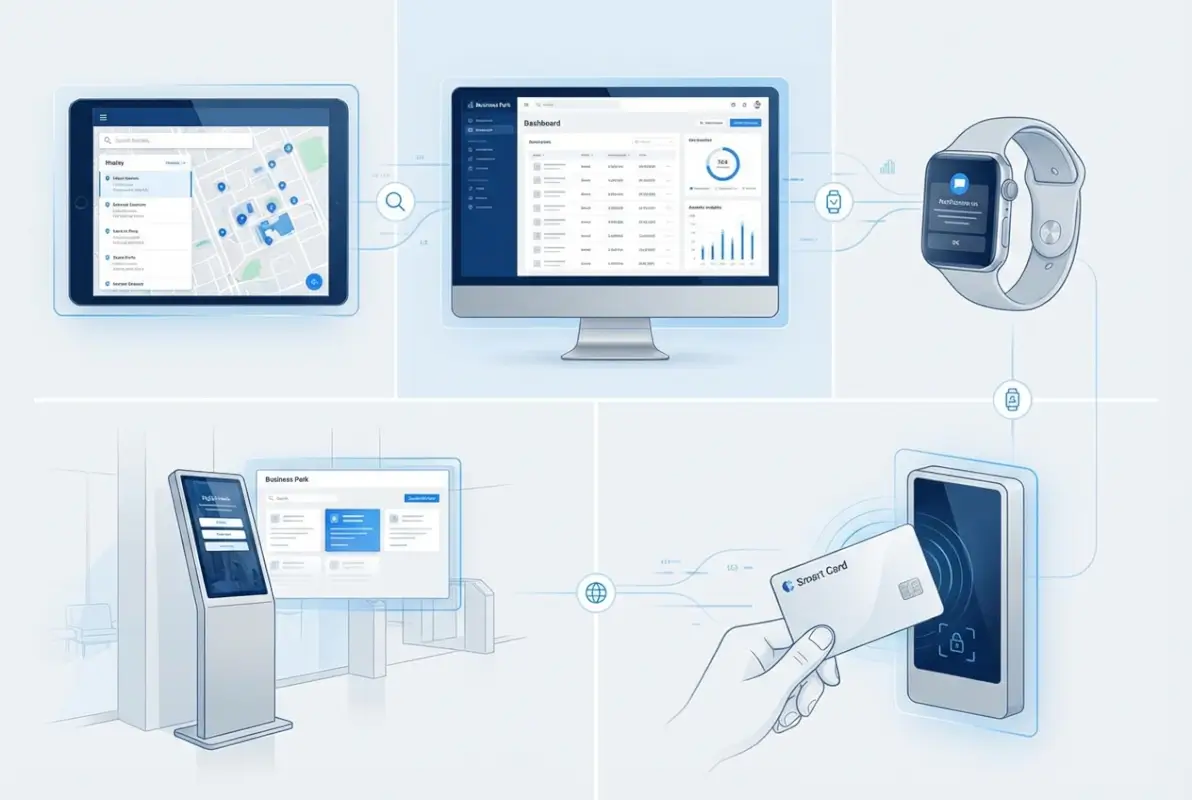
In-park apps typically offer features that static directories simply can’t match. Beyond basic search and filtering by business category, you’ll find interactive mapping with turn-by-turn navigation, the ability to save favorite businesses for future visits, push notifications about new tenants or park events, and sometimes even integrated services like meeting room booking or parking validation. The Technopark business directory, for example, demonstrates how official park platforms increasingly incorporate mobile-first design.
Accessing Apps and Kiosks
Finding the right app for your business park starts with checking the park’s official website, which typically features download links for iOS and Android versions. Some parks use branded proprietary apps, while others leverage third-party tenant experience platforms. Digital kiosks are usually located in main lobbies, visitor parking areas, or central courtyards—anywhere with high foot traffic.
The advantage of kiosks becomes apparent when you haven’t pre-downloaded an app or you’re an infrequent visitor. They provide immediate, no-installation-required access to the same directory data. Modern kiosks often feature large touchscreens with intuitive interfaces that let you search by company name, browse by category, or even scan a QR code to send directions directly to your smartphone.
Understanding Data Freshness
Here’s where in-park apps genuinely shine: update cadence. While printed directories might be refreshed quarterly and websites monthly, well-maintained apps can push updates daily or even in real-time when businesses move, change hours, or update contact information. This matters tremendously if you’re visiting during holidays, after-hours, or during periods of high tenant turnover.
Method 3: Google Maps and Apple Maps Integration
Mapping applications have evolved from simple navigation tools into comprehensive business discovery platforms. Google Maps and Apple Maps now function as de facto business park directories, with the significant advantage of integration with navigation features you’re already using daily. When a business properly lists itself on these platforms with accurate park location data, it becomes discoverable to anyone searching the area—whether they’re specifically looking for that business or just browsing what’s available.
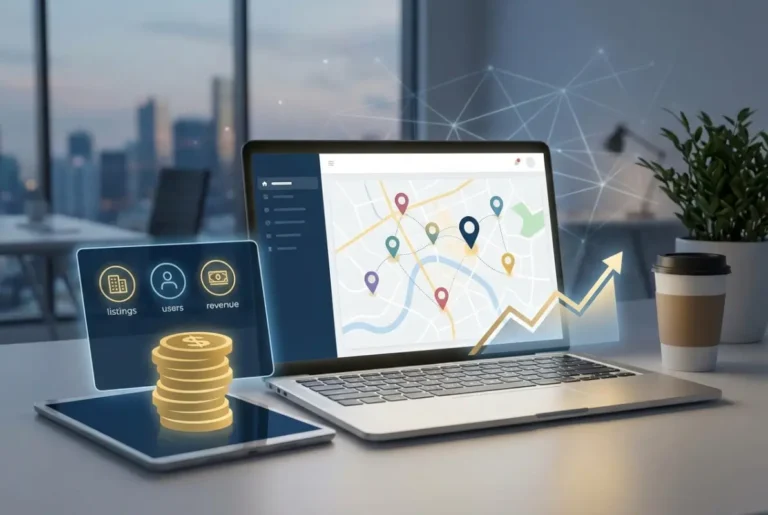
The process of discovering park tenants through mapping apps is straightforward but requires some technique. Open Google Maps or Apple Maps and search for the business park name itself. Once you’ve located it, zoom in on the park boundaries and you’ll see individual business markers for companies that have claimed and optimized their listings. You can tap each marker to see business details, hours, contact information, photos, and user reviews.
How Listings Get Into Maps Platforms
Business listings appear on mapping platforms through several channels. Individual businesses claim their Google Business Profile or Apple Maps listing and specify their exact location within the park. Property managers sometimes create bulk listings for their entire tenant roster. And crowdsourced data from users who check in or leave reviews also populates the maps. This multi-source approach creates comprehensive coverage but also introduces consistency challenges.
| Mapping Platform | Best Feature | Directory Strength |
|---|---|---|
| Google Maps | Comprehensive business profiles with reviews | Excellent coverage for established businesses |
| Apple Maps | Indoor mapping for large complexes | Strong in major metropolitan business parks |
| Waze | Real-time traffic and parking availability | Limited directory detail, navigation-focused |
Common Issues and How to Address Them
The primary challenge with map-based directories is data quality. Duplicate listings occur when both a business and the property manager create separate entries for the same company. Outdated phone numbers persist when businesses move or change contact information without updating their profiles. Incorrect suite numbers can send visitors to the wrong building entirely.
For readers accessing these directories, the solution is cross-verification. If you’re planning an important visit, confirm the listing information through the company’s website or a direct phone call. For business owners managing your own listings, maintaining NAP consistency (Name, Address, Phone number exactly matching across all platforms) is critical. According to Google’s business listing best practices, accurate and consistent information significantly improves local search visibility.
Method 4: Third-Party Directories and Industry Platforms
Beyond official park resources and mapping platforms, a network of third-party directories aggregate business park information. These range from local chamber of commerce listings to industry-specific directories to commercial real estate databases. While they lack the direct authority of official sources, third-party directories significantly extend your reach and often provide context that park-managed directories don’t include.

Regional business directories like the SACSC shopping centre directory catalog businesses across multiple parks and commercial properties, letting you search by service type across an entire region rather than being limited to a single park. Industry-specific directories—legal directories for law firms, healthcare directories for medical practices, technology directories for IT service providers—offer curated listings with professional credentials and specializations that general directories omit.
Advantages and Trade-offs
The primary advantage of third-party directories is breadth of coverage. Instead of checking five different park portals, you can search one comprehensive regional directory. They also tend to include editorial content, reviews, and ratings that help you evaluate businesses beyond basic contact information. Some platforms incorporate verification processes that actually make their data more reliable than self-managed listings.
The trade-off? Data fragmentation and consistency challenges. When your business appears in seven different directories, keeping all seven updated with current information becomes a management challenge. I’ve seen businesses with correct information on their official website and Google listing but completely outdated details on third-party directories they forgot they’d signed up for years ago. For those looking to leverage directories effectively, understanding business directory boosts local marketing strategies becomes essential.
Ensuring Cross-Platform Consistency
If you’re a business owner managing your presence across multiple directories, create a master profile document with your standardized information: exact business name, complete address with suite number, primary phone number, website URL, business description, categories, and operating hours. Use this identical information across every platform—even small variations like “Street” versus “St.” can create problems for search engines trying to validate your business.
Set up a quarterly audit schedule where you check your top five to ten directory listings to verify everything remains current. Services exist that automate some of this monitoring, but even a manual spreadsheet with links to each listing and a “last checked” date provides tremendous value.
Method 5: Direct Communication with Park Administration
Sometimes the most effective approach bypasses all digital intermediaries and goes straight to the source: the business park management office. This method proves particularly valuable when online directories fail you, when you need information that isn’t publicly listed, or when you’re trying to correct outdated information about your own business.
Park management offices—whether that’s a property management company, landlord’s administrative staff, or dedicated tenant services department—maintain the official record of which businesses occupy which spaces. They process lease agreements, coordinate move-ins and move-outs, and typically manage the master directory that feeds into all other platforms.
When to Contact Management Directly
Direct contact makes sense in several scenarios. You’re visiting a secured facility where public directory information is intentionally limited. You need bulk listing information for vendor services or delivery routing. You’ve discovered incorrect information about your business that you need corrected across all official channels. You’re researching available space and want to understand the existing tenant mix before committing to a lease.
I had a client once who spent an hour searching online for a comprehensive directory of a tech park in Silicon Valley, only to discover the park deliberately kept limited information public due to the high-profile nature of some tenants. A single phone call to the management office got him visitor access to a more complete directory plus a staff member who walked him to his destination—far more effective than any digital directory could have provided.
How to Request Information Effectively
When contacting park management, specificity improves your results dramatically. Instead of “Do you have a directory?” try “I’m trying to locate financial services companies within Riverside Business Park—can you provide a list of tenant businesses in that category?” or “I have a meeting with ABC Company on Tuesday; can you confirm their current building and suite number?”
For businesses needing to update your own information, provide complete details in writing—email is ideal because it creates a record. Include your exact legal business name, current suite number, all information that needs updating, and a contact person for follow-up. Most management offices appreciate clear, organized requests rather than vague inquiries.
Optimizing Your Business Park Directory Presence
Whether you’re a business owner ensuring your company appears accurately across directories or a frequent visitor trying to navigate efficiently, understanding optimization best practices creates significant advantages. The difference between a basic listing and an optimized one can mean 3-5x more visibility and engagement.
Essential Information Fields
Complete directory listings include several critical data points. Your exact legal business name (as it appears on your lease and business license) establishes authority. A comprehensive address including building number, floor, and suite prevents confusion. A primary phone number that actually reaches your business during operating hours (not a voicemail-only line) enables immediate contact. Your website URL drives digital traffic. A clear, benefit-focused business description helps people understand what you do and why they should choose you.
Operating hours matter more than most businesses realize. Listing “9-5 Monday-Friday” is fine, but specifying “Monday-Thursday 8:30am-5:30pm, Friday 8:30am-4pm, Closed weekends and federal holidays” eliminates ambiguity. If you maintain different hours for different services (showroom hours versus phone support hours), clarify that distinction.
Data Freshness and Update Frequency
Stale directory information actively damages your business. When potential clients can’t reach you because your phone number changed six months ago, they simply move to the next listing. When visitors arrive during your operating hours only to find you closed for renovation, they’re unlikely to return.
Establish a regular review cadence—quarterly is minimum, monthly is better for businesses with frequent changes. Assign one specific person responsibility for directory management rather than assuming “someone will handle it.” That accountability makes consistent updates far more likely.
| Update Frequency | Recommended For | Priority Fields |
|---|---|---|
| Immediate | Phone number, address, emergency closures | Contact information, location |
| Monthly | Operating hours, seasonal changes | Hours, special announcements |
| Quarterly | Service descriptions, staff changes | Business description, personnel |
| Annually | Photos, brand updates | Visual elements, positioning |
Cross-Platform Consistency
Search engines increasingly use citation consistency as a trust signal. When your business name, address, and phone number (NAP) match exactly across twenty different directories, that reinforces your legitimacy. When those details vary wildly—”ABC Corp” on one platform, “ABC Corporation” on another, “ABC Co.” on a third—it raises red flags.
Create a style guide for your business information. Decide once how you’ll format everything, then use that exact formatting everywhere. This includes seemingly minor details like whether you abbreviate “Street” or spell it out, whether you include suite numbers in parentheses or after a comma, whether your phone number uses dashes or periods.
Measuring Directory Performance and Making Data-Driven Improvements
If you can’t measure it, you can’t improve it—this principle applies to business park directory performance as much as any other marketing channel. Understanding which directories drive traffic, engagement, and conversions helps you prioritize your optimization efforts.
Key Metrics to Track
Start with Google Search Console data for directories where you control the listing. Track impressions (how many times your listing appeared in search results), clicks (how many people actually clicked through), and click-through rate (the percentage of impressions that resulted in clicks). Position tracking shows where your listing ranks for relevant search terms.
For third-party directories, request analytics access when available or use UTM tracking codes in the website URLs you provide. This lets you see exactly how much traffic each directory sends. Phone call tracking numbers specific to each directory reveal which platforms drive actual business inquiries versus just browsing traffic.
Optimization Strategies Based on Data
When you identify directories with high impressions but low click-through rates, the issue is typically your listing presentation. Your business name or description isn’t compelling enough to stand out among competitors. Test different business descriptions, add relevant keywords (without keyword stuffing), include calls-to-action in your description where directories allow it.
Directories with low impressions need different approaches. They either aren’t ranking well for relevant searches, or your category/keyword selections aren’t aligned with how people actually search. Review your category selections—sometimes a business fits multiple categories, and adding secondary categories increases visibility substantially.
Structured Data and Enhanced Snippets
For directory pages you control (like your listing on your own website), implementing structured data markup helps search engines understand your business information better. Schema.org LocalBusiness markup includes fields for name, address, phone, hours, and much more. When implemented correctly, this can trigger enhanced search results with rich snippets showing your hours, reviews, and other details directly in search results.
While most third-party directories handle their own structured data, understanding how it works helps you provide information in the format that maximizes its impact. According to Google’s structured data documentation, properly marked-up business information has significantly higher visibility in local search results.
Frequently Asked Questions
What exactly is a business park directory?
A business park directory is a comprehensive listing of all companies, organizations, and service providers located within a specific business park or commercial complex. It includes contact information, locations (building and suite numbers), business descriptions, and often operating hours. Modern directories exist in digital, mobile app, and traditional printed formats.
How do I find a business park directory online?
Search using the exact park name combined with “directory,” “tenant list,” or “business roster” (e.g., “Riverside Business Park directory”). Check the park’s official website first, then explore Google Maps listings, local chamber of commerce databases, and property management company portals. Advanced search operators with quotation marks improve result precision.
Are business park directories free to access?
Most business park directories are completely free to access through official park websites, Google Maps, and third-party business listing platforms. Some premium directories or specialized industry platforms may require subscriptions, but basic tenant information is typically available publicly at no cost.
How often are business park directories updated?
Update frequency varies significantly by platform. Modern mobile apps may update daily or in real-time, official park websites typically update monthly or quarterly, while printed directories might only refresh annually. Always verify critical information directly with businesses or park management before important visits.
Can I list my business in multiple park directories?
Yes, and you should. List your business in the official park directory, Google My Business, Apple Maps, relevant third-party directories, and industry-specific platforms. Maintaining consistent information across all listings (NAP consistency) is crucial for search engine credibility and customer trust.
What should I do if my business information is incorrect in a directory?
Contact the directory administrator immediately—for official park directories, that’s the property management office; for platforms like Google Maps, use their business profile management tools. Provide complete, accurate information in writing and follow up to confirm changes were implemented within their stated timeframe.
How do business park directories improve local search visibility?
Directories create valuable citations that search engines use to verify your business legitimacy and location. Consistent NAP (Name, Address, Phone) information across multiple authoritative directories signals trustworthiness to search algorithms, improving your rankings in local search results when potential clients search for services you offer.
What information should be included in a complete directory listing?
Essential fields include exact legal business name, complete address with building and suite numbers, primary phone number, website URL, business description with relevant keywords, operating hours (including special hours or closures), business categories, and ideally photos of your location, staff, or services offered.
Do mobile apps provide better directory information than websites?
Mobile apps often provide fresher data because they’re designed for real-time updates, plus they include navigation features and interactive maps that static websites can’t match. However, official park websites typically offer more comprehensive business descriptions and historical information. Using both sources provides the most complete picture.
How can I verify that a business park directory listing is current?
Check for “last updated” timestamps on directory pages. Cross-reference information across multiple sources—if details match on the park’s official directory, Google Maps, and the company’s own website, they’re likely accurate. For critical meetings, confirm directly with the business or park management office.
Was this article helpful?