How to List on eBay for Beginners: A Step-by-Step Guide
Opens a Google-translated copy of this article in a new tab.
eBay has been around for nearly three decades, and yet it remains one of the most beginner-friendly marketplaces for anyone looking to sell online. Whether you’re decluttering your attic or testing the waters of e-commerce, eBay offers a platform where 134 million active buyers are searching through roughly 2.3 to 2.4 billion live listings. That’s a massive audience waiting to discover your items—if you know how to present them properly.
The difference between a listing that sits idle and one that converts comes down to a few critical elements: how you structure your title, the quality of your photos, and whether you’ve filled in those often-overlooked item specifics. In my experience helping new sellers get started, I’ve watched identical products perform wildly differently based solely on listing optimization. One seller might move an item within hours, while another waits weeks, simply because they skipped a few key steps in the listing process.
This guide walks you through every stage of creating an effective eBay listing, from account setup to advanced SEO tactics that help you rank higher in eBay’s search algorithm (known as Cassini). You’ll learn how to avoid common pitfalls, leverage data-driven strategies, and set yourself up for steady sales growth on a platform that still generates around $74 to $75 billion in gross merchandise value annually.
TL;DR – Quick Takeaways
- Account setup is straightforward – Create an eBay account, verify your identity, and access Seller Hub to manage listings efficiently
- Titles drive visibility – Place critical keywords at the beginning of your 80-character title to maximize search exposure
- Item specifics matter more than you think – Complete all available fields (brand, model, size, color) to help Cassini match your listing with relevant buyer searches
- Photos seal the deal – High-quality images with multiple angles and close-ups of any flaws build buyer confidence and reduce return rates
- Cassini rewards optimization – eBay’s search algorithm prioritizes listings with complete information, competitive pricing, and strong seller performance metrics
Getting Started for Beginners
Before you list your first item, you need to establish your seller profile and understand the basic framework of how eBay works. The platform has evolved significantly over the years, introducing tools like Seller Hub that centralize your listing management, performance metrics, and communication with buyers. Setting up properly from day one saves headaches later when you’re scaling up.

Create an eBay account and set up a seller profile
Head to eBay.com and click the “register” link in the top left corner. You’ll need a valid email address, a phone number for verification, and basic personal information. Once registered, eBay will prompt you to verify your identity—this step is non-negotiable for selling, as it helps prevent fraud and builds trust within the marketplace.
After verification, navigate to Seller Hub (accessible from your account dropdown menu). Seller Hub is your command center, showing active listings, sold items, and important notifications. Take a few minutes to explore the layout: you’ll be returning here constantly to monitor performance, adjust pricing, and respond to buyer questions. The interface might feel overwhelming at first, but it becomes intuitive after listing your first few items.
Understanding listing limits and store options
New sellers face listing limits—typically starting around 10 items per month with a combined value cap. eBay implements these restrictions to prevent fraudulent accounts from flooding the marketplace. As you build a positive selling history (completing transactions, maintaining good feedback, shipping on time), these limits increase automatically. Within a few months of consistent selling, you’ll likely see your limit expand to hundreds of items.
Once you’re selling regularly, consider subscribing to an eBay Store. The Basic Store tier (around $4.95 per month as of recent data) provides additional free listings, lower final value fees, and access to marketing tools. Premium and Anchor tiers offer even better economics for high-volume sellers, but most beginners should stick with individual listings or the Basic Store until they’re moving at least 50-100 items monthly.
For those just starting out, understanding proven strategies for listing effectively can help you maximize your early efforts before hitting those initial caps.
Tools and templates you’ll use
Seller Hub includes listing templates that save enormous amounts of time once you’re selling similar items repeatedly. Instead of manually entering shipping details, return policies, and item descriptions for every listing, you can create a template with your standard settings and apply it with a few clicks. This becomes particularly valuable when you’re listing multiple variations of the same product type—say, vintage t-shirts or refurbished electronics.
eBay also offers a mobile app that lets you create listings from your phone, which is surprisingly efficient for simple items. Take photos directly in the app, fill in the basic details, and publish—all while sitting on your couch. The desktop interface remains superior for complex listings that require detailed descriptions and extensive item specifics, but the mobile option is perfect for quick turnarounds.
How to Create a Simple, Effective eBay Listing (Step by Step)
Creating your first listing feels like a big moment, but the process is straightforward once you understand the workflow. The key is balancing completeness (providing all relevant information) with efficiency (not spending three hours on a single listing). For most items, you should be able to create a competitive listing in 15 to 30 minutes.

Step 1 – Research similar listings and pick the right category
Before you type a single word, search eBay for items identical or very similar to yours. Look at completed listings (use the filter in the left sidebar) to see what actually sold and at what price point. This research reveals the language buyers use when searching, the price range you should target, and which features sellers emphasize in their titles and descriptions.
Pay special attention to category placement. eBay’s search algorithm considers category when matching listings to searches, and some categories receive more traffic than others. If your item could reasonably fit in multiple categories, check which one shows more completed sales. For example, a vintage band t-shirt might belong in “Clothing” or “Entertainment Memorabilia”—the latter often attracts collectors willing to pay premium prices.
Step 2 – Write an optimized title with buyer intent
You have 80 characters to convince someone your listing is worth clicking. Those 80 characters need to include your most important keywords in an order that makes logical sense to both human readers and eBay’s search algorithm. Start with the brand or most recognizable identifier, follow with the product type, then add distinguishing characteristics like model number, size, color, or condition.
For instance, “Nike Air Max 270 React Men’s Size 11 Black White Running Shoes NEW” hits multiple search terms a potential buyer might use. Avoid wasting space on words like “L@@K” or “RARE”—buyers search for specific attributes, not promotional language. Every word should serve a purpose in matching a likely search query.
Step 3 – Create a compelling description
Your description serves two audiences: buyers who want detailed information and search engines (both eBay’s internal Cassini and external engines like Google) that index your content. Structure your description with scannable bullet points at the top highlighting key features, followed by a more detailed narrative paragraph that covers condition, included accessories, measurements, and any flaws or wear.
Be honest about condition. Overselling an item leads to returns, negative feedback, and unhappy buyers—all of which hurt your seller metrics and future search visibility. If there’s a scratch, mention it and show it in a photo. Buyers appreciate transparency, and accurate condition descriptions actually increase conversion rates by building trust.
Much like when you list a business on platforms like Yelp, completeness and honesty in your description build credibility with your audience.
Step 4 – Add item specifics and photos
Item specifics are the structured fields eBay provides for attributes like brand, model, size, color, style, and condition. Cassini uses these fields heavily when matching listings to searches, and buyers often filter results using these exact attributes. A listing with complete item specifics will outrank an identical listing with missing fields, all else being equal.
Fill every field eBay offers, even if some seem redundant with your title or description. The algorithm treats these separately, and completeness signals to eBay that you’re a serious seller who cares about buyer experience.
For photos, aim for at least six to eight images showing the item from multiple angles. Use natural lighting or a softbox to avoid harsh shadows. Include close-ups of any logos, tags, or serial numbers (which also helps with authenticity verification). If there are flaws, photograph them clearly—this protects you from “item not as described” disputes.
Step 5 – Set price, shipping, and return policies
Pricing strategy depends on your goals. Fixed-price listings (Buy It Now) provide predictability and often sell faster, while auctions can generate excitement and occasionally result in higher final prices for in-demand items. Most beginners should start with fixed-price listings at competitive market rates based on your research from Step 1.
For shipping, you have two main options: calculated shipping (where the buyer pays actual shipping cost based on their location) or flat-rate shipping (where you set a single price regardless of distance). Calculated shipping is more accurate but can sometimes surprise buyers with high costs at checkout. Flat-rate shipping requires you to estimate costs carefully to avoid losing money on distant shipments.
Offer free returns if you’re confident in your item’s condition and description accuracy. eBay’s algorithm gives slight preference to listings with buyer-friendly return policies, and the added confidence often increases conversion rates enough to offset the occasional return cost.
Step 6 – Publish and monitor
Once everything looks good, hit publish and your listing goes live. But your work isn’t done—monitoring performance is crucial for understanding what works. Check your listing’s view count after 24 hours. If it’s significantly lower than similar items, your title or price might need adjustment. If you’re getting views but no sales, your photos or description might not be convincing enough.
Seller Hub provides analytics showing how many people viewed your listing, how many added it to their watch list, and how your listing compares to similar items. Use this data to iterate and improve. Successful eBay sellers constantly refine their approach based on what the metrics tell them.
eBay SEO and Listing Optimization (Cassini/Search)
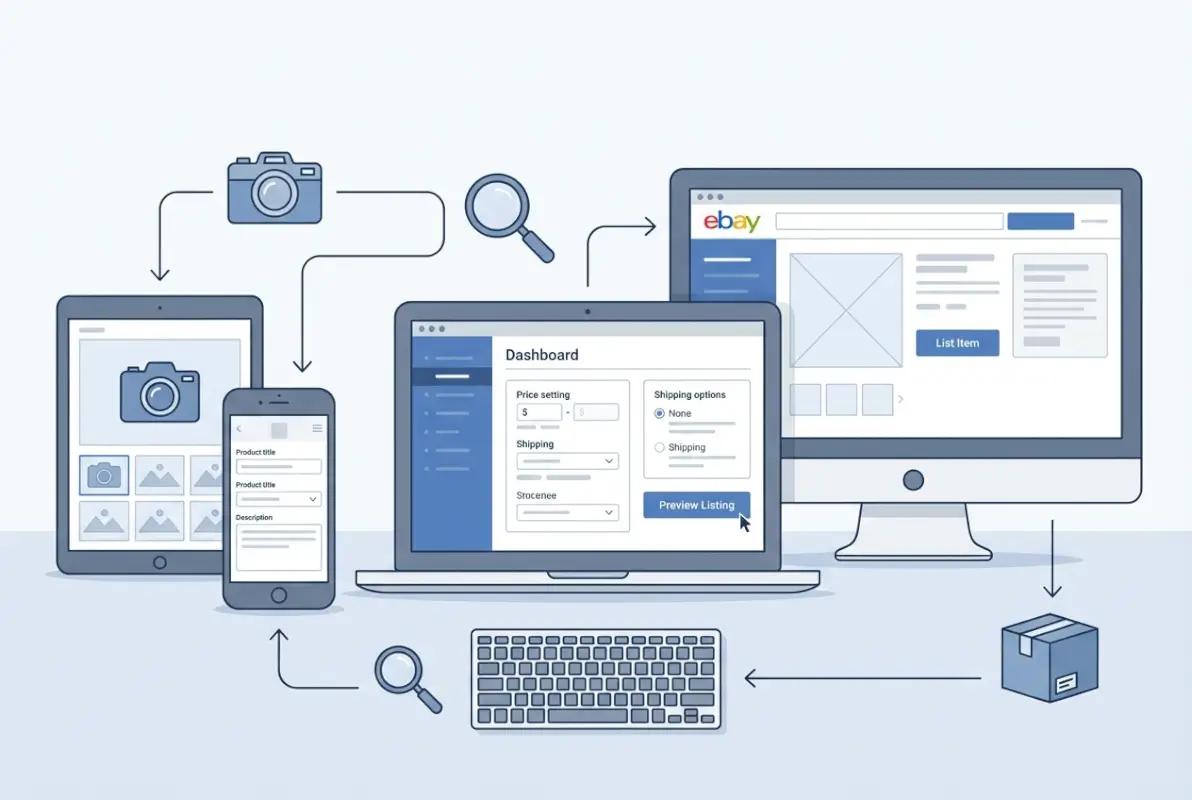
Understanding how eBay’s search algorithm works transforms you from someone who simply lists items to someone who strategically positions listings for maximum visibility. Cassini—eBay’s search engine—evaluates dozens of factors when deciding which listings to show for any given search query. While eBay doesn’t publish the exact algorithm (no search engine does), patterns emerge from studying what works.
Understanding Cassini and on-site ranking
Cassini prioritizes relevance and buyer experience above all else. Relevance means matching the searcher’s query with listings that accurately represent what they’re looking for. Buyer experience includes factors like complete item specifics, detailed descriptions, quality photos, competitive pricing, fast shipping, and seller reputation (feedback score, on-time shipment rate, and case resolution metrics).
Unlike external search engines that heavily weight backlinks and domain authority, Cassini focuses almost entirely on the listing itself and the seller’s track record. A brand-new seller can outrank an established store if their listing better matches search intent and provides superior buyer experience signals. This levels the playing field considerably for beginners willing to put in the optimization effort.
Title and keyword strategies
Your title carries the most weight for keyword matching in Cassini. The algorithm doesn’t just scan for keyword presence—it considers word order and proximity. Keywords closer to the beginning of your title receive more weight than those at the end. This is why you should lead with your most important identifier (brand or product type) followed by modifiers that narrow down the search.
Avoid keyword stuffing—cramming in dozens of loosely related terms hoping to capture more searches. Cassini recognizes this pattern and may actually penalize listings that appear spammy or unfocused. Instead, identify the three to five most critical keywords your target buyer would use, and build a natural, readable title around them.
Just as backlinks matter in traditional SEO, keyword placement and relevance drive visibility within eBay’s internal search ecosystem.
Item specifics and structured data
I can’t stress this enough: complete every single item specific field eBay provides. These structured data points allow Cassini to precisely match your listing with filtered searches. When a buyer filters results to show only “Size 10” in “Red” from the brand “Adidas,” your listing won’t appear unless you’ve filled in those exact specifics—even if those details are in your title and description.
Item specifics also enable eBay to surface your listing in category-specific promotions and featured placement opportunities. The algorithm trusts structured data more than unstructured text because it’s consistent and machine-readable. Think of item specifics as the foundation of your listing’s discoverability.
| Optimization Element | Impact on Cassini | Time Investment |
|---|---|---|
| Complete item specifics | High – enables filtering and matching | 5-10 minutes per listing |
| Optimized title | Very High – primary search ranking factor | 3-5 minutes per listing |
| Quality photos (6-8 images) | Medium – affects click-through and conversion | 10-15 minutes per listing |
| Detailed description | Medium – supports external SEO and buyer confidence | 5-10 minutes per listing |
| Competitive pricing | High – influences “Best Match” ranking | 3-5 minutes research per listing |
Description formatting and photos
While Cassini doesn’t read descriptions as heavily as titles and item specifics for initial ranking, description quality impacts conversion rate—and conversion rate signals to Cassini that your listing is a good match for its search queries. Use HTML formatting to create scannable sections: bold headers, bullet points for key features, and short paragraphs rather than walls of text.
Photos work similarly. Cassini doesn’t “see” photo quality directly, but low-quality images result in lower click-through rates and higher bounce rates (people clicking away quickly). Over time, these negative engagement signals push your listing down in search results. High-quality photos, conversely, keep people engaged and increase the likelihood of a sale, which Cassini rewards with better placement.
External signals and cross-channel promotion
eBay actively encourages sellers to promote their listings outside the platform. Listings that receive traffic from Google, social media, or direct links perform better in Cassini because they demonstrate broader appeal. While you shouldn’t expect external backlinks to directly boost your eBay search ranking (like they would for a website), the traffic and sales they generate definitely help.
Consider sharing your listings on social platforms where appropriate, or using business directory apps to drive additional discovery. Some sellers run small paid campaigns on Facebook or Instagram targeting niche collector communities, which can jumpstart visibility for new listings.
Common Pitfalls and Quick Win Tactics for Beginners
Every new eBay seller makes mistakes—I certainly did when I started. The difference between those who succeed and those who give up frustrated often comes down to recognizing patterns in what doesn’t work and quickly course-correcting. Let’s look at the most common problems beginners face and the fastest fixes.

Avoid common listing mistakes
The number one mistake new sellers make is incomplete item specifics. You might think your detailed description covers everything, but Cassini treats those structured fields as far more important than prose paragraphs. Skipping item specifics is like showing up to a job interview without a resume—you might be qualified, but you’re not making it easy for anyone to recognize that.
Vague titles are another killer. “Vintage T-Shirt” tells buyers almost nothing. “Vintage 1998 Metallica Master of Puppets Tour T-Shirt Size L Black” tells them everything. Specificity attracts the right buyers and filters out time-wasters asking basic questions that should have been in your title.
Poor photos might be the most damaging mistake of all. Grainy, dark, or poorly-composed images make buyers suspicious—they wonder what you’re hiding. Invest in a cheap light box or simply photograph items near a window during daylight hours. The difference in perceived value is dramatic, often justifying a 20% to 30% higher asking price.
Quick wins that cost little time
If you’re looking to improve performance immediately, start with these high-impact, low-effort changes. First, revisit your existing listings and fill in any missing item specifics—this takes maybe two minutes per listing but can instantly boost visibility. Second, adjust your main photo if it’s not your best shot; eBay lets you reorder images without creating a new listing.
Third, enable “Best Offer” on fixed-price listings that haven’t sold within a week. This feature allows buyers to propose a lower price, which you can accept, decline, or counter. It creates engagement and often leads to sales that wouldn’t have happened otherwise. Plus, Cassini seems to give slight preference to listings with Best Offer enabled, likely because it increases transaction velocity.
Fourth, review your shipping cost compared to competitors. If you’re charging $8 shipping while everyone else offers free shipping (built into the item price), you’re losing conversions. Buyers filter search results by shipping cost and psychologically resist paying separate shipping fees even when the total cost is identical.
Seasonal and category-focused strategies
eBay’s marketplace isn’t static—demand fluctuates based on seasons, trends, and external events. Toys spike in November and December, gardening supplies surge in March and April, and vintage clothing peaks during spring and fall fashion seasons. Timing your listings to match these demand curves improves both visibility and final sale prices.
Focus on categories where you have natural advantages. If you know a lot about vintage electronics, that expertise allows you to write more compelling descriptions and identify undervalued items others overlook. eBay rewards depth over breadth, especially when you’re building initial seller metrics. Ten excellent listings in a category you understand outperform fifty mediocre listings scattered across random categories.
Understanding essential categories helps you think strategically about where to focus your efforts for maximum return.
Data-Driven Context for Beginners (Stats and Market Landscape)
Numbers provide context that helps you set realistic expectations and identify opportunities. eBay remains a massive marketplace despite increased competition from Amazon, Etsy, and newer platforms. Understanding the scale and dynamics helps you position yourself intelligently.

Buyer and listing scale indicators
As of recent data, eBay supports approximately 134 million active buyers globally, with roughly 2.3 to 2.4 billion live listings across all categories. The platform’s gross merchandise volume hovers around $74 to $75 billion annually, which translates to billions of transactions each year. These numbers mean two things: massive opportunity and significant competition.
The opportunity is clear—millions of people actively shop on eBay daily, searching for everything from obscure vintage collectibles to new-in-box electronics. The competition means you need to be strategic about what you sell and how you present it. Generically listing common items without optimization is a recipe for getting lost in the noise.
Seller landscape
eBay reported approximately 17.6 million active sellers in recent metrics, though the vast majority are casual sellers listing a handful of items per year. Serious sellers—those treating eBay as a business rather than a garage sale platform—number in the hundreds of thousands. This distribution means your real competition for most categories is much smaller than the total seller count suggests.
New sellers face an initial trust hurdle. Buyers prefer purchasing from established sellers with hundreds of positive reviews. You overcome this disadvantage through superior listing quality, competitive pricing, and exceptional customer service. Many buyers will choose your listing over an established seller’s if your photos are better, your description is more detailed, or your shipping is faster.
Market share and growth context
eBay’s share of US retail e-commerce sits around 3%, which sounds small but represents billions in annual sales. The platform has carved out strong niches in collectibles, refurbished electronics, automotive parts, and vintage fashion—categories where Amazon’s standardized model struggles to compete. These specialized verticals offer the best opportunities for new sellers who can bring expertise or sourcing advantages.
Growth in recent years has been modest but steady, with eBay focusing on improving seller tools and buyer experience rather than aggressive expansion. For sellers, this mature stability is actually positive—the platform isn’t radically changing its algorithms or policies every quarter, allowing you to build sustainable strategies.
Advanced Tips: Scaling Your eBay Business Beyond Basics
Once you’ve mastered the fundamentals and successfully sold your first batch of items, you’ll start thinking about efficiency and scale. The tactics that work for listing ten items don’t necessarily scale to listing hundreds. Here’s how experienced sellers streamline their operations without sacrificing quality.
Template systems and batch listing
Create a library of description templates for different item types you sell regularly. Include standard sections like shipping policies, return terms, and care instructions that don’t change item-to-item. For the variable sections (specific condition notes, measurements, etc.), use placeholder text that you quickly replace for each new listing.
eBay’s file exchange feature allows you to upload multiple listings at once via CSV file. Once you’re comfortable with the format, you can prepare dozens of listings offline and upload them in a single batch. This approach works particularly well if you’re sourcing inventory from auctions or estate sales where you need to list many items quickly.
Cross-listing and inventory management
Many successful eBay sellers also list on Mercari, Poshmark, or Facebook Marketplace to maximize exposure. Tools like List Perfectly or Vendoo help you create listings once and push them to multiple platforms simultaneously. Just be careful with inventory synchronization—selling the same item on two platforms and then having to cancel one order damages your seller metrics.
As your volume grows, consider inventory management software that tracks what you’ve listed where, what’s sold, and what needs to be repriced or relisted. Even a simple spreadsheet works for the first hundred items, but beyond that, dedicated software becomes essential for avoiding mistakes.
Promoted listings and advertising
eBay’s Promoted Listings feature allows you to pay a percentage of the sale price (you set the rate, typically 2% to 20%) to boost your listing’s visibility in search results. This works as an auction—higher promotion rates generally result in better placement. For new sellers building momentum, promoting key listings can accelerate sales and improve your seller metrics, which then helps all your listings rank better organically.
Start conservatively with promotion rates around 5% to 8% for items with healthy profit margins. Monitor your ad reports in Seller Hub to see which promotions drive sales and which waste money. Unlike external advertising, Promoted Listings only charge you when the item sells, making it relatively low-risk for testing.
Frequently Asked Questions
How do I list my first item on eBay?
Sign into your eBay account, click the “Sell” button in the top navigation, and select “Create listing.” Choose whether you want an auction or fixed-price format, then fill in the title, upload photos (at least three to six), add item specifics, write a description, set your price and shipping options, and click publish. The entire process takes 15 to 30 minutes for most items.
What counts as good eBay listing photos?
Good photos are clear, well-lit, and show the item from multiple angles including close-ups of any logos, tags, or flaws. Use a plain background (white or neutral gray works best) to keep focus on the item. Natural window light or an affordable light box eliminates harsh shadows. Aim for six to eight photos per listing to thoroughly document condition and build buyer confidence.
How important are item specifics for search ranking?
Item specifics are critically important. eBay’s Cassini algorithm uses these structured fields to match listings with search queries and buyer filters. Listings with complete item specifics consistently outrank similar listings with missing fields. Fill every available specific—brand, model, size, color, condition, style—even if the information seems redundant with your title or description.
What are the common fees for new eBay sellers?
eBay charges insertion fees for creating listings (though you get a certain number free each month) and final value fees when items sell, typically 10% to 15% of the total transaction including shipping. Payment processing fees add another 2.35% plus 30 cents per transaction. Store subscriptions provide discounted final value fees and additional free listings, becoming cost-effective around 50 sales per month.
How can I optimize my listing for search engines outside eBay?
Write detailed, keyword-rich descriptions that work for both eBay’s Cassini and external search engines like Google. Use natural language that includes long-tail keywords buyers might search. Enable the option to make your listings visible to search engines in your account settings. Promote your listings through social media or relevant forums to generate external traffic, which signals popularity to both eBay and Google.
How many items can a new seller list?
New sellers typically start with a limit of 10 listings per month with a combined value cap around $500. These limits increase automatically as you build positive selling history—completing transactions, shipping on time, and maintaining good feedback. Within three to six months of consistent selling, most sellers see limits expand to hundreds of items monthly.
What is Cassini and how do I rank higher?
Cassini is eBay’s search algorithm that determines which listings appear for any given search query. Rank higher by optimizing your titles with relevant keywords at the beginning, completing all item specifics, using high-quality photos, pricing competitively, and maintaining strong seller metrics (fast shipping, low return rates, positive feedback). Cassini prioritizes listings that provide the best buyer experience.
Should I offer free shipping on my listings?
Free shipping (with the cost built into your item price) typically increases conversion rates because buyers filter search results by shipping cost and psychologically resist separate shipping charges. However, calculated shipping works better for heavy or oversized items where shipping costs vary dramatically by destination. Test both approaches for your specific items and measure which performs better.
How quickly will my first item sell on eBay?
Timeline varies dramatically based on item demand, pricing, and listing quality. In-demand items priced competitively with good photos can sell within hours. Niche items or overpriced listings might sit for weeks or months. Use completed listings research to set realistic expectations—if similar items are selling within a few days, yours should too if you’ve optimized properly.
Do I need a business license to sell on eBay?
For casual selling of personal items, no business license is required. If you’re regularly purchasing inventory to resell for profit, you may need a business license, resale certificate, and should collect sales tax depending on your location and sales volume. Check your local regulations—rules vary by state and country. eBay will prompt you to provide tax information once your sales reach certain thresholds.
Conclusion: Your Path Forward as an eBay Seller
Starting on eBay doesn’t require special skills or massive upfront investment, but it does demand attention to detail and willingness to learn from both successes and failures. The sellers who thrive are those who treat each listing as a small experiment—testing different title formats, photo styles, pricing strategies, and description approaches to see what resonates with buyers.
Your first few listings won’t be perfect, and that’s completely fine. The goal isn’t perfection on day one; the goal is steady improvement informed by data. Check your Seller Hub analytics after each sale: What did the buyer search for to find your listing? How many views did it take before someone purchased? Are there patterns in the items that sell quickly versus those that sit?
Remember that eBay’s 134 million active buyers represent 134 million potential customers looking for exactly what you’re selling—if you can present it in a way that matches their search intent and builds confidence. Complete item specifics, optimized titles, quality photos, and honest descriptions form the foundation of that presentation. Master these fundamentals first before worrying about advanced tactics.
Ready to create your first listing? Start with one item you know well, research similar completed listings to understand market pricing, and invest 30 minutes in creating a thoughtful, complete listing. Your eBay selling journey begins with that single item—make it count.
As you gain experience, revisit the optimization strategies we’ve covered: refining keyword placement in titles, expanding your item specifics, improving photo quality, and testing different pricing approaches. The sellers who succeed long-term are those who remain curious and adaptable, constantly tweaking their approach based on marketplace feedback. eBay rewards that commitment to excellence with better search placement, more sales, and ultimately, a sustainable income stream.
Was this article helpful?