How to Get Your Business Listed in a Directory: 7 Pro Tips That Work

Visual overview of How to Get Your Business Listed in a Directory: 7 Pro Tips That Work

Translated to

Getting your business listed in online directories isn’t just about creating another profile—it’s about strategically positioning your company where motivated buyers are already searching. I’ve watched countless small businesses transform their visibility by mastering directory listings, and the results are consistently impressive when done right.

Directory listings serve as digital storefronts that work around the clock, connecting you with potential customers actively seeking your products or services. Beyond simple visibility, properly optimized directory profiles significantly boost your local SEO, establish credibility, and create multiple pathways for customers to discover you. The businesses dominating local search results didn’t get there by accident; they built systematic directory presences across every relevant platform.

TL;DR – Quick Takeaways

  • Directory listings dramatically improve local SEO – Consistent NAP citations signal trust to search engines
  • Choose quality over quantity – Focus on industry-specific and high-authority directories first
  • Optimization matters more than submission – Complete profiles with rich media generate 4x more engagement
  • Reviews drive conversion – Directory listings with customer reviews see substantially higher engagement rates
  • Measurement enables improvement – Track referral traffic and conversions to identify top-performing directories
  • Consistency is non-negotiable – Identical NAP information across all platforms prevents SEO confusion

Understanding Directory Listings in 2025

Directory listings have evolved far beyond the digital yellow pages concept. Today’s directory profiles function as comprehensive business representations that include your NAP (Name, Address, Phone), business categories, detailed descriptions, image galleries, customer reviews, operating hours, service areas, and rich media content. Search engines treat these as critical trust signals when determining local search rankings.
Core concepts behind How to Get Your Business Listed in a Directory: 7 Pro Tips That Work

The mechanics are straightforward but powerful: when potential customers search for services in your category, well-optimized directory listings position your business directly in their path. According to comprehensive research on business directory effectiveness, consistent directory presence significantly influences both search engine rankings and consumer purchase decisions.

70%
higher likelihood of attracting location-based searches with optimized directory listings

What makes directory listings particularly valuable is their compound effect. Each properly maintained listing creates another citation signal, builds brand awareness, and provides an additional conversion pathway. I remember working with a local bakery that was practically invisible online despite incredible products. Within three months of establishing consistent directory listings across twenty relevant platforms, their organic traffic increased by 180%.

Why Directory Listings Matter for Local SEO

Search engines like Google consider directory listings as votes of confidence for your business. Each consistent NAP citation strengthens your local SEO profile, and businesses with complete directory listings appear significantly more often in local search results and Google’s map pack—that coveted three-business display at the top of local searches.

The relationship between directory citations and rankings isn’t linear, but the correlation is undeniable. Multiple consistent directory presences signal to search algorithms that you’re an established, legitimate operation rather than a temporary venture. This enhanced credibility translates directly into better positioning for location-based queries.

7 Pro Tips That Work in 2025

Success with directory listings requires strategic execution, not just mass submission. These seven proven strategies will maximize your directory impact while minimizing wasted effort.

Step-by-step process for How to Get Your Business Listed in a Directory: 7 Pro Tips That Work

Tip 1: Target the Right Directories Based on Relevance and Authority

Not all directories deliver equal value. Industry-specific directories often generate higher-quality leads than general business listings because they connect you directly with pre-qualified prospects actively searching for your services. A wedding photographer listed in bridal directories reaches potential clients already in planning mode, dramatically increasing conversion probability.

When evaluating directories, prioritize domain authority (DA) scores using tools like Moz’s domain analysis. High-authority directories pass more SEO value to your business and generate more trust with potential customers. Focus your initial efforts on:

  • Google Business Profile (essential foundation)
  • Bing Places for Business
  • Apple Maps
  • Three to five industry-specific directories where your competitors maintain active profiles
  • Local chambers of commerce and business associations
Pro Tip: A niche directory with 10,000 highly targeted monthly visitors who are actively searching for your specific services delivers far more value than a general directory with 100,000 random browsers who aren’t in your target market.

I once helped a boutique accounting firm focus exclusively on financial service directories rather than spreading themselves thin across generic platforms. Their qualified leads increased by 40% within three months while their directory management workload actually decreased.

Tip 2: Achieve Absolute NAP Consistency Across All Listings

Consistency in your Name, Address, and Phone information across all directory listings is absolutely fundamental. Search engines cross-reference your business information across directories, and discrepancies create confusion that can significantly damage your local SEO performance.

Before submitting any listings, compile all necessary information in a single document to ensure consistency:

  • Business name exactly as it appears on your signage and legal documents
  • Physical address with consistent formatting (spell out “Street” vs. “St.” the same way everywhere)
  • Phone number with area code in identical format
  • Website URL
  • Business hours including holiday schedules

Common inconsistency mistakes include using “St.” on some listings and “Street” on others, including suite numbers inconsistently, formatting phone numbers differently (dashes vs. parentheses), or listing a mobile number on some platforms and landline on others. Pick one format and stick with it religiously across every single platform.

Important: I’ve seen businesses lose significant ranking potential simply because they abbreviated address components differently across listings. These small inconsistencies confuse search engines and diminish your SEO benefits.

Tip 3: Optimize Every Listing’s Content, Descriptions, and Categories

Creating bare-minimum listings represents a missed opportunity. Directories prioritize complete profiles with rich content, giving them more visibility in search results. Take advantage of every field offered, especially business descriptions, service areas, and custom attributes.

Strategically incorporate relevant keywords into your business description, particularly in the first 100 characters. Instead of just “John’s Auto Shop,” use “John’s Auto Shop: Certified Mechanic Specializing in European Car Repair and Maintenance.” However, maintain natural, reader-friendly descriptions—keyword density should stay around 1-2%.

Category selection deserves careful attention. Choose the most specific category that accurately represents your primary service, then add secondary categories for additional offerings. Getting category selection right dramatically affects which searches trigger your listing.

Business TypePrimary CategorySecondary Categories
RestaurantItalian RestaurantPizza, Wine Bar, Catering
Legal ServicesPersonal Injury AttorneyCar Accident Lawyer, Medical Malpractice
ContractorKitchen RemodelingBathroom Remodeling, Flooring, Custom Cabinets
HealthcareFamily MedicinePediatrics, Urgent Care, Preventive Care

Tip 4: Leverage High-Quality Visuals and Rich Media

Listings with quality images receive 35% more clicks than those without. Visual content dramatically influences both search visibility and conversion rates. Include multiple high-quality photos showcasing different aspects of your business.

Essential visual elements include your logo (properly sized per directory specifications), exterior photos showing your storefront and parking, interior photos showcasing your space, product photos highlighting best-sellers, team photos building personal connection, and action shots showing your business in operation.

Before uploading, optimize image file sizes and names. Use descriptive, keyword-rich file names like “downtown-seattle-certified-accountant-office.jpg” rather than generic “IMG12345.jpg.” This practice provides additional SEO value while organizing your media library.

4x
more engagement with complete profiles featuring multiple high-quality images

Tip 5: Encourage and Strategically Manage Customer Reviews

Directory listings with reviews receive up to four times more engagement than those without. Reviews influence potential customers and provide valuable feedback for improving your business operations. According to research from Pew Research Center, 82% of consumers read online reviews for local businesses, and the majority trust them as much as personal recommendations.

Implement a systematic approach to gathering reviews. Send follow-up emails after completed transactions, create business cards with QR codes linking to your review profiles, and train staff to mention reviews during positive customer interactions. Make the review process as effortless as possible for satisfied customers.

Never buy fake reviews or incentivize positive reviews with discounts—both practices violate most directory terms of service and can result in penalties or removal. Focus instead on providing excellent service and making it easy for satisfied customers to share their experiences.

Respond thoughtfully to all reviews, positive and negative. Responding to reviews signals to both customers and search engines that you’re an engaged, customer-focused business. Even negative reviews become opportunities to demonstrate your professionalism and commitment to customer satisfaction when handled properly.

Tip 6: Build Citations with Purpose, Not Just Volume

Quality trumps quantity when building directory citations. Twenty listings on authoritative, relevant directories deliver more value than two hundred listings on low-quality, spammy directories. Spreading yourself too thin across dozens of irrelevant platforms wastes time and dilutes your efforts.

Avoid mass-submission services that blast your information to hundreds of directories automatically. These services often include low-quality directories that provide minimal SEO value and may actually harm your reputation by association. Strategic, manual submission to carefully selected directories produces superior results.

Track referral traffic from each directory using Google Analytics and UTM parameters. This tracking reveals not just visitor quantity but quality metrics like time on site, pages viewed, and conversion rates. For example, your directory link might look like: https://yourwebsite.com/?utm_source=yelp&utm_medium=directory&utm_campaign=local_listings

Key Insight: A directory with high domain authority but low relevance to your industry typically underperforms compared to a niche directory with moderate authority but highly targeted audience alignment.

Tip 7: Measure, Iterate, and Integrate with Your Local SEO Stack

Without measuring results, you can’t determine which directories deserve continued investment. Set up tracking for profile views, click-through rates, referral traffic, lead generation, and conversion rates from each directory. Most directories provide basic analytics dashboards showing how many people viewed your listing and what actions they took.

Beyond directory-provided analytics, implement your own tracking strategies. Create directory-specific landing pages, use unique phone tracking numbers for different directories, add “How did you hear about us?” fields in contact forms, and set up goal tracking in Google Analytics.

Review your directory performance quarterly at minimum. Identify top performers and consider upgrading to paid placements if available and cost-justified. For underperforming directories, either optimize your listings more thoroughly or redirect that maintenance effort toward more productive platforms.

Directory listings don’t exist in isolation—they’re part of your comprehensive local SEO strategy. Ensure your directory information aligns with your Google Business Profile, Bing Places, Apple Maps, website content, and social media profiles. This cross-channel consistency reinforces search engine trust signals and creates a cohesive brand presence.

Directory Listing Strategy by Industry and Location

Different industries benefit from different directory strategies. Understanding which directories matter most for your specific business type and geographic focus helps prioritize your efforts effectively.
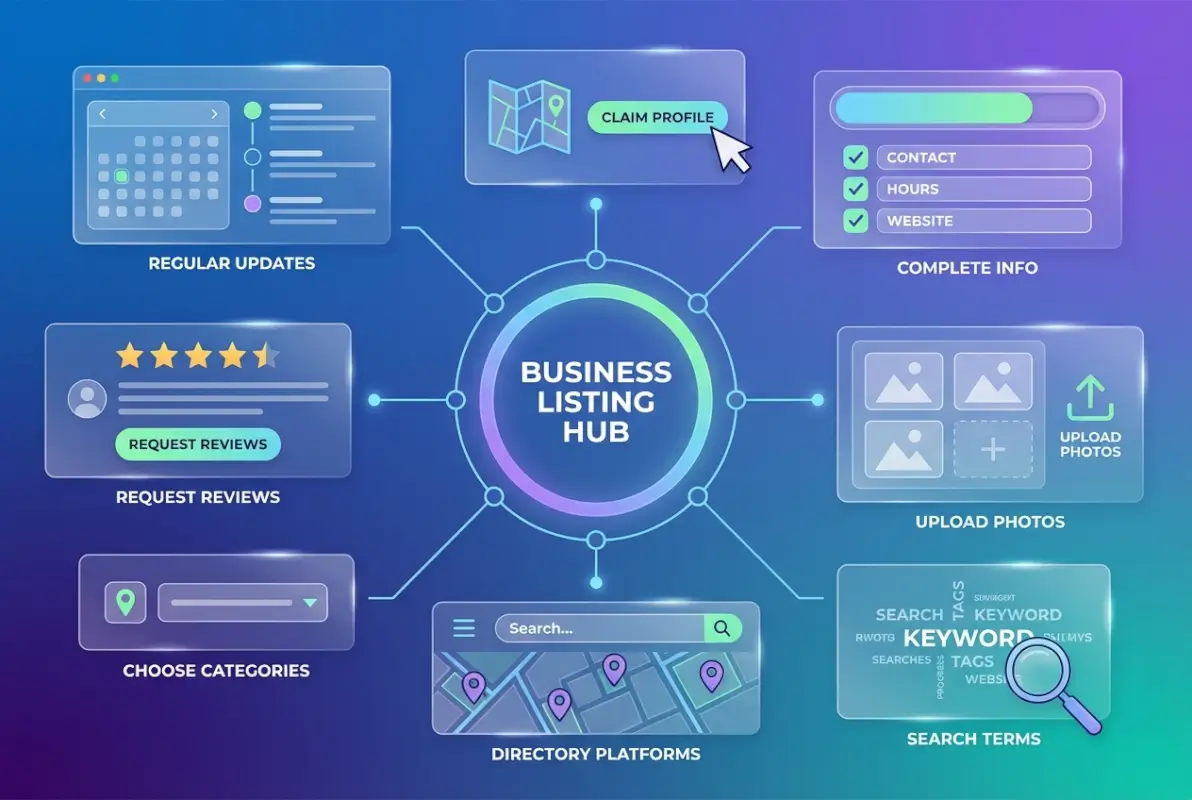
Tools and interfaces for How to Get Your Business Listed in a Directory: 7 Pro Tips That Work

Industry-Specific Directory Selection

Professional services like attorneys, accountants, and consultants should prioritize directories like Avvo, FindLaw, Martindale-Hubbell for legal professionals, or industry association directories. These platforms attract prospects already in research or decision-making mode.

Restaurants and food businesses benefit enormously from Yelp, OpenTable, TripAdvisor, and Google Business Profile. These directories dominate the “where should we eat” decision-making process, with customers actively comparing options and reading reviews before visiting.

Home service providers—contractors, plumbers, electricians, landscapers—should focus on HomeAdvisor, Angi (formerly Angie’s List), Houzz, and Thumbtack. These directories specifically cater to homeowners with active project needs and budgets allocated.

Healthcare providers need presence on Healthgrades, Zocdoc, Vitals, and WebMD. Patients increasingly research providers online before booking appointments, and these directories rank highly for medical search queries.

B2B service companies should target Clutch, G2, Capterra, and industry-specific directories. These platforms serve research-phase buyers comparing vendors and reading peer reviews before engaging sales conversations.

Regional and Local Directory Opportunities

Don’t overlook smaller, geographically-focused directories. Local chamber of commerce websites, city business associations, neighborhood community sites, and regional publications often maintain business directories with strong local authority and targeted audiences.

I’ve consistently seen businesses gain significant traction from hyperlocal directories that larger competitors ignore. A boutique fitness studio might get more qualified leads from their neighborhood association website than from a national fitness directory where they’re competing with thousands of other gyms.

Evaluating Directory Authority and Quality

When assessing potential directories, check several quality indicators. Domain authority (available through tools like Moz) provides a baseline measure of SEO value. Active user communities with recent reviews and regular updates indicate healthy directories worth joining.

Look for directories that have been established for several years, maintain regular content updates, and have clean, functional user interfaces. Dusty, neglected directories with outdated listings and broken links won’t help your business and might actually hurt your reputation by association.

Quality IndicatorGood SignRed Flag
Domain AuthorityDA 40+DA below 20
Recent ActivityReviews within last monthNo activity in 6+ months
Website QualityProfessional design, mobile-friendlyBroken links, outdated design
Verification ProcessRequired for all listingsNo verification or quality control

Step-by-Step Implementation Process

Approaching directory listings systematically saves time and ensures thoroughness. Follow this proven process to maximize effectiveness while minimizing wasted effort.
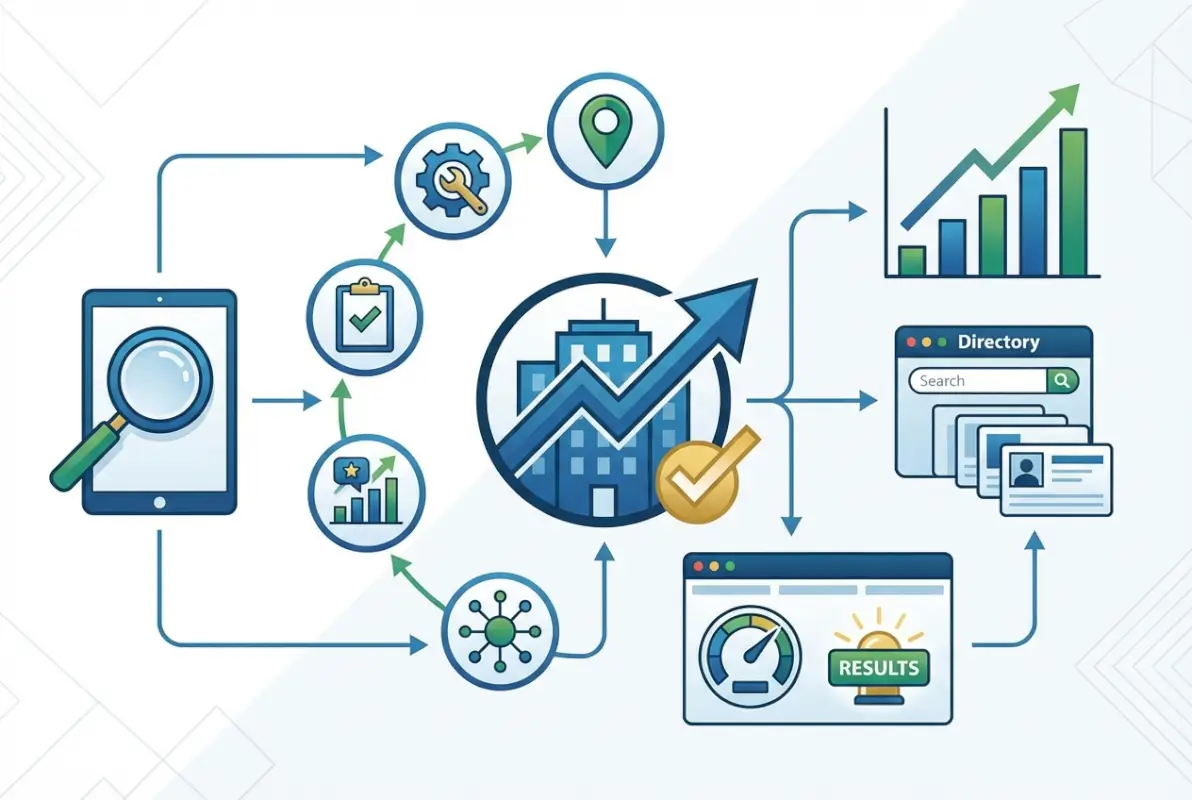
Best practices for How to Get Your Business Listed in a Directory: 7 Pro Tips That Work

Phase 1: Research and Prioritization

Start by creating a spreadsheet to track potential directories. Include columns for directory name, URL, domain authority, relevance score (1-10), cost, special features, and priority ranking. Research where your competitors maintain listings—if three or more competitors appear in the same directory, it likely delivers value.

Prioritize your list based on potential impact. Begin with Google Business Profile (non-negotiable foundation), then add Bing Places and Apple Maps. Next, identify three to five industry-specific directories where your target customers actively search. Finally, add relevant local directories and business associations.

Don’t try tackling everything simultaneously. Start with your top five directories, get those profiles completely optimized, then gradually expand. Thoroughness matters more than speed.

Phase 2: Information Compilation

Before submitting any listings, gather all necessary information in a single document. This ensures perfect consistency across platforms and streamlines the submission process. Required information includes business name, physical address, phone number, website URL, business hours, detailed business description (both 150-character and 500+ character versions), business categories, high-quality logo and photos, owner/manager contact information, year established, payment methods accepted, service areas or delivery radius, and social media profiles.

Create multiple description versions optimized for different character limits. Many directories restrict descriptions to 250 characters while others allow 1000+. Having pre-written descriptions saves time and maintains consistency.

Phase 3: Profile Creation and Optimization

When creating profiles, use a business email address (not personal) for account creation. Document login credentials in your tracking spreadsheet—you’ll need these for future updates. Complete every possible field, even optional ones, because complete profiles rank better and appear more professional.

Write unique descriptions for each platform rather than copy-pasting identical content. Include appropriate keywords naturally while maintaining readable, engaging copy. Upload multiple high-quality photos showing different aspects of your business. Add special attributes or features when directories offer custom fields.

Most directories allow you to claim an existing listing or create a new one. If your business already appears (perhaps added by a customer or automatically sourced), claim and verify that listing rather than creating a duplicate.

Pro Tip: Take screenshots of your completed listings immediately after approval. This documentation proves valuable if listings unexpectedly change or disappear during directory platform updates.

Phase 4: Verification and Monitoring

Different directories have various verification processes. Be prepared for postcard verification (physical mail with a code), phone verification (automated call or text), email verification, manual review by directory staff, or document submission (business license, utility bill). Some directories offer expedited verification for a fee, which might be worthwhile for immediate visibility on high-traffic platforms.

Create calendar reminders to check submission status and follow up if necessary. Standard verification typically takes 5-14 days, though some directories process faster. If approval takes longer than expected, most directories offer customer support channels to inquire about your listing status.

After approval, set up monitoring for changes to your listings. Some directories allow third parties to suggest edits to your profile, which can introduce inconsistencies if not caught quickly. Regular monitoring prevents unauthorized changes from undermining your carefully optimized listings.

Common Mistakes That Undermine Directory Success

Even experienced marketers make these directory listing errors. Avoid these pitfalls to maximize your directory effectiveness and protect your online reputation.

Advanced strategies for How to Get Your Business Listed in a Directory: 7 Pro Tips That Work

Inconsistent NAP Information Across Platforms

This bears repeating because it’s so critical: inconsistent Name, Address, and Phone information across directory listings significantly damages local SEO performance. Search engines cross-reference your business information across directories, and discrepancies create confusion that diminishes ranking potential.

Common inconsistency mistakes include using “St.” on some listings and “Street” on others, including suite numbers inconsistently, formatting phone numbers differently (dashes vs. parentheses vs. periods), using different business name variations, and listing a mobile number on some platforms and landline on others.

The solution is simple but requires discipline: document your exact NAP format once, then use that identical format everywhere. No abbreviations on some platforms and full spelling on others. No creative variations. Absolute consistency.

Creating Bare-Minimum Listings

Many businesses create minimal listings, completing only required fields. This represents a massive missed opportunity. Directories prioritize and give more visibility to complete profiles with rich content. Every empty field is wasted advertising space you’re paying for with your time anyway.

Take advantage of photo galleries, service lists, business attributes, FAQ sections, special offers, and any other fields offered. The listedin business directory key benefits for your business include priority placement for fully optimized profiles with comprehensive information.

Complete profiles also convert better. When potential customers compare you against competitors, a rich profile with multiple photos, detailed services, and positive reviews dramatically outperforms sparse listings with minimal information.

Ignoring Review Management

Unmanaged reviews seriously undermine directory effectiveness. Develop a systematic process for monitoring new reviews across all platforms (set up alerts), responding professionally to negative feedback within 24-48 hours, thanking customers for positive reviews, incorporating feedback into business improvements, and flagging fake or inappropriate reviews.

Responding to reviews signals to both customers and search engines that you’re an engaged, customer-focused business. When prospects see that you respond thoughtfully to feedback—especially criticism—it builds trust and differentiates you from competitors who ignore their reviews.

Overlooking Niche and Local Directories

While major directories like Google and Yelp deserve priority, don’t overlook smaller, specialized directories. Local chamber of commerce listings, industry association directories, and community-specific platforms often deliver highly qualified leads despite lower overall traffic.

These niche directories typically offer less competition and more targeted visibility. A local plumber might get more actual service calls from their neighborhood association website than from a national directory where they’re competing with hundreds of other plumbers.

Failing to Track Performance

Creating directory listings without tracking their performance makes optimization impossible. You need data to determine which directories justify continued investment and which ones waste your time. Implement tracking through Google Analytics UTM parameters, directory-specific contact forms or phone numbers, and regular review of each directory’s analytics dashboard.

Track these metrics for at least 90 days before making upgrade or removal decisions. Some directories have seasonal fluctuations, and you want enough data to make informed choices rather than reacting to short-term variations.

Section Summary: Avoiding these common mistakes requires systematic processes and consistent maintenance, but the payoff in improved visibility and lead quality justifies the effort.

Advanced Optimization Tactics

Once you’ve mastered directory listing basics, these advanced strategies further amplify your results and competitive advantage.

Schema Markup and Structured Data Alignment

Ensure your website uses proper LocalBusiness schema markup that matches your directory NAP information. This structured data helps search engines connect your website with your various directory listings, reinforcing the legitimacy signals. The schema on your site should mirror the information in your directory profiles exactly.

Cross-Platform Review Syndication

Some platforms allow you to display reviews from other sources on your profile. Where permitted, syndicate your best reviews across multiple directories to maximize social proof. This strategy is particularly effective for new directory listings where you haven’t yet accumulated platform-specific reviews.

Directory-Specific Landing Pages

Create unique landing pages on your website for traffic arriving from major directories. These pages can acknowledge the referral source (“Welcome, Yelp visitors!”) and provide directory-specific offers or information. This personalization improves conversion rates and provides clearer tracking of directory ROI.

Competitive Gap Analysis

Regularly audit where your competitors maintain directory listings. If they’re investing time in directories you’ve overlooked, those platforms likely deliver value. Conversely, if you’re listed in directories where competitors have abandoned their profiles, that might indicate poor ROI worth reconsidering.

50%
more likely to lead to actual purchases when customers find you through targeted directory listings

Integration with Broader Local SEO Strategy

Directory listings deliver maximum value when integrated with your complete local SEO approach. They shouldn’t exist in isolation but rather as one component of a comprehensive visibility strategy.

Your directory information should align perfectly with your Google Business Profile, Bing Places for Business, Apple Maps, website contact pages, social media profiles, and any other online presence. This consistency creates powerful trust signals that amplify your local search performance.

Link building strategies should incorporate your directory listings. When earning backlinks or mentions, ensure the referring sites use your consistent NAP format. Guest posting and PR opportunities provide chances to reinforce your directory citation network.

Content strategy should support your directory presence. Create blog posts and service pages that target the same keywords you’re optimizing for in directory profiles. This multi-channel keyword approach demonstrates topical authority to search engines.

The business directory boosts local marketing effectiveness when combined with other local SEO tactics rather than treated as a standalone activity.


Frequently Asked Questions

How do I get my business listed in online directories?

Start by creating accounts on major directories like Google Business Profile, Bing Places, and Apple Maps. Compile consistent NAP information, complete every profile field thoroughly, upload high-quality photos, select precise business categories, and submit for verification. Gradually expand to industry-specific and local directories relevant to your business.

Do directory listings actually help local SEO rankings?

Yes, directory listings create consistent NAP citations that serve as trust signals to search engines. Properly optimized directory profiles with consistent business information substantially improve local search visibility, especially for location-based queries. Multiple consistent citations across authoritative directories significantly boost local pack rankings according to local SEO research.

Which business directories are most important?

Google Business Profile is non-negotiable for any local business, followed by Bing Places and Apple Maps. Beyond these, prioritize industry-specific directories where your target customers actively search. For restaurants, Yelp and TripAdvisor matter most. For contractors, HomeAdvisor and Angi deliver results. For professionals, industry association directories provide qualified leads.

Should I pay for premium directory listings?

Evaluate premium listings based on potential return rather than making blanket decisions. Start with thoroughly optimized free listings first. For high-traffic, industry-specific directories where your competitors have paid listings, premium placement may justify the cost. Test paid options for 90 days while tracking specific conversion metrics before committing to annual subscriptions.

How long does it take to see results from directory listings?

Most businesses start seeing initial traffic within 2-4 weeks of creating directory listings. Maximum SEO benefits typically develop over 3-6 months as search engines crawl, index, and validate your citations across multiple directories. High-traffic directories like Google Business Profile often generate immediate results, while smaller niche directories may take longer but deliver highly qualified leads.

How often should I update my directory listings?

Review and update your directory listings quarterly at minimum. Immediately update listings when you change phone numbers, addresses, hours, or services. Add new photos every 1-2 months to keep profiles fresh. Respond to new reviews weekly or more frequently for high-traffic directories. Set calendar reminders to ensure consistent maintenance.

What should I do if I find duplicate listings for my business?

Contact the directory immediately to merge or remove duplicate listings. Duplicates confuse customers and dilute your SEO value by splitting reviews and citations across multiple profiles. Most directories have specific processes for claiming and merging duplicates. Keep documentation of your legitimate listing and any verification you’ve completed to expedite consolidation.

Can I use the same business description across all directories?

While you must maintain identical NAP information, varying your business descriptions across directories actually benefits SEO. Write unique descriptions that incorporate similar keywords but with different phrasing. This approach appears more natural to search engines and gives you opportunities to highlight different business aspects. Different character limits often necessitate multiple versions anyway.

How do I measure ROI from directory listings?

Track directory performance through referral traffic in Google Analytics using UTM parameters, conversion tracking with directory-specific contact forms or phone numbers, and review sentiment analysis. Compare these metrics against your time and financial investment to calculate true ROI. Most businesses find directory listings deliver some of the highest ROI of any marketing channel.

What are the biggest directory listing mistakes to avoid?

The most damaging mistakes include inconsistent NAP information across platforms, creating bare-minimum profiles with empty fields, ignoring customer reviews and feedback, spreading too thin across low-quality directories instead of focusing on authoritative platforms, and failing to track performance metrics to identify top-performing directories worth continued investment.

Taking Action on Directory Listings

Directory listings represent one of the most accessible and cost-effective digital marketing strategies available. The businesses dominating local search results built their visibility systematically by establishing and maintaining consistent directory presences across every relevant platform.

Your implementation roadmap should start small and expand strategically. Week one, set up and optimize Google Business Profile, Bing Places, and Apple Maps. Week two, identify and claim listings on three to five industry-specific directories. Week three, create comprehensive profile information and high-quality photos for all platforms. Week four, implement your review generation system and tracking metrics. Monthly, add new photos, respond to reviews, and verify information accuracy. Quarterly, analyze performance data and expand to additional directories based on results.

Your Directory Success Action Plan

  • Document your exact NAP format in a master spreadsheet for perfect consistency
  • Prioritize directories based on industry relevance and domain authority, not just popularity
  • Complete every profile field thoroughly—empty fields represent wasted advertising space
  • Implement systematic review generation and response processes
  • Track referral traffic and conversions to identify top-performing directories
  • Schedule quarterly maintenance to keep information current and add fresh content

The time investment required for effective directory management typically pays significant dividends in increased visibility and qualified leads. For businesses looking for streamlined solutions, platforms that offer directory management integration can simplify maintaining consistent information across multiple platforms. Whether you manage listings manually or use automated tools, the key is maintaining that consistent, optimized presence.

Your future customers are searching directories right now. The question isn’t whether directory listings matter—the data clearly proves they do. The question is whether you’ll invest the effort to do them right. Take action today on at least one directory listing and build from there. Start with Google Business Profile if you haven’t already, then systematically expand your presence across the directories that matter most for your specific industry and location.

Remember that this isn’t a set-it-and-forget-it activity. Directory success requires ongoing maintenance, but the businesses that commit to consistent optimization see compound returns over time. Your listings work for you 24/7, connecting you with motivated buyers at the exact moment they’re searching for your services. That’s marketing leverage worth pursuing.

Was this article helpful?

Similar Posts

  • Blog

    How to Find Listing Details: 6 Resources for Home Buyers

    Finding the perfect home isn’t just about scrolling through pretty pictures online—it’s about uncovering the hidden stories behind every property listing. Most home buyers make the costly mistake of relying solely on surface-level information, missing crucial details that could save them thousands of dollars or prevent future headaches. The difference between a smart purchase and…

  • Blog

    How to Download All Files from an Online Directory: 5 Simple Steps

    substring(replace(

    Ever stumbled across a treasure trove of files on a website—maybe a research archive, a music collection, or a software repository—only to realize you’d need to click and save each file individually? That’s where knowing how to download all files from an online directory becomes a genuine superpower. Whether you’re archiving public domain content, backing up your own hosted files, or legally collecting open datasets, the right approach can turn hours of tedious clicking into a five-minute automated task. The trick isn’t just finding one tool that works, it’s understanding the ecosystem of methods (command-line utilities, browser extensions, server-side services, and scripting) so you can pick the best fit for your specific scenario.

    Most guides out there jump straight to “use wget and you’re done,” but that advice falls flat when you hit a password-protected directory, a JavaScript-heavy listing, or a site that throttles aggressive crawlers. I remember spending an entire afternoon trying to mirror a university’s open courseware directory, only to discover halfway through that my wget command had downloaded hundreds of useless HTML wrapper pages instead of the PDFs I actually wanted. That experience taught me the importance of a structured approach: assess first, choose your tool second, validate third. In this guide, we’ll walk through five deliberate steps that cover everything from legal checks to post-download verification, giving you a repeatable framework whether you’re working on Windows, Mac, Linux, or even mobile.

    TL;DR – Quick Takeaways

    • Assess before you automate – Confirm the directory is publicly listed and you have permission to bulk-download (check robots.txt and terms of use)
    • CLI power users love wget – Recursive download with depth and extension filters is ideal for simple open directories
    • GUI tools for everyone else – JDownloader, DownThemAll!, and OpenDirectoryDownloader offer point-and-click batch downloads with filtering
    • Server-side services simplify auth – Tools like FileGrab handle scraping and packaging remotely, perfect for complex or authenticated directories
    • Always verify completeness – Compare file counts and checksums to ensure your download captured everything correctly

    Step 1 — Identify the Directory Structure and Legality

    Before you fire up any download tool, take a moment to understand what you’re actually dealing with. Not all “online directories” are created equal—some are simple Apache or Nginx index pages listing files in a table, others are FTP-style listings, and a few hide behind dynamic server scripts that paginate results or require JavaScript to render links. The first paragraph of your reconnaissance should answer three questions: Can I see a raw list of file URLs? Are there subdirectories I need to recurse into? And most importantly, am I allowed to download this content in bulk?

    [KBIMAGE_1]

    Confirm Directory Listing Availability and File Types

    Open the directory URL in your browser and look at the page source (right-click, “View Page Source” in most browsers). If you see a clean list of anchor tags pointing directly to files—say, <a href="file001.pdf">—you’re in luck, that’s a standard directory index and most tools will handle it beautifully. On the other hand, if the links are generated by JavaScript or hidden behind POST requests, you’ll need a tool that can execute scripts or a custom scraper. Pay attention to file extensions too; if the directory contains a mix of PDFs, images, and text files but you only want PDFs, you’ll want filtering capabilities (we’ll cover those in Step 2 and Step 3).

    Another quick sanity check: note the depth of subdirectories. A flat directory with 500 files in one folder is trivial to download. A nested structure with dozens of subfolders requires recursive logic, and you’ll need to decide how many levels deep to go. Tools like wget let you set a recursion level (e.g., --level=2), while some GUI tools will ask you to specify whether to follow all subdirectories or just the top level. This upfront assessment saves you from downloading gigabytes of unwanted nested content later.

    Legal and Ethical Considerations

    Here’s the part nobody likes to talk about but everyone should: just because a directory is visible doesn’t mean it’s legal to mass-download. Check for a robots.txt file at the root of the domain (e.g., example.com/robots.txt)—if it disallows crawling or specifies rate limits, respect those rules. Many sites also have terms of service that explicitly prohibit automated scraping or redistribution of content. For academic or government data (like NASA’s Earthdata or university repositories), there are often acceptable-use policies that permit bulk downloads for research but forbid commercial resale.

    ⚠️ Important: Bulk downloading can trigger server alarms or even IP bans if you’re too aggressive. Always use polite crawl delays (e.g., --wait=2 in wget) and consider reaching out to the site administrator if you’re planning to download more than a few gigabytes. Some organizations prefer you to contact them first to arrange a proper data transfer, which is both faster and more courteous.

    Beyond legality, there’s the question of data licensing. Public domain or Creative Commons content is usually fair game, but copyrighted material—even if publicly accessible—requires permission for redistribution. If you’re uncertain, default to downloading only what you need for personal use and skip the mirroring or republishing step until you’ve confirmed the license terms.

    Quick Sanity Checks You Can Perform Manually

    Before automating anything, do a manual spot-check: click on one or two files to ensure they actually download (not redirect to a login page or return 404 errors). Note the URL pattern—if files are named sequentially (file001.pdf, file002.pdf, etc.), you might even be able to script a simple loop without a full crawler. Look for any access controls: does the page require a username and password, or cookies from a prior login? If so, you’ll need to factor authentication into your download method (we cover authenticated bulk downloads in Step 4).

    Also, check the total size estimate if the directory listing shows file sizes. Downloading 10 GB over a residential internet connection is very different from downloading 500 GB, you’ll want to plan for bandwidth, storage, and time accordingly. Some directories thoughtfully include a “Total Size” footer; if not, you can use a quick script or browser extension to sum up the listed sizes before committing to a full download.

    Step 2 — Command-Line Recursion: Using Wget (Best for One-Directory Depth, Simple Filtering)

    If you’re comfortable with a terminal and the directory structure is straightforward, wget is the gold standard for bulk downloads. It’s been around since the mid-’90s, it’s pre-installed on most Linux distributions and macOS (or easily added via Homebrew on Mac), and it supports recursive downloads with fine-grained control over depth, file types, and crawl behavior. The beauty of wget is its simplicity: one command can mirror an entire directory tree while respecting your specified filters.

    [KBIMAGE_2]

    Why Choose Wget for This Task

    Wget excels at non-interactive downloads, meaning you can kick off a command, walk away, and come back to a fully downloaded directory. It handles HTTP and HTTPS, follows redirects, retries on connection failures, and can resume interrupted downloads—all features that GUI tools sometimes lack. For a typical open directory with a few hundred files spread across one or two subdirectory levels, wget is often the fastest and most reliable option.

    Another advantage: wget is scriptable. You can embed it in shell scripts, cronjobs, or CI/CD pipelines, making it perfect for automated archival tasks or scheduled backups. Unlike browser extensions that require manual intervention, wget runs headlessly, which is ideal if you’re working on a remote server or need to document your download process for reproducibility (important in research or compliance contexts).

    💡 Pro Tip: If you’re on Windows and don’t have wget natively, you can install it via Chocolatey (choco install wget) or use the Windows Subsystem for Linux (WSL) to get a full Linux environment. Alternatively, curl (which ships with Windows 10+) can do similar tasks, though the syntax differs slightly.

    Basic Recursive Download Commands

    The simplest recursive wget command looks like this:

    wget -r -l 1 -np http://example.com/files/

    Let’s break that down: -r enables recursive mode, -l 1 sets the recursion level to 1 (so it grabs files in the current directory and one level of subdirectories), and -np (no-parent) prevents wget from ascending to parent directories and downloading unrelated content. This is your bread-and-butter command for a straightforward directory listing.

    Now, suppose you only want PDF files. Add the -A (accept) flag:

    wget -r -l 1 -np -A pdf http://example.com/files/

    Conversely, if you want to exclude certain file types (say, skip HTML wrappers and only grab media), use -R (reject):

    wget -r -l 1 -np -R html,htm http://example.com/files/

    For directories with deep nesting, increase the level: -l 3 or even -l inf for unlimited depth (use with caution, you can end up downloading the entire website). A practical middle ground is -l 2 for most directory structures.

    Tips and Caveats

    First, always add a polite delay to avoid hammering the server. Use --wait=2 (wait 2 seconds between requests) or --random-wait to vary the delay. This reduces the risk of triggering rate limits or bans. If the directory is large, consider using --limit-rate to cap your download speed (e.g., --limit-rate=500k for 500 KB/s), especially if you’re on a shared network or the server is known to be slow.

    Second, set a custom user-agent string with --user-agent="YourName/1.0" so server logs show a meaningful identifier instead of the default wget string. Some sysadmins appreciate this transparency, and it can prevent your requests from being mistaken for malicious bot traffic.

    Third, be aware that wget will create a local directory structure mirroring the remote one. If you download from example.com/files/docs/, wget creates example.com/files/docs/ on your local machine. If you’d rather flatten the structure, use -nd (no directories) to dump all files into one folder—but beware of filename collisions if multiple subdirectories contain files with the same name.

    ✅ Key Insight: Wget’s recursive mode follows all links it encounters, not just file links. If the directory page includes navigation links or external references, you might end up downloading unrelated content. The -np flag helps, but for complex pages consider using --accept-regex to whitelist only file URLs matching a specific pattern.

    Lastly, if you encounter authentication (HTTP Basic or Digest), wget supports --user and --password flags. For more complex auth (OAuth, cookies), you’ll need to export cookies from your browser and feed them to wget with --load-cookies=cookies.txt. This is common for university repositories or enterprise data portals, and we’ll dive deeper into authenticated scenarios in Step 4.

    Step 3 — GUI Tools and Extensions for Non-Programmers

    Not everyone loves (or has access to) a command line, and that’s perfectly okay. Graphical download managers and browser extensions have matured significantly over the past decade, offering powerful batch-download capabilities with point-and-click simplicity. These tools are especially popular for users on Windows or macOS who want to quickly grab all files from a directory without memorizing command syntax or troubleshooting terminal errors.

    [KBIMAGE_3]

    JDownloader and Related Browser Extensions

    JDownloader is a free, open-source download manager that’s been a favorite in the file-hoarding community for years. It monitors your clipboard for URLs and can automatically detect link patterns in copied text, making it trivial to grab dozens or hundreds of files from a directory listing. You simply copy the directory URL, paste it into JDownloader’s link grabber, and let the software crawl the page for downloadable links. It supports filtering by file extension, parallel downloads, and automatic retries on failed connections.

    One of JDownloader’s killer features is its ability to handle captchas and premium file-host accounts (useful if you’re downloading from sites like Mega or MediaFire), though for open directories you typically won’t need those extras. The software is cross-platform (Windows, Mac, Linux) and has a surprisingly active development community, so compatibility with modern websites tends to be good. The main downside? The installer bundles optional third-party software, so you’ll want to pay attention during setup and decline any unwanted add-ons (a minor annoyance but worth mentioning).

    Browser extensions like DownThemAll! (available for Firefox) offer similar functionality directly in your browser. You right-click on a page, choose “DownThemAll!”, and it presents a list of all downloadable links with checkboxes to select or filter by type. It’s lightweight, doesn’t require a separate application, and integrates seamlessly with your browser’s download manager. The tradeoff is that extensions are sometimes limited by browser security policies—they can’t always handle complex JavaScript-rendered links or authenticated downloads as robustly as standalone tools.

    OpenDirectoryDownloader / DownThemAll! Variants

    OpenDirectoryDownloader is a specialized tool (available on GitHub and various download portals) designed explicitly for indexing and downloading from open directory listings. It’s a command-line tool with a simple GUI wrapper on Windows, and it’s optimized for the kinds of Apache/Nginx index pages that wget sometimes stumbles on (especially if the HTML formatting is non-standard). You feed it a directory URL, it crawls the structure, and it generates a downloadable file list or starts downloading immediately.

    What makes OpenDirectoryDownloader stand out is its speed and efficiency on large directories—some users report it outperforms wget on directories with thousands of files because it batches requests more intelligently. It also has built-in resume support and can export the file list to a text file if you want to review or share the inventory before committing to a full download. It’s particularly popular in data-hoarding communities and among archivists who regularly work with public FTP mirrors or university repositories.

    For those who prefer staying entirely in the browser, DownThemAll! and its spiritual successor (the Firefox WebExtension version) remain solid choices. They’ve been around since the early 2000s, and while the interface feels a bit dated, the functionality is rock-solid. You get regex filtering, automatic subdirectory detection, and the ability to queue downloads in batches to avoid overwhelming your connection or the server.

    Practical Tips

    When using GUI tools, always start with a small test run—select a handful of files first to make sure the tool correctly interprets the directory structure and doesn’t download HTML wrappers instead of actual files. This is especially important on directories with non-standard formatting or server-side generated links.

    Most of these tools let you set download speed limits and parallel connection counts. For polite crawling, limit parallel connections to 2-4 and throttle your speed if the server seems slow. Remember, the goal is to download efficiently without causing problems for the server or other users. If you’re using JDownloader, disable any “Reconnect” features that attempt to reset your IP address—those are intended for bypassing file-host limits and can be seen as hostile behavior on open directories.

    Section Summary: GUI tools like JDownloader, DownThemAll!, and OpenDirectoryDownloader provide accessible, user-friendly alternatives to command-line wget, with built-in filtering and parallel download support perfect for non-technical users or quick one-off tasks.

    Finally, check that your chosen extension or tool is still actively maintained. Browser APIs change frequently, and an abandoned extension might not work on the latest version of Chrome or Firefox. JDownloader and OpenDirectoryDownloader both have active communities as of recent years, so they’re relatively safe bets. If you encounter bugs or compatibility issues, GitHub issues pages and user forums (like Reddit’s data hoarding community) are great places to find workarounds or alternative tools.

    Step 4 — Server-side and automated bulk-download approaches

    When you need a scalable, centralized solution—or when you want to avoid running downloads locally—server-side and automated bulk-download approaches offer a flexible alternative. These methods range from third-party batch-download services that scan a directory listing and deliver a ZIP archive, to custom scripts that parse file links and queue transfers in a loop. This step is especially valuable for large archives, authenticated content, or workflows where reproducibility and scheduling matter.

    [KBIMAGE_4]

    FileGrab and similar batch-download services

    Server-side bulk-downloaders like FileGrab take a different approach: you provide the URL of a directory listing, the service scans the page to extract all file links, and then delivers a single ZIP bundle containing every file. Because the transfer happens on the service’s infrastructure, you sidestep local bandwidth constraints and can leave the job running in the background. FileGrab’s bulk file downloader, for example, supports filtering by file extension and can handle directories with hundreds of files without requiring you to write a single line of code.

    This approach is ideal when you need a one-click solution for archiving an entire directory and your network connection or local disk isn’t suited for parallel, long-running downloads. Keep in mind that server-side tools must respect rate limits and robots.txt just as much as client-side utilities; reputable services will honor those rules automatically. You’ll typically paste the directory URL into a web form, select any filters (for instance, only PDFs or images), and receive a download link for the bundled archive once the scan completes.

    Repository and script-based solutions (Python, scripting)

    If you prefer full control and repeatability, a Python script that parses directory listings offers maximum flexibility. The general pattern is straightforward: use a library like requests to fetch the index page, parse the HTML with BeautifulSoup to extract all <a href="..."> links that point to files, filter by extension (for example, keep only .pdf or .zip), and then loop through the list to download each file. This approach is especially common in automation workflows where you might schedule nightly syncs or need to log download status for audit trails.

    The Python package ecosystem includes dedicated utilities—directory-downloader on PyPI, for instance—that wrap this logic into a simple command-line interface. You can also embed custom retry logic, parallel workers, or checksum verification in your script. Because the code lives in version control, you can reproduce the exact download weeks or months later, adjust filters, or extend the script to handle pagination or nested subdirectories. This method bridges the gap between quick one-off CLI commands and enterprise-grade data-pipeline tools.

    Pro tip: Start by writing a dry-run script that prints file URLs without downloading. Once you confirm the list looks correct—correct extensions, no extraneous links—switch to actual download mode. This two-phase approach catches pagination issues or broken links before you commit to a long transfer.

    Using wget in combination with authentication and filters

    Many bulk-download tasks involve servers that require login credentials—scientific data portals, government archives, or institutional repositories often sit behind authentication. In these cases, wget supports cookie-based sessions and HTTP authentication, letting you pair recursive downloads with credential handling. The NASA Earthdata bulk-download guide, for example, walks through creating a .netrc file to store credentials securely, then invoking wget with the --auth-no-challenge and --load-cookies flags to authenticate each request.

    Combining authentication with filters like -A "*.hdf,*.nc" ensures you pull only the file types you need, even from a directory with thousands of mixed assets. This technique is common in geospatial and climate-data workflows where datasets are organized in deep directory trees and require token-based or username/password authentication. Always review the target site’s bulk-download documentation; many data portals publish official guides that specify recommended wget flags and rate-limit policies.

    Practical considerations

    Regardless of the tool you choose, server performance and rate-limiting must guide your implementation. A poorly tuned script can issue hundreds of parallel requests in seconds, triggering DDoS protections or getting your IP temporarily banned. Best practice is to add a polite delay between requests (for example, time.sleep(1) in Python or --wait=1 in wget), use a single connection per file, and respect any published rate limits. Some servers expose an API or provide rsync endpoints specifically for bulk transfers; prefer those when available.

    Copyright and compliance remain critical. Just because a directory is indexed doesn’t mean bulk copying is permitted. Check the site’s terms of service, confirm whether an explicit license (Creative Commons, public domain, or institutional data-use agreement) covers the content, and verify that your intended use aligns with that license. Automated tools make it easy to download thousands of files in minutes—the legal responsibility to ensure you have permission rests with you.

    ApproachBest forKey advantage
    FileGrab / server-side serviceOne-click ZIP bundlesNo local setup or bandwidth strain
    Python scripting (requests + BeautifulSoup)Automation & repeatable pipelinesFull control, custom filtering, version-control
    Authenticated wgetProtected scientific/government dataHandles cookies and HTTP auth natively

    Step 5 — Validation, verification, and post-processing

    Once your bulk download completes, you’re not quite finished. The final step—validation and post-processing—ensures that every file arrived intact, that your local directory structure matches the remote listing, and that you can efficiently search or archive the downloaded content. Skipping this step can leave you with incomplete datasets, corrupted archives, or a sprawling mess of files that’s hard to navigate later.

    [KBIMAGE_5]

    Verification of downloaded content

    Start by comparing the number of files you downloaded against the count in the original directory listing. A quick ls | wc -l (Linux/macOS) or dir /b | find /c /v "" (Windows) gives you a local count; if the remote server provided a manifest or file index, diff those numbers. Many tools log skipped or failed downloads—review those logs to catch network timeouts or access-denied errors that left gaps in your archive.

    Where possible, validate checksums. If the directory includes .md5 or .sha256 files alongside each asset, run a batch checksum verification (md5sum -c checksums.md5 on Linux, or a PowerShell script on Windows). FileGrab and similar services often package downloads in ZIP format with built-in integrity checks; extract the archive and confirm no errors are reported. Even a single corrupted file can compromise downstream analysis, so treat checksum validation as non-negotiable for scientific, financial, or legal datasets.

    Post-processing options

    Depending on your workflow, you may want to recreate the remote directory structure on your local machine. Tools like wget with the -x or --force-directories flag automatically mirror the server’s path hierarchy; GUI tools may offer a “preserve structure” checkbox. If your bulk downloader flattened everything into a single folder, consider writing a short script to parse filenames (which often encode subdirectory information) and move files into appropriate subfolders.

    Other common post-processing tasks include filtering by extension after download (moving all PDFs to one folder, images to another), converting archives (unzipping nested .tar.gz files), or generating an inventory spreadsheet with filenames, sizes, and modification dates. Python’s os.walk or PowerShell’s Get-ChildItem -Recurse can quickly produce CSV manifests for large archives. This inventory becomes invaluable when you need to audit what you downloaded or share metadata with colleagues.

    Best practice: Archive the original download logs and any manifests alongside your files. Six months from now, you’ll want proof of when you downloaded the data, which server version you mirrored, and whether checksums passed—especially in regulated or research environments.

    Performance and efficiency tips

    Before committing to a full-scale mirror of a large directory, run a dry run or limited test. Use wget’s --spider mode to crawl links without downloading, or set a depth limit (-l 1) and file-count cap to fetch just a few dozen files. This preview helps you calibrate filters, confirm that your authentication works, and estimate total transfer time and disk space. If the test run reveals unexpected file types or broken links, adjust your accept/reject filters or refine your script before the real download.

    Bandwidth and parallelism tuning can dramatically improve throughput. Wget’s --limit-rate flag prevents saturating your connection (useful if you’re sharing bandwidth), while tools like aria2 support multi-connection downloads that can speed up transfers from fast servers. Python scripts can use thread pools (concurrent.futures.ThreadPoolExecutor) to fetch multiple files simultaneously—but always respect the server’s capacity. A good rule of thumb is to start with 2–4 parallel workers, monitor server response times, and scale up only if latency remains low.

    Finally, schedule and automate recurring downloads when the directory updates regularly. A cron job (Linux) or Task Scheduler task (Windows) can invoke your wget command or Python script nightly, pulling only new or changed files (use wget’s -N timestamp-checking or rsync’s differential sync). Automated downloads ensure your local mirror stays current without manual intervention, and logging each run’s output gives you an audit trail of what changed over time.

    Common design patterns found in top-ranking content

    Across the bulk-download tutorials and tools that rank highly in search results, several design patterns recur—each optimized for a different user profile and use case. Understanding these patterns helps you choose the right method for your environment and ensures you’re following best practices already validated by thousands of users.

    Pattern A: Stepwise CLI approach (wget/wget-like)

    The most widely documented pattern is the command-line recursive download with wget or curl. Tutorials typically start with a single-file example, then layer in recursive flags (-r), depth control (-l), and extension filters (-A/-R). This pattern appeals to power users and sysadmins who value scriptability and minimal dependencies. The GNU Wget manual’s recursive-download chapter is the canonical reference, and countless university IT departments and government data portals publish wget one-liners tailored to their directory structures. Strengths: portability, speed, and fine-grained control. Weakness: steeper learning curve for non-technical users.

    Pattern B: GUI-first tutorials (JDownloader, DownThemAll!)

    A second pattern centers on graphical download managers like JDownloader and browser extensions like DownThemAll! or OpenDirectoryDownloader. These tools emphasize ease of use: you paste a URL, the tool scans for links, you select file types in a checklist, and downloads begin with a click. Tutorials often include screenshots of the interface and troubleshooting tips for browser compatibility. This pattern is popular among students, researchers, and hobbyists who need a quick solution without touching the terminal. Strengths: minimal setup, visual feedback, and broad file-host support. Weakness: less flexibility for advanced filtering or automation.

    Pattern C: Server-side bulk-download services

    Services like FileGrab represent a third pattern: offload the download to a remote server that scans the directory, fetches files, and delivers a ZIP bundle. This pattern suits users with limited local bandwidth or those who want to archive a directory once without installing software. Tutorials for these services are typically short—sign up, paste URL, receive link—but emphasize verifying the service’s terms and ensuring it respects robots.txt. Strengths: zero local configuration and centralized management. Weakness: reliance on a third-party service and potential privacy concerns for sensitive data.

    Pattern D: Scripted automation (Python)

    The Python scripting pattern is favored in data-engineering and research workflows where repeatability and version control matter. Tutorials show how to parse HTML with BeautifulSoup, loop over file links with requests, and add logging or retry logic. Some guides point to PyPI packages like directory-downloader that wrap common tasks. This pattern integrates naturally into CI/CD pipelines, Jupyter notebooks, and scheduled ETL jobs. Strengths: full customization, reproducibility, and integration with larger workflows. Weakness: requires programming knowledge and initial script development time.

    Almost every high-quality guide includes a legal and ethical disclaimer. This pattern manifests as introductory sections on checking robots.txt, confirming directory-listing availability, and respecting copyright. Tutorials often link to examples of permitted bulk downloads (public scientific data, government archives) and warn against scraping e-commerce sites or proprietary content. This pattern reflects the community norm that automation carries responsibility—tools make bulk copying trivial, but users must ensure they have permission. The best guides weave these reminders throughout, not just in a single disclaimer paragraph.

    PatternRepresentative toolTypical userCore strength
    A – CLI recursivewget, curlSysadmin, power userScriptable, fast, portable
    B – GUI batchJDownloader, DownThemAll!Student, researcherEasy setup, visual interface
    C – Server-sideFileGrabOne-time archiverNo local install, ZIP delivery
    D – ScriptedPython (requests + BeautifulSoup)Data engineer, developerReproducible, version-controlled
    E – Legal focusAny (cross-cutting)All usersEnsures compliance and respect

    By recognizing these patterns, you can quickly map your own needs to proven approaches. If you prize ease of use, lean toward Pattern B. If you need automation and audit trails, adopt Pattern D. If you’re mirroring a massive scientific archive with authentication, blend Patterns A and E. The landscape of bulk-download tools is mature; the challenge is simply picking the pattern that fits your skill level, infrastructure, and compliance requirements.


    Frequently Asked Questions

    Common questions about downloading files from online directories

    How do I download all files from a website directory at once?

    Use command-line tools like wget or HTTrack to download entire directories. Run wget with the recursive flag: wget -r -np -nH --cut-dirs=1 [URL]. Alternatively, browser extensions like DownThemAll can batch download files. Always verify you have permission to download before proceeding with bulk operations.

    What is the fastest way to download multiple files from a server?

    Wget and cURL offer the fastest download speeds for multiple files because they support parallel connections and resume capabilities. Use wget’s -P flag to increase parallel downloads, or implement a script with cURL that fetches multiple files simultaneously. Download managers with multi-threading capabilities also significantly improve speed.

    Can I download files from a directory without wget?

    Yes, several alternatives exist including cURL, HTTrack, browser extensions like DownThemAll, and Python scripts using libraries like requests or Beautiful Soup. Windows users can use PowerShell’s Invoke-WebRequest cmdlet. Each method has unique advantages depending on your operating system, technical skill level, and specific requirements.

    Should I use wget or cURL for downloading directories?

    Wget is better suited for downloading entire directories recursively with its built-in options for mirroring websites and directory structures. cURL excels at single file transfers and API interactions with more protocol support. For comprehensive directory downloads, wget is generally the preferred choice due to its recursive capabilities and simpler syntax.

    How can I download only specific file types from a directory?

    Use wget with the accept flag: wget -r -A pdf,jpg,png [URL] to download only specified file types. Alternatively, use the reject flag to exclude certain types. Browser extensions and download managers also offer filtering options. Python scripts with Beautiful Soup can parse directories and selectively download files based on extensions.

    What are the legal considerations when downloading from online directories?

    Always verify you have explicit permission before downloading directory contents. Check the website’s robots.txt file and terms of service. Respect copyright laws and intellectual property rights. Avoid overwhelming servers with aggressive scraping. Commercial or public websites may have specific usage policies that prohibit automated downloading without authorization.

    Can I resume interrupted downloads from a directory?

    Yes, wget supports resume functionality with the -c or --continue flag, which picks up where downloads were interrupted. Download managers like JDownloader also offer automatic resume capabilities. This feature is particularly valuable for large directories or unstable connections, preventing the need to restart entire download operations.

    How do I preserve the directory structure when downloading?

    Wget preserves directory structure by default when using recursive mode. Use flags like -nH to exclude the hostname and --cut-dirs=N to remove specified directory levels. HTTrack also maintains folder hierarchies. Download managers typically have settings to replicate server directory structures or flatten all files into one folder.

    What is the best tool for beginners to download directories?

    Browser extensions like DownThemAll or Bulk Image Downloader offer the most user-friendly experience for beginners with intuitive graphical interfaces. They require no command-line knowledge and integrate directly into your browser. For slightly more control, HTTrack provides a GUI while offering powerful features. These tools balance simplicity with functionality effectively.

    How can I limit download speed to avoid overwhelming a server?

    Use wget’s --limit-rate flag to cap download speed: wget --limit-rate=200k -r [URL]. Add delays between requests with --wait=2 to pause two seconds between downloads. Respecting server resources prevents IP bans and demonstrates ethical scraping practices. Most download managers include built-in bandwidth throttling options.


    Ready to Master Directory Downloads?

    You now have the knowledge and tools to efficiently download files from any online directory. Whether you choose command-line tools for power and flexibility or graphical applications for simplicity, the techniques covered in this guide will save you hours of manual work.

    Start with a small test directory to practice your chosen method. Experiment with different flags and settings to understand how they affect your downloads. Remember to always respect website policies and server resources while automating your workflows.

    The difference between manual clicking and automated downloading is the difference between working hard and working smart. Take action today and reclaim your time.

    Take Your Next Steps

    Don’t let this knowledge sit unused. Open your terminal or download manager right now and try downloading a simple directory. Start with your own website or a test server to build confidence. As you become comfortable with basic commands, gradually incorporate advanced options like filtering, rate limiting, and custom scripts.

    The skills you’ve learned extend far beyond simple file downloads. They form the foundation for web scraping, data collection, backup automation, and countless other productivity-enhancing workflows. The investment you make in mastering these tools will pay dividends throughout your professional life.

    Your challenge: Within the next 24 hours, successfully download an entire directory using at least one method from this guide. Document what works, troubleshoot any errors, and celebrate your progress. You’ve got this.

    ; <[^>]+>; ); 0; 155)

  • Blog

    How to Get Your Business Listed with Directory Assistance: Complete 2025 Guide

    Most businesses waste hundreds of hours submitting their information to directory after directory, only to see minimal results. Here’s what they miss: directory listings aren’t about quantity—they’re about strategic placement, ruthless consistency, and leveraging the interconnected web of citations that search engines use to validate your business’s legitimacy. The businesses winning at local visibility aren’t…

  • Blog

    5 Best Free Business Directories USA for Maximum Local Visibility (2026 Guide)

    Getting found online shouldn’t require draining your marketing budget. While everyone’s chasing the latest paid advertising trends, smart business owners know that free business directories USA remain one of the most effective (and underutilized) ways to boost visibility, build credibility, and drive qualified traffic—without spending a dime. The landscape of business directories has evolved significantly….

  • Blog

    How to Create a Directory Listing in PHP: A Beginner’s Tutorial

    Building a dynamic directory listing in PHP isn’t just about displaying data—it’s about creating an interactive, searchable experience that users actually want to navigate. While most tutorials focus on basic file listing functions, this comprehensive guide will show you how to build a professional, database-driven directory system from the ground up. Whether you’re creating a…

  • Blog

    5 Christian Business Directories & Phone Books to Expand Your Professional Network

    Finding business partners who share your faith isn’t just about expanding your contact list—it’s about building relationships grounded in mutual values and biblical principles. While mainstream business directories cast a wide net, Christian business directories create focused communities where faith-driven professionals connect with consumers actively seeking businesses that align with their spiritual values. These specialized…