How to Get Your Business Listed with Directory Assistance: Complete 2025 Guide

Generating summary...
Most businesses waste hundreds of hours submitting their information to directory after directory, only to see minimal results. Here’s what they miss: directory listings aren’t about quantity—they’re about strategic placement, ruthless consistency, and leveraging the interconnected web of citations that search engines use to validate your business’s legitimacy. The businesses winning at local visibility aren’t just “getting listed”—they’re treating directories as a coordinated ecosystem that amplifies every other marketing channel they run.
Directory assistance has evolved far beyond the yellow pages model most people remember. Today’s directory landscape functions as a complex network of trust signals that directly influence whether Google surfaces your business when potential customers search for what you offer. When executed properly, a strategic directory presence doesn’t just increase visibility—it fundamentally changes how search algorithms perceive your business authority, particularly for location-based queries where directory citations rank among the top three local SEO factors.
TL;DR – Quick Takeaways
- Directory listings remain powerful in 2025 – Research shows approximately 31% of top ten organic results include directory listings, making them essential for local visibility
- NAP consistency is non-negotiable – Even minor variations in your Name, Address, Phone across directories confuse search algorithms and damage rankings
- Google Business Profile drives the ecosystem – Your GBP listing serves as the anchor; other directories amplify its signals through citation consistency
- Industry-specific directories outperform general ones – Niche directories deliver higher-intent leads because users are already qualified by their search context
- Results require 90-120 days – Directory optimization isn’t instant; search engines need time to crawl, validate, and incorporate citation signals
- Measurement determines value – Track referral traffic, call attribution, and conversion rates to identify which directories actually drive business results
Understanding Directory Listings in 2025: The Current Landscape
The directory ecosystem in 2025 looks dramatically different than it did even three years ago. While some marketers dismissed directories as relics of pre-smartphone internet, data tells a different story. Directory listings continue to appear prominently in search results, with approximately 31% of top ten organic results including directory platforms according to BrightLocal’s visibility research. But their role has shifted—they’re no longer standalone marketing channels but rather components of a larger trust-building framework that search engines use to validate business legitimacy.

Think of directory listings as your business’s digital footprint across the internet. Each consistent mention creates a breadcrumb trail that search algorithms follow to verify you’re a real, established business rather than a temporary operation or spam entity. This verification process directly impacts your visibility in local search results, particularly the coveted “map pack” that appears above organic results for location-based queries.
The misconception that “directories are dead” stems from confusing visibility with value. Yes, fewer consumers browse directory websites the way they once flipped through phone books. However, directories now function as data sources that feed into search engines, voice assistants, mapping applications, and AI-driven recommendation systems. When someone asks Siri for nearby restaurants or Google for emergency plumbers, the algorithms pulling that information rely heavily on directory data to determine which businesses to surface.
How Directory Listings Interact with Google Business Profile and Local Search
Google Business Profile (formerly Google My Business) dominates local search visibility—that much is undeniable. But GBP doesn’t exist in isolation. Search algorithms cross-reference your GBP information against citations from other directories to validate accuracy and establish trust. When your business name, address, and phone number match consistently across Yelp, Bing Places, Apple Maps, industry-specific directories, and dozens of other platforms, it sends powerful trust signals that boost your local search rankings.
This validation process explains why businesses with comprehensive, consistent directory presence consistently outrank competitors with superior websites but neglected citations. The algorithm essentially thinks: “This business information appears identically across 40+ trusted sources—it must be legitimate and established.” Conversely, inconsistent information raises red flags that can suppress your visibility even if everything else is optimized perfectly.
I remember working with a dental practice that couldn’t break into the local map pack despite having a beautiful website and hundreds of positive reviews. The problem? They’d moved locations two years prior but never updated their old address on 30+ directory listings. Once we systematically corrected those citations, they jumped from page three to position two in the map pack within 90 days. That’s the hidden power of directory consistency.
Common Misconceptions About Directory Listings in 2025
The biggest myth is that directory quantity matters more than quality. Business owners often chase hundreds of obscure directory submissions, thinking more is better. Reality check: 15 high-authority, relevant directories deliver exponentially more value than 200 low-quality listings. Focus your efforts on directories that actually send trust signals search engines recognize—platforms with established domain authority, significant user traffic, and editorial standards that prevent spam.
Another misconception is treating directories as “set it and forget it” marketing. Effective directory management requires ongoing maintenance—updating information when details change, responding to reviews, adding new photos, and monitoring for unauthorized duplicate listings that competitors or data aggregators sometimes create. Static listings lose effectiveness over time, particularly as search algorithms increasingly favor recency signals that indicate active business operations.
The Strategic Audit: Inventory Your Current Directory Footprint
You can’t optimize what you don’t measure. The foundation of effective directory management starts with a comprehensive audit of your existing presence. Most businesses discover they have far more directory listings than they realize—some created intentionally, others generated automatically by data aggregators, and unfortunately, some containing outdated or incorrect information that’s actively hurting their search visibility.
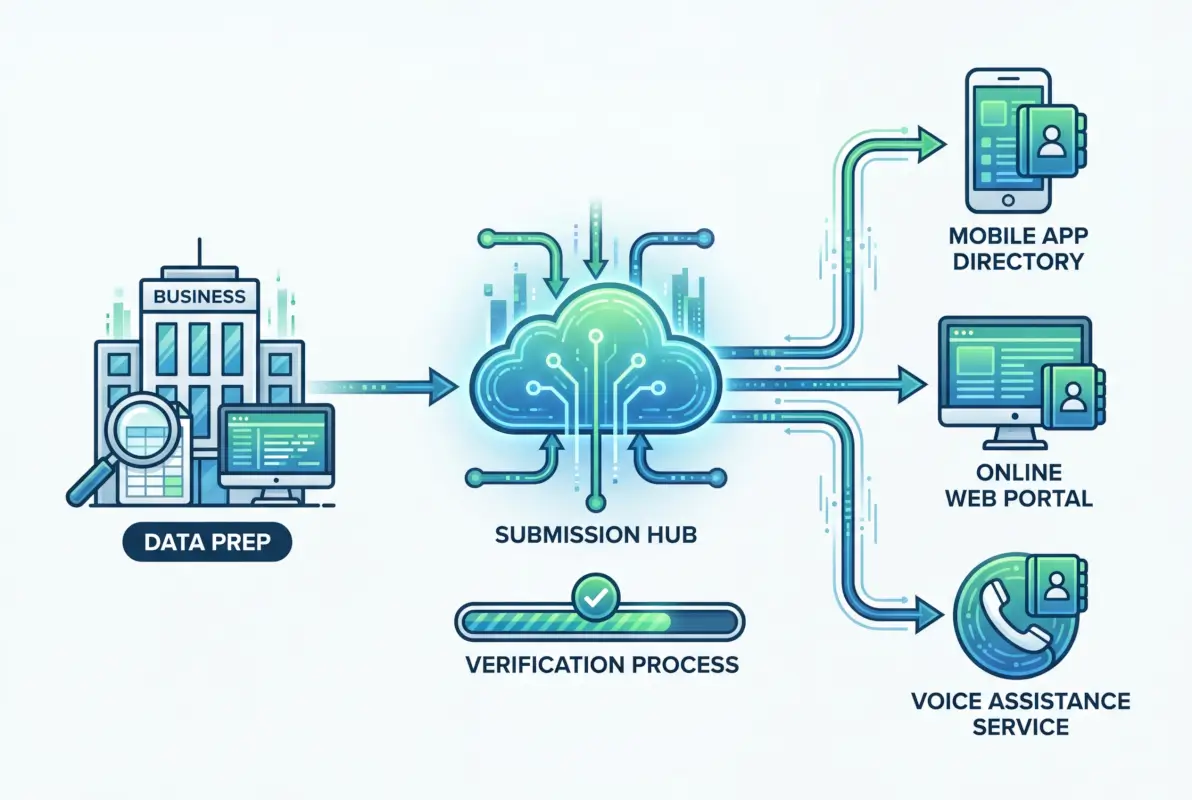
Begin by searching for your business name in quotes across major search engines. Document every directory listing that appears, noting the exact NAP information displayed. Pay particular attention to variations—is your street listed as “Street” on some directories and “St.” on others? Does your phone number sometimes include the country code and sometimes not? These seemingly minor inconsistencies confuse search algorithms and dilute your citation power.
Create a master spreadsheet with columns for directory name, listing URL, business name (exact), address (exact), phone number, website URL, categories selected, hours listed, description used, and last verification date. This becomes your single source of truth for all directory management activities. When information changes, update this spreadsheet first, then systematically update all directories using the exact format documented.
Checking NAP Consistency Across Top Directories
NAP consistency—identical Name, Address, Phone formatting across all platforms—ranks among the most critical yet most neglected aspects of local SEO. Search engines use sophisticated algorithms to identify business entities across the web, and inconsistent information creates ambiguity about whether different listings refer to the same business or different locations.
| Element | Correct Format | Common Mistakes |
|---|---|---|
| Business Name | Exact legal name (or DBA) | Adding keywords, Inc vs LLC variations |
| Address | USPS format, consistent abbreviations | Street vs St, Suite vs Ste, Floor vs Fl |
| Phone | Choose one format and stick to it | (555) 123-4567 vs 555-123-4567 vs +1-555-123-4567 |
Audit your top 15-20 directories first—Google Business Profile, Bing Places, Apple Maps, Yelp, Facebook, industry-specific directories relevant to your business, and major data aggregators like Neustar (Localeze), Acxiom, Factual, and Infogroup. These platforms feed information to hundreds of smaller directories, so correcting them creates cascading improvements across the ecosystem.
Identifying Gaps by Service Area and Industry Relevance
Not all directories deserve your attention, but some critical platforms might be missing from your current footprint. Industry-specific directories often deliver disproportionate value because users browsing them demonstrate high intent—they’re already qualified by the context of searching within your niche. A plumber listed on HomeAdvisor reaches people actively seeking plumbing services, while a generic directory listing might reach anyone searching your business name for any reason.
Research directories specific to your industry by searching for competitors and noting where they maintain listings. Check trade associations, professional organizations, and specialized review platforms relevant to your field. For location-based businesses, don’t overlook neighborhood-specific directories, local chamber of commerce listings, and community platforms that might have smaller audiences but highly qualified local prospects.
Prioritizing Directories for Maximum Impact
Strategic directory management means focusing energy where it generates results. The 80/20 rule applies strongly here—roughly 80% of your directory-driven business will come from about 20% of your listings. Identify that high-value 20% through a combination of authority metrics, relevance scoring, and competitive analysis.

Start with what I call the “non-negotiable five”—Google Business Profile, Bing Places, Apple Maps, Yelp, and Facebook Business. These platforms have massive user bases, feed information to other services, and carry substantial domain authority that search engines recognize. Every business should maintain optimized, current listings on these platforms regardless of industry or location.
Next, add 5-10 industry-specific directories highly relevant to your business type. A restaurant should prioritize OpenTable, TripAdvisor, and Zomato. A healthcare provider needs Healthgrades, Vitals, and ZocDoc. B2B services should focus on Clutch, G2, and industry trade directories. These specialized platforms deliver higher-quality leads because users arrive with specific intent related to your services.
The Role of Data Aggregators in Directory Distribution
Data aggregators deserve special attention because they function as wholesale distributors of business information. Companies like Neustar Localeze, Acxiom, Factual, and Infogroup license business data to hundreds of smaller directories, GPS systems, voice assistants, and apps. Correcting your information at the aggregator level creates cascading improvements across dozens or hundreds of downstream platforms automatically.
Think of aggregators as the source rivers that feed into smaller streams. You could spend weeks correcting individual directory listings one by one, or you could update the source data that flows to all of them. Most aggregators offer paid submission services, but many also pull from major directories like your GBP listing, so maintaining accuracy on primary platforms helps keep aggregator data current.
Free Versus Paid Directory Listings: Strategic Decision Framework
The free-versus-paid question doesn’t have a universal answer—it depends on your business model, competition level, and specific directory. Free listings provide basic visibility at no cost, which makes them valuable for citation building and SEO signals. Paid listings typically offer enhanced features—higher placement in directory search results, additional photos, detailed analytics, direct messaging capabilities, and priority support.
My recommendation: maintain free listings everywhere they’re available, but strategically invest in paid upgrades for 2-3 directories that demonstrably drive business results. Test paid features for 90 days while tracking attribution carefully, then make retention decisions based on actual ROI rather than theoretical benefits. For many businesses, paid upgrades on Yelp or their primary industry directory deliver positive returns, while premium features on less-trafficked directories waste budget.
Optimization: Maximizing Performance of Each Directory Listing
Creating a listing is the baseline—optimization is where competitive advantage lives. Most businesses treat directory profiles like forms to complete rather than marketing assets to leverage. The businesses dominating local search understand that each directory listing functions as a mini-website requiring the same attention to copywriting, visual elements, keyword strategy, and conversion optimization you’d apply to any other customer-facing asset.

Start with compelling, keyword-rich descriptions that clearly communicate your unique value proposition. Avoid generic statements like “We provide quality service and competitive prices.” Instead, be specific: “Family-owned since 2008, specializing in same-day emergency furnace repair with upfront pricing and a 100% satisfaction guarantee. Serving northern Milwaukee suburbs within a 15-mile radius.” This description includes location signals (Milwaukee suburbs), service specifics (same-day emergency furnace repair), credibility markers (family-owned since 2008), and value propositions (upfront pricing, satisfaction guarantee) that both algorithms and humans find compelling.
Visual Optimization: Images That Drive Engagement
High-quality visual content dramatically increases engagement with directory listings. Research consistently shows profiles with professional photos receive significantly more clicks, calls, and conversions than text-only listings. But not all images deliver equal value—strategic visual selection focuses on images that help potential customers visualize working with your business.
For service businesses, show your team in action—technicians solving problems, consultants meeting with clients, staff engaging with customers. For retail, showcase products in use rather than static catalog shots. For restaurants, feature mouth-watering food photography (professionally shot, never smartphone snapshots). For professional services, include headshots of key team members that humanize your business and build trust.
Category Selection and Attribute Optimization
Directory categories determine which searches surface your business, yet many businesses rush through category selection without strategic thought. Most directories offer primary and secondary categories—choose the primary category that most accurately describes your core business, then add secondary categories for additional services that might trigger relevant searches.
Don’t leave attributes blank. These structured data fields—payment methods accepted, amenities offered, accessibility features, service options (takeout, delivery, appointment required)—help directories match your business to specific user queries. Someone searching “restaurants with outdoor seating” won’t see your listing if you haven’t marked that attribute, even if you have the best patio in town.
Review Generation and Management Strategies
Reviews form a critical component of directory optimization, influencing both search algorithms and customer decision-making. Directories increasingly favor listings with recent, positive reviews in their internal search results. Meanwhile, potential customers heavily weight reviews when choosing between similar businesses—one business with 50+ recent reviews almost always wins against a competitor with five reviews from three years ago, even if the latter has slightly higher ratings.
Develop a systematic review request process that operates continuously rather than in sporadic bursts. Train frontline staff to request reviews from satisfied customers at natural moments (after successful project completion, following positive feedback, when customers express appreciation). Make it easy by providing direct links to your directory profiles rather than generic “review us online” requests that require customers to hunt for your listings.
Respond to every review—positive and negative. Positive review responses take five seconds (“Thank you for choosing us, Sarah! We appreciate your business and look forward to serving you again.”) but demonstrate active management that both algorithms and prospective customers notice. Negative review responses require more care but offer opportunities to demonstrate professionalism and problem-solving that often impress readers more than the original complaint.
Measurement and Optimization: Tracking Directory ROI
Directory listings represent an investment of time and sometimes money—measurement determines whether that investment generates returns. Without proper tracking, you’re flying blind, unable to distinguish high-performing directories worthy of additional optimization from underperformers that might warrant abandonment.

The challenge is attribution. Unlike paid advertising with built-in conversion tracking, directory traffic often arrives through indirect paths—customers see your directory listing, remember your name, then search directly for your website later. Or they call the phone number shown in the listing without clicking through to your site. This attribution complexity means effective measurement requires multiple tracking methods working in concert.
Website Traffic Attribution Through UTM Parameters and Analytics
For directories that allow custom URLs, implement UTM parameters that identify traffic sources precisely. Use consistent parameter structures: utm_source=yelp&utm_medium=directory&utm_campaign=local-listings. This allows you to segment directory traffic in Google Analytics and measure behavior metrics—bounce rate, pages per session, conversion rate—for visitors from different directories.
Compare these metrics against your overall traffic baseline. Directory traffic with below-average engagement might indicate poor listing optimization (misleading descriptions attracting unqualified traffic) or low listing quality on that platform. High-engagement traffic validates your listing strategy for that directory and suggests opportunities for expanded optimization or paid upgrades.
Call Tracking and Lead Attribution Systems
Phone calls represent the primary conversion path for many local businesses, yet they’re notoriously difficult to attribute accurately. Implement call tracking numbers specific to major directories—list a unique tracking number on your Yelp profile, a different one on your GBP listing, and so forth. Call tracking systems like CallRail or CallTrackingMetrics record which number customers dial, allowing precise attribution of phone leads to specific directories.
This data reveals surprising insights. You might discover that a directory sending little website traffic actually drives substantial phone volume. Or that a platform receiving heavy traffic generates few qualified calls. These insights inform resource allocation—double down on directories driving actual business conversations, reconsider those generating vanity metrics without business impact.
| Metric | What It Reveals | Tracking Method |
|---|---|---|
| Profile Views | Listing visibility in directory search | Directory analytics dashboard |
| Click-Through Rate | Listing appeal and optimization | Profile views vs website clicks |
| Phone Calls | High-intent engagement | Call tracking numbers |
| Direction Requests | Local intent and foot traffic potential | GBP insights |
| Conversion Rate | Business impact and ROI | CRM source tracking |
Establishing Baseline Metrics and Improvement Targets
Effective measurement requires context. Document baseline metrics before implementing directory optimization, then track changes over subsequent months. Expect a 90-120 day window before seeing significant impact—search engines need time to crawl updated listings, validate information against other sources, and incorporate new signals into ranking algorithms.
Set realistic improvement targets based on industry benchmarks and your baseline performance. A reasonable goal might be 25% increase in directory-referred traffic within 120 days, or 15% improvement in directory profile view-to-call conversion rate. These specific, measurable targets create accountability and help distinguish meaningful improvements from random fluctuation.
Ongoing Maintenance: Keeping Directory Listings Current and Effective
Directory management isn’t a one-time project but an ongoing operational requirement. Information changes—you update business hours for holidays, add new services, hire key team members, renovate your facility, change phone systems, or update branding. Each change requires systematic updates across your directory ecosystem to maintain the consistency that drives search visibility and customer trust.
Establish a quarterly audit schedule where you review your top 15-20 directories for accuracy and completeness. Check that hours reflect any seasonal changes, descriptions mention new services or offerings, photos show current branding and facilities, and contact information remains correct. This regular maintenance prevents the gradual drift that occurs when businesses update their website and GBP listing but neglect dozens of other directory profiles.
Managing Duplicate Listings and Unauthorized Profiles
Duplicate listings—multiple profiles for the same business on a single directory—create serious problems. They split reviews across multiple profiles, confuse customers about which listing contains accurate information, and dilute SEO signals by fragmenting citations across multiple pages. Yet duplicates occur frequently, created by over-eager staff members, data aggregators with conflicting information sources, or even competitors attempting sabotage.
Regular monitoring helps identify duplicates early. Search for your business name on major directories monthly, looking for multiple profiles. Most directories offer mechanisms to report and merge duplicates, though the process often requires patience and persistent follow-up. Document duplicate listings in your master spreadsheet, tracking which platform, the duplicate URL, and resolution status until confirmed merged or deleted.
Adapting to Directory Platform Changes and New Opportunities
The directory landscape evolves continuously. Platforms add new features (video uploads, appointment booking, direct messaging), change algorithms that determine listing visibility, or modify policies about what information is allowed. Staying current with these changes ensures you leverage new opportunities and avoid policy violations that could suppress your visibility.
Subscribe to update notifications from your priority directories, follow industry blogs that cover local SEO developments, and join professional communities where practitioners share insights about platform changes. When a major directory announces new features, test them quickly—early adopters often receive visibility advantages as platforms promote new capabilities to users.
There’s also strategic advantage in identifying emerging directories early. Platforms gain traction, build audiences, and eventually become established players in your industry. Businesses that claim and optimize listings on these platforms early often receive preferential treatment and capture awareness before competition intensifies. This requires staying connected to your industry’s conversations and watching for new platforms that practitioners mention increasingly frequently.
Advanced Strategies: Leveraging Directories for Competitive Advantage
Basic directory optimization gets you to parity with competent competitors. Competitive advantage requires going further—implementing advanced strategies that most businesses overlook or consider too time-intensive to execute consistently.
Local Content Marketing Through Directory Platforms
Some directories offer content publishing capabilities beyond basic business profiles. Yelp allows business updates and announcements. Google Business Profile enables regular posts about events, offers, and updates. NextDoor supports sponsored posts to local neighborhoods. These features function as micro-content marketing channels, allowing you to maintain visibility and engagement with directory audiences without driving them away to your website first.
Develop a content calendar specifically for directory platforms. Share updates about new products or services, promote seasonal offers, highlight community involvement, introduce team members, or provide useful information related to your industry. This activity signals to both algorithms and users that your business is active and engaged, not a static listing that might represent a defunct operation.
Strategic Review Response for SEO and Reputation Benefits
Review responses offer underutilized opportunities for keyword optimization and trust building. When responding to reviews, naturally incorporate relevant keywords and location terms that reinforce your business focus. A response like “Thank you for choosing our emergency plumbing services, Jennifer! We’re glad we could resolve your water heater issue quickly” incorporates keywords (emergency plumbing services, water heater) that strengthen topical relevance signals.
Negative review responses, while uncomfortable, provide platforms to demonstrate customer service quality to prospective customers reading reviews. A thoughtful response to criticism—acknowledging the issue, explaining what went wrong, describing corrective action taken—often impresses readers more than five-star reviews. Many consumers actively look for negative reviews and responses to gauge how businesses handle problems, knowing that occasional issues occur but superior businesses resolve them professionally.
Multilocation Strategy for Businesses with Multiple Locations
Businesses operating multiple locations require systematic approaches to directory management that maintain consistency while accommodating location-specific information. Each location needs separate directory listings with location-specific NAP information, but descriptions, branding, and service offerings should remain consistent to reinforce your overall business identity.
Create location-specific templates that maintain brand voice while incorporating local details. Designate location managers as responsible for their specific listings, but maintain centralized oversight to prevent divergence that confuses brand identity. Use naming conventions that clearly identify locations (e.g., “Your Business Name – Downtown Location” or “Your Business Name – Milwaukee”) rather than creating entirely separate business names that fragment brand recognition.
Frequently Asked Questions
Do business directories still help local SEO rankings in 2025?
Yes, directory listings remain significant local SEO factors. Research shows approximately 31% of top organic results include directory listings, and consistent NAP citations across authoritative directories serve as trust signals that search algorithms use to validate business legitimacy. While Google Business Profile dominates local search, directories amplify its signals through citation consistency and provide additional visibility channels that improve overall local search presence.
How many directory listings does my business actually need?
Quality matters far more than quantity. Focus on 15-20 high-authority, relevant directories rather than hundreds of low-value listings. Start with the “non-negotiable five” (Google Business Profile, Bing Places, Apple Maps, Yelp, Facebook), add 5-10 industry-specific directories relevant to your business, and include major data aggregators whose information feeds hundreds of smaller directories. Most businesses find 80% of directory-driven results come from fewer than 20 platforms.
Which directories matter most for local business visibility?
Google Business Profile dominates local search visibility and should receive primary optimization focus. Beyond GBP, prioritize Bing Places, Apple Maps, Yelp, and Facebook for broad reach. Then add industry-specific directories—healthcare providers need Healthgrades, restaurants benefit from OpenTable and TripAdvisor, professional services should list on Clutch and specialized trade directories. Local chamber of commerce directories also provide valuable community visibility and backlinks.
How long does directory optimization take to impact search rankings?
Expect 90-120 days before seeing significant results from directory optimization efforts. Search engines need time to crawl updated listings, validate information against other sources, and incorporate new citation signals into ranking algorithms. Some improvements occur faster—directory profile traffic can increase within days of optimization—but meaningful search ranking improvements require months as algorithms verify consistency across multiple sources over time.
Should I pay for premium directory listings or use free versions?
Maintain free listings everywhere available for basic citation value, but strategically invest in paid upgrades for 2-3 directories that demonstrably drive business results. Test premium features for 90 days while tracking attribution carefully through analytics and call tracking. Many businesses find paid Yelp or industry directory upgrades deliver positive ROI through enhanced placement and features, while premium listings on less-trafficked directories waste budget without measurable returns.
What’s the fastest way to fix inconsistent business information across directories?
Start by correcting information on major data aggregators (Neustar Localeze, Acxiom, Factual, Infogroup) whose data feeds hundreds of smaller directories. Then systematically update your top 15-20 most important directories manually using a master NAP document that specifies exact formatting. Create a tracking spreadsheet to document corrections and prevent future drift. Consider citation management services like Moz Local or BrightLocal for businesses managing multiple locations or extensive directory portfolios.
How often should I update directory listings and add new photos?
Conduct comprehensive audits quarterly to ensure accuracy across your priority directories. Update immediately when core information changes (address, phone, hours, services). Add new photos every 2-3 months to signal active management—both algorithms and users favor regularly updated listings. Respond to reviews weekly or within 24-48 hours of posting. This consistent maintenance prevents gradual drift and maintains the strong signals that drive search visibility.
Are industry-specific directories more valuable than general directories?
Industry-specific directories typically deliver higher-quality leads despite lower traffic volumes because users arrive with qualified intent. Someone browsing a healthcare directory is specifically seeking medical services, making them more valuable than generic directory traffic. Prioritize 5-10 highly relevant industry directories after establishing presence on major general platforms. The combination of broad reach (general directories) and qualified intent (industry directories) creates optimal visibility across the customer journey.
Can directory listings help with online reputation management beyond SEO?
Absolutely. Directory listings function as reputation management platforms where you control your business narrative through descriptions, photos, responses to reviews, and regular updates. Active directory management—particularly thoughtful responses to both positive and negative reviews—demonstrates customer service quality to prospective customers. Many consumers specifically research businesses across multiple directories before making decisions, so comprehensive presence with professional management builds trust and credibility that influences conversion regardless of search ranking impact.
How do I track which directories actually generate business results versus vanity metrics?
Implement UTM parameters on directory links to track website traffic attribution in Google Analytics, use unique call tracking numbers for major directories to monitor phone leads, and train intake staff to ask “How did you hear about us?” to capture attribution data manually. Compare metrics like conversion rate and revenue generated per directory rather than just traffic volume. Many businesses discover 3-5 directories drive 80%+ of results—once identified through measurement, focus optimization energy on those high-performers rather than treating all directories equally.
Taking Action: Your 90-Day Directory Optimization Plan
Directory success doesn’t require perfection—it requires systematic execution and consistent maintenance. Start by auditing your current footprint to understand where you stand today. Prioritize the 15-20 directories that matter most for your industry and location, then methodically claim, verify, and optimize those listings using the strategies outlined above. Implement measurement systems so you can track which directories actually drive business results versus vanity metrics.
Remember that directory optimization delivers cumulative benefits over time. Each consistent citation strengthens overall trust signals. Each optimized listing creates another channel for customer discovery. Each review response builds reputation and demonstrates engagement. The businesses dominating local search aren’t doing anything magical—they’re simply executing fundamentals consistently while competitors neglect this channel.
Set aside 2-3 hours weekly for directory management during your initial optimization push, then shift to 30-60 minutes weekly for ongoing maintenance once your core listings are established. This modest investment often delivers returns that exceed significantly more expensive marketing channels, particularly for local businesses where directory visibility directly translates to customer calls, direction requests, and foot traffic. Your competitors are likely neglecting their directory presence right now—that’s your opportunity to capture market share through superior execution of fundamentals they’re overlooking.
Was this article helpful?