5 Essential Design Resources to Inspire Your Next Creative Project

Generating summary...
Finding the right design resources can mean the difference between staring at a blank canvas for hours and creating something remarkable in minutes. The truth is, inspiration isn’t about waiting for lightning to strike—it’s about knowing where to look when you need a creative spark. Professional designers don’t rely on magic; they cultivate reliable sources that consistently deliver fresh perspectives, practical solutions, and trend insights that translate directly into better work.
What separates truly valuable design resources from endless scrolling through pretty pictures? The best platforms don’t just showcase finished work—they reveal the thinking behind it, provide context for design decisions, and offer patterns you can adapt to your unique challenges. I remember spending an entire weekend stuck on a client project until I discovered a curated case study that didn’t just show me what worked, but explained why it worked. That single resource unlocked an approach I’ve used dozens of times since.
Whether you’re designing websites, crafting brand identities, or building user interfaces, the five essential resources we’ll explore provide both immediate inspiration and long-term creative development. These aren’t just bookmark-worthy sites—they’re strategic tools that compound your creative abilities over time.
TL;DR – Quick Takeaways
- Strategic browsing beats aimless scrolling – Approach design resources with specific questions rather than hoping for random inspiration
- Quality curation saves time – Five well-chosen platforms deliver more value than fifty random bookmarks
- Extract principles, not aesthetics – The goal is understanding why designs work, not copying what looks good
- Current trends shape resource selection – AI integration, inclusive design, and data-driven decisions are reshaping what makes resources valuable in 2025-2026
- Workflow integration matters most – Resources only help when they fit naturally into your creative process
Design Resources That Inspire Next-Level Projects
The foundation of any creative workflow starts with knowing where to find reliable inspiration when you need it. According to research from Dribbble’s inspiration resources, designers who maintain organized inspiration libraries solve creative problems 40% faster than those who search randomly each time. The difference isn’t talent—it’s having systems that surface relevant examples exactly when needed.

Behance remains one of the most comprehensive platforms for discovering complete project showcases across every design discipline. What makes it particularly valuable is the depth—designers don’t just upload final images, they walk through their entire process from concept to completion. This behind-the-scenes access transforms passive viewing into active learning. The platform’s integration with Adobe Creative Cloud means you can transition from inspiration to implementation without switching contexts, which significantly reduces friction in your workflow.
The filtering capabilities matter more than you might think. Instead of scrolling through thousands of unrelated projects, you can narrow by specific tools used, color palettes, or creative fields. This granularity turns general browsing into targeted research. When I needed inspiration for a financial services rebrand last year, filtering Behance by industry and color scheme surfaced exactly the kind of sophisticated-yet-approachable examples I needed, not generic portfolios.
Curated Inspiration Hubs: Where Designers Turn for Fresh Ideas
Dribbble functions differently than traditional gallery sites—it’s built around the concept of “shots,” which are focused snapshots of design elements rather than complete projects. This granular approach makes it perfect for solving specific challenges. Need a better approach to mobile navigation? Search Dribbble for navigation shots and you’ll find hundreds of variations with community feedback attached. The comments often provide as much value as the designs themselves, revealing why certain approaches work or fail.
The platform’s invitation-only model (though now more accessible) maintains quality standards that mass-submission sites can’t match. You’re seeing work from vetted professionals, which means the techniques and approaches are more likely to hold up under real-world constraints. That said, there’s a tendency toward style over substance on Dribbble, so balance it with resources that prioritize function.
Awwwards takes a different approach by curating award-winning websites and judging them across multiple criteria: design, usability, creativity, and content. The jury system means you’re not just seeing popular work—you’re seeing work that meets professional standards across disciplines. Their industry-specific collections make it easy to find relevant references for client projects without wading through unrelated categories.
Real-World Case Studies and Showcases: Learning from Existing Work
Case studies provide context that screenshot galleries can’t—they explain the constraints, the stakeholder requirements, the user research, and the iterations that led to the final design. Brand New specializes in this format for rebranding projects, offering detailed analysis of major brand identity changes alongside community commentary. The discussions reveal professional perspectives you won’t get from looking at logos in isolation.
What makes case studies particularly valuable is learning from failures as much as successes. When you understand why a rebrand missed the mark or how user testing revealed unexpected problems, you develop pattern recognition for avoiding similar issues in your own work. This meta-level learning compounds over time in ways that simply copying successful designs never does.
For practical implementation, bookmark case studies with annotations about what made them useful. Tools like Notion or Are.na let you create databases with tags, notes, and relationships between examples. The few minutes you spend documenting why you saved something saves hours later when you’re trying to remember where you saw that clever approach.
Trends and Data-Driven Design: What’s Shaping Creative Work Now
Understanding current trends isn’t about chasing fads—it’s about recognizing patterns that signal where user expectations and technological capabilities are heading. The Adobe Creative Trends 2025-2026 report identifies several high-signal movements that directly impact which design resources deliver the most value right now.
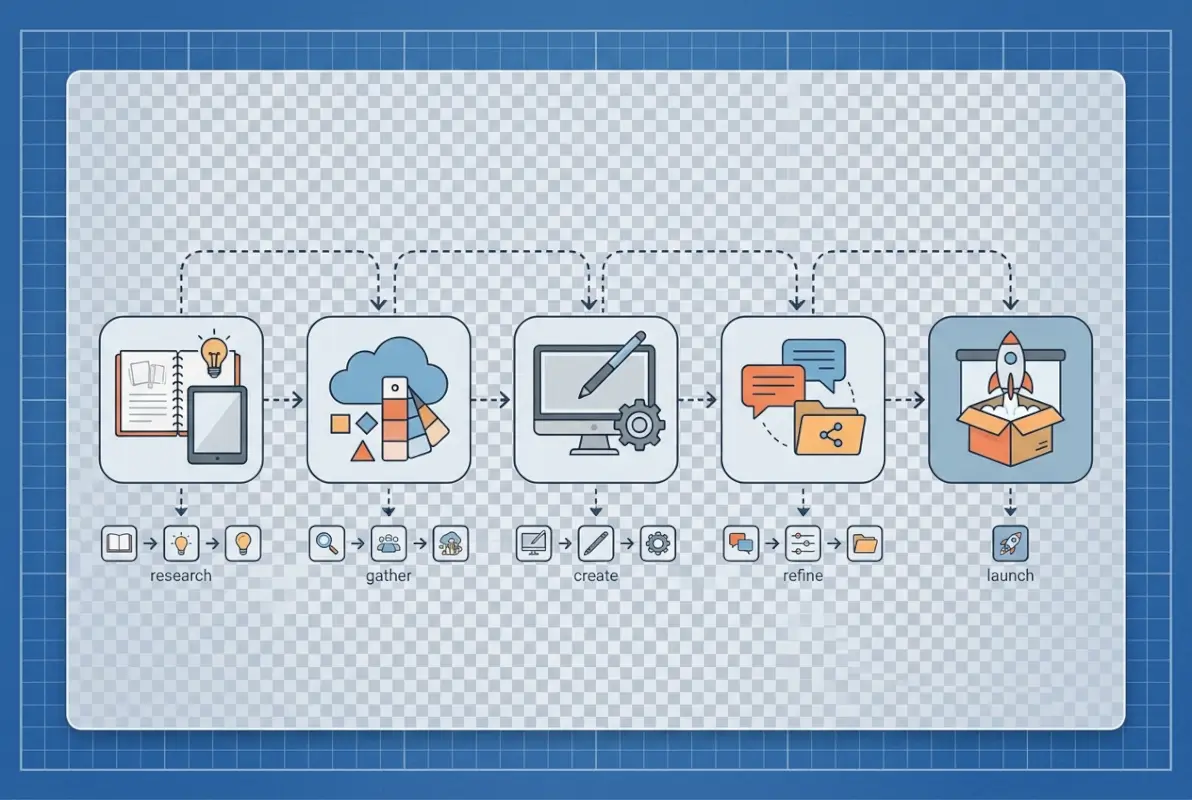
AI-assisted workflows have fundamentally changed how designers approach inspiration gathering. Tools now analyze your preferences and project requirements to surface contextually relevant examples rather than forcing you to manually search. This shift means the best design resources in 2025 aren’t just galleries—they’re intelligent systems that learn what works for your specific style and needs.
Inclusive design has moved from optional consideration to baseline requirement. Resources that showcase diverse perspectives, accessibility patterns, and culturally aware design solutions are becoming essential references. This isn’t just ethics—it’s practical. Designs that work for edge cases tend to work better for everyone, and resources that highlight these approaches help you build more robust solutions from the start.
Current Creative Trends (2025–2026)
The nostalgia-meets-futurism aesthetic combines retro references with cutting-edge technology in ways that feel both familiar and innovative. You see this in the resurgence of brutalist web design paired with smooth microinteractions, or vintage typography combined with AI-generated backgrounds. Resources that showcase this balance help designers navigate the tension between timeless and contemporary.
Microinteractions have evolved from nice-to-have polish to essential communication tools. The best UI resources now categorize examples by the specific feedback they provide—loading states, error handling, success confirmation. This functional approach to motion design means you’re not just adding animation for style, you’re using it to improve usability. Platforms like Mobbin excel at documenting these patterns across thousands of apps.
| Trend | Impact on Resources | What to Look For |
|---|---|---|
| AI Integration | Personalized recommendations | Platforms with smart filtering |
| Inclusive Design | Accessibility patterns | Diverse user scenarios |
| Microinteractions | Functional animation libraries | Categorization by feedback type |
| Data Visualization | Interactive examples | Code snippets included |
Data and Insights for Resource Selection
Validating which resources actually improve your work requires tracking metrics, not just collecting bookmarks. The most effective approach combines quantitative data (time saved, project completion rates) with qualitative feedback (client satisfaction, creative confidence). Start simple—note which resources led to breakthrough moments versus which consumed time without payoff.
Trend reports from multiple sources help you triangulate what’s signal versus noise. When Adobe, Forbes Agency Council, and independent design publications all identify similar patterns, that convergence indicates movements worth understanding. Resources that align with these validated trends tend to remain relevant longer than those chasing viral moments.
Creator surveys reveal what professionals actually use versus what gets promoted. Adobe’s data on top creative influences shows designers increasingly value platforms that combine inspiration with implementation tools—they want to move from idea to execution without context switching. This insight explains why integrated platforms are gaining ground over pure galleries.
Practical Playbook: How to Use Design Resources Efficiently
The difference between designers who leverage resources effectively and those who fall into endless scrolling comes down to systematic approaches. Building a resource library that converts to actual output requires intentional organization, regular maintenance, and clear criteria for what earns a spot in your collection.

Start with a simple intake process: when you save something, immediately tag it with the problem it solves, the design principle it demonstrates, and the project type where you might apply it. This three-tag minimum ensures you can retrieve examples when facing similar challenges later. Without this structure, most saved resources become digital clutter you never revisit.
Build a Resource Library that Converts into Output
Organization systems work best when they mirror your actual workflow. If you primarily design websites, organize by page type and user journey stage (landing pages, conversion flows, content layouts). For brand designers, structure around brand architecture elements (logo systems, color strategies, typography hierarchies). The taxonomy should reflect how you actually think about projects, not generic categories.
Version control matters for inspiration libraries too. Mark items with dates and periodically review whether they still represent current best practices. What looked innovative two years ago might now be dated. I schedule quarterly reviews where I archive outdated examples and note emerging patterns in what I’m newly collecting. This practice keeps the library fresh and reveals how your aesthetic preferences evolve.
Templates for intake documentation standardize what you capture about each resource. Include: the specific challenge it addresses, why it works (design principles), potential applications, and any caveats (requires specific context, culturally dependent, technically complex). This metadata makes resources searchable and actionable months later when details fade from memory.
Workflow Integration: From Inspiration to Implementation
The real test of resource effectiveness is how quickly you can move from finding inspiration to implementing solutions. Establish clear handoff points in your process where you deliberately consult resources—during initial research, mid-project when stuck, and before final review to ensure you haven’t missed obvious solutions.
Checklists prevent the common mistake of forcing inappropriate inspiration into projects. Before adapting an example, verify: does my project share similar constraints? Does my audience have comparable expectations? Am I solving the same core problem? Many designers waste time trying to make cool references fit when they’re fundamentally solving different challenges.
Collaboration practices around shared resource libraries amplify their value across teams. When multiple designers contribute to and tag a central collection, you get diverse perspectives on what works and why. Set standards for contribution quality—require annotations, discourage pure aesthetic saves without functional value, and encourage debate in comments about when examples apply.
Curated Lists You Can Trust: 5 Essential Resources for Spark and Speed
After evaluating dozens of platforms against criteria of depth, reliability, and practical application, five resources consistently deliver the highest return on time invested. These aren’t the only valuable platforms, but they form a complete foundation covering different creative needs while minimizing overlap.
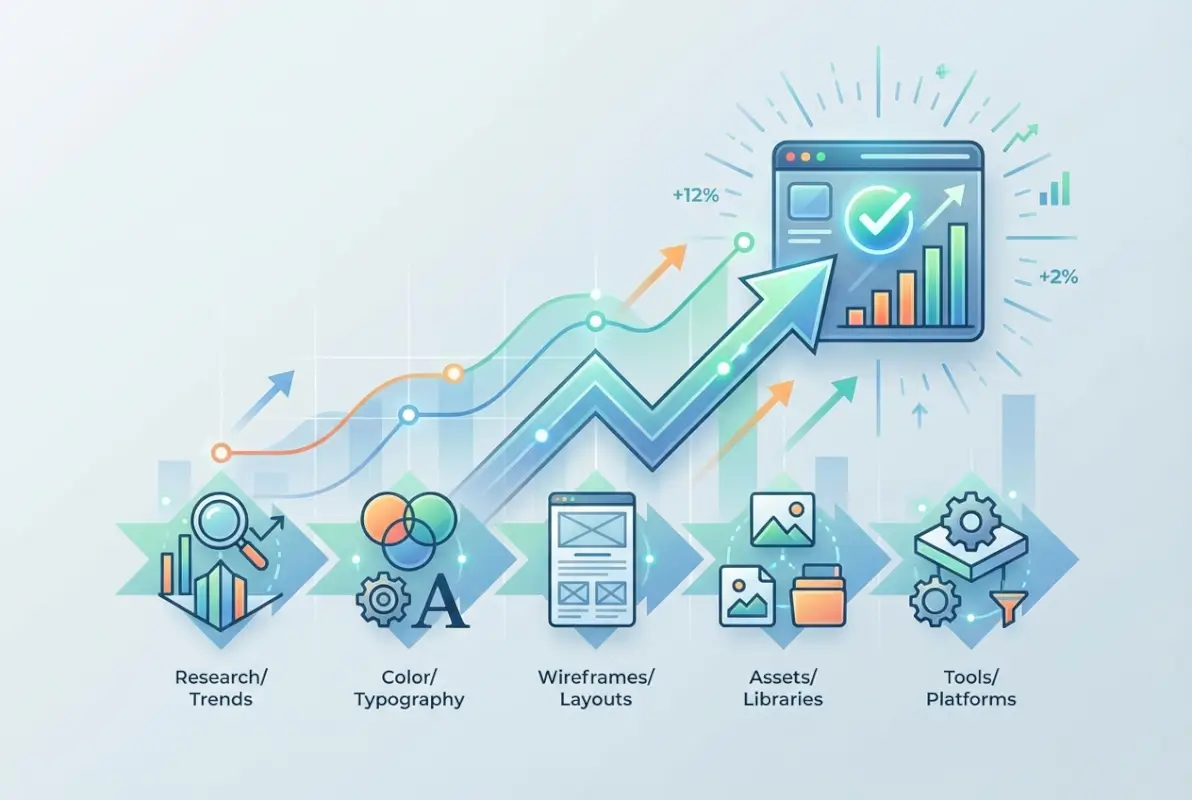
Resource Set Overview: What to Use and When
1. Behance – For Complete Project Context: Use when you need to understand the full scope of how designers approached similar projects. The case study format with process documentation makes it ideal for early research phases when defining project approach. Best for: branding projects, editorial design, illustration work where creative process matters as much as final output.
2. Dribbble – For Specific UI Elements: Consult when solving targeted interface challenges or exploring visual treatments for specific components. The shot-based format excels at showing variations on navigation patterns, button states, form designs, and micro-interactions. Best for: UI designers, mobile app work, component-level problem solving.
3. Awwwards – For Technical Innovation: Reference when pushing boundaries on web experiences or understanding how to implement complex interactions. The focus on awarded work means you’re seeing best-in-class execution across design, development, and content. Best for: web designers, developers learning creative coding, clients who need convincing that ambitious ideas are achievable.
4. Mobbin – For Mobile Pattern Libraries: Essential for anyone designing mobile apps who needs to see how established apps solve common UI challenges. The categorization by patterns (onboarding flows, settings screens, empty states) makes it searchable by problem type. Best for: product designers, mobile UI work, understanding platform conventions.
5. TurnKey Directories – For Directory and Listing Platforms: When building business directories, member portals, or any platform centered around organized listings, TurnKey Directories (turnkeydirectories.com) provides both inspiration through showcase examples and implementation through their WordPress plugin. The platform bridges the gap between design inspiration and technical execution. Best for: directory websites, local business platforms, membership sites.
How to Validate and Evolve Your Resource Set
Establishing criteria for adding or removing resources prevents endless accumulation of marginally useful bookmarks. Apply these filters: Does it provide something my current resources don’t? Does the quality meet professional standards? Can I search/filter effectively? Is it actively maintained? If a resource fails two or more criteria, it’s cluttering your workflow rather than enhancing it.
Review your resource set quarterly using actual usage data. Which platforms did you actually consult during recent projects? Which bookmarks have you never revisited? Be honest about abandoning resources that seemed valuable in theory but don’t fit your practice. Your resource library should evolve as your specialization deepens and your needs change.
Success metrics matter—track leading indicators like time-to-solution when facing creative blocks, or quality of first-draft concepts that came from resource consultation. If a platform consistently helps you create stronger initial concepts or solve problems faster, prioritize it over resources that simply look impressive but don’t impact outcomes.
Design Tools, Platforms, and Resources for Inspiration: What the Pros Use
Professional designers don’t rely on single platforms—they orchestrate ecosystems of complementary resources that serve different purposes throughout their creative process. Understanding how tools fit together matters as much as knowing individual platforms.
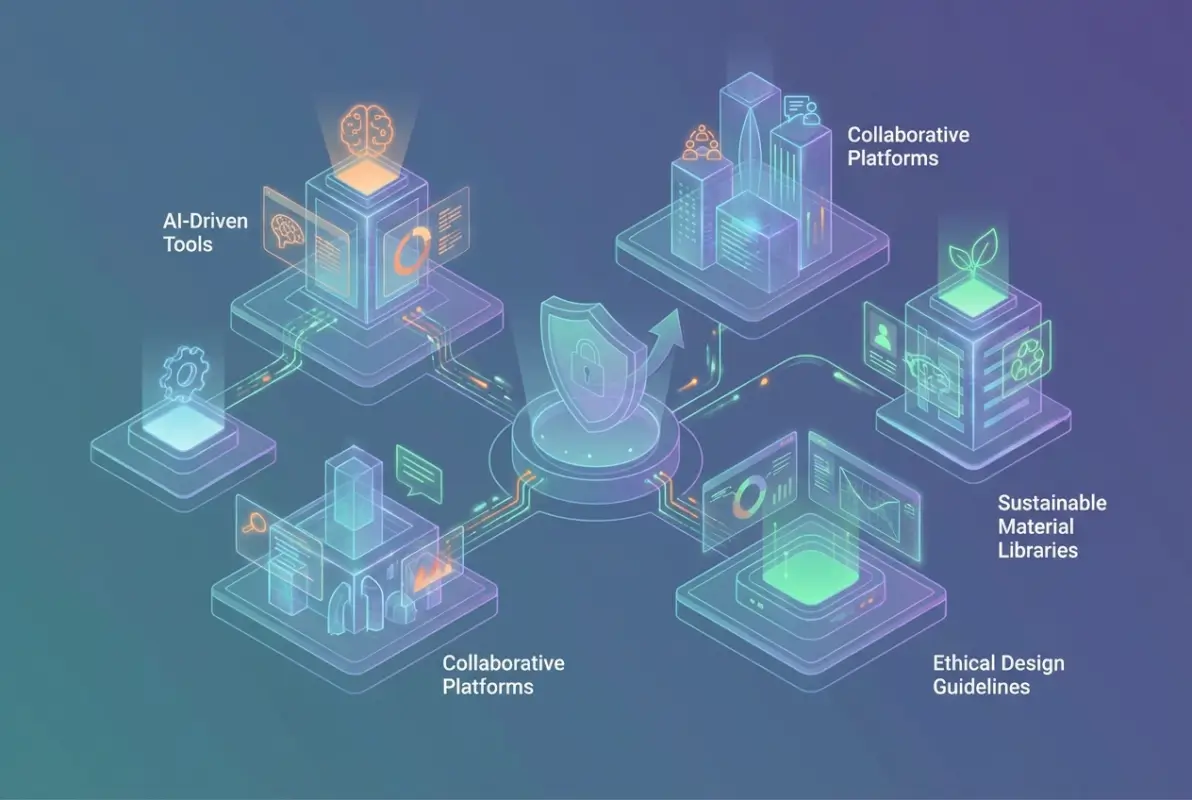
Platform Landscape Snapshot
The current landscape divides into several functional categories: comprehensive galleries (Behance, Pinterest), specialized showcases (Awwwards for web, Mobbin for mobile), pattern libraries (UI Patterns, Page Collective), community platforms (Dribbble, Designer News), and integrated solutions (TurnKey Directories, Webflow). Each serves distinct needs, and the most effective approach combines them strategically.
Gallery platforms excel at broad discovery but require heavy filtering to find relevant examples. Use them early in projects when defining direction, not mid-project when you need specific solutions. Pattern libraries work oppositely—they’re precise but narrow. Consult them when facing defined problems (how should this checkout flow work?) rather than open-ended exploration.
Community platforms provide the human element that pure galleries lack. The discussions, critiques, and iterations reveal thinking processes that static screenshots can’t capture. Smashing Magazine’s roundups combine curated resources with community commentary, bridging gallery and discussion formats.
Integration capabilities increasingly separate valuable resources from limited ones. Platforms that connect inspiration to implementation tools (like Figma’s community files or TurnKey Directories’ showcase-to-template approach) eliminate friction between seeing solutions and building them. This seamless transition from idea to execution compounds productivity gains.
Selecting Tools for Your Team
Team resource selection requires different criteria than individual choices. Collaboration features, permission management, and shared taxonomies become critical. Tools like Notion or Milanote that support multiplayer organization work better for teams than individual bookmark systems, even if they require initial setup investment.
Budget considerations shift based on team size and project volume. Free tiers of Behance, Dribbble, and Mobbin provide substantial value, but paid features (better filtering, downloadable assets, offline access) justify cost for high-volume users. Calculate time savings—if a $15/month subscription saves two hours monthly, that’s immediately cost-effective for professional use.
License and usage rights matter for resources that provide assets versus inspiration. Clarify whether examples shown are purely reference material or include downloadable components with usage permissions. Platforms like TurnKey Directories that combine inspiration with licensed implementation tools simplify this complexity by bundling viewing and building rights together.
| Consideration | Individual Designers | Design Teams |
|---|---|---|
| Primary Need | Personal organization | Shared knowledge base |
| Tool Selection | Flexibility over standards | Consistency over options |
| Budget Priority | Time savings | Collaboration features |
| Success Metric | Faster problem solving | Consistent quality |
What makes a design resource high-quality versus low-quality?
High-quality design resources feature rigorous curation standards, provide context beyond aesthetics, offer robust search and filtering, maintain active communities, update regularly, and properly attribute work. Low-quality resources accept any submission, lack organization, show outdated work, and provide no analysis or commentary on why designs succeed.
How can designers use inspiration resources without simply copying designs?
Focus on extracting underlying principles rather than visual elements—analyze why designs work, their hierarchy and relationships, not specific aesthetics. Create mood boards combining multiple sources, filter inspiration through your unique project constraints, and document concepts in notes rather than just saving images. This approach leads to original solutions informed by proven patterns.
What are the best free design resources available right now?
Behance offers extensive free project showcases, Dribbble provides limited free access to design shots, and Awwwards features award-winning websites without charge. For specific assets, Unsplash delivers photography, Google Fonts provides typography, and UI8 occasionally releases free design systems. Combining multiple free resources typically works better than relying on one platform.
How often should designers browse inspiration resources?
Schedule focused browsing sessions 2-3 times weekly for 30 minutes rather than constant scrolling. Brief daily check-ins of 10-15 minutes work for staying current with trends. The goal is regular exposure to new ideas without letting browsing replace actual design work. Targeted research when facing specific challenges adds value beyond scheduled sessions.
Are design resources useful for beginners or only experienced designers?
Design resources are extremely valuable for beginners when used as learning tools rather than just inspiration. Newcomers should study how experienced designers solve problems and organize information, combining resource browsing with educational content explaining design reasoning. Starting with curated platforms that include context helps more than overwhelming galleries initially.
What tools do professional designers recommend for organizing inspiration?
Professionals increasingly use Notion for organizing design systems, Figma for collaborative design, Milanote for visual thinking, and Are.na for inspiration management. Pinterest Business and simple folder structures with descriptive naming also work well. The specific combination varies by specialty—UI/UX designers favor different tools than brand designers based on workflow needs.
Can design directories help with client presentations?
Design directories provide excellent reference materials for client presentations—they help explain concepts, show industry standards, and present multiple options. Curated examples from respected sources add credibility to recommendations. Many designers create client-specific mood boards using directory resources to align on aesthetic direction before detailed work begins, ensuring you’re educating clients rather than justifying copying.
Are there specialized design resources for specific industries?
Yes, many directories specialize in particular niches—Lapa Ninja focuses on landing pages, Httpster showcases minimal websites, Pttrns specializes in mobile patterns, and Really Good Emails curates email design. For directory and listing platforms specifically, TurnKey Directories provides both inspiration and implementation tools. Industry-specific resources often provide more relevant examples than general platforms.
Your Next Step: Build Your Essential Resource Library
The difference between designers who grow rapidly and those who plateau often comes down to how deliberately they consume inspiration. Start this week by selecting one platform from each category we’ve covered—commit to understanding its unique strengths rather than superficially browsing all five. By next month, you’ll have a personalized system that consistently delivers relevant inspiration exactly when you need it.
Remember: the goal isn’t accumulating more bookmarks, it’s developing pattern recognition that makes you faster and more innovative. Your resource library should evolve as you grow, shedding what no longer serves while incorporating emerging platforms that address new challenges.
The most successful designers don’t wait for inspiration to strike—they’ve built systems that generate it reliably. Your relationship with design resources should mature from passive consumption to active curation to eventual contribution. Start small, stay consistent, and let your library compound into one of your most valuable professional assets. Where will you begin?
Was this article helpful?