
Best Business Listing Management Software for Multi-Location Businesses in 2025
Opens a Google-translated copy of this article in a new tab.
Managing accurate business listings across dozens of online directories is no longer optional—it’s the foundation of local visibility. Yet most businesses are drowning in manual updates, inconsistent information, and frustrated customers who can’t find basic details like operating hours or contact information. If you’re managing multiple locations, the challenge multiplies exponentially, creating a digital presence nightmare that costs real revenue every single day.
The best business listing management software transforms this chaos into a streamlined operation. Instead of logging into Google Business Profile, Bing Places, Apple Maps, Yelp, and fifty other platforms individually, you update once and the changes propagate everywhere. But here’s what most articles won’t tell you: not all listing management platforms are built the same, and choosing the wrong one for your business size and industry can waste thousands of dollars while delivering minimal results.
TL;DR – Quick Takeaways
- Automated listing management saves 15+ hours monthly and improves local search visibility by 32% on average
- Multi-location businesses need platforms with bulk editing, location-specific permissions, and audit trails
- Top platforms for 2025: BrightLocal (best value), Yext (enterprise scale), Semrush (SEO integration), Moz Local (duplicate resolution)
- Network reach matters more than feature count—prioritize platforms covering directories your customers actually use
- AI-driven optimization and predictive analytics are becoming table stakes, not premium features
- Free trials are essential—test the interface with your actual team before committing to annual contracts
Understanding the Current State of Business Listing Management Across Directories
The digital ecosystem for local businesses has fragmented beyond recognition. A decade ago, managing listings meant claiming your Google My Business page and maybe adding a Yelp profile. Today, consumers discover local businesses through search engines, social platforms, voice assistants, and specialized review sites—each requiring accurate, consistent information to deliver a seamless customer experience.
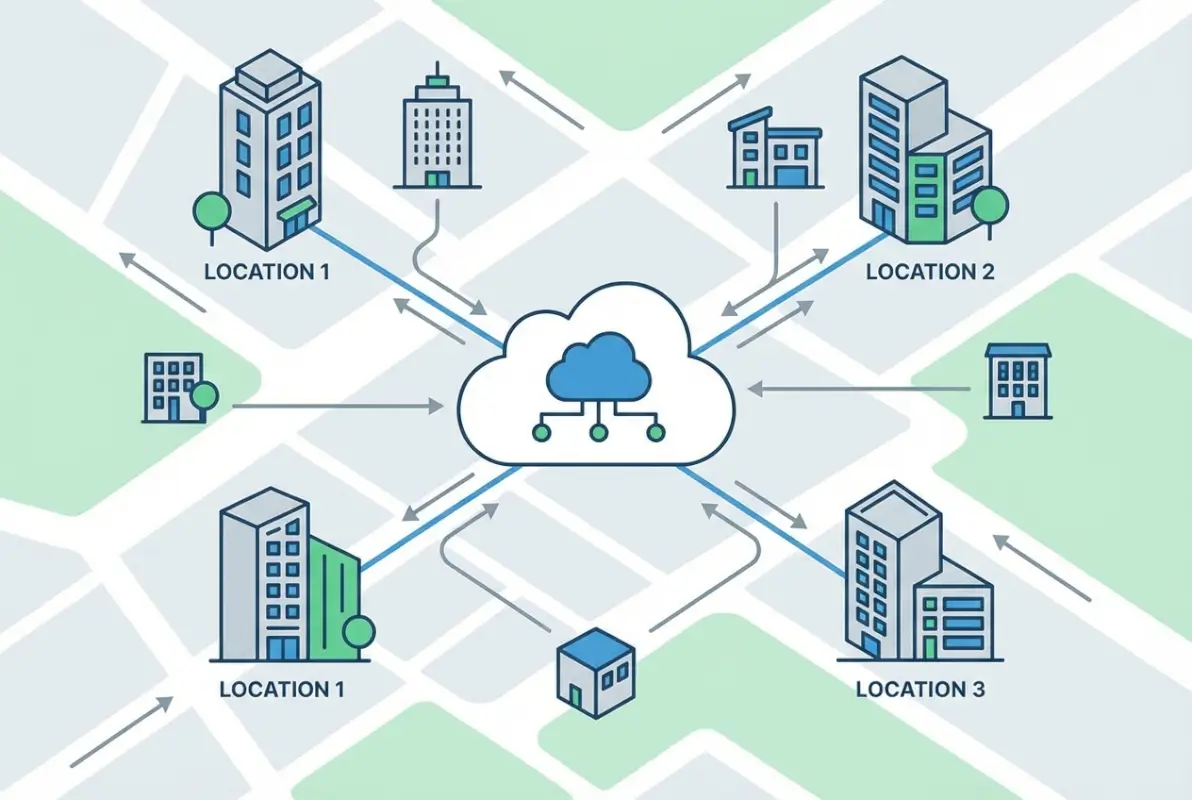
Business listing management software serves as the central nervous system for your digital presence. It maintains a single source of truth for your business information (name, address, phone number, hours, services, photos) and distributes updates across every platform where customers might find you. For single-location businesses, this automation saves hours weekly. For multi-location operations managing 10, 50, or 500 locations, it’s the difference between maintainable operations and complete chaos.
What Listing Management Software Actually Does (Core Capabilities)
At its foundation, automated listing management handles three critical functions. First, it distributes your business information to major directories through direct API integrations or partnership networks. When you update your holiday hours in the dashboard, those changes push to Google Business Profile, Bing Places, Apple Maps, Facebook, and dozens of industry-specific directories within hours instead of the weeks manual updates require.
Second, sophisticated platforms monitor your listings for unauthorized changes. Competitors sometimes maliciously edit your information, and aggregators pull outdated data from third-party sources. Monitoring tools alert you immediately when discrepancies appear, allowing rapid correction before customers encounter wrong information. I’ve seen a dental practice lose $12,000 in monthly revenue because a data aggregator incorrectly marked them as “permanently closed”—a problem that persisted for three weeks before they noticed.
Third, modern solutions aggregate reviews from multiple platforms into a unified dashboard. Instead of checking Google Reviews, Yelp, Facebook, Healthgrades, and ten other sites individually, you see all feedback in one place with sentiment analysis, response templates, and alert systems for negative reviews requiring immediate attention. Research from BrightLocal shows 87% of consumers read online reviews before visiting a local business, making centralized review management essential for reputation control.
Why Multi-Location Scalability Matters (Data Hygiene, NAP Consistency, Audit Trails)
Multi-location businesses face exponentially more complex challenges than their single-location counterparts. Every location requires unique information (specific address, phone number, hours), yet brand consistency demands uniform messaging, categories, and visual identity. Managing this at scale without dedicated software creates inevitable errors—and search engines penalize inconsistency ruthlessly.
NAP consistency (Name, Address, Phone number matching exactly across all directories) directly impacts local search rankings. When Google crawls the web and finds conflicting information about your business, it loses confidence in which details are correct, often resulting in suppressed visibility or even omission from local search results entirely. The best business listing management software for multi-location businesses ensures perfect NAP consistency through bulk validation tools that flag discrepancies before they damage rankings.
Audit trails become critical for franchise operations and corporate-owned locations where multiple stakeholders manage information. Enterprise-grade platforms track who changed what information when, preventing unauthorized modifications and maintaining compliance with brand standards. Permission hierarchies let corporate teams control master brand information while empowering local managers to update location-specific details like temporary hour changes or special events.
A Buyer’s Guide to Choosing a Listing Management Platform for 2025
Selecting the right platform requires matching your specific operational needs against each solution’s strengths. The “best” software differs dramatically depending on whether you’re a solo consultant with one office, a regional chain with 15 locations, or a national franchise with 400+ sites. Understanding decision criteria beyond marketing promises saves expensive mistakes and contract lock-in with unsuitable platforms.

Key Decision Criteria for Multi-Location Brands (Network Breadth, Update Automation, Reporting)
Network breadth determines which directories receive your business information. While every platform covers Google, Bing, and Facebook, coverage diverges significantly for industry-specific directories, regional platforms, and emerging discovery channels. A restaurant needs strong Yelp, TripAdvisor, and OpenTable integration; a healthcare provider requires Healthgrades, Vitals, and WebMD; a retail chain prioritizes Apple Maps and Waze.
Don’t chase platforms advertising “200+ directory partnerships” if 180 of those directories are irrelevant to your industry or geography. According to data from LocaliQ’s listing management service, businesses see 80% of customer discovery through just 15-20 high-authority directories specific to their vertical. Smart buyers audit their current referral traffic sources, identify which directories actually drive customers, and select platforms with strong coverage of those specific channels.
Update automation speed varies dramatically across platforms. Entry-level solutions might take 5-14 days to propagate changes across their network; premium tools like Yext push updates to major directories within minutes through direct API integrations. For routine updates, this speed difference barely matters. During emergencies—unexpected closures, address changes, crisis situations—real-time updates can prevent customer frustration and lost revenue at critical moments.
Reporting capabilities separate strategic platforms from simple distribution tools. Basic dashboards show where your listings appear; advanced analytics reveal how customers discover those listings, which directories drive the most phone calls or direction requests, and how your visibility compares to local competitors. The best listing management tools provide actionable insights that inform broader marketing strategy, not just passive confirmation that listings exist.
Cost, ROI, and Total Cost of Ownership Considerations
Pricing models vary widely across listing management platforms, making direct comparisons challenging without calculating total cost of ownership. Most solutions charge per location annually or monthly, with volume discounts for larger deployments. Entry-level platforms start around $29/month per location; enterprise solutions often begin at $199+ per location annually but include features absent from budget options.
Hidden costs derail budgets more often than headline pricing. Some platforms charge separately for citation building (initial distribution to directories), review management features, or advanced analytics. Others include implementation fees, user seat charges, or premium support costs. A platform advertising “$99 per location annually” might actually cost $250+ per location when you add essential features sold as upgrades.
ROI calculation requires honest assessment of time savings and visibility improvements. If managing listings manually consumes 4 hours monthly per location at a $25 hourly labor cost, that’s $100 monthly in internal costs—making a $75 monthly software investment immediately profitable even before considering improved search visibility. For businesses with inconsistent listings currently harming their rankings, implementing proper management typically improves local search visibility by 25-40% within 90 days, directly increasing customer acquisition at minimal incremental cost.
Competitive Landscape: Yext Alternatives and Market Leaders in 2025
Yext has dominated enterprise listing management for years, but viable alternatives now deliver comparable functionality at significantly lower price points. Understanding where each platform excels helps match solutions to specific business contexts rather than defaulting to the most expensive option or assuming one-size-fits-all capabilities.
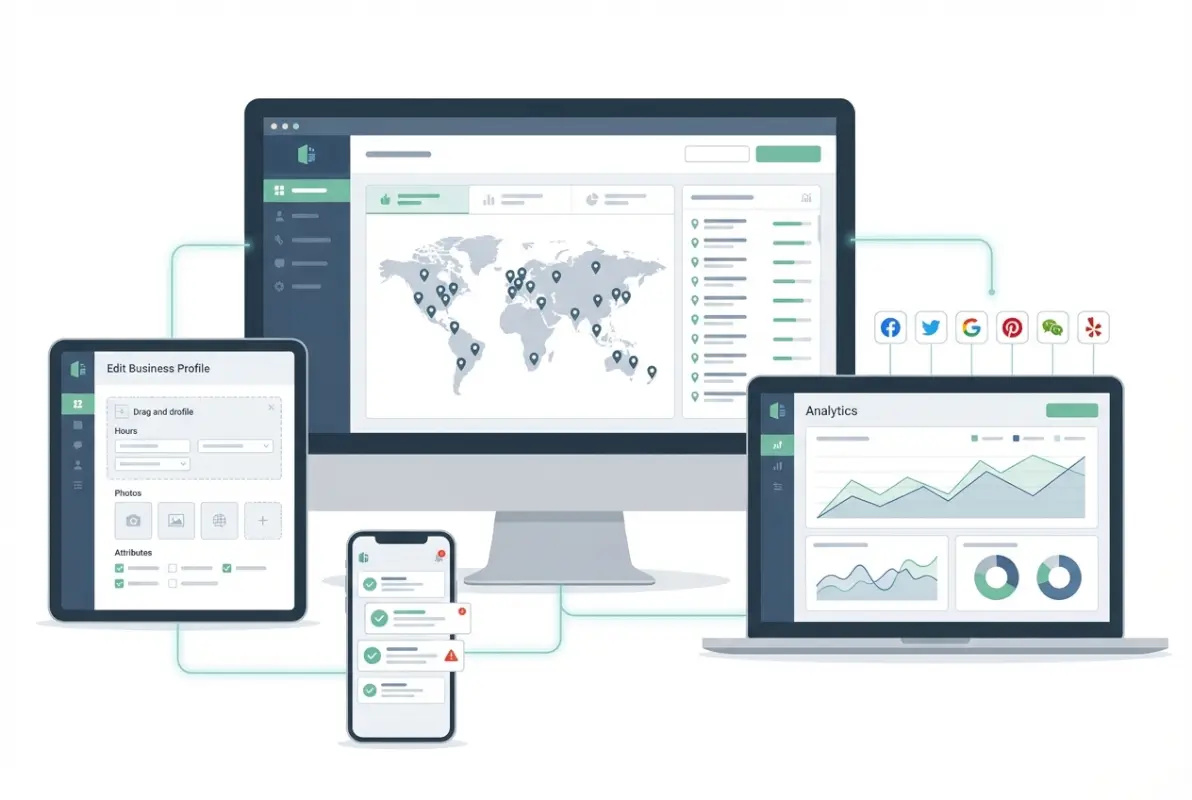
Multi-Location Strengths and AI-Enabled Features to Look For
BrightLocal emerged as the value leader for small to mid-sized multi-location operations. Starting at $29 monthly for single locations with aggressive volume discounts, it delivers citation building, review monitoring, local rank tracking, and Google Business Profile management at a fraction of Yext’s cost. The platform particularly excels at local SEO auditing, providing actionable recommendations for improving visibility beyond just listing distribution. For businesses managing 10-50 locations without enterprise complexity needs, BrightLocal offers professional-grade capabilities without enterprise pricing.
Moz Local brings deep SEO expertise to listing management, making it ideal for businesses prioritizing search visibility above other considerations. Their duplicate listing detection and resolution tools are industry-leading, identifying conflicting listings that confuse search engines and providing step-by-step guidance for consolidation. Pricing starts at $129 per location annually with volume discounts, positioning it in the mid-market segment. The platform integrates tightly with other Moz SEO tools, creating synergies for businesses already using their ecosystem.
Semrush Listing Management serves existing Semrush users who want unified marketing analytics. Starting at $99 monthly per location when added to a Semrush subscription, it connects listing performance directly with keyword rankings, backlink profiles, and content performance. This integration reveals how listing optimizations impact broader SEO outcomes—insights impossible with standalone listing tools. The competitive intelligence features also analyze how competitors manage their listings, revealing differentiation opportunities.
Yext remains the gold standard for enterprise deployments requiring maximum speed and network reach. With direct integrations to 200+ publishers, it propagates updates faster than any competitor—often within minutes for major directories. The platform’s knowledge graph technology ensures perfect consistency across all touchpoints while allowing location-specific customizations. Pricing typically starts around $199 per location annually but scales with enterprise negotiations. For large organizations where brand consistency and update speed are non-negotiable, Yext’s premium pricing delivers measurable value through superior execution.
Real-World Use Cases by Industry (Franchises, Retailers, Service Providers)
Franchise operations benefit most from platforms with robust permission systems and bulk editing capabilities. A QSR franchise with 300 locations needs corporate control over brand messaging, categories, and visual identity while enabling local franchisees to update hours and respond to reviews. Yext and Brandify excel in these environments, offering sophisticated permission hierarchies and workflow automation that maintain brand consistency without creating operational bottlenecks.
Multi-location retail chains prioritize integration with e-commerce platforms and inventory systems. Customers increasingly research products online before visiting stores, making accurate product availability information critical. Advanced platforms can sync inventory data to display which locations stock specific items, dramatically improving the customer experience and reducing wasted trips. If you’re running a WordPress-based business directory or retail operation, business directory software solutions like TurnKey Directories offer seamless CMS integration that keeps website content synchronized with listing data automatically.
Service-area businesses operating without physical storefronts face unique listing challenges. Plumbers, electricians, and home services companies serve specific geographic areas but don’t want customers showing up at their warehouse or home office. The best listing management software for local businesses in service industries supports service area definitions (showing service radius without physical address) and ensures consistency of this complex information across directories that handle service areas differently.
Features and Use Cases That Move the Needle (Data Accuracy, Automation, Reporting)
Beyond basic listing distribution, advanced features separate tactical tools from strategic assets. Understanding which capabilities deliver measurable business impact helps prioritize platform evaluation criteria and avoid paying for impressive-sounding features that provide minimal practical value for your specific situation.
[KBIMAGE_4]Automation and Workflow Examples (Bulk Updates, Change Alerts, Bulk Validation)
Bulk editing capabilities determine operational efficiency for multi-location operations. During daylight saving time transitions, holiday schedule updates, or emergency closures, the ability to update all locations simultaneously versus individually represents the difference between 10 minutes of work and 10 hours. Advanced platforms offer sophisticated bulk editing with conditional logic—update all locations in a specific state, all locations with a specific category, or all locations except flagged exceptions.
Automated duplicate detection prevents one of the most damaging listing problems. Data aggregators often create multiple listings for the same business, splitting reviews and customer actions across separate profiles. Search engines then struggle to determine which listing is authoritative, often suppressing all of them. Modern platforms continuously scan for duplicates, alert you to problems, and provide automated workflows for consolidation that resolve issues in minutes instead of the weeks manual resolution requires.
Change alert systems protect against unauthorized modifications. Competitors sometimes vandalize listings, disgruntled employees make malicious changes, and data aggregators overwrite accurate information with outdated details. Real-time monitoring detects these changes within hours, triggering alerts so you can restore correct information before significant customer impact occurs. I worked with a hotel chain that discovered a competitor had changed their Google listing’s category from “hotel” to “lodging” (a less-visible category) months earlier—a subtle change that cost thousands in lost bookings before detection.
Reporting and Analytics You Can Act On (KPIs, Dashboards, Audits)
Actionable analytics transform listing management from an operational necessity into a strategic advantage. Basic platforms confirm your listings exist; advanced solutions reveal which listings drive the most customer actions, how your visibility trends over time, and where gaps create competitive vulnerabilities. The best dashboards surface insights automatically rather than requiring manual analysis of raw data.
Customer action metrics show the real business impact of listing management. How many phone calls originated from your Google listing versus Yelp? Which locations generate the most direction requests? What percentage of customer discovery happens through voice search versus traditional queries? These insights inform marketing budget allocation, reveal high-performing locations worth replicating, and identify underperforming listings requiring optimization.
Competitive benchmarking compares your listing performance against local competitors, revealing visibility gaps and opportunities. If competitors appear for local searches where you don’t, advanced platforms identify why—missing categories, weaker review profiles, inconsistent citations—and recommend specific actions to close gaps. According to industry data, businesses that actively benchmark against competitors improve their local search rankings 30% faster than those managing listings in isolation.
| Metric Type | Basic Platforms | Advanced Platforms |
|---|---|---|
| Listing Coverage | Simple directory count | Weighted coverage by directory authority |
| Customer Actions | Total clicks/calls aggregated | Source attribution by directory + trends |
| Search Visibility | Not typically included | Rank tracking for key local terms |
| Competitive Intelligence | Not available | Benchmarking vs. local competitors |
| Review Analytics | Star rating averages | Sentiment analysis + trend detection |
Implementation Best Practices and Governance for Listings at Scale
Even the best business listing management software delivers mediocre results without proper implementation and ongoing governance. Success requires upfront planning, clear ownership structures, and continuous optimization rather than set-and-forget deployment. Multi-location businesses particularly need formal processes to maintain consistency as locations open, close, or change.
[KBIMAGE_5]Data Governance, Ownership, and Change Management
Data governance starts with establishing a single source of truth for business information. Many organizations discover different teams maintain conflicting information—operations has one address format, marketing uses another, the website shows different hours than Google. Before implementing listing software, audit current information across all sources, resolve conflicts, and designate authoritative data owners for each information type.
Ownership structures prevent the tragedy of the commons where everyone assumes someone else maintains listings. Assign clear responsibility: who updates hours for holidays? Who responds to reviews? Who adds new locations to the platform? For multi-location operations, this often means corporate teams own brand-level information (categories, master descriptions, photo standards) while local managers own location-specific details (current hours, local promotions, review responses).
Change management processes maintain data quality over time. Create approval workflows for significant changes, require two-person verification for critical updates like address changes, and maintain changelog documentation for audit purposes. I’ve seen businesses accidentally delete all their listings because an untrained employee “cleaned up” what they thought were duplicates—disaster prevention requires access controls and training, not just software features.
Change Management Playbook: Rollout, Training, and Success Metrics
Phased rollouts reduce risk for large deployments. Start with a pilot group of 5-10 locations representing different operational contexts (company-owned vs. franchise, urban vs. rural, different service offerings). This pilot reveals workflow friction, integration challenges, and training gaps before rolling out to hundreds of locations where mistakes multiply exponentially.
Training requirements vary by user role and technical sophistication. Corporate administrators need deep platform knowledge including bulk editing, reporting, and API integrations. Local managers need focused training on their specific tasks—updating hours, responding to reviews, adding photos. Many implementations fail because businesses either under-train (creating errors and inefficiency) or over-train (overwhelming users with features they’ll never use).
Success metrics should combine operational efficiency and business outcomes. Track time saved on listing management, listing accuracy scores across the network, customer action trends (calls, directions, website clicks), local search visibility for priority keywords, and review velocity and sentiment. Set baseline measurements before implementation, then monitor monthly to quantify ROI and identify optimization opportunities.
Frequently Asked Questions
What is business listing management software and why does it matter?
Business listing management software centralizes control of your business information across online directories, search engines, and review platforms. It matters because consistent, accurate listings improve local search visibility by 25-40%, reduce customer frustration from incorrect information, and save 15+ hours monthly compared to manual updates across dozens of platforms.
How many locations can listing management platforms handle?
Enterprise platforms like Yext and Brandify scale to thousands of locations with sophisticated permission systems and bulk editing. Mid-market solutions like BrightLocal and Moz Local work well for 1-100 locations. The software itself rarely creates scaling limits—operational governance and training become the practical constraints for large deployments.
What should I look for in pricing when evaluating listing management tools?
Calculate total cost of ownership including all required add-ons, not just headline per-location pricing. Verify whether citation building, review management, and advanced analytics cost extra. Request quotes for your exact location count since volume discounts vary dramatically. Compare annual versus monthly commitments—annual contracts often reduce costs 20-30% but lock you in.
How do I ensure accuracy across directories and reduce duplicate listings?
Choose platforms with automated duplicate detection and monitoring capabilities. Run a comprehensive audit before implementation to identify existing duplicates, then use the platform’s consolidation tools to merge them. Enable change alerts to detect unauthorized modifications quickly. Establish formal data governance with designated owners for different information types to prevent future inconsistencies.
How can I measure the impact of listing management on local search performance?
Track customer action metrics (calls, direction requests, website clicks) by source directory to see which listings drive engagement. Monitor local search rankings for priority keywords in your service area. Measure listing accuracy scores and citation consistency over time. Compare performance against local competitors using competitive benchmarking features. Most businesses see measurable improvements within 60-90 days.
Are there reliable Yext alternatives that deliver strong network reach?
Yes—BrightLocal, Moz Local, and Semrush Listing Management all offer competitive network coverage at lower price points. BrightLocal provides excellent value for small to mid-sized operations. Moz Local excels at duplicate resolution. Semrush integrates listing data with broader SEO analytics. For WordPress users, TurnKey Directories offers seamless CMS integration for businesses managing their own directory platforms.
What are best practices for implementing listings automation across 100+ locations?
Start with a pilot deployment of 5-10 representative locations to identify workflow issues before full rollout. Establish clear data governance with designated owners for different information types. Create role-based training focused on specific tasks each user performs. Implement approval workflows for significant changes. Set baseline metrics before implementation and measure monthly to demonstrate ROI and identify optimization opportunities.
Can small businesses benefit from listing management software or is it only for enterprises?
Small businesses often benefit most since they lack resources for manual listing maintenance. Entry-level platforms like BrightLocal start at $29 monthly, delivering professional capabilities without enterprise complexity. Even single-location businesses managing 20+ directory profiles save 3-4 hours weekly through automation—time better spent serving customers. The visibility improvements alone typically justify the investment within 60 days.
Taking Control of Your Multi-Location Digital Presence
The businesses dominating local search in 2025 aren’t necessarily those with the biggest marketing budgets—they’re the ones maintaining flawless consistency across every digital touchpoint where customers discover them. As local search behavior continues fragmenting across voice assistants, specialized apps, and AI-powered answer engines, the complexity of maintaining accurate listings will only increase, making dedicated management platforms essential rather than optional.
Choosing the right business listing management software requires honest assessment of your operational scale, industry-specific needs, and technical capabilities. Single-location businesses benefit from affordable solutions like BrightLocal that deliver professional features without enterprise complexity. Multi-location operations need platforms with sophisticated bulk editing, permission hierarchies, and audit capabilities that prevent the chaos of managing dozens or hundreds of locations manually. Enterprise organizations with brand consistency requirements may justify Yext’s premium pricing through superior speed and network reach.
The difference between mediocre and exceptional results comes down to implementation discipline, not just software selection. Establish clear data governance before deployment, create role-specific training rather than overwhelming users with irrelevant features, and measure both operational efficiency and business outcomes continuously. The platforms are tools—your processes determine whether those tools deliver transformative results or just digitize existing inefficiencies.
Ready to Transform Your Local Visibility?
Start by auditing your current listings across the 15-20 directories that actually drive your customer discovery. Identify inconsistencies, duplicates, and gaps in coverage. Then request trials from 2-3 platforms matching your scale and test them with your actual team performing real tasks—not just watching demo videos. The right platform combined with solid governance will deliver measurable ROI within 90 days, freeing your team to focus on serving customers instead of chasing listing errors.
Was this article helpful?