What Is a Business Listing? Complete Guide to Boosting Local Visibility

Generating summary...
If you’ve ever searched for “pizza near me” or “plumber open now,” you’ve interacted with business listings. These digital profiles are the invisible bridges connecting customers to local businesses—yet most business owners barely scratch the surface of their potential. A well-optimized business listing isn’t just about being found; it’s about being chosen over your competitors. In the next few minutes, I’ll show you exactly how to transform your business listings from static directory entries into customer-generating assets that work around the clock.
- Business listings are structured online profiles containing your NAP (Name, Address, Phone) plus hours, photos, and reviews
- Google Business Profile is your #1 priority—it drives the majority of local search visibility
- Consistency across platforms signals trust to both search engines and potential customers
- Complete listings get 7x more engagement than partially filled profiles
- Regular updates prevent customer frustration and keep your rankings stable
- Reviews and responses dramatically impact conversion rates and local pack rankings
What Is a Business Listing and Why Does It Matter?
A business listing is your company’s structured digital identity—an online profile that contains essential information about your business across various platforms. At its core, every listing includes your business name, physical address, and phone number (known collectively as NAP data). But modern business listings go far beyond these basics.
Think of a business listing as your virtual storefront. It displays your hours of operation, website URL, business categories, customer reviews, photos, service descriptions, and interactive features like messaging or appointment booking. These listings appear on Google Maps, Apple Maps, Bing Places, Yelp, industry-specific directories, and hundreds of other platforms where potential customers search for businesses like yours.

The difference between a basic listing and an optimized one can mean hundreds of customers per month. When someone searches “coffee shop downtown” or “emergency locksmith,” search engines scan business listings to determine which businesses appear in results. Complete, accurate listings with positive reviews consistently outrank incomplete profiles—even if the incomplete listing belongs to a larger or more established business.
According to Google’s official Business Profile documentation, businesses with complete information are twice as likely to be considered reputable by consumers. This trust factor translates directly into foot traffic, phone calls, and website visits.
Business listings serve multiple functions simultaneously. They act as trust signals to search algorithms, information hubs for customers, review collection platforms, and conversion tools that turn searches into sales. The businesses that treat listings as strategic assets rather than administrative tasks consistently dominate local search results.
The Anatomy of a High-Performance Business Listing
Creating a business listing that actually drives results requires understanding what elements matter most. Not all listing components carry equal weight—some fields dramatically impact your visibility while others provide marginal benefits. Here’s what separates mediocre listings from high-performers.

Your NAP consistency forms the foundation. Every instance of your business name, address, and phone number across the web should match exactly. I learned this the hard way when a client couldn’t figure out why their rankings dropped—we discovered they’d abbreviated “Street” as “St.” on some platforms and spelled it out on others. Search engines interpreted these as different businesses, diluting their authority across both versions.
Business Categories and Attributes
Selecting the right primary category is crucial because it determines which searches trigger your listing. Google Business Profile offers one primary category and multiple secondary categories. Choose the most specific category that accurately describes your core business—not the one with the most search volume. A pizza restaurant should select “Pizza restaurant” rather than the broader “Restaurant” category.
Attributes provide additional context. These include features like “wheelchair accessible,” “outdoor seating,” “Wi-Fi,” or “women-led business.” While they seem minor, attributes help your listing appear in filtered searches and demonstrate completeness to ranking algorithms.
Visual Content That Converts
Photos aren’t optional—they’re essential. Listings with photos receive 42% more requests for directions and 35% more click-throughs to websites according to WordStream’s SEO research. But quantity alone doesn’t cut it; you need variety and quality.
| Photo Type | Purpose | Ideal Quantity |
|---|---|---|
| Exterior | Helps customers find your location | 3-5 from different angles |
| Interior | Shows atmosphere and space | 5-10 highlighting key areas |
| Products/Services | Displays what you offer | 10-20 of your best work |
| Team | Humanizes your business | 3-6 of staff or owner |
Upload high-resolution images (at least 720px wide) that are well-lit and professionally composed. Avoid stock photos—customers want to see your actual business. Update photos seasonally to keep content fresh and signal active management.
Business Description and Keywords
Your business description should communicate your unique value proposition while incorporating relevant keywords naturally. Avoid keyword stuffing—Google penalizes obvious manipulation. Instead, write for humans first, focusing on what makes your business different and why customers should choose you.
Hours of Operation and Special Hours
Accurate hours prevent customer frustration and wasted trips. Set your regular hours, but also use the special hours feature for holidays, events, or temporary changes. Customers who arrive to find you unexpectedly closed often leave negative reviews—even if the error was their assumption rather than your fault.
Google Business Profile: Your Most Critical Listing
While business listings span hundreds of platforms, Google Business Profile (formerly Google My Business) deserves special attention because it drives the majority of local discovery. Your GBP directly controls your appearance in Google Search, Google Maps, and the Local Pack—the three-business map display that appears for local searches.
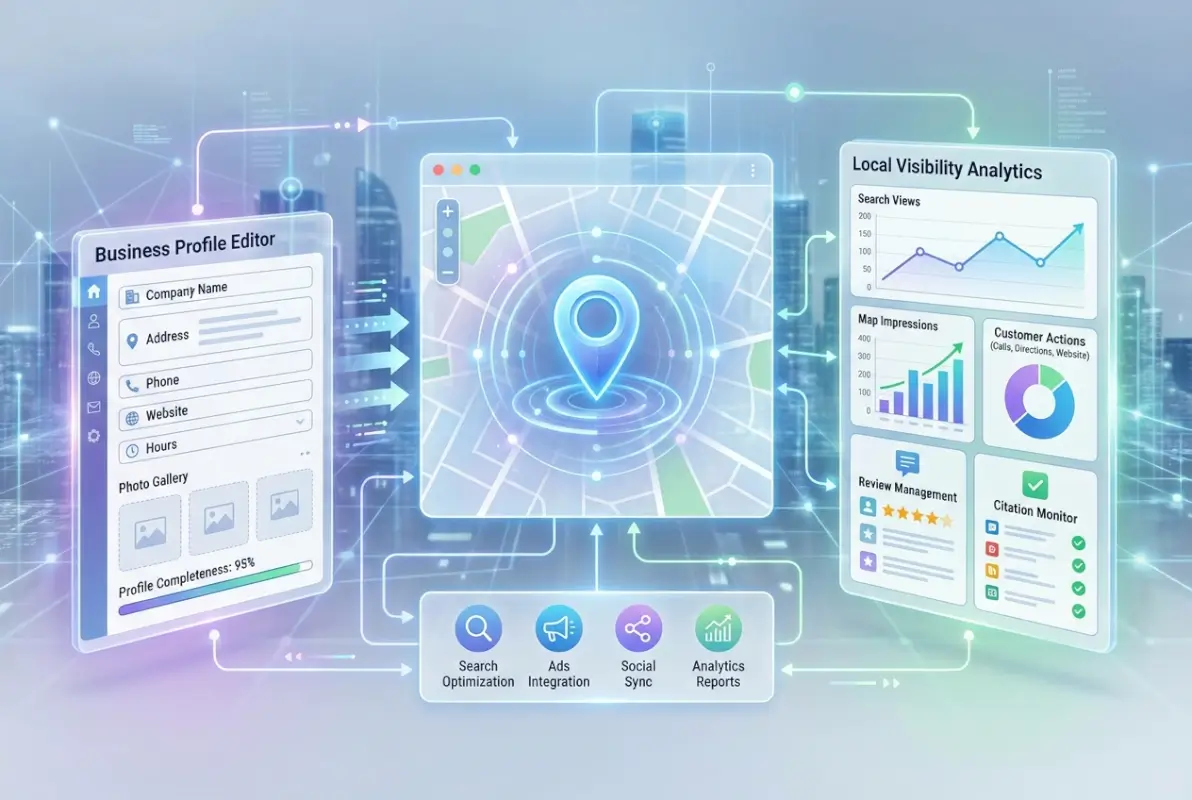
Setting up your GBP starts with claiming or creating your listing at business.google.com. Search for your business name—if a listing already exists, claim it through the verification process. If not, create a new listing with complete, accurate information. Verification typically involves receiving a postcard with a code at your business address, though some businesses qualify for instant verification via phone or email.
Once verified, complete every available field. Google uses completeness as a ranking signal, and customers use it as a trust indicator. The difference between a 60% complete profile and a 100% complete profile can mean the difference between appearing in the Local Pack and being buried on page two.
GBP Posts and Updates
GBP Posts function like mini social media updates within your listing. You can publish offers, events, product announcements, or general updates that appear directly in your Business Profile. Posts typically remain visible for seven days (or until the event date for event posts), then archive.
While the direct SEO impact of Posts is debated, they serve several valuable functions. They demonstrate active management (a ranking factor), provide fresh content for repeat visitors, can highlight time-sensitive offers, and increase your profile’s real estate in search results.
The Q&A Feature
Google’s Q&A section allows anyone to ask questions about your business—and anyone to answer them. This creates both opportunity and risk. Proactively seed your Q&A section with common questions and provide detailed answers. Monitor this section regularly, because incorrect answers from well-meaning strangers can spread misinformation about your hours, services, or policies.
Review Management Strategy
Reviews impact both rankings and conversions. Businesses with higher ratings and more recent reviews rank better in local search results. But beyond SEO, reviews directly influence purchasing decisions—most consumers read reviews before visiting or calling a business.
Respond to every review, positive and negative, within 24-48 hours. Thank positive reviewers specifically, referencing details from their review to show you actually read it. For negative reviews, acknowledge the issue, apologize if appropriate, and offer to resolve the problem offline. Never argue or get defensive in public responses.
Business Listings vs. Citations: Understanding the Difference
Many business owners use “business listings” and “citations” interchangeably, but they serve different functions in your local SEO strategy. Understanding this distinction helps you allocate resources effectively.

A business listing is a complete, interactive profile you directly control. It includes comprehensive information—NAP data plus categories, descriptions, photos, reviews, Q&A, and booking features. You claim, verify, and manage these listings on platforms like Google Business Profile, Yelp, or Facebook Business Pages.
A citation is simply a mention of your business’s NAP information anywhere online. Citations can appear in directories, blog posts, news articles, government databases, or social media—anywhere your business information is mentioned. You often can’t directly edit citations, and they typically lack the interactive features of full listings.
Both matter for local SEO, but in different ways. Listings serve customers directly and provide engagement opportunities. Citations build authority and trust signals for search engines. According to Moz’s local SEO research, citation consistency is a significant ranking factor for local pack results.
Building a Citation Strategy
Start by ensuring consistency. Your NAP information should be identical across every citation and listing. Use tools like Whitespark or BrightLocal to identify existing citations and spot inconsistencies. Then systematically correct discrepancies across all platforms.
Build new citations on authoritative platforms relevant to your industry. General directories like Yellow Pages and Better Business Bureau provide foundational citations. Industry-specific directories (TripAdvisor for restaurants, Healthgrades for doctors, Avvo for lawyers) carry more weight for their respective fields.
Optimizing Business Listings for Maximum Impact
Creating listings is step one; optimizing them for superior performance requires ongoing attention and strategic refinement. These tactics separate businesses that simply appear in search results from those that dominate them.

Complete every optional field, even those that seem insignificant. Research shows listings with complete information receive substantially more engagement than partially filled profiles. Fields like payment methods, parking information, and accessibility features help customers make informed decisions and signal thoroughness to search algorithms.
Strategic Keyword Integration
Incorporate relevant keywords naturally throughout your listing—in your description, services, and posts. Focus on terms customers actually use rather than industry jargon. “Emergency plumber available 24/7” resonates more than “comprehensive plumbing solutions provider.”
Research your competitors’ listings to identify gaps in keyword coverage. If competing restaurants mention “outdoor dining” but you don’t (despite having a patio), you’re missing relevant searches. Use search businesses in fslocal directory tips to understand how customers navigate directories in your industry.
Leverage Listing Analytics
Most platforms provide insights into how customers find and interact with your listing. Google Business Profile shows search queries that triggered your listing, actions taken (calls, direction requests, website clicks), and peak engagement times.
Analyze this data monthly. If certain search terms drive traffic but low conversions, refine your listing to better match that search intent. If specific photos generate disproportionate engagement, create more similar content. Treat your listing as a living asset that evolves based on performance data.
| Metric | What It Tells You | Action to Take |
|---|---|---|
| Search queries | How customers find you | Incorporate high-volume terms in description |
| Direction requests | Intent to visit | Ensure location info and landmarks are clear |
| Phone calls | High-intent customers | Optimize call handling and track conversion |
| Photo views | Visual content engagement | Identify top-performing images; create more |
Competitive Differentiation
Study your top three competitors’ listings. What are they doing well? Where are they weak? If they have dozens of photos and you have five, that’s an immediate improvement opportunity. If they respond to reviews within hours and you take days, you’re losing credibility by comparison.
Look for differentiation opportunities. If all competitors emphasize price, emphasize quality or service. If everyone claims “best in town,” get specific with measurable achievements or certifications that provide concrete proof of excellence.
Multi-Location Management
Businesses with multiple locations face unique challenges. Each location needs its own listing with location-specific information—you can’t use one listing to represent multiple addresses. Use white label business directory software solutions to manage listings at scale while maintaining consistency across all locations.
Create location-specific content for each listing. Don’t copy-paste descriptions—customize them with local landmarks, neighborhood references, and location-specific services. This localization improves relevance for proximity-based searches.
Common Mistakes That Sabotage Business Listings
Even experienced business owners make listing management errors that undermine their online visibility. Avoiding these pitfalls can immediately improve your local search performance and customer experience.
Inconsistent NAP Data
The most damaging mistake is NAP inconsistency across platforms. Search engines lose confidence when they find conflicting information about your business. Is your phone number (555) 123-4567 or 555-123-4567? Is your address on Main Street or Main St.? These seem like minor variations, but they create uncertainty that suppresses rankings.
Conduct a comprehensive audit of all your listings and citations. Document the exact format you’ll use for every element of your NAP, then systematically update every instance to match. This process is tedious but delivers immediate improvements in local search visibility.
Abandoning Listings After Creation
Many businesses treat listings as “set it and forget it” tasks. They create a profile, verify it, then never touch it again. This approach wastes the interactive features that drive engagement and rankings.
Your hours change seasonally. Your services evolve. Your team grows. Your photos age. Listings require regular maintenance to remain accurate and effective. Schedule quarterly reviews to update information, refresh photos, and optimize based on performance data.
Ignoring or Mishandling Reviews
Unanswered reviews—both positive and negative—signal neglect. Potential customers read review responses to gauge how businesses treat their clients. A thoughtful response to a negative review can actually improve perception more than a string of positive reviews with no responses.
When responding to negative reviews, focus on solutions rather than excuses. Acknowledge the customer’s experience, apologize for any shortcomings, and offer to make things right. Move the conversation offline for resolution by providing a direct contact method.
Duplicate Listings
Over time, duplicate listings often emerge through various means—previous employees creating new profiles, automatic generation by aggregators, or business relocations creating confusion. Duplicates split your reviews, dilute your authority, and confuse customers about which listing contains accurate information.
Search for your business regularly to identify duplicates. When found, don’t simply abandon them—follow each platform’s process for merging or removing duplicates. On Google, you can suggest edits to mark duplicates or contact support for assistance with merging profiles to preserve reviews.
Keyword Stuffing in Business Names
Adding keywords to your business name (“Joe’s Plumbing | Emergency Plumber 24/7 Drain Cleaning”) violates most platforms’ guidelines and appears spammy to customers. Use only your legal business name as it appears on your signage and documents. Google actively penalizes businesses that manipulate their names for ranking purposes.
Frequently Asked Questions About Business Listings
What is a business listing and why do I need one?
A business listing is an online profile containing your company’s name, address, phone number, hours, and other details on platforms like Google, Bing, and Yelp. You need listings because they’re how customers find local businesses—76% of mobile searches for nearby businesses result in a visit within 24 hours, and most of those searches rely on business listing data.
How does a business listing affect local SEO?
Business listings directly impact local SEO by providing search engines with consistent, verified information about your business. Complete, accurate listings across multiple platforms signal legitimacy and relevance, helping you rank higher in local search results, particularly in Google’s Local Pack. Listings also generate backlinks and citations that strengthen overall domain authority.
How do I create a Google Business Profile?
Visit business.google.com, sign in with a Google account, and search for your business. If it exists, claim it; if not, create a new listing. Enter your NAP information, select business categories, add photos and description, then complete the verification process. Google typically sends a verification code by postcard, though some businesses qualify for instant phone or email verification.
What information should I include in my business listing?
Include your complete NAP information, website URL, business categories, detailed description with keywords, hours of operation, payment methods, attributes (wheelchair accessible, Wi-Fi, etc.), high-quality photos of your exterior, interior, products, and team. Also add service areas if you serve customers beyond your physical location, and specialty services that differentiate your business.
How often should I update my business listing?
Review and update your listings at minimum quarterly, but make immediate updates for changes to hours, phone numbers, addresses, or services. Update photos at least twice yearly. Respond to new reviews within 24-48 hours. Regular updates signal active management to search algorithms and prevent customer frustration from outdated information like incorrect hours or disconnected phone numbers.
Can photos really improve my business listing performance?
Yes, significantly. Listings with photos receive 42% more requests for directions and 35% more website clicks compared to listings without photos. Photos also increase dwell time on your listing and provide visual proof of your business quality. Use high-resolution images (720px minimum width) showing your exterior, interior, products, and team for maximum impact.
What’s the difference between a business listing and a citation?
A business listing is a complete, interactive profile you manage directly on platforms like Google or Yelp, including photos, reviews, and booking features. A citation is simply any online mention of your NAP information, whether in directories, articles, or databases. Listings engage customers directly; citations build search engine trust signals through consistency across the web.
How do I handle negative reviews on my business listing?
Respond within 24-48 hours with a calm, professional tone. Acknowledge the customer’s experience, apologize for any issues, and offer a specific solution or invitation to discuss offline. Never argue or get defensive publicly. A thoughtful response to negative feedback demonstrates accountability and can actually improve your reputation more than deleting or ignoring the review.
Should I create listings on multiple platforms or just Google?
Create listings on multiple platforms. While Google Business Profile should be your priority, customers search on Bing, Apple Maps, Yelp, and industry-specific directories. Each platform provides additional discovery opportunities, and consistent listings across multiple sites strengthen local SEO by building citations and trust signals that improve your Google rankings as well.
How do I find and remove duplicate business listings?
Search for your business name and location on each platform regularly. When you find duplicates, claim them through verification if possible, then use the platform’s tools to mark them as duplicates or request merging. On Google, suggest edits to mark duplicates or contact Business Profile support to merge listings and preserve reviews on your primary profile.
Take Action on Your Business Listings Today
Business listings aren’t just digital housekeeping—they’re active marketing assets that work 24/7 to connect you with customers ready to buy. The difference between a basic listing and an optimized one often determines which business gets the call, the visit, or the sale.
Start with Google Business Profile today. Claim your listing, complete every field, upload at least 10 high-quality photos, and respond to any existing reviews. That single hour of work can generate leads and customers for years to come. Then expand to Bing Places, Apple Maps, and industry directories relevant to your business using ways to access business park directory strategies that streamline the process.
Your 30-Day Listing Optimization Plan
Week 1: Claim and verify your Google Business Profile, complete all fields, upload 15+ photos
Week 2: Create or claim listings on Bing, Apple Maps, Facebook, and Yelp with identical NAP information
Week 3: Audit existing citations for consistency, respond to all reviews, seed your Q&A section
Week 4: Add industry-specific directory listings, create your first GBP Posts, analyze performance data
Don’t let another week pass with incomplete or outdated listings costing you customers. The businesses dominating local search aren’t necessarily bigger or better—they’re simply more strategic about managing their online presence. With the strategies in this guide and consistent implementation through key steps run successful directory website business practices, you can join them at the top of local search results where customers are actively looking for exactly what you offer.
Was this article helpful?