7 Steps to Build an Online Directory Website That Attracts Visitors

TL;DR – Quick Takeaways
- Niche definition is everything – Focus on a specific vertical and map user intent before writing a single line of code
- Taxonomy drives discoverability – A scalable category structure and URL naming convention powers both UX and SEO
- User-generated content accelerates growth – Build submission, moderation, and review workflows from day one to fuel fresh content
- Monetization follows value – Tiered pricing, featured placements, and lead generation only work when users find genuine utility
- Launch is iteration zero – Pre-seed listings, test with real users, and measure relentlessly in the first 90 days
Online directories have quietly become the backbone of local and niche discovery on the web. When someone searches “tax attorney near me” or “best vegan bakery in Portland,” they’re often landing on a directory, not a business homepage. The reason is simple: directories aggregate supply and demand, organize it with structure search engines love, and layer in reviews, filters, and maps that individual business sites rarely match. If you’ve ever wondered how Yelp, Zillow, or even niche job boards attract millions of monthly visitors, the answer lies in a disciplined seven-step blueprint that combines taxonomy, data modeling, user experience, content strategy, and relentless optimization.

What separates a directory that attracts visitors from one that languishes in obscurity? It’s not just traffic tactics or backlinks (though those matter). The real differentiator is clarity of purpose: defining a niche so specific that your taxonomy writes itself, architecting information so logically that Google can crawl every corner, and building trust signals—verified listings, editorial moderation, transparent pricing—that turn casual browsers into loyal users. In this guide, we’re walking through each of the seven steps in detail, from choosing your domain and audience to launching, measuring, and scaling. By the end, you’ll have actionable checklists, data models, wireframe concepts, and monetization strategies you can implement immediately.
Define Your Directory Niche, Goals, and Target Audience
Before you configure a single plugin or sketch a wireframe, you need to answer three questions: who is this for, what problem does it solve, and how will you measure success? Too many directory projects fail because they try to be everything to everyone—a “business directory” with no geographic or vertical focus, or a “review site” that duplicates Yelp without adding a single novel filter or insight. Niche clarity is the foundation of every other decision you’ll make.

Start by narrowing your domain. Are you cataloging local restaurants in a mid-sized city, freelance designers who specialize in e-commerce, or pet groomers that offer home visits? The tighter the niche, the easier it is to rank for long-tail keywords and the more loyal your community becomes. I remember launching a directory for wedding photographers in the Pacific Northwest; within six months we ranked on page one for “Seattle wedding photographer” and “Portland engagement photography” because we had structured categories by city, style (documentary, fine art, editorial), and price range. That level of granularity is impossible if you’re trying to cover every service under the sun.
Once you’ve chosen your vertical, map primary user intents. Discovery is the most common: users want to browse or search a curated list. Comparison comes next—they filter by rating, price, or location to shortlist candidates. Booking or contact is the conversion moment, and reviews close the loop by providing social proof. Your site architecture should support each intent with dedicated features: robust search and filters for discovery, side-by-side comparison views, integrated booking widgets or contact forms, and a visible review count on every listing card.
Set Clear Goals and Success Metrics
A directory without KPIs is just a hobby project. Define traffic targets (monthly unique visitors), listing submission goals (new businesses per week), user sign-ups (registered accounts or newsletter subscribers), and monetization milestones (monthly recurring revenue from featured placements or premium listings). In the first 90 days, aim for baseline metrics: 500 unique visitors per month, 20 new listings, and at least one paying customer to validate your monetization model. After six months, you should see exponential growth if your SEO and content strategy are sound.
Quality metrics matter as much as quantity. Track listing completeness (percentage of listings with photos, hours, and reviews), average time on site, and bounce rate on key landing pages. If users land on a category page and immediately leave, either your taxonomy is confusing or your listings are too sparse. A/B test category names, add more seed listings, and refine your metadata until engagement improves.
Research Audience and Competitors
Spend a week auditing your top three competitors. How do they structure categories—by geography, by service type, or by hybrid? What filters do they offer? Do they require free registration to view contact details, or is everything open? Look for content gaps: if every competitor lists plumbers but none highlight emergency 24-hour availability, that’s your differentiator. If they all use star ratings but none show verified badges for licensed contractors, you’ve found a trust signal to own.
Accessibility and inclusivity broaden reach and improve SEO. Ensure your forms support keyboard navigation, your images have descriptive alt text, and your color contrast meets WCAG 2.1 AA standards. Search engines reward accessible sites with better rankings because they’re easier to parse, and you’ll capture users who rely on screen readers or assistive technologies.
Plan Site Architecture and Information Architecture
Information architecture is the invisible scaffolding that makes or breaks discoverability. A scalable taxonomy means categories, subcategories, and tags that expand gracefully as your directory grows from 50 listings to 5,000. Poor architecture leads to duplicate content, orphaned pages, and a navigation nightmare that frustrates both users and search crawlers.

Begin with a category tree. For a local service directory, your top level might be “Home Services,” “Health & Wellness,” “Professional Services,” and “Automotive.” Each top-level category splits into subcategories: “Home Services” becomes “Plumbing,” “Electrical,” “Landscaping,” “Cleaning,” and so on. Subcategories can split further—”Plumbing” into “Emergency Plumbing,” “Water Heater Repair,” “Drain Cleaning”—but avoid going more than three levels deep or you’ll confuse users and dilute link equity.
Create a Scalable Taxonomy
Tags supplement categories by capturing attributes that cross verticals: “24/7 Service,” “Licensed & Insured,” “Free Estimates,” “Eco-Friendly.” Tags let users filter results without forcing you to create duplicate categories. Your URL structure should reflect this hierarchy cleanly: yourdomain.com/home-services/plumbing/emergency-plumbing is far more SEO-friendly than yourdomain.com/page?id=1234.
Consistent naming conventions prevent chaos. If one category is “Auto Repair” and another is “Car Maintenance,” users won’t know where to look. Pick one term per concept and stick to it across navigation, breadcrumbs, and schema markup. Document your taxonomy in a shared spreadsheet so every contributor uses the same language.
| Architecture Element | Best Practice | Common Mistake |
|---|---|---|
| Category Depth | Max 3 levels | 5+ levels that bury content |
| URL Structure | /category/subcategory/listing-name | Query strings or auto-generated IDs |
| Navigation | Breadcrumbs + sidebar filters | Mega-menu with no context |
| Duplicate Content | Canonical tags for cross-listed items | Same listing under multiple URLs |
Information Architecture Best Practices
Clear navigation means a persistent top menu with your main categories, a search bar front and center, and breadcrumbs on every page. Logical hierarchies prevent users from getting lost: if they land on a specific plumber’s page, breadcrumbs should show “Home > Home Services > Plumbing > Joe’s Plumbing” so they can click back to the category and compare alternatives.
Preventing duplicate content is critical for SEO. If a business appears in both “Emergency Plumbing” and “Water Heater Repair,” choose one canonical URL and use rel="canonical" tags on the other. Alternatively, let the listing live in both categories but ensure the content is identical and canonicalized to a single source. Google penalizes sites that serve near-duplicate pages without clear signals about which is authoritative.
Wireframes and Content Inventory
Sketch wireframes for your key templates: homepage, category landing page, listing detail page, and search results. Define every field you’ll collect: business name, tagline, description (150-300 words), address, phone, email, website, hours of operation, price range, service area (for mobile businesses), photos (minimum three), videos (optional), customer reviews, and social links. Require the most important fields and make others optional to lower submission friction.
Plan your submission and editing workflows. Will users submit via a front-end form or through an admin dashboard? Who approves new listings—automated with spam filters, or manual editorial review? How do business owners claim and update their profiles? The smoother your moderation workflow, the faster you can grow without sacrificing quality.
Build Listing Data Model, Submission & Moderation Workflows
Your data model is the skeleton on which everything else hangs. A well-designed schema supports rich listings, fast queries, and seamless integrations with maps, payment gateways, and third-party APIs. A poorly designed model leads to performance bottlenecks, data inconsistencies, and a brittle codebase that resists change.
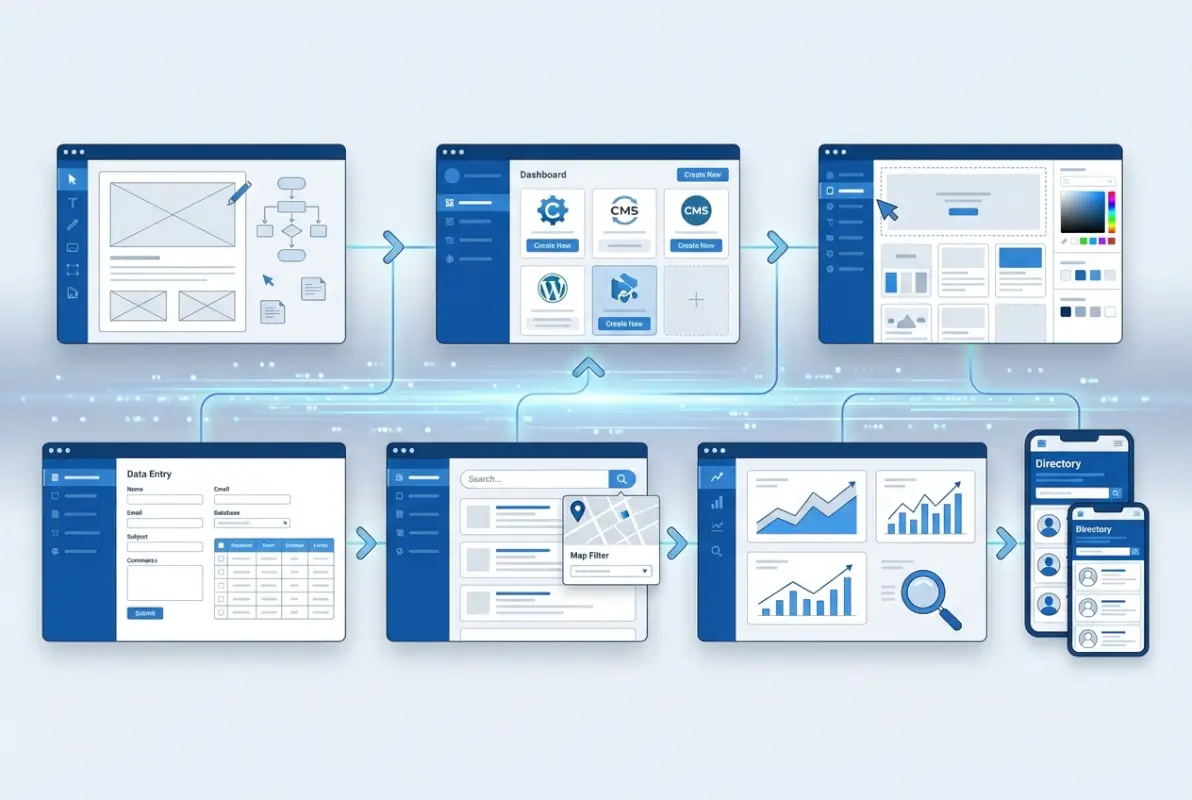
Start with required versus optional fields. Required: business name, category, description, location (at least city and state), contact method (phone or email). Optional: hours, price range, photos, videos, social profiles, certifications, awards. Store images and videos as URLs to a CDN or object storage service to keep your database lean and fast. Use JSON or relational foreign keys to link reviews, ratings, and user-generated Q&A to each listing.
Data Model Design
Versioning and auditing are essential if you allow business owners to edit their listings. Maintain a changelog table that records who changed what and when. This protects against disputes (“I never updated my hours!”) and lets you roll back malicious edits. If a business owner claims their profile, flag that listing as “verified” and give it a badge; verified listings rank higher in search results and build trust.
Moderation queues segregate new submissions, edits, and flagged content. New listings land in a pending queue where moderators check for spam, duplicate entries, and inappropriate content. Edits to existing listings can auto-publish if the owner is verified, or queue for review if the changes are substantial (e.g., category swap). User flags—”This business is closed,” “Inappropriate photo”—trigger a review workflow that prioritizes high-traffic listings.
Submission Flows
Design a multi-step submission form to reduce abandonment. Step one: business name, category, location. Step two: description, contact details, hours. Step three: photos and social links. Each step feels manageable, and you can save progress so users don’t lose work if they navigate away. After submission, send a confirmation email with a claim link; once the owner verifies via email, upgrade the listing status and unlock editing privileges.
Anti-spam controls include email verification, phone verification (via SMS), and honeypot fields that trap bots. Consider requiring a small fee ($5–$10) for new submissions to deter low-effort spam while still allowing legitimate small businesses to participate. Free directories attract spam like magnets; a nominal fee shifts incentives without excluding anyone serious.
Moderation & Quality Assurance
Editorial guidelines define what constitutes a complete, high-quality listing. Minimum description length (150 words), at least one photo, accurate hours, and a valid contact method. Featured listings can jump the moderation queue and appear at the top of search results in exchange for a monthly fee. Transparency is key: label featured listings clearly so users know they’re promoted, but don’t compromise editorial integrity by featuring low-quality businesses just because they paid.
Quality assurance workflows include periodic audits: every quarter, sample 5% of listings and verify that contact info is current, photos aren’t broken, and reviews aren’t obviously fake. Inactive listings—no updates in 18 months, phone disconnected—get flagged for removal or downgraded in search rankings. This continuous curation keeps your directory fresh and trustworthy, which is something you can’t find in many qualities great online directory essential elements success discussions.
Accessibility & Compliance
WCAG-conscious forms mean proper label associations (<label for="businessName">), error messages that are descriptive and announced by screen readers, and keyboard-navigable dropdowns. Test your submission form with a screen reader or use an automated accessibility scanner to catch low-hanging fruit. Data privacy basics include a clear privacy policy, GDPR-compliant consent checkboxes if you serve EU users, and secure storage of any personally identifiable information.
Implement Search, Filters, Maps, and Listing Pages
Search and filters are the engine of discovery. Users expect to type keywords, select categories, set a radius around their location, filter by price or rating, and sort results by relevance, distance, or recency. If your search returns irrelevant results or your filters don’t work on mobile, you’ll lose visitors immediately.

Advanced search starts with full-text indexing on business name, description, and tags. Use a search engine like Elasticsearch or Algolia for fast, typo-tolerant results, or rely on your database’s built-in full-text search if your listing count is under a few thousand. Filters should be faceted: selecting “Plumbing” shows a count of how many listings also have “24/7 Service” or “Licensed & Insured,” so users know what combinations exist before clicking.
Advanced Search and Filters
Category filters are checkboxes or expandable trees; location filters can be radius-based (“within 10 miles of 98101”) or city/state dropdowns. Price filters use ranges ($ under $50, $$ $50–$100, $$$ $100+) or sliders for continuous values. Rating filters (4+ stars, 3+ stars) and availability filters (open now, offers weekend appointments) add utility. Date ranges matter for event directories or seasonal services.
Performance is non-negotiable: search results should return in under 500 milliseconds, even with multiple filters applied. Cache popular queries, index your database properly, and paginate results to avoid loading thousands of rows at once. Lazy loading images and infinite scroll improve perceived performance on mobile.
Listing Page Core Elements
A listing detail page is your conversion point, so treat it like a landing page. Hero section: high-quality cover photo, business name, category, and average rating. Concise description (200–300 words) that highlights unique value. Clear CTAs: “Call Now,” “Visit Website,” “Get Directions,” “Request Quote.” Photo and video galleries should use a lightbox or carousel for easy browsing. Embed a map snippet (Google Maps iframe or static image) so users can visualize location at a glance.
Schema markup is critical for rich snippets. Use LocalBusiness or Service schema with fields for name, address, phone, hours, priceRange, aggregateRating, and review. When Google parses this structured data, your listing can appear with stars, hours, and price in search results, dramatically boosting click-through rates. Validate your markup with Google’s Rich Results Test.
Maps & Local Context
Integrate map views on category pages and listing detail pages. A map view lets users see all plumbers in their neighborhood at once; clicking a pin opens a card with name, rating, and distance. Geotagging listings with latitude and longitude enables proximity-based sorting (“Nearest first”) and radius filters. For national or global directories, add city or region landing pages—e.g., “Plumbers in Seattle”—with a map of that area and localized content.
Performance & SEO Considerations
Page speed impacts rankings and conversions. Aim for a Lighthouse score above 90 on mobile. Lazy load images below the fold, minify CSS and JavaScript, and serve assets from a CDN. Structured data, canonical tags, and clean URLs are table stakes. Ensure every listing page has a unique meta title and description; auto-generate them from business name and category if you must, but customize top-tier listings manually for better click-through.
Crawlability means a flat site structure (no page more than three clicks from the homepage), an XML sitemap that lists all category and listing URLs, and a robots.txt that doesn’t block critical paths. Submit your sitemap to Google Search Console and monitor for crawl errors or indexing issues.
Create Content Ecosystem to Attract Traffic
Listings alone won’t drive organic traffic at scale. You need a content layer—guides, roundups, how-tos, and local resource pages—that targets informational keywords and funnels users to your listings. This is where you can learn from successful active directory business use cases that leverage content to build authority.

Listing-driven content means writing “Top 10 Plumbers in Seattle” or “How to Choose a Licensed Electrician in Portland.” Each guide links to relevant listings, category pages, and related articles. Category landing pages double as content hubs: a “Plumbing” page should have 500+ words explaining what services plumbers offer, how to vet contractors, average pricing, and FAQs. This text satisfies search intent and provides anchor points for internal links.
Listing-Driven Content
Local resource roundups—”Best Family-Friendly Restaurants in Austin,” “Where to Find Emergency Vet Clinics in Phoenix”—attract long-tail traffic and backlinks from local bloggers. Use your own listings as the source material; if you have 50 pet groomers in Phoenix, filter for those with “emergency hours” and write a curated guide. Embed structured data (ItemList schema) so Google can show your roundup as a carousel.
SEO Foundations
Keyword research starts with a seed list: “plumber [city],” “emergency plumbing [city],” “how to find a good plumber,” “plumbing cost estimate.” Use tools like Ahrefs or SEMrush to expand the list with related queries and question-based keywords. Semantic relevance means covering synonyms and related concepts—”plumber,” “plumbing contractor,” “drain specialist”—so search engines understand your topical authority.
Descriptive page titles and URLs boost rankings and click-through. “/seattle/home-services/plumbing” is superior to “/category?id=42”. Titles should follow the pattern “Category in Location | Site Name” or “Business Name – Category | Site Name”. Meta descriptions should tease value: “Find licensed, insured plumbers in Seattle. Compare ratings, read reviews, and book same-day service.”
Content Formats to Boost Engagement
Reviews and ratings are the lifeblood of a directory. Encourage every customer to leave a review by sending follow-up emails post-purchase or after the service window. Display average star ratings on listing cards and detail pages; businesses with 10+ reviews convert better and rank higher. User-generated media—photos of completed work, before-and-after shots—add authenticity and visual appeal.
Q&A sections let prospective customers ask questions (“Do you service apartments or only houses?”) and business owners or the community can answer. This generates fresh, keyword-rich content with minimal effort on your part. Feature the most helpful Q&A pairs at the top of the listing page.
Authority Building and Trust Signals
Editorial standards define your voice, fact-checking process, and disclosure policy. If you accept paid placements, label them. If you receive affiliate commissions, disclose it. Transparency builds trust, and trust drives repeat visits. Moderation transparency means publishing clear guidelines for what you allow (constructive criticism) and what you remove (hate speech, fake reviews).
Verified listings—those claimed by the business owner and confirmed via email or phone—get a badge and higher placement. Consider partnering with local chambers of commerce or industry associations to cross-validate credentials. Displaying “BBB Accredited” or “Licensed by [State Board]” badges lends authority, especially in regulated industries like contracting or legal services. This is a key reason why many users prefer to add business to lawyers directory platforms that emphasize verification.
Monetization, Pricing, and Growth Tactics
Monetization should start small and scale as your traffic grows. Free directories struggle to cover hosting and moderation costs; paid models align incentives because businesses that pay for premium placement care about their listings and update them regularly.
Monetization Models
Listing subscriptions are the simplest model: basic listings are free (name, category, contact info), premium listings ($10–$50/month) add photos, video, priority placement, and enhanced analytics. Featured placements pin a business to the top of category or search results for a fixed monthly fee. Paid reviews—allowing businesses to solicit reviews via email campaigns from your platform—generate SaaS-style recurring revenue.
Lead generation works well for high-ticket services like legal, real estate, or home remodeling. Instead of showing the business’s phone number directly, you present a contact form; when a user submits, you charge the business a per-lead fee ($5–$50 depending on vertical). This aligns your interests with theirs: they only pay for qualified inquiries.
| Monetization Model | Pros | Cons |
|---|---|---|
| Listing Subscriptions | Predictable MRR, easy to scale | Requires critical mass of users to convert |
| Featured Placements | High margins, low operational cost | Can dilute trust if overused |
| Lead Generation | Performance-based, aligns incentives | Requires CRM integration, fraud detection |
| Display Ads | Passive income, no sales required | Low CPMs, clutters UX |
Pricing Strategies
Tiered plans create clear upgrade paths. Free tier: one listing, basic contact info, no photos. Standard tier ($15/mo): three photos, hours, social links, and analytics. Premium tier ($50/mo): unlimited photos, video, featured badge, and top placement in search. Offer annual discounts (two months free) to lock in long-term subscribers and reduce churn.
Free listings with optional upgrades reduce friction for first-time submitters. Once a business sees traffic from your directory, upselling premium features is straightforward. Trial periods (30 days free premium, then downgrade to basic) let businesses experience the value before committing, just like many users do when they add business to phone directory listings for trial exposure.
Growth & Outreach
Partnerships with local business associations, chambers of commerce, and industry groups provide bulk listings and credibility. Offer free or discounted premium listings to founding members in exchange for testimonials and case studies. Local business outreach means cold email campaigns (“We’re building a plumber directory in Seattle and would love to feature your company”) and in-person networking at trade shows or community events.
Content partnerships with local bloggers, news sites, and influencers generate backlinks and referral traffic. Offer to sponsor a “Best Of” roundup or contribute expert quotes in exchange for a link to your directory. Guest posts on relevant blogs (“How to Vet a Contractor Before Hiring”) with a CTA linking to your directory funnel qualified traffic.
Compliance and Trust
Transparent terms of service explain what you allow, what you prohibit, and how you handle disputes. Your privacy policy must disclose what data you collect (name, email, location, payment info), how you use it (to operate the directory, send newsletters, process payments), and whether you share it with third parties (payment processors, analytics tools). User moderation guidelines clarify what constitutes a legitimate review versus spam or defamation. Publish your editorial standards so users understand how you curate content.
Launch, Measure, and Optimize
Launch is not a one-day event; it’s a phased rollout. Pre-launch means seeding the directory with 50–100 quality listings so early visitors don’t land on empty categories. Beta testing with a closed group of users uncovers usability bugs, broken links, and confusing workflows before you open to the public. Soft launch to a small audience (email list, local community) lets you gather feedback and iterate before scaling up marketing.
Pre-Launch Readiness
Data migration applies if you’re importing listings from another source—spreadsheets, APIs, or a legacy system. Validate every import: check for duplicates, fill in missing fields, and geocode addresses. Seed listings manually if you’re starting from scratch; reach out to 10–20 businesses per category and offer free premium listings in exchange for early adoption. Beta testing should include real users performing real tasks: search for a plumber, submit a new listing, leave a review. Record sessions with Hotjar or FullStory to watch where they stumble.
Launch Metrics
In the first 90 days, track daily unique visitors, new listings submitted, user registrations, and revenue (if you’ve launched paid tiers). Set weekly goals: week one, 100 visitors and 5 new listings; week four, 500 visitors and 20 listings. Engagement metrics—average session duration, pages per session, bounce rate—tell you if visitors find your content valuable. If bounce rate exceeds 70%, investigate landing page content, load times, and mobile experience.
Post-Launch Optimization
Continuous A/B testing refines every funnel. Test search result layouts (grid vs. list), filter placement (sidebar vs. top bar), and CTA copy (“Get a Quote” vs. “Contact Now”). Use Google Optimize or Optimizely to split traffic and measure conversion lift. Listing layout experiments—swapping the order of photos, reviews, and CTAs—can boost click-through by 20% or more.
Heatmaps and session recordings reveal friction points. If users scroll past your search bar without clicking, make it larger or add a placeholder hint (“Try ’emergency plumber near me'”). If they filter by category but never apply additional filters, simplify the filter UI or add tooltips explaining what each filter does.
Ongoing Maintenance
Content updates keep your directory fresh. Quarterly audits of top-performing categories ensure listings are current; annual refreshes of guides and roundups maintain SEO relevance. Listing quality curation means periodically reaching out to inactive businesses to confirm they’re still operating, and pruning closed or unresponsive entries. Performance monitoring tracks server uptime, page load times, and error rates; set alerts for spikes in 404s or slow queries so you can fix issues before users churn.
This is also the phase where you can integrate features inspired by business phone menu directory options to enhance user navigation and discoverability.
Frequently Asked Questions
What is an online directory website, and how does it work?
An online directory website is a curated database of businesses, services, or resources organized by category, location, or niche. Users search or browse listings, filter by attributes like price or rating, and contact providers directly. Directories monetize through premium listings, featured placements, or lead generation fees.
How do you attract visitors to a directory site?
Attract visitors with strong SEO (keyword-rich category pages, structured data, fast load times), content marketing (guides, roundups, local resource pages), and backlinks from local blogs or news sites. User-generated reviews and social proof also drive organic traffic through word-of-mouth and social shares.
What data should a directory listing include?
A complete listing includes business name, category, description, address, phone, email, website, hours, price range, photos, reviews, and ratings. Optional fields: certifications, service area, video, social links, and Q&A. Structured data (schema markup) helps search engines display rich snippets with stars and hours.
How much does it cost to run a directory website?
Initial setup ranges from $500 (WordPress theme and plugins) to $10,000+ (custom build with advanced search and moderation). Ongoing costs include hosting ($20–$200/month), CDN, payment processing fees, and moderation labor. Budget at least $100/month for a small directory, more as you scale.
How can I monetize a directory site effectively?
Effective monetization starts with tiered subscriptions (free basic, paid premium with photos and priority placement), featured listings, lead generation fees, or display ads. Focus on value: businesses pay when premium features demonstrably increase their visibility or lead volume. Avoid aggressive ads that degrade user experience.
What are the best practices for listing moderation and user reviews?
Moderate new submissions for spam, duplicates, and accuracy. Require email or phone verification. For reviews, implement anti-gaming measures (one review per user per business, flag suspicious patterns). Publish moderation guidelines and respond transparently to disputes. Remove fake or abusive reviews but preserve critical feedback when legitimate.
How do I optimize a directory site for local SEO?
Optimize for local SEO by creating city or region landing pages (“Plumbers in Seattle”), embedding maps with geotagged listings, and using LocalBusiness schema. Ensure every listing has accurate NAP (name, address, phone) data. Build local backlinks from chambers of commerce, news sites, and community blogs.
Which tech stack is best for building a directory website?
WordPress with plugins like GeoDirectory or Listify works for small to medium directories. For larger or custom needs, use a headless CMS (Strapi, Contentful) with a React or Vue frontend and Node.js or Python backend. Algolia or Elasticsearch powers advanced search; Stripe handles payments. Choose based on your budget and technical expertise.
How do I handle accessibility and compliance for a directory?
Ensure WCAG 2.1 AA compliance by using semantic HTML, proper ARIA labels, keyboard navigation, and sufficient color contrast. Provide alt text for images and transcripts for videos. For compliance, publish a clear privacy policy, obtain GDPR consent where required, and secure user data with HTTPS and encrypted databases.
How can I scale a directory with thousands of listings?
Scale by optimizing database queries (indexes on category, location, rating), caching popular pages (Redis or Varnish), and using a CDN for static assets. Implement pagination or infinite scroll on category pages. Automate moderation with spam filters and machine learning. Consider sharding or read replicas for database performance as you grow.
Building an online directory that attracts visitors isn’t about luck or throwing content at the wall, it’s about disciplined execution across seven interdependent steps. You start with niche clarity and audience research, architect a scalable taxonomy that search engines can parse and users can navigate, design data models and moderation workflows that balance automation with editorial quality, then layer on search, filters, and content that drive discovery and trust. Monetization and growth tactics align your incentives with business owners, and a data-driven launch followed by relentless optimization compounds results over time.
The directories that win in the long run treat launch as iteration zero. They seed listings before going public, they A/B test every funnel, they audit listing quality quarterly, and they publish fresh content monthly to feed the SEO engine. They also recognize that trust is the ultimate moat—verified badges, transparent moderation, and editorial standards separate credible directories from spammy aggregators. In an era when consumers are overwhelmed by choice, a well-curated directory that surfaces the right option at the right moment becomes indispensable.
If you’re ready to build, start small. Pick a niche you understand, draft your taxonomy on paper, sketch wireframes for your core templates, and validate demand by manually listing 20 businesses and asking them if they’d pay for premium placement. Once you see traction, invest in the infrastructure—forms, moderation queues, search, and schema markup—that turns a simple list into a discovery engine. Then scale with content, partnerships, and iterative testing. The seven-step blueprint above isn’t theoretical; it’s the playbook that successful directories from Yelp to niche job boards have followed, adapted to the realities of building in a post-pandemic, mobile-first, voice-search-enabled web. Go build something people actually use, and the traffic will follow.