Company Directory Meaning: What It Is, Types & How to Build One

Generating summary...
Ever spent 20 minutes hunting down a colleague’s extension, only to find they’d switched departments three months ago? Or watched a new client call bounce between four different people before reaching the right expert? These aren’t just minor annoyances—they’re symptoms of a fundamental organizational problem that a proper company directory solves.
A company directory is a centralized system that organizes contact information, organizational structure, and resource details for businesses. Unlike a simple contact list, modern company directories function as living knowledge bases that connect people, expertise, and departments in ways that directly impact productivity and customer satisfaction. Understanding the company directory meaning goes beyond defining it as a digital phonebook—it’s about recognizing how this tool shapes communication flows and organizational efficiency.
Most businesses either operate without a formal directory or rely on outdated spreadsheets that create more confusion than clarity. The difference between companies with robust directories and those without is measurable: faster onboarding, reduced communication friction, and better resource allocation across projects.
TL;DR – Quick Takeaways
- Core definition: A company directory is a searchable database containing employee contacts, organizational structure, skills, and departmental information
- Beyond contact lists: Modern directories include expertise mapping, project assignments, and knowledge management features
- Measurable benefits: Organizations report 30-40% faster communication resolution and 60% reduction in onboarding queries
- Types vary widely: Employee directories, customer databases, vendor lists, and hybrid systems serve different organizational needs
- Success requires maintenance: Regular updates, clear ownership, and integration with HR systems determine long-term value
What Is a Company Directory? Core Definition and Scope
A company directory is a structured information system that centralizes data about an organization’s people, structure, and resources. At minimum, it contains names, roles, and contact details. But the meaning of a company directory has evolved significantly—modern systems incorporate departmental hierarchies, skill databases, project affiliations, office locations, and even work schedules across time zones.

Think of it as your organization’s internal search engine. When someone asks “Who handles our vendor contracts?” or “Which team member knows Python?”, a well-designed directory provides immediate answers without requiring emails, Slack threads, or hallway conversations.
The scope of company directories varies based on organizational needs. Some focus exclusively on internal personnel (employee directories), while others extend to external stakeholders like customers, partners, or vendors. According to Wikipedia’s overview of business directories, these systems have existed in various forms for centuries, but digital transformation has fundamentally changed their capabilities and strategic importance.
Internal vs. External Directory Systems
Internal directories serve employees and contain sensitive organizational data protected behind authentication systems. They typically include reporting relationships, internal phone extensions, workspace locations, and confidential project details.
External directories function as public-facing resources, listing general company information, department contacts, and customer service channels. These help clients, partners, and prospects navigate your organization without exposing internal structures.
Hybrid systems use permission-based access to show different information levels to various user groups—employees see full profiles while external users access limited contact information.
For organizations managing multiple locations or business park environments, understanding ways to access business park directory information becomes crucial for coordinating cross-location operations.
How Modern Directories Differ from Traditional Contact Lists
Traditional contact lists are static documents—usually spreadsheets or printed booklets—that become outdated the moment someone changes roles or leaves the company. Modern company directories solve this through real-time updates, self-service profile management, and integration with authoritative data sources like HRIS platforms.
Key differences include:
- Searchable by multiple criteria (skills, location, department, project) rather than just names
- Automated synchronization with HR systems to reflect organizational changes immediately
- Mobile accessibility for remote and field workers
- API integrations that surface directory data within other tools (email, project management, CRM systems)
- Analytics capabilities tracking usage patterns and identifying information gaps
Types of Company Directories and Their Strategic Uses
Not all directories serve the same purpose. Understanding the different types helps you design systems that match your actual business needs rather than implementing generic solutions.
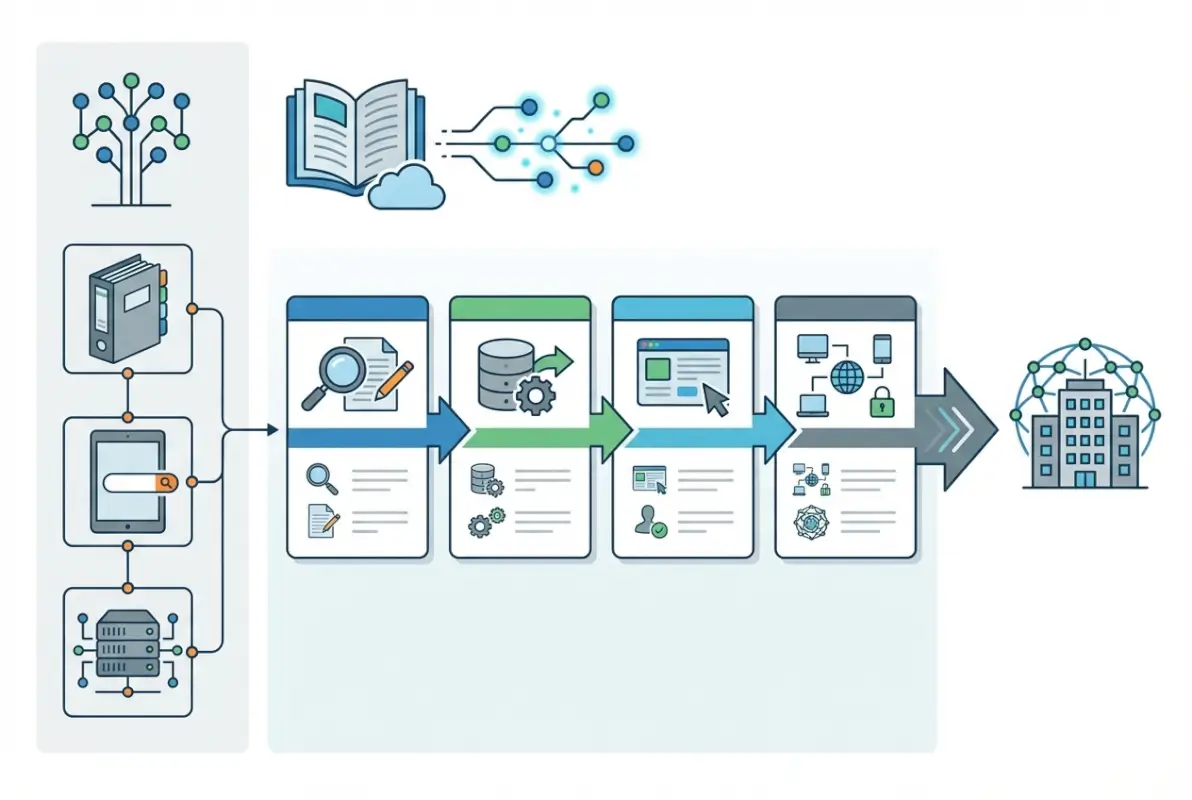
Employee Directories: The Foundation of Internal Communication
Employee directories form the backbone of internal operations. They typically include:
- Basic contact information (email, phone, messaging handles)
- Job titles, departments, and reporting relationships
- Office locations, desk assignments, and work schedules
- Skills, certifications, and areas of expertise
- Current project assignments and team affiliations
- Professional backgrounds and career histories
Organizations using comprehensive employee directories report significant efficiency gains. Research from the Society for Human Resource Management indicates companies with well-maintained directories resolve internal queries 23% faster than those relying on informal knowledge networks.
I once joined a consulting firm where the employee directory included each person’s “ask me about” section—informal expertise tags like “Excel macros” or “German market knowledge.” This simple addition transformed how quickly we assembled client teams, we could staff projects in hours rather than days.
Customer and Client Directories
For service businesses, customer directories organize relationship data that enables consistent service delivery:
- Primary and secondary contact information for client organizations
- Account histories, contract terms, and service agreements
- Communication preferences and escalation protocols
- Project histories and past deliverables
- Industry context and competitive positioning
These directories prevent the common problem where new account managers take months to understand client relationships. When customer information is properly structured, transitions happen smoothly and institutional knowledge persists despite staff changes.
Vendor and Partner Directories
External relationship management requires organized vendor information:
- Supplier contact details and primary account representatives
- Services provided, pricing structures, and contract terms
- Performance metrics and reliability histories
- Compliance certifications and audit documentation
- Alternative suppliers for critical dependencies
Vendor directories streamline procurement and reduce risk by ensuring procurement teams have complete context when making sourcing decisions.
| Directory Type | Primary Users | Key Information | Update Frequency |
|---|---|---|---|
| Employee | All staff | Contacts, roles, skills, org structure | Daily (automated) |
| Customer | Sales, service teams | Client contacts, account history, contracts | Weekly |
| Vendor | Procurement, operations | Supplier details, performance, compliance | Monthly |
| Partner | Business development | Alliance contacts, joint initiatives | Quarterly |
Many organizations exploring directory solutions find that white label business directory software solutions offer the customization needed to serve multiple directory types under unified branding.
Core Features and Best Practices for Effective Company Directories
The difference between a useful directory and an abandoned one comes down to thoughtful feature selection and disciplined data governance. Let’s examine what actually matters.
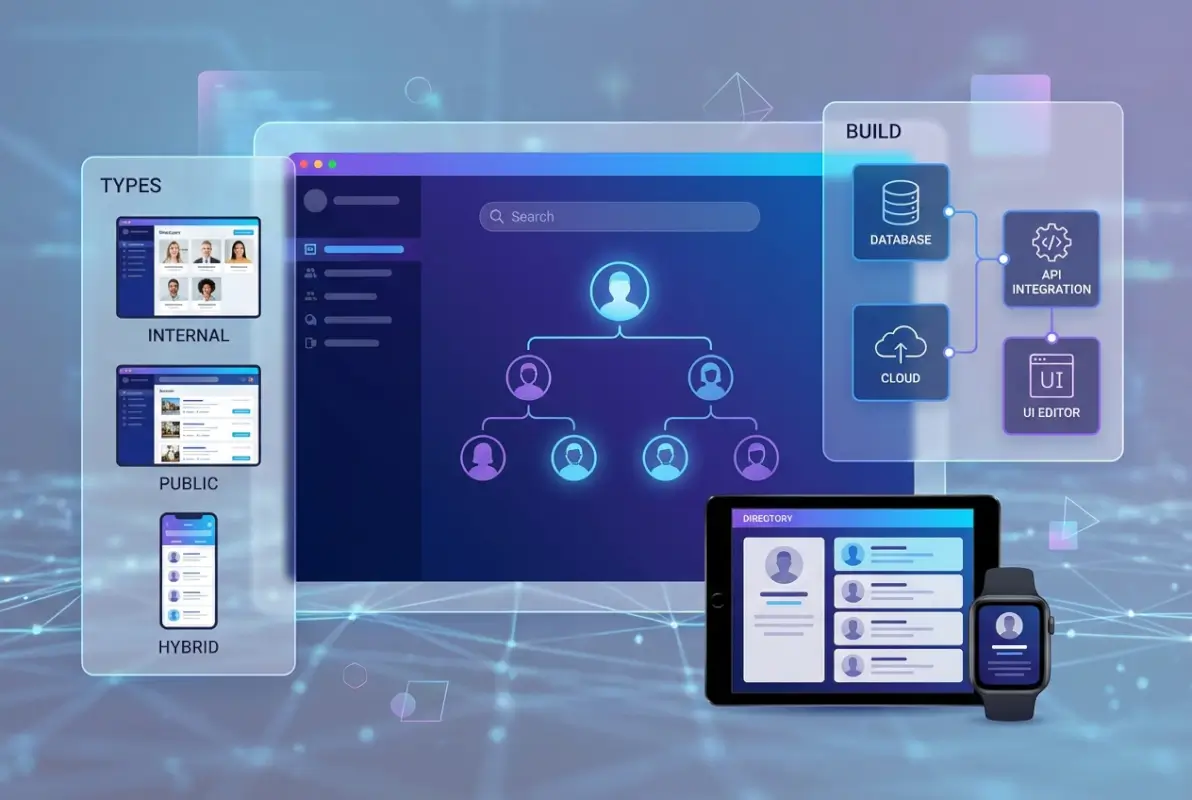
Essential Data Fields and Information Architecture
Effective directories balance completeness with usability. Required fields typically include:
- Full name, preferred name, and pronouns
- Current job title and department
- Primary contact methods (email, phone, messaging)
- Office location and time zone
- Direct manager and reporting relationships
- Start date and employment status
Optional but valuable fields include:
- Skills, certifications, and areas of expertise
- Languages spoken and proficiency levels
- Current project assignments
- Working hours and availability preferences
- Professional social profiles (LinkedIn, GitHub)
- Emergency contact information (permission-restricted)
According to Oracle’s directory concepts documentation, well-designed directory schemas use hierarchical organization and standardized attribute naming to ensure data consistency and searchability.
Search, Filter, and Discovery Capabilities
Directory value depends entirely on how easily people find what they need. Implement these search features:
- Full-text search across all fields (not just names)
- Faceted filtering by department, location, skills, and custom attributes
- Autocomplete suggestions that surface results as users type
- Advanced search with Boolean operators for complex queries
- Saved search functionality for frequently used queries
- “Similar profiles” recommendations based on role or expertise
The best directories I’ve used included “fuzzy matching” that handled misspellings and partial information gracefully—essential when you’re searching for “that developer who worked on the authentication project” without knowing their exact name.
Data Quality, Governance, and Maintenance Processes
Directories decay without active maintenance. Establish these governance practices:
- Assign clear ownership for directory accuracy (typically HR or IT)
- Integrate updates with existing HR workflows (onboarding, role changes, departures)
- Enable self-service updates for specific fields while maintaining central control of authoritative data
- Implement approval workflows for sensitive changes
- Schedule quarterly audits to verify information accuracy
- Use automated alerts to flag stale or incomplete profiles
Organizations focused on proper structure find that understanding how to organize active directory for business environment provides valuable architectural patterns applicable to any directory implementation.
Access Controls and Privacy Considerations
Balance accessibility with appropriate privacy protections:
- Implement role-based access showing different data to different user groups
- Allow individuals to mark certain fields private (like mobile numbers)
- Comply with regional data protection regulations (GDPR, CCPA)
- Restrict access to sensitive fields like compensation, performance ratings, or emergency contacts
- Create clear policies about external sharing of directory information
- Maintain audit logs tracking who accesses what information
Implementation Priorities and Common Pitfalls to Avoid
Building a company directory sounds straightforward until you start encountering the practical challenges. Here’s how to navigate implementation without common mistakes derailing your project.

Step-by-Step Directory Rollout Plan
Phase 1: Planning and Data Model Design (Weeks 1-2)
- Interview stakeholders across departments to understand their information needs
- Define required and optional data fields
- Map existing data sources (HRIS, email systems, org charts)
- Establish governance model and assign ownership
- Select platform and integration approach
Phase 2: Data Migration and Cleansing (Weeks 3-4)
- Extract data from existing systems and spreadsheets
- Standardize naming conventions, department labels, and location codes
- Validate contact information and remove duplicates
- Fill gaps through employee self-service forms
- Establish baseline data quality metrics
Phase 3: Platform Configuration and Integration (Weeks 5-6)
- Configure directory platform with defined schema
- Set up integration with authoritative systems (HRIS, Active Directory)
- Design user interface and search functionality
- Implement access controls and permissions
- Conduct internal testing with representative users
Phase 4: Launch and Adoption (Week 7+)
- Soft launch with pilot groups to identify issues
- Create training materials and user guides
- Communicate directory benefits and use cases organization-wide
- Monitor usage analytics and gather feedback
- Establish ongoing maintenance routines
For businesses building directories as revenue-generating assets, exploring key steps run successful directory website business provides additional strategic considerations beyond internal use cases.
Technology Selection: Platforms and Tools
Directory platforms range from enterprise-grade systems to lightweight WordPress solutions. Consider:
- Enterprise platforms: Microsoft Active Directory, Workday, BambooHR offer robust features but require significant implementation effort
- Collaboration suite directories: Google Workspace and Microsoft 365 include basic directory functionality that may suffice for smaller organizations
- Intranet solutions: SharePoint, Confluence, and similar platforms with directory modules integrated into broader workplace portals
- WordPress-based systems: TurnKey Directories and similar plugins provide customizable, cost-effective solutions with extensive ecosystem support
- Specialized directory apps: Purpose-built tools with mobile-first design and advanced search capabilities
When evaluating options, prioritize integration capabilities over feature lists. A simpler directory that syncs seamlessly with your existing tools delivers more value than a feature-rich system that operates in isolation.
Typical Implementation Mistakes and How to Avoid Them
Mistake 1: Launching with incomplete data. Employees abandon directories that show outdated information or missing profiles. Solution: Ensure 95%+ completeness before launch, even if that means delaying rollout.
Mistake 2: Over-customization creating maintenance burden. Heavily customized systems become difficult to update and maintain over time. Solution: Use standard configurations when possible, customize only where it delivers measurable value.
Mistake 3: No clear update process. Without defined workflows, directory data decays immediately. Solution: Link directory updates to existing HR processes (onboarding, transfers, departures) so they happen automatically.
Mistake 4: Treating directory as IT project rather than organizational change. Technology alone doesn’t drive adoption. Solution: Involve stakeholders from multiple departments and emphasize business benefits, not technical features.
Mistake 5: Ignoring mobile access. Remote and field workers need directory access from phones and tablets. Solution: Ensure responsive design or dedicated mobile apps from day one.
Measurement, Governance, and Evolving Your Directory Over Time
Successful directories don’t stay static—they evolve with organizational needs while maintaining data integrity through deliberate governance. Here’s how to sustain value long-term.

Key Metrics to Track Directory Health
Measure these indicators monthly to gauge directory effectiveness:
- Profile completeness: Percentage of entries with all required fields populated (target: 98%+)
- Data freshness: Average age since last update and percentage of profiles updated in past 90 days
- Search success rate: Percentage of searches that result in profile views or contact actions
- Active usage: Percentage of organization accessing directory weekly
- Time to resolution: Speed of finding correct contact compared to baseline (before directory)
- Duplicate profiles: Number of redundant or conflicting entries (target: zero)
According to Forbes guidance on business directory listings, maintaining accurate, complete business information across directories directly impacts customer trust and operational efficiency.
I worked with one organization that tracked “cold transfer rate”—calls or emails sent to the wrong person initially. After implementing their directory, this metric dropped 73% within six months, directly improving customer satisfaction scores.
Governance Model and Ongoing Optimization
Establish clear roles and responsibilities:
- Executive sponsor: Senior leader who champions directory value and resolves cross-departmental conflicts
- Directory administrator: Individual or team responsible for system configuration, data quality, and technical maintenance
- Department representatives: Designated contacts who verify accuracy for their areas and escalate issues
- All employees: Responsible for maintaining their own profile information within defined parameters
Schedule regular reviews:
- Weekly: Automated data quality reports identifying stale or incomplete profiles
- Monthly: Usage analytics review to identify adoption patterns and gaps
- Quarterly: Full data audit and stakeholder feedback sessions
- Annually: Strategic review of directory scope, features, and platform fit
Automation Opportunities to Reduce Manual Effort
Modern directories leverage automation extensively:
- HR system integration syncing employment status, titles, and reporting relationships automatically
- Email system integration updating contact information when email addresses change
- Badge/access system integration reflecting office location and workspace assignments
- Calendar integration showing availability and time zone information
- Project management tool integration displaying current assignments
- Periodic verification prompts asking users to confirm their information remains current
Organizations exploring search optimization can learn from how to search businesses in fslocal directory tips, which demonstrate advanced directory search patterns applicable to internal systems.
| Governance Activity | Frequency | Owner | Time Required |
|---|---|---|---|
| Data quality dashboard review | Weekly | Directory Admin | 15 minutes |
| Department accuracy verification | Monthly | Dept Reps | 30 minutes |
| Full data audit | Quarterly | Admin + HR | 4 hours |
| Strategic feature review | Annually | Exec Sponsor | 2 hours |
What is a company directory?
A company directory is a centralized database containing organizational information including employee contacts, departmental structures, roles, skills, and resource details. Modern company directories go beyond simple contact lists to include searchable expertise databases, project assignments, and integrated communication tools that help people quickly find the right information or person.
Why does a company need a directory?
Companies need directories to improve communication efficiency, reduce time wasted searching for information, streamline onboarding, and maintain organizational knowledge. Research shows organizations with comprehensive directories resolve internal queries 30-40% faster and experience 60% fewer orientation questions from new employees, directly impacting productivity and employee satisfaction.
What information should a company directory include?
Essential directory information includes names, job titles, departments, contact details (email and phone), office locations, and reporting relationships. Additional valuable fields include skills and expertise, project assignments, time zones, working hours, languages spoken, and professional backgrounds. The specific information depends on organizational needs, but completeness and accuracy matter more than comprehensiveness.
How is a company directory different from an organizational chart?
An organizational chart shows reporting relationships and hierarchical structure visually, while a company directory provides comprehensive, searchable information about individuals including contact details, skills, and expertise. Directories often include organizational chart functionality but extend far beyond structure to enable actual communication and resource discovery across the organization.
Can a company directory improve SEO and online visibility?
External-facing company directories can improve SEO through structured data markup, consistent NAP (Name, Address, Phone) information across listings, and authoritative contact pages that search engines index. Internal directories don’t directly impact SEO but improve operational efficiency that indirectly supports business growth and online presence through better resource allocation and customer service.
How do you maintain accuracy in a company directory?
Maintain directory accuracy by integrating with authoritative HR systems for automatic updates, establishing clear ownership for data quality, implementing quarterly audits, enabling controlled self-service updates for specific fields, and linking directory maintenance to existing HR workflows like onboarding and role changes. Automation reduces manual effort while improving consistency.
What are common pitfalls when building a company directory?
Common pitfalls include launching with incomplete data, creating overly complex systems that users avoid, failing to establish clear update processes, ignoring mobile access needs, and treating implementation as purely technical rather than organizational change. Successful directories balance comprehensive features with usability and establish governance before launch, not after problems emerge.
What platforms work best for company directories?
Platform choice depends on organizational size and needs. Enterprise organizations often use integrated HRIS platforms like Workday or BambooHR. Mid-size companies benefit from WordPress-based solutions like TurnKey Directories that offer customization and cost-effectiveness. Small organizations may start with Google Workspace or Microsoft 365 built-in directories. Prioritize integration capabilities over feature lists when selecting platforms.
Taking Action: Your Next Steps with Company Directories
Understanding the company directory meaning is just the starting point—the real value comes from implementing systems that actually serve your organization’s needs. Whether you’re building from scratch or upgrading an existing directory, success requires treating it as strategic infrastructure rather than a simple contact list.
Start by assessing your current state honestly. How much time do employees spend searching for information? How many customer calls get transferred multiple times before reaching the right expert? How quickly can new hires become self-sufficient? These metrics reveal the gap between where you are and where effective directory implementation could take you.
Your Directory Implementation Checklist
- Conduct stakeholder interviews across departments to define requirements
- Audit existing data sources and identify integration points
- Select a platform that balances features with maintainability
- Establish governance model before launch, not after
- Ensure 95%+ data completeness before rollout
- Create automated update workflows tied to HR processes
- Monitor usage metrics weekly during first 90 days
- Schedule quarterly reviews to evolve features based on actual usage
The organizations that get the most value from directories are those that view them as living systems requiring continuous attention, not one-time projects. They integrate directory maintenance into existing workflows, automate updates wherever possible, and measure effectiveness through real usage metrics rather than just implementation completion.
Remember that your directory doesn’t need to be perfect on day one. Start with core employee information, ensure it’s accurate and accessible, then expand functionality based on how people actually use it. The most successful directories evolve with organizational needs rather than attempting to anticipate every future requirement upfront.
Take the first concrete step this week. Whether that means scheduling stakeholder interviews, evaluating platform options, or simply documenting your current information chaos, every journey toward better organizational knowledge management begins with recognizing its strategic value. Your future self—and everyone in your organization—will appreciate the investment in making information findable when it matters.
Was this article helpful?