
Best Company Directory Software for 2025: Top 5 Employee Directory Solutions
Opens a Google-translated copy of this article in a new tab.
Finding the right colleague in a sprawling organization shouldn’t feel like detective work. Yet for most businesses today, locating someone with specific expertise—or even just getting their correct contact details—remains frustratingly difficult. The days of static spreadsheets and outdated intranet pages are over. Modern company directory software has evolved into intelligent systems that connect employees, surface hidden expertise, and transform how teams collaborate across locations and time zones.
With company directory software delivering up to 30% improvements in employee connectivity and drastically reducing time spent searching for information, the ROI case has become undeniable. Whether you’re managing 50 employees or 50,000, the right directory solution serves as critical infrastructure for organizational success—not just a nice-to-have tool.
TL;DR – Quick Takeaways
- Company directory software centralizes employee data and dramatically improves internal communication efficiency
- Essential features include advanced search, seamless HRIS integration, mobile access, org chart visualization, and enterprise-grade security
- Top solutions for 2025: Microsoft Viva Connections (Microsoft 365 users), Pingboard (visual org charts), BambooHR (SMBs), Workday Directory (enterprises), and TurnKey Directories (customizable WordPress-based solutions)
- Selection should prioritize business needs, scalability, total cost of ownership, and user adoption potential
- Future trends point toward AI-powered personalization, enhanced security, and deeper collaboration tool integration
What is Company Directory Software?
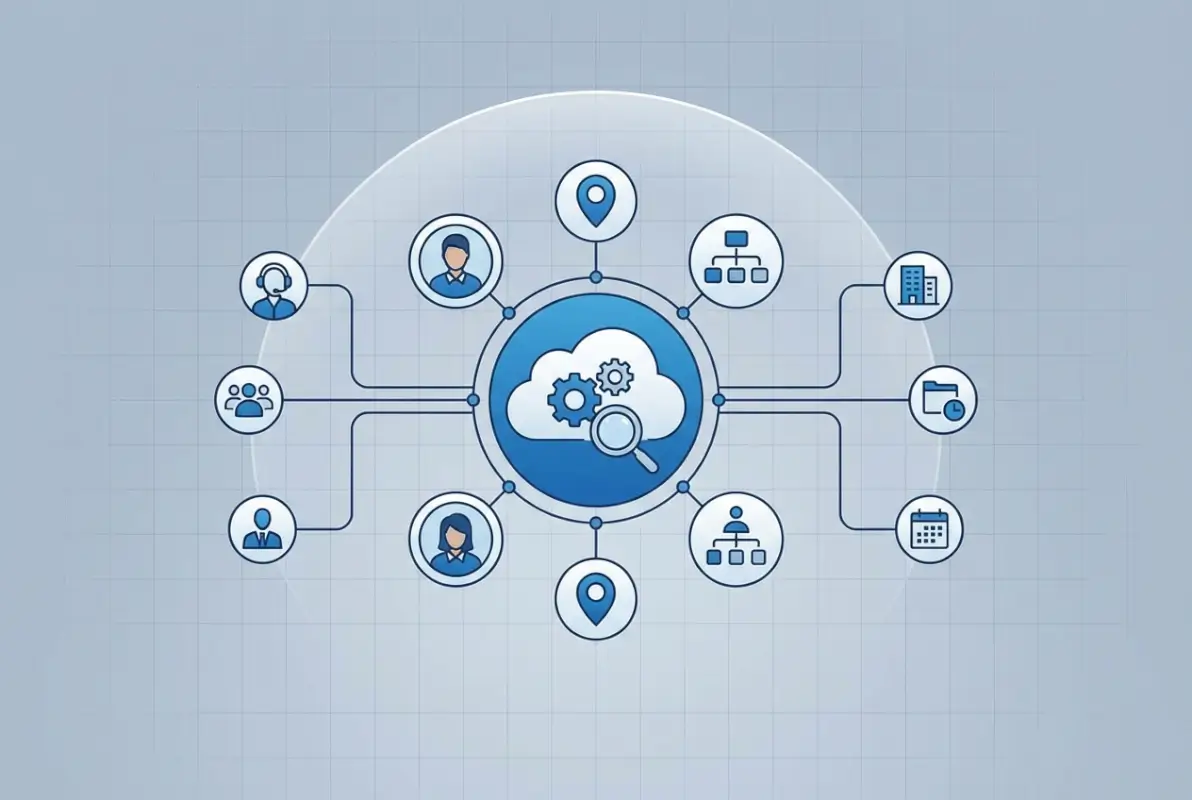
Company directory software functions as your organization’s central employee database—a single source of truth that eliminates confusion about who does what, where they’re located, and how to reach them. Unlike outdated contact lists that require manual updates and quickly become obsolete, modern employee directory software offers dynamic, searchable platforms that automatically sync with HR systems and provide rich, detailed employee profiles.
Research from Gartner’s enterprise software analysis shows organizations implementing robust directory solutions report significant improvements in both employee connectivity and satisfaction. This matters especially now, as hybrid and remote work models make digital connection tools more critical than ever.
At its foundation, directory software solves four fundamental business challenges:
- Information accessibility – Quick access to contact details, roles, and responsibilities across your entire organization
- Organizational transparency – Clear visibility into reporting structures and team compositions, particularly valuable in complex matrix organizations
- Connection building – Easier networking across departments and locations, breaking down organizational silos
- Resource discovery – Identifying subject matter experts and specialized skills exactly when you need them
For businesses with multiple locations or remote workers, these tools have transitioned from optional conveniences to essential infrastructure. As organizations scale, maintaining this centralized knowledge repository becomes increasingly valuable for operational efficiency and employee experience.
Essential Features in Best Directory Software 2025
Modern directory solutions have evolved far beyond simple contact lists. Today’s platforms offer comprehensive functionality that transforms them into workforce management powerhouses. When evaluating best employee directory software, understanding both foundational capabilities and advanced differentiators is crucial.
Core Features Every Directory Needs
Start with these non-negotiables. Any company directory software worth considering must include:
- Employee profiles with photos, contact information, department details, and customizable fields
- Org chart visualization showing reporting structures and team hierarchies
- Advanced search and filtering by name, department, location, skills, and custom attributes
- Self-service profile management allowing employees to update their own information
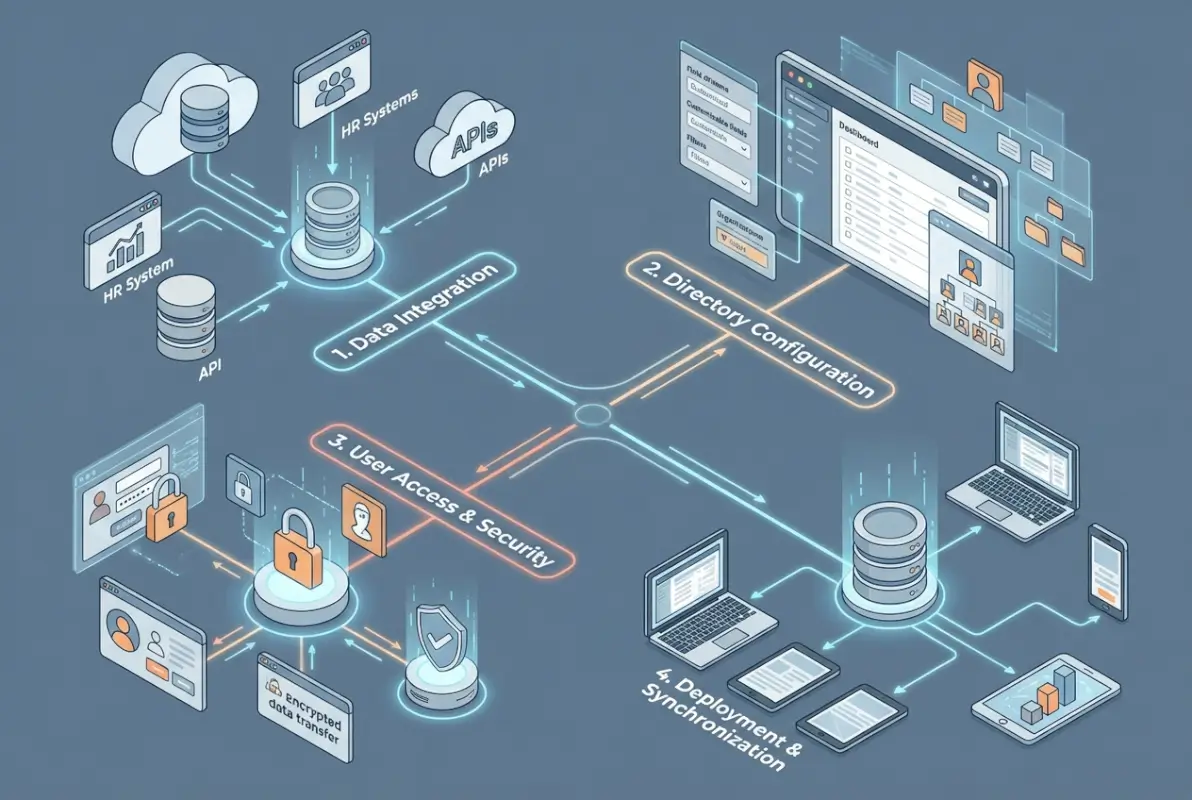
- HRIS integration for automated data synchronization—the single most important feature for maintaining accuracy
- Mobile-responsive interfaces accessible from any device, any location
- Role-based access controls protecting sensitive information
Advanced Features That Drive Adoption
These optional capabilities separate good solutions from great ones:
- Skill and expertise tagging for finding subject matter experts
- Project and team associations showing current work focus
- Social elements like recognition and celebrations that build culture
- Custom fields for industry-specific information
- Analytics on directory usage and engagement patterns
- Multilingual support for global organizations
- API access for custom integrations
- AI-powered search with natural language processing
Search Functionality and Filtering
Advanced search capabilities represent the cornerstone of effective office directory software. Users should be able to search by name, department, location, skills, projects, and custom attributes. The most impressive implementations include fuzzy search (finding results despite minor spelling errors) and predictive typing to accelerate information retrieval.
I’ve seen search performance become the single most important factor in driving user adoption. When employees reliably find what they need in seconds rather than minutes, usage rates skyrocket. If your directory is difficult to search, people simply won’t use it—defeating the entire investment purpose.
Integration with Business Systems
No directory exists in isolation. To maintain accuracy and reduce administrative overhead, your solution should integrate seamlessly with:
- HR information systems (HRIS) for employee data synchronization
- Active Directory or other identity providers for authentication
- Communication tools like Slack, Microsoft Teams, or Zoom
- Project management platforms to display current work assignments
- Learning management systems to show certifications and skills
- Email and calendar applications for scheduling and contact sharing
These integrations eliminate duplicate data entry and ensure your directory remains current without manual intervention. Consider how much administrative time your organization currently spends maintaining employee information across multiple systems—the right integrations reclaim dozens of hours monthly.
Mobile Accessibility
With approximately 80% of the global workforce now classified as “deskless” or mobile according to Forrester Research, having a directory that works flawlessly on smartphones and tablets is non-negotiable. Your solution should offer native mobile apps or responsive web interfaces providing full desktop functionality. To access business park directory information on the go has become especially critical for organizations with field workers, multiple locations, or flexible working arrangements.
Security and Compliance
Employee information is inherently sensitive. Strong corporate directory software provides granular permission controls restricting access to certain information based on roles, departments, or locations. Detailed audit logs of who accessed what information and when become critical compliance requirements in many industries.
With increasing privacy regulations like GDPR and CCPA, ensuring your directory complies with relevant data protection laws is essential. This includes data minimization (only collecting what you need), purpose limitation (using data only for stated purposes), and appropriate retention policies that automatically remove outdated information.
Top 5 Company Directory Software Solutions for 2025
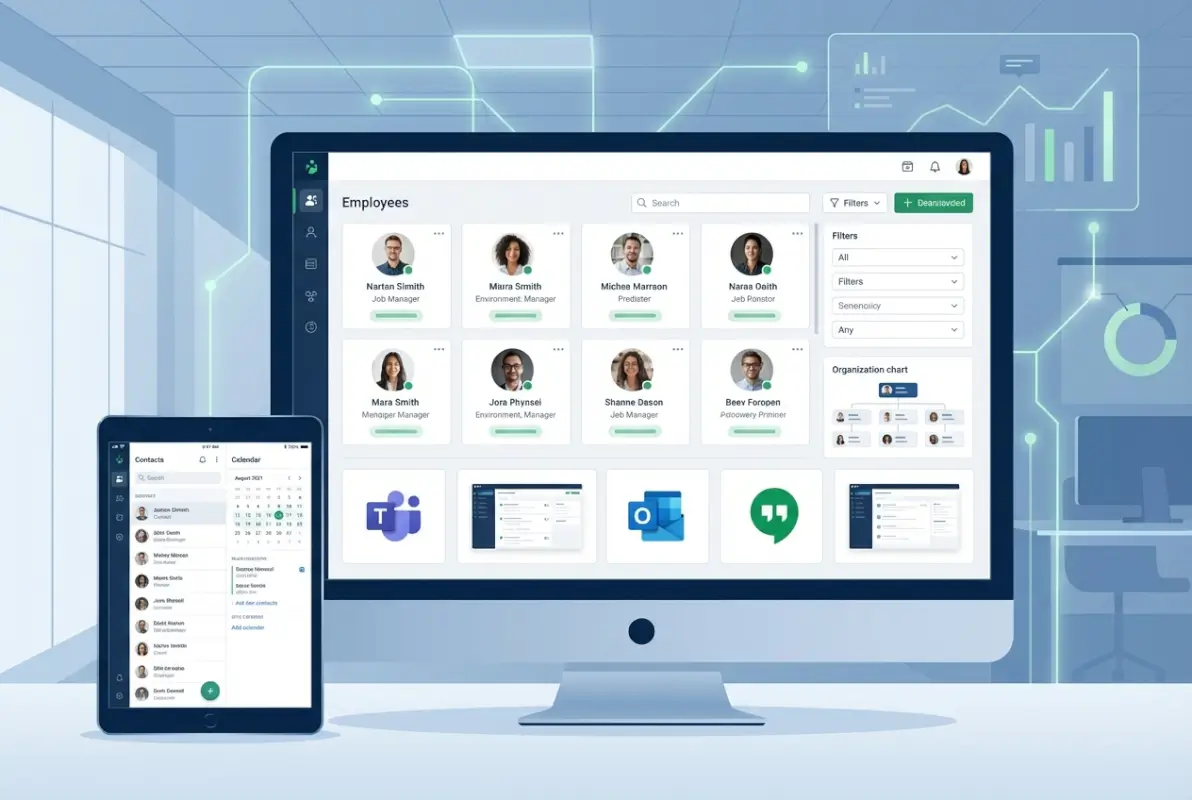
After evaluating dozens of platforms, these five solutions stand out for different organizational needs. Each excels in specific scenarios, so your choice should align with your business size, technical environment, and specific requirements.
| Platform | Best For | Starting Price | Key Strength |
|---|---|---|---|
| Microsoft Viva Connections | Microsoft 365 Users | $12/user/month | Deep Microsoft Integration |
| Pingboard | Visual Org Charts | $99/month (50 users) | Interactive Visualizations |
| BambooHR Directory | SMBs | $4.95/employee/month | Ease of Use |
| Workday Directory | Large Enterprises | Enterprise Pricing | Comprehensive HR Integration |
| TurnKey Directories | Custom WordPress Solutions | One-time license | Customization Flexibility |
Microsoft Viva Connections
Microsoft Viva Connections represents the tech giant’s comprehensive approach to employee experience, with directory functionality serving as a cornerstone of the broader Viva platform. Built on SharePoint and Microsoft 365, Viva Connections offers deep integration with the Microsoft ecosystem while providing a modern, engaging directory experience far beyond traditional contact management.
Key Features:
- Seamless integration with Microsoft 365, Teams, and SharePoint
- Personalized news and content alongside directory information
- Rich organizational charts with detailed reporting structures
- Skill and expertise tracking across the organization
- Mobile-first approach with dedicated mobile experience
- AI-powered search with natural language processing
- Built-in analytics for measuring engagement
Pricing: Included with Microsoft 365 E3/E5 licenses; Viva Suite available at $12/user/month when purchased separately
Best for: Organizations already invested in the Microsoft ecosystem seeking tight integration without adding new vendors
Pingboard
Pingboard has established itself as a dedicated best digital company directory tool with particular strength in visualization and organizational mapping. Its user-friendly interface and focus on employee connections excel at making complex organizational structures accessible and transparent, particularly popular among mid-sized companies wanting powerful functionality without enterprise complexity.
Key Features:
- Interactive org charts with multiple view options and zoom capabilities
- Employee profiles with customizable fields
- Built-in employee recognition and celebration features
- Automated updates through HR system integrations
- Team planning and headcount visualization tools
- Out-of-office tracking and status updates
- Powerful API for custom integrations
Pricing: Starts at $99/month for up to 50 users; scales to $499/month for up to 350 users; enterprise pricing available
Best for: Mid-sized organizations prioritizing visual org charts and quick implementation timelines
BambooHR Directory
BambooHR has established itself as a leading HR platform for small to medium-sized businesses, and its directory component reflects this focus on accessibility and ease of use. For growing organizations seeking to professionalize HR processes without overwhelming complexity, BambooHR Directory offers an appealing balance of features and simplicity that gets teams operational quickly.
Key Features:
- Clean, visual employee directory with customizable fields
- Self-service profile management for employees
- Mobile app with directory access and updates
- Time-off tracking integrated with employee profiles
- Onboarding workflows connecting to directory profiles
- Org charts with planning and visualization tools
- Integration with popular business tools like Slack
Pricing: Starting around $4.95/employee/month for Essentials; $8.25/employee/month for Advantage with additional features
Best for: Small to medium businesses seeking intuitive interfaces with quick implementation timelines (often live within 4-6 weeks)
Workday Directory
For organizations already using Workday’s human capital management platform, Workday Directory provides a natural extension leveraging existing employee data. With its enterprise focus and deep HR integration, Workday Directory suits larger organizations with complex workforce structures spanning multiple countries and business units.
Key Features:
- Native integration with Workday HCM and other Workday modules
- Comprehensive employee profiles including compensation and performance data
- Advanced organizational visualization with matrix reporting capabilities
- Robust security model with granular permissions at field level
- Built-in analytics for workforce insights and planning
- Global compliance features for international organizations
- Workflow automation for profile updates and approvals
Pricing: Included with Workday HCM implementation; enterprise-specific pricing based on organization size and complexity
Best for: Large enterprises already committed to the Workday ecosystem seeking a single source of truth for employee data
TurnKey Directories
For organizations seeking customizable, WordPress-based directory building software, TurnKey Directories offers flexible platforms that can be tailored to specific industry needs. Unlike SaaS solutions with fixed features, TurnKey Directories provides complete control over functionality, design, and data ownership while leveraging the familiar WordPress environment.
Key Features:
- Fully customizable employee directory templates
- Advanced search and filtering capabilities
- Custom field support for industry-specific information
- Self-hosted option for complete data control
- Integration with WordPress ecosystem plugins
- One-time licensing model (no recurring monthly fees)
- Complete design flexibility matching brand identity
Pricing: One-time license fee with no recurring monthly subscriptions; pricing varies by package and customization needs
Best for: Organizations comfortable with WordPress seeking maximum customization flexibility and preferring one-time costs over subscription models
How to Choose the Right Company Directory Software
Selecting optimal best directory software requires a thoughtful approach balancing current needs with future growth plans. Having guided dozens of organizations through this decision process, I’ve found that structured evaluation yields the best long-term results and prevents costly mistakes.

Assess Your Business Needs
Begin by documenting specific requirements through stakeholder interviews across departments. What information must be accessible? Who needs access to what details? How will the directory integrate with existing systems? These might seem basic, but I’m constantly surprised by how many organizations skip this step and end up with solutions that don’t match actual workflows.
Consider these key questions:
- How many employees will the directory support now and in 3-5 years?
- What specific information needs tracking beyond basic contact details (skills, certifications, languages)?
- Which existing systems must integrate (HRIS, Active Directory, communication tools)?
- What compliance or security requirements apply to your industry?
- Will you need multiple language support for global operations?
- Do you require mobile-first functionality for deskless workers?
One organization I worked with initially focused solely on contact information, only to realize months later they also needed to track skills and certifications for project staffing. This oversight led to a costly migration that could have been avoided with proper planning.
Evaluate Features and Total Cost
Create a weighted scorecard of features based on your needs assessment. This prevents being swayed by flashy features that don’t address core requirements. Rate each feature as “must-have,” “nice-to-have,” or “not needed,” giving different weights to each category.
For pricing, look beyond monthly subscription to consider:
- Implementation costs and timeline (ranging from $5,000 to $100,000+ for enterprise systems)
- Ongoing administration requirements and staff time
- Training expenses for employees and administrators
- Integration development costs for connecting existing systems
- Potential customization needs for unique workflows
- Support and maintenance fees that may increase annually
Research from Capterra’s software comparison platform shows organizations often underestimate total cost of ownership by 40-60% by focusing exclusively on subscription pricing. Being transparent about budget constraints early helps vendors propose appropriate solutions rather than over-selling unnecessary features.
Read Reviews from Similar Organizations
Seek insights from organizations similar to yours in size, industry, and complexity. Review platforms like G2, Capterra, and TrustRadius offer filtered searches to find relevant experiences. Pay particular attention to comments about ease of implementation, customer support quality, system reliability, user adoption challenges, and hidden costs not apparent during demos.
Steps run successful directory website business often mirror the process of implementing internal directory solutions—both require careful planning and stakeholder buy-in.
Don’t hesitate to request reference calls with existing customers. Most vendors can connect you with clients who have similar use cases, providing valuable real-world insights beyond polished marketing materials.
Implementation Best Practices
Once you’ve selected a solution, thoughtful implementation strategy is critical for success. I’ve seen technically superior platforms fail due to poor rollout strategies, while simpler solutions thrive through careful change management.
Implementation Success Checklist:
- Start with a pilot group to identify issues before full deployment
- Ensure data cleanliness before migration—garbage in, garbage out
- Develop clear communication plans explaining benefits to employees
- Create compelling visual materials showcasing the new system
- Identify and train departmental champions who can support colleagues
- Establish governance processes for ongoing data maintenance
- Track adoption metrics and survey users at 30, 60, and 90 days
To organize active directory for business environment effectively requires ongoing attention, not just initial implementation focus.
Future Trends in Company Directory Software
The landscape of top employee directory software 2025 continues evolving rapidly, with several emerging trends poised to reshape employee directory experiences in coming years. Understanding these trends helps make more future-proof investment decisions today.

AI and Machine Learning Integration
Artificial intelligence is transforming directory software from passive information repositories into proactive knowledge assistants. Next-generation platforms are beginning to offer capabilities that seemed like science fiction just a few years ago:
- Predictive connections suggesting relevant colleagues based on current projects and communication patterns
- Natural language search processing enabling conversational queries like “Who can help with our European expansion?”
- Automatic profile enrichment by analyzing digital activities and contributions across platforms
- Smart organizational mapping identifying informal influence networks beyond formal reporting structures
- Personalized directory experiences tailored to individual work patterns and collaboration needs
As machine learning models improve, directories will shift from tools we deliberately consult to ambient systems that surface relevant connections at the point of need. Imagine receiving notifications like “Sarah in Marketing has expertise in the problem you’re currently researching” based on your recent document activity.
Enhanced Security Measures
With employee data increasingly recognized as sensitive information requiring protection comparable to customer data, top enterprise directory services 2025 are incorporating advanced security features:
- Contextual access controls that adapt based on location, device, and time of access
- Biometric authentication for accessing sensitive details like compensation or performance data
- Privacy-preserving design principles minimizing unnecessary data exposure
- Differential privacy techniques for directory analytics that protect individual privacy
- Zero-trust architectures for directory access that continuously verify user identity
- Comprehensive audit capabilities for regulatory compliance and internal investigations
According to Microsoft’s security research, these enhancements reflect growing recognition that employee directories contain valuable data requiring protection, with organizations facing increasing scrutiny from regulators and employees about how personal workplace information is collected, stored, and shared.
Remote Work Integration
The normalization of distributed work has spurred innovation in how directories support remote collaboration. Modern platforms now recognize that location matters more than ever when the office is no longer the default workplace:
- Time zone awareness and working hours visualization to prevent late-night meeting requests
- Availability indicators integrating with calendar systems to show when colleagues are free
- Virtual background information about colleagues providing context during video calls
- Cultural context notes for global teams to navigate communication preferences
- Location-based directory filtering for planning in-person meetings or events
- Remote onboarding specialization for introducing new team members without physical presence
Encourage businesses sign up directory participation mirrors the challenges of driving employee adoption of internal directories—both require demonstrating clear value and minimizing friction.
Balancing AI Benefits with Privacy Concerns
While AI offers tremendous potential, it also introduces new considerations for directory implementations that responsible organizations must address. Privacy concerns around data collection and analysis raise questions about workplace surveillance limits. Algorithmic bias in recommendations could reinforce existing inequities if not carefully monitored. Transparency issues in how suggestions are generated create “black box” concerns that erode employee trust.
Organizations implementing AI-enhanced directories need clear governance frameworks addressing these considerations, including transparent data usage policies, opt-out mechanisms for sensitive analysis, and regular auditing of algorithmic outputs to detect and correct biases before they cause harm.
Frequently Asked Questions
What is company directory software?
Company directory software is a centralized database that organizes employee information including contact details, departments, locations, skills, and reporting relationships. Modern solutions offer searchable interfaces, organizational visualizations, and integration with other business systems to enhance workforce connectivity and information accessibility across the entire organization.
What are the best company directory software solutions for small businesses?
For small businesses, BambooHR Directory, Pingboard, and TurnKey Directories offer excellent value with user-friendly interfaces and reasonable pricing. These solutions provide core directory functionality without enterprise complexity while offering growth potential. BambooHR starts around $4.95 per employee monthly, Pingboard at $99 monthly for 50 users, and TurnKey Directories offers one-time licensing.
How can I build a smart, searchable company directory?
Build a smart, searchable company directory by selecting software with advanced search capabilities, HRIS integration for automated data sync, customizable fields for skills and expertise, and mobile accessibility. Platforms like TurnKey Directories allow complete customization on WordPress, while SaaS options like Pingboard and BambooHR offer pre-built smart search with filters by department, location, and skills.
How do I choose the best employee directory software for my organization?
Choose the best employee directory software by assessing core requirements (user count, integration needs, security), creating a weighted feature scorecard, evaluating total cost of ownership beyond subscription fees, and seeking feedback from similar organizations through review platforms. Consider implementation complexity and internal resources for ongoing management, prioritizing user experience to drive adoption rates.
How to search by skill, team, or location in a company directory?
Search by skill, team, or location in a company directory using advanced filtering options available in modern directory platforms. Look for software offering multi-criteria search, custom field filtering, and saved search templates. Best solutions like Pingboard, Microsoft Viva, and TurnKey Directories allow combining multiple filters simultaneously to find employees matching specific skill sets, team memberships, and geographic locations.
Can company directory software integrate with other business tools?
Yes, modern company directory software integrates with various business tools including HRIS for employee data synchronization, identity providers like Active Directory for authentication, communication platforms like Slack and Teams, project management software, email systems, and calendar applications. Integration depth varies by vendor, with some offering pre-built connectors and others providing APIs for custom development.
What is the cost of company directory software?
Pricing typically follows per-user monthly structures ranging from $2-$15 per user depending on features and vendor. Entry-level solutions for small businesses start around $100 monthly total, while enterprise implementations reach thousands monthly. Implementation costs range from $5,000 to over $100,000, with total cost of ownership often 40-60% higher than initial subscription pricing due to training, integration, and customization expenses.
How secure is company directory software?
Security capabilities vary significantly between solutions. Enterprise-grade platforms typically offer role-based access controls, data encryption both at rest and in transit, audit logging, compliance certifications like SOC 2 or ISO 27001, and integration with corporate identity systems for single sign-on. When evaluating security, consider both built-in platform protections and your ability to configure appropriate permission boundaries for sensitive information.
Take Action on Your Directory Strategy Today
As workplaces continue evolving toward distributed, flexible models, effective company directory software has transitioned from convenience to necessity. The right solution dramatically improves how your team connects, collaborates, and accesses organizational knowledge—benefits that translate directly into productivity gains and employee satisfaction.
When evaluating options, prioritize solutions balancing comprehensive functionality with intuitive user experiences. Even the most feature-rich platform delivers little value if employees find it cumbersome. Focus on driving adoption through thoughtful implementation, clear communication of benefits, and ongoing optimization based on actual usage patterns rather than assumptions.
Your Next Steps
The most successful directory implementations share three common elements:
1. Clear Requirements
Document needs before evaluating vendors
2. Stakeholder Buy-In
Involve users in selection and rollout
3. Ongoing Commitment
Treat it as a living system, not a project
While technology continues advancing at a breathtaking pace, the fundamental purpose remains constant: helping people connect with the right colleagues at the right time. The best directory solutions transform raw data into meaningful connections that strengthen your organizational fabric and make work more productive and enjoyable for everyone involved.
What steps will you take to enhance your company’s directory experience? Whether implementing a new solution or optimizing an existing one, prioritizing this foundational element of your digital workplace will yield dividends in collaboration, efficiency, and employee satisfaction. The investment you make today in connecting your people will pay returns for years through improved communication, faster problem-solving, and a more engaged workforce.
Was this article helpful?