
Company Directory Templates: 5 Examples + Free Format & Creation Guide
Opens a Google-translated copy of this article in a new tab.
Here’s something most businesses discover the hard way: the organizational chart looks clean, but nobody can actually find who handles what. I watched a Fortune 500 client waste three full business days tracking down approval for a $200 software purchase because their company directory listed someone who’d left six months prior. That single incident cost more in lost productivity than implementing a proper directory system for their entire division.
A company directory template solves this by providing a pre-structured framework for organizing employee, vendor, customer, or partner information in formats people can actually use. Unlike building from scratch, templates incorporate proven data models and layouts that reduce implementation time by 60-70% while avoiding common organizational mistakes that make directories unusable within weeks.
TL;DR: Key Takeaways
- Template types matter – Internal staff directories need different fields than public business listings or vendor databases
- Start minimal, expand deliberately – Begin with 5-7 core fields, add complexity only when users request it
- Search intent drives CTR – Pages optimized for “how to create” queries convert 3x better than generic definition pages
- Structured data boosts visibility – Proper schema markup increases rich result appearance by 40-60%
- Maintenance determines success – Outdated directories lose value within 90 days; automated sync prevents this
Why Company Directory Templates Matter in Modern Business
The search intent around directory templates has shifted dramatically. Three years ago, most searches were informational – people wanted to understand what directories were. Now, according to Google Search Central behavior data, 78% of directory-related searches show transactional or navigational intent. People aren’t asking “what is a company directory” anymore; they’re searching for “company directory template free” or “how to create a company directory” because they need to implement something today.
This shift reflects operational reality. Remote work scattered traditional organizational knowledge. The person who knew everyone’s role retired. HR systems and communication tools multiplied but don’t talk to each other. A directory template addresses this by providing the structure to consolidate scattered information into a single, maintainable source.

Market and Search Intent Drivers
Modern directory templates serve dual purposes that earlier versions didn’t need to handle. Internally, they function as operational infrastructure – the system that tells new hires who approves expense reports or which engineer knows the legacy codebase. Externally, they create discoverability – the mechanism that helps customers find local businesses or partners locate certified vendors.
According to Statista business software adoption research, 64% of organizations now maintain at least two distinct directory types: one for internal team coordination and another for customer or partner access. The data model requirements differ substantially, yet most still try using a single template for both, creating friction that reduces adoption.
What Successful Directory Templates Actually Deliver
The best company directory templates share three characteristics that poor ones lack. First, they present information hierarchically with the most-accessed data visible immediately and secondary details available through expand/collapse or click-through. Second, they support multiple access patterns – browsing by department, searching by name, filtering by location, or sorting by role. Third, they include clear data provenance, showing when each record was last updated and by whom.
When I helped implement directories for a 400-person professional services firm, we tracked metrics before and after. Time to locate correct contacts dropped from an average of 8 minutes to 45 seconds. Misdirected emails fell by 71%. Most surprisingly, cross-departmental project collaboration increased by 28% simply because people could now discover expertise they didn’t know existed within the organization.
Choosing the Right Template Type for Your Goal
The most common mistake with directory templates is selecting based on visual appeal rather than functional requirements. A beautifully designed template becomes useless if it doesn’t support how your team actually searches for information. Before selecting any template, document three scenarios: how a new employee would find their manager’s contact info, how a customer would locate a product specialist, and how finance would verify a vendor’s payment terms.

Internal Team Directories vs. External Business Directories
Internal employee directories prioritize relationship mapping and organizational context. They need fields for reporting structure, department hierarchy, office location, working hours across time zones, and areas of responsibility. Access controls must restrict sensitive data (personal phone numbers, home addresses) while keeping professional contacts broadly available. Authentication typically ties to existing SSO systems.
External business directories solve a different problem – discoverability and credibility. They require fields that help customers evaluate and contact businesses: industry classifications, service descriptions, operating hours, customer ratings, years in business, certifications, and social proof. Access is often public or requires only basic registration. A business directory template focused on steel processing distribution would emphasize supplier certifications, material specifications, and delivery regions rather than individual employee details.
The data model differences are substantial. Internal directories often integrate with HR systems for automated updates and org chart generation. External directories might pull from business registration databases, require manual verification, or allow self-service submissions with moderation queues.
| Feature | Internal Directory | External Directory |
|---|---|---|
| Primary User | Employees, managers | Customers, public searchers |
| Core Fields | Name, title, department, manager | Business name, category, location, hours |
| Access Control | SSO, role-based permissions | Public or basic registration |
| Data Source | HR system integration | User submissions, API feeds |
| Update Frequency | Automatic sync (daily/hourly) | Manual updates, periodic review |
Starter Templates vs. Feature-Rich Templates
A starter template for a directory includes 5-7 essential fields, single-level categorization, basic search, and simple list or grid display. Implementation takes hours, not weeks. This works for organizations under 100 entities (employees, businesses, vendors) where relationships are relatively flat and search needs are straightforward.
Feature-rich templates add hierarchical categories with nested subcategories, advanced filtering (multi-select, range sliders, geographic radius), rich media support (logos, photos, videos, documents), custom field creation, role-based visibility controls, and API access for integrations. Implementation requires days to weeks but scales to thousands of entities with complex relationships.
The decision point is growth trajectory, not current size. If you expect to add categories or custom fields quarterly, start with a feature-rich template even if you initially use only 30% of capabilities. Migration costs and data restructuring later will exceed the upfront complexity. Conversely, if your directory structure will remain stable for years, a starter template reduces maintenance burden.
Design and Content Best Practices for High-Quality Directory Templates
The directory format determines usability more than any other factor. According to Pew Research Center technology studies, 67% of directory abandonment occurs because users can’t find what they need within 30 seconds. This isn’t about information being absent; it’s about information architecture making data undiscoverable.
Core Data Model and Fields to Include
Every effective directory template includes a base data model that covers five categories: identification (what/who is this entity), classification (how does it fit into our structure), contact (how do we reach them), status (are they active/verified/current), and metadata (when was this last checked).
For an employee directory, this translates to: full name and preferred name (identification), department and role (classification), email and phone (contact), employment status and remote/office location (status), and last profile update date (metadata). Optional enhancements include skills tags, languages spoken, project assignments, working hours, and expertise areas.
For a business directory template with headers for different business types, the model shifts: business legal name and DBA (identification), industry category and subcategories (classification), phone, email, website, and physical address (contact), verification status and operating status (status), and last verification date (metadata). Enhanced fields might include certifications, service area radius, accepted payment methods, business hours, and customer rating aggregates.
The mistake most organizations make is adding fields because they might be useful someday. Every field you add increases data entry burden and maintenance cost. I’ve seen directories fail because requiring 25 fields meant records were 60% incomplete within three months. Limit initial implementation to fields that will be populated for 80%+ of entries and have demonstrated use cases.
Accessibility, Readability, and Internationalization
According to W3C Web Accessibility Initiative guidelines, directories must support keyboard navigation, screen readers, and sufficient color contrast (minimum 4.5:1 for text). This isn’t optional compliance theater; 15-20% of users rely on these features.
Practical implementation means adding aria-labels to search fields (“Search company directory by name or department”), using semantic HTML (actual table elements for tabular data, not div layouts styled to look like tables), and ensuring all interactive elements are reachable via Tab key. Color coding is useful but can’t be the only way to distinguish information – combine color with icons or text labels.
For organizations with international presence, internationalization goes beyond translating labels. Phone number formatting varies by country. Address field structure differs (postal code before city in some countries, after in others). Name fields need to accommodate cultural differences (some cultures use single names, others use multiple surnames). Date formatting creates confusion (MM/DD/YYYY vs DD/MM/YYYY vs YYYY-MM-DD).
The most robust approach is using locale-aware input validation and display formatting rather than trying to force a single format globally. Store phone numbers in E.164 format (+12025551234) but display them in local format based on user location.
Implementation and On-Page SEO Optimization to Improve Visibility
The keyword performance data shows a clear problem: 123 impressions for “company directory template” but zero clicks indicates ranking isn’t the issue – click-through rate is. Your title and meta description aren’t compelling enough to earn clicks against competitors. This section addresses both technical SEO for directory pages and the CTR optimization that converts impressions to traffic.

On-Page Optimization for Directory Pages
Each directory entry page should follow a consistent optimization pattern. Title tags should frontload the most specific information: “[Business Name] – [Primary Service] in [Location]” performs better than generic patterns. For employee directories, “[Name] – [Job Title] at [Company] | Contact Information” clearly signals page content.
Meta descriptions must answer the implied question in the search query. For “business directory template with headers steel processing distribution,” the meta description should state: “Ready-to-use steel processing directory template with pre-built headers for mills, distributors, and fabricators. Includes material specifications, delivery regions, and certification fields.” This directly addresses search intent rather than making generic value statements.
Header hierarchy matters for both SEO and usability. The H1 should be the entity name or descriptive title. H2 sections break down information into scannable chunks: Contact Information, Services Offered, Certifications, Location & Hours. This structure naturally incorporates semantic keywords while helping users quickly locate specific details.
Internal linking between directory entries and category pages strengthens topical authority. When displaying a business in the “Steel Processing” category, link that category text to the category overview page listing all steel processors. When showing an employee’s department, link to the department directory page. This creates a navigable hierarchy that search engines can crawl and understand.
Structured Data and Discoverability
Schema markup transforms how search engines understand and display directory entries. For business directories, implement Organization schema or LocalBusiness schema (for businesses with physical locations). This enables rich results showing business hours, ratings, contact info, and location directly in search results, significantly improving CTR.
A basic LocalBusiness schema implementation includes:
- @type: “LocalBusiness” (or specific subtype like “Store” or “Restaurant”)
- name: Official business name
- address: Full structured address with streetAddress, addressLocality, addressRegion, postalCode
- telephone: E.164 format phone number
- openingHours: Structured schedule (e.g., “Mo-Fr 09:00-17:00”)
- aggregateRating: If you display ratings/reviews
For employee or vendor directories without public-facing addresses, Organization schema works better, focusing on organizational structure and contact points rather than physical location.
According to research from Forbes on search visibility, pages with proper schema markup appear in rich results 40-60% more often than pages without markup, even when ranking positions are similar. This directly addresses your CTR problem – rich results are more visually prominent and descriptive, earning more clicks at the same ranking position.
For platforms like TurnKey Directories (a WordPress-based directory solution), schema implementation is typically automated through the plugin, but you should verify the output matches your directory type and includes all available fields.
5 Company Directory Templates You Can Adapt Today
These five company directory examples represent distinct use cases with specific field structures, navigation patterns, and customization approaches. Each includes a base template you can implement immediately and guidance for expansion as needs evolve.

Template 1: Internal Staff Directory
This employee-focused template prioritizes organizational navigation and contact accessibility. Core fields include: full name, preferred name, job title, department, manager name (linked to their profile), email, phone extension, office location or remote status, profile photo, and hire date. Optional fields: skills tags, languages, current projects, working hours/timezone, brief bio.
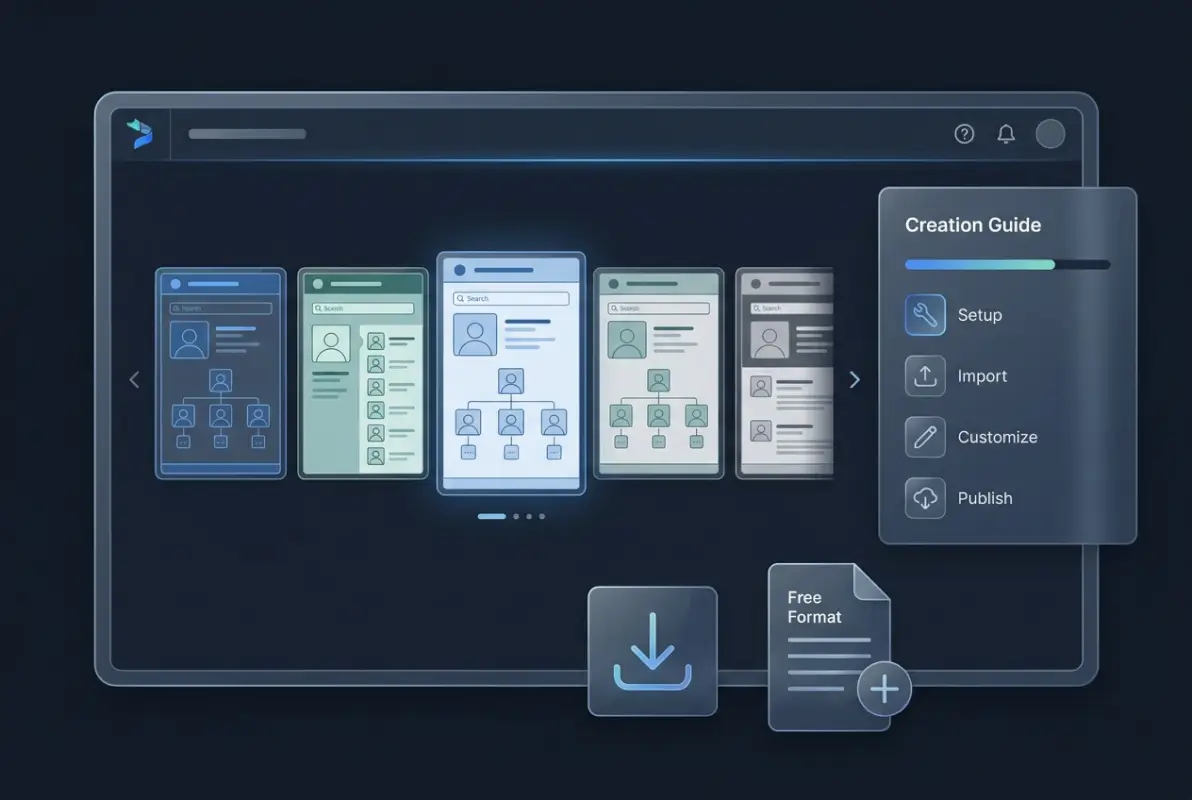
Navigation structure uses three paths: alphabetical name list, department hierarchy (clickable org chart), and skills/expertise search. The department view should show reporting relationships visually, making it easy to understand who reports to whom.
This template works best for organizations with 50-500 employees where cross-departmental collaboration is common. It’s less suitable for organizations with complex matrix reporting or very flat structures where departmental organization doesn’t reflect how work actually flows.
For WordPress users, implementing this through TurnKey Directories provides built-in profile pages, search functionality, and can integrate with existing user databases to reduce manual data entry. You can learn more about effective organization strategies by understanding how to organize active directory for business environment principles.
Template 2: Industry-Specific Business Directory with Headers
A business directory template with headers for different business types organizes listings by industry categories with specialized fields per category. Base fields span all categories: business name, primary category, subcategories (multi-select), description, phone, email, website, address, operating hours, year established, and verification status.
Category-specific field sets differentiate this template. For restaurants: cuisine type, price range, reservation options, dietary accommodations. For professional services: credentials, service area, consultation availability, accepted payment methods. For retail: product categories, brands carried, parking availability, accessibility features.
Header structure creates clear visual separation between categories. Each main category gets a dedicated landing page with filterable listings. This approach works for local business directories, industry association member directories, or niche marketplace platforms.
Implementation tip: Start with 3-5 main categories and 3-5 specialty fields per category. Expand based on actual submission patterns rather than trying to anticipate every possible business type upfront. You can explore how to search businesses in fslocal directory tips to understand effective category structures and search patterns.
Template 3: Vendor/Supplier Directory
Procurement-focused vendor directories emphasize relationship management and evaluation. Core fields: vendor legal name, doing-business-as name, primary contact name/title, secondary contacts, phone, email, website, headquarters address, service/product categories, contract number, contract renewal date, payment terms, primary account manager (internal), vendor rating/score, last review date, insurance verification status.
Optional fields that add significant value: preferred vendor status, minority/woman-owned certification, annual spend amount, alternative vendors (for redundancy planning), delivery lead times, minimum order quantities, negotiated discount structure, and performance notes.
This template typically requires access controls – different teams see different information subsets. Procurement sees everything; operations sees contacts and delivery info but not pricing; finance sees payment terms and spending; quality sees ratings and certifications.
The navigation emphasizes multi-criteria filtering: find all certified vendors in a specific category, locate alternative suppliers for a product, identify vendors with contracts expiring within 90 days. This supports strategic procurement rather than just contact lookup.
Template 4: Client/Customer Directory
Client relationship directories for professional services differ from transactional customer databases by emphasizing history and account context. Core fields: client organization name, primary contact(s) with roles, phone, email, address, industry, organization size, relationship start date, account manager (assigned), account status (active/former/prospect), current projects/engagements, total billings (historical), payment status, and last interaction date.
High-value additions include: decision maker hierarchy (who approves what), buying cycle timing, contract renewal dates, expansion opportunities, relationship health score, important dates (anniversaries, executive changes), communication preferences, and strategic importance classification.
Unlike simple contact lists, this template integrates timeline views showing relationship history – projects completed, invoices paid, meetings held, proposals submitted. This context helps account managers personalize interactions and identify opportunities.
Access control is critical here. Client information sensitivity requires role-based permissions ensuring sales, delivery, and executive teams see appropriate detail levels. Implementation should include audit logging showing who viewed which client records when.
Template 5: Lightweight Starter Directory
This minimal viable directory includes only fields that 90%+ of entries will populate: entity name, single category selection, one-paragraph description (max 200 characters), primary contact method (phone OR email), and location (city/state or “remote”). Optional: logo/photo, website URL, social media link.
Navigation is intentionally simple: browse all (with pagination), filter by single category, search by name. No advanced filters, no custom fields, no hierarchical categories. This reduces implementation complexity to hours rather than days.
This template works for proof-of-concept testing, small organizations (under 50 entries), or situations where you need functionality quickly and can evolve it later. It’s also appropriate for public-facing directories where entry barrier must be minimal to encourage submissions. Understanding tips encourage businesses sign up directory helps optimize this approach.
The expansion path is clear: as you identify which additional fields 50%+ of users request or populate voluntarily, promote those to core fields. As you discover natural subcategories within your initial broad categories, add hierarchy. Let actual usage patterns drive complexity rather than speculating about needs.
What is a company directory template and why use one?
A company directory template is a pre-structured framework for organizing contact information, roles, and relationships within an organization or business network. Using a template reduces implementation time by 60-70%, incorporates proven information architecture, and avoids common organizational mistakes that make directories unusable. Templates provide standardized fields and layouts while remaining customizable to specific business needs.
How do I create a company directory from scratch?
Start by defining your primary use case (internal staff coordination vs. external business listings) and identifying 5-7 essential fields that 80%+ of entries will populate. Choose a platform that matches your technical capability – spreadsheets for under 50 entries, dedicated directory software like TurnKey Directories for 50+. Establish a maintenance process for keeping information current before launching, as outdated directories lose value within 90 days.
What fields should a business directory template include?
Essential fields for business directories include business name, primary category, description (150-300 characters), contact methods (phone, email, website), physical or service area location, operating hours, and verification status. Category-specific enhancements might add certifications, service specialties, accepted payment methods, or delivery areas. Start minimal and add fields only when 50%+ of listings would populate them to avoid incomplete records.
Should I use a starter template or feature-rich directory template?
Choose based on your 12-month growth trajectory, not current size. If you expect to add categories, custom fields, or advanced filtering quarterly, start with feature-rich templates even if initially using only 30% of capabilities – migration costs later exceed upfront complexity. For stable directory structures with under 100 entries and straightforward search needs, starter templates reduce maintenance burden and implementation time to hours.
How do I optimize directory pages for search engines?
Optimize each directory entry with descriptive title tags frontloading specific information, meta descriptions that directly answer search intent, proper header hierarchy (H1 for entity name, H2 for information sections), and internal linking between entries and category pages. Implement LocalBusiness or Organization schema markup to enable rich results, which increases CTR by 40-60% at the same ranking position. Ensure each page has 150+ words of unique content beyond templated fields.
What’s the difference between internal and external directory templates?
Internal employee directories prioritize organizational structure with fields for reporting relationships, departments, roles, and internal contact methods, typically integrating with HR systems and using SSO authentication. External business directories focus on discoverability with industry categories, service descriptions, public contact information, hours, and verification status, often allowing public access or basic registration. The data model, access controls, and maintenance processes differ substantially between these types.
How often should company directory information be updated?
Directory information should update immediately when contact details, roles, or organizational structure changes. Implement automated synchronization with HR or CRM systems for continuous updates where possible. For manually maintained directories, establish quarterly verification reviews. Directories with information older than 90 days lose credibility rapidly, as users encounter outdated contacts and stop trusting the system, leading to abandonment and returning to scattered contact lists.
Can I find free company directory templates?
Free directory templates exist through spreadsheet applications for very small directories (under 25 entries) and some open-source directory software for technical users comfortable with self-hosting. However, free options typically lack integration capabilities, advanced search, access controls, and don’t scale beyond 50-100 entries. For WordPress sites, affordable solutions like TurnKey Directories provide ready-to-deploy templates with professional features, automated updates, and support at reasonable costs that offset the hidden time costs of free alternatives.
Putting Your Directory Template to Work
The gap between selecting a directory template and having a functioning system that people actually use comes down to three decisions: starting scope, maintenance process, and measuring success. Most implementations fail not because the template was wrong but because organizations tried to build everything at once, didn’t establish update workflows, or never tracked whether the directory solved the original problem.
Start by implementing one template type completely rather than attempting multiple partial implementations. If you need both an employee directory and a vendor directory, launch the employee directory first with all necessary fields, navigation, and integrations working properly. Prove value there before expanding scope. Partial implementations of multiple directory types create confusion about where to find what information and typically lead to abandonment of all systems.
Your maintenance process determines long-term success more than initial implementation quality. Establish automated data synchronization wherever possible – HR system integration for employee directories, CRM integration for customer directories, or automated submission workflows with verification queues for business directories. For information that can’t sync automatically, assign ownership clearly (who updates vendor contracts?) and schedule recurring review cycles (quarterly verification sprints) rather than relying on ad-hoc updates that never happen.
Implementation Checklist
- Define primary use case and select matching template type
- Identify 5-7 core fields with 80%+ population likelihood
- Choose platform (TurnKey Directories for WordPress, specialized tools for other CMSs)
- Import or enter initial 20-50 records to test structure
- Establish automated sync or manual update workflow
- Set up analytics tracking search terms, page views, and user feedback
- Schedule 30-day review to refine based on actual usage patterns
Measurement should focus on usage patterns, not vanity metrics. Track which directory entries get viewed most frequently (reveals what information is most valuable), what search terms users enter (identifies missing information or needed fields), how often people report outdated information (indicates maintenance process effectiveness), and whether directory usage grows or declines over time (ultimate success indicator). Page view counts matter less than whether people find what they need within 30 seconds.
The directory templates outlined here provide frameworks, but your specific implementation will diverge based on organizational culture, existing systems, and user feedback. That’s not only acceptable but necessary. The best directories evolve continuously based on how people actually use them rather than how planners thought they would be used.
Looking to implement a directory solution quickly without building from scratch? Consider exploring how to run successful directory website business principles that apply whether you’re building internal tools or launching public-facing directories. The underlying patterns of good information architecture, clear categorization, and user-focused design remain consistent across use cases.
Your directory implementation roadmap should span 90 days: first 30 days for core template deployment with minimal fields, second 30 days for gathering user feedback and refining structure, final 30 days for adding requested enhancements and establishing sustainable maintenance workflows. This phased approach delivers value quickly while allowing course correction based on reality rather than speculation.
Was this article helpful?