How to Build a Smart, Searchable Company Directory: Best Practices & 5-Step Guide

Generating summary...
Building a searchable company directory isn’t just about dumping names and phone numbers into a database anymore. The organizations that get this right create intelligent systems that surface the exact person, skill, or department you need in under two seconds—while the ones that get it wrong end up with digital ghost towns that nobody uses. After implementing directory systems for companies ranging from 50-person startups to 10,000-employee enterprises, I’ve learned that the difference between a directory people actually use and one that collects dust comes down to five core decisions made before you write a single line of code.
What surprises most people is that the smartest searchable directories don’t start with technology—they start with ruthlessly defining what “searchable” actually means for your organization. Does it mean finding someone by their Azure certification? Their current project load? The languages they speak? The physical office they’re in today versus tomorrow? These questions shape everything that follows, and most companies skip right past them to pick a platform.
TL;DR – Quick Takeaways
- Define your data model first – Schema design determines 80% of search quality
- Normalize and standardize early – Inconsistent data kills search performance
- Build governance into the system – Automated validation prevents directory decay
- Optimize for speed and UX – Users abandon searches after 3 seconds
- Plan for multi-channel presence – Your directory needs to connect with existing tools
Step-by-Step Blueprint for a High-Quality, Searchable Company Directory
The foundation of any searchable directory is its data model—the schema that defines what information you store and how it connects. Most failed directory projects trace back to a rushed or incomplete data model that can’t support the search features users actually need. According to W3C web standards for structured data, proper schema design is fundamental to creating discoverable, machine-readable information.
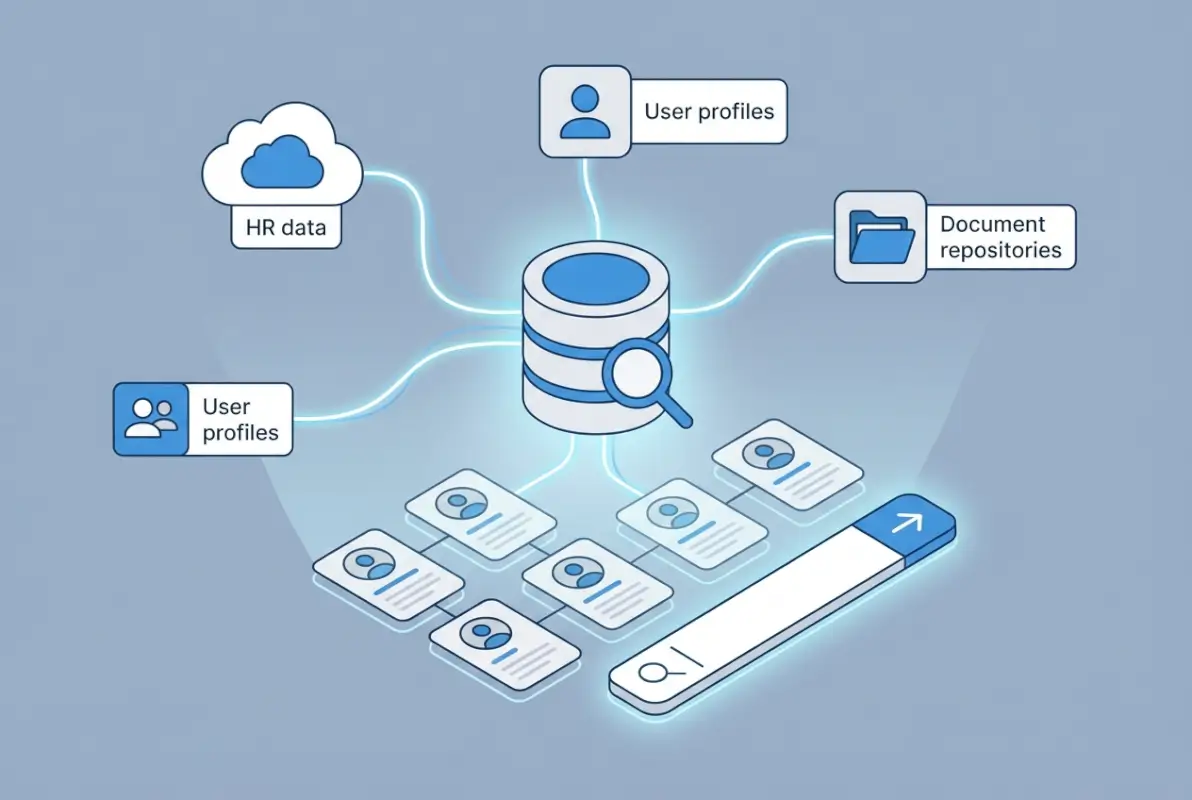
When I worked with a healthcare network building their employee directory, they initially wanted just names, departments, and extensions. Three weeks into the project, they realized they needed to search by medical specialties, certifications, hospital locations, on-call schedules, and language capabilities. Retrofitting the data model cost them six additional weeks. Don’t make that mistake.
Step 1: Define Your Core Entity Types and Relationships
Start by mapping the entities your directory needs to represent. For most company directories, this includes People (employees, contractors), Organizational Units (departments, teams, divisions), Locations (offices, remote setups), and Roles/Skills (job functions, certifications). But the real work is defining how these entities relate to each other.
A person might belong to multiple teams, have skills that span departments, work from different locations on different days, and report to different managers for different projects. Your schema needs to handle this complexity without creating a tangled mess that’s impossible to search. Use relational structures where relationships matter (reporting hierarchies) and tags or taxonomies where they don’t (skills, interests).
| Entity Type | Core Fields | Searchable Attributes |
|---|---|---|
| Person | Name, email, phone, title, hire date | Skills, certifications, location, department, projects |
| Department | Name, manager, parent unit, budget code | Function, location, headcount, hierarchy path |
| Location | Address, building, floor, desk assignments | Timezone, capacity, amenities, access hours |
| Role/Skill | Name, category, proficiency levels | Related skills, certification requirements, demand |
For companies using WordPress, solutions like TurnKey Directories provide pre-built schemas for common directory types while allowing customization for unique requirements. This approach saves weeks of data modeling work while maintaining flexibility.
Step 2: Normalize Data and Standardize Metadata for Robust Search
Raw data is messy. You’ll have “VP of Engineering” and “Vice President, Engineering” and “VP – Engineering” all referring to the same title. You’ll have phone numbers formatted twelve different ways. Departments spelled inconsistently. This inconsistency destroys search effectiveness—users type “engineering” and miss half the engineers because they’re listed under “Software Development.”
Normalization means establishing canonical values for every field that users will search. Create controlled vocabularies for departments, standardize title formats, enforce consistent phone and address formatting. Build this normalization into your import process, not as a cleanup step afterward.
Metadata—data about your data—is equally critical for search. Add synonyms, alternate spellings, and common abbreviations as searchable metadata. Tag entries with categories, types, and attributes that users might filter by. The richer your metadata layer, the more ways users can successfully find what they need. Resources on Google Business Profile best practices for local listings emphasize the importance of complete, accurate metadata for discoverability.
Data Quality, Governance, and Ongoing Maintenance to Sustain Search Visibility
A directory is only as good as the data it contains—and data quality degrades faster than you think. Within three months of launch, expect 15-20% of directory information to be outdated if you don’t have active maintenance systems in place. People change roles, move locations, gain new certifications, leave the company. Without governance, your searchable directory becomes an unreliable mess that people stop trusting.

I once audited a directory for a financial services firm six months post-launch. Nearly a quarter of the phone extensions were wrong, 18% of employees listed had already left, and skill tags were so inconsistent that searching for “Python” returned fewer than half the actual Python developers. The directory had become worse than useless—it was actively misleading.
Data Quality Controls: Validation, Deduplication, and Freshness
Build validation directly into your data entry and import processes. Enforce required fields, validate formats (email addresses, phone numbers), check for duplicates before creating new entries, and verify relationships (does this person’s manager actually exist in the system?). Automated validation catches 80% of data quality issues before they pollute your directory.
For duplicate detection, use fuzzy matching algorithms that catch variations like “Robert Smith” and “Bob Smith” or slight misspellings. When duplicates are detected, establish a clear resolution workflow—don’t just block the entry. Freshness tracking is equally important: timestamp every record with its last update date and flag entries that haven’t been verified in 90+ days.
Governance and Access Controls: Privacy, Compliance, and Change Management
Governance defines who can access, edit, and manage directory data—and it’s essential for both security and data quality. Implement role-based access controls (RBAC) that allow employees to update their own information, managers to maintain their teams, and HR to control sensitive fields like salary bands or emergency contacts.
Privacy regulations like GDPR require specific controls around personal data. Your directory needs to support consent management, data minimization (only collect what you need), purpose limitation (use data only for stated purposes), and data subject rights (ability to export or delete personal information). According to research on Google My Business/Local SEO optimization best practices, compliance with data privacy standards is increasingly important for organizational credibility.
Change management means tracking who changed what and when. Maintain an audit log for all directory modifications, especially for sensitive fields. This creates accountability and allows you to roll back incorrect changes. For regulated industries, audit logs aren’t optional—they’re compliance requirements.
Search Optimization and Indexing for Directory Content
Even perfect data becomes useless if your search functionality is slow, inaccurate, or missing key features. Search optimization for directories means both technical implementation (indexing, query performance) and semantic understanding (what users mean when they type “sales team Boston”).
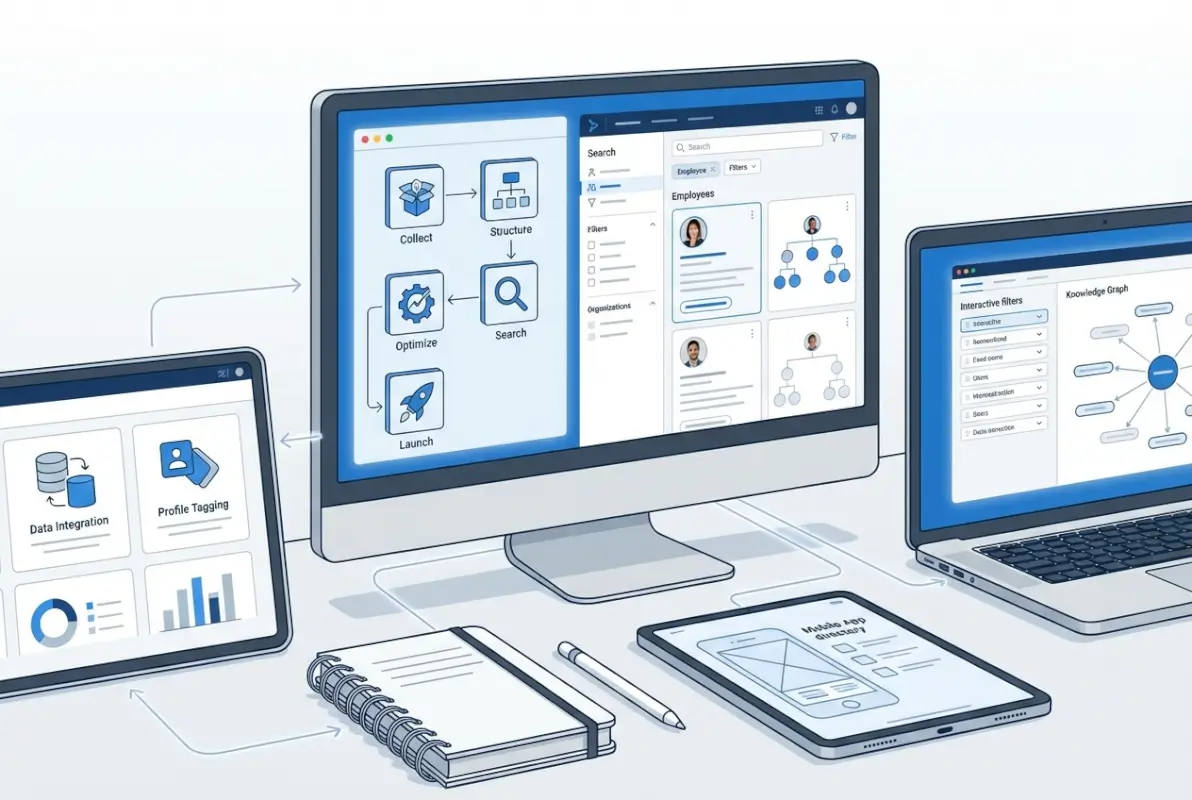
The gap between basic keyword matching and intelligent search is massive. Basic search finds exact text matches. Intelligent search understands that “JS developer” means “JavaScript developer,” that “NY office” includes “New York,” and that searching for “Sarah” should also return “Sara.” That intelligence comes from proper indexing and metadata.
On-Page and Structured Data: Metadata, URLs, and Schema.org Mappings
If your directory needs to be discoverable via web search (not just internal tools), structured data markup becomes critical. Schema.org provides standardized vocabularies for marking up people, organizations, and locations that search engines understand. Implementing Person schema, Organization schema, and Place schema helps search engines index your directory correctly.
For employee directories, use clean, readable URLs that include identifiers: /directory/john-smith or /directory/engineering/sarah-chen. Avoid meaningless IDs like /directory?id=47382. Readable URLs improve both user experience and SEO. Canonical URLs prevent duplicate content issues when the same person appears in multiple department listings.
Metadata optimization means populating <title>, <meta description>, and heading tags with relevant information. For an employee profile, the page title might be “John Smith – Senior Software Engineer – TechCo Directory” rather than just “Employee Profile.” These elements help both human users and search engines understand the content. For insights on implementing this correctly, review guidance on directory listings and local citations best practices.
Indexing Strategies and Sitemap Organization for Large Directories
Directories with thousands of entries need smart indexing strategies to maintain search performance. Full-text search engines like Elasticsearch or Algolia offer superior performance compared to basic database queries, especially for complex searches with multiple filters. They support features like typo tolerance, synonym matching, and relevance ranking that dramatically improve search quality.
For very large directories (10,000+ entries), partition your search index by logical segments: active vs. inactive employees, department hierarchies, geographical regions. This improves query performance and allows you to apply different search rules to different segments.
XML sitemaps help search engines discover and index all directory entries. For large directories, create segmented sitemaps organized by entity type or department, and update them automatically as content changes. Most directory platforms generate sitemaps automatically—verify yours is configured correctly and submitted to Google Search Console.
User Experience and UX-Driven Search Design
Technical excellence means nothing if the search interface frustrates users. The best directory search experiences feel effortless—users type a few characters and instantly see relevant results. Achieving that simplicity requires sophisticated UX design and careful attention to how people actually search for colleagues and information.
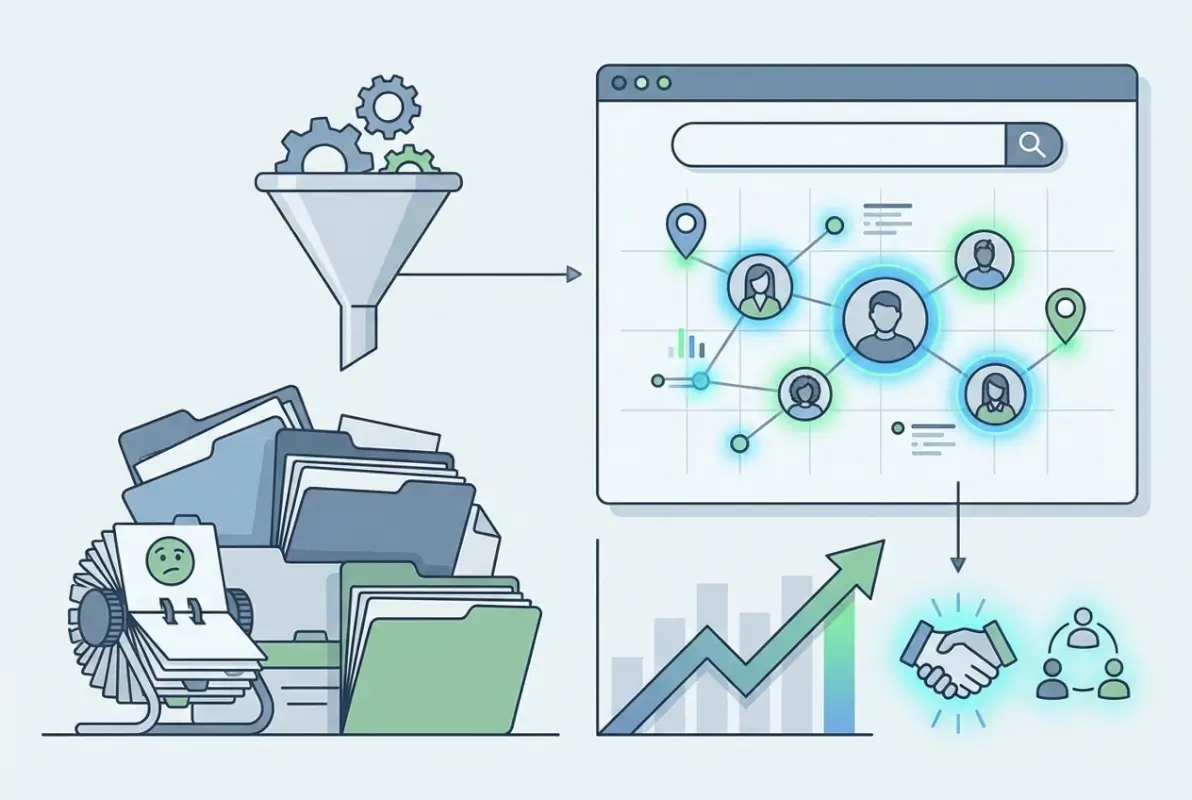
Watch users interact with your current directory (or a competitor’s) and you’ll notice patterns. They don’t read instructions. They don’t use advanced search unless forced. They expect instant results as they type. They abandon searches that take more than three seconds. Your UX needs to accommodate these behaviors, not fight them.
Intuitive Search UX: Multi-Parameter Filters and Smart Defaults
Start with a prominent, fast-responding search box that supports autocomplete. As users type “john,” show matching names instantly—before they finish typing. Include profile photos in autocomplete results; visual recognition helps users identify the right John Smith among five people with that name.
Advanced filters should be easily accessible but not required. Common filter dimensions include department, location, job title/role, skills/certifications, and project/team. Design filters to work together logically—selecting “Engineering” department should update the role filter to show only engineering-relevant roles.
| Search Feature | Purpose | Implementation Priority |
|---|---|---|
| Autocomplete | Instant suggestions as user types | Critical – Must have |
| Fuzzy matching | Handle typos and variations | Critical – Must have |
| Faceted filters | Multi-dimensional refinement | High – Should have |
| Recent/frequent | Quick access to common contacts | High – Should have |
| Boolean operators | Complex queries (AND/OR/NOT) | Medium – Nice to have |
| Save searches | Reusable complex queries | Low – Optional |
Smart defaults reduce cognitive load. If a user in the Boston office searches for “engineering team,” prioritize Boston-based engineers in results. If someone frequently contacts the HR department, surface HR contacts higher in their personal results. Personalization makes search feel intelligent without requiring users to specify preferences manually.
Performance: Caching, Pagination, and Accessibility Considerations
Search performance directly impacts user satisfaction. Users expect results in under two seconds; anything slower feels broken. Implement aggressive caching for common searches, pre-index frequently accessed data, and optimize database queries to minimize latency.
For result sets with hundreds of matches, pagination vs. infinite scroll is a real design choice. Pagination provides better control and works better for accessibility tools, but infinite scroll feels more modern and mobile-friendly. The right choice depends on your user base—if accessibility compliance is critical (government, healthcare), choose pagination.
Accessibility means your directory is usable by people with disabilities. Implement proper ARIA labels on search inputs, ensure keyboard navigation works throughout the interface, provide text alternatives for visual elements, and maintain sufficient color contrast. These aren’t optional nice-to-haves—they’re legal requirements in many jurisdictions.
Distribution, Authority Signals, and Multi-Channel Presence for Directory Content
Your directory doesn’t exist in isolation. It needs to integrate with the tools your team already uses—email clients, messaging platforms, project management systems, and other business applications. Multi-channel presence ensures your directory becomes the authoritative source of truth that flows to wherever people need it.

When a marketing agency I worked with launched their new directory, adoption was slow until we integrated it with Slack. Suddenly, typing /find Sarah in any Slack channel pulled her contact info directly from the directory. Usage jumped 400% in two weeks. People will use your directory if you bring it to where they already work.
Directory Submissions, Local Citations, and NAP Consistency
For directories that need external visibility (customer-facing business directories, public professional networks), maintaining consistent citations across platforms becomes critical. NAP (Name, Address, Phone) consistency—ensuring your organization’s basic information is identical everywhere it appears online—directly impacts local search rankings and trust signals.
Submit your directory information to major platforms relevant to your industry. For B2B companies, this includes LinkedIn, industry associations, and trade publications. For local businesses, prioritize Google Business Profile, Bing Places, Apple Maps, and major directory sites. Tools and strategies for indexing directory listings in Google can significantly improve discoverability.
Inconsistent information across platforms confuses both users and search engines. If your website lists one phone number, your Google Business Profile lists another, and LinkedIn shows a third, you’ve damaged your credibility. Audit all existing citations quarterly and correct discrepancies immediately.
Channel Strategy: GBP Presence, Other Directories, and Syndication Ethics
Google Business Profile deserves special attention for any directory with local relevance. A complete, optimized GBP listing can appear in local search results, Google Maps, and knowledge panels. Upload complete information, add high-quality photos, encourage and respond to reviews, and keep your profile updated.
Beyond Google, identify the 5-10 directories that matter most for your audience. For professional services, that might include industry-specific directories and review platforms. For retail or hospitality, focus on consumer directories like Yelp, TripAdvisor, or Foursquare. Quality over quantity—maintaining accurate information on ten directories beats having outdated listings on fifty.
Content syndication—republishing directory information on other platforms—requires careful consideration. Syndication can expand reach, but it also creates duplicate content issues and potential data quality problems if syndicated versions aren’t updated when your source directory changes. If you syndicate, use canonical URLs pointing back to your authoritative source and implement automated update mechanisms.
Frequently Asked Questions
What makes a company directory searchable and easy to use?
A searchable company directory combines fast autocomplete, fuzzy matching for typos, multi-dimensional filters, and sub-2-second query response times. The interface should require minimal training—users should be able to find colleagues by name, department, skill, or location without reading documentation. Regular data updates and clean, normalized information ensure search results remain accurate and trustworthy.
How do I model data for a scalable company directory database?
Start by defining core entities (People, Departments, Locations, Roles) and their relationships. Use relational structures for hierarchies and foreign keys for one-to-many relationships, but implement tags or taxonomies for many-to-many attributes like skills or project assignments. Build in extensibility from day one—your schema will need to evolve as requirements change. Normalize all searchable fields to maintain consistency.
What are the best practices for keeping directory data fresh and accurate?
Implement automated synchronization with authoritative sources like your HRIS or Active Directory for core data. Enable self-service updates so employees can maintain their own profiles. Schedule quarterly manager reviews of team information. Add “report incorrect information” buttons throughout the interface. Track last-update timestamps and flag stale records. Combine automation with human oversight for optimal accuracy without excessive manual overhead.
How should I structure URLs and schema markup to help Google understand directory listings?
Use clean, readable URLs that include identifiers like /directory/name or /directory/department/name. Implement Schema.org Person, Organization, and Place markup on relevant pages. Add structured data for organizational hierarchies using the OrganizationalRole schema. Set canonical URLs to prevent duplicate content issues. Generate XML sitemaps organized by entity type and submit them to Google Search Console for proper indexing.
Which directories and local listings should I prioritize for better visibility?
Start with Google Business Profile—it’s the single most important listing for local visibility. Then add Bing Places and Apple Maps for broad coverage. For B2B organizations, prioritize LinkedIn and industry-specific directories. For local businesses, add major consumer directories like Yelp. Focus on quality over quantity—maintain accurate information on 10-15 high-authority platforms rather than spreading thin across hundreds of low-value sites.
How can I measure the performance of a searchable directory?
Track query volume, successful searches vs. failed searches, average time to result, and click-through rates on search results. Monitor user engagement metrics like return visits and search frequency. For external directories, measure impressions, clicks, and CTR in Google Search Console. Survey users quarterly about directory satisfaction and usefulness. Set benchmarks like sub-2-second search response times and aim for under 5% failed searches.
How do I handle privacy and security when exposing employee details in a directory?
Implement role-based access controls that restrict sensitive information to authorized users. Collect only necessary data and obtain explicit consent for optional fields. Support data subject rights including export and deletion requests. Apply encryption for data at rest and in transit. Maintain audit logs of all access and modifications. For GDPR compliance, document your legal basis for processing personal data and implement appropriate technical safeguards based on risk assessment.
What platforms work best for building a smart searchable company directory?
TurnKey Directories offers robust WordPress-based directory functionality with built-in search optimization and customizable schemas. Microsoft SharePoint works well for organizations already in the Microsoft ecosystem. Google Workspace provides seamless integration for Google-centric companies. For specialized needs, dedicated HR platforms like BambooHR or custom solutions built on search engines like Elasticsearch deliver powerful capabilities. Choose based on your existing tech stack, budget, and specific feature requirements.
Your Next Steps: Building a Directory People Actually Use
The difference between a directory that transforms your organization and one that nobody touches comes down to execution on these five fundamentals: smart data modeling, rigorous quality controls, search optimization, user-centered design, and strategic distribution. You don’t need to be perfect on day one, but you do need a solid foundation in each area.
Start by clearly defining what “searchable” means for your specific organization—the queries your users will actually run, the information they need instant access to, the workflows your directory should enable. Build your data model around those real needs, not generic templates. Then layer on the governance, indexing, UX, and integration that make the directory indispensable.
Ready to Build Your Smart, Searchable Directory?
The organizations that get this right don’t just build directories—they create living knowledge systems that connect people, skills, and information effortlessly. Whether you’re starting from scratch or rescuing a failed implementation, these five steps provide a proven path forward.
The best time to build your directory properly was six months ago. The second-best time is today.
I’d love to hear about your directory challenges and successes. What search features do your users demand? Where has your implementation struggled? Drop a comment below and let’s compare notes.
Was this article helpful?