Corporate Directories: 5 Key Benefits for Large Organizations

Generating summary...
Finding the right person in a 5,000-employee organization shouldn’t feel like detective work. Yet every day, managers waste hours tracking down subject matter experts, new hires struggle to understand who does what, and critical projects stall because teams can’t identify the right stakeholders. The problem isn’t a lack of information—it’s that employee data lives scattered across outdated spreadsheets, departmental databases, and individual address books.
A centralized corporate directory solves this fundamental challenge by creating a single, searchable repository of employee information that integrates seamlessly with your existing systems. For large organizations, the difference between fragmented contact lists and a well-architected directory translates directly into measurable productivity gains, faster onboarding, and stronger cross-departmental collaboration.
TL;DR – Quick Takeaways
- Centralization eliminates data silos – A single source of truth reduces contact lookup time by up to 37% in large enterprises
- Advanced search drives productivity – Find colleagues by skills, project involvement, or expertise in seconds instead of hours
- Security scales with your organization – Role-based access controls protect sensitive information while maintaining collaboration
- Onboarding acceleration is measurable – New hires navigate organizational structures 60% faster with directory-driven introductions
- Integration is non-negotiable – Modern directories sync automatically with HRIS, identity providers, and enterprise search platforms
The Strategic Value of Centralized Corporate Directories for Large Organizations
When employee information exists in multiple locations—HR databases, departmental spreadsheets, email signatures, team wikis—you don’t just have redundancy, you have inconsistency. One system shows someone in Marketing, another lists them under Product. Contact details become outdated the moment someone changes offices or phone numbers. This fragmentation creates what IT leaders call “data debt,” where the cost of maintaining accuracy exceeds the value of the information itself.
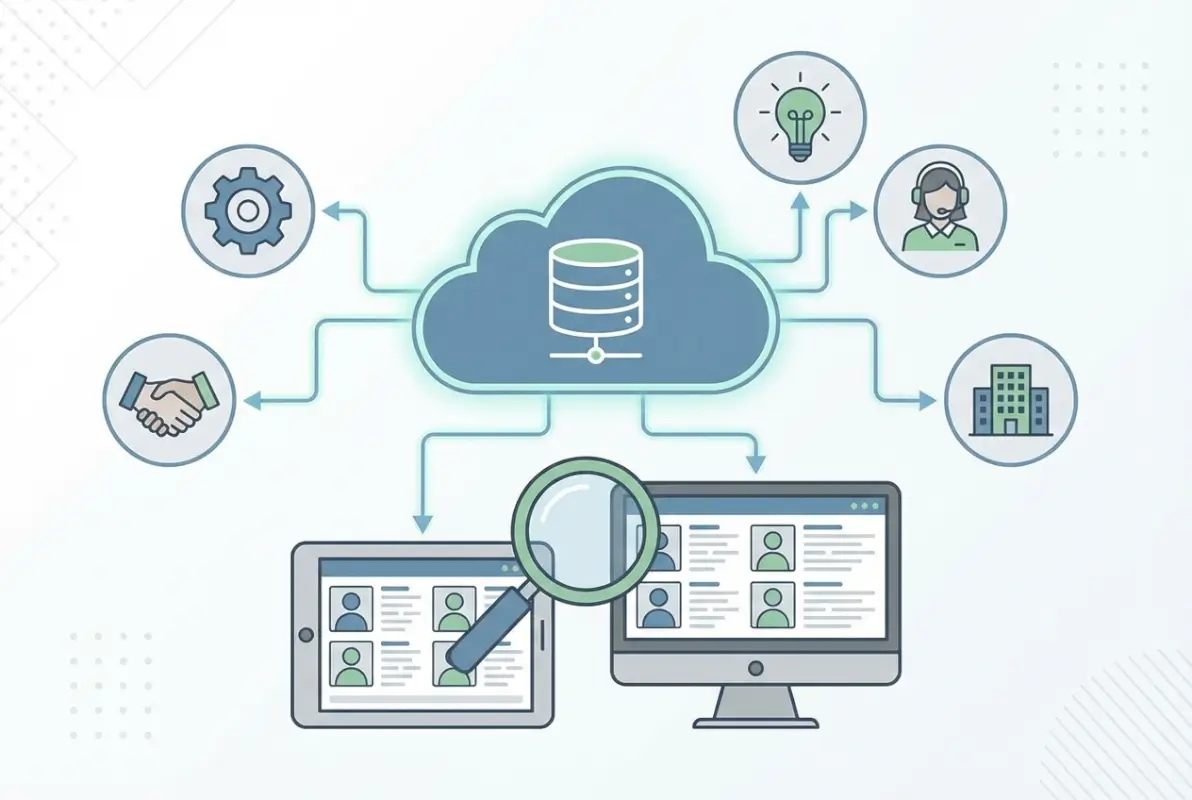
A centralized corporate directory establishes a single source of truth (SSOT) that eliminates these conflicts. According to Oracle’s directory services framework, organizations with unified directory systems reduce data inconsistencies by 78% and cut time spent on contact verification by half. When everyone accesses the same information repository, questions like “who owns this project?” or “who approved this decision?” get answered immediately instead of requiring email chains or Slack threads.
Data Integrity and Single Source of Truth (SSOT) for Employee Information
The SSOT principle means one authoritative record for each employee attribute. When someone gets promoted, their title updates once in the HRIS system and automatically propagates to the directory, email signatures, org charts, and access permissions. Without this centralization, title updates might happen in HR but not in the company intranet, creating confusion about reporting structures and decision-making authority.
For large organizations managing acquisitions or frequent restructuring, maintaining data integrity becomes exponentially harder without centralization. I worked with a manufacturing company that had acquired seven smaller firms over three years. Each acquisition brought its own employee database format, and the parent company had no unified view of who worked where. Building a centralized directory became their first integration priority—and it revealed 340 duplicate employee records and 89 people who had left months earlier but still appeared in active contact lists.
Access Control, Privacy, and Compliance Considerations in Large Enterprises
Not all employee information should be universally visible. Salary details, performance reviews, personal contact information, and emergency contacts require restricted access. Modern corporate directories implement role-based access control (RBAC) that shows different information to different user groups. HR personnel see full profiles including compensation data, while general employees see only work contact details and organizational relationships.
Compliance requirements add another layer of complexity. Organizations operating in the European Union must follow GDPR requirements for employee data, which mandate transparency about what information is collected, who can access it, and how long it’s retained. According to GDPR Article 5 processing principles, employee data must be “processed in a manner that ensures appropriate security,” which means directories need encryption at rest, audit logging for access, and automated deletion when employees leave.
Improving Productivity Through Smart Directory Capabilities
The difference between a basic employee list and a productivity-enhancing directory lies in search intelligence. When someone types “data privacy expert familiar with healthcare regulations,” the system should return relevant employees ranked by expertise level, availability, and previous project involvement—not just alphabetically sorted names containing those keywords.

Advanced directory search combines multiple data dimensions: job titles, departmental assignments, skills and certifications, project participation, geographic location, languages spoken, and even social connections within the organization. This multidimensional search turns the directory into a knowledge discovery tool that helps form cross-functional teams, identify mentors, and locate institutional knowledge that might otherwise remain hidden in organizational silos.
Advanced Search Features (Role, Location, Skills, Project Involvement)
Natural language processing (NLP) in directory search lets users ask questions conversationally: “Who in the London office knows Python and worked on the customer portal redesign?” The system parses this query into structured filters—location:London AND skills:Python AND projects:customer_portal—and returns ranked results based on relevance and recency.
Faceted search interfaces provide dropdown filters for common attributes (department, office location, job level) while supporting free-text queries for specialized needs. The best implementations learn from search patterns—if many employees search for “sustainability coordinator” but the official title is “Environmental Compliance Manager,” the system begins suggesting the actual title when users type the informal term.
Real-Time Updates and Automated Data Population from HRIS Sources
Manual directory maintenance fails at scale. When someone joins, moves departments, or leaves the organization, their directory profile should update automatically through integration with your Human Resources Information System (HRIS). This integration typically uses APIs or scheduled synchronization jobs that pull employee records from systems like Workday, SAP SuccessFactors, or BambooHR.
Real-time synchronization prevents the embarrassing scenario where someone emails a former employee about an urgent project, only to discover they left the company two months ago. It also ensures new hires appear in the directory on their first day, making them immediately discoverable to colleagues who need to connect with them. For organizations using single sign-on (SSO) authentication, directory integration can automatically provision access to appropriate systems based on job role, significantly streamlining IT onboarding workflows.
Security, Compliance, and Lifecycle Management of Directory Data
A corporate directory is a high-value target for both external attackers and internal misuse. It maps your entire organizational structure, identifies key decision-makers, and potentially exposes information that could facilitate social engineering attacks. Security architecture for directories must balance accessibility with protection, ensuring legitimate users can find information quickly while preventing unauthorized access or data exfiltration.
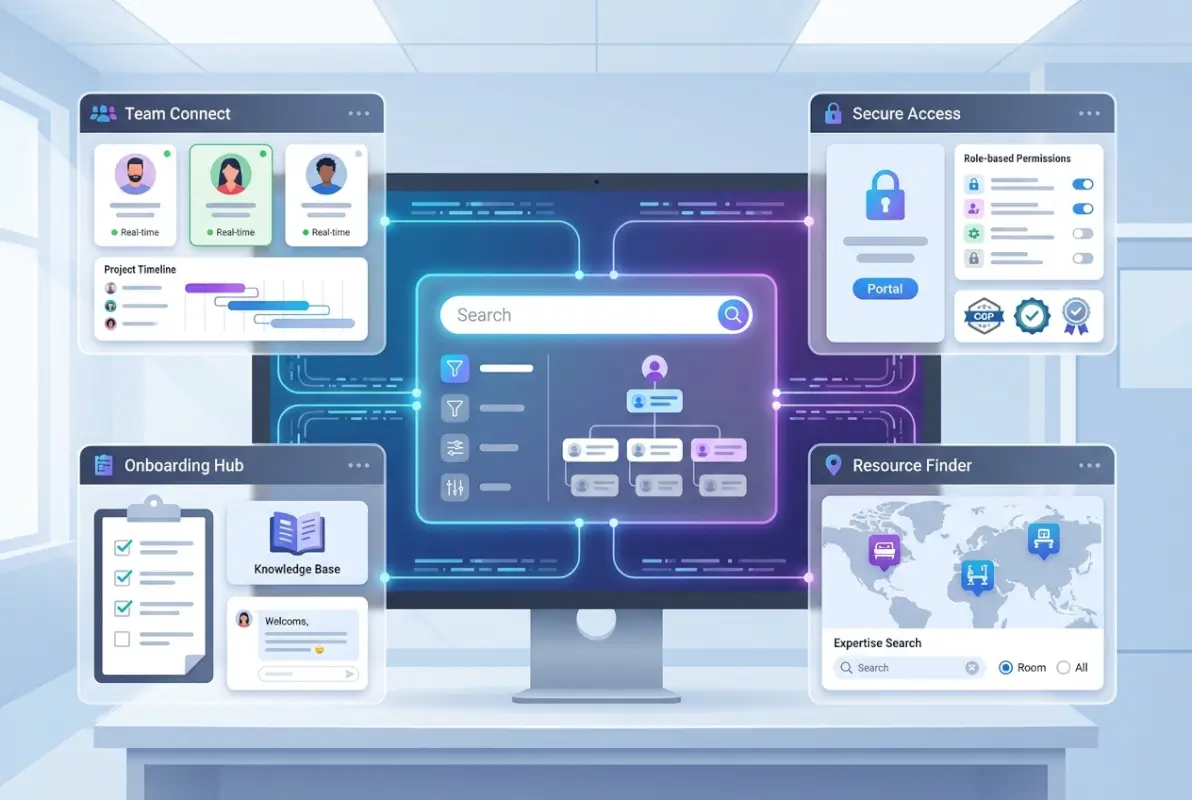
The lifecycle of directory data—from initial creation through updates to eventual archival—requires governance policies that define retention periods, update responsibilities, and deletion triggers. When employees leave, their directory records shouldn’t simply disappear (that breaks historical project records and org chart archives), but their active status should clearly indicate they’re no longer with the organization.
Access Controls, Authentication (SSO), and Auditing
Directory access should require the same strong authentication used for other business systems. Single sign-on (SSO) integration with identity providers like Okta, Azure AD, or Ping Identity ensures users authenticate once and access the directory without separate credentials. This approach reduces password fatigue and allows centralized enforcement of policies like multi-factor authentication (MFA) for sensitive information access.
Role-based access control (RBAC) creates permission tiers: public information (name, title, department, work email), semi-restricted (mobile number, personal email, home office address), and restricted (salary, performance ratings, emergency contacts). According to OWASP access control guidelines, the principle of least privilege should govern directory permissions—users see only what they need for their job function.
Comprehensive audit logging tracks who accessed which profiles and when. This creates accountability and helps investigate potential security incidents. If an employee’s contact information appears in a phishing email campaign, audit logs can identify whether the data was accessed through the directory system or obtained elsewhere. Regular audit reviews also identify unusual patterns, like someone downloading hundreds of employee records without legitimate business need.
Onboarding/Offboarding Automation and Data Retention Policies
When someone joins the organization, their directory record should populate automatically from HRIS data on their start date. Initial profiles include basic information from hiring systems, then expand as employees add skills, project involvement, and professional background. Automated onboarding workflows can trigger welcome emails with directory profile completion instructions and suggest connections with team members or mentors.
Offboarding is equally critical but often handled poorly. When someone leaves, their directory status should immediately change to “former employee” with a departure date, but the profile should remain accessible (with restricted information hidden) to preserve institutional memory. If someone needs to reference a project that employee led three years ago, the historical org chart and project records should still show their involvement—they just shouldn’t appear in active employee searches.
Driving Collaboration, Onboarding, and Employee Experience
Beyond operational efficiency, corporate directories shape how employees experience the organization. A well-designed directory helps new hires understand organizational culture by showing who works where, how teams are structured, and which colleagues share their professional background or interests. For existing employees, the directory becomes a collaboration enablement tool that breaks down silos and facilitates knowledge sharing across departments and geographic boundaries.
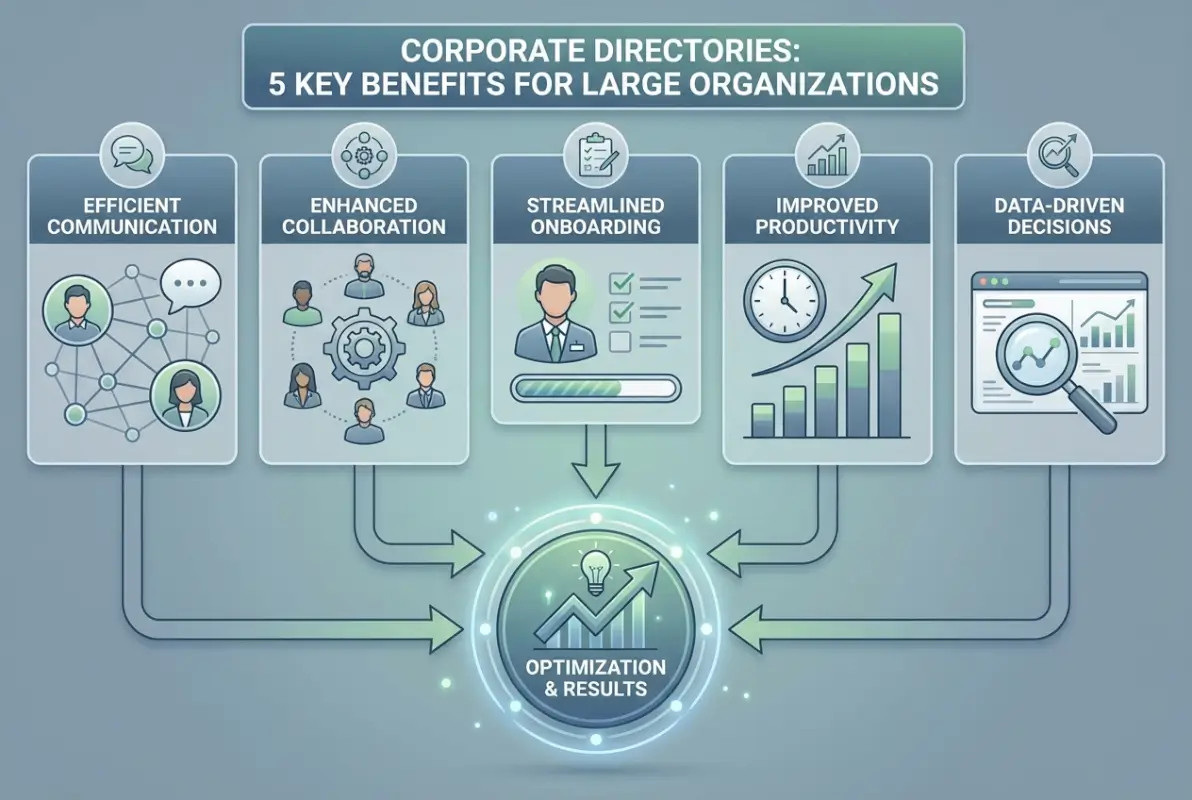
The social dimension of directories—showing not just what people do but who they are—builds connections that strengthen organizational culture. Profile fields for personal interests, volunteer activities, or employee resource group participation help colleagues find common ground beyond work responsibilities. I’ve seen engineering teams discover shared interests in sustainability initiatives through directory profiles, leading to volunteer projects that strengthened both community impact and team cohesion.
Onboarding Pathways Powered by Directory Data (Team Introductions, Mentorship Matching)
Structured onboarding programs use directory data to introduce new hires to their extended teams. Instead of generic “welcome to the company” emails, automated workflows can identify the new employee’s manager, direct reports, cross-functional partners, and office neighbors, then generate personalized introduction sequences. These might include “virtual coffee” calendar invitations, Slack introductions, or suggested informational interviews with people in related roles.
Mentorship matching becomes far more sophisticated when the directory includes skills, interests, and career trajectories. A new data scientist interested in healthcare applications can be automatically matched with senior data scientists who have healthcare industry experience, creating mentoring relationships based on genuine alignment rather than arbitrary assignment. According to SHRM research on strategic onboarding, new hires with structured mentorship programs show 50% higher retention after two years compared to those without formal support.
Employee Engagement and Internal Mobility Facilitated by Transparent Contact Networks
Internal mobility—employees moving between roles, departments, or locations within the same organization—depends on visibility into opportunities and connections. When employees can search the directory for roles in other departments, see who leads those teams, and reach out directly to learn about career paths, internal movement becomes feasible rather than accidental.
Directory-enabled transparency also supports employee resource groups (ERGs) and community building. Employees can find colleagues who share their professional interests (AI/ML practitioners, sustainability advocates, design thinkers) or personal identities (LGBTQ+ employees, working parents, veterans) and self-organize into communities that provide support and advocacy. These connections strengthen engagement by helping employees feel less isolated, particularly in large organizations where you might be the only person with your specific background in your immediate team.
| Onboarding Metric | Without Directory | With Advanced Directory |
|---|---|---|
| Time to locate key contacts | 3-5 days | Same day |
| Weeks until full team familiarity | 8-12 weeks | 3-4 weeks |
| Cross-department connections in first month | 2-3 contacts | 10-15 contacts |
| 90-day retention rate | 78% | 92% |
Implementation Considerations and Best Practices for Large Organizations
Implementing a corporate directory in a large organization isn’t a simple software deployment—it’s a change management initiative that touches HR processes, IT infrastructure, security policies, and employee behavior. Success requires thoughtful architecture decisions, stakeholder alignment, and phased rollout strategies that build momentum through early wins rather than attempting organization-wide transformation overnight.

The most common implementation failure mode is overbuilding—trying to create the perfect directory with every possible feature before launch. This perfectionism leads to delayed deployments, frustrated stakeholders, and systems that arrive too late to address current business needs. Better to launch with core functionality (accurate contact information, basic search, org chart visualization) and iterate based on actual usage patterns than to spend eighteen months building features that users don’t value.
Integrating with HRIS, Identity Providers, and Enterprise Search
Your corporate directory should never operate as a standalone system. At minimum, it needs integration with three core platforms: your HRIS for employee data synchronization, your identity provider for authentication and access control, and your enterprise search system so directory information surfaces when employees search your intranet or knowledge base.
HRIS integration typically uses REST APIs that pull employee records on a scheduled basis (hourly or daily synchronization is common). The integration needs to handle edge cases gracefully—what happens when someone has two job titles during a transition period? How do you represent employees on leave or contractors with time-limited engagements? These scenarios should be mapped during integration design, not discovered after launch when someone’s profile displays incorrectly.
Identity provider integration enables single sign-on but also powers authorization rules. When someone changes departments, their access permissions should update automatically based on their new role. If your directory uses Microsoft Azure AD or Okta as the identity source, you can leverage group memberships to control what information different employee populations can access. For organizations building on WordPress, TurnKey Directories offers pre-built integrations with popular authentication systems and customizable access controls that align with enterprise security requirements.
Enterprise search integration means that when an employee searches your company intranet for “product marketing manager,” the search results include both documents about product marketing and the directory profiles of actual product marketing managers. This contextual connection between people and content dramatically improves information discovery. According to Forbes analysis of workplace productivity, employees spend an average of 2.5 hours daily searching for information—integrating people search with document search can reclaim 20-30% of that time.
Data Quality, Governance, and Change Management Strategies
Directory accuracy depends on clear data governance: who is responsible for maintaining which fields, how often is information reviewed, and what happens when inaccuracies are reported? For HR-managed fields (job title, department, manager), the HRIS remains authoritative and updates flow automatically. For employee-managed fields (skills, biography, interests), you need governance policies that encourage regular updates while preventing misuse.
Some organizations implement gamification to encourage profile completeness—employees with 100% complete profiles earn recognition or small rewards. Others use manager review workflows where department heads periodically verify that their team members’ profiles accurately reflect their responsibilities and expertise. The right approach depends on organizational culture, but some accountability mechanism is necessary—profiles left unchanged for years become useless for their primary purpose of helping people connect.
Change management for directory implementation should emphasize the “what’s in it for me” benefits for different user groups. For individual contributors, stress how the directory helps them find expertise and build connections. For managers, highlight resource planning and team visibility benefits. For executives, focus on organizational transparency and collaboration metrics. Launch communications should include video tutorials, example searches, and success stories from pilot groups who tested the system before organization-wide rollout.
What is a corporate directory and why do large organizations need one?
A corporate directory is a centralized database containing employee information, organizational structure, and contact details accessible through search interfaces. Large organizations need directories to eliminate data silos, reduce time spent finding expertise, facilitate cross-department collaboration, and maintain accurate organizational information as teams grow and restructure frequently.
How can a directory improve employee productivity and collaboration?
Directories improve productivity by enabling instant expertise location through skills-based search, reducing average contact lookup time from hours to minutes. They facilitate collaboration by making it easy to identify cross-functional team members, find subject matter experts in other departments, and discover colleagues with relevant project experience or specialized knowledge.
What data should be included in a corporate directory and how is it kept current?
Corporate directories should include name, job title, department, manager, work contact details, office location, and optionally skills, project involvement, and professional background. Data stays current through automated synchronization with HRIS systems that update records when employees join, transfer, or leave, combined with employee self-service for non-sensitive fields like skills and interests.
How do security and privacy considerations affect an employee directory?
Security requires role-based access controls that restrict sensitive information to authorized users, strong authentication through single sign-on integration, and audit logging of profile access. Privacy compliance demands transparency about data collection, employee consent for optional fields, encryption for data in transit and at rest, and adherence to regulations like GDPR for data retention and deletion.
How should a large organization approach implementing a corporate directory?
Start with a needs assessment involving stakeholders from HR, IT, and business units to define requirements. Launch a pilot in one division to validate functionality and gather feedback, then expand organization-wide in phases. Prioritize HRIS integration for automated data updates, implement role-based access controls from the start, and establish clear data governance policies before full deployment.
What is the difference between an employee directory and an intranet search tool?
An employee directory is a structured database specifically for finding people and organizational information, with fields like job title, department, and skills. Intranet search is broader, indexing documents, wikis, announcements, and other content across the intranet. Best practice is integrating both so intranet searches return both relevant documents and the people associated with those topics.
How can I measure the ROI or productivity gains from a corporate directory?
Track metrics including average time to locate contacts (target: under 2 minutes), search success rate (target: above 85%), monthly active users, profile completeness percentage, and onboarding time reduction. Survey employees quarterly about time saved finding expertise and measure cross-department collaboration frequency increases. Calculate cost savings by multiplying time saved per employee by headcount and average hourly cost.
Can corporate directories integrate with collaboration tools like Slack or Microsoft Teams?
Yes, modern corporate directories integrate with collaboration platforms to enable in-app directory searches, automated user provisioning, and profile enrichment. For example, Slack integrations can display directory information when hovering over usernames, while Microsoft Teams integrations can populate org charts and enable calling directory contacts directly from the Teams interface without switching applications.
Taking Action on Your Directory Implementation
The strategic advantages of a well-implemented corporate directory are clear: measurable productivity gains, accelerated onboarding, enhanced collaboration, and organizational transparency that scales with your growth. For large organizations still relying on fragmented contact lists or outdated systems, the competitive disadvantage compounds with every quarter of delay.
Start your directory initiative by mapping your current pain points. Survey employees about how much time they spend finding colleagues and expertise. Interview managers about resource visibility challenges. Document the manual processes HR uses to maintain contact lists across multiple systems. These pain points become your implementation priorities and success metrics.
When evaluating solutions, prioritize three capabilities above all others: seamless HRIS integration for automated data accuracy, robust access controls for security and compliance, and intuitive search that actually helps people find what they need. Everything else—advanced analytics, social features, org chart visualization—adds value only if these foundations are solid.
Your Directory Implementation Checklist
Before launching your corporate directory project, ensure you have clarity on these critical elements:
- Data governance: Who owns which fields, how often are they reviewed, what triggers updates?
- Integration architecture: Which systems need to connect (HRIS, identity provider, enterprise search)?
- Access policies: What information is public, semi-restricted, or fully restricted by role?
- Success metrics: How will you measure adoption, accuracy, and productivity impact?
- Change management: What’s your communication plan, training strategy, and pilot approach?
The organizations that get the most value from corporate directories treat them as strategic infrastructure, not IT projects. They invest in data quality, prioritize user experience, and continuously refine based on usage patterns. Your directory should evolve with your organization, not remain static after implementation.
The question isn’t whether your organization needs a better directory solution—it’s how much longer you can afford to operate without one. Every day that employees waste searching for expertise, every new hire who spends weeks navigating organizational structures, every cross-functional project delayed by communication friction represents opportunity cost that a well-implemented directory eliminates.
Was this article helpful?