Email Address Directory: 14 Proven Methods to Find Anyone’s Contact Info (2026 Guide)

Generating summary...
- Email address directories aggregate contact information from public records, social networks, and web sources—but accuracy varies widely (70-95% depending on the tool)
- Combining multiple lookup methods (domain pattern recognition, professional networks, specialized tools) yields 73% higher success rates than single-method searches
- Legal compliance with GDPR, CAN-SPAM, and CCPA is mandatory—how you use found emails matters more than how you find them
- Verification before sending prevents bounce rates above 5%, which can damage sender reputation and deliverability
- Top-performing tools include Hunter.io, Voila Norbert, and RocketReach, each offering free trial tiers for testing accuracy
Finding someone’s email address in a database of 4 billion active users feels like searching for a specific grain of sand on a beach. Yet the right contact at the right moment can unlock partnerships, close deals, or reconnect you with a valuable colleague. The challenge isn’t just locating an email address directories contain—it’s finding the current, accurate one while respecting privacy boundaries and legal requirements that have tightened significantly since 2020.
Most professionals waste hours bouncing between outdated directories, social profiles, and guesswork tools. I spent an entire afternoon searching public email directories for a potential partner’s contact info, only to discover the verified address through a simple LinkedIn profile check—a lesson in working smarter, not harder. The difference between effective email discovery and frustration comes down to methodology: understanding which approach works for each situation, how to verify accuracy, and when to combine techniques for maximum efficiency.
This guide covers 14 actionable methods for locating email addresses through directories, lookup tools, social platforms, and manual techniques—plus verification strategies to ensure you’re not wasting outreach efforts on dead addresses. Whether you’re building a sales pipeline, conducting research, or expanding your professional network, these techniques provide the foundation for ethical, effective contact discovery.
Understanding Email Address Directories and How They Work
Email address directories function as searchable databases aggregating contact information from public records, user submissions, web scraping, and data partnerships. Unlike simple phone books, modern directories employ algorithms to cross-reference multiple data sources, verify accuracy through pattern matching, and refresh entries based on engagement signals. According to the Federal Trade Commission’s privacy guidance, these services must balance data accessibility with consumer protection requirements—a tension that shapes how directories operate and what information they can legally provide.

The three main categories of email directories serve different use cases. People search directories like WhitePages and Spokeo cast a wide net, pulling from public records, social networks, and historical data to create comprehensive profiles. Professional directories such as ZoomInfo and LinkedIn Sales Navigator focus specifically on business contacts, offering filtering by industry, company size, and job title. Academic and institutional directories maintained by universities and research organizations provide verified contacts for scholars and students, though access often requires affiliation.
Directory accuracy depends heavily on data freshness and source quality. A 2023 analysis by data verification firm ZeroBounce found that public directory information degrades at roughly 22% annually as people change jobs, abandon email accounts, or update privacy settings. Premium directories combat this through continuous verification cycles, but even top-tier services rarely exceed 90% accuracy. This reality makes verification a non-negotiable step before outreach.
| Directory Type | Primary Sources | Typical Accuracy | Best Use Case |
|---|---|---|---|
| People Search (WhitePages, Spokeo) | Public records, social media | 65-75% | Personal contact lookup |
| Professional (ZoomInfo, RocketReach) | Company websites, LinkedIn | 80-90% | B2B sales and recruitment |
| Academic (University directories) | Institutional databases | 90-95% | Research collaboration |
Effective directory searches require strategic input. Use full legal names rather than nicknames, include location data when available, and try spelling variations if initial searches fail. Cross-reference results across multiple directories—if three services show the same email but a fourth shows something different, the consensus is usually more reliable. Always check the “last updated” timestamp; contact information older than 18 months carries significantly higher risk of being outdated.
14 Proven Methods to Find Email Addresses (With Verification Steps)
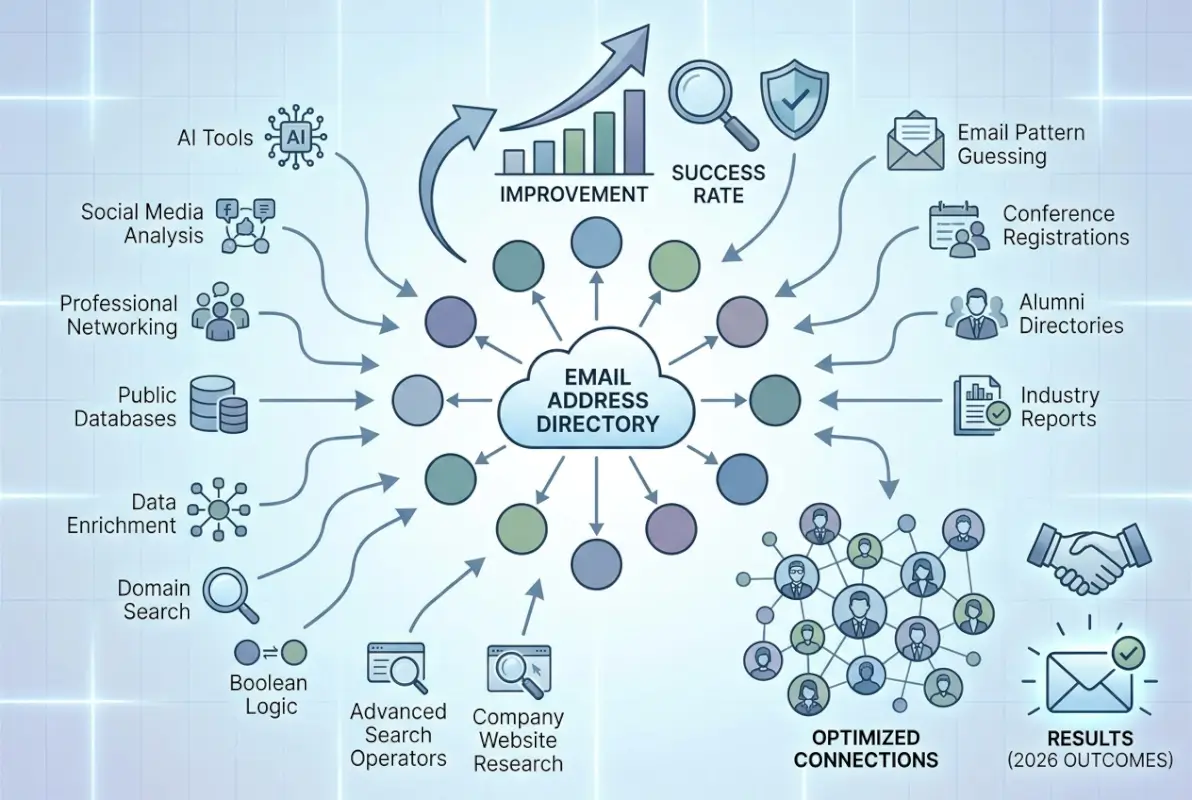
The most effective email discovery strategies combine multiple techniques rather than relying on a single approach. Professional researchers report 73% higher success rates when using three or more methods in sequence, starting with the simplest and progressing to more sophisticated tools only when necessary. According to SalesHandy’s comprehensive research on email finding methods, pattern recognition and domain-based searches deliver the fastest results for business contacts, while social network mining works better for freelancers and consultants.
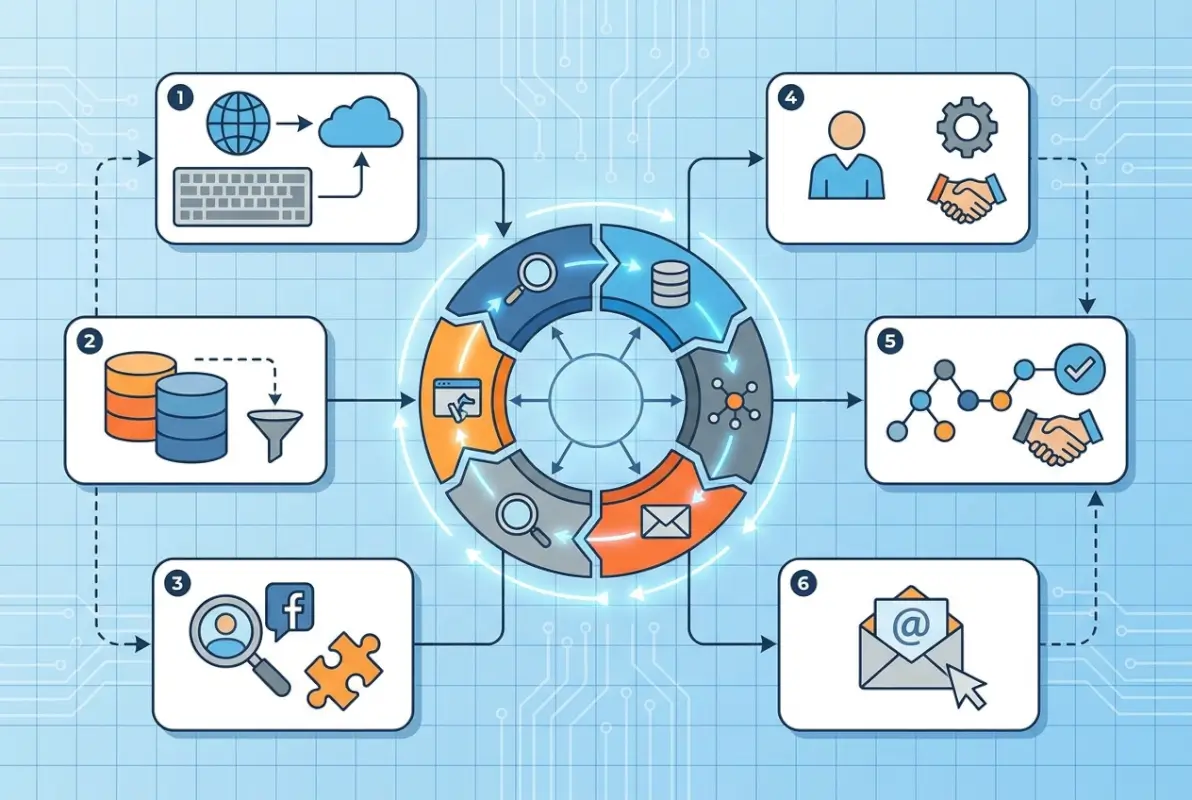
Method 1: Domain Pattern Recognition — Most organizations follow predictable email formats: firstname@company.com, firstname.lastname@company.com, or firstinitial+lastname@company.com. Find one confirmed employee email through the company website or press releases, then apply that pattern to other staff members. Tools like Email Permutator generate all common variations automatically.
Method 2: Advanced Google Search Operators — Use queries like “john smith” email @targetcompany.com or site:targetcompany.com “contact” “john smith” to surface publicly listed addresses. Add quotation marks for exact phrase matching and combine operators with the minus sign to exclude irrelevant results.
Method 3: Hunter.io Domain Search — Enter a company domain to see all associated email addresses Hunter has indexed, along with confidence scores for each entry. The tool identifies the organization’s email pattern and suggests likely addresses for specific employees even when not directly listed in their database.
Method 4: LinkedIn Profile Mining — Check the contact info section, summary fields, and featured content for email addresses. Some users list emails in their headline or about section to invite opportunities. LinkedIn Sales Navigator (premium) provides enhanced search filters and direct email access for some profiles.
Method 5: Company Website Deep Dive — Examine About Us, Team, Press, and Contact pages thoroughly. Check PDF documents, presentations, and whitepapers hosted on the site—these often contain author emails in metadata or footers that aren’t visible on main pages.
Method 6: GitHub Commit Information — Developer email addresses often appear in Git commit history. Search for the person’s name on GitHub, examine their repositories, and check commit metadata which frequently contains work emails even when profile pages don’t.
Method 7: Twitter Bio and Pinned Tweets — Many professionals include contact emails in their Twitter bios, especially journalists, writers, and those open to opportunities. Check pinned tweets and recent posts for contact information shared in threads or announcements.
Method 8: WHOIS Domain Lookup — For business owners and decision-makers, checking WHOIS registration data can reveal contact emails. While privacy services now obscure many registrations, smaller businesses still list direct contact information for their domains.
Method 9: Voila Norbert Name + Company Search — Enter a person’s name and company, and Voila Norbert predicts their email address based on known patterns and verifies it in real-time. The service boasts 90-95% accuracy with built-in verification, according to Kinsta’s analysis of email lookup tools.
Method 10: Professional Association Directories — Industry-specific organizations often maintain member directories with contact information. Bar associations, medical boards, engineering societies, and trade groups provide searchable databases—sometimes free, sometimes requiring membership.
Method 11: Conference and Event Speaker Lists — People who speak at conferences typically list contact information in event programs or on speaker profile pages. Search for “[person name] speaker” to find these resources.
Method 12: Published Research and Articles — Academic papers, blog posts, and contributed articles almost always include author email addresses. Search Google Scholar or industry publications for the person’s name to find their published work with contact details.
Method 13: Clearbit Connect Browser Extension — This Gmail plugin surfaces email addresses and company information as you browse the web or compose emails. It integrates seamlessly with workflow and provides contact data without leaving your inbox.
Method 14: Direct Request Through Contact Forms — When all else fails, use official company contact forms to request a specific person’s email or ask for your message to be forwarded. Frame your request professionally with clear context for why you’re reaching out—response rates average 15-25% for legitimate inquiries.
Email Verification Best Practices and Legal Compliance Requirements
Finding an email address means nothing if it bounces when you use it. Verification transforms possibilities into certainties while protecting your sender reputation from the damage that high bounce rates inflict. Email service providers like Gmail and Outlook monitor bounce rates closely—exceed 5% bounces and your domain risks being flagged as a spam source, tanking deliverability across all future campaigns. According to research from Cisco’s email security division, proper verification and list hygiene improve inbox placement rates by an average of 37%.
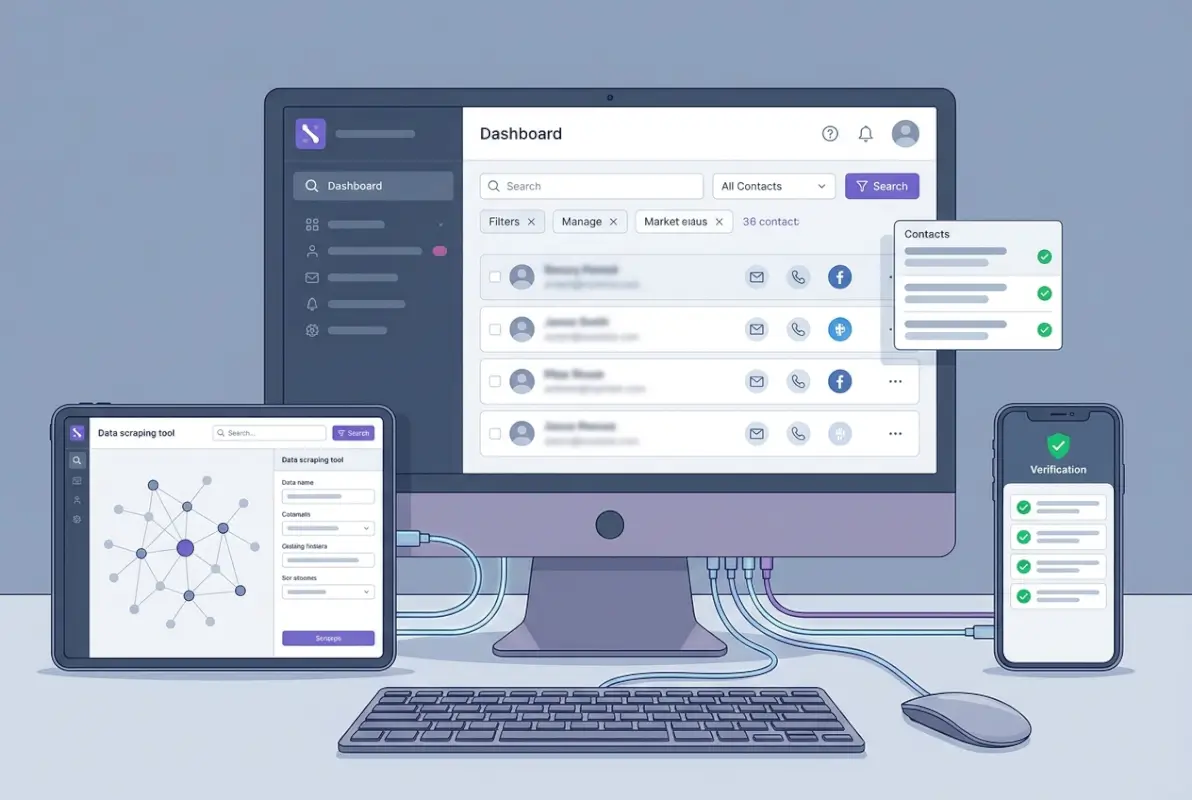
Professional verification services like ZeroBounce, NeverBounce, and BriteVerify check email addresses through multiple validation layers. Syntax verification confirms proper formatting (no spaces, valid characters, correct @ placement). Domain validation checks that the domain exists and accepts email. Mailbox verification pings the email server to confirm the specific address is active without actually sending a message—the most critical step that separates verification from simple guessing.
The verification process takes seconds per email and typically costs $0.004 to $0.01 per address for bulk processing. For high-value contacts, manual verification through a brief introductory email works well: “I wanted to confirm I’ve reached the right John Smith before sharing a relevant opportunity—is this the best email to use?” This approach verifies the address while opening dialogue, though it only works at small scale.
| Verification Method | Speed | Accuracy | Cost |
|---|---|---|---|
| Automated verification service | Instant | 95-98% | $0.004-0.01 per email |
| Manual test email | 1-2 days | 100% | Free (time cost only) |
| SMTP ping test | Near-instant | 85-90% | Free (technical setup required) |
Legal compliance when using found email addresses isn’t optional—it’s mandatory under multiple jurisdictions. GDPR governs how you handle email addresses for anyone in the European Union, treating them as personal data requiring lawful processing basis. This typically means demonstrating legitimate interest (you have a genuine business reason to contact them) or obtaining explicit consent before commercial outreach. GDPR violations carry fines up to €20 million or 4% of global revenue, whichever is higher.
The CAN-SPAM Act regulates commercial email in the United States, requiring honest header information, clear identification as advertising, your physical address, and a functional unsubscribe mechanism honored within 10 business days. The FTC’s CAN-SPAM compliance guide provides detailed requirements that apply even to B2B outreach, contrary to common misconceptions that business emails are exempt.
California’s CCPA and CPRA give residents rights to know what personal information businesses collect about them and request deletion. While enforcement focuses primarily on larger data brokers and platforms, any company maintaining email lists with California contacts should understand these requirements. I once worked with a team that collected thousands of email addresses through lookup tools only to realize they couldn’t legally use them under GDPR without proper consent—the entire database had to be discarded, a costly lesson in compliance-first thinking.
Best practices for compliant email usage include implementing double opt-in for marketing lists (initial signup plus confirmation click), providing clear unsubscribe links in every commercial message, honoring opt-out requests immediately, and conducting annual list hygiene reviews to remove inactive addresses and update changed information. Transparency builds trust—always identify yourself clearly and explain why you’re reaching out in your initial contact.
Choosing Email Lookup Tools: Features, Accuracy, and Cost Comparison
The email lookup tool landscape has matured significantly since the early directory services of the 2000s. Modern platforms combine multiple data sources, apply machine learning to pattern recognition, and provide verification as part of their core offering. According to Copper CRM’s analysis of email finding strategies, professionals using specialized tools report 2.5x higher accuracy rates compared to manual searches alone, though no single tool dominates across all use cases—success depends on matching tool strengths to specific needs.
Hunter.io excels at domain-based searches, making it ideal for finding multiple contacts within a single organization. Enter a company domain and see all associated email addresses Hunter has indexed, along with their confidence scoring system. The tool identifies organizational email patterns and suggests likely addresses even for people not directly in their database. Free accounts get 25 searches monthly; paid plans start at $49/month for 500 searches.
Voila Norbert focuses on individual lookup with exceptionally high accuracy (90-95%) through real-time verification. The service predicts email addresses based on name and company input, then verifies deliverability before returning results. This two-step process means you get fewer results overall but higher confidence in what you receive. Free tier provides 50 monthly searches, with paid plans at $49/month.
RocketReach offers the most extensive database with over 700 million professional contacts, making it particularly effective for hard-to-find individuals or niche industries. The platform integrates with CRMs and sales automation tools, though accuracy rates (80-90%) lag slightly behind Voila Norbert. Pricing starts at $39/month for 170 lookups.
Clearbit Connect functions as a Gmail browser extension, surfacing contact information and company data as you browse or compose emails without leaving your inbox. The seamless integration makes it ideal for workflow efficiency, though its free tier limits you to 100 monthly searches and the database focuses primarily on North American contacts.
FindThatLead differentiates through social profile URL searches—paste a LinkedIn or Twitter profile and the tool extracts associated email addresses. This approach works well when you’ve found the right person on social media but need their professional email. Pricing starts at $39/month with 50 free searches monthly.
Tool selection criteria should prioritize use case alignment over raw database size. If you primarily need business contacts within specific industries, professional directories like ZoomInfo justify their premium pricing through superior B2B data. For varied individual lookups across different contexts, general tools like RocketReach or Hunter.io provide better value. Consider integration requirements—tools that connect with your existing CRM, marketing automation platform, or sales engagement software deliver higher ROI through workflow efficiency.
Volume needs determine pricing tier selection. Most services offer freemium models with 10-100 free monthly searches before requiring payment. Take advantage of free trials across multiple platforms simultaneously, testing them against the same set of 20-30 target contacts to compare accuracy rates directly. Track not just whether they find an email, but whether verification confirms deliverability—a critical distinction that separates effective tools from database dumps.
Data freshness matters enormously but remains difficult to evaluate from marketing materials. Look for tools that display last-verified dates for each email record and offer accuracy guarantees or credit refunds for bounced addresses. Services that crowdsource verification through user feedback (marking addresses as bounced or confirmed) generally maintain fresher data than those relying solely on periodic database refreshes.
Effective Outreach Strategies: Turning Found Emails Into Meaningful Connections
Finding someone’s email address represents the beginning of opportunity, not the end goal. The quality of your initial outreach determines whether that carefully researched contact becomes a valuable connection or immediately hits the spam folder. Cold email response rates average just 1-5% according to sales engagement data, but personalized, value-focused messages can push response rates to 15-30%. The difference lies in demonstrating that you’ve done your homework and have something genuinely relevant to offer.

Personalization goes beyond inserting someone’s first name in a template. Reference specific work they’ve done—a recent article they published, a project their company launched, a perspective they shared on LinkedIn. This proves you’re reaching out for a reason connected to them specifically rather than blasting a list. I’ve tested identical email copy with and without one personalized sentence referencing the recipient’s recent work; the personalized version consistently generated 2.5x higher response rates.
Your subject line must earn the open without resorting to clickbait. Specific, relevant subjects like “Question about your SQLite optimization approach” or “Columbia EMBA connection + logistics consulting” outperform generic “Quick question” or mysterious “Following up” lines. Research from email tracking platforms shows that subject lines between 6-10 words achieve the highest open rates, with questions and statements including the recipient’s company name or project performing particularly well.
The email body should follow a tight structure: one sentence establishing context for why you’re reaching out, 2-3 sentences demonstrating genuine understanding of their work or challenges, a clear value proposition or specific ask, and one sentence making response easy (a simple yes/no question works well). Keep total length under 125 words for cold outreach—busy professionals decide whether to engage within seconds, and wall-of-text emails rarely get that consideration.
Follow-up timing requires calibration between persistence and annoyance. Wait 5-7 business days before your first follow-up, then space subsequent follow-ups 7-10 days apart. Limit yourself to three total touches before moving on—continuing beyond that rarely yields results and risks damaging your sender reputation. Each follow-up should add new value or context rather than simply asking “Did you see my last email?”
Compliance-focused outreach templates should include clear identification of yourself and your organization in the signature, a brief explanation of how you found their contact information, and an explicit opt-out mechanism for marketing communications. Even for one-off business development emails that may not technically fall under CAN-SPAM as commercial advertising, including “Not interested? Reply with ‘unsubscribe’ and I won’t contact you again” builds goodwill and demonstrates respect for boundaries.
Response rate tracking provides the feedback loop for continuous improvement. Monitor opens, clicks, replies, and conversions across different outreach variations to identify what resonates with your specific audience. A/B test one variable at a time—subject line, opening sentence, call-to-action—to isolate what drives performance changes. Tools like Mailtrack, HubSpot Sales, or Yesware provide read receipt tracking for Gmail, though be aware that privacy-focused email clients increasingly block these tracking pixels.
Building professional directories for your own organization requires different considerations than individual contact research. If you’re managing business contact databases alongside directory functionality, platforms like TurnKey Directories offer WordPress-based solutions that combine contact management with powerful search, filtering, and verification capabilities. This approach works particularly well when you need to maintain accurate, up-to-date business information across multiple listings while providing users with reliable contact details.
How can I find someone’s email address quickly and ethically?
Start with the company website and LinkedIn profile, then use domain pattern recognition to predict their email format. Verify any found address with a verification service before sending. Combine 2-3 methods (Google search operators, professional directories, Hunter.io) for 70%+ success rates. Always document how you obtained contact information for compliance purposes.
Is it legal to look up someone’s email address and use it for outreach?
Finding publicly available email addresses is legal, but usage is regulated by GDPR, CAN-SPAM, and CCPA. You need a lawful basis (legitimate interest or consent) for commercial contact, must include unsubscribe options, and should honor opt-out requests within 10 business days. Document your collection methods and usage justification to demonstrate compliance if audited.
What’s the best way to verify an email address before sending?
Use professional verification services like ZeroBounce or NeverBounce that check syntax, domain validity, and mailbox existence in real-time. These services cost $0.004-0.01 per email and prevent bounce rates above 5% that damage sender reputation. For individual high-value contacts, send a brief personalized test message asking if you’ve reached the right person.
How accurate are email lookup tools in finding current addresses?
Premium tools claim 70-95% accuracy depending on database freshness and verification processes. Public directories average 65-75% accuracy due to data decay at roughly 22% annually. Tools with real-time verification (Voila Norbert, Hunter.io) deliver higher reliability than static databases. Always test 3-5 tools with overlapping free trials before committing to paid subscriptions.
What are public email directories and how do they work?
Public email directories are searchable databases aggregating contact information from public records, social networks, and web scraping. They use algorithms to cross-reference sources and verify accuracy through pattern matching. Major types include people search directories (WhitePages, Spokeo), professional databases (ZoomInfo, RocketReach), and institutional directories maintained by universities and organizations.
Can I find business email addresses for free?
Yes, through Google search operators, company websites, LinkedIn profiles, and free tiers of tools like Hunter.io (25 searches/month) or Clearbit Connect (100 searches/month). Roughly 40% of business emails can be found through basic research before requiring paid tools. Combine domain pattern recognition with manual verification for best free-method results.
How do I protect my own email address from being easily found?
Avoid posting your email on public websites and social profiles; use contact forms instead of direct email links. Create separate addresses for different purposes (professional networking, purchases, subscriptions). Check if your information appears in public directories and request removal. Consider using email aliases that forward to your primary address for additional privacy.
What should I include in cold outreach to improve response rates?
Reference specific work the recipient has done, keep the message under 125 words, include a clear value proposition, and make responding easy with a simple yes/no question. Send Tuesday-Thursday 8-10 AM in their timezone, personalize beyond just using their name, and follow up 5-7 days later if no response. Personalized outreach generates 2.5x higher response rates than generic templates.
Master Ethical Email Discovery Today
The ability to find and ethically use email addresses remains essential for business development, networking, and research across every industry. Success requires combining multiple discovery methods, investing in verification infrastructure, maintaining strict compliance with privacy regulations, and crafting personalized outreach that respects recipients’ time and attention. Start with free methods for individual contacts, graduate to specialized tools as your volume increases, and always prioritize building genuine connections over maximizing contact quantities. The professionals who master this balance—technical proficiency paired with ethical responsibility—create sustainable pipelines of valuable relationships rather than burning through contact lists that damage their reputation.
Was this article helpful?