Free Local Business Listing Directories: 5 Essential Platforms to Boost Visibility

Generating summary...
Most small businesses are leaving money on the table by ignoring the single most powerful free marketing channel available: local business listing directories. Here’s what nobody tells you—while your competitors obsess over paid ads and social media algorithms, a handful of properly optimized directory listings can quietly funnel high-intent customers straight to your door. The businesses crushing it in local search aren’t necessarily spending more; they’re just playing a different game entirely.
I’ve watched countless businesses transform their customer acquisition without spending a cent on advertising. The secret? Strategic presence across free local business listing directories that connect you with customers actively searching for what you offer in your area. When someone searches “plumber near me” at 2 AM with a burst pipe, the businesses that appear in those results win the customer. It’s that simple.
TL;DR – Quick Takeaways
- NAP consistency across directories is non-negotiable – inconsistent business information confuses search engines and tanks your local rankings
- Google Business Profile, Bing Places, Yelp, Apple Maps, and Facebook Local are the five essential platforms to prioritize first
- Complete profiles outperform incomplete ones by 70% in driving location visits and purchase decisions
- Data-driven optimization beats guesswork – track impressions, clicks, and calls from each directory to focus efforts where they matter
- Industry-specific and regional directories often deliver higher-intent traffic than major platforms for niche businesses
How Local Listing Directories Drive Visibility in 2026
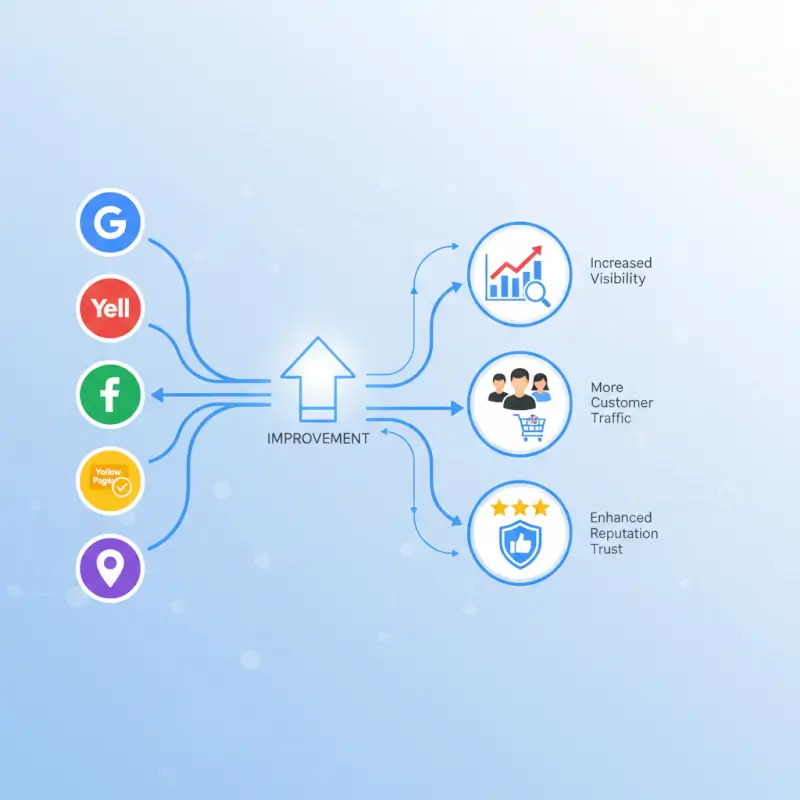
The local search landscape has evolved into a complex ecosystem where directory listings function as trust signals to search engines. When Google or Bing encounters consistent mentions of your business across multiple authoritative directories, they interpret this as validation that your business is legitimate and relevant to local searchers. This isn’t theory—it’s how local SEO ranking factors actually work in practice.
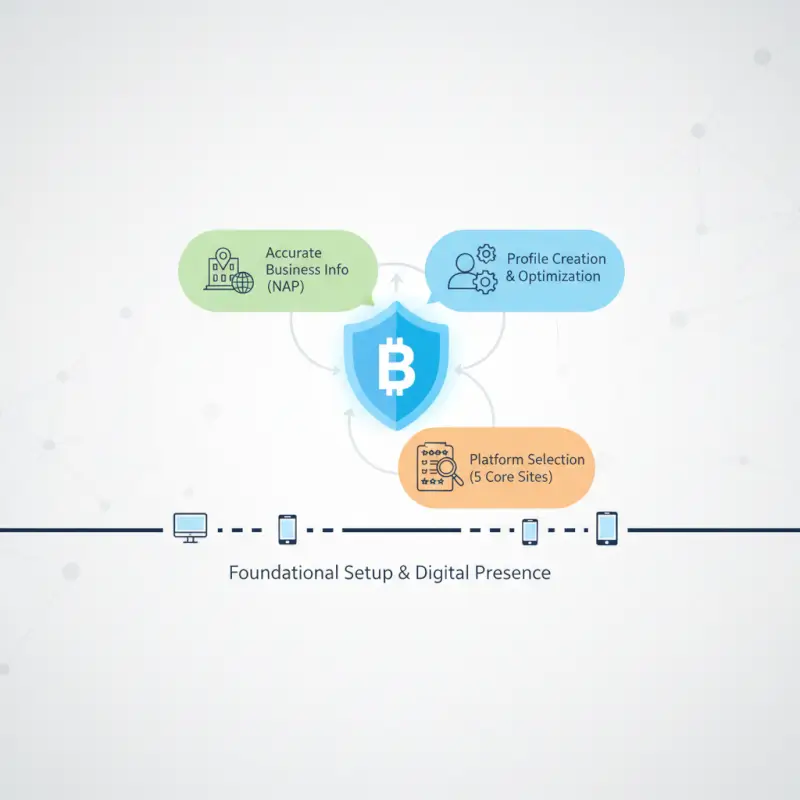
Think of directory listings as digital votes of confidence. Each properly optimized listing tells search algorithms: “Yes, this business exists at this address, serves this area, and offers these services.” The more consistent these signals, the more confidently search engines display your business to people searching for what you offer.
The role of consistent NAP across top directories
NAP—Name, Address, Phone number—consistency is the foundation of local SEO that most businesses get wrong. Even minor variations like using “Street” versus “St.” or including a suite number inconsistently can fragment your citation signals and dilute your local search authority.
Search engines use sophisticated algorithms to match business entities across the web. When they encounter conflicting information, they lose confidence in which version is correct. This confusion directly impacts your visibility in local packs and map results. I’ve seen businesses jump from page three to the local pack within weeks simply by cleaning up NAP inconsistencies across their top directories.
Run an NAP audit across your Google Business Profile, Bing Places, Yelp, and major regional directories. Document every variation you find, then systematically update each listing to match your master format. Set a 30-day deadline to complete this—it’s one of the highest-ROI activities you can undertake for local visibility.
Local packs, maps, and click-through dynamics
The local pack—those three highlighted businesses that appear at the top of Google’s search results with a map—captures the lion’s share of clicks for local searches. According to local search behavior research from BrightLocal, the top three local pack results receive significantly more clicks than even the #1 organic result below them.
Your directory listings directly influence whether you appear in this prime real estate. Google pulls local pack results from Google Business Profile data, considering factors like relevance, distance, and prominence. Prominence is where your other directory listings come into play—they build the citation foundation that signals authority to Google’s algorithm.
Optimize your primary listing category carefully. Don’t just select “Restaurant”—choose “Italian Restaurant” or “Farm-to-Table Restaurant” if that’s more accurate. The specificity helps you appear for more targeted searches where buyer intent is higher. Your title, category, and service keywords should align precisely with the local intent searches you want to capture.
5 Essential Local Directories to Optimize Now
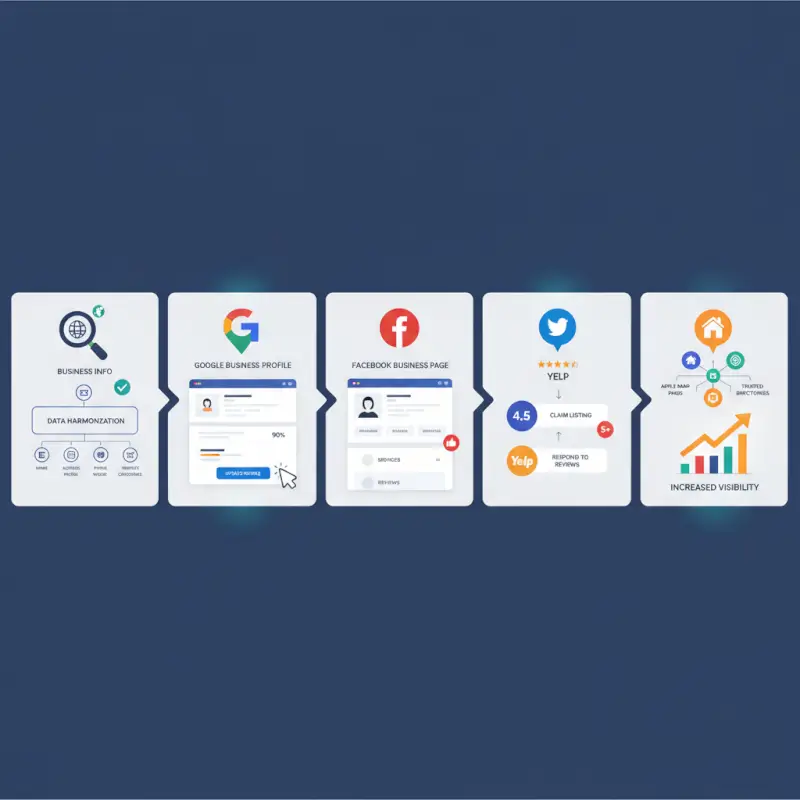
Not all directories deliver equal value. Focus your efforts on the platforms that dominate local search, reach your specific audience, and integrate with the services consumers use daily. These five directories form the non-negotiable foundation of any local listing strategy.
Google Business Profile (Google Maps)
Google Business Profile remains the undisputed king of local listings. With over 90% search market share, this platform directly controls what appears in Google Search, Google Maps, and the local pack. According to Google’s own guidance on business profiles, businesses with complete profiles are twice as likely to be considered reputable by consumers.
A complete profile includes your business hours, categories, attributes (like “wheelchair accessible” or “outdoor seating”), high-quality photos, regular posts, and active review management. Google rewards completeness with visibility. The businesses that treat their Google Business Profile like a living marketing asset—not a one-time setup task—consistently outperform competitors.
Post updates weekly. Share photos of new products, behind-the-scenes content, or timely announcements. Respond to every review within 24-48 hours, both positive and negative. These engagement signals tell Google your business is active and customer-focused, which influences your ranking in local results.
Bing Places for Business
Dismissing Bing is a costly mistake. While Google dominates overall search, Bing captures a meaningful slice of the market—particularly among older demographics, enterprise users, and Windows device owners. Bing Places offers similar functionality to Google Business Profile but with less competition and faster verification processes.
Microsoft’s search engine powers results for Windows devices, the Edge browser, and integrates with Microsoft 365 products used by millions of businesses. If your target audience includes professionals, B2B clients, or corporate decision-makers, Bing Places becomes especially valuable.
Ensure your business categories precisely match your core offerings. Verify your business location and hours carefully. Bing’s platform receives less spam than Google’s, meaning your accurate, complete listing stands out more prominently in results.
Yelp and other major review directories
Yelp functions as both a standalone platform where consumers actively search for businesses and a data source that feeds Apple Maps and other services. The platform’s engaged reviewer community makes it particularly influential for restaurants, retail shops, and service businesses where customer experience is paramount.
Claim your profile immediately if you haven’t already. Complete every field, add high-quality photos, and implement a review generation strategy. Request reviews from satisfied customers within 24 hours of positive interactions—timing matters significantly for review conversion rates.
Monitor sentiment across your Yelp reviews and respond thoughtfully. Yelp’s algorithm favors businesses that engage with their community. Don’t just thank positive reviewers—address specific points they mentioned to show you’re genuinely reading feedback.
Industry-specific and local authority directories
Generic directories provide breadth, but industry-specific platforms often deliver higher-intent traffic. For lawyers, listings on Avvo and Martindale-Hubbell carry weight. Healthcare providers need Healthgrades and Vitals. Home service businesses should prioritize Angi and HomeAdvisor. Restaurants benefit from OpenTable and TripAdvisor.
Local authority directories—chamber of commerce sites, tourism boards, and city business associations—build credibility signals that search engines value. These platforms may not drive huge traffic volumes, but the traffic they do send tends to convert at higher rates because it’s highly targeted.
Join relevant local and industry directories, then keep those profiles updated. Set calendar reminders to review these listings quarterly, as they’re easy to forget but valuable for niche citation building.
Regional or niche directories serving your city or area
Every region has its own ecosystem of local websites, blogs, and directories that residents actually use. In some cities, the local newspaper’s business directory outperforms national platforms for driving foot traffic. Neighborhood-specific directories or suburb-focused platforms can connect you with nearby customers who prefer shopping local.
Identify 3-5 high-ROI regional directories by researching where your competitors appear and asking customers where they found you. Submit consistently to these platforms and treat them with the same care you’d give to Google or Yelp. The local relevance often compensates for smaller audience sizes.
| Platform | Primary Strength | Update Frequency | Best For |
|---|---|---|---|
| Google Business Profile | Search dominance + local pack | Weekly posts | All businesses |
| Bing Places | Enterprise/professional reach | Monthly review | B2B services |
| Yelp | Review-driven discovery | Daily review monitoring | Restaurants, retail, services |
| Apple Maps | iOS user dominance | Quarterly audit | Mobile-first businesses |
| Facebook Local | Social engagement + events | 2-3x weekly | Community-focused businesses |
Data-Driven Local Listing Tactics for 2026
Guesswork doesn’t cut it anymore. The businesses winning at local search use data to inform every optimization decision, from which directories to prioritize to which photos generate the most engagement. Building a simple measurement system transforms local listings from a set-it-and-forget-it task into a performance marketing channel.

Using local SEO statistics to inform your directory strategy
Recent research from Statista’s analysis of online search behaviors reveals that mobile devices now account for over 60% of local searches. This shift makes mobile-optimized directory listings crucial—particularly on platforms like Apple Maps that integrate seamlessly with iOS devices.
The data also shows that “near me” searches have grown exponentially, and voice search through Siri, Google Assistant, and Alexa pulls heavily from directory listing data. Your business hours, phone number, and address need to be immediately accessible and voice-assistant friendly across all major platforms.
Set quarterly targets based on these insights. Aim for specific benchmarks: citation consistency above 95%, average review rating above 4.0 stars, and profile completeness at 100% across your top five directories. Track these metrics monthly to identify trends and catch issues before they impact your visibility.
Measuring impact with a lightweight dashboard
You don’t need enterprise software to track local listing performance. A simple spreadsheet or basic analytics dashboard can capture the KPIs that matter: profile impressions, profile views, clicks to your website, calls from listings, direction requests, and review volume/rating changes over time.
Google Business Profile provides excellent built-in analytics showing exactly how customers find your listing and what actions they take. Export this data monthly. Bing Places offers similar insights. For other directories, track referral traffic in Google Analytics by setting up UTM parameters for any links you can control.
Build a dashboard that answers three questions: Which directories drive the most high-intent actions? How has visibility changed month-over-month? Where are the gaps in my listing coverage or completeness? Review this dashboard monthly and adjust your strategy accordingly.
Content & On-Page Alignment to Support Directory Listings
Your directory listings don’t exist in isolation—they work in concert with your website to build local search authority. When search engines see consistent signals between your directory listings and your website’s on-page elements, they gain confidence in your business’s legitimacy and relevance.
Optimize on-page signals that reinforce directory listings
Your website should mirror the NAP information that appears across your directory listings. Display your business name, address, and phone number prominently in your website footer using the exact same format you use in directories. This consistency creates what SEO professionals call “citation reinforcement.”
Implement schema.org LocalBusiness markup on your website. This structured data tells search engines explicitly: “Here’s our business name, address, phone, hours, and service area.” When this data matches your directory listings, it amplifies your local search signals dramatically.
Your website’s title tags, meta descriptions, and H1 headings should include your city or service area naturally. Don’t just say “Best Italian Restaurant”—say “Best Italian Restaurant in Downtown Portland.” This geographic specificity connects your website to your local directory listings in search engine understanding.
Local content strategy to pair with listings
Create location-specific pages or service-area pages that map to your target directories’ audiences. If you serve three neighborhoods, build dedicated pages for each one. These pages should include relevant local landmarks, neighborhood names, and specific service details for that area.
Publish 2-4 location-specific blog posts or pages per quarter. Write about local events your business participated in, community partnerships, or area-specific tips related to your industry. For example, a landscaping company might write “Best Drought-Resistant Plants for Phoenix Yards” or “Preparing Your Seattle Garden for Winter Rain.”
This local content serves dual purposes. First, it gives you something valuable to share in your Google Business Profile and Facebook posts, keeping those listings fresh. Second, it builds topical authority around local search terms that complement your directory visibility.
Management, Risk, and Best Practices for 2026
Even perfectly optimized listings deteriorate without ongoing management. Business hours change, phone numbers update, services evolve, and competitors leave reviews that require responses. The businesses that maintain listing excellence over time reap compounding benefits in local search visibility.

Listing hygiene and risk management
Duplicate listings are one of the most common yet damaging issues in local SEO. They occur when multiple profiles exist for the same business—sometimes created by aggregators, sometimes by well-meaning employees who forgot the business already had a listing. These duplicates fragment your review count, dilute your citation signals, and confuse potential customers.
Search each directory for your business name before creating new listings. If you find duplicates, claim them and request that the platform merge them into a single authoritative listing. Document every duplicate you discover and track the merger process to completion.
Fake or spam reviews present another risk, particularly on platforms like Google and Yelp. Don’t ignore them—flag obviously fraudulent reviews through the platform’s reporting system. Respond professionally to borderline reviews, focusing on the facts and offering to make things right. Never pay for fake positive reviews; platforms detect this and penalties can be severe.
Set up a quarterly audit cadence. Every 90 days, systematically review each of your major listings for accuracy, completeness, and new features the platform may have introduced. Maintain a master inventory spreadsheet listing every directory where you’re listed, with columns for login credentials (stored securely), last update date, and current status.
Budgeting, experimentation, and long-term ROI
While this article focuses on free directory listings, many platforms offer paid enhancements—featured listings, premium badges, promoted profiles, or advertising opportunities. Approach these cautiously, testing small before committing budgets.
Run 2-3 small experiments per quarter to identify what moves the needle for your specific business. Try updating your hours across all profiles to see if extended hours increase visibility. Test adding a new directory to your portfolio. Launch a review solicitation campaign for one month. Measure the results of each experiment against your baseline metrics.
The long-term ROI of well-maintained directory listings compounds over time. Your review count grows, your citation network expands, and search engines increasingly trust your business as an authoritative local result. I’ve watched businesses maintain top-three local pack positions for years primarily through consistent directory management—no paid ads required.
For businesses managing multiple locations, tools like TurnKey Directories can streamline the process of maintaining consistent information across locations. The platform’s WordPress-based solution makes it easier to update business information, manage reviews, and ensure accuracy at scale. If you’re running your own directory website, check out key steps run successful directory website business for insights on leveraging directories as part of your marketing ecosystem.
Frequently Asked Questions About Local Business Listings
What are the most important directories for local business visibility in 2026?
The five most important free directories are Google Business Profile, Bing Places for Business, Yelp, Apple Maps, and Facebook Local. These platforms dominate local search results and integrate with the tools consumers use daily. Prioritize complete, accurate profiles on these five before expanding to industry-specific or regional directories.
How often should I update my business information on listing sites?
Review all major directory listings quarterly at minimum, and update them immediately when business information changes. Google Business Profile benefits from weekly posts and photo additions. Respond to reviews within 24-48 hours across all platforms. This regular activity signals to search engines that your business is active and engaged.
Do listing directories actually improve Google rankings or local pack positions?
Yes, directory listings directly impact local pack rankings through citation signals that build trust with search algorithms. Consistent NAP information across authoritative directories tells Google your business is legitimate and relevant. Listings also generate reviews, backlinks, and engagement signals that influence ranking. Complete profiles outperform incomplete ones by approximately 70% in visibility metrics.
How many directory listings should a small business maintain to avoid spreading too thin?
Start with the five essential platforms—Google Business Profile, Bing Places, Yelp, Apple Maps, and Facebook Local. Add 3-5 industry-specific or regional directories based on where your target customers search and where competitors maintain active profiles. Quality beats quantity; ten well-maintained listings outperform fifty neglected ones.
What is the best way to handle duplicate listings across multiple directories?
Search each directory before creating new listings to identify duplicates. Claim all duplicate listings you find, then contact the platform’s support team to request they merge duplicates into one authoritative profile. Document every duplicate discovered and track the resolution process. Maintain a master inventory spreadsheet to prevent creating additional duplicates in the future.
How can I measure the impact of directory listings on phone calls and website traffic?
Google Business Profile and Bing Places provide built-in analytics showing calls, direction requests, and website clicks from your listing. Track referral traffic in Google Analytics by monitoring which directories send visitors to your site. Use unique phone numbers or call tracking software for directories that allow custom numbers. Export data monthly and build a simple dashboard tracking high-intent actions across platforms.
Should I invest in paid directory listings or rely on free profiles?
Optimize all free listings completely before spending on paid enhancements. Free profiles on major platforms typically deliver better ROI than paid listings on niche directories. If you do experiment with paid features, test small investments first and measure results against your baseline metrics. Run controlled experiments comparing paid versus free performance before committing budget.
Can free local business listings replace paid advertising for customer acquisition?
For many local businesses, optimized directory listings drive more high-intent customers than paid ads at a fraction of the cost. While paid advertising offers speed and control, directory listings build compounding organic visibility that lasts. The most effective strategy combines both: use listings for sustainable organic growth while testing paid ads for specific campaigns or immediate results.
Your 30-Day Local Listing Action Plan
Stop letting competitors capture customers who should be choosing you. Here’s your roadmap for the next month:
Week 1: Create your master NAP document and audit your top five directory listings for consistency. Fix any discrepancies immediately.
Week 2: Complete every available field on your Google Business Profile and Bing Places listings. Add at least 20 high-quality photos to each platform.
Week 3: Claim and optimize your Yelp, Apple Maps, and Facebook Local listings. Set up a simple tracking dashboard for calls and direction requests.
Week 4: Implement a review generation process, respond to all existing reviews, and identify 3-5 industry-specific or regional directories to add to your portfolio.
The businesses dominating local search aren’t lucky—they’re systematic. They’ve built a foundation of optimized directory listings that consistently connects them with high-intent customers. Your 30-day transformation starts today.
Was this article helpful?