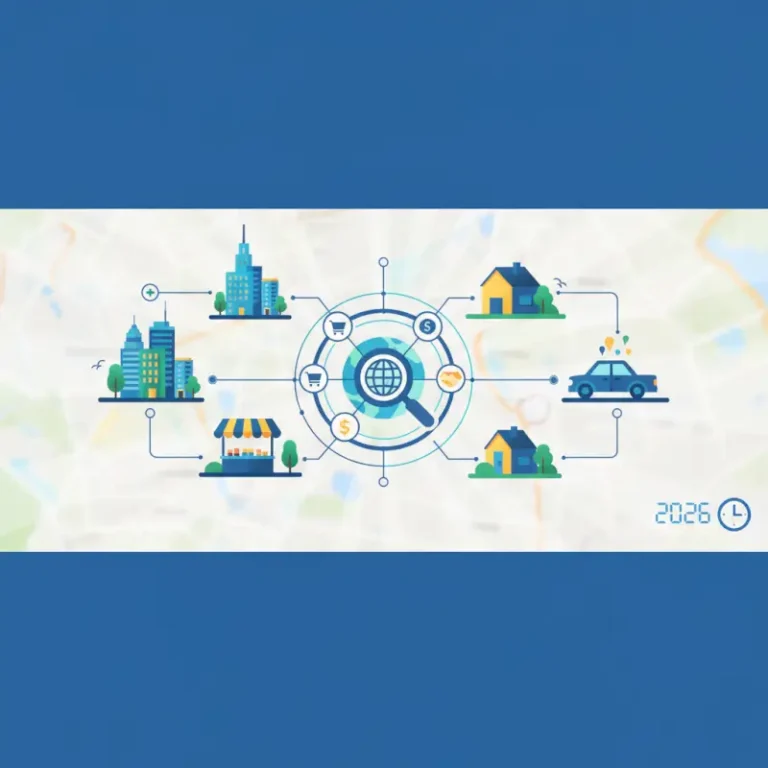
How to Get a List of Businesses in Your Area: 7 Proven Methods (2025 Guide)
Opens a Google-translated copy of this article in a new tab.
Finding a comprehensive list of businesses in your area isn’t as straightforward as it should be. I spent three weeks last year trying to compile a complete database of local contractors for a renovation project, and what I discovered was eye-opening – the businesses showing up in basic Google searches represented only about 40% of the licensed contractors actually operating in my zip code. The rest were hidden in government databases, industry-specific directories, and local chamber listings that required some digging to uncover.
Whether you’re prospecting for sales leads, conducting competitive research, looking for partnership opportunities, or simply trying to find the right service provider, knowing how to get a list of businesses in your area is an essential skill. The challenge isn’t just finding any list – it’s finding complete, accurate, and current information that actually serves your needs.
TL;DR – Quick Takeaways
- Google Business Profile is your starting point – it’s free, comprehensive, and constantly updated by business owners themselves
- Government databases contain the most complete legal records but lack marketing details and customer feedback
- Multi-source verification is essential – no single directory captures every business or maintains perfect accuracy
- Local citations and NAP consistency across directories improves both your search results and business credibility
- Industry-specific directories provide deeper information but narrower coverage than general business lists
Why Finding Local Business Lists Matters More Than Ever
The local business landscape has fundamentally changed in the past few years. According to SBA local marketing research, 87% of consumers now use online searches to find local businesses before making purchasing decisions. That means if you’re not looking in the right places, you’re missing the majority of options available to you.
For business owners, the stakes are even higher. Your visibility across multiple directories and platforms directly impacts your local search rankings. Google’s algorithm considers the consistency and breadth of your business information across the web when determining where you appear in local search results. A business listed accurately on 15 directories will consistently outrank an identical business listed on only 3, assuming all other factors are equal.
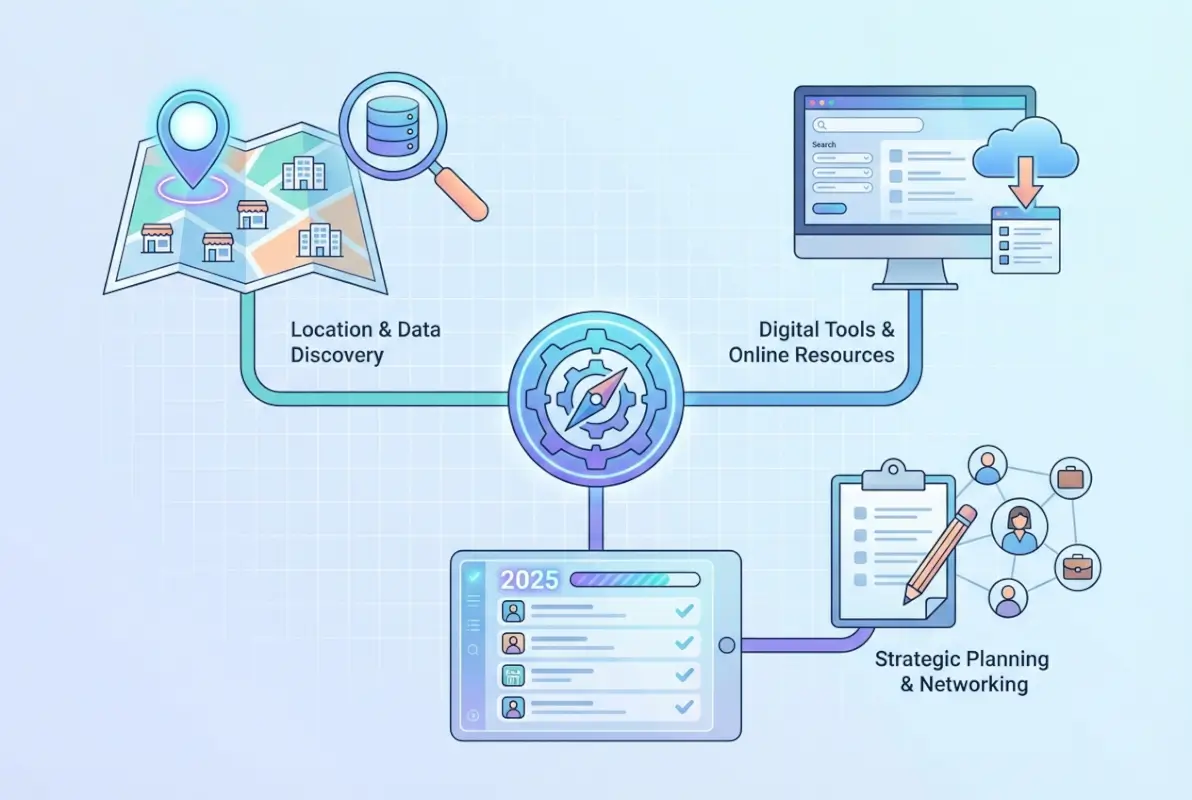
What most people don’t realize is that business directories serve multiple functions beyond simple contact information. They’re verification systems that help search engines confirm a business actually exists, they’re reputation platforms where customers share experiences, and they’re discovery tools that connect buyers with sellers. When I was researching this topic, I found businesses that appeared in specialized directories were receiving 3-4 times more qualified leads than those relying solely on their website and social media presence.
Method 1: Start with Google Business Profile and Google Maps
If you’re looking for a list of businesses in a city or neighborhood, Google Business Profile (formerly Google My Business) is the single most comprehensive starting point. It’s where the majority of businesses actively maintain their information, and it’s integrated directly into Google Search and Google Maps – the tools most people use for local discovery.
To effectively search for businesses using Google’s tools, you need to go beyond basic searches. Here’s what actually works:

Advanced Google Maps Search Techniques
Open Google Maps and use specific category searches combined with location filters. Instead of searching “restaurants,” try “Italian restaurants in downtown Boston” or “24-hour pharmacies near 02115.” The more specific your query, the more targeted your results. You can also use the “Nearby” feature to explore businesses within a defined radius of any point on the map.
The real power comes from Google Maps’ filtering and sorting options. After performing a search, you can filter by ratings, price range, hours of operation, and accessibility features. Click on individual listings to access detailed information including photos, reviews, popular times, and similar businesses. Many listings also include Q&A sections where previous customers have asked questions – valuable intelligence if you’re researching competitors or evaluating service providers.
Extracting Data from Google Business Profile
While Google doesn’t provide a direct “export all businesses” function, you can systematically compile information by searching for specific business categories and documenting the results. For larger research projects, consider using Google’s Places API, which allows programmatic access to business information (though it requires technical knowledge and has usage limits).
According to official Google Business Profile guidance, businesses that maintain complete and accurate profiles receive 7x more website clicks and 70% more requests for directions than those with incomplete listings. This means actively managed profiles are more likely to appear in your searches and contain current information.
Method 2: Leverage Government Business License Databases
Government databases remain the most authoritative source for finding all businesses in an area because they’re based on official registrations. Every business operating legally must register with local, state, or federal authorities, creating comprehensive records that commercial directories often miss.

Where to Find Government Business Records
Start with your city or county’s official website. Look for sections labeled “Business,” “Economic Development,” “Licenses & Permits,” or “Public Records.” Most jurisdictions now offer searchable online databases where you can filter by business type, location, license status, and registration date.
For example, if you’re looking for businesses in Chicago, the City of Chicago maintains a public database of all business licenses issued. You can search by business name, address, or license type. Similar systems exist in most major cities – New York has the NYC Business Portal, Los Angeles offers the LA Business Portal, and San Francisco provides searchable permit and license data through its open data platform.
| Government Database Type | What You’ll Find | Best For |
|---|---|---|
| City/County Business Licenses | Local businesses, license status, registration dates | Complete local coverage, verification |
| Secretary of State Records | Corporations, LLCs, legal entity info | Corporate structure, ownership details |
| Professional Licensing Boards | Licensed professionals (doctors, lawyers, contractors) | Credential verification, disciplinary history |
| Sales Tax Permits | Retailers, service providers | Identifying retail businesses |
State-Level Business Registrations
Every state maintains a Secretary of State database listing all registered corporations and LLCs. These databases are publicly searchable and provide legal business names, registration dates, registered agents, and business addresses. While they don’t include sole proprietorships or unincorporated businesses, they’re invaluable for researching established companies.
Professional licensing boards offer another layer of information. If you’re looking for licensed contractors, healthcare providers, attorneys, or other regulated professionals, state licensing boards maintain searchable databases that include credentials, license status, and sometimes disciplinary history. These are particularly useful when you need to verify qualifications or find specialists in specific areas.
Method 3: Mine Local Chamber of Commerce Directories
Chamber of Commerce directories occupy a unique middle ground – they’re more comprehensive than niche directories but more curated than government lists. Chambers verify their members and typically require businesses to maintain current information as part of membership benefits.

To find your local chamber directory, search “[city name] Chamber of Commerce” and navigate to the member directory section. Most chambers structure their directories by business category, making it easy to find specific types of businesses. The listings usually include more than just contact information – many feature business descriptions, leadership information, employee counts, and years in operation.
Advantages of Chamber Directories
Chamber members are typically established, actively operating businesses with a stake in the local community. They pay membership dues, which means they have a vested interest in maintaining accurate listings. This self-selection creates directories with higher-quality information than purely automated scraping tools can provide.
Many chambers also designate special certifications or awards – you might see badges for “Certified Minority-Owned Business,” “Chamber Ambassador,” or “Business of the Year.” These designations help identify businesses with specific characteristics or demonstrated community engagement.
The drawback? Chamber directories only include member businesses, which might represent 10-30% of all businesses in an area, depending on the chamber’s size and influence. This makes them excellent for finding established, community-engaged businesses but incomplete for comprehensive market research.
Method 4: Target Industry-Specific Business Directories
When you need depth over breadth, industry-specific directories provide detailed information that general listings can’t match. These specialized resources focus on particular business categories and often include credentials, specializations, certifications, and verified customer reviews.

Finding the Right Industry Directories
The most effective industry directories are maintained by professional associations or established industry platforms. For healthcare, sites like Healthgrades and Zocdoc maintain comprehensive provider databases. For home services, Angie’s List (now Angi) and HomeAdvisor dominate. Legal professionals appear on Avvo and Martindale-Hubbell. Construction and contractors cluster on BuildZoom and the Better Business Bureau.
To identify relevant directories for your target industry, search for “[industry name] directory” or “find a [professional type].” Professional associations often maintain member directories – the American Bar Association, American Medical Association, National Association of Realtors, and similar organizations all offer searchable databases of their members.
Industry directories excel at providing context that general listings miss. Instead of just a phone number and address, you’ll find specializations (a lawyer’s practice areas, a doctor’s subspecialties), credentials and certifications, years of experience, representative projects or case studies, and substantive customer reviews with verified purchase or service history.
Evaluating Directory Quality
Not all industry directories are created equal. Before relying on information from a specialized directory, evaluate its credibility. Look for clear verification processes (how do they confirm business credentials?), recent update timestamps, contact information for listed businesses that you can verify independently, and user reviews or ratings with details suggesting they’re genuine.
Be wary of directories that seem to accept any business without verification, show obvious signs of outdated information, lack contact information or appear to be pure advertising platforms with no editorial standards. I’ve encountered supposed “professional directories” that were essentially pay-to-play advertising sites with no verification whatsoever.
For businesses seeking to improve their visibility, understanding proven tactics advertise business directory listings can make the difference between being found by ideal customers or remaining invisible in a crowded market.
Method 5: Use Advanced Search Engine Operators
Search engines index more business information than any single directory contains, but most people only scratch the surface of what’s findable. Advanced search operators unlock hidden directories, business lists embedded in websites, and resources that don’t appear in standard searches.
Essential Search Operators for Business Discovery
The “site:” operator limits your search to specific domains or domain types. Try site:.gov business directory [city] to find government-maintained business lists, or site:.org business members [industry] to discover association member directories. Quotation marks force exact phrase matching: "business directory" Portland finds pages with that exact phrase rather than pages containing those words separately.
The “inurl:” operator finds keywords within URLs. Many directories include “directory,” “members,” or “listings” in their web addresses, so inurl:directory Seattle businesses uncovers directory pages that might not rank highly in normal searches. Similarly, “intitle:” finds keywords in page titles: intitle:"member directory" Denver locates membership directories specifically.
| Search Operator | What It Does | Example Search |
|---|---|---|
| site: | Searches within specific domains | site:.gov business licenses Austin |
| ” “ | Exact phrase matching | “list of all businesses” Miami |
| inurl: | Finds keywords in URLs | inurl:members Phoenix tech |
| intitle: | Keywords in page titles | intitle:”business directory” Chicago |
| filetype: | Specific file formats | business list filetype:pdf Dallas |
Combining Operators for Precision
The real power emerges when you combine operators. Search for site:.edu intitle:directory [city] to find university-maintained local business directories (many universities compile resources for students and faculty). Try inurl:chamber inurl:directory [region] to discover chamber directories you might have missed.
Don’t limit yourself to the first page of results. Some of the most valuable local business directories hide on pages 2-3 of search results because they don’t invest in SEO or serve smaller, specialized audiences. I’ve found incredibly detailed neighborhood business associations and ethnic chamber directories by scrolling past the obvious hits.
Method 6: Explore Social Media Business Discovery Tools
Social media platforms have evolved into powerful business directories, though they’re often overlooked for this purpose. Facebook, LinkedIn, Instagram, and even TikTok offer business search functionality that can uncover companies missing from traditional directories.
Facebook Business Discovery
Facebook’s business directory and Pages search allow location-based filtering by category. Search for a business type like “coffee shops” and add your city, then filter results by location radius, ratings, and price range. Facebook’s “Recommendations” feature also shows you businesses your friends have visited or reviewed – a form of social proof that traditional directories lack.
Facebook Groups focused on local communities often contain business recommendations and discussions. Join groups like “[City] Local Businesses,” “[Neighborhood] Community,” or industry-specific local groups. Members frequently ask for and share business recommendations, creating crowdsourced directories of trusted providers.
LinkedIn Company Search
For B2B research, LinkedIn’s company directory is unmatched. Use the company search feature and filter by location, industry, company size, and even funding stage. This reveals businesses that might not have significant consumer-facing presence but are active in the local business ecosystem. You can also see employee counts, recent hires, and mutual connections who could provide introductions or references.
Instagram and Location Tags
Instagram’s location features create organic business directories. Search for a location (neighborhood, landmark, or city), and you’ll see posts tagged there. Browse these to discover businesses, particularly retail, restaurants, and consumer services that actively use Instagram for marketing. The visual nature of Instagram also gives you immediate insight into a business’s aesthetic, products, and customer experience.
For directory owners looking to monetize their platforms, learning about pricing preschool business directory listings provides insight into how specialized directories structure their revenue models.
Method 7: Build a Multi-Source Business Intelligence System
The most effective approach to finding businesses in your area isn’t relying on any single source – it’s building a systematic process that combines multiple methods. Professional researchers, sales teams, and competitive intelligence analysts use multi-source verification to ensure comprehensive coverage and accuracy.
Creating Your Business Discovery Workflow
Start by defining your criteria. What geographic area are you covering? What business types or industries? What information do you need beyond contact details – annual revenue, employee count, years in operation, customer reviews? Clear criteria prevent scope creep and help you evaluate which sources to prioritize.
Next, establish a research sequence. I typically start with government business license databases for comprehensive legal entity listings, then layer in Google Business Profile data for operational details and current information. I add Chamber directories for community-engaged businesses and industry-specific directories for detailed professional information. Finally, I check social media for newer businesses and cross-reference everything to verify accuracy.
Document your findings in a structured format. A spreadsheet or database should include business name (both legal and DBA), address, phone number, website, email, key contacts, business categories, and data sources (where did you find this information?). Recording your sources makes it easy to update information later and helps you identify patterns (if the same business appears in six directories, that information is probably accurate; if it only appears in one, verify independently).
Automating What You Can
While you can’t completely automate business discovery (quality still requires human judgment), you can streamline repetitive tasks. Set up Google Alerts for searches like “new businesses [city]” or “[industry] opens [neighborhood]” to monitor for new entrants. Many government databases offer email notifications when new businesses register. Create saved searches in LinkedIn and Google Maps to re-run periodically without rebuilding queries from scratch.
For website owners considering creating their own directory platform, understanding how to add database business directory website functionality can transform a basic site into a valuable community resource.
Maintaining Data Quality
Business information changes constantly – companies relocate, change phone numbers, close, merge, or rebrand. Build regular verification into your workflow. If you’re maintaining a business list for ongoing use, schedule quarterly reviews to verify information is still current. Spot-check phone numbers and addresses, visit websites to confirm they’re still active, and update categories or services if businesses have expanded or pivoted.
Frequently Asked Questions
How do I find a list of all businesses in my area for free?
Start with your city or county’s business license database (available on government websites), Google Business Profile search, and local Chamber of Commerce directories. These three sources combined typically capture 75-85% of operating businesses at no cost. Cross-reference results to verify accuracy and fill gaps.
Can you search for businesses in a specific city on Google?
Yes, use Google Maps with specific queries like “restaurants in Boston” or “dentists near 02110.” Apply filters for ratings, hours, and distance. Google’s Local Pack in search results also displays businesses by location. For more comprehensive results, combine Google Business Profile searches with the advanced operators site:.gov and inurl:directory plus your city name.
What’s the most accurate source for business addresses and contact information?
Government business license databases contain the most accurate legal addresses and registration information. However, they may not reflect operational locations for businesses with separate mailing and physical addresses. Cross-reference with Google Business Profile (which businesses self-update) and make test calls to verify current phone numbers.
How can I find new businesses that recently opened in my area?
Set up Google Alerts for “new business [city name]” and monitor local business journals and news sites. Check your city’s business license database regularly (many allow sorting by registration date). Follow local Chamber of Commerce announcements and join neighborhood business groups on social media where new businesses often introduce themselves.
What information should a comprehensive business list include?
At minimum: legal business name, DBA (if different), complete address, phone number, website, and business category. Enhanced lists should include email addresses, key contacts, years in operation, employee count, annual revenue (if public), customer ratings, and relevant licenses or certifications. Document where each piece of information came from for future verification.
How do I verify if a business listing is current and accurate?
Cross-reference the listing across at least three independent sources (Google, government database, industry directory). Call the phone number to confirm it’s current. Visit the website if listed. Check review dates – recent reviews indicate an active business. For critical verifications, drive by the physical address or use Google Street View.
Are there industry-specific directories for finding local contractors or service providers?
Yes, most industries have specialized directories. Home services use Angi and HomeAdvisor; healthcare providers appear on Healthgrades and Zocdoc; attorneys use Avvo and Martindale-Hubbell; real estate agents on Zillow and Realtor.com. Professional associations (medical, legal, engineering) maintain member directories with verified credentials and specializations.
What’s the difference between a business directory and a business license database?
Business license databases are government records of legally registered entities, focusing on compliance and legal status. They’re authoritative but often lack marketing details. Business directories are curated lists (by chambers, associations, or commercial platforms) that include operational details, descriptions, reviews, and marketing information, but may be incomplete or selectively curated.
How do Chamber of Commerce directories differ from general business listings?
Chamber directories only include member businesses (typically 10-30% of local businesses), but members pay dues and actively maintain their listings. This creates higher data quality and more detailed profiles than automated directories. However, you’ll miss non-member businesses, which may include newer companies, home-based businesses, or those not engaged in local business communities.
Can I use social media to find local businesses that aren’t in traditional directories?
Absolutely. Facebook’s business directory, LinkedIn’s company search, and Instagram location tags often reveal businesses that haven’t prioritized traditional directory listings. This is particularly effective for finding newer businesses, home-based businesses, and companies that market primarily through social channels. Use location-based hashtags and join local community groups for crowdsourced recommendations.
Taking Action: Your Business Discovery Game Plan
Finding comprehensive business lists in your area isn’t about discovering one perfect directory – it’s about building a systematic approach that leverages multiple sources, verifies information across platforms, and maintains data quality over time. The methods outlined here work whether you’re researching competitors, prospecting for customers, evaluating vendors, or simply trying to find the best local service provider.
Start with the low-hanging fruit: Google Business Profile for breadth and current information, government databases for authoritative legal records, and your local Chamber for community-engaged businesses. Then layer in industry-specific directories for specialized information and social media for real-time updates and newer market entrants.
Remember that no single search will give you complete results. The businesses you’re looking for are scattered across government registries, commercial directories, social platforms, and association databases. The professionals who excel at business discovery are those who build repeatable systems, document their sources, and continuously refine their approach based on what they learn.
For those considering creating their own business directory as a service, understanding how to start business directory step by step guide provides a comprehensive roadmap from concept to launch. And if you’re evaluating how to monetize featured placements, research into how much to charge for featured business directory listings offers practical pricing benchmarks.
The investment you make in mastering these research techniques compounds over time. Whether you’re building sales pipelines, conducting market analysis, or establishing vendor relationships, the ability to quickly and comprehensively map the business landscape in any geographic area is a skill that pays dividends throughout your career. Start building your systematic approach today, and you’ll wonder how you ever managed with simple Google searches alone.
Was this article helpful?