How to Get Your Business Listed in 411 Directory: Complete Guide for 2026

Generating summary...
Getting your business visible in the right directories can make or break your local marketing success. The 411 Directory remains a surprisingly powerful tool for businesses seeking to expand their reach and credibility—yet most companies either ignore it entirely or set it up incorrectly, missing out on qualified leads.
Here’s what most business owners don’t realize: directory listings aren’t just about being “found.” They’re trust signals that feed into multiple search algorithms, voice assistants, and map applications simultaneously. A properly optimized 411 listing can generate consistent inquiry volume for years with minimal ongoing effort. I remember when a skeptical restaurant owner reluctantly added their business to 411 after pressure from their marketing consultant. Within six weeks, they traced 18% of their reservation calls directly to that single listing—calls from customers who specifically mentioned finding them through “directory assistance” searches.
TL;DR – Quick Takeaways
- 411 listings drive qualified traffic – Consumers searching directories have higher intent than general search users
- Verification is mandatory – Expect phone, email, or postcard verification within 3-7 business days
- NAP consistency is critical – Your business name, address, and phone must match exactly across all platforms
- Complete listings convert 35% better – Businesses with photos, hours, and detailed descriptions see significantly more inquiries
- Regular updates matter – Stale listings get penalized in visibility and display warning flags to users
- Analytics guide optimization – Track impressions, clicks, and conversion actions to refine your approach
Understanding 411 Directory in the Modern Context
The 411 Directory has evolved dramatically from its origins as a telephone information service. Today, it functions as an integrated business discovery platform that bridges traditional directory assistance with modern digital search behavior. When someone searches for local services—whether through voice commands, mobile apps, or web browsers—411 data often powers those results behind the scenes.

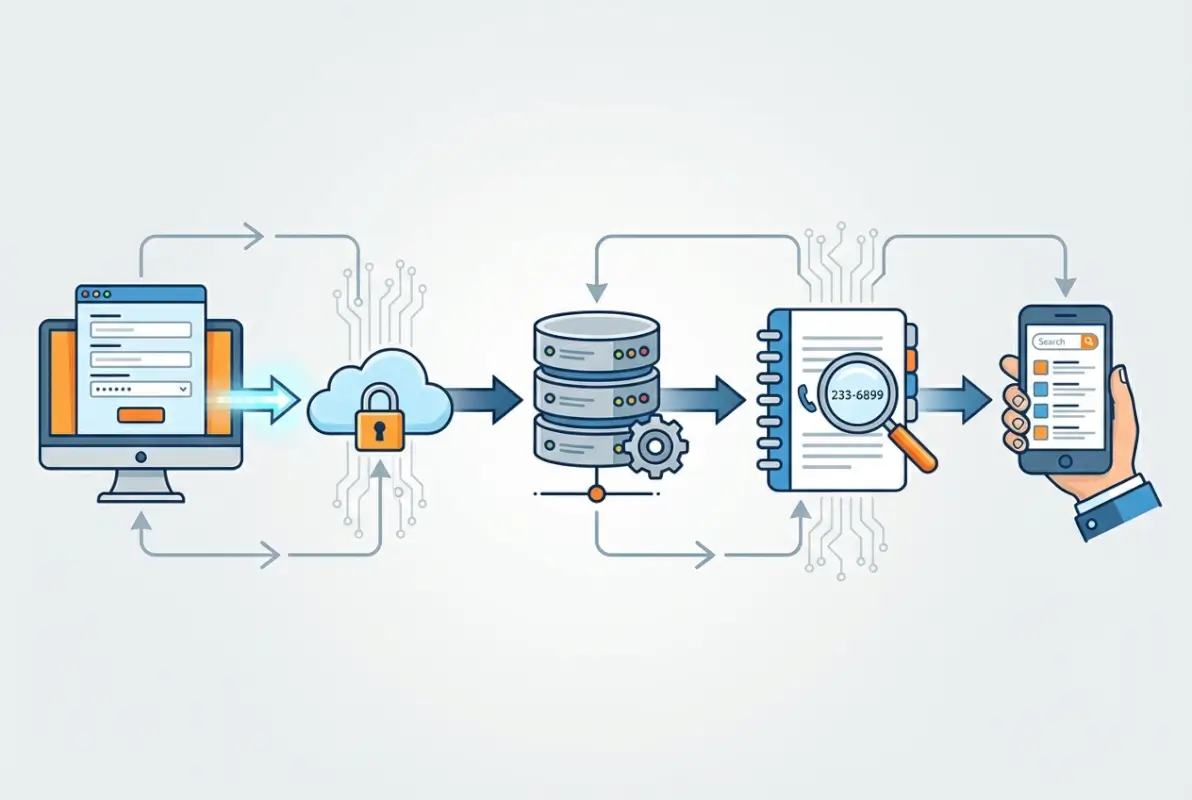
What makes 411 particularly valuable is its role as a data aggregator. Your listing doesn’t just appear on 411.com—it feeds into multiple downstream platforms, search engines, and voice assistants. This multiplier effect means one accurate listing can improve your visibility across dozens of consumer touchpoints.
The directory’s integration with major platforms creates something marketers call “citation consistency.” When Google, Bing, Apple Maps, and other services all see your business information listed identically in authoritative sources like 411, they gain confidence in your legitimacy. This confidence translates directly into better local search rankings and more prominent placement in map results.
For businesses operating in competitive local markets, the credibility boost from 411 listing can be the deciding factor when consumers compare options. The 411 Directory carries decades of brand recognition—something that newer platforms simply can’t replicate, regardless of their technological sophistication.
Why 411 Listings Still Matter for Local SEO
Despite the proliferation of social media and review platforms, traditional directory listings remain foundational to local search visibility. The reason is simple: search engines use citations as validation points. Each consistent mention of your business name, address, and phone number across authoritative directories serves as a vote of confidence in your legitimacy.
According to Moz’s local SEO research, citation signals account for approximately 11% of how Google determines local pack rankings. While that might sound modest, in competitive markets where businesses differ by fractions of a point, those citation signals often determine whether you appear on the first page or get buried on page three.
The 411 Directory specifically offers several distinct advantages over newer platforms. First, its longevity means it carries substantial domain authority—a metric that directly influences how much weight search engines assign to links and citations from that source. Second, its data feeds into numerous downstream services, creating a cascading effect that amplifies your visibility far beyond the 411 platform itself.
Voice search has added another dimension to directory importance. When consumers ask Siri, Alexa, or Google Assistant for local business recommendations, these systems frequently pull data from established directories like 411. Businesses not listed in these authoritative sources simply don’t appear in voice search results, effectively making them invisible to a rapidly growing segment of consumers.
Preparing Your Business Information for Submission
Before you begin the submission process, thorough preparation prevents frustrating delays and ensures optimal results. The most critical element is establishing your NAP (Name, Address, Phone) consistency—these three data points must appear identically across every online platform where your business is mentioned.

Start by auditing how your business information currently appears online. Search for your business name on Google and note any variations you find. Common inconsistencies include abbreviated street types (“St.” vs. “Street”), suite number formats (“Ste 200” vs. “Suite 200”), and phone number formatting differences. Even minor discrepancies confuse search algorithms and dilute the citation value of your listings.
Gather these essential materials before starting your submission:
- Business license or registration documents showing your legal business name
- Tax ID or EIN documentation
- High-resolution logo file (minimum 300 DPI, PNG or JPG format)
- Professional photos of your storefront exterior and interior (if applicable)
- Product or service images showcasing your offerings
- Complete list of business hours including holidays and special closures
- Detailed business description (300-500 words recommended)
- List of services or products with relevant categories
- Owner or manager contact details
The description you prepare should focus on benefits rather than features. Instead of listing what you do, explain what problems you solve for customers. For example, a plumbing company might write: “We eliminate the stress of plumbing emergencies with same-day service and upfront pricing—no surprise charges or hidden fees” rather than simply “Licensed plumbing contractor offering residential and commercial services.”
Category selection deserves careful consideration, since it directly impacts which searches will surface your listing. The 411 system allows multiple category assignments, so identify both your primary business category and relevant secondary categories. A coffee shop might list under “Coffee Shops,” “Cafes,” “Breakfast Restaurants,” and “Wi-Fi Hotspots” to capture different search intents.
Step-by-Step 411 Directory Submission Process
The actual submission process has been streamlined significantly, but understanding each step prevents common errors that delay approval. Start by navigating to the 411 Directory business listing section—typically accessible through a prominent “Add Your Business” or “Get Listed” button on the homepage.

Creating Your Business Account
Account creation requires a valid business email address—ideally using your business domain rather than a personal email service. This immediately establishes credibility and ensures you receive all verification communications. Choose a strong, unique password and store it securely in a password manager, as you’ll need ongoing access to update your listing and monitor performance.
After submitting your registration, check your email for the verification link. This typically arrives within minutes, though it may take up to an hour during peak times. Click the verification link to activate your account before proceeding to the business profile setup.
Completing the Business Profile Form
The business details form is divided into logical sections. Begin with basic information—your exact business name as it appears on official documents, primary phone number, physical address, and website URL. The system now offers real-time address verification, which helps prevent formatting errors that could cause inconsistencies with other platforms.
In the business description section, paste your prepared description. Aim for a natural, conversational tone that includes relevant keywords without obvious stuffing. The 411 platform’s algorithm has become sophisticated enough to detect and penalize keyword manipulation, so focus on writing for human readers first.
| Information Type | Priority | Impact on Visibility |
|---|---|---|
| NAP (Name, Address, Phone) | Critical | Determines whether listing appears in searches |
| Business hours | High | Affects local search timing relevance |
| Categories | High | Determines which search queries trigger listing |
| Photos and media | Medium | Improves click-through and conversion rates |
| Detailed description | Medium | Supports keyword relevance and user engagement |
Category selection has expanded considerably, now offering granular options that help you target specific search intents. You can select up to five categories, so choose strategically. The system provides suggestions based on your business description, which can be helpful if you’re uncertain about the best category fit.
Uploading Visual Assets
The media upload section accepts JPG, PNG, and WEBP formats up to 10MB per file. Upload your business logo first—this is mandatory and appears prominently in search results. Then add additional photos in order of importance, remembering that the first 3-5 images appear in preview galleries.
Include diverse visual content: exterior storefront shots, interior spaces, products or services in use, and team photos. Each image supports a caption of up to 100 characters—use these strategically for additional description and keyword placement.
Once satisfied with your preview, submit your listing for review. You’ll receive an email confirmation with a reference number and estimated verification timeline.
Understanding the Verification Process
Verification confirms your legitimate connection to the business you’re listing. The 411 Directory employs multiple verification methods depending on your business type and the information you provided during submission.

Phone Verification
The most common method involves an automated call to your business phone with a numeric verification code. You’ll need to enter this code on the verification page within a specified timeframe (usually 24 hours). Ensure your listed phone number is staffed during business hours and that employees know to expect and properly handle verification calls.
Email Verification
For businesses without physical locations or those preferring digital communication, email verification sends a confirmation link or code to your business email. You must click the link or enter the code within 48 hours to complete verification.
Postcard Verification
Physical retail locations may receive postcard verification—a card mailed to your business address containing a unique code. This method takes longer (5-10 business days) but provides strong validation of your physical presence. When the postcard arrives, enter the code through your dashboard to complete verification.
Document Verification
Regulated industries (legal, medical, financial services) often require additional documentation such as business licenses, professional certifications, or incorporation papers. The system accepts secure document uploads directly through the dashboard, with review typically completing within 2-5 business days.
| Verification Method | Timeline | Best For |
|---|---|---|
| Phone | Instant – 24 hours | Businesses with staffed locations |
| Instant – 48 hours | Online-only or remote businesses | |
| Postcard | 5-10 business days | Physical retail locations |
| Document | 2-5 business days | Regulated industries |
After passing verification, your listing enters final technical processing before going live. This typically takes 1-2 business days. You’ll receive email notification when your listing is publicly visible, along with a link to view it and access your analytics dashboard.
Optimizing Your Listing for Maximum Impact
Creating a basic listing is just the starting point. Strategic optimization significantly increases your visibility and conversion rates. Businesses that actively optimize their directory presence typically see 35% higher inquiry rates compared to those with minimal listings.
Crafting a Compelling Business Description
Your description serves as a virtual introduction—often the deciding factor in whether a potential customer contacts you or moves on to a competitor. Start with a strong opening sentence that immediately communicates your unique value proposition.
Structure your description in scannable paragraphs highlighting specific differentiators: years of experience, credentials or certifications, problems you solve, unique methodologies, and service area coverage. Avoid generic statements that could apply to any business in your category. Specificity builds credibility and helps potential customers understand exactly what makes you different.
Strategic Keyword Integration
Keywords improve your listing’s visibility in directory searches, but the platform’s algorithm penalizes obvious keyword stuffing. Focus on natural integration in these priority areas: the first sentence of your description, business attribute tags, service/product list items, and photo captions.
The 411 Directory now allows up to ten custom attribute tags—use these for additional keyword opportunities without affecting your main description’s readability. For a dental practice, attributes might include “emergency dental care,” “cosmetic dentistry,” “family dentist,” and “sedation dentistry.”
Leveraging Visual Content
Listings with five or more professional photos receive 94% higher engagement than those with minimal imagery. If budget allows, invest in professional photography of your location, products, and team. If using smartphone photography, ensure proper lighting, clean composition, and sharp focus.
The platform now supports videos up to two minutes in length. Consider creating a brief virtual tour or service explanation video that highlights your competitive advantages. Keep it concise—analytics show users typically watch only the first 30 seconds, so front-load your most compelling visual information.
Building and Managing Reviews
Reviews influence both consumer decisions and search algorithm rankings. The 411 Directory’s review request tool sends customizable email invitations to customers, making it easy to generate initial reviews from satisfied clients.
Respond to all reviews—positive and negative. Thoughtful responses to negative feedback can actually enhance your reputation by demonstrating commitment to customer satisfaction. The response system now allows formatted text and images, enabling more compelling interaction. Businesses that actively engage with search businesses in fslocal directory tips understand the importance of consistent review management.
Maintaining and Updating Your Listing
An outdated listing can be worse than no listing at all. Inaccurate information frustrates potential customers and damages credibility. The 411 algorithm also monitors listing freshness, with recently updated listings often receiving preferential placement in search results.
Establish a quarterly review schedule to ensure your listing remains current. Businesses undergo frequent changes—adjusted hours, seasonal offerings, new services, relocated premises. Each change necessitates prompt updates to your directory information. Consider implementing key steps run successful directory website business practices to maintain optimal presence across all your directory listings.
Making Updates Through Your Dashboard
The management interface has been streamlined, making updates more intuitive. Log into your business account dashboard and select “Manage Listings” from the main navigation. The system presents a side-by-side comparison view showing both current information and your proposed changes, making it easy to verify modifications before submission.
Updates fall into two categories. Instant changes include business hours adjustments, additional phone numbers, website URL updates, social media links, and photo additions or removals. Reviewed changes requiring verification include business name modifications, primary phone number changes, address changes, primary category changes, and ownership transfers.
The platform includes a calendar tool allowing you to schedule temporary changes such as holiday hours or seasonal closures in advance. This proactive approach prevents customer disappointment during exceptional periods.
Managing Multiple Locations
For businesses with multiple locations, the consolidated dashboard allows you to apply template changes across all locations, customize location-specific details, compare performance metrics between locations, and manage location-specific reviews from a central interface.
Duplicate listings create significant problems, splitting your reviews and confusing both customers and search algorithms. If you discover a duplicate, use the “Claim Listing” function to take ownership. Once claimed, you can merge it with your existing listing (preserving reviews and engagement history) or mark it as duplicate for removal.
Measuring Performance Through Analytics
The analytics dashboard offers increasingly sophisticated data visualization tracking numerous performance metrics: impression count, action metrics (calls, direction requests, website clicks), search query triggers, competitive positioning, and user engagement patterns.
The system now includes demographic insights showing age ranges, general locations, and device types of users interacting with your listing. This information helps target your content to your actual audience rather than your assumed audience.
| Performance Metric | Good | Excellent | Action if Below Good |
|---|---|---|---|
| View-to-Action Rate | 8-12% | 15%+ | Add photos and video |
| Monthly Impressions | 200-500 | 800+ | Expand categories, optimize keywords |
| Review Response Rate | 70-85% | 95%+ | Set up review alerts |
| Average Rating | 4.0-4.5 | 4.7+ | Address service issues |
Heat map visualizations show which sections of your listing receive the most attention, helping you prioritize optimization efforts. The platform provides seasonal trend analysis, identifying patterns in search behavior relevant to your business category.
Performance scores now compare your listing against category averages and top performers, highlighting specific improvement areas relative to your competition. For businesses with multiple locations, comparative analytics help identify best practices from your highest-performing locations that can be applied across your entire presence.
Frequently Asked Questions
What is the 411 Directory and how does it work?
The 411 Directory is a comprehensive business listing platform that evolved from traditional phone directory services. It functions as an integrated discovery system accessible through web searches, mobile apps, voice assistants, and phone inquiries. Your listing feeds into multiple downstream platforms, multiplying your visibility across the digital ecosystem with minimal additional effort.
How long does 411 Directory verification take?
Standard listings typically complete verification within 3-7 business days. Phone and email verification can be instant to 48 hours, while postcard verification takes 5-10 business days. Businesses in regulated industries requiring document verification usually complete the process in 2-5 business days. Premium listings often receive expedited processing within 48 hours.
Can I list my business for free on 411 Directory?
Yes, basic 411 Directory listings are free for most businesses. The free tier includes essential information fields, basic photos, and standard verification. Premium paid options offer enhanced features like expedited verification, additional photos, priority placement, and advanced analytics. Most small businesses find the free tier sufficient for their needs.
What information do I need to submit my business?
You’ll need your exact business name, physical address, primary phone number, website URL, business hours, high-resolution logo, professional photos, detailed business description, service categories, and verification documents (business license or tax ID). Having these materials prepared beforehand streamlines the submission process significantly and reduces approval delays.
How do I optimize my 411 listing for better visibility?
Focus on NAP consistency across all platforms, use relevant keywords naturally in your description, upload at least five high-quality photos, add video content if possible, complete all available information fields, respond promptly to customer reviews, and update your listing quarterly. Businesses following these practices typically see 35% higher inquiry rates than minimal listings.
Why is my 411 listing not showing up in searches?
Common causes include incomplete verification, NAP inconsistencies with other platforms, incorrect category selection, or recent submission still in processing. Check your dashboard for verification status and ensure your business hours indicate you’re currently open. If verified and complete, it may take 1-2 weeks for search algorithms to fully index your listing.
How do I handle duplicate 411 listings for my business?
Use the “Claim Listing” function to take ownership of duplicate entries. After verification, you can merge duplicates with your main listing to consolidate reviews and engagement history, or mark them for removal. The merge process typically completes within 3-5 business days and preserves all accumulated authority and review history.
What’s the difference between 411 Directory and Google Business Profile?
Google Business Profile focuses specifically on Google search and Maps visibility, while 411 Directory feeds data to multiple platforms including voice assistants and other search engines. Both are important for comprehensive local SEO. 411 carries decades of brand recognition and trust that newer platforms can’t replicate, making it valuable for credibility signals.
Should I respond to negative reviews on my 411 listing?
Absolutely. Responding to negative reviews demonstrates commitment to customer satisfaction and can actually enhance your reputation. Address the specific concern, apologize if appropriate, and explain how you’ll prevent similar issues. Businesses that respond thoughtfully to criticism often convert negative reviews into positive perception by showing they care about improvement.
Can I schedule temporary changes like holiday hours on 411?
Yes, the platform now includes a calendar tool allowing you to schedule temporary changes such as holiday hours or seasonal closures in advance. This proactive approach prevents customer disappointment when they arrive expecting you to be open. These scheduled changes apply automatically on the specified dates without requiring manual updates.
Start Building Your Directory Presence Today
Getting listed in the 411 Directory is just the beginning of an effective local marketing strategy. The businesses that succeed treat directory listings as active marketing channels requiring regular attention and optimization. Set up your listing today, establish a quarterly review schedule, and consistently monitor your analytics to identify improvement opportunities.
Remember that directory listings work best as part of an integrated approach. Cross-promote your 411 listing with your website, social media, and other marketing channels to create a cohesive online presence that guides customers through their discovery journey. The effort you invest now in proper setup and ongoing maintenance will generate consistent inquiry volume for years to come.
For businesses seeking streamlined directory management across multiple platforms, TurnKey Directories offers comprehensive solutions that simplify listing optimization. Don’t let your competitors dominate local search results—claim your 411 listing today and start capturing the qualified leads already searching for businesses like yours.
Was this article helpful?