How to List Your Business on Yelp: A Step-by-Step Guide
Picture this: you’ve just opened your dream restaurant, boutique, or service business. You’ve got a stunning storefront, a killer product, and a team ready to roll. But here’s the kicker—if you’re not on Yelp, you’re practically invisible to a massive chunk of local customers actively hunting for businesses exactly like yours. According to Yelp’s 2024 Trust & Safety Report, millions of consumers trust Yelp reviews when making purchase decisions, and businesses with claimed pages see significantly higher engagement than those without. The platform isn’t just a review site anymore; it’s a local discovery engine that can make or break your visibility in competitive markets.

What most business owners miss is that listing on Yelp isn’t just about creating a profile and hoping for the best. It’s about strategic positioning, optimizing every field for local search, and actively managing your reputation in a space where consumers expect transparency. Whether you’re a solo entrepreneur or managing a multi-location brand, understanding how to properly add, claim, and optimize your Yelp Business Page can dramatically amplify your local reach and credibility. This guide walks you through the entire process—from eligibility checks and claiming workflows to advanced optimization tactics that top-performing businesses use to dominate their categories.
TL;DR – Quick Takeaways
- Yelp matters for local visibility – Millions of consumers use Yelp to discover and vet businesses, making it essential for local SEO and trust signals.
- Claiming is free and critical – You can claim or create a Yelp Business Page at no cost, unlocking management tools and analytics that free listings don’t offer.
- Optimization drives results – Accurate categories, high-quality photos, and consistent NAP (Name, Address, Phone) data are non-negotiable for ranking and conversions.
- Reviews shape reputation – Ethical review generation and timely responses boost trust and can directly impact your search placement.
- Multi-location? Use brand tools – Yelp offers enterprise workflows for agencies and national brands to claim and manage pages at scale.
Is Yelp the Right Fit for Your Business?
Before you invest time setting up a Yelp page, it’s worth asking whether your business model aligns with what Yelp serves best. Yelp thrives on consumer-facing, local businesses—think restaurants, salons, home services, retail shops, and professional services like dental or legal practices. If your business has a physical location (or service area) and serves consumers directly, you’re in prime territory. B2B companies, purely online businesses without a service area, and certain categories like multilevel marketing or adult services generally don’t fit Yelp’s eligibility criteria.

Yelp’s eligibility guidelines are designed to maintain a trusted, consumer-friendly ecosystem. According to Yelp’s official eligibility page, businesses must have a publicly accessible location or clearly defined service area. Gray areas include home-based businesses (often allowed if you provide services at customer locations) and businesses that operate primarily online but offer local pickup or consultations. If you’re unsure, Yelp’s support team can clarify during the setup process.
Benefits of Having a Yelp Presence
Even if you’re already on Google Maps or Facebook, Yelp brings unique advantages. First, it’s a dedicated review platform where consumers arrive with high purchase intent—they’re actively comparing options, not just scrolling feeds. Second, Yelp’s search algorithm prioritizes recency, review count, and engagement, meaning active businesses can outrank larger competitors if they manage their pages well. Third, a claimed Yelp Business Page gives you access to analytics (profile views, search appearances, click-throughs) that help you measure ROI and refine your local strategy. The official Yelp Business Page overview highlights that free profiles include basic listing features, photo uploads, and the ability to respond to reviews, which are foundational for building trust.
Prerequisites Before Listing
Setting up a Yelp page isn’t just about clicking “Create” and calling it a day. You need to gather accurate, consistent information and understand the verification process to avoid delays or rejections. Think of this stage as laying the foundation—get it right, and the rest is smooth sailing.

Gather Essential Information
Before you start, compile the following details for your business:
- Legal business name – Use your official registered name, not a DBA or tagline (unless that’s how customers know you).
- Physical address or service area – If you have a storefront, use the exact street address. Service-area businesses should define the cities or zip codes they serve.
- Phone number – A local, publicly listed number (not a call tracking number for your first setup, though you can add those later).
- Website URL – Your primary domain, not a social media page.
- Business hours – Regular hours, holiday hours, and any special notes (e.g., “by appointment only”).
- Categories – Yelp’s category taxonomy is crucial for discoverability. Choose a primary category that best matches your core offering, then add 2-3 secondary categories.
- Photos – High-resolution images of your storefront, interior, products, team, and work samples. Aim for at least 10-15 diverse photos at launch.
- Menu or services list – For restaurants, upload a menu (PDF or individual items). For service businesses, list key offerings with brief descriptions.
Consistency is king here, a principle often discussed when you list business on directory platforms. Your Name, Address, and Phone (NAP) must match what’s on your website, Google Business Profile, and other directories. Discrepancies confuse both consumers and search algorithms, hurting your local SEO.
Understand Eligibility Nuances
Yelp’s eligibility rules have nuances worth noting. For example, if you’re a franchise owner, you can claim your individual location page separately from the national brand. If you operate a home-based business but meet clients at their locations (think plumbers, cleaners, consultants), you’re usually eligible as long as you serve a defined area. However, businesses that don’t have a physical presence or service area (like purely online e-commerce with no local fulfillment) typically won’t be approved. The official Yelp guide clarifies these scenarios and provides examples.
Prepare for Verification and Ownership
Once you create or claim a listing, Yelp will verify that you’re authorized to manage the page. This usually involves a phone call or postcard confirmation (similar to Google’s verification process). Only the business owner or an authorized representative (like a manager or marketing director) should claim the page. If someone else already claimed your listing (a previous employee, an agency, or even a competitor in rare cases), you’ll need to contact Yelp Support to resolve ownership. The Yelp claiming support page walks through dispute resolution steps.
Step-by-Step: How to Add or Claim a Yelp Business Page
Now for the main event—actually getting your business on Yelp. The process differs slightly depending on whether you’re creating a brand-new page or claiming an existing listing. Let’s break down both workflows so you can hit the ground running.
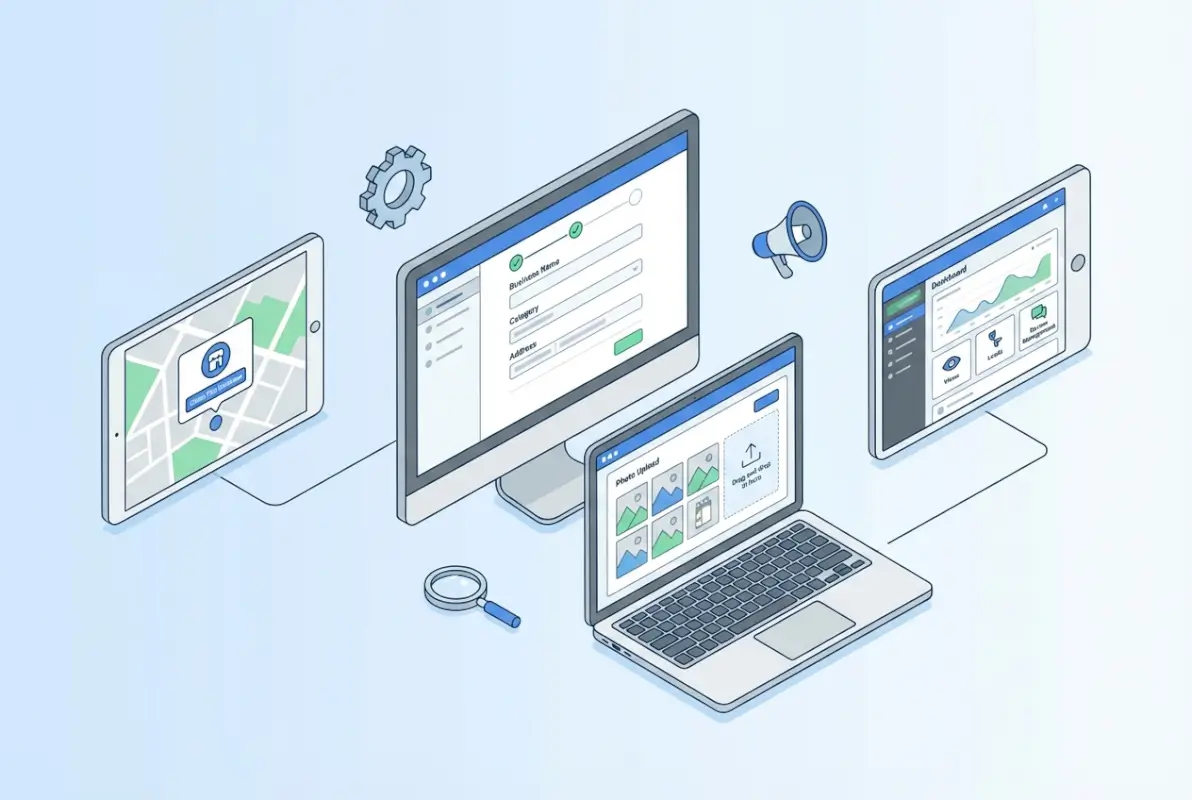
For New Businesses (Create from Scratch)
If your business is brand new or hasn’t been added to Yelp by users yet, you’ll create a listing from scratch. Here’s the step-by-step:
- Visit Yelp for Business – Go to business.yelp.com and click “Add Your Business” or “Get Started.”
- Search for your business – Yelp will first check if a listing already exists. Enter your business name and location. If nothing comes up, proceed to create a new page.
- Enter basic details – Fill in your business name, address (or service area), phone number, website, and category. Be precise and consistent.
- Select categories – Choose your primary category carefully—it’s the single most important field for search ranking on Yelp. Add secondary categories that represent additional services or products.
- Upload photos – Add cover photo, interior shots, product images, and team photos. Aim for variety and high quality (at least 1000×1000 pixels).
- Write a business description – Use this space to highlight what makes you unique, your specialties, and key services. Naturally weave in relevant keywords (e.g., “family-owned Italian restaurant in downtown Portland” or “certified HVAC repair serving Austin metro”).
- Set hours and attributes – Input your business hours, and select attributes like “wheelchair accessible,” “accepts credit cards,” “outdoor seating,” etc.
- Review and submit – Double-check all fields for accuracy, then submit. Yelp will review your submission (usually within a few days) and may reach out for verification.
The official Yelp guide for brand-new businesses provides screenshots and additional tips for this process.
For Existing Listings (Claiming a Page)
If someone (a customer or Yelp’s data aggregation) already created a listing for your business, you need to claim it. Here’s how:
- Find your listing – Search for your business on Yelp.com. If it exists, you’ll see a “Claim this business” link or button on the page.
- Click “Claim” – This redirects you to a verification flow. You’ll be asked to prove you’re the owner or authorized manager.
- Verify ownership – Yelp typically sends a verification code via phone call or postcard. Enter the code to complete the claim.
- Update your profile – Once claimed, log into your Yelp for Business account to edit details, upload photos, and optimize the page.
- Resolve conflicts – If the page is already claimed by someone else, contact Yelp Support with proof of ownership (business license, utility bill, etc.). They’ll investigate and transfer ownership if warranted.
This claiming process is similar to what you might encounter with other platforms like when you explore Angie’s List business directory strategies, where verification and accuracy are paramount.
Multi-Location and Brand Scenarios
Managing multiple locations or a national brand? Yelp offers specialized tools. If you have 5+ locations, you can use Yelp’s bulk claim process through Yelp for Brands. This workflow lets you claim pages in batches, centralize management, and ensure consistent branding across all listings. You’ll typically work with a Yelp representative who verifies your ownership via corporate documentation, then grants you access to a dashboard where you can manage all locations.
For franchises, each location should have its own page (not one page for the entire brand). Franchisees or local managers can claim their specific locations, while corporate can oversee brand consistency through Yelp’s enterprise tools.
Practical Tips During Setup
- High-quality photos are non-negotiable – Businesses with professional photos get up to 60% more engagement than those with user-generated photos alone. Hire a photographer or use a good smartphone camera in natural lighting.
- Craft a compelling description – Don’t just list services; tell a story. “Family-owned since 1985, we specialize in handcrafted Italian pastries using recipes from Sicily” beats “We sell pastries.”
- Primary category precision – If you’re a coffee shop that also serves light lunch, choose “Coffee & Tea” as primary and “Cafe” or “Sandwiches” as secondary. Misclassification can bury you in irrelevant search results.
- Add CTAs – Enable features like “Request a Quote,” “Book Now,” or “Message the Business” if applicable. These drive direct conversions and signal to Yelp’s algorithm that you’re an active, responsive business.
Optimizing Your Yelp Business Page for Discovery and Conversions
Creating or claiming your page is step one, optimization is where the magic happens. A well-optimized Yelp profile doesn’t just sit there—it actively attracts searchers, converts browsers into customers, and builds long-term trust. Let’s dive into the tactics that separate top performers from the rest.
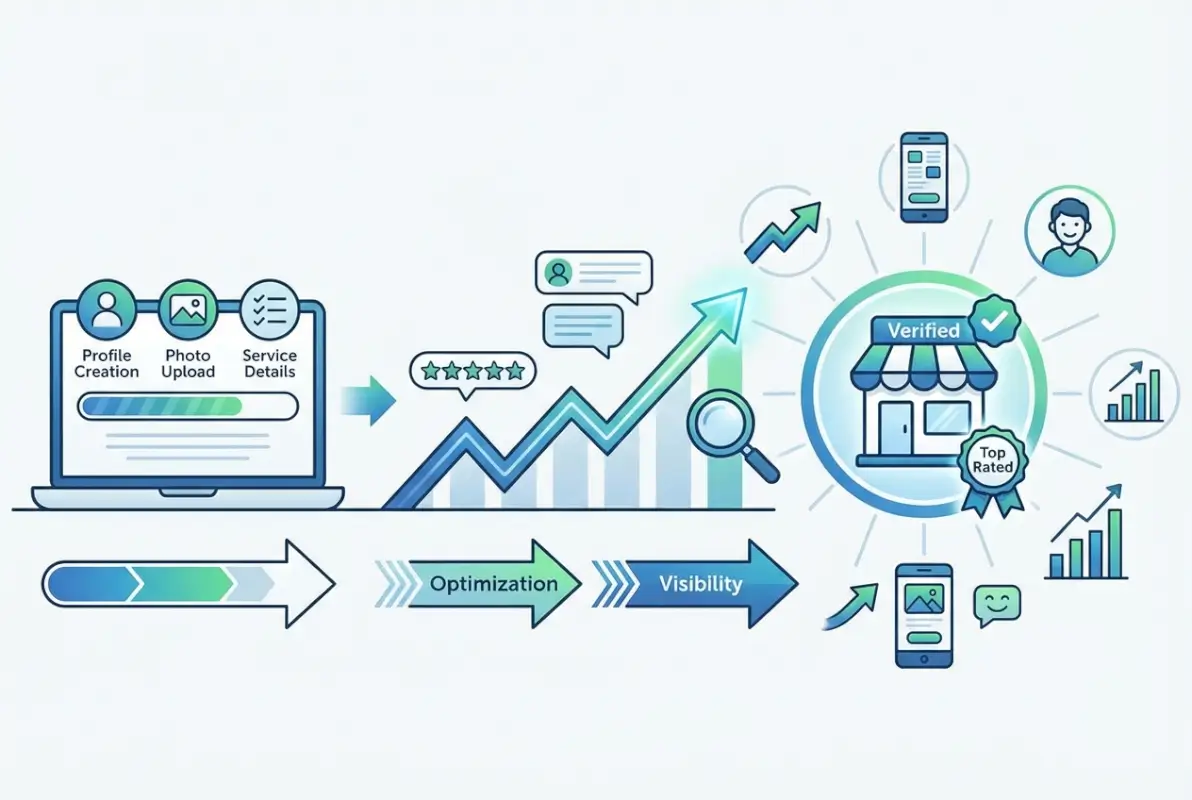
Profile Optimization Checklist
Here’s your checklist to ensure every field is working for you:
- Business name – Accurate, no keyword stuffing (e.g., “Joe’s Plumbing – Best Plumber Austin” violates guidelines).
- Categories – Primary category matches your core offering; secondary categories cover additional services.
- Address and service area – Precise and consistent with other platforms.
- Phone and website – Local number and primary domain (not social links).
- Hours – Updated for holidays, special events, and any changes.
- Business description – 150-250 words, keyword-rich but natural, highlighting unique selling points.
- Photos – Minimum 15, diverse (exterior, interior, menu/products, team, action shots).
- Attributes – All relevant tags (e.g., “takes reservations,” “dog-friendly,” “free Wi-Fi”).
- Menu or services – Itemized with descriptions and prices where applicable.
When optimizing, think about what a potential customer needs to know to choose you over a competitor. If you’re a dental practice, do you offer emergency same-day appointments? Say so. If you’re a bakery, do you do custom cakes? Feature that prominently. The Yelp partner guide offers best practices for agencies managing client pages, which apply equally to solo business owners.
Leveraging Features to Boost Engagement
Yelp offers several interactive features that many businesses overlook:
- Yelp Messaging – Enable direct messaging so potential customers can ask quick questions without calling. Fast response times improve your “responsiveness” badge.
- Request a Quote – Service businesses (contractors, event planners, etc.) should enable this feature. It feeds qualified leads directly to you.
- Yelp Reservations/Waitlist – Restaurants can integrate reservation widgets or waitlist management, reducing friction for diners.
- Video – Short video clips (30-60 seconds) showcasing your space, team, or services can significantly boost engagement. According to BrightLocal’s 2024 Local Consumer Review Survey, businesses with video content see higher click-through rates.
- Updates/Posts – Use Yelp’s “Business Updates” feature to announce promotions, new menu items, or events. These appear in your profile and can drive repeat visits.
These features aren’t just bells and whistles—they signal to Yelp that you’re an active, customer-focused business, which can positively influence your ranking in search results.
Reviews and Reputation Management
Let’s be real: reviews are the lifeblood of your Yelp presence. According to Yelp’s 2024 Trust & Safety Report, the platform uses a combination of automated systems and human review to filter fake, biased, or incentivized reviews, ensuring the community remains trustworthy. That means you can’t game the system—you have to earn genuine reviews through great service.
Here’s how to do it right:
- Ask at the right moment – After a positive interaction (a satisfied meal, a successful project, a glowing comment), simply say, “If you enjoyed your experience, we’d appreciate a review on Yelp.” Don’t incentivize (gift cards, discounts) as this violates Yelp’s terms and can trigger filtering.
- Make it easy – Provide a short link or QR code that goes directly to your Yelp review page (not to a landing page that pre-selects 5 stars).
- Respond to reviews—all of them – Thank positive reviewers and address negative reviews with empathy and solutions. A study from BrightLocal found that 89% of consumers read business responses to reviews, and thoughtful responses can mitigate damage from a bad review.
- Monitor regularly – Set up Yelp alerts so you’re notified of new reviews. Responding within 24-48 hours shows you care and can turn a critic into a repeat customer.
For more on building a strong review ecosystem across platforms, consider how businesses approach other channels like Cylex business directory listings, where consistency and responsiveness are equally vital.
Measuring Impact
How do you know if your Yelp efforts are paying off? Dive into your Yelp for Business dashboard analytics. Key metrics to track include:
- User views – How many people viewed your page.
- Search appearances – How often your business appeared in Yelp search results.
- Direction requests – Number of times users clicked for directions to your location.
- Phone calls – Calls initiated from your Yelp page.
- Website clicks – Traffic driven to your website via Yelp.
- Leads (quotes/bookings) – If you use Request a Quote or reservations, track conversion rates.
Compare these metrics month-over-month to gauge trends. If views are high but clicks are low, your photos or description might need work. If calls spike after you post an update, you know that tactic resonates.
| Metric | What It Tells You | Action to Take |
|---|---|---|
| High views, low engagement | People find you but don’t act | Improve photos, add CTAs, clarify offerings |
| Low search appearances | Not ranking for relevant queries | Refine categories, get more reviews, update description |
| High direction requests | Strong intent to visit | Ensure address is correct, optimize in-store experience |
| Spike in website clicks | Interest in learning more or booking | Ensure landing page is optimized for conversions |
Common Pitfalls and How to Avoid Them
Even with the best intentions, businesses stumble into avoidable mistakes when setting up or managing Yelp pages. Let’s tackle the most common traps and how to sidestep them.

Duplicate Listings or Misclassifications
Duplicate listings are one of the biggest headaches. They confuse customers, split your reviews across multiple pages, and dilute your SEO juice. Duplicates often arise when a business moves, changes names, or when users create listings without checking if one already exists. To fix duplicates, log into your Yelp for Business account, locate both listings, and use the “Report a Problem” or “Remove/Close Listing” option. Yelp Support can merge pages if you provide proof that they represent the same business. According to ReviewTrackers’ Yelp guide, proactive monitoring and immediate action are key to keeping your profile clean.
Misclassifications (choosing the wrong primary category) can also bury your listing. If you’re a bakery but select “Grocery” as your primary category, you’ll appear in searches for grocery stores, not bakeries. Always choose the most specific, accurate category that aligns with what customers search for.
Violations and Eligibility Risks
Yelp’s content guidelines and eligibility rules are strict for a reason: they protect the integrity of the platform. Common violations include:
- Incentivizing reviews – Offering discounts, freebies, or contest entries in exchange for reviews is a no-go. Yelp’s algorithm detects patterns and may filter or penalize your page.
- Creating fake reviews – Whether you write them yourself, hire a service, or ask friends/family to review without disclosing the relationship, fake reviews risk permanent removal.
- Keyword stuffing – Stuffing your business name or description with keywords (“Joe’s Plumbing Best Plumber Cheap Plumbing Austin”) violates guidelines and looks spammy.
- Ineligible business types – If your business is purely B2B, operates without a service area, or falls into restricted categories, Yelp may reject your listing.
If your listing is rejected or removed, carefully review Yelp’s claiming FAQ and eligibility documentation. You can appeal with supporting documentation (business license, proof of service area) if you believe the decision was in error.
Withholding Data and Trust Considerations
Transparency builds trust. Withholding critical information—like business hours, pricing, or contact details—frustrates customers and signals to Yelp that your profile is incomplete. Yelp’s Trust & Safety initiatives emphasize that businesses should provide accurate, up-to-date information to foster consumer confidence. According to the 2024 Trust & Safety Report, Yelp screens millions of reviews annually and takes down fraudulent content to protect users. By being forthcoming and accurate, you align with these values and improve your standing.
Advanced Strategies for Brands and Agencies
If you’re managing a multi-location business, a franchise network, or acting as an agency for multiple clients, Yelp offers tools and workflows designed for scale. These strategies go beyond basic profile management and tap into enterprise-level features that streamline operations and maximize ROI.
For Agencies and Brands Managing Multiple Pages
Managing dozens or hundreds of Yelp pages manually is impractical. Yelp for Brands provides bulk claiming, centralized dashboards, and analytics rolled up across all locations. Here’s the typical workflow:
- Compile your location data – Create a spreadsheet with each location’s name, address, phone, and website.
- Submit a bulk claim request – Contact Yelp’s enterprise support or use the Yelp for Brands portal to initiate bulk verification.
- Verify ownership – Yelp will request corporate documentation (articles of incorporation, tax ID, etc.) to confirm you represent the brand.
- Manage centrally – Once approved, you’ll gain access to a dashboard where you can edit profiles, respond to reviews, and view aggregated analytics across all locations.
- Maintain consistency – Use templates for business descriptions, photo guidelines, and response scripts to ensure brand consistency while allowing local managers to customize where appropriate.
This approach is similar to what you might do when you build successful business directory presence at scale—centralized control with local flexibility.
Integrating Yelp with Broader Local Marketing
Yelp shouldn’t exist in a vacuum. The most effective local marketing strategies integrate Yelp with Google Business Profile, Facebook, industry-specific directories, and your own website. Here’s how to create synergy:
- NAP consistency – Ensure your Name, Address, and Phone are identical across Yelp, Google, Facebook, and any other directories. This consistency signals legitimacy to search engines and consumers.
- Cross-promotion – Link to your Yelp profile from your website footer, Google post updates, and social media bios. Similarly, use Yelp’s “business website” field to drive traffic back to your site.
- Review aggregation – Consider using reputation management software (like Podium, Birdeye, or ReviewTrackers) to monitor and respond to reviews across all platforms from a single dashboard.
- Local SEO synergy – Yelp citations (your listing data) contribute to local SEO signals that help you rank on Google Maps and organic search. According to local search engine optimization principles, consistent citations from authoritative directories like Yelp boost your overall local visibility.
Paid vs. Organic Advantages
While this guide focuses on free Yelp features, it’s worth understanding the paid landscape. Yelp offers advertising options (Yelp Ads) that place your business at the top of search results and on competitor pages. Here’s a quick comparison:
| Aspect | Free (Organic) | Paid (Yelp Ads) |
|---|---|---|
| Visibility | Organic search ranking based on reviews, category, engagement | Top placement in search results and competitor pages |
| Cost | $0 | Monthly budget (typically $300–$1000+) |
| Control | Limited to optimization and reviews | Target specific keywords, competitors, demographics |
| ROI potential | High if you rank well organically | Can be high for competitive markets with strong conversion rates |
For most small businesses, a well-optimized free profile delivers strong ROI without paid spend. If you’re in a highly competitive market (like lawyers in a major city or popular restaurants in tourist areas), paid ads can give you an edge, especially when launching or during slow seasons.
Practical Templates and Ready-to-Use Assets
To make implementation easier, here are some plug-and-play templates and guidelines you can adapt to your business.
Profile Copy Templates
Restaurant example:
“Welcome to [Business Name], a family-owned Italian trattoria in the heart of [City]. Since [Year], we’ve been serving authentic pasta, wood-fired pizzas, and homemade desserts using recipes passed down through three generations. Our cozy dining room and outdoor patio offer the perfect setting for date nights, family gatherings, or a quick lunch. We pride ourselves on locally sourced ingredients and a warm, welcoming atmosphere. Join us for lunch or dinner—reservations available.”
Service business example:
“[Business Name] is a licensed and insured HVAC contractor serving [City] and surrounding areas. With over [X] years of experience, we specialize in AC repair, heating installation, and preventative maintenance. Our certified technicians are available 24/7 for emergency calls, and we guarantee upfront pricing with no hidden fees. Whether you need a quick fix or a full system replacement, we’ve got you covered. Call today for a free estimate.”
Retail/boutique example:
“Discover [Business Name], your go-to boutique for sustainable fashion and handcrafted accessories in [City]. We curate a unique collection of ethically made clothing, jewelry, and home goods from independent designers. Our friendly staff is here to help you find the perfect piece—whether you’re shopping for yourself or a gift. Visit us in [Neighborhood] or browse our online shop for convenient pickup.”
Photo and Video Guidelines
- Cover photo – Horizontal, high-res (min 1000×1000), showcasing your storefront or signature product. This is the first image customers see, make it count.
- Interior shots – Show the ambiance, seating, decor, and cleanliness. For service businesses, show your workspace or team in action.
- Product/menu photos – Individual dishes, products, or work samples. Use natural light and clean backgrounds.
- Team photos – Humanize your brand with photos of staff, owners, or team members interacting with customers.
- Video – 30-60 second clips of your space, a behind-the-scenes look, or a quick welcome message. Keep it authentic and well-lit.
Sample FAQ Snippets for Your Yelp Page
While Yelp doesn’t have a dedicated FAQ field, you can add common Q&A in your business description or respond to review questions publicly. Here are examples:
- Q: Do you take reservations?
A: Yes, we accept reservations via phone or through Yelp Reservations. Walk-ins are welcome based on availability. - Q: What payment methods do you accept?
A: We accept all major credit cards, debit, Apple Pay, and cash. - Q: Are you wheelchair accessible?
A: Yes, our entrance and restrooms are ADA-compliant. - Q: Do you offer delivery or takeout?
A: We offer takeout and partner with [Delivery Service] for delivery within [Radius].
Frequently Asked Questions
How do I claim my Yelp business page?
To claim your Yelp business page, search for your business on Yelp.com and click “Claim this business” if it appears. You’ll be prompted to verify ownership via phone call or postcard. Once verified, you gain access to edit your profile, respond to reviews, and view analytics. If someone else already owns it, contact Yelp Support with proof of ownership to resolve the dispute.
Is listing on Yelp free, or are there paid options?
Creating and claiming a Yelp Business Page is completely free and includes essential features like profile editing, photo uploads, and review responses. Yelp also offers paid advertising options (Yelp Ads) that boost your visibility in search results and on competitor pages. Most small businesses succeed with the free version, while competitive markets may benefit from paid enhancements.
What information should I put in my Yelp page description?
Your Yelp business description should include your core offerings, unique selling points, service area, and any specialties. Aim for 150-250 words that naturally incorporate relevant keywords. For example, mention “family-owned,” “locally sourced,” “24/7 emergency service,” or “certified technicians.” Be clear, concise, and customer-focused—highlight what makes you different and why customers should choose you.
How long does it take for a Yelp page to be approved?
Yelp typically reviews and approves new business listings within a few business days. Claiming an existing page with phone or postcard verification can take 5-7 days total. If Yelp requests additional documentation or if there’s an ownership dispute, the process may extend to 2-3 weeks. Check your email regularly for verification prompts and respond promptly to avoid delays.
What if someone else claims my business page?
If someone else has claimed your Yelp page (like a former employee or unauthorized third party), visit Yelp’s business claim support page and select “Someone else claimed my business.” You’ll need to provide proof of ownership such as a business license, utility bill, or tax documents. Yelp’s support team will investigate and transfer ownership to the rightful owner if your claim is valid.
How can reviews affect my business, and how should I respond?
Reviews directly impact your Yelp ranking, consumer trust, and conversion rates. Positive reviews boost visibility and credibility, while negative reviews can deter potential customers. Always respond professionally and promptly—thank positive reviewers and address negative feedback with empathy and solutions. According to Yelp’s Trust & Safety Report, businesses that actively engage with reviews build stronger reputations and often see improved ratings over time.
Can I manage multiple Yelp pages for a brand?
Yes, Yelp for Brands offers tools to claim and manage multiple locations in bulk. If you have 5+ locations, contact Yelp’s enterprise support to initiate bulk verification. You’ll provide corporate documentation to prove brand ownership, then gain access to a centralized dashboard for managing profiles, responding to reviews, and viewing aggregated analytics across all locations.
What categories should I choose for my Yelp listing?
Choose the most specific primary category that accurately describes your core business (e.g., “Italian Restaurant,” “Plumbing,” “Yoga Studio”). Add 2-3 secondary categories to capture additional services or products. Avoid vague or overly broad categories, as this can hurt your ranking in relevant searches. Yelp’s category taxonomy is crucial for matching your business to user queries.
How do I remove duplicate Yelp listings?
Log into your Yelp for Business account, locate the duplicate listings, and use the “Report a Problem” option to flag them. Provide proof that both listings represent the same business. Yelp Support will review and merge or remove duplicates. Keeping only one accurate, complete listing ensures your reviews and SEO value aren’t split across multiple pages.
Can I add my Yelp page to my website?
Yes, Yelp provides embeddable widgets and review badges you can add to your website. This cross-promotes your Yelp presence and builds trust by showcasing real customer reviews. You can also link directly to your Yelp profile from your website’s footer, contact page, or social media bios to drive traffic and encourage reviews.
Taking the Next Step: Own Your Yelp Presence
Listing your business on Yelp isn’t just about checking a box on your local marketing to-do list—it’s about claiming a powerful channel where millions of consumers actively search, compare, and decide who gets their business. From the moment you claim or create your page, you’re stepping into a competitive arena where accuracy, engagement, and authenticity separate winners from also-rans. The businesses that thrive on Yelp aren’t necessarily the biggest or flashiest; they’re the ones that consistently deliver value, respond to customers, and optimize every field like it matters (because it does).
Think about the last time you searched Yelp before trying a new restaurant or hiring a contractor. You probably checked reviews, photos, hours, and how responsive the business was to feedback. Your customers do the same thing. By following the steps in this guide—gathering accurate info, claiming and optimizing your page, managing reviews thoughtfully, and integrating Yelp into your broader local strategy—you position yourself as the trusted, go-to option in your category.
Start today. Search for your business on Yelp. If it’s there, claim it. If it’s not, create it. Upload those photos you’ve been meaning to share, write a description that actually tells your story, and respond to your next review within 24 hours. These small, consistent actions compound into significant competitive advantage. And if you’re managing multiple locations or working with clients, leverage Yelp’s enterprise tools to scale without sacrificing quality. The platform is free, the upside is massive, and the only thing standing between you and a stronger local presence is action. Go make it happen.