How to Upload a Plugin to the WordPress Directory: A Beginner’s Guide

Uploading your plugin to the WordPress Directory is one of the smartest moves you can make as a developer, yet it’s a process that intimidates even experienced coders. Why? Because unlike uploading to your own hosting or a private repository, the WordPress.org Plugin Directory has rigorous standards, a formal review process, and expectations that go beyond “does it work?” The real insight most beginners miss is this: the review process isn’t just a gatekeeper—it’s a collaborative refinement stage that forces you to write better, safer, and more sustainable code. Think of it as free code review from experts who’ve seen thousands of plugins. If you approach submission with that mindset rather than viewing it as a hurdle, you’ll not only get approved faster but also build a plugin users actually trust and adopt.
TL;DR – Quick Takeaways
- WordPress.org Directory submission is competitive – Only plugins meeting strict security, code quality, and licensing standards get approved
- Preparation saves weeks – Proper documentation, packaging, and self-testing before submission dramatically reduces revision cycles
- Review timelines vary widely – Queue backlogs can mean waiting days to weeks; plan your launch schedule accordingly
- Post-approval maintenance matters – Ongoing updates, security patches, and user support determine long-term success
- Follow official guidelines religiously – The Detailed Plugin Guidelines are non-negotiable
Understand the WordPress Plugin Directory and Submission Requirements
Before you package a single ZIP file, you need to grasp what the WordPress.org Plugin Directory actually is and what it’s trying to accomplish. The directory isn’t just a hosting platform, it’s a curated ecosystem designed to protect millions of WordPress users from malicious code, poor-quality plugins, and conflicts that break sites. Every plugin submitted undergoes human review to ensure it aligns with WordPress project goals: open-source licensing, security best practices, and genuine value to the community. This means your plugin can’t just work—it has to meet standards that span code structure, naming conventions, security practices, and even how you handle user data.
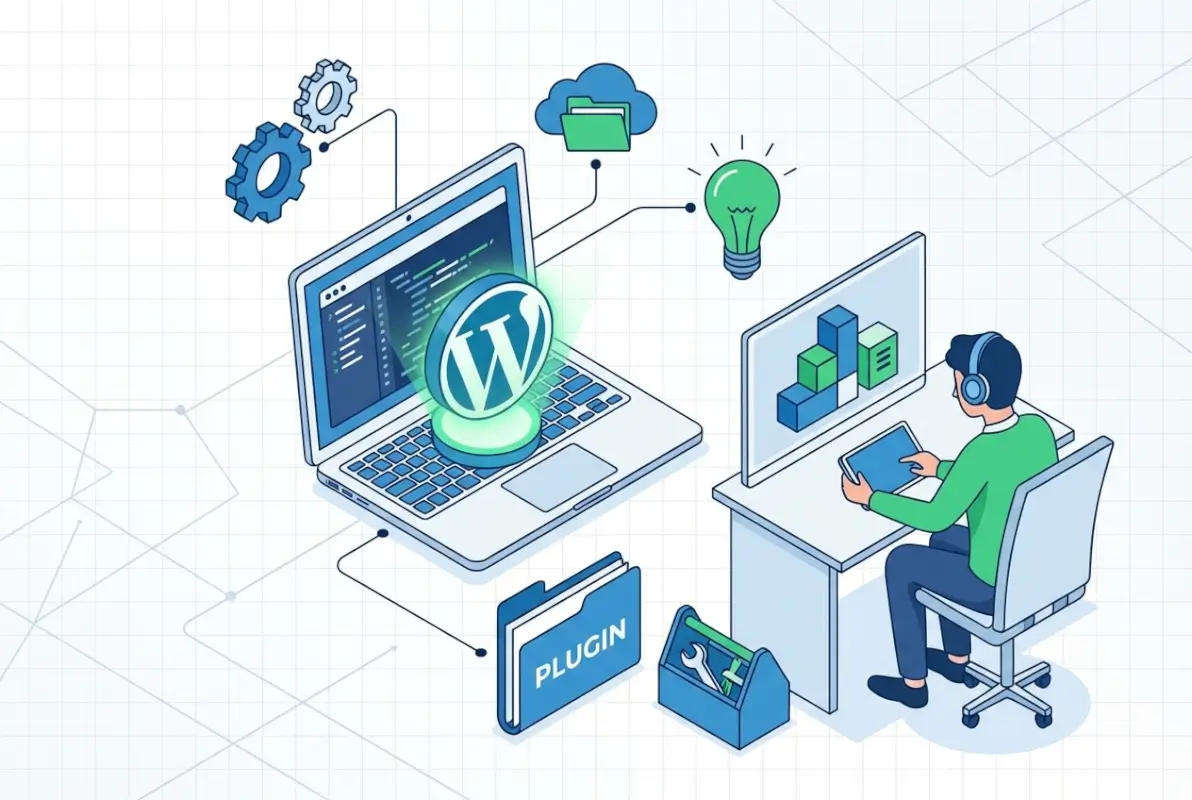
Think of the directory as a trust layer. Users download plugins from WordPress.org because they expect a baseline level of safety and quality, if your plugin makes it through the gates, you inherit that trust. But here’s the catch: reviewers reject plugins that duplicate existing functionality without adding meaningful innovation, use reserved slugs or trademarked names, or phone home to external services without explicit user consent. Your plugin needs a clear purpose, clean code, and respect for user autonomy.
The review process itself follows a structured workflow managed by a dedicated team of volunteers who reference the Plugin Directory Reviewer’s Handbook. They’re not adversaries, they’re quality control. Expect them to scrutinize your code for common security vulnerabilities (SQL injection, XSS, insecure file uploads), verify you’re using WordPress APIs correctly, and check that your readme.txt follows formatting standards. Many developers assume the review is automated, it’s not. A real person reads your code, which means clarity, comments, and best practices matter.
What Qualifies for the WordPress.org Plugin Directory
Not every plugin belongs in the directory, and understanding the qualifying criteria upfront saves you from wasted effort. First, your plugin must be 100% GPL-compatible, meaning all code (including third-party libraries) needs compatible licensing. WordPress.org is fiercely committed to open-source principles, so proprietary code or restrictive licenses are automatic disqualifications. If you’re bundling a JavaScript library or PHP package, verify its license before submission.
Second, your plugin should offer standalone value without requiring users to purchase additional services, create external accounts, or rely on your proprietary infrastructure. Freemium models are allowed—you can upsell premium features—but the free version must provide real functionality, not just a shell that nags users to upgrade. Reviewers specifically watch for plugins that are thinly disguised marketing tools for paid services. If your plugin’s primary purpose is driving traffic to your SaaS platform, it won’t pass muster.
Third, your plugin can’t conflict with WordPress core functionality or impose unreasonable dependencies. For example, plugins that modify core behavior in ways that break standard WordPress workflows (like hijacking the admin menu or overriding native post types without good reason) face scrutiny. Similarly, plugins requiring specific server configurations beyond typical shared hosting environments limit accessibility and may not align with the directory’s broad compatibility goals. The official guidelines spell this out in detail, but the underlying principle is simple: your plugin should play well with others and respect the WordPress ecosystem.
Overview of the Submission and Review Process
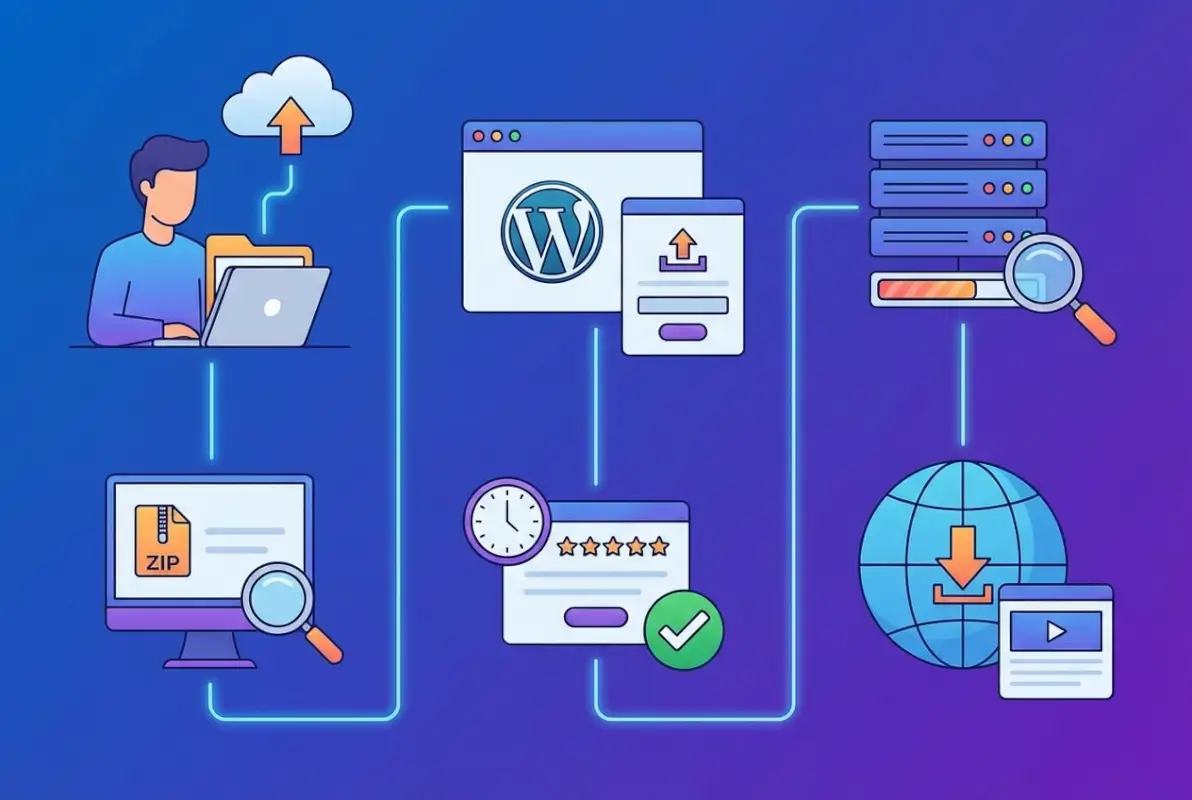
The submission process has a deceptively simple entry point but a multi-stage review that can surprise unprepared developers. You start by uploading a ZIP file of your plugin through the WordPress.org plugin submission form. Within minutes, an automated system performs basic checks: proper file structure, valid readme.txt, and absence of obvious malware signatures. If you pass this initial scan, your plugin enters the review queue where a human reviewer will eventually examine it.
Here’s where timelines get unpredictable. The review queue fluctuates based on submission volume, reviewer availability, and complexity of plugins ahead of yours. You might wait three days or three weeks, there’s no SLA. Once a reviewer picks up your plugin, they’ll conduct a thorough code audit looking for security vulnerabilities, GPL compliance, proper use of WordPress functions, and adherence to coding standards. They’ll test basic functionality, check for conflicts, and verify your documentation matches what the plugin actually does.
If issues are found—and they usually are on first submissions—the reviewer will email you a detailed list of required changes. This is where many developers stumble, they treat the feedback like criticism rather than a roadmap. You’ll need to revise your code, resubmit, and wait for another review cycle. Each iteration adds time, so front-loading quality dramatically accelerates approval. When you finally get the green light, you’ll receive SVN repository credentials and instructions to commit your plugin, which makes it publicly available in the directory. The entire process, from submission to approval, averages two to four weeks for well-prepared plugins but can stretch to months if you’re learning as you go.
Prepare Your Plugin for Submission
Preparation is where most approvals are won or lost, yet it’s the phase developers rush through most. The quality of your pre-submission work directly determines how many revision cycles you’ll endure (and how much time you’ll waste waiting). A well-prepared plugin passes review in one or two rounds; a hastily assembled plugin can bounce back five or six times, turning a two-week process into a two-month ordeal. Smart developers treat preparation as the real submission, the upload form is just paperwork.
Start by auditing your code against WordPress coding standards using automated tools like PHP_CodeSniffer with WordPress rulesets. These tools catch formatting issues, naming violations, and deprecated function usage that reviewers will flag anyway. But don’t stop at syntax, review your security practices line by line. Are you sanitizing all user inputs? Escaping all outputs? Using prepared statements for database queries? Verifying nonces on form submissions? Security isn’t optional or theoretical, reviewers will reject plugins with exploitable vulnerabilities on sight. The Planning, Submitting and Maintaining Plugins guide offers a checklist worth memorizing.
Naming matters more than you’d think. Your plugin slug (the directory name and URL) must be unique, descriptive, and free of trademarked terms. Reviewers reject plugins trying to use names like “wordpress-seo” or “woocommerce-plus” because they imply official affiliation or infringe trademarks. Pick a name that’s brandable but generic enough to avoid conflicts. Similarly, your main plugin file should match your slug, and all function names should be prefixed to prevent conflicts with other plugins (e.g., myplugin_init() instead of just init()).
Code Quality, Packaging, and Compatibility Requirements
Code quality in the WordPress ecosystem goes beyond “does it work on my machine.” Reviewers expect you to follow WordPress-specific patterns: use wp_enqueue_script() and wp_enqueue_style() instead of hardcoding script tags, leverage the Settings API for options pages rather than hand-rolling form handlers, and hook into WordPress actions and filters instead of modifying core files (which you should never do anyway). These aren’t stylistic preferences, they’re architectural requirements that ensure your plugin interacts safely with WordPress core and other plugins.
Packaging your plugin correctly is surprisingly simple but easy to mess up. Your plugin should be a single directory containing all files, with the main plugin file at the root (not nested in subdirectories). The main file must include a properly formatted header comment with plugin name, description, version, author, and license information. Your readme.txt must follow the official readme standard including tested-up-to and requires-at-least fields that reflect actual compatibility. Reviewers check these fields, so test your plugin on the WordPress versions you claim to support.
Compatibility extends beyond WordPress versions to PHP versions and common hosting environments. Your plugin should work on PHP 7.4+ (though targeting 8.0+ is increasingly standard) and avoid assuming exotic PHP extensions or server configurations. Test on multiple environments if possible, or at minimum use TurnKey Directories or similar platforms that mirror typical shared hosting setups. Compatibility issues that only surface in production are embarrassing and erode user trust.
Documentation, Assets, and Testing Before Submission
Documentation is where many technically proficient developers fall short, they can write elegant code but can’t explain what it does. Your readme.txt is the user-facing documentation that appears on your plugin’s WordPress.org page, and it needs to be clear, complete, and formatted correctly. Include a concise description (the elevator pitch), detailed installation instructions, a comprehensive FAQ section addressing common questions, and a changelog documenting every version’s changes. Reviewers check that your changelog matches your version history and that your description doesn’t make unverifiable claims or include promotional links.
Assets like screenshots and banners aren’t required for approval but dramatically impact user adoption once you’re live. Screenshots should show actual plugin functionality, not marketing fluff, and should be named sequentially (screenshot-1.png, screenshot-2.png) with corresponding captions in your readme.txt. Banners (the header image on your plugin page) should be professional but not overly promotional. These visual elements live in a separate assets directory in your SVN repository, which you’ll set up after approval, but planning them now ensures a smooth post-approval launch.
Testing before submission means more than clicking around your plugin in a browser. Install it on a clean WordPress instance (not your development site cluttered with dozens of other plugins). Activate it, deactivate it, uninstall it, reinstall it. Check the browser console for JavaScript errors, the PHP error log for warnings, and the database to verify you’re creating and cleaning up tables correctly. Test with WordPress debugging enabled (WP_DEBUG set to true) to catch notices and deprecated function warnings. This kind of thorough testing catches 80% of what reviewers will flag, every issue you fix proactively is one less revision cycle. Understanding what business listings are can also help if you’re building directory-related functionality, since many submission mistakes stem from misunderstanding WordPress data models.
Submit and Navigate the Review Process
Step-by-step submission workflow and expectations
Once your plugin package is ready, visit the plugin submission form on WordPress.org. You’ll upload your ZIP file, provide a brief description, and submit for automated checks. The system validates basic structure, naming conventions, and scans for obvious security or guideline violations before queuing your plugin for human review.
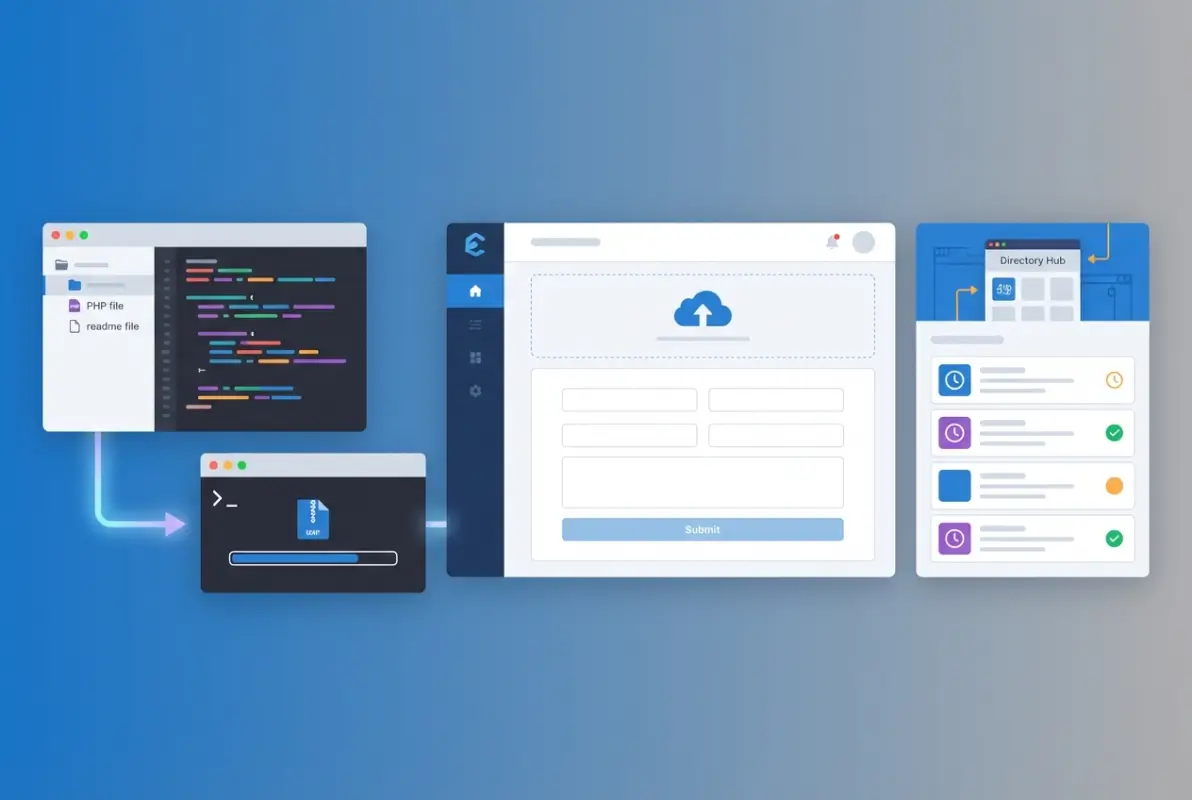
After passing automated checks, your plugin enters the manual review queue where a volunteer examiner inspects your code, readme, and compliance with the Detailed Plugin Guidelines. Reviewers look for security vulnerabilities (SQL injection, XSS, insecure file handling), licensing conflicts, and adherence to WordPress coding standards. They also verify your plugin doesn’t duplicate core features, violate trademarks, or implement obfuscated code.
If approved, you’ll receive SVN repository credentials via email, typically within 1–14 days depending on queue length. You must then commit your plugin files to the assigned SVN trunk before it becomes publicly visible. The SVN guide walks through checkout, commit, and tagging workflows that let you manage releases and updates going forward.
Plan for at least two weeks from submission to live listing during typical queue conditions. High-traffic periods (holidays, major WordPress releases) can extend review times to three weeks or more. Check the Make WordPress Plugins blog for queue status updates and announcements about delays or process changes.
| Submission Stage | Typical Duration | Key Action |
|---|---|---|
| Automated validation | Immediate | Fix any structure or naming errors flagged |
| Manual review queue | 1–14 days (often longer) | Wait for reviewer email |
| Approval and SVN setup | Same day | Commit code to trunk via SVN |
| Public listing | Minutes after commit | Verify readme and assets display correctly |
Common reviewer criteria, delays, and how to respond to feedback
Reviewers frequently flag three categories of issues: security gaps (unescaped output, missing nonce checks, direct SQL queries without $wpdb->prepare()), guideline violations (service or affiliate plugins, phone-home code, obfuscated scripts), and licensing conflicts (GPLv2-incompatible libraries). Addressing these proactively in your initial submission dramatically reduces iteration cycles and speeds approval.
When you receive feedback, respond directly to the review ticket with a clear summary of changes made and updated code. Avoid defensive language; reviewers volunteer their time and operate under strict guidelines. Upload a revised ZIP if needed, or clarify misunderstandings with specific line references and documentation links.
Expect at least one round of feedback for most submissions. First-time authors average two to three revision cycles, so build buffer time into your launch plan. Keep code clean, document every function, and run automated security scans (like WPCS) before submitting to catch issues early.
After Approval: Maintaining and Promoting Your Plugin
Updating, support, and lifecycle management after listing
After your plugin goes live, establish a regular update cadence to address bug reports, compatibility with new WordPress releases, and feature requests from users. Use SVN tags to version each release (e.g., tags/1.0.1, tags/1.1.0) so users can roll back if needed. The SVN tagging guide explains the workflow for creating stable snapshots that appear in the WordPress admin updater.
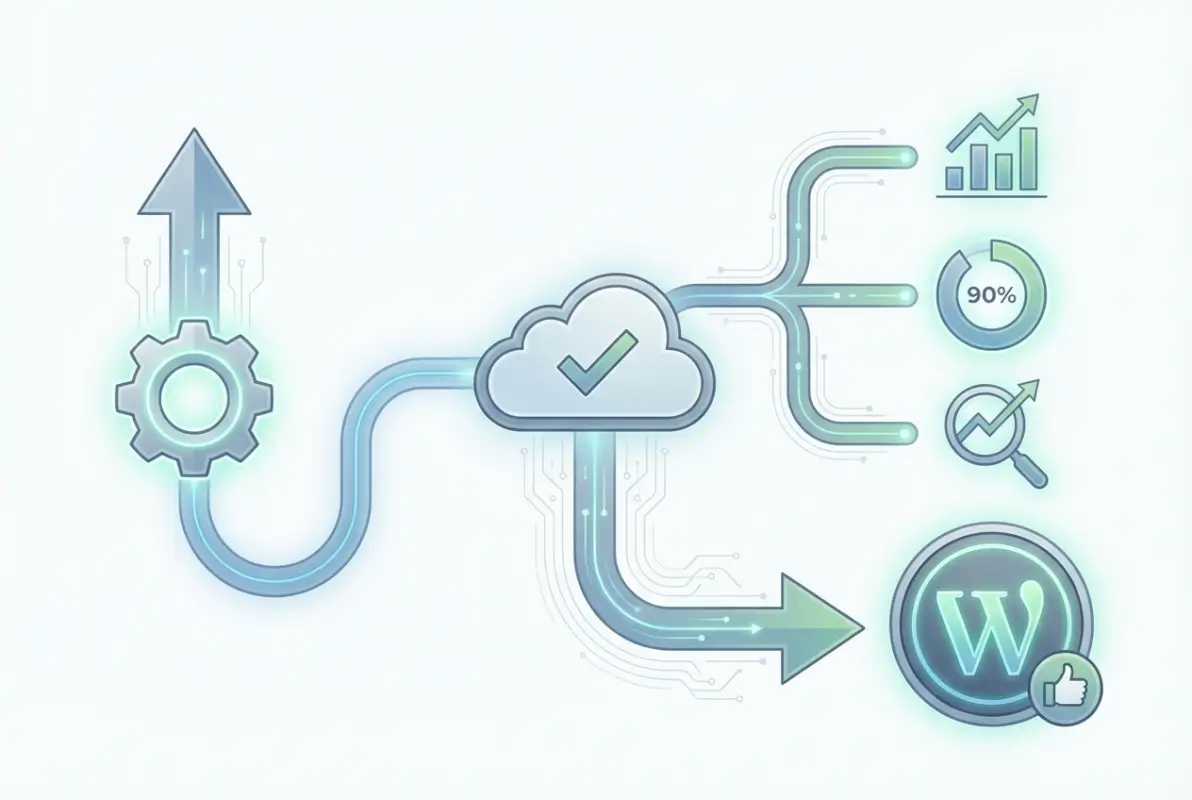
Monitor the plugin support forum on WordPress.org daily during the first month, then at least weekly thereafter. Prompt, helpful responses build trust and improve your plugin’s rating and active-install growth. Mark resolved threads as such, and escalate security reports immediately by patching and releasing a new version within 24–48 hours.
Keep your readme.txt current with changelog entries for every release, tested-up-to values matching the latest WordPress version, and clear upgrade notices when breaking changes occur. Accurate metadata ensures the directory displays compatibility badges correctly, reassuring users before they install. The readme.txt spec details required fields and formatting.
| Maintenance Task | Frequency | Impact if Neglected |
|---|---|---|
| Support forum responses | Daily (first month), then 2–3×/week | Low rating, user churn |
| Security patches | Within 48 hours of discovery | Directory removal, exploits |
| Tested-up-to updates | Each major WP release (~3 months) | Compatibility warnings, reduced installs |
| Changelog maintenance | Every release | User confusion, trust erosion |
Security best practices and staying aligned with WordPress goals
Run automated security scans using tools like Patchstack or WPScan before every release to catch SQL injection, XSS, CSRF, and insecure deserialization vulnerabilities. Validate and sanitize all user inputs, escape all outputs, and use WordPress nonce functions for every form or AJAX request. The Plugin Security handbook provides code examples and checklists for common attack vectors.
Stay subscribed to the Make WordPress Plugins blog and the Make WordPress Core blog to learn about upcoming API changes, deprecated functions, and new security requirements. Ignoring these updates can lead to compatibility breaks, negative reviews, or even plugin closure by the WordPress.org team if critical vulnerabilities remain unpatched.
Document your security practices in your plugin’s documentation or a SECURITY.md file in your repository. Provide a private disclosure channel (email or security contact form) so researchers can report issues without public exposure. Responsible disclosure policies demonstrate professionalism and help maintain your plugin’s reputation when vulnerabilities are discovered.
Best Practices and Troubleshooting Common Issues
Troubleshooting submission errors and common blockers
If the automated validator rejects your ZIP, check for missing or misnamed files: your main plugin file must include a valid header comment with Plugin Name and Version fields, and a readme.txt must exist at the root. Ensure the ZIP extracts to a single folder matching your plugin slug (lowercase, hyphenated), not nested directories or loose files at the root level.

Forbidden function errors typically flag eval(), base64_decode() used for code execution, or curl without proper sanitization. Replace these with WordPress HTTP API (wp_remote_get(), wp_remote_post()) and eliminate any obfuscated code, even if it’s legitimate. The review team cannot verify obfuscated scripts and will reject your plugin outright.
vendor directories from Composer or node_modules from npm balloons ZIP size and introduces unnecessary review surface. Build a production package that excludes development dependencies and source maps.Trademark or naming conflicts arise when your slug or displayed name resembles “WordPress,” “Plugin,” or a well-known brand without authorization. Choose a unique, descriptive slug and avoid generic terms. If you must reference WordPress, follow the WordPress Foundation trademark policy exactly (e.g., “for WordPress” not “WordPress Plugin”).
| Error Type | Cause | Remediation |
|---|---|---|
| Invalid ZIP structure | Nested folders, loose files | Re-package so one root folder matches slug |
| Forbidden functions | eval(), base64 execution, curl misuse | Replace with WP HTTP API, remove obfuscation |
| Trademark conflict | Slug/name resembles WordPress or brand | Rename with unique identifier |
| Missing header fields | Plugin Name or Version absent | Add complete header block to main file |
Dealing with review queue backlog and setting expectations
Review queues fluctuate with volunteer availability, WordPress release cycles, and seasonal submission spikes. During peak periods (post-WordCamp, holidays), expect 2–4 week waits for initial feedback. Monitor the Make Plugins blog for queue status announcements and consider timing your submission for quieter months (January–February, June–July) if launch dates are flexible.
Do not resubmit or open duplicate tickets to “bump” your plugin in the queue; this delays everyone and may flag your account for abuse. If your submission exceeds three weeks without contact, politely inquire on the Plugins and Hacks forum with your submission date and ticket reference. The review team triages based on submission order and complexity, not request volume.
Plan release cycles with a minimum two-week buffer beyond estimated review times. Communicate realistic timelines to stakeholders or clients, and avoid promising launch dates until you receive SVN credentials. Underpromise and overdeliver to maintain credibility, especially if this is your first directory submission.
Frequently Asked Questions
How long does the WordPress plugin review typically take?
The initial review typically takes between 3 to 14 days, though times vary depending on queue backlog and submission complexity. Complex plugins or those requiring multiple revision rounds may extend the timeline. Plan your release schedule accordingly and monitor your email for reviewer feedback.
Can I submit more than one plugin at the same time?
Yes, you can submit multiple plugins simultaneously. Each submission enters the review queue independently and is evaluated on its own merits. However, if you’re a first-time developer, consider submitting one plugin first to familiarize yourself with the review process and feedback style.
Do I need to use SVN to submit to the WordPress.org Plugin Directory?
After initial approval, you’ll use SVN (Subversion) to manage your plugin’s code in the WordPress repository. The initial submission is through a web form with a ZIP file. While SVN knowledge is essential for updates and maintenance, the submission process itself doesn’t require it upfront.
What happens if my plugin is rejected or requires revisions?
Reviewers will email you specific feedback detailing required changes. You’ll have time to revise and resubmit your plugin by replying to the review thread with updated code. Most rejections stem from security issues, guideline violations, or incomplete documentation—all fixable with targeted revisions.
What should I include in the readme.txt and assets to smooth the review?
Your readme.txt must include plugin name, description, installation instructions, changelog, and tested WordPress version. Add clear screenshots, a detailed FAQ section, and accurate tags. Well-structured documentation signals professionalism and reduces reviewer questions, speeding up approval significantly.
What are common reasons for plugin submission rejection?
Common rejection reasons include security vulnerabilities like SQL injection or XSS flaws, improper licensing, trademark violations in naming, undeclared external service dependencies, and obfuscated code. Reviewers also reject plugins that duplicate existing functionality without meaningful differentiation or violate WordPress coding standards.
Can I update my plugin immediately after approval?
Yes, once approved you have direct SVN access to push updates to your plugin. Updates publish immediately without additional review unless they trigger automated security flags. Always test updates thoroughly before deployment and maintain clear changelog documentation for users tracking your plugin’s evolution.
How do I handle user support after my plugin is approved?
WordPress.org provides a support forum for each listed plugin where users post questions. You’re expected to respond promptly and professionally to support requests. Active support engagement improves your plugin’s reputation and rating. Many developers also offer premium support channels for complex issues.
Take the Next Step Toward Plugin Success
Uploading a plugin to the WordPress Directory isn’t just a technical exercise—it’s your gateway to reaching millions of users who depend on WordPress to power their websites. You’ve now learned the complete process, from understanding submission requirements and preparing quality code to navigating the review process and maintaining your plugin post-approval. Each step matters, and attention to detail at every stage significantly improves your chances of a smooth, timely approval.
The WordPress community values plugins that prioritize security, follow coding standards, and deliver genuine value to users. By adhering to the Detailed Plugin Guidelines and preparing thorough documentation, you position yourself as a credible, professional developer. The review process exists to protect the ecosystem, and reviewers are partners in helping you refine your work—not obstacles to overcome.
Remember that approval is just the beginning of your plugin’s journey. Consistent updates, responsive support, and ongoing security maintenance distinguish successful plugins from abandoned ones. Your commitment to these practices builds trust with users and reviewers alike, creating opportunities for growth, positive reviews, and even premium offerings down the line.
Ready to Submit Your Plugin?
Start by reviewing the official Planning, Submitting, and Maintaining Plugins guide. Prepare your code, test thoroughly, and submit with confidence. Your next users are waiting.
For additional support and community guidance, explore the Plugin Directory Reviewer’s Handbook and join the conversation in WordPress developer forums.
Your plugin represents hours of development, problem-solving, and innovation. Give it the best possible start by following this guide closely, engaging proactively with reviewer feedback, and committing to long-term quality. The WordPress Directory rewards developers who contribute meaningfully to the ecosystem—and your plugin could be the next essential tool that transforms how users build and manage their sites.