How to Install MLS Plugin in WordPress: A Step-by-Step Guide

TL;DR – Quick Takeaways
- Modern MLS plugins use RESO Web API – The old RETS system is being phased out across most markets, offering faster data syncing and better performance
- Installation takes 30-60 minutes – Most plugins follow a simple install-activate-connect workflow, no coding required
- Pricing ranges from $39-$299/month – Based on MLS coverage, update frequency, and feature sets like map search and lead capture
- SEO optimization matters – Pure IDX content (non-iframe) significantly outperforms framed solutions for organic search visibility
- Data freshness varies widely – Look for hourly syncing vs daily updates to keep your listings competitive
Prerequisites and Planning
Before you rush to install any MLS plugin, taking thirty minutes to plan your approach will save you hours of frustration and potentially thousands in wasted subscription fees. The real estate technology landscape is crowded with solutions that look similar on the surface but differ dramatically in execution.Define Your MLS Coverage and Data Needs
The United States and Canada operate through a fragmented network of regional MLS systems, each with its own rules, data formats, and access requirements. Your first decision point is determining which MLS markets you need to pull data from. Single-market agents have straightforward needs—connect to your local MLS and display those listings. But if you work across county lines or state borders, you’ll need a plugin that supports multiple MLS feeds simultaneously.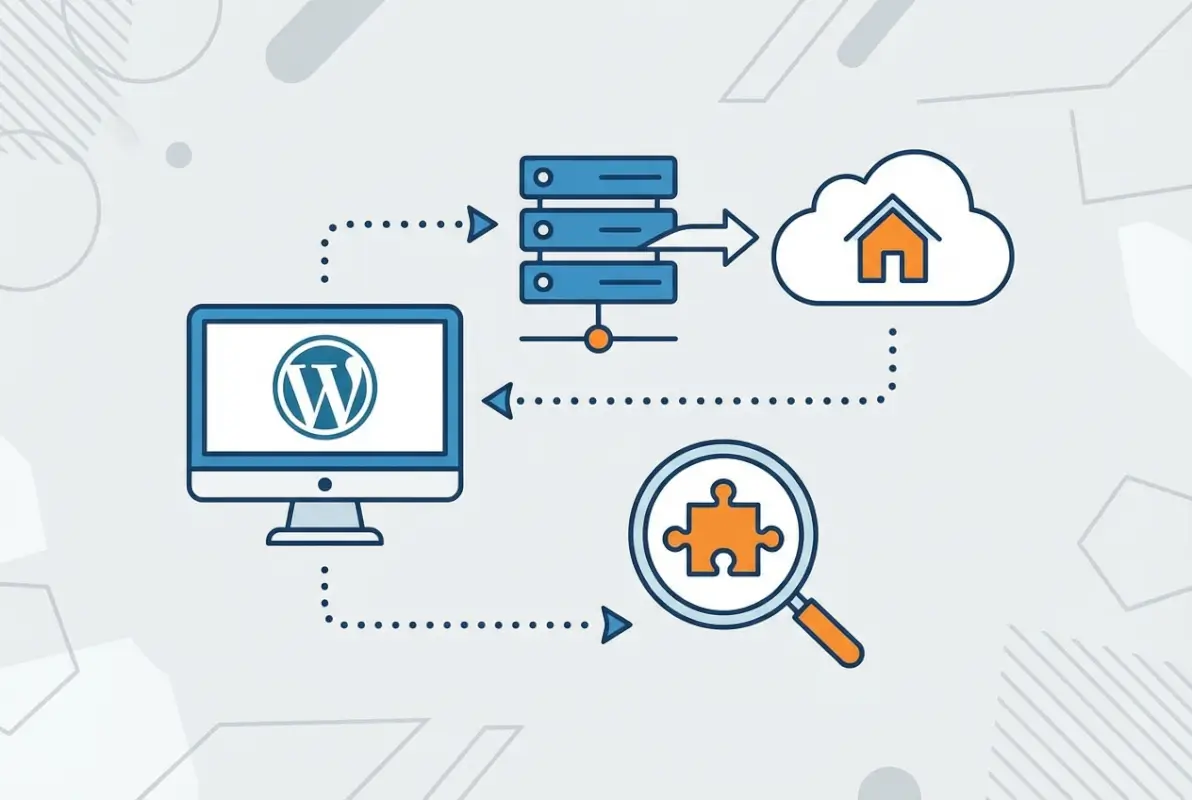
💡 Pro Tip: Contact your MLS directly before purchasing any plugin subscription. Ask them which IDX providers they recommend and whether they charge separate fees for data access. Some MLS systems have preferred vendor relationships that expedite setup and provide better support.
Understand RESO Web API vs RETS
The transition from RETS to RESO Web API represents one of the most significant technical shifts in real estate technology over the past decade, yet most agents have never heard these terms explained clearly. RETS (Real Estate Transaction Standard) dates back to the late 1990s—ancient by internet standards. It uses complex XML data formats, requires significant server resources to process, and updates listings through batch processes that can lag hours behind actual MLS changes.RESO Web API, by contrast, leverages modern web standards similar to what powers your banking app or social media feeds. It’s faster, more efficient, and enables near-real-time updates. When a listing goes pending or changes price in the MLS, RESO-connected plugins can reflect that change within minutes instead of hours. For site performance, RESO implementations typically load 40-60% faster because they transmit less unnecessary data and use more efficient parsing methods.Why does this matter to you as an agent? Search engines like Google increasingly factor page speed into rankings. A sluggish RETS-based solution might cause visitors to abandon your listings page before it fully loads, sending negative user experience signals that suppress your search visibility. Modern RESO implementations also handle mobile devices better, which is crucial considering 73% of property searches now happen on smartphones.
⚠️ Important: Some plugins advertise “RESO support” but actually use a hybrid system that still relies on RETS for certain functions. Ask vendors specifically whether their implementation is pure RESO Web API or a transitional hybrid—the performance differences are substantial.
Check Plugin Compatibility with Your Hosting and Theme
I’ve watched agents install MLS plugins only to discover their budget hosting plan couldn’t handle the database load, causing their entire site to slow to a crawl or crash during peak traffic. MLS data is resource-intensive—you’re potentially managing thousands of property records with multiple high-resolution images each, constantly syncing updates in the background.Minimum hosting requirements for reliable MLS plugin operation include PHP 7.4 or higher (8.0+ recommended), at least 512MB PHP memory limit (1GB is better), and adequate database storage. Shared hosting plans that cost $5/month typically can’t sustain this load once you’re importing more than a few hundred active listings. Managed WordPress hosting from providers like WP Engine, Kinsta, or SiteGround’s higher-tier plans handles IDX data much better, though you’ll pay $30-100/month for that reliability.Theme compatibility is equally critical but often overlooked. Page builders like Elementor, Divi, and Beaver Builder each handle dynamic content differently. Some MLS plugins provide native widgets for these builders, while others only offer shortcodes that look awkward within modern page layouts. Before purchasing, check whether your chosen plugin explicitly supports your theme or page builder, and review their documentation for integration examples. Similar to how you’d install a listing pro theme for WordPress, MLS plugins need to mesh seamlessly with your existing design framework.Choosing the Right MLS/IDX Plugin for WordPress
The WordPress plugin repository and third-party marketplaces host dozens of MLS and IDX solutions, each positioning themselves as the “best” or “most powerful” option. Having tested and implemented many of these over the years, the reality is that no single plugin wins across all use cases—your ideal solution depends on budget, technical comfort level, and specific feature priorities.Popular Plugin Options and Their Data Approach
MLSImport has emerged as a leading choice for agents who prioritize data freshness and control. Built on RESO Web API architecture, it syncs listings hourly by default (with options for more frequent updates) and stores all listing data directly in your WordPress database. This “owned data” approach means faster page loads since queries don’t depend on external API calls in real-time, plus you maintain full control over field mapping and customization. The trade-off is higher hosting resource requirements and a steeper learning curve for configuration.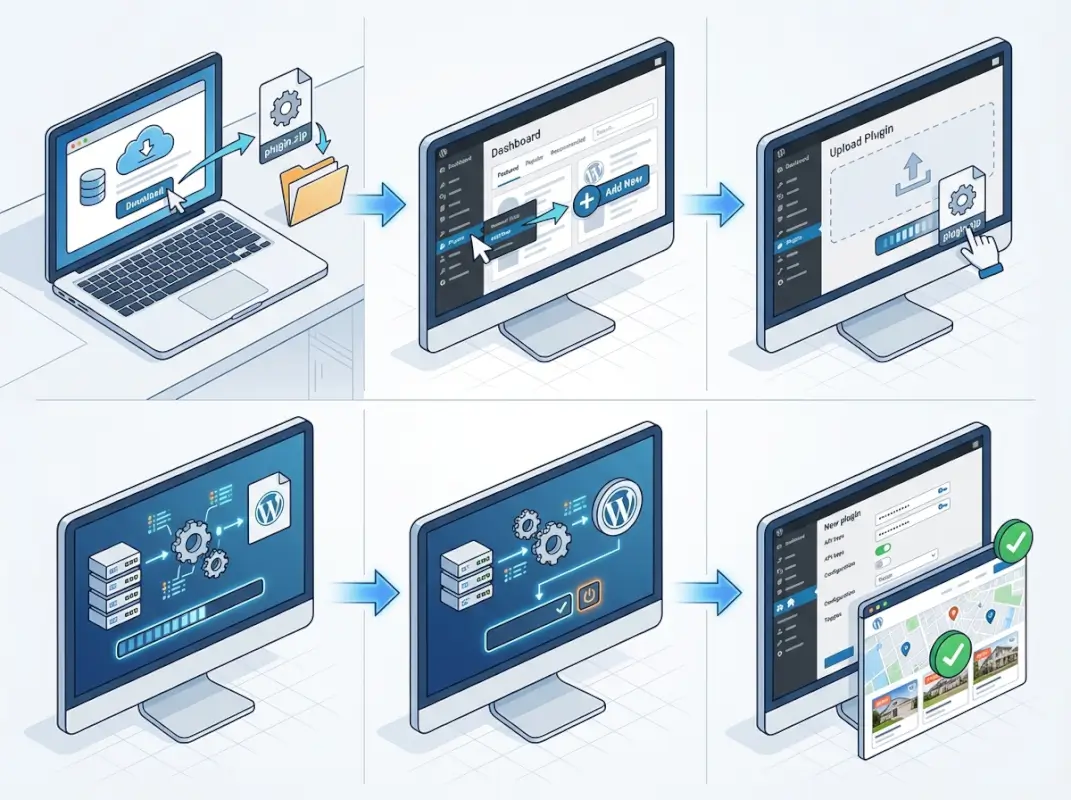
| Plugin | Data Approach | Update Frequency | Best For |
|---|---|---|---|
| MLSImport | RESO Web API, owned database | Hourly (configurable) | Tech-savvy users, high-traffic sites |
| Easy MLS Listings Import | Hybrid, simplified | Daily | Solo agents, simple needs |
| Optima Express | API calls, external hosting | Real-time | Budget hosting, small databases |
| SimplyRETS integrations | RESO, middleware platform | Near real-time | Developers, custom builds |
Assess Pricing, Data Freshness, and Update Frequency
MLS plugin pricing operates on subscription models that vary based on features, MLS coverage, and update frequency. Entry-level solutions start around $39-59/month for single-market access with daily updates. Mid-tier options ($99-149/month) typically include hourly syncing, CDN-based image delivery, and advanced search features like map integration. Premium plans ($199-299/month) add multi-market support, white-label options, and priority support with faster activation.6-8 hours
Average lag time for daily update systems vs 15-30 minutes for hourly RESO implementations
Verify MLS Coverage and Activation Steps
MLS coverage claims deserve scrutiny. A plugin advertising “800+ MLS markets” doesn’t guarantee your specific market is included or that activation is straightforward. Some markets require individual broker agreements, compliance verification, or manual setup tickets that can take 3-10 business days to process. Others activate instantly once you provide your MLS member ID.Before purchasing, request a current list of supported MLS systems and ask specifically about activation requirements for your market. Some providers maintain public lists on their websites, while others require you to contact sales. Red flag providers who can’t give you clear answers about your market’s status or activation timeline—this usually indicates limited actual coverage despite broad marketing claims.Special considerations apply if you’re building a more comprehensive platform. For instance, if you want to create a paid business directory website that includes real estate alongside other local services, you’ll need to ensure your MLS solution doesn’t conflict with directory plugins or create competing search functionalities that confuse users.Step-by-Step Installation and Setup
Now we get to the practical mechanics of actually installing and configuring your chosen MLS plugin. While specific steps vary by plugin, most follow a similar workflow that takes 30-90 minutes for initial setup, plus additional time for customization and design integration.Install the Plugin in WordPress
For plugins available in the WordPress repository (like Easy MLS Listings Import or Optima Express), installation follows the standard WordPress process. Log into your WordPress dashboard, navigate to Plugins > Add New, and use the search box to find your chosen plugin by name. Click “Install Now,” wait for the installation to complete, then click “Activate.”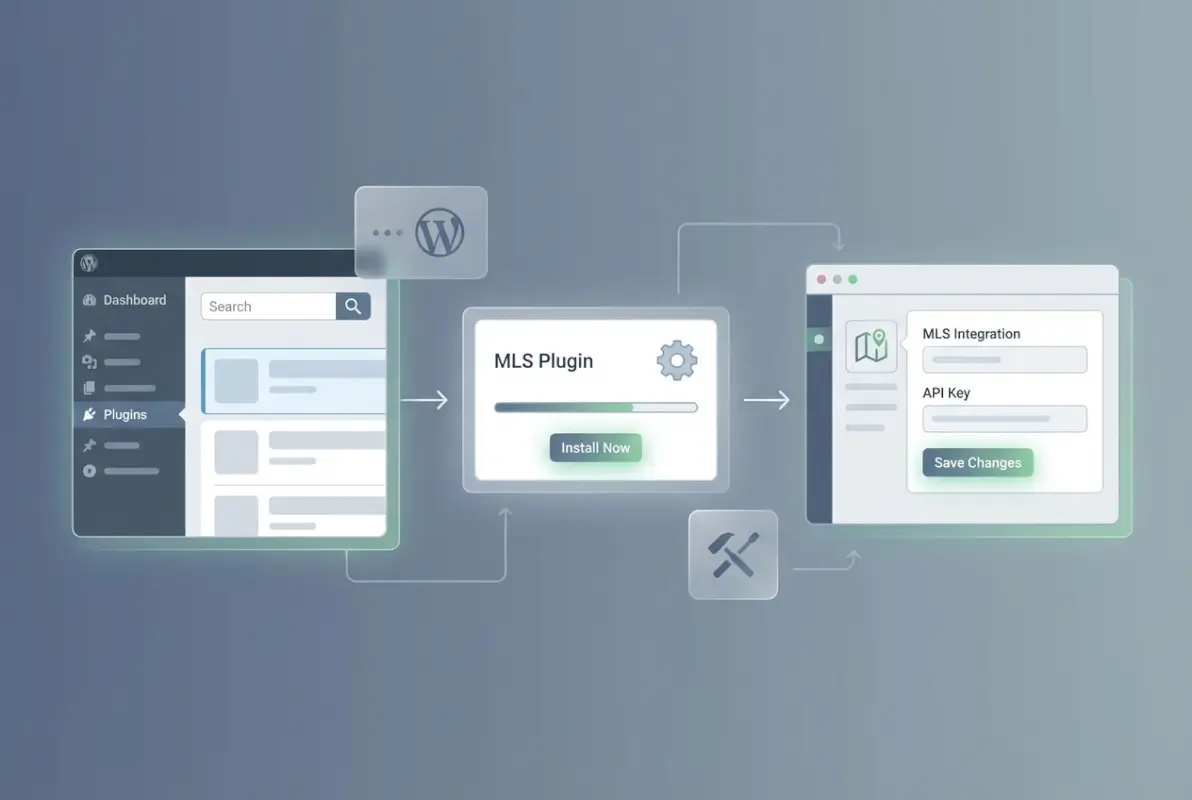
✅ Key Insight: Take a screenshot of any error messages during installation. If something goes wrong, these exact error texts will help support teams diagnose issues much faster than generic descriptions like “it didn’t work.”
Connect to MLS/IDX Provider
The connection process varies significantly by plugin architecture. Solutions like MLSImport require you to create an account on their platform first, then link your WordPress site to that account using API keys or registration tokens. You’ll typically find these credentials in your plugin provider’s dashboard under “API Keys,” “Site Settings,” or similar sections.In your WordPress plugin settings, look for fields labeled “API Key,” “Account Token,” or “Registration Key.” Copy and paste these credentials exactly as provided—even extra spaces or missing characters will cause connection failures. After entering credentials, most plugins have a “Test Connection” or “Verify API” button that confirms your WordPress site can communicate with the IDX provider’s servers.Next comes MLS selection. If your provider supports multiple markets, you’ll see a dropdown or search field to choose your MLS. Type your MLS name or location, select the correct system from the list, and save your settings. Some plugins then send an activation request that requires approval from your MLS or the plugin provider—this is where those 3-10 day delays sometimes occur.For agents in markets still using RETS systems, you may need to enter RETS login credentials provided by your MLS. These differ from your MLS member login—typically your MLS has a specific RETS access section where you can generate or retrieve these credentials. Guard them carefully, as they provide direct access to MLS data.Configure Import and Mapping
Once connected, you’ll configure what data to import and how to map it to your site’s structure. This is where plugin complexity varies dramatically. Advanced solutions offer field-by-field mapping controls, letting you choose exactly which listing attributes to import (price, bedrooms, square footage, school district, etc.), while simpler plugins import a predefined set of standard fields automatically.Field mapping matters more than most agents realize. Your MLS might label a field “Subdivision” while your WordPress site uses “Neighborhood” for that information. Proper mapping ensures data displays consistently and search filters work correctly. Premium plugins provide graphical mapping interfaces where you drag MLS fields to corresponding site fields; budget solutions may require manual configuration through text boxes or dropdown menus.Update frequency settings typically appear in this section. Choose how often the plugin should sync with MLS data—hourly updates work well for active markets and high-traffic sites, while daily updates suffice for slower markets or if you’re concerned about hosting resource usage. Some plugins let you schedule updates during off-peak hours (like 3 AM) to minimize visitor impact.Image handling deserves special attention. MLS listings include multiple high-resolution photos that can bloat your hosting storage and slow page loads if not managed properly. Modern plugins offer CDN-based image delivery, where photos remain on the plugin provider’s servers and load through a content delivery network rather than your hosting account. This dramatically improves performance but requires trusting external image URLs—if the CDN goes down, your listing photos disappear. Alternatively, downloading images to your server gives you complete control but demands substantially more storage and bandwidth.
⚠️ Important: Run your first import during off-peak hours (evening or weekend) and expect it to take 30 minutes to several hours depending on market size. The initial import is the most resource-intensive operation, potentially slowing your site while processing thousands of listings.
Create Pages and Display Methods
With data flowing into your WordPress site, you need pages to display it. Most agents need at minimum: a property search page, a listings grid page, individual listing detail pages (usually auto-generated), and optionally map search and agent/office pages. The approach for creating these varies by plugin.Shortcode-based plugins provide codes like [mls_search] or [listing_grid] that you paste into page content. Create a new page titled “Property Search,” paste the shortcode into the content editor, and publish—the plugin handles everything else. More sophisticated shortcodes accept parameters to filter results, like [listing_grid city=”Austin” max_price=”500000″ bedrooms=”3+”] to show specific subsets.Widget-based plugins add new WordPress widgets to your Appearance > Widgets area, which you can drag into sidebars or footer regions. This works well for “Featured Listings” or “Recent Listings” showcases in sidebar areas, though full search functionality usually requires dedicated pages.Page builder integrations offer the smoothest experience for less technical users. If your plugin supports Elementor, for example, you’ll find new Elementor widgets specifically for MLS search forms, listing grids, and property details. Drag these into your Elementor layouts just like any other widget, configure display options through Elementor’s visual interface, and see results immediately in the preview.Don’t neglect individual listing detail pages. These auto-generate for each property but need proper templates to look professional and convert visitors into leads. Review your plugin’s detail page layout options and customize them to include lead capture forms, agent contact information, and related listings. Similar attention to detail that goes into launching a community business directory applies here—compelling layouts convert browsers into contacts.Permalinks and SEO-Friendly URLs
WordPress permalink structure determines how listing URLs appear, which significantly impacts SEO performance. Default permalink settings (like yoursite.com/?p=123) hurt search visibility compared to readable URLs like yoursite.com/listings/123-main-street-austin-tx.Navigate to Settings > Permalinks in your WordPress dashboard and select “Post name” or “Custom Structure” options. Most MLS plugins work best with “Post name” permalinks, creating URLs based on property addresses or MLS numbers. Some plugins add custom permalink structures specifically for listings, like yoursite.com/properties/austin/78704/123-main-st.After changing permalink settings, test several listing URLs to verify they load correctly and don’t produce 404 errors. Permalink changes can sometimes break existing URLs if not handled properly—the plugin should automatically update its URL structure to match, but always verify this through manual testing rather than assuming it worked.Display, Design, and User Experience
Technical setup handles the data pipeline, but your site’s design and user experience determine whether visitors actually use your listings or bounce to competitor sites. This is where attention to detail separates professional implementations from obviously template-based sites.Layout Options and Shortcode/Widget Usage
Modern MLS plugins offer multiple display layout options: grid views (thumbnails in rows), list views (full-width stacked), map-centric views, and carousel/slider formats. Grid layouts work best for desktop browsing and showcase property photos prominently, while list layouts provide more detail at a glance and scroll more naturally on mobile devices.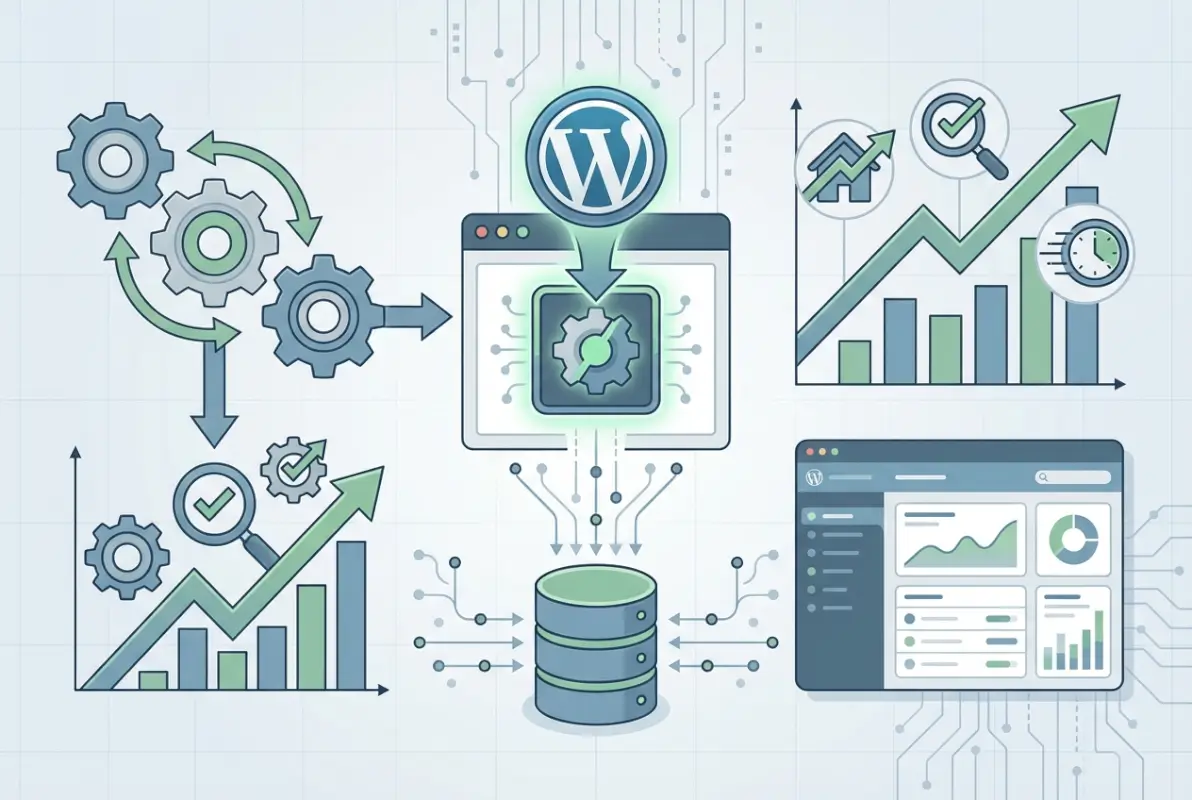
Search Features and Filters
Search functionality makes or breaks the user experience on IDX sites. Visitors expect to filter by price range, bedrooms, bathrooms, square footage, and property type as baseline features. Advanced search adds filters for pool, garage, waterfront, school district, HOA fees, and dozens of other attributes that vary by market and property type.Map search has become almost mandatory—property shoppers think geographically and want to see where listings sit relative to work, schools, and amenities. Plugin map implementations vary from basic marker pins on Google Maps to sophisticated cluster maps with drawing tools to define custom search areas. The best implementations let users draw polygons around desired neighborhoods or search within radius circles around specific addresses.78%
of property buyers use map-based search as their primary browsing method on real estate websites
SEO Considerations for IDX Content
The SEO debate around IDX content centers on one critical distinction: pure (non-iframe) IDX implementations vs framed content. Framed IDX serves listings through iframes pulling content from external servers—technically simple to implement but problematic for SEO because search engines struggle to index iframe content and attribute it to your site. Search engines see the iframe container but not the rich listing data inside it.Pure IDX implementations serve listing content directly from your WordPress database as native site content. Search engines can crawl listing details, property descriptions, and images just like blog posts or regular pages. This provides dramatically better SEO value—each listing becomes an indexed page on your site, potentially ranking for long-tail searches like “3 bedroom ranch in Westlake Hills under 500k.”However, pure IDX creates canonicalization challenges. The same listing appears on hundreds of agent websites across your market, creating duplicate content issues that search engines penalize. Address this by implementing canonical tags pointing to the MLS source or your broker’s primary site, using noindex tags on listing pages while keeping them searchable on-site, or creating substantial unique content around each listing that differentiates your page from identical copies elsewhere.Structured data markup (Schema.org vocabulary for real estate) helps search engines understand and display your listings in rich results. Many modern plugins automatically add appropriate Schema markup to listing pages, but verify this rather than assuming. Testing tools like Google’s Rich Results Test let you check whether your markup validates correctly and might generate enhanced search listings with property details, prices, and photos directly in search results.Performance, Security, and Compliance
Behind the scenes, performance optimization, security hardening, and regulatory compliance determine whether your MLS integration succeeds long-term or causes mounting problems that eventually require painful migrations to different solutions.Performance Best Practices
MLS databases strain hosting resources through sheer volume—thousands of property records with multiple high-resolution images each, constantly updating in the background. Without optimization, this creates slow page loads that frustrate visitors and hurt search rankings. The low-hanging optimization fruits include image compression, caching strategies, and database query optimization.
Security Considerations
MLS API credentials provide direct access to valuable data and must be protected with the same rigor as financial account passwords. Store credentials through WordPress options or constants rather than hardcoding in files, never commit them to public code repositories, and use environment variables for sensitive configuration data on production sites.Access control becomes relevant for team sites where multiple agents or staff access the WordPress dashboard. Limit who can modify MLS plugin settings—junior agents handling blog posts don’t need access to data import configurations or API credentials. WordPress roles and capabilities systems let you define granular permissions, and some MLS plugins provide their own role management specifically for listing features.Consumer data privacy regulations like GDPR and state-level laws affect lead capture forms integrated with IDX searches. Saved searches and property inquiries collect personal information that triggers compliance obligations around consent, data storage, and deletion rights. Ensure your plugin and forms include clear opt-in language, provide mechanisms for users to request data deletion, and document your compliance procedures for regulatory audits.
⚠️ Important: Never share API credentials between multiple sites or agents. Each site should have unique credentials that can be revoked independently if compromised. Shared credentials create security risks and violate most MLS terms of service.
Compliance and Licensing
MLS terms of service dictate specific requirements for how you display listings, including mandatory disclaimers, attribution requirements, and data freshness standards. Typical requirements include displaying “Information provided by [MLS Name]” disclaimers on every listing page, showing last update timestamps, and removing sold/expired listings within specified timeframes (often 24 hours of status change).IDX agreements typically restrict usage to MLS participants in good standing with active licenses. Your broker must approve your IDX usage, and many MLSs require broker authorization before activating data feeds. If you change brokerages, your IDX access may terminate or require reactivation under your new broker’s agreement—plan for this transition to avoid data disruptions.Display rules vary by MLS but commonly prohibit certain data manipulations: you can’t scrape listings to build third-party databases, can’t display competitor agents’ contact information more prominently than your own, and can’t mix MLS data with non-MLS sources in ways that confuse consumers about data origin. Review your MLS’s IDX policy document (usually available on their website or through broker admin) and configure your plugin to comply with these specific requirements.Troubleshooting and Maintenance
Even perfectly configured MLS integrations eventually encounter issues—API changes, hosting migrations, WordPress updates, or MLS system maintenance can disrupt data flows and break functionality. Knowing common problems and their solutions minimizes downtime when issues arise.Common Issues and Their Fixes
Connection failures manifest as error messages like “Unable to connect to MLS” or “API authentication failed.” Start troubleshooting by verifying your API credentials haven’t changed or expired—some MLS systems rotate passwords periodically or expire inactive accounts. Log into your plugin provider’s dashboard and regenerate credentials if needed, then update them in your WordPress settings.Firewall and security plugin interference sometimes blocks outgoing API connections. Temporarily disable security plugins to test whether they’re causing connection issues, then whitelist your MLS plugin’s domain and IP addresses in your security configuration. Server-level firewalls require your hosting provider to whitelist connections—submit a support ticket with specific IP addresses or domains your plugin needs to access.Field mapping mismatches create situations where data imports successfully but displays incorrectly or not at all. If listings appear in your database but show missing information on the front end, review field mapping configuration and ensure MLS field names match your display templates. Some MLSs change field names or data formats during system upgrades, breaking previously working mappings and requiring remapping.404 errors on listing pages usually indicate permalink conflicts or rewrite rule problems. Navigate to Settings > Permalinks and simply re-save your permalink structure without changes—this forces WordPress to regenerate rewrite rules that often resolves the issue. If problems persist, check for plugin conflicts by deactivating other plugins one by one to identify which interferes with your MLS plugin’s URLs.
✅ Key Insight: Keep a written log of configuration changes and note dates when issues begin. This timeline helps identify causation—did problems start immediately after a WordPress update? After changing hosting? After MLS system maintenance? Correlation usually points to the root cause.
Keeping Data in Sync
Data synchronization issues create two primary problems: stale listings that show expired properties as active, and missing listings that never appear despite being active in the MLS. Both damage your credibility and frustrate buyers contacting you about unavailable properties or missing properties they saw elsewhere.Verify update frequency settings match your expectations—plugins sometimes reset to default configurations after updates. Check your sync logs (usually available in plugin settings under “Import History” or “Sync Logs”) to confirm when the last successful update occurred. If imports are running but not reflecting recent MLS changes, the problem likely sits with the MLS feed itself rather than your plugin configuration.MLS system outages and maintenance windows temporarily disrupt data feeds. Responsible MLSs publish maintenance schedules in advance, though emergency outages happen without warning. If listings suddenly stop updating, check your MLS’s status page or contact their support before extensive plugin troubleshooting—you might be trying to fix a problem on their end that you can’t control.API rate limiting can cause partial or failed imports on sites with large listing volumes. Most MLS systems restrict how many API calls you can make per hour or day to prevent abuse. If you’re hitting rate limits, adjust your import frequency to spread requests over longer periods or contact your plugin provider about enterprise plans with higher limits. The approach mirrors challenges in creating business directories from Excel—managing large data volumes requires appropriate tools and configurations.Upgrading and Plugin Deprecations
WordPress core updates, PHP version changes, and plugin updates occasionally break functionality that worked perfectly before. Adopt a staged update approach: never update plugins on production sites without first testing on a staging environment that mirrors your live site. Staging sites let you test updates safely—if something breaks, your live site remains operational while you troubleshoot.Plugin deprecation represents a larger threat, though less frequent. When plugin developers abandon projects, you’re left with unmaintained code that eventually becomes incompatible with newer WordPress versions or MLS systems. Warning signs include no updates for 6+ months, unresponded support tickets, and compatibility warnings in WordPress plugin listings. When you spot these signals, start evaluating alternative plugins before forced migration under crisis conditions.Maintain backup routines that include both your WordPress database and files. MLS plugins often store configuration in custom database tables that standard WordPress backups might miss. Verify your backup solution captures the complete WordPress database, and test restoration procedures periodically—backups you can’t restore provide false security.Case Studies and Real-World Tips
Beyond technical documentation, real-world experience reveals practical insights that only emerge through actual implementation and long-term operation of MLS-integrated WordPress sites.Quick-Start Checklist for Agents and Brokers
Before installation: Contact your MLS to confirm IDX access, verify your broker’s authorization, and request RESO Web API credentials if available. Research plugin options and narrow to 2-3 candidates based on your budget and technical comfort level. Confirm your hosting meets minimum requirements and upgrade if necessary—this investment pays for itself through reliable performance.During installation: Block 2-3 hours of uninterrupted time for initial setup—rushing through configuration causes mistakes that create hours of troubleshooting later. Screenshot each configuration screen before saving changes, creating documentation for future reference and troubleshooting. Run the first import during off-peak hours when site slowness won’t affect visitor experience.After launch: Test thoroughly from mobile devices, not just desktop browsers—mobile traffic dominates real estate searches and your site must perform well on smaller screens. Ask colleagues to test search functionality and provide honest feedback about user experience issues you might miss through familiarity. Monitor Google Search Console for indexation issues or crawl errors that indicate SEO problems with your IDX implementation.Real-World Performance Tips from Practitioners
Successful agents report that focused landing pages outperform general “all listings” pages for both user experience and SEO. Create neighborhood-specific pages targeting local search queries: “Homes for sale in Westlake Hills,” “Downtown condos,” “Luxury estates in Hill Country.” These focused pages rank better and convert higher because they match searcher intent precisely.Email drip campaigns tied to saved searches generate consistent lead engagement over months-long buying cycles. When visitors save searches, automatically enroll them in educational email sequences about the home buying process, neighborhood guides, and market updates. This positions you as a resource rather than just another agent pushing listings, building relationships that eventually convert to clients.3-6 months
Average time before IDX content begins ranking organically and generating meaningful search traffic
Long-Term Maintenance and Analytics
Establish a monthly maintenance routine that includes reviewing import logs, checking for plugin updates, verifying search functionality, and monitoring site performance metrics. This proactive approach catches issues early before they escalate into emergencies requiring urgent fixes that disrupt your business.Google Analytics integration reveals which listing features visitors actually use versus which consume development resources without engagement. Track metrics like search filter usage, map interaction rates, saved search adoption, and listing detail page views. Double down on features with high engagement and consider removing underutilized features that complicate your interface.Lead tracking connects IDX activity to business outcomes. How many property inquiry forms actually convert to appointments? Which neighborhoods or property types generate the most qualified leads? This data informs where to focus your marketing efforts and which search filters to emphasize in your site’s design. Tools that track lead source through your CRM help attribute closed transactions to specific IDX features, quantifying your site’s ROI.Frequently Asked Questions
What is an MLS/IDX plugin for WordPress and do I need one?
An MLS/IDX plugin connects your WordPress website to MLS databases, automatically importing and displaying active real estate listings for properties in your market. If you’re a real estate agent or broker who wants to showcase live property data on your site without manual data entry, you need an IDX solution. It provides the infrastructure to display searchable, filterable listings that update automatically as MLS data changes.How do I know if my MLS is supported by a plugin?
Check the plugin provider’s website for a supported MLS markets list, usually found under “Coverage” or “Supported MLSs” pages. Contact their sales or support team directly with your MLS name and location to confirm current support status and activation requirements. Some MLSs require manual setup processes or additional authorization steps not listed publicly, so direct confirmation prevents purchasing plugins that won’t work with your market.How often do MLS listings update in these plugins?
Update frequency varies by plugin tier, ranging from daily updates in budget solutions to hourly or near-real-time syncing in premium options. RESO Web API-based plugins typically support more frequent updates than legacy RETS systems. Check your plugin’s configuration settings to verify the actual update schedule—some plugins advertise hourly updates but default to daily unless manually configured otherwise.Can I customize the display of listings on my WordPress site?
Yes, most modern MLS plugins offer customization through settings panels, custom CSS, shortcode parameters, and page builder integrations. The extent of customization varies from basic color and layout changes in simpler plugins to complete template override capabilities in developer-friendly solutions. Review documentation for your specific plugin to understand available customization methods and whether they require coding knowledge.Do IDX listings affect my site’s SEO and how can I optimize?
Pure IDX implementations that serve listing content directly from your database benefit SEO by creating hundreds of indexed pages potentially ranking for property-specific searches. Framed/iframe IDX provides minimal SEO value because search engines struggle to attribute that content to your site. Optimize by using pure IDX, implementing proper Schema markup for real estate, creating unique content around listings, and managing duplicate content through canonical tags or noindex directives.Is there a free trial and what are typical ongoing costs?
Many premium MLS plugins offer 30-day trials or money-back guarantees, though some require MLS activation before full testing. Ongoing costs range from $39/month for basic single-market access to $299+/month for multi-market coverage with advanced features. Budget for both plugin subscription fees and potentially higher hosting costs to support the resource demands of MLS data, totaling $100-400/month for professional implementations.What are common troubleshooting steps if listings don’t appear?
Start by verifying API credentials are correct and the connection test succeeds. Check import/sync logs to confirm data is pulling from the MLS successfully. Review field mapping to ensure MLS data maps to your site’s display fields correctly. Verify permalinks are set to “Post name” or custom structures rather than default settings. If listings appear in the database but not the front end, temporarily disable other plugins to check for conflicts.Do these plugins require developer/technical knowledge or can non-technical users set them up?
Entry-level plugins like Easy MLS Listings Import and Optima Express target non-technical users with simplified setup wizards and minimal configuration options. Mid-tier solutions like MLSImport require moderate technical comfort navigating plugin settings and understanding concepts like field mapping and API credentials. Advanced implementations using SimplyRETS or custom development definitely require developer skills. Choose plugins matching your technical comfort level rather than struggling with overly complex solutions.Are there security considerations when connecting WordPress to an MLS?
Yes, protect API credentials through secure storage methods rather than hardcoding in files or committing to repositories. Implement proper WordPress user roles so only authorized administrators can modify MLS plugin settings. Ensure lead capture forms comply with data privacy regulations through clear consent language and mechanisms for data deletion. Keep plugins updated to patch security vulnerabilities that could expose MLS credentials or consumer data.Can I pull listings from multiple MLS markets simultaneously?
Premium plugin plans typically support multi-market configuration, allowing you to display listings from several MLSs on one site. Each MLS usually requires separate activation and may incur additional subscription costs. Implementation complexity increases with multiple markets—you’ll need to handle potentially conflicting field structures, different compliance requirements, and higher data volumes. Verify multi-market support explicitly before purchasing if this capability is essential to your business model.You’ve now got a comprehensive roadmap from initial planning through long-term optimization for implementing MLS listings on your WordPress site. The technology has matured dramatically—modern RESO Web API implementations offer capabilities that seemed impossible with legacy RETS systems just a few years ago.The key insights to carry forward: verify your specific MLS’s compatibility before purchasing plugins, prioritize pure IDX over framed solutions for SEO benefits, invest in adequate hosting infrastructure to support MLS data demands, and treat your IDX implementation as an ongoing optimization project rather than a one-time setup task.Start by researching 2-3 plugins that match your budget and technical comfort level, request trial accounts, and test them on staging sites before committing to production deployment. The 30-60 days you invest in proper evaluation and setup will save you months of frustration from choosing inadequate solutions that require eventual replacement.Your MLS integration should ultimately fade into the background—visitors browse properties seamlessly without thinking about the technical infrastructure making it possible, while you focus on converting that traffic into actual clients and closed transactions. That’s when you’ll know you’ve successfully implemented WordPress MLS integration.