6 Steps to Update a WordPress Directory Theme for Better User Experience

If you’ve ever felt that nagging sense that your WordPress directory theme isn’t quite pulling its weight—slow load times, clunky filters, visitors bouncing before they find what they need—you’re not alone. A directory theme update isn’t just about slapping on a fresh coat of paint or swapping out colors. It’s a UX-driven transformation that can measurably lift engagement, conversions, and retention. With WordPress still powering a significant portion of the web (market share trends show it remains a dominant force), a well-optimized directory can differentiate you from competitors who treat their themes as set-and-forget installations. The reality is, user expectations have evolved: people demand speed, intuitive search, and accessible interfaces. If your directory theme doesn’t deliver on those fronts, you’re leaving money—and trust—on the table. In this guide, we’ll walk through six practical steps to update your WordPress directory theme with a laser focus on better user experience, backed by data from industry reports and real-world testing insights.
TL;DR – Quick Takeaways
- Start with an audit – Map how users actually search, filter, and consume listings; identify friction points before you touch code or design.
- Prioritize performance – Faster load times and optimized image handling directly improve engagement and search rankings.
- Make accessibility non-negotiable – Keyboard navigation, semantic markup, and screen-reader support expand your audience and reduce legal risk.
- Fix navigation first – Clean information architecture and intuitive filters matter more than visual polish; redesign IA before changing colors.
- Measure what matters – Track page speed, time-to-conversion, bounce rate, and user satisfaction to prove ROI and guide iteration.
Assessing Current State and Planning Updates
Before you change a single line of CSS or swap out a plugin, you need a clear picture of where you stand. Most directory owners skip this step (I’ve done it myself—regretted it every time), jumping straight to a visual redesign only to realize weeks later that the core problems—slow search, confusing filters, missing mobile flows—remain untouched. Start by asking: who are your users, what do they need to find, and where do they get stuck? If you run a business listing directory, your audience might prioritize fast local search and map views; if it’s an events directory, calendar integration and date filters take priority.
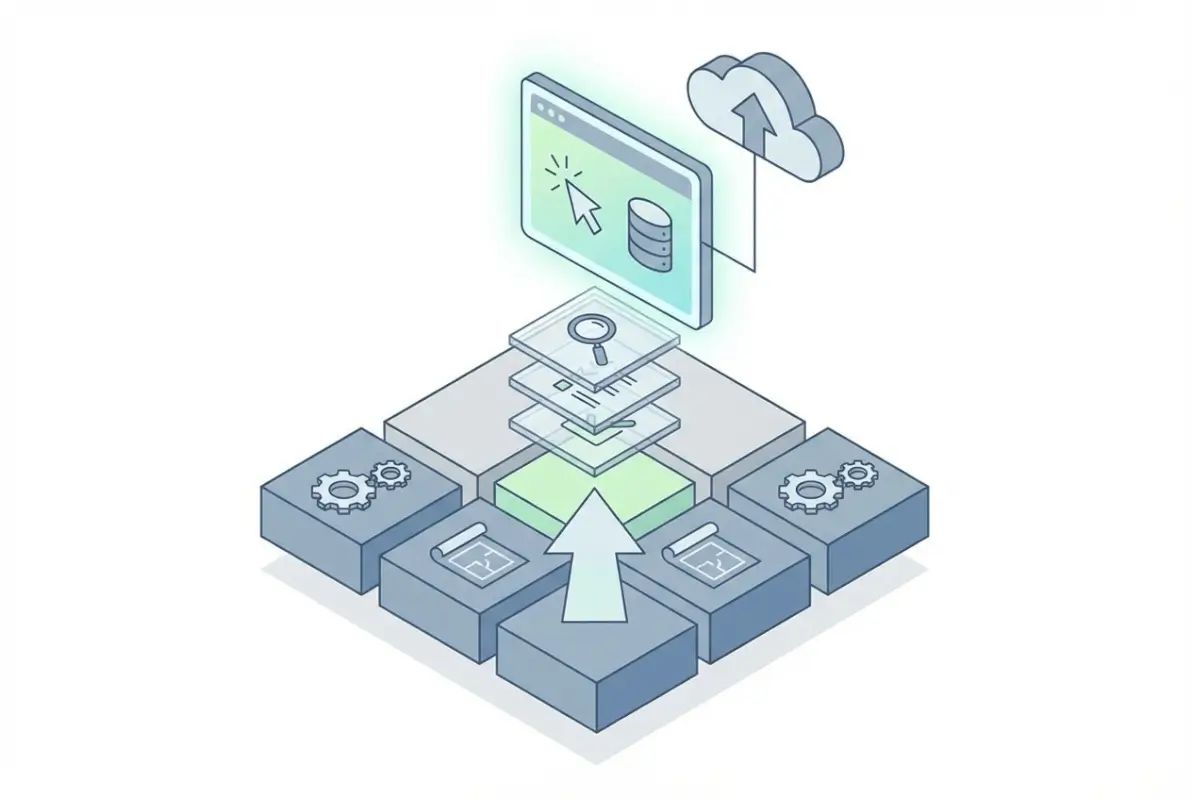
Gather qualitative feedback through short user surveys or session recordings (tools like Hotjar or Microsoft Clarity work well). Look for patterns: are visitors abandoning searches after the first page of results? Do they struggle to locate the filter sidebar on mobile? Combine that insight with quantitative data from Google Analytics—bounce rates on listing pages, average time on search result screens, and conversion rates for key actions like “Contact Business” or “Get Directions.” According to research from Statista, sites that invest in user research before redesigns see 30–40% higher satisfaction scores post-launch. Once you have a shortlist of pain points, rank them by impact and effort: quick wins (like lazy-loading images) versus deeper structural changes (like rewriting your search query logic).
Audience and Use-Case Audit
Your directory exists to connect people with information—businesses, services, events, products, whatever your niche. Understanding the *jobs* users hire your directory to do will shape every subsequent decision. For example, if you’re operating a local business directory, users might arrive from Google searches like “plumbers near me” or “best coffee shops downtown.” They expect geo-tagged results, clear contact buttons, and maybe reviews or ratings. If your theme forces them through three clicks to see a phone number, you’ve already lost them. Map out the top three to five user journeys—what page do they land on, what do they search for, how do they filter, and what final action do they take? Use heatmaps and click tracking to validate assumptions.
Next, align those journeys with your primary content verticals. Are you hosting business listings, business listing solutions for franchisees, event calendars, or product catalogs? Each vertical has unique UX needs. Business listings benefit from schema markup for local SEO, while event directories need robust date/time filters and calendar exports. Document these requirements in a simple spreadsheet or project board—column for user type, column for goal, column for current friction point, column for proposed fix. This becomes your north star when prioritizing theme updates and plugin selections.
Technical and Content Inventory of the Existing Directory Theme
Now catalog what you actually have under the hood. Open your theme’s core templates (archive pages, single listing pages, search results, taxonomy pages) and list out every custom post type, custom field, and template part. Note which plugins handle search, filters, maps, and user submissions. For instance, if you’re running TurnKey Directories alongside WP Job Manager or GeoDirectory, you’ll need to audit how those plugins interact with your theme’s markup and JavaScript. Check for deprecated code, outdated library versions (jQuery 1.x, anyone?), and hardcoded styles that break responsive layouts.
Pay special attention to mobile flows—over half of directory traffic now comes from phones, according to data from Pew Research. Load your directory on an actual mobile device (not just Chrome DevTools emulation) and try completing a search, opening a listing, and tapping a “Call Now” button. Does the map zoom correctly? Do dropdowns work with touch? Are CTAs thumb-friendly? Document every broken interaction. Also inventory your content: how many listings do you have, what percentage have featured images, how complete are custom fields (hours, address, categories)? Incomplete or inconsistent data will sabotage even the best theme update, so flag content gaps now and assign someone to clean them up in parallel with the technical work.
Performance and Accessibility Enhancements
Speed isn’t just a nice-to-have; it’s a core UX pillar. Research from Google shows that as page load time goes from one second to three seconds, bounce probability jumps 32%. For a directory with hundreds or thousands of listings, slow performance can mean the difference between a user finding the perfect plumber and giving up to try Yelp instead. Start with the low-hanging fruit: enable a caching plugin (WP Rocket, W3 Total Cache, or LiteSpeed Cache if your host supports it), configure a CDN for static assets, and compress images with a tool like ShortPixel or Imagify. Then audit your scripts—every third-party embed (Google Maps, social share buttons, analytics tags) adds latency. Use async or defer attributes on non-critical JavaScript, and consider lazy-loading listing thumbnails and map tiles so above-the-fold content renders faster.
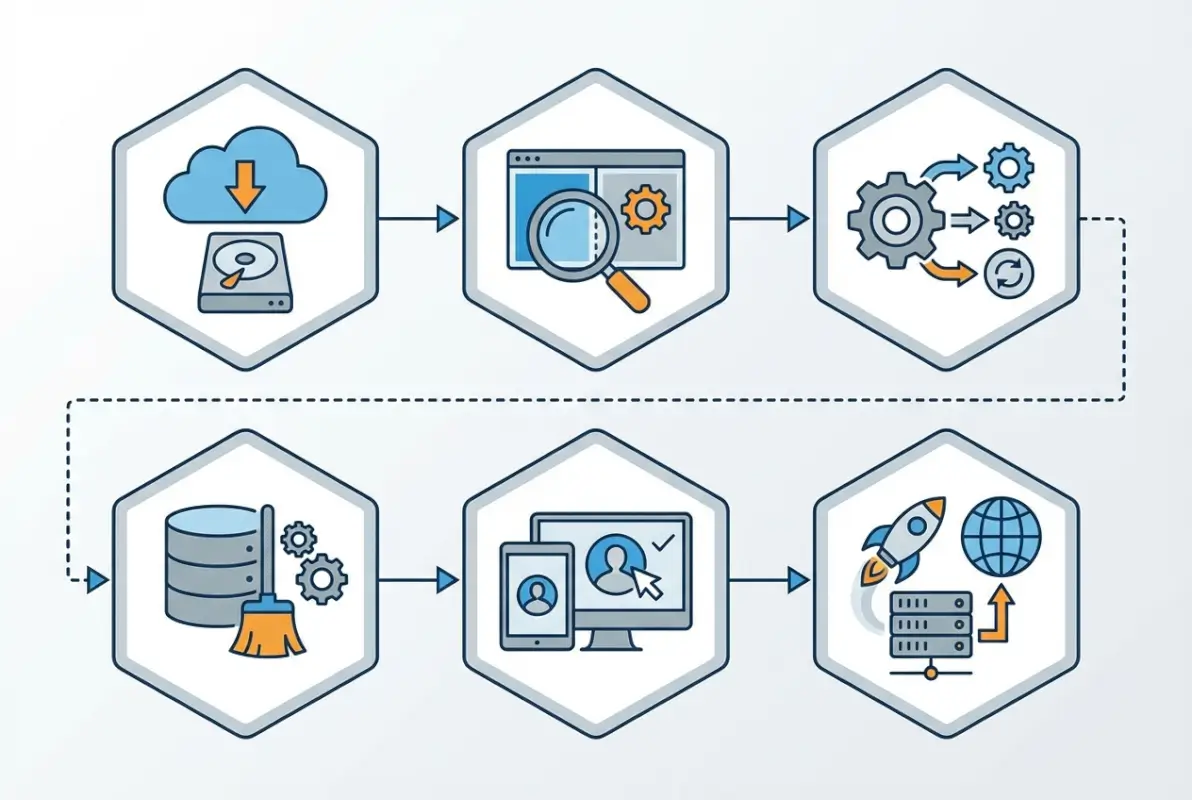
Measure your baseline with PageSpeed Insights or WebPageTest before making changes, then retest after each optimization pass. Aim for a Time to First Byte (TTFB) under 600ms and a Largest Contentful Paint (LCP) under 2.5 seconds. If your theme loads a huge hero slider or a dozen Google Fonts on every page, question whether those elements actually serve directory users or just add visual clutter. I’ve seen directories shave two seconds off load time simply by switching from a bloated multipurpose theme to a lean, directory-focused option like TurnKey Directories, which is built specifically for listing sites and comes pre-optimized.
Front-End Performance Optimizations for Directories
Directory themes often juggle more dynamic content than typical WordPress sites—live search autocomplete, faceted filters, interactive maps, and pagination that loads hundreds of results. Each of these features can become a performance bottleneck if implemented carelessly. For search autocomplete, use debouncing (delay the AJAX request until the user stops typing for 300ms) to avoid hammering your server with every keystroke. For maps, initialize the map only when the user scrolls it into view or clicks a “Show Map” toggle; loading a full Google Maps embed on page load is expensive. Lazy-load listing thumbnails with the native loading=”lazy” attribute or a JavaScript library, and serve responsive images (srcset) so mobile users don’t download desktop-sized files.
Caching strategies matter, too. Configure object caching (Redis or Memcached) if your host supports it, and set aggressive browser cache headers for static assets (images, CSS, JS) with far-future expiry dates. For search result pages, use transient caching to store query results for a few minutes—if ten users search for “restaurants in Brooklyn” within the same hour, your server only needs to run that database query once. According to performance analysis from W3C, well-implemented caching can reduce server response time by 50–70%, which directly translates to better user experience and lower hosting costs.
Accessibility and Inclusive UX Improvements
Accessibility isn’t just a legal checkbox (though lawsuits over inaccessible sites are rising); it’s good business. Making your directory usable for people with disabilities expands your audience and often improves usability for everyone. Start with keyboard navigation—can a user tab through filters, open listings, and submit forms without touching a mouse? Test it yourself: unplug your mouse and try to complete a search. If focus indicators are invisible or the tab order jumps around randomly, you’ve got work to do. Add clear :focus styles to all interactive elements, ensure your directory management tools are keyboard-operable, and use semantic HTML (real <button> elements, not <div onclick> hacks).
Screen-reader friendliness requires semantic markup and ARIA attributes where native HTML falls short. Use proper heading hierarchy (H1 for page title, H2 for section headings, etc.), label form fields with <label> elements, and provide text alternatives for non-text content (alt text on images, captions on videos). For complex widgets like faceted filters or map interfaces, add ARIA roles (role=”search”, role=”region”) and live regions (aria-live=”polite”) to announce dynamic updates. Color contrast is another quick win—run your theme through a contrast checker and ensure text meets WCAG AA standards (4.5:1 for normal text, 3:1 for large text). Tools like WAVE or axe DevTools will flag most common issues automatically.
UX-Driven Design and Content Strategy
Once performance and accessibility foundations are solid, shift focus to how users actually discover and interact with directory listings. A directory theme succeeds when visitors can quickly find relevant listings, understand each listing’s value, and take action—whether that’s contacting a business, reading reviews, or saving a favorite. Navigation and search must be frictionless: global menus should provide one-click access to top-level categories, and faceted filters (location, rating, price range, tags) should appear prominently on archive pages without overwhelming the interface. Every additional click or cognitive load between landing and discovery increases bounce rates, so aim for a search-first, filter-friendly architecture that surfaces results immediately.

Information architecture for directories differs from typical blogs or portfolios—users need to scan dozens or hundreds of listings at a glance. Listing archive pages should employ grid or list views (with a toggle if possible), clear thumbnail images, concise titles, star ratings or key metadata (location, category, price), and a one-line description or excerpt. Map integration—either inline or via modal—should load on-demand (lazy-loaded iframe or script) to avoid blocking page load. Test your filter sidebar or top bar on mobile: collapsible panels, sticky headers, and “Apply Filters” buttons are essential to prevent filter fatigue on smaller screens. The top UX guidance for WordPress templates emphasizes clarity over decoration—every visual element should serve discovery or decision-making.
Individual listing detail pages are conversion zones. Prioritize the most important information above the fold: hero image or gallery, business name, category badges, aggregate rating, contact button, and a brief tagline. Use a clear visual hierarchy—headings (H1 for listing title, H2/H3 for sections like About, Reviews, Hours, Map) and whitespace to chunk content into scannable blocks. Micro-interactions—hover states on gallery thumbnails, focus states on form fields, loading spinners for Ajax filters—provide immediate feedback and reassure users the interface is responsive. Avoid auto-playing videos or map embeds; let users click to expand. Include clear, high-contrast CTAs (“Get Directions,” “Call Now,” “Request Quote”) that stand out on both desktop and mobile.
Content hierarchy extends to user-generated elements like reviews and ratings. Display average ratings prominently (stars or numeric score), then show the most recent or most helpful reviews first. Provide sorting and filtering controls (“Newest,” “Highest Rated,” “Verified Purchases”) so users can navigate long review lists. If your directory supports user submissions or claiming listings, design a simple, wizard-style form with progress indicators and inline validation. Each section should have a single purpose: don’t mix business hours, reviews, and contact forms on one cluttered tab. Tab or accordion patterns work well for organizing dense information—just ensure tabs are keyboard-accessible and announce changes to screen readers.
| Design Element | Purpose | Implementation Tip |
|---|---|---|
| Faceted Filters | Narrow results by category, location, rating, price | Collapsible sidebar on mobile; live Ajax updates preferred |
| Grid/List Toggle | Let users choose density of listing view | Save preference in session or cookie |
| Lazy-Loaded Maps | Embed Google Maps or similar without blocking render | Load iframe/script on scroll or click; use static image placeholder |
| Clear CTAs | Drive contact, directions, or booking actions | High-contrast button; sticky on mobile if space allows |
| Review Sorting | Help users find most relevant feedback | Dropdown or tabs for “Newest,” “Highest Rated,” “Most Helpful” |
Technical Upgrades and Maintenance Practices
Sustainable UX improvements depend on a rock-solid deployment and maintenance workflow. Before touching production, establish a version-control repository (Git) for your theme and custom plugins. Create a staging environment—either via your host’s built-in tool or a subdomain with an exact copy of your database and files—so you can test updates against real-world directory data (hundreds of listings, user roles, search queries) without risking downtime. Every theme or plugin update should land in staging first, accompanied by smoke tests: navigate key pages (homepage, listing archive, single listing, search results, user dashboard), trigger filters and maps, and simulate common user tasks. Only after QA passes do you deploy to production, ideally during low-traffic windows with a rollback plan (database snapshot and theme/plugin backups) ready.
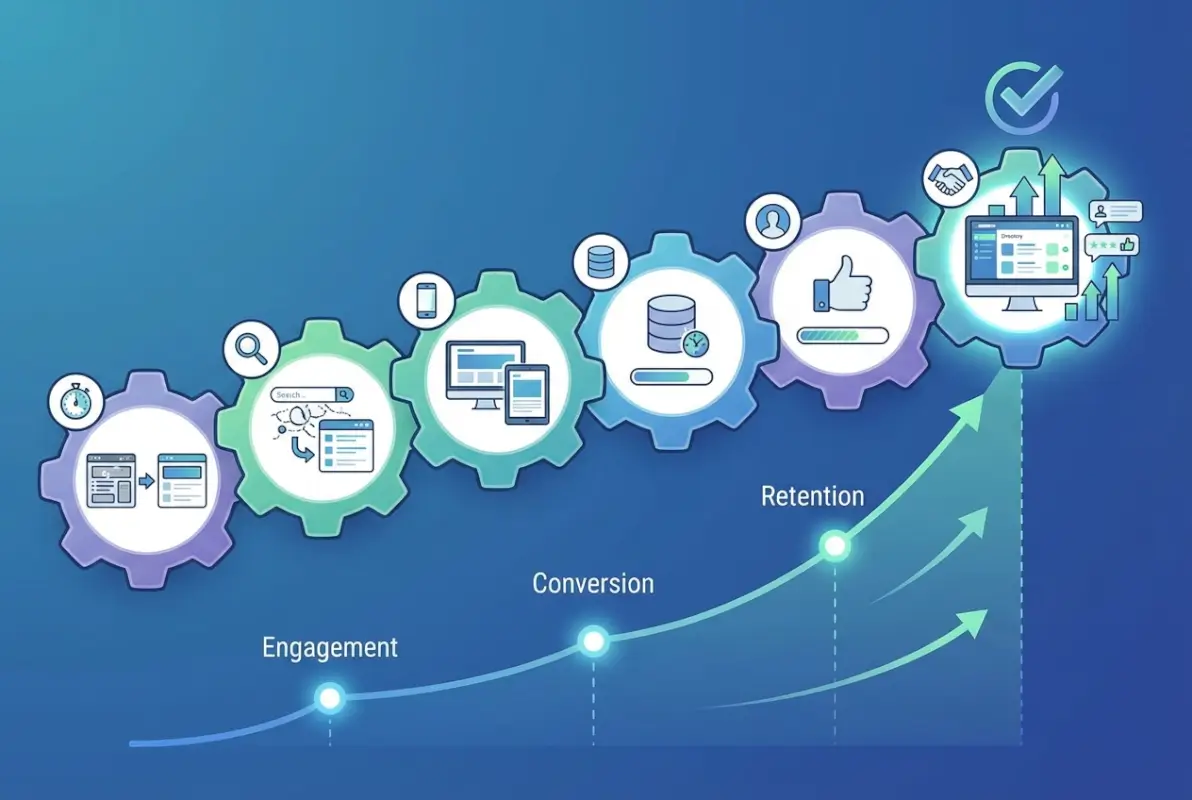
WordPress core, themes, and plugins release security patches frequently—Wordfence’s 2024 annual report underscores that outdated components account for the majority of compromised sites. Set a regular cadence: review updates weekly, apply critical security patches immediately (after staging test), and schedule quarterly deep audits of all installed themes and plugins. Remove or replace any plugin that hasn’t been updated in over a year or lacks active support. For directory-specific functionality—custom post types, taxonomies, search enhancements—consider consolidating scattered plugins into a single custom “directory core” plugin that you control and test rigorously. This reduces dependency fragility and simplifies troubleshooting.
Security hardening goes beyond updates. Enforce strong passwords and two-factor authentication for all admin and editor accounts. Limit login attempts, disable file editing from the dashboard (define('DISALLOW_FILE_EDIT', true);), and use a Web Application Firewall (WAF) if your host or a plugin like Wordfence or Sucuri provides one. Directory sites often expose user registration and submission forms—ensure reCAPTCHA or honeypot techniques protect those endpoints from spam bots. Regularly scan for malware and verify file integrity; many security plugins offer scheduled scans and email alerts. If you accept payments or collect sensitive data, audit your SSL certificate, HTTPS enforcement, and compliance posture (PCI DSS for payments, GDPR for EU users).
Automated backups are your safety net. Configure daily incremental backups of both database and files, stored off-site (Amazon S3, Google Drive, or your host’s remote backup service). Test restoration at least quarterly—download a backup, spin up a fresh staging instance, and confirm you can fully restore listings, user accounts, and media. Document your rollback procedure in a runbook: which backup plugin or host tool to use, how to swap databases, and how to revert theme/plugin versions. Best practices for theme and plugin updates emphasize staged rollouts and immediate rollback capability—when a bad update hits production, every minute counts.
| Practice | Frequency | Tool/Approach |
|---|---|---|
| Core/Theme/Plugin Updates | Weekly review; critical patches immediately | Staging → Production; version control (Git) |
| Security Audit | Quarterly deep scan; continuous monitoring | Wordfence, Sucuri, or iThemes Security |
| Automated Backups | Daily incremental; weekly full | UpdraftPlus, BackupBuddy, or host backup service |
| Restoration Test | Quarterly | Restore to staging; verify listings & users intact |
| Password & 2FA Enforcement | Continuous | Two Factor, WP 2FA, or Duo Security plugin |
Launch, Testing, and Analytics for Continuous Improvement
Before flipping the switch on your updated directory theme, run a comprehensive QA checklist across devices and browsers. Test on real mobile handsets (iOS Safari, Android Chrome), tablets, and desktops; use browser DevTools device emulation as a supplement, not a replacement. Walk through critical user flows: homepage → category archive → listing detail → contact form submission; homepage → search → filter by location and rating → click listing; user registration → submit new listing → preview and publish. Verify that all interactive elements—dropdowns, modals, map pins, Ajax filters—work without console errors. Check image sizes and formats (WebP where supported, appropriate resolution for Retina displays), confirm lazy loading triggers correctly, and validate that no render-blocking resources delay First Contentful Paint.

Gather qualitative feedback before full launch. Invite a small group of trusted users—existing directory contributors, power users, or a beta list—to explore the updated theme and report friction points. Use session-recording tools (Hotjar, Microsoft Clarity) or heatmaps to observe where users click, scroll, and hesitate. Pay special attention to filter interactions and listing contact CTAs; if users repeatedly click non-interactive elements or abandon the contact form midway, those are high-priority fixes. Supplement analytics with direct outreach: a brief survey (“What’s easier now? What’s still confusing?”) yields targeted insights that pageview metrics alone cannot.
Define success metrics tied to your directory’s goals. Common KPIs include average page load time (aim for under 2.5 seconds Largest Contentful Paint per DebugHawk’s 2025 performance benchmarks), bounce rate on listing archive and detail pages (lower is better; directories often see 40–60% baseline, target 10–15% improvement), time from search to listing CTA click (shorter indicates better discoverability), and conversion rate for key actions (contact form submissions, phone clicks, booking requests). Set up Google Analytics 4 events for filter usage, map interactions, and CTA clicks; use UTM parameters if you run paid campaigns to measure directory-specific ROI. Tag your updated theme release in analytics so you can compare pre- and post-launch cohorts cleanly.
Adopt an experimentation mindset. Once your updated theme is live and stable, run controlled A/B tests on high-impact elements: test two CTA button colors, compare grid versus list default view, or trial different filter layouts (sidebar vs. top bar). Use Google Optimize, Optimizely, or a WordPress-specific plugin like Nelio A/B Testing to split traffic and measure statistical significance. Iterate in small increments—don’t redesign the entire search page; change one variable at a time so you know what moved the needle. Review your KPIs monthly, celebrate wins (even 5% load-time improvements compound over thousands of sessions), and queue the next round of enhancements based on data, not hunches.
| Metric | What It Measures | Target Improvement |
|---|---|---|
| Largest Contentful Paint (LCP) | Perceived load speed of main content | < 2.5 seconds (Core Web Vitals threshold) |
| Bounce Rate (Listing Pages) | % visitors leaving without interaction | Reduce by 10–15 percentage points |
| Time to CTA Click | Seconds from listing load to contact/call action | Decrease by 20–30% through clearer hierarchy |
| Search-to-Listing Conversion | % search sessions ending in listing detail view | Increase via better filters & relevance |
| User Satisfaction (NPS or CSAT) | Qualitative feedback score | Survey post-launch; aim for +10 point lift |
Frequently Asked Questions
What is the most important factor to improve UX in a WordPress directory theme?
Start with speed and navigation. Fast load times and intuitive search filters reduce friction and improve discovery, directly impacting user satisfaction and engagement. Prioritize performance optimizations and clear information architecture before visual refinements to ensure users can find listings quickly and efficiently.
How often should I update a WordPress directory theme for optimal UX and security?
Establish a quarterly review cadence for core, theme, and plugin updates, plus immediate patches for critical security vulnerabilities. Always test updates in a staging environment before deploying live. This balanced approach maintains security while minimizing disruption to your directory users and preventing compatibility issues.
What metrics best indicate UX improvement after a directory theme update?
Track page load time, time-to-listing contact or CTA, search-to-listing conversion rate, bounce rate on directory pages, and user satisfaction scores. These metrics reveal whether your update actually improved discoverability and reduced friction. Compare pre- and post-update data to validate impact.
Should I redesign navigation before changing visual design?
Yes. Prioritize information architecture and search usability first. Visual refinements should support, not hinder, easier discovery and comprehension of listings. A beautiful interface with poor navigation frustrates users, while clear pathways to content enhance satisfaction even with minimal styling changes initially.
How can I ensure accessibility in a WordPress directory theme update?
Adopt semantic HTML5, ensure full keyboard operability, provide text alternatives for non-text content, and test with assistive technologies across key pages. Focus on listing details, filters, and map interactions. Use sufficient color contrast and ARIA attributes where native HTML semantics fall short.
Can I update a WordPress directory theme without breaking existing listings?
Yes, by using version control, staging environments, and thorough testing with real directory data before going live. Back up your database and files first. Test custom post types, taxonomies, and any custom fields to ensure data integrity and template compatibility throughout the update process.
What are the best caching strategies for WordPress directory sites?
Use page caching for static listing pages, object caching for database queries, and browser caching for assets. Exclude search results and personalized pages from full-page caching. Implement lazy loading for images and maps, and consider a content delivery network for geographically distributed users.
How do I test a directory theme update across different devices?
Use real devices (smartphones, tablets, desktops) alongside browser dev tools and responsive testing platforms. Focus on touch interactions for filters and maps, readability of listing details on small screens, and form usability. Test with various screen sizes, browsers, and network conditions to catch edge cases.
Transform Your Directory Experience Today
Updating a WordPress directory theme is more than a technical exercise. It’s an investment in user satisfaction, search performance, and long-term maintainability. The six-step framework we’ve explored gives you a clear roadmap: assess your current state, optimize performance and accessibility, refine navigation and content strategy, implement safe technical upgrades, and measure results through structured testing and analytics.
Each phase builds on the last, ensuring you make data-informed decisions that serve real user needs. Whether you’re managing a business directory, review platform, or event listing site, the principles remain consistent. Fast load times, intuitive filters, accessible interfaces, and robust maintenance practices separate directories that thrive from those that frustrate users and lose traffic.
Ready to Elevate Your Directory?
Start with a focused audit of your current theme performance and user flows. Identify the top three friction points your visitors face, then prioritize fixes that deliver measurable improvements in speed, discoverability, and conversion. Use staging environments to test every change, gather feedback from real users, and iterate based on analytics.
Your directory’s success depends on continuous improvement. Begin your first optimization cycle this week and watch engagement metrics climb.
The WordPress ecosystem continues to evolve, with ongoing performance enhancements and security best practices shaping how directories operate. By grounding your update process in current trends and user-centered design principles, you position your directory for sustainable growth. Track your chosen metrics, run controlled experiments, and build a culture of incremental improvement that keeps your platform competitive.
Don’t wait for user complaints or declining traffic to signal problems. Proactive updates, systematic testing, and a commitment to accessibility and performance will set your directory apart. Apply these six steps, measure the impact, and refine your approach. Your users will reward you with higher engagement, longer sessions, and more conversions.