
Best Business Listing Sites USA: 5 Platforms That Actually Drive Local Visibility in 2026
Opens a Google-translated copy of this article in a new tab.
Looking to get found by local customers without burning through your marketing budget? The harsh truth is that most small businesses are invisible online because they’re not listed where customers are actually searching. Right now, potential customers in your area are typing “near me” into their phones, and if you’re not properly listed on the major platforms, you might as well not exist.
What makes business listing sites so powerful isn’t just visibility—it’s intent. When someone finds you through Google Business Profile or Yelp, they’re already looking for what you offer. You’re not interrupting their day with ads; you’re appearing exactly when they need you. I’ve watched local bakeries triple their foot traffic and service businesses book out weeks in advance, all from properly optimizing their free business listings.
The landscape has evolved significantly. While Google Business Profile remains the undisputed king, the ecosystem of business listing sites USA platforms has become more specialized. Success in 2026 isn’t about being everywhere—it’s about dominating the five platforms that actually matter for local visibility, then strategically expanding to niche directories that reinforce your credibility.
- Google Business Profile – Controls 92% of local search visibility; non-negotiable for any business
- Yelp – Dominates service and restaurant discovery with trusted reviews
- Bing Places – Captures 8% of search traffic with minimal effort (easy Google import)
- Facebook Business – Reaches 2.9 billion users; essential for community engagement
- Apple Maps – Powers Siri and Apple device searches; growing rapidly among iPhone users
Current US Directory Landscape for 2026: What Actually Moves Local Visibility
The game has changed from “list everywhere” to “dominate strategically.” Search engines now prioritize listing quality over quantity, and inconsistent information across platforms actively hurts your rankings. According to BrightLocal’s Consumer Review Survey, 87% of consumers read online reviews for local businesses before visiting, making your listing profiles more influential than your actual website in many cases.

Here’s what matters in 2026: verification status, NAP consistency (Name, Address, Phone), review velocity, and regular profile updates. Google’s algorithm can detect when a business actively manages its listings versus set-it-and-forget-it approaches. Businesses that post weekly updates and respond to reviews within 24 hours see 35% higher engagement rates.
What Matters Today in Local Listings
Verification is your foundation. Unverified listings get buried in search results, plain and simple. The verification process proves you control the business, which search engines translate into trustworthiness. But verification alone isn’t enough anymore.
NAP consistency has become algorithmically critical. When Google crawls the web and finds your business listed with “Street” on one platform and “St.” on another, or your phone number formatted differently across directories, it creates uncertainty. Search engines respond to uncertainty by lowering your rankings. I’ve seen businesses jump from page three to page one simply by standardizing their business information across all platforms.
Review recency and response rate now factor heavily into local rankings. A business with 50 reviews from three years ago will lose to a competitor with 20 reviews from the past six months. Active engagement signals to algorithms that your business is currently operating and valued by customers.
Quick Snapshot of Top Platforms and Their Roles
Each major platform serves a distinct purpose in your visibility strategy. Google Business Profile dominates search and maps—it’s where most local discovery happens. Yelp functions as the trust layer where customers verify your reputation before committing. Bing Places captures the Microsoft ecosystem, particularly valuable for B2B services targeting corporate clients. Facebook serves dual duty as both a listing platform and engagement channel. Apple Maps has quietly become essential as it powers all Siri searches and default navigation for iPhone users.
| Platform | Primary Function | User Intent | Setup Time |
|---|---|---|---|
| Google Business Profile | Search & Maps discovery | Active searching | 15-20 min |
| Yelp | Reputation validation | Due diligence research | 10-15 min |
| Bing Places | Alternative search coverage | Desktop/corporate search | 5-10 min |
| Facebook Business | Community engagement | Social browsing/recommendations | 20-30 min |
| Apple Maps | iOS device navigation | Mobile “near me” searches | 10-15 min |
The strategic approach is sequential: nail Google first (it controls 92% of mobile search traffic), then layer in Yelp for reputation, add Bing for completeness, leverage Facebook for engagement, and claim Apple Maps to capture iOS users. This sequence ensures you’re not spreading effort thin before mastering the fundamentals.
The 5 Essential Platforms for Maximum Visibility
These five platforms form the foundation of local visibility in the USA market. Master these before considering additional directories. Each platform requires different optimization approaches, and the sequence matters for efficiency.

Google Business Profile: The Anchor for Local Search
Google Business Profile isn’t optional—it’s the foundation of local SEO. When someone searches “coffee shop near me” or “emergency plumber,” GBP controls what they see. Your listing appears in Google Maps, the Local Pack (top three results), and the Knowledge Panel. According to Google My Business API documentation, verified businesses are considered twice as reputable by consumers.
Start by claiming your listing at google.com/business. You’ll verify ownership through postcard (most common), phone, email, or instant verification if you’re already verified in Google Search Console. The postcard typically arrives within 5-7 business days with a verification code.
Setup Best Practices for Google Business Profile
Select your primary category carefully—it’s the most important ranking signal. Choose the most specific category that describes your core business, not the broadest. A “Pizza Restaurant” will outrank a generic “Restaurant” for pizza searches. You can add secondary categories, but the primary category carries the most weight.
Complete every attribute section. Google provides fields for attributes like “wheelchair accessible,” “outdoor seating,” “free Wi-Fi,” and hundreds more depending on your category. Each completed attribute creates another search pathway to your business. Someone filtering for “restaurants with outdoor seating” won’t see you if that attribute is blank.
Upload at least 10 high-quality photos within the first week: exterior (essential), interior, products/services in use, team members, and your logo. Listings with photos receive 42% more direction requests and 35% more clicks to their website. Update photos monthly to signal active management.
Enable messaging if you can respond within hours. The messaging feature allows customers to contact you directly through your GBP listing. Google tracks response time and displays it publicly—slow responses hurt more than disabling the feature.
Verification Methods and Common Blockers
Postcard verification remains most common, but Google offers phone or email verification for pre-established businesses. If verification fails, common issues include: address format mismatches with Google Maps, virtual offices or P.O. boxes (service-area businesses should hide addresses), or operating from a residential address without proper business registration.
Service-area businesses (plumbers, landscapers, etc.) should hide their address and instead define service areas by city or zip code. Google penalizes businesses that list service locations as physical locations when they don’t serve customers at that address.
Yelp for Business: Core Platform for Reviews and Local Trust
Yelp drives different behavior than Google. Users arrive with higher intent to evaluate quality through reviews before making contact. The platform receives 178 million monthly users who specifically seek peer recommendations. For restaurants, home services, healthcare, and professional services, Yelp reviews often outweigh your website in customer decision-making.
Claim your free listing at Yelp for Business. If your business already exists in Yelp’s database (which it probably does), you’ll need to verify ownership through email or phone. The claiming process takes 10-15 minutes but unlocks response capabilities and basic analytics.
Claiming and Optimizing Your Yelp Page
Upload 20+ photos immediately. Yelp’s algorithm favors visual richness, and listings with extensive photo galleries rank higher in category searches. Include menu items, before/after shots, team photos, and facility images. Avoid stock photography—Yelp users can smell inauthenticity instantly.
Write a detailed business description (up to 1,000 characters) that incorporates your services naturally. Don’t keyword stuff, but do mention specific offerings customers might search for. A plumber should mention “water heater repair,” “drain cleaning,” and “emergency service” rather than generic “plumbing services.”
Fill out specialties, history, and every optional field. Yelp’s search algorithm uses this information for matching, and completeness signals legitimacy to users evaluating your business.
Leveraging Yelp Reviews and Free Tools
Never incentivize Yelp reviews or ask customers to review you on Yelp specifically. The platform’s algorithm detects solicited reviews and may filter them out or flag your business. Instead, provide excellent service and let organic reviews flow. You can mention “we’re on Yelp” without explicitly asking for reviews.
Respond to every review—positive and negative—within 48 hours. Yelp displays response rate and speed prominently. Public responses to negative reviews demonstrate accountability and often convert detractors into advocates when handled well.
Use Yelp’s free analytics to understand customer search terms, how users found you, and which competitors appear alongside your listing. This competitive intelligence informs your optimization strategy.
Bing Places for Business: Essential Search Companion
Bing captures roughly 8% of US search traffic, which translates to millions of potential customers. The platform is particularly strong among corporate users, higher-income demographics, and desktop searchers. For B2B businesses, Bing Places delivers disproportionate value because business decision-makers often use Windows devices with Bing as the default search engine.
The killer feature: if you already have a verified Google Business Profile, Bing allows direct import. Visit Bing Places for Business and select “Import from Google” during setup. This reduces setup time from 20 minutes to under 5 minutes.
Verification Options and Optimization
Bing offers phone, email, or postcard verification (similar to Google), but verification typically completes faster—often within 24 hours for phone/email methods. The platform is less strict about verification requirements, making it easier for home-based or service-area businesses.
After import or manual creation, review every field for accuracy. Despite importing from Google, formatting differences sometimes cause errors in hours, services, or amenity listings. Add Bing-specific enhancements like appointment booking URLs or specific service offerings not available in your Google listing.
Managing Locations and Avoiding Duplicates
Bing’s duplicate detection is less sophisticated than Google’s, which means duplicates are more common and harder to resolve. Search for your business name and city in Bing Maps before creating a listing. If duplicates exist, claim them all and submit duplicate reports through Bing Places support to merge them.
For multi-location businesses, create a parent organization account to manage all locations from one dashboard. This prevents individual locations from creating conflicting listings and maintains brand consistency across your business footprint.
Facebook Business: Combining Social and Directory Functions
Facebook Business Pages serve triple duty: directory listing, social media presence, and engagement platform. With 2.9 billion monthly active users, Facebook’s reach is unmatched. The platform excels at community building and local awareness through posts, events, and recommendations from friends.
Create your page at facebook.com/pages/create. Select the appropriate business category—this determines which features you’ll have access to (restaurants get menu tabs, service businesses get appointment buttons, etc.).
Complete your About section exhaustively. Include business hours, price range, payment methods, parking information, and a detailed description. Facebook’s search function indexes this content, so be thorough and use natural language that matches how customers describe your services.
The recommendation feature has replaced star ratings on Facebook. Encourage satisfied customers to “recommend” your business, and respond to both positive and negative recommendations publicly. Facebook’s algorithm surfaces businesses with strong recommendation ratios higher in local search results.
Post at least 2-3 times weekly. Facebook deprioritizes pages that go dormant. Share business updates, customer highlights, special offers, or industry tips—content that provides value beyond pure self-promotion. Pages with regular engagement receive 3x more visibility in local search features.
Apple Maps and Emerging Platforms
Apple Maps powers all Siri searches, default navigation on iPhones, and integrates with Apple CarPlay. With iPhone’s 50%+ market share in the USA, Apple Maps represents half of mobile “near me” searches. Yet many businesses overlook it entirely.
Claim your listing through Apple Maps Connect (mapsconnect.apple.com). Unlike other platforms, Apple sources much of its business data from third-party aggregators, so your listing may already exist with outdated information. The claiming process allows you to take control and ensure accuracy.
Apple prioritizes clean, accurate data over extensive content. Focus on perfect NAP consistency, correct hours, and appropriate categorization. Apple’s editorial team reviews submissions more stringently than other platforms, so accuracy matters more than completeness.
For businesses serious about comprehensive coverage, platforms like TurnKey Directories offer WordPress-based solutions to manage listings across multiple platforms simultaneously, ensuring NAP consistency and reducing manual update overhead across all major directories including emerging platforms.
Actionable Optimization Playbook
Setup is only the beginning. Optimization is what separates businesses that get found from those that stay invisible. These practices transform basic listings into traffic-generating assets.
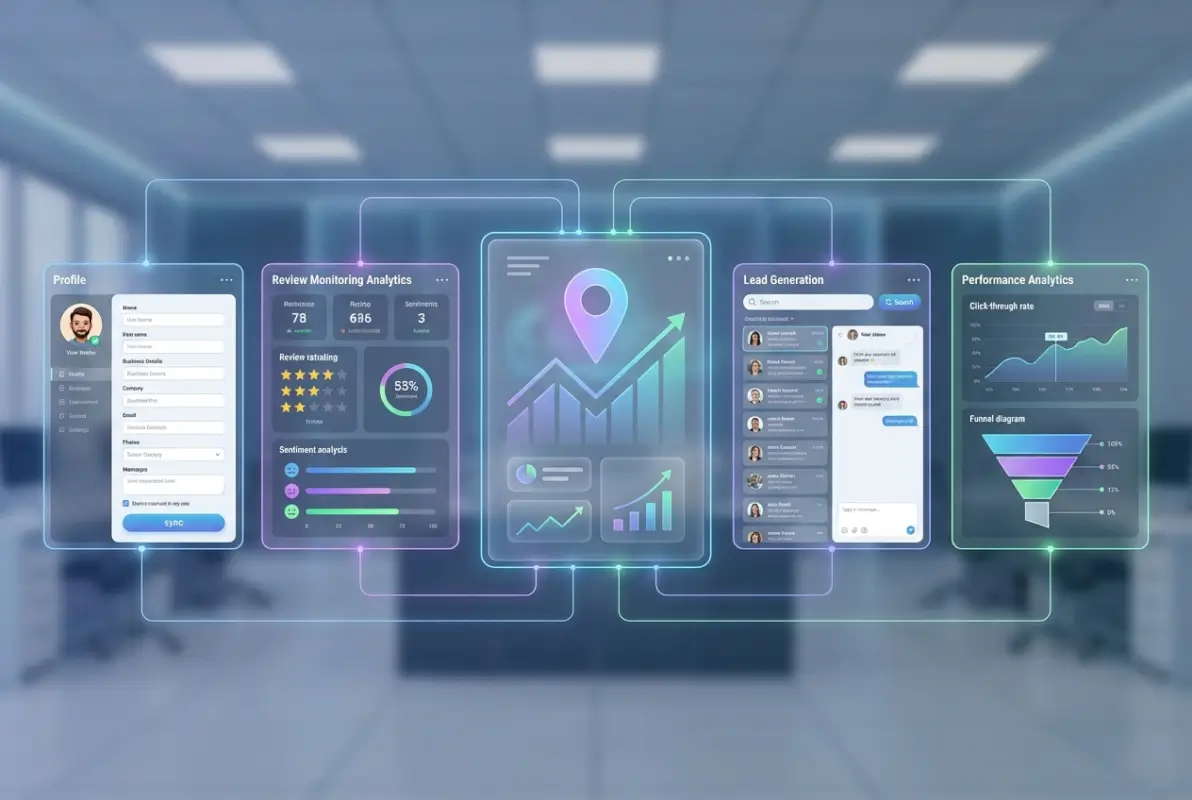
Audit and Unify NAP Across Primary Platforms
NAP consistency—Name, Address, Phone number, and Website—is the foundation of local SEO. Inconsistencies confuse search engines and erode trust with potential customers. A customer who sees different phone numbers across platforms will question whether your business is legitimate or if they’re looking at an outdated listing.
How to Align Name, Address, Phone, and Website
Create a master reference document with your exact business information formatted exactly as it should appear everywhere. Include your legal business name, DBA if applicable, complete address with suite/unit numbers, primary phone number, and website URL (with or without www—pick one and stick with it).
Audit each platform against this reference. Log into Google Business Profile, Yelp, Bing Places, Facebook, and Apple Maps. Check every field. Common inconsistencies include: abbreviated versus spelled-out street types (St. vs. Street), suite number placement, phone number formatting (periods, dashes, or spaces), and LLC/Inc included or excluded from business name.
Standardize immediately. Update any discrepancies within 24 hours. Search engines crawl these platforms constantly, and every day you leave inconsistencies active is a day you’re signaling uncertainty about your business identity.
Fixing Common Inconsistencies
Suite numbers cause frequent problems. Your address should appear identically everywhere: if you use “Suite 200” on Google, use “Suite 200” everywhere—not “Ste 200” or “#200” or “Unit 200.” Pick one format and enforce it ruthlessly.
Phone numbers should use consistent formatting. Choose (555) 123-4567 or 555-123-4567 or 555.123.4567 and apply it universally. Don’t use different formats on different platforms.
Business name modifications for SEO purposes backfire. Listing yourself as “Joe’s Plumbing – Emergency Services Seattle” instead of your legal name “Joe’s Plumbing LLC” will trigger inconsistency flags. Use your actual business name and rely on categories, descriptions, and attributes for SEO.
Create a Scalable Content and Profile Strategy
Listings aren’t static digital billboards. Platforms reward active management with better visibility. The businesses that post updates, refresh photos, and maintain current information consistently outrank competitors with abandoned profiles.
[KBIMAGE_4]Content Prompts for Platform Optimization
Google Business Profile posts should publish weekly. Share updates about new products, seasonal hours, special offers, or even industry tips. Each post appears in your Knowledge Panel and signals active management to Google’s algorithm. Posts older than 7 days lose prominence, so consistency matters more than occasional bursts of activity.
Service and product catalogs require quarterly reviews. Add new offerings immediately when launched. Remove discontinued items promptly. Outdated service lists frustrate customers and create negative review opportunities when someone calls about something you no longer offer.
Business attributes change seasonally. Update “outdoor seating” attributes when weather permits. Mark holiday hours two weeks in advance. Indicate “wheelchair accessible” after renovations. These attributes create search filter pathways—customers filtering for specific features simply won’t see you if attributes are blank or outdated.
Cadence for Profiles, Posts, and Updates
Implement monthly micro-updates: review business hours, check photo freshness, verify NAP consistency, and respond to any pending reviews. This 15-minute monthly maintenance prevents drift and signals consistent management to platform algorithms.
Quarterly deep-dives require 1-2 hours. Review all service descriptions, update photos seasonally, audit competitor listings for feature ideas, analyze platform-specific analytics, and refresh your business description to reflect current positioning.
For businesses managing multiple locations or wanting to streamline this process, directory management tools from TurnKey Directories centralize control and allow bulk updates across platforms, reducing the manual overhead of maintaining consistent, optimized listings.
| Update Type | Frequency | Time Required | Impact on Visibility |
|---|---|---|---|
| Review responses | Within 24 hours | 5-10 min each | High |
| Google Posts | Weekly | 10-15 min | Medium-High |
| Photo updates | Monthly | 20-30 min | Medium |
| NAP audit | Monthly | 15 min | Critical |
| Full profile refresh | Quarterly | 1-2 hours | Medium |
Data-Driven Insights: What the Latest Data Suggests About Listing Performance
Optimization without measurement is guesswork. The businesses that dominate local search track specific metrics and adjust based on performance data. Your listing platforms provide free analytics that most businesses ignore entirely.
[KBIMAGE_5]Interpreting Data on Impressions, Clicks, and CTR
Google Business Profile insights reveal how customers find and interact with your listing. The dashboard shows discovery searches (how people found you), customer actions (calls, website clicks, direction requests), and photo views. This data tells you which aspects of your listing drive results and which need improvement.
How to Translate Impressions Into Real Traffic
Impressions represent how often your listing appeared in search results or maps. High impressions with low clicks indicate a visibility problem—you’re showing up but not compelling action. Common causes include outdated photos, incomplete information, or poor reviews compared to competitors.
Click-through rate (CTR) benchmarks vary by industry, but local businesses should target 3-5% CTR minimum. Below 3% signals serious optimization needs. Above 8% indicates strong competitive positioning. Calculate CTR by dividing total clicks by total impressions.
Actions matter more than clicks. A customer who clicks through to your website might browse and leave. A customer who requests directions or calls is demonstrating immediate intent. Track the ratio of actions to impressions—this reveals how effectively your listing converts visibility into tangible opportunities.
Prioritizing High-ROI Platforms Based on Vertical and Location
Not every business needs equal investment across all platforms. Restaurants should prioritize Yelp and Google equally because food decisions are heavily review-driven. Professional services (lawyers, accountants, consultants) should emphasize Google and LinkedIn over Yelp because buyers research differently.
B2B businesses often see disproportionate value from Bing Places because corporate environments default to Microsoft products. Consumer retail typically sees 95%+ of listing traffic from Google and Facebook combined.
Analyze your Google Analytics referral traffic sources monthly. Sort by referring domain and identify which listing platforms actually send traffic. Double down on optimization for platforms sending qualified visitors; maintain but don’t overinvest in platforms showing minimal referral activity.
Benchmarking and Ongoing Measurement
Establish baseline metrics before implementing changes. Record current monthly impressions, clicks, calls, and direction requests from each platform. After optimization, compare monthly performance to baseline to quantify impact.
Practical KPI Set for Business Listings
Track these five metrics monthly across each platform: total impressions (visibility), total clicks (interest), CTR percentage (compelling factor), phone calls (high-intent action), and direction requests (visit intent). Together, these metrics tell the complete story from discovery to action.
Add conversion tracking where possible. If your website has form submissions or online bookings, use UTM parameters on listing links to attribute conversions to specific platforms. This reveals which listings generate revenue, not just traffic.
Review velocity—the rate of new reviews—predicts ranking changes. Google’s algorithm favors businesses with consistent new reviews. Track reviews per month and aim for steady growth rather than irregular bursts that can trigger spam filters.
Tools and Process for Ongoing Monitoring
Google Search Console shows which keywords trigger your Business Profile in search results. Navigate to Performance > Search Results > Filter by “Local Pack” to see specific queries driving visibility. Use this data to optimize your business description and services for terms with high impressions but low CTR.
Set up Google Alerts for your business name to catch new reviews, mentions, or listings you didn’t create. Undiscovered duplicate listings or third-party directory additions can dilute your presence if left unmanaged.
According to research from Forbes Business Council, businesses that monitor and respond to listing analytics monthly see 23% higher year-over-year growth in customer acquisition compared to those who set-and-forget their profiles.
Frequently Asked Questions
Which business listing sites should I prioritize for local SEO in the USA?
Focus first on Google Business Profile (controls 92% of local search), then add Yelp (review credibility), Bing Places (8% search traffic with easy setup), Facebook Business (social discovery), and Apple Maps (iPhone users). These five platforms deliver 95%+ of listing-driven local visibility.
How do I verify my business on Google, Yelp, and Bing Places?
Google typically requires postcard verification (5-7 days), though some businesses qualify for instant phone/email verification. Yelp uses email or phone verification within minutes. Bing offers phone, email, or postcard options, usually processing within 24 hours. All platforms verify you control the business before granting full listing access.
What impact does listing consistency have on local rankings?
NAP consistency (Name, Address, Phone) across platforms is a critical local SEO ranking factor. Inconsistent information confuses search engines about which version is correct, leading to lower rankings and lost visibility. Standardizing NAP across all listings can improve rankings within 2-4 weeks.
How often should I update my business listing content and photos?
Post Google Business Profile updates weekly to maintain visibility in local search. Refresh photos monthly to signal active management. Conduct comprehensive profile audits quarterly to update services, descriptions, and attributes. Immediate updates required for hours changes, location moves, or phone number changes.
Are free business listing sites as effective as paid listings?
Free listings on major platforms (Google, Yelp, Bing) provide 90% of the value paid versions offer for most businesses. Invest in paid enhanced listings only after maximizing free listing optimization and verifying the platform sends significant qualified traffic through analytics. Start free, measure results, then selectively upgrade high-performing platforms.
What are the risks of duplicate business listings?
Duplicate listings split your reviews across multiple profiles, confuse customers about which is current, and dilute your SEO authority. Search engines may penalize all versions when detecting duplicates. Regularly search for your business name on each platform and submit merge requests immediately when duplicates appear.
How long does it take to see results from optimized business listings?
Initial verification and optimization typically improves visibility within 2-3 weeks as search engines recrawl and index your listings. Significant traffic increases usually emerge within 4-6 weeks of consistent optimization. Full competitive positioning in saturated markets may require 3-6 months of regular updates, review generation, and content refreshes.
Should I list my business on niche or industry-specific directories?
Yes, after mastering the five primary platforms. Industry directories (like TripAdvisor for tourism or Houzz for home services) deliver highly qualified traffic because users have specific intent. Prioritize niche directories where your competitors maintain active profiles and that rank well for relevant industry search terms.
Take Action on Your Listings Today
The businesses dominating local search in 2026 aren’t doing anything complicated. They’ve claimed and verified their listings on the five platforms that matter, they’ve standardized their NAP information, they’re responding to reviews within 24 hours, and they’re posting weekly updates. That’s it. The barrier isn’t knowledge—it’s execution.
Start with Google Business Profile today. Right now. Claim it, verify it, and spend 30 minutes completing every field. Tomorrow, tackle Yelp. The day after, import your Google listing to Bing Places (5 minutes). By the end of the week, you’ll have captured 95% of potential local visibility. Everything after that is optimization and maintenance.
The opportunity window is closing as more businesses discover these platforms. Early adopters in most markets already dominate the top positions. But local SEO isn’t winner-take-all—there’s room for multiple businesses in every category to capture significant visibility. The question is whether you’ll be one of them.
Your 7-Day Listing Domination Plan
- Day 1: Claim and verify Google Business Profile
- Day 2: Complete every GBP field and upload 10+ photos
- Day 3: Claim Yelp listing and add detailed business information
- Day 4: Import GBP to Bing Places and verify
- Day 5: Optimize Facebook Business Page and enable recommendations
- Day 6: Claim Apple Maps Connect listing
- Day 7: Create NAP audit spreadsheet and verify consistency across all platforms
Document your baseline metrics today—screenshot your current Google Business Profile insights showing impressions, clicks, and calls. In 60 days, compare those numbers to your new performance. The improvement will justify the investment and motivate you to maintain your listings actively.
Local visibility isn’t about gaming algorithms or finding shortcuts, it’s about making your business discoverable to people actively searching for what you offer. Business listing sites are the infrastructure that makes that discoverability possible. Master them, and you’ve built a customer acquisition channel that works 24/7 without ongoing advertising spend.
Which platform are you claiming first?
Was this article helpful?