How to List Your Business on Google: A Step-by-Step Guide
Generating summary...
If you’re running a local business and you’re not on Google, you might as well be invisible. That’s not an exaggeration – when someone searches for “coffee shop near me” or “plumber in Chicago,” Google decides who shows up and who doesn’t. The gateway to this visibility is your Google Business Profile (formerly Google My Business), and most business owners are either ignoring it completely or setting it up so poorly that it barely helps. Here’s what almost nobody tells you: a properly optimized Google Business Profile isn’t just about being found – it’s about being chosen. It influences whether customers call you, visit your website, read your reviews, or drive to your location. The businesses dominating local search results aren’t necessarily bigger or better than you; they just understood how to list their business on Google the right way.
I’ve watched countless small businesses struggle with this process, making the same mistakes over and over. They rush through the setup, skip verification steps, leave crucial fields blank, and then wonder why competitors with worse service are getting all the calls. The truth is, Google rewards completeness, consistency, and engagement – and punishes businesses that treat their profile like an afterthought.
TL;DR – Quick Takeaways
- Verification is non-negotiable – Without completing Google’s verification process (usually 5-14 days), your business won’t appear in Maps or local search results
- Completeness drives visibility – Businesses with 100% complete profiles get 7x more clicks than incomplete ones
- NAP consistency matters everywhere – Your Name, Address, and Phone must match exactly across Google, your website, and all business directories
- Photos generate 42% more direction requests – Visual content directly impacts customer actions
- Reviews influence 87% of local purchase decisions – Your response strategy matters as much as the reviews themselves
- Weekly updates signal active business status – Google favors profiles that post regularly with offers, updates, or events
Understanding Google Business Profile and Its Ecosystem
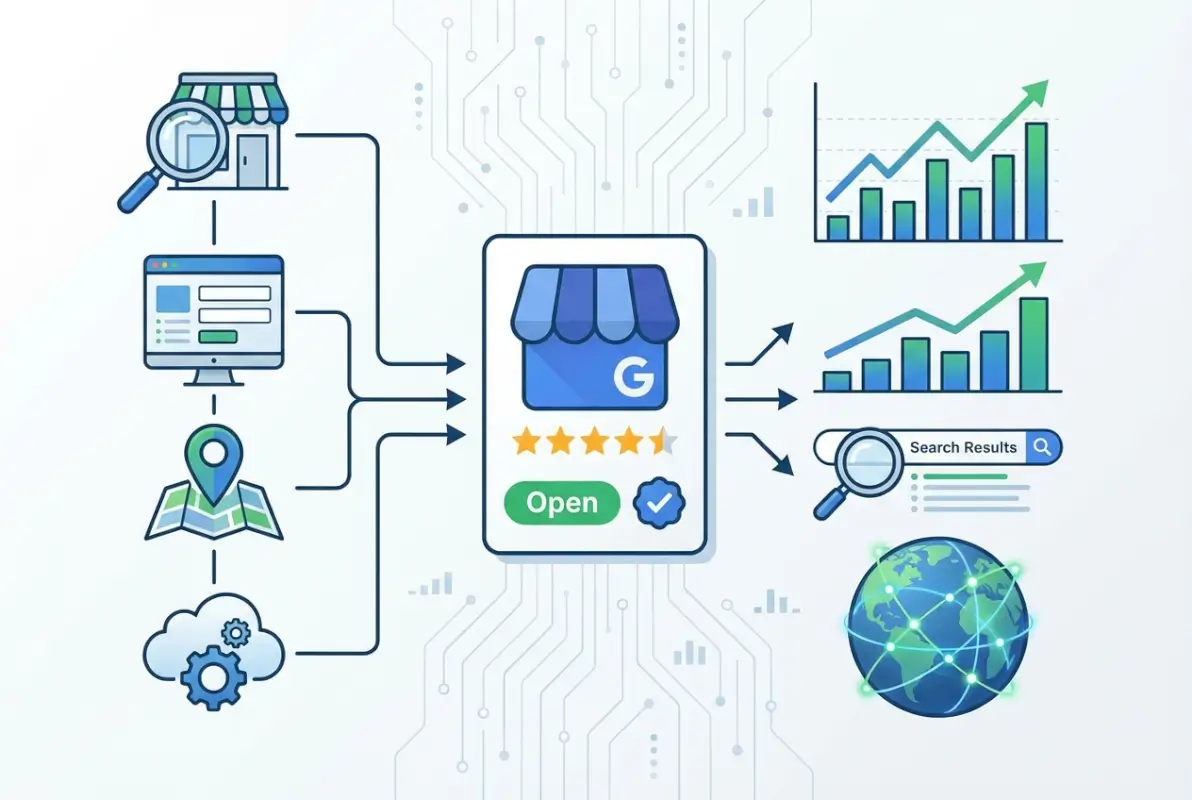
Before we dive into the technical setup, you need to understand what you’re actually creating. Google Business Profile isn’t just a listing – it’s a dynamic hub that connects your business to Google Search, Google Maps, and the entire Google ecosystem. When someone searches for businesses like yours, Google pulls data from your GBP to create the knowledge panel that appears on the right side of search results or the map pins that show up in Maps searches.
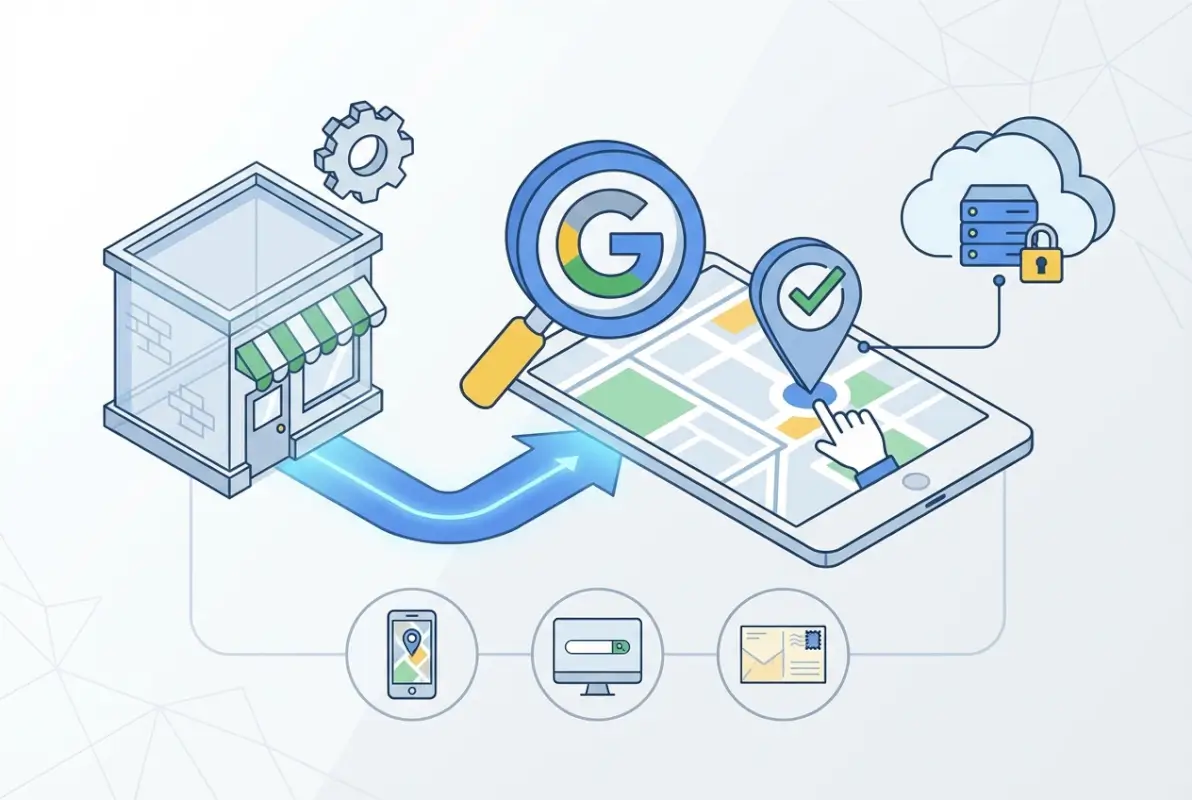
Here’s where it gets interesting: your GBP feeds information to multiple Google properties simultaneously. The same data appears in voice search results when someone asks their phone “what’s the best Italian restaurant nearby,” in Google’s local pack (those top three businesses that appear with map pins), and even in Gmail when Google suggests relevant businesses based on email content. This interconnected system means one well-optimized profile works across dozens of Google touchpoints.
GBP vs. Google Maps vs. Google Search Presence
Many business owners think these are separate things they need to manage individually. They’re not. Your Google Business Profile is the single source of truth that powers your presence across all three. When you update your hours in GBP, they change in Maps. When you add photos to GBP, they appear in Search results. When customers leave reviews on Maps, they show up in your GBP dashboard. It’s one system with multiple front-ends.
The confusion comes from Google’s rebranding history. What started as Google Places became Google+ Local, then Google My Business, and now Google Business Profile. Same fundamental service, different names over the years. If you see references to any of these older terms, they’re all talking about the same thing.
Why NAP Consistency Is Your Foundation
NAP stands for Name, Address, Phone – the three pieces of information that identify your business. Google uses sophisticated algorithms to match business mentions across the web, and inconsistent NAP data confuses these systems. If your website says “Smith & Sons Plumbing” but your GBP says “Smith and Sons Plumbing Co.,” Google might treat these as two different businesses or lose confidence in which version is correct.
Core Signals That Influence Local Search Visibility
Google’s local search algorithm considers three primary factors: relevance (how well your business matches what someone searched for), distance (how close you are to the searcher or their specified location), and prominence (how well-known and reputable your business is). Your GBP directly influences all three.
Relevance comes from your business categories, description, services list, and the content in your posts. Distance is determined by your verified address or service areas. Prominence is built through review quantity and quality, photo engagement, post frequency, and how often your business is mentioned and linked across the web. Understanding these signals helps you prioritize which GBP elements to optimize first.
Verification Methods and What to Expect
Google requires verification because it needs to confirm you have authority to represent the business. Without verification, your profile exists in a limited state – customers can see basic information, but you can’t manage it, respond to reviews, post updates, or access insights. Verification unlocks the full power of GBP.

The most common verification method is postcard verification. Google mails a physical postcard with a 5-digit code to your business address. This typically arrives within 5-14 days, though I’ve seen it take up to three weeks in rural areas. You enter the code in your GBP dashboard to complete verification. The process seems old-fashioned, but it’s actually Google’s most reliable way to confirm a physical location exists.
Alternative Verification Methods
Some businesses qualify for phone verification, where Google calls your listed number and provides an automated verification code. This is instant but only available to certain business categories and locations. Email verification exists for businesses that already have a verified website with Google Search Console. Video verification has become more common, especially for businesses having trouble with other methods – you record a video walkthrough of your location following Google’s specific requirements.
Instant verification is the holy grail but rarely available. It happens when Google has extremely high confidence in your business data, usually because you’ve already verified your website through Search Console and all your business information matches perfectly across multiple authoritative sources. Don’t count on this option being available.
Common Verification Issues and Solutions
The most frustrating verification problem is when the postcard arrives at your location but an employee throws it away thinking it’s junk mail. I remember this happening to a restaurant client who waited another two weeks for a second postcard because their dishwasher didn’t recognize it as important. Solution: alert your entire team that a Google verification postcard is coming and make sure it reaches whoever manages your online presence.
Address issues cause verification failures too. If your business is in a shared building, suite numbers matter enormously. If your mailbox shows “Suite 200” but you entered “Ste 200” in your GBP, the postcard might not arrive or might go to the wrong tenant. Similarly, if you use a PO Box for mail but have a physical storefront, you’ll need to verify using your storefront address, which may require setting up mail forwarding or checking with building management.
Step-by-Step Setup Process
Now we get to the actual creation process. Start by going to google.com/business and signing in with the Google account you want to use for managing your business. This choice matters – use an account that will stay with your business long-term, not a personal account belonging to a specific employee who might leave.
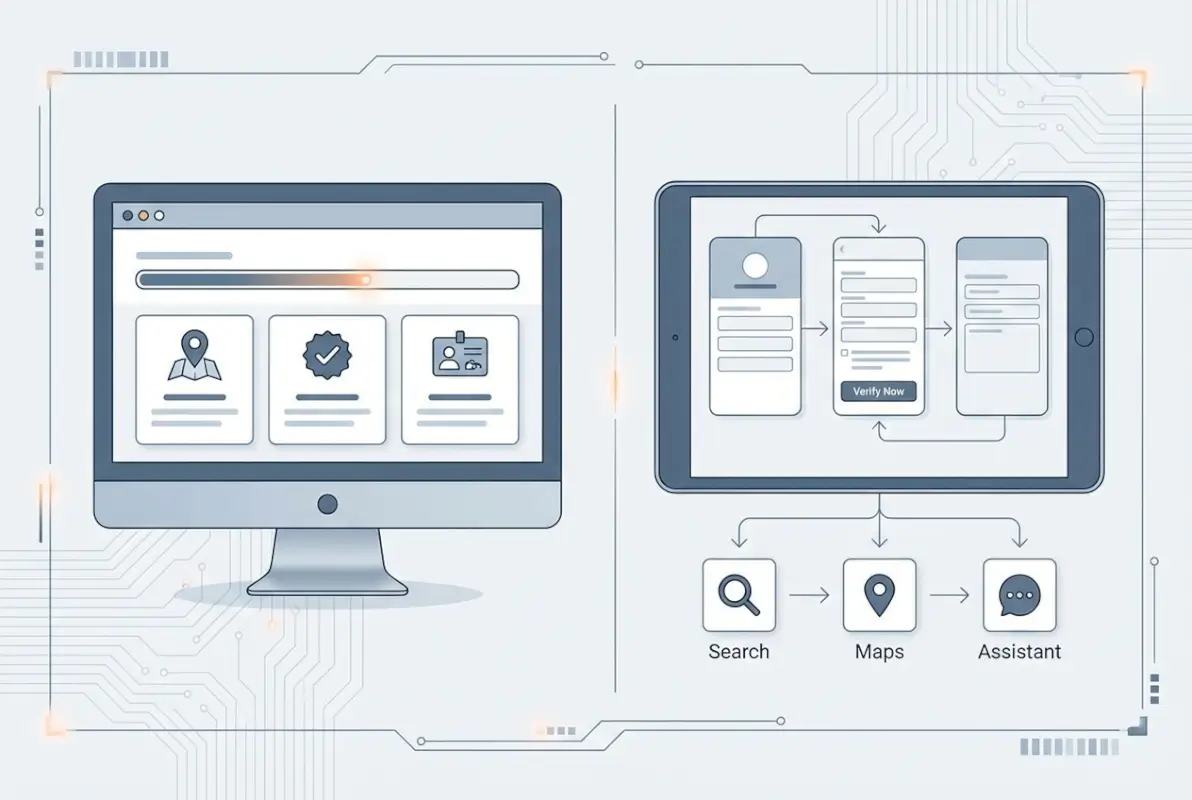
Google will ask you to search for your business by name. This step determines whether you’re claiming an existing listing or creating a new one. If your business already appears (perhaps created automatically from data Google found online), you’ll claim it. If it doesn’t exist yet, you’ll create it from scratch. Claiming an existing listing is actually better because it means Google already has signals about your business, but be careful – make sure the listing you’re claiming is actually your business and not a competitor with a similar name.
Entering Your Core Business Information
The business name field seems simple but causes countless problems. Use your actual business name as customers know it and as it appears on your storefront, business license, and website. Don’t add keywords (like “Best Pizza in Brooklyn”) or your location (unless it’s legitimately part of your business name). Google explicitly prohibits keyword stuffing in business names and will suspend profiles that violate this policy.
For your address, precision matters more than you might think. Use the exact format that matches government records and your physical signage. If you’re a service-area business that travels to customers (like a plumber or cleaning service), you’ll hide your address and instead specify service areas. This is an important distinction – storefronts show addresses, service businesses show service areas but not the actual office location.
| Business Type | Address Display | Service Area | Example |
|---|---|---|---|
| Physical Storefront | Shown | Optional | Restaurant, retail store |
| Service Area Business | Hidden | Required | Plumber, house cleaner |
| Hybrid (both) | Shown | Also shown | Auto shop with mobile service |
Choosing Your Business Categories Strategically
Your primary category is arguably the most important single field in your entire profile. It tells Google what type of business you are, which determines what searches you’re eligible for. You get one primary category and up to nine secondary categories. Google provides a fixed list of categories – you can’t make up your own.
Choose the most specific category that accurately describes your core business. “Restaurant” is too broad if you’re specifically an Italian restaurant. “Italian Restaurant” is better, but “Sicilian Restaurant” would be even better if that’s accurate. More specific categories face less competition and attract more qualified customers. Your secondary categories should cover the other aspects of your business – if you’re a pizzeria that also does catering, add both “Pizza Restaurant” and “Catering Service.”
I’ve seen businesses try to game the system by adding irrelevant categories hoping to show up in more searches. This backfires because it confuses Google’s understanding of your business and can actually hurt your rankings for your real categories. If you’re a dentist, don’t add “Medical Clinic” just to cast a wider net. Stick to what you genuinely offer. You can learn more about strategic listing approaches through resources on effective directory strategies.
Building Out Your Complete Profile
After verification, your next priority is profile completeness. Google’s algorithm explicitly favors complete profiles, and customers trust them more too. Here’s what “complete” actually means: business name, address, phone, website, hours, categories, attributes, description, photos (at least 10), services or products, and answers to common questions.
Your business description has a 750-character limit and should naturally incorporate keywords while actually describing what you do and what makes you different. Don’t keyword stuff, but don’t waste the space on generic fluff either. Compare these two approaches:
Bad: “We are a family-owned business committed to excellence and customer satisfaction. We’ve been serving the community for years with quality service.”
Good: “Full-service residential plumbing in downtown Portland. We specialize in emergency repairs, bathroom remodeling, and tankless water heater installation. Licensed, bonded, and available 24/7 for urgent issues. Most repairs completed same-day with transparent upfront pricing.”
The second version tells customers exactly what you do, includes natural keywords (“residential plumbing,” “bathroom remodeling”), mentions your location, and highlights specific differentiators. That’s what Google and customers both want to see.
The Photo and Visual Content Strategy
Visual content on your GBP isn’t just nice to have – it directly impacts whether people choose your business. According to Google’s data, businesses with photos receive 42% more requests for directions and 35% more clicks to their websites compared to those without. But not just any photos will do, there’s a strategy to what types of images work best and how often you should add them.
Google categorizes photos into several types: logo, cover photo, exterior photos, interior photos, team photos, product photos, and photos of your work. Each serves a different purpose in the customer decision-making process. Your logo appears in search results and Maps as your profile icon. Your cover photo is the large banner image that dominates your profile. Exterior photos help people find your location, especially important for businesses in plazas or multi-tenant buildings.
Interior photos build trust and set expectations – restaurants should show their dining room, retailers should show their showroom, and service businesses should show their clean, professional workspace. Team photos humanize your business and are particularly important for service industries where customers will interact with specific people. Product or service photos showcase what you actually sell or provide.
Photo Quality and Quantity Guidelines
Google recommends at least 10 photos, but successful businesses typically have 50-100+ photos and add new ones regularly. Quality matters more than quantity though – photos should be well-lit, in focus, and at least 720px wide by 720px tall (720px by 540px for landscape). Avoid heavy filters, excessive text overlays, or promotional graphics. Google wants authentic photos that show what customers will actually experience.
Here’s something most businesses don’t realize: anyone can add photos to your GBP, including customers. This is mostly good because customer photos provide social proof, but it means inappropriate or unflattering photos might appear. You can’t delete customer photos, but you can report them if they violate Google’s policies. The solution is to upload so many high-quality official photos that they dominate your gallery and push less flattering customer images down.
Video Content and Virtual Tours
Video is increasingly important in GBP. You can upload videos up to 30 seconds long that appear in your photo gallery. Short walkthrough videos of your location, process demonstrations, or team introductions perform well. They don’t need Hollywood production quality – smartphone footage that’s steady and well-lit works fine.
Virtual tours through Google Street View are a premium feature that creates an immersive 360-degree experience. These require special equipment or a Street View trusted photographer, but they dramatically increase engagement for certain business types (hotels, restaurants, event venues, real estate offices). If you’re in a visual industry, the investment often pays off in increased foot traffic.
Managing Reviews and Building Reputation
Reviews on your GBP are simultaneously your biggest opportunity and your biggest vulnerability. They influence 87% of local purchase decisions and are a direct ranking factor in Google’s local algorithm. More reviews correlate with better visibility, but quality matters as much as quantity. A business with 50 reviews and a 4.8-star average will typically outrank one with 200 reviews and a 3.5-star average.

The challenge is that happy customers rarely leave reviews spontaneously – you have to ask. But Google prohibits certain review solicitation practices, like offering incentives or selectively asking only happy customers. You can (and should) ask every customer for a review, but you can’t gate the request based on their satisfaction level. This seems like a disadvantage, but it actually protects businesses from competitors who might try to manipulate the system.
The Review Generation Process
The easiest way to get reviews is to create a direct review link and share it with customers. In your GBP dashboard, find the “Get more reviews” option and copy the short URL Google provides. This link takes people directly to the review form without requiring them to search for your business. You can include this link in follow-up emails, text it after service completion, print it on receipts, or display it on a table tent with a QR code.
Timing matters enormously in review requests. Ask too soon after the transaction and customers haven’t fully experienced your product or service. Ask too late and they’ve forgotten about you. For most businesses, 24-48 hours after purchase or service completion is the sweet spot. The customer has had time to evaluate your business but still has the experience fresh in their mind. Connecting your review strategy with your broader email marketing efforts can improve response rates significantly.
Responding to Reviews Strategically
Every review needs a response – positive, negative, or neutral. Your responses aren’t primarily for the reviewer; they’re for all the future customers reading your reviews to evaluate your business. When you respond professionally to negative reviews, prospects see that you care about customer satisfaction and handle problems maturely. When you thank people for positive reviews with specific details, it shows you pay attention and value feedback.
For positive reviews, keep responses brief but personalized. Mention something specific they referenced rather than copying the same “Thanks for your review!” response to everyone. For negative reviews, respond quickly (within 24-48 hours), apologize for their experience, take responsibility without making excuses, and offer to make it right offline. Never argue with reviewers publicly.
Dealing with Review Attacks and Fake Reviews
Occasionally businesses face coordinated fake review attacks from competitors or disgruntled former employees. If you suddenly receive multiple negative reviews in a short timeframe from accounts with no review history, that’s a red flag. Flag each review individually and provide evidence if you have it (like proof they were never customers). Google’s review team investigates these cases, though the process can take several weeks.
The best defense against fake negative reviews is a large volume of legitimate positive reviews. If you have 150 authentic reviews and someone posts 5 fake negative ones, the impact is minimal. If you only have 12 reviews total and receive 5 fake negatives, it devastates your rating. This is why consistent review generation should be an ongoing process, not something you do once and forget about.
Posts, Updates, and Active Engagement
GBP posts are Google’s equivalent of social media updates for your business profile. You can create posts about offers, events, product launches, or general updates, and they appear directly in your knowledge panel and Maps listing. Posts expire after seven days (for standard updates) or on the event/offer date, so this feature requires ongoing maintenance.
Most businesses ignore posts completely, which is a mistake. Google has explicitly stated that posting frequency is a positive signal in local rankings. Active profiles with regular posts tend to outrank inactive ones with similar review counts and completeness. Beyond the SEO benefit, posts give you a chance to highlight current promotions, announce new products, or share timely information directly in search results.
Types of Posts and When to Use Each
COVID Update posts were added during the pandemic and remain available for communicating safety protocols or operation changes. What’s New posts are general updates about your business. Event posts promote specific events with dates, times, and ticket information. Offer posts showcase deals with optional coupon codes and expiration dates. Product posts highlight specific items you sell.
The most effective posts include eye-catching images, clear headlines under 58 characters, and a call-to-action button (Learn More, Call, Book, Order, etc.). Write 100-300 words explaining the offer, event, or update, incorporating relevant keywords naturally. Posts with images and CTAs get significantly more clicks than text-only updates.
Questions & Answers Section
The Q&A section appears on your GBP and allows anyone to ask questions or provide answers – including you. Savvy businesses seed this section with common customer questions and their own answers. This serves two purposes: it provides helpful information to prospects and lets you control the narrative by addressing questions before customers ask them.
Think about what customers frequently ask before choosing your business: Do you accept insurance? Do you deliver? Are you wheelchair accessible? What payment methods do you accept? Post these questions yourself and provide comprehensive answers. You can also respond to questions that real customers ask, but monitor this section regularly because anyone can post answers, including competitors who might provide incorrect information.
Insights, Analytics, and Continuous Optimization
Your GBP dashboard includes an Insights section with valuable data about how customers find and interact with your profile. This isn’t as detailed as Google Analytics for your website, but it shows crucial information like how many people viewed your profile, how they found it (direct searches for your business name vs. discovery searches for your category), what actions they took (website clicks, direction requests, phone calls), and where they’re located geographically.
Pay particular attention to the search queries report. It shows the actual search terms people used before finding your business, categorized as direct (they searched for your business name specifically) or discovery (they searched for a category, product, or service and found you). Discovery searches are your opportunity for growth – they represent new customers who didn’t know about you but were looking for what you offer.
Using Data to Refine Your Strategy
If your discovery searches are low compared to direct searches, it means you have good brand recognition but poor category visibility. The solution is optimizing your categories, adding more specific service descriptions, posting more regularly, and generating more reviews. If you have lots of profile views but few actions (clicks, calls, directions), your photos or description might not be compelling enough, or your hours might be wrong.
Photo views data tells you which types of images customers engage with most. If interior photos get way more views than exterior photos, it means people want to see what your space looks like inside. If team photos perform well, customers care about who they’ll interact with. Use this data to guide what types of new photos to add.
Integrating GBP with Broader Local SEO
Your Google Business Profile doesn’t exist in isolation – it’s one component of your total local SEO strategy. The most successful businesses ensure their GBP information matches their website content, citation data in other business directories, social media profiles, and structured data markup on their site.
This consistency reinforces Google’s confidence in your business information across all its data sources. If your GBP says you’re a “plumbing contractor” but your website says you’re a “general contractor,” Google receives mixed signals. If your GBP lists certain services but your website doesn’t mention them, you’re missing keyword opportunities. Align your messaging and offerings across every platform for maximum impact.
Common Mistakes That Sabotage Your GBP
Even with a step-by-step guide, certain mistakes are so common they deserve specific attention. The most damaging is creating duplicate listings. This happens when a business owner creates a new listing without realizing one already exists, or when a business moves locations and creates a fresh listing for the new address instead of updating the existing one. Duplicates split your reviews, confuse Google’s algorithm, and often result in both listings being suspended.
If you discover duplicate listings for your business, claim both if possible, then mark one as closed or duplicate. Never try to keep both active with different information – Google’s systems will catch it eventually and penalize both. The consolidation process can take several weeks as Google merges the reviews and data.
Policy Violations That Lead to Suspension
Google suspends GBP listings that violate its guidelines, and the reinstatement process is notoriously difficult. Common violations include keyword stuffing in your business name, using a virtual office or PO Box for a service-area business that shouldn’t show an address, creating listings for businesses that don’t exist (fake businesses), or adding prohibited content in photos (like watermarks or promotional text).
The suspension usually happens suddenly without warning. Your listing disappears from search and Maps, and you receive a notification in your dashboard. The appeal process requires submitting documentation proving your business exists and complies with guidelines – business licenses, utility bills, photos of signage, etc. This can take weeks or months to resolve, during which you’re completely invisible on Google.
Neglecting Service-Area Business Requirements
Service-area businesses (SABs) like plumbers, electricians, or house cleaners face unique challenges. You must hide your address and instead specify the cities, ZIP codes, or regions you serve. Google limits service areas to the region around your actual business location – you can’t claim to serve areas hundreds of miles away unless you have a legitimate office there.
Some SABs make the mistake of showing their home address because they work from home. If customers don’t visit your location for service, your address should be hidden according to Google’s policies. The exception is if you run a hybrid business where customers both visit you and you also travel to them (like an auto shop with a physical location that also offers mobile service).
Advanced Features for Maximum Impact
Once your basic profile is complete and verified, several advanced features can differentiate your business from competitors who only do the minimum. Booking buttons allow certain business types to integrate appointment scheduling directly into their GBP. When customers view your listing, they see a “Book” button that opens your scheduling system without leaving Google. This removes friction from the customer journey and increases conversion rates.
Eligible business categories can enable GBP messaging, which adds a “Message” button to your profile. Customers can send text messages directly from your listing to your business phone. These messages appear in the GBP app or can be forwarded to your existing business communication system. Response time matters here – Google displays your average response time publicly, and customers favor businesses that respond within hours rather than days.
Products and Services Catalogs
Depending on your business type, you can add a products section (for retail businesses) or services section (for service businesses) that displays directly in your GBP. Products can include names, descriptions, prices, and photos, essentially turning your GBP into a mini-storefront. Services work similarly but focus on what you offer rather than physical products you sell.
These catalogs serve multiple purposes: they improve your profile’s completeness score, they provide more keyword opportunities for Google to match your business to relevant searches, and they help customers understand your offerings before contacting you. A landscaping company might list services like “lawn maintenance,” “tree trimming,” “spring cleanup,” and “irrigation installation” with descriptions and pricing ranges for each.
Managing Multiple Locations
Businesses with multiple locations face additional complexity. Each location needs its own verified GBP listing with unique information (address, phone, hours, photos). You can manage up to 10 locations individually, but businesses with more locations should use bulk management tools or location management software that integrates with the Google Business Profile API.
The key challenge is maintaining consistency in categories, descriptions, and services across locations while also customizing location-specific information like hours, staff photos, and local promotions. Many multi-location businesses fail at this and end up with incomplete or inconsistent profiles across their locations, which weakens their overall visibility. Building this into your process for managing listings across platforms helps maintain quality at scale.
Seasonal Strategies and Event-Based Updates
Your GBP shouldn’t be static – it should evolve with your business calendar and seasonal changes. Retail businesses should update photos to reflect current inventory and seasonal displays. Restaurants should highlight seasonal menu items through posts and updated photos. Service businesses should promote seasonal services (like HVAC companies promoting air conditioning in summer and heating in winter).
Special hours deserve particular attention. If you have holiday hours, extended hours during busy seasons, or temporary closures for renovations, update your GBP immediately. Nothing frustrates customers more than arriving at your business because Google said you were open only to find you’re closed. This leads to negative reviews and damaged trust.
Event-based posts are underutilized by most businesses. If you’re hosting a sale, grand opening, customer appreciation day, or any other event, create an event post with the date, time, and details. These posts remain visible until the event date passes and help attract local customers searching for things to do or special offers in your area.
Frequently Asked Questions
What is Google Business Profile and why should I use it?
Google Business Profile is a free tool that lets you manage how your business appears across Google Search and Maps. You should use it because it’s the primary way customers find local businesses – when someone searches for services like yours, your GBP determines whether you appear in results and what information they see about you.
How do I verify my Google Business Profile and how long does verification take?
Most businesses verify through a postcard mailed to your business address containing a verification code. This typically takes 5-14 days to arrive. Alternative verification methods include phone, email (for verified website owners), or video verification. Once you receive your code, enter it in your GBP dashboard to complete verification and unlock all features.
How do I edit my business information on Google?
Log into your Google Business Profile dashboard at google.com/business, select your business, and click the Info tab. From there you can edit your address, phone number, hours, website, categories, service areas, and description. Changes appear on Google within a few minutes, though some updates require reverification if they’re substantial changes like a new address.
How do I add photos, services, and hours to my GBP listing?
In your GBP dashboard, the Photos section lets you upload logo, cover, exterior, interior, team, and product photos. The Services section (under Info) allows you to add named services with descriptions. Hours are managed in the Info section with options for regular hours, special hours for holidays, and more hours for specific services.
How do I respond to reviews and manage reputation on GBP?
In the Reviews section of your dashboard, you’ll see all customer reviews with the option to reply to each one. Click Reply under any review to post your response publicly. Respond to all reviews (positive and negative) within 24-48 hours. For negative reviews, apologize sincerely, take responsibility, and offer to resolve the issue offline with contact information.
How can I optimize my GBP for local search and Maps rankings?
Complete 100% of your profile fields, choose the most specific relevant categories, upload at least 10 high-quality photos, post weekly updates, actively generate and respond to reviews, ensure your NAP matches your website and other directories, and add detailed service or product descriptions with natural keyword usage. Consistency and completeness are the primary ranking factors.
What happens if my GBP listing shows in multiple locations or service areas?
Each physical business location needs its own separate verified GBP listing. If you’re a service-area business, you should have one listing with your primary office location (address hidden) and specify all the service areas you cover. Never create multiple listings for the same location or fake locations to appear in more areas – this violates policies and risks suspension.
How do I fix a duplicate listing or data inconsistency?
If you discover duplicate listings, claim both if possible, then mark the incorrect one as permanently closed or report it as a duplicate through the GBP dashboard. For data inconsistencies, update your GBP to the correct information, then audit and update your website and all directory listings to match exactly, including punctuation and abbreviation formats.
How often should I post updates on GBP and what should they include?
Post at least once per week to maintain active status and signal to Google that your business is current. Posts should include an eye-catching image, a clear headline under 58 characters, 100-300 words of description with relevant keywords, and a call-to-action button. Focus on offers, events, new products or services, and timely business updates relevant to local customers.
Is there a way to verify instantly if my business is already verified on Google?
Search for your exact business name and location on Google. If a knowledge panel appears on the right side of search results with your business information, you likely have a GBP. Click “Claim this business” or “Own this business?” if you see those options. Log into google.com/business to see if your business appears in your account – if it does and shows “Verified,” you already completed verification.
Can I use the same phone number for multiple business locations?
Google prefers each location to have a unique local phone number that connects directly to that location. Using the same corporate phone number for all locations can create issues with verification and may weaken your local rankings. If possible, get local phone numbers (even if they forward to a central line) and display the local number on each location’s GBP.
What should I do if my GBP listing gets suspended?
First, review Google’s Business Profile guidelines to understand what policy you violated. Gather documentation proving your business is legitimate (business license, utility bills, storefront photos, tax documents). Submit a reinstatement request through your GBP dashboard with this documentation and a clear explanation of how you’ve corrected the violation. Response times vary from days to months depending on the issue.
Taking Action and Maintaining Your Presence
You now have the complete roadmap for creating, verifying, and optimizing a Google Business Profile that actually drives customers to your business. But knowing what to do and actually doing it consistently are different things. The businesses that dominate local search results aren’t necessarily doing anything revolutionary – they’re simply executing these fundamentals consistently over months and years while their competitors let their profiles stagnate.
Start with the core setup today. Create or claim your listing, submit verification, and complete every field in your profile. Don’t wait until everything is perfect to publish – get the basics live first, then improve iteratively. Schedule time every week to add new photos, create a post, and respond to reviews. Schedule time monthly to audit your information for accuracy and check your insights to understand what’s working.
The competitive advantage of an optimized GBP compounds over time. Every review you earn makes the next one more likely because customers trust businesses with more social proof. Every photo you add makes your profile more engaging. Every post signals to Google that you’re active and relevant. Your competitors who ignore these basics or do them halfheartedly are leaving opportunity on the table for you to capture.
Remember that this isn’t a set-it-and-forget-it system. Google updates its features and algorithm regularly. New competitors emerge. Customer expectations evolve. The businesses that stay visible are the ones that treat their GBP as a living, breathing part of their marketing strategy rather than a task they completed once. Commit to ongoing optimization, and your Google Business Profile will become one of your most valuable customer acquisition channels.
Was this article helpful?