
5 Simple Steps to Start a Free Directory Website in 2025
Opens a Google-translated copy of this article in a new tab.
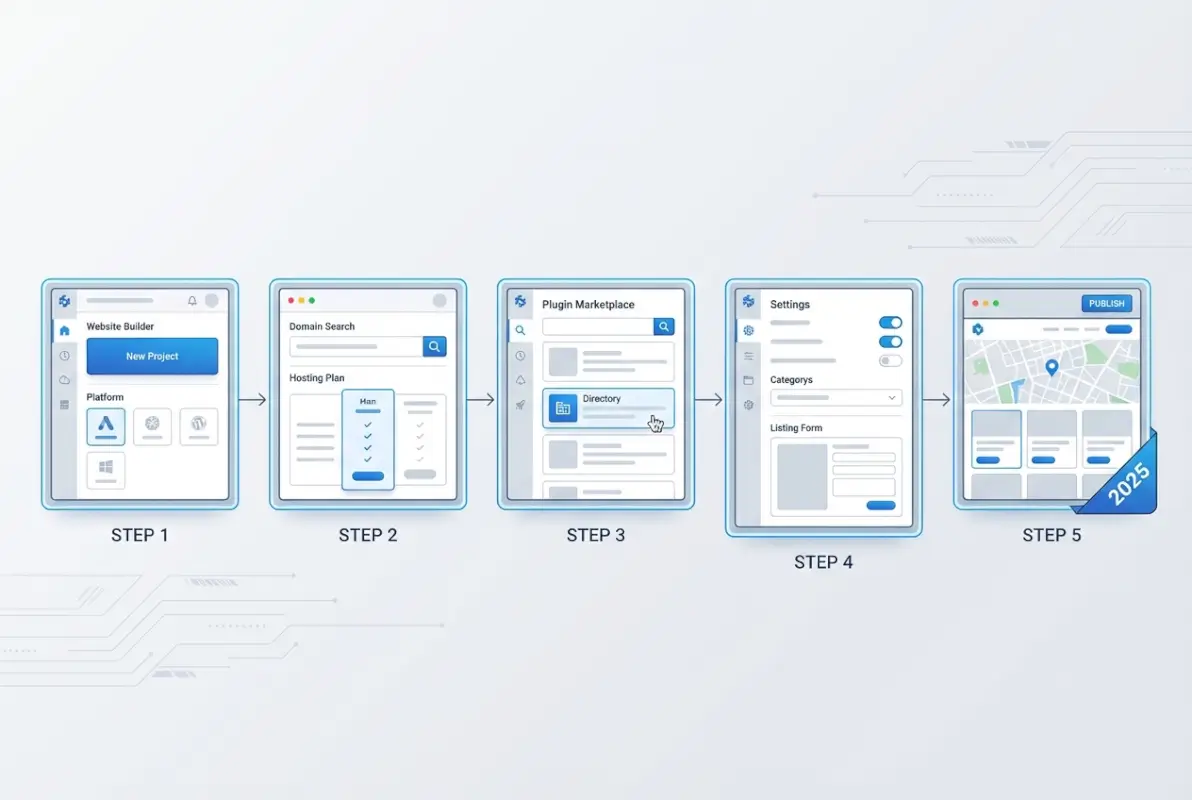
Most people think building a directory website requires serious technical skills or a fat wallet. That’s not true anymore. In fact, if you’re willing to spend a few hours learning a simple workflow, you can launch a functional, searchable directory site without paying a dime upfront. The secret? A combination of modern no-code tools, strategic use of structured data, and a laser focus on one specific niche. Instead of trying to compete with massive platforms like Yelp or Yellow Pages, you carve out a micro-category—say, vintage bookshops in Portland or freelance drone photographers—and own that space. This approach flips the traditional model on its head: rather than building a massive database first, you start lean, prove the concept, and scale as real users submit listings and engage with your content.
The timing couldn’t be better. Schema.org markup is now a standard expectation for search engines, which means even a small directory site can punch above its weight in local search results if you implement the right structured data. Meanwhile, platforms like WordPress with free directory plugins and no-code builders have matured to the point where you can deploy submission forms, moderation queues, and filtering interfaces in minutes, not months. The barrier to entry has collapsed, and that’s why a free directory website is one of the smartest side projects or community initiatives you can start right now.
TL;DR – Quick Takeaways
- Niche is king – A hyper-focused directory beats a generic one every time; pick a specific category or geography.
- No-code tools are production-ready – WordPress plugins, Airtable interfaces, and static-site generators let you launch without writing code.
- Structured data = SEO leverage – Implementing schema.org markup for LocalBusiness or Service listings dramatically improves discoverability.
- Start with a small, curated set – Ten quality listings beat a hundred auto-scraped, low-quality entries; moderation matters from day one.
- Monetize later, not sooner – Build trust and traffic first, then layer in featured placements or affiliate links.
Step 1: Nail Your Niche and Data Model
Before you touch any software, you need clarity on what you’re building and who it serves. A “directory of everything” is a recipe for obscurity. Instead, choose a narrow vertical or hyper-local focus. Think dog-friendly cafes in Seattle, certified yoga instructors in Austin, or independent graphic designers specializing in packaging. The tighter your niche, the easier it is to become the go-to resource and the faster you’ll rank for long-tail searches like “dog friendly coffee shops Capitol Hill Seattle.”

Once you’ve picked your niche, map out your data model. What fields do you need for each listing? At a minimum: business name, category, short description, full address (street, city, state, ZIP), phone number, website URL, hours of operation, and at least one photo. Consider adding tags or subcategories (e.g., “organic,” “kid-friendly,” “wheelchair accessible”) to make filtering intuitive. This schema becomes the backbone of your site, so spend an hour sketching it on paper or in a spreadsheet before you commit to a platform.
Choose a Focused Niche
Examples of winning niches: artisan bakeries in a single metro area, freelance video editors who specialize in real estate, pet groomers who offer mobile services, or even niche software consultants. The key is solving a real discovery problem—if people currently struggle to find these businesses or services through a simple Google search, you have an opportunity. I remember launching a tiny directory for independent bookbinders in the Pacific Northwest; it had maybe twenty listings at launch, but within six months it was the top result for “custom bookbinding Portland” because no one else had bothered to organize that information with proper schema markup.
Define Data Fields for Listings
Your data fields should balance completeness with simplicity. Asking for fifty fields will scare off submitters, but asking for only a name and URL won’t give you enough content to rank or provide value. A practical middle ground:
- Business name
- Category / tags (use a controlled vocabulary, not freeform text)
- Short description (one or two sentences)
- Full address (required if you want Local SEO benefits)
- Phone number
- Website / social links
- Hours of operation (optional but helpful)
- Photo upload (at least one; more is better)
- Optional: pricing tier, years in business, certifications
Store this data in a consistent format—CSV or a database table—so you can import, export, and migrate it later without headaches.
Decide on User Submissions vs. Curated Listings
Will you manually add every listing, or will you open a submission form and let business owners or community members contribute? User-generated content (UGC) scales faster but requires moderation. Curated listings give you control but demand your time. A hybrid approach works well: start with ten to twenty hand-picked, high-quality listings to seed the site, then open submissions with a moderation queue. Approve entries that meet your standards, reject spam, and reach out to incomplete submissions with a friendly nudge to fill in missing fields. This balance protects quality while enabling growth.
Data Schema and SEO-Friendly URLs
Plan your URL structure early. Best practice is a hierarchical slug system: yoursite.com/category/business-name or yoursite.com/city/business-name. Avoid query strings (like ?id=123) because clean, keyword-rich URLs are easier for search engines to understand and users to remember. You’ll also want dedicated category pages (yoursite.com/bakeries) and location pages (yoursite.com/portland) that list all relevant entries and include unique introductory text to avoid thin content penalties.
Implementing schema.org structured data is non-negotiable. At a minimum, mark up each listing with LocalBusiness or Service schema, including name, address, phone (NAP), website, and opening hours. Google’s Rich Results Test tool will confirm whether your markup is valid. This structured data is what powers knowledge panels and map pack results, giving even a brand-new directory site a fighting chance to appear in local searches.
Step 2: Choose a Free/Low-Cost Tech Stack and Core Features
Now that you know what you’re building, it’s time to pick how. The good news: you have several viable paths that cost nothing or next to nothing. The most popular option is WordPress with a free directory plugin. Plugins like GeoDirectory (free tier), Business Directory Plugin, or Directories by SabaiApps offer submission forms, category taxonomies, and front-end search out of the box. Pair WordPress with a lightweight theme (like Astra or GeneratePress) and free hosting (InfinityFree, 000webhost, or even a local server for testing), and you can launch in under an hour.

If you prefer no-code tools, platforms like Softr (with an Airtable backend), Carrd with form integrations, or even Notion paired with a public database view can work for ultra-simple directories. These approaches sacrifice some flexibility—custom filtering or advanced search may be limited—but they’re incredibly fast to set up and require zero server management. Another hybrid option is a static-site generator (Eleventy, Hugo, or Jekyll) pulling data from a JSON file or headless CMS; this gives you blazing-fast page loads and rock-solid security, though it’s slightly more technical. For someone comfortable with basic HTML and a simple script to make a free online directory, this route is a hidden gem.
Core Platform Options
| Platform | Cost | Ease of Use | Flexibility |
|---|---|---|---|
| WordPress + Free Plugin | Free | Medium | High |
| Softr + Airtable | Free tier available | Easy | Medium |
| Static Site + JSON | Free | Hard | Very High |
| Notion + Public View | Free | Very Easy | Low |
Each option has trade-offs. WordPress gives you the most control and the richest plugin ecosystem, but it requires light server administration and occasional updates. No-code tools like Softr are turnkey but lock you into their feature set and pricing. Static sites are lightning-fast and secure but demand more technical skill upfront. Choose based on your comfort level and how much customization you anticipate needing down the road.
Essential Features
At launch, your directory must support:
- Search and filters – Users should be able to search by keyword and filter by category, location, or tags.
- Submission form – A front-end form that captures all your data fields and optionally requires email verification.
- Moderation queue – A back-end interface where you review, approve, or reject new submissions before they go live.
- Basic analytics – At minimum, integrate Google Analytics or a privacy-friendly alternative like Plausible to track page views and referrals.
- Mobile responsiveness – Over half your traffic will come from phones; test every page on a small screen.
Nice-to-haves for a version two include user accounts (so business owners can edit their own listings), rating/review systems, and map integrations (Google Maps embeds or Leaflet.js for open-source mapping). But don’t let feature creep delay your launch—better to go live with a lean, polished product than to build a bloated mess that never ships.
Structured Data for SEO
Structured data is the easiest high-leverage SEO win for a directory site. Use JSON-LD format (preferred by Google) to embed schema markup in the <head> of each listing page. A basic LocalBusiness schema includes:
"@type": "LocalBusiness""name""address"(withstreetAddress,addressLocality,addressRegion,postalCode)"telephone""url""openingHours"(if available)"image"
Many WordPress directory plugins auto-generate this markup, but always validate it with Google’s Rich Results Test. Proper schema can surface your listings in Google Maps, knowledge panels, and even voice search results, giving a brand-new site visibility it couldn’t achieve through traditional on-page SEO alone.
Mobile Friendliness and Speed Considerations
A slow, clunky mobile experience will kill your directory before it gains traction. Run your site through Google PageSpeed Insights and aim for a mobile score above 80. Common culprits for slow load times include unoptimized images (always compress PNGs and JPGs), bloated themes, and excessive third-party scripts. Use lazy loading for images, enable browser caching, and consider a CDN (Cloudflare’s free tier is excellent) to serve static assets faster. A well-optimized directory layout not only improves user experience but also directly impacts your search rankings, since Core Web Vitals are now a confirmed ranking factor.
Step 3: Populate Listings and Grow Listings Ethically
An empty directory is useless. You need a critical mass of listings—at least ten to twenty—before you invite traffic. But where do you get that initial data without a budget? Start with businesses or services you already know and can personally vouch for. If you’re building a directory of local coffee roasters, visit a few, take photos (with permission), and create their listings manually. This hands-on approach ensures quality and gives you a proof of concept to show potential submitters.
Next, reach out directly to businesses in your niche. A short, personalized email works wonders: “Hi [Name], I’m building a free directory of [niche] in [city]. I’d love to feature [Business Name] at no cost. Would you be open to me adding your listing? If so, please reply with your preferred description and a photo.” Most small businesses appreciate free exposure and will cooperate, especially if you make the process effortless. This outreach also plants the seed for future engagement—once they see their listing live, they’ll share it on social media and maybe even link to your site.
Initial Data Sources
Beyond direct outreach, you can ethically gather listings from:
- Public directories and chambers of commerce – Many cities publish lists of registered businesses. Cross-reference these with your niche.
- Social media groups – Facebook groups, Nextdoor threads, and subreddit communities often share recommendations.
- Industry associations – Professional organizations sometimes maintain member directories.
- Your own network – Ask friends, family, and colleagues for referrals.
Whatever you do, never scrape data without permission or copy listings wholesale from competitor sites. Not only is it legally risky and unethical, but it also poisons your directory with stale, inaccurate information that erodes trust. Taking the time to verify each listing by hand or through a submission form pays dividends in quality and reputation.
User-Generated Content Workflows and Moderation
Once you open submissions, you’ll need a moderation workflow. Set clear guidelines in a “Submit a Listing” page: what information is required, what types of businesses qualify, and what will get a submission rejected (spam, duplicates, off-topic entries). When a submission comes in, check for completeness, verify the business exists (a quick Google search or phone call), and confirm contact details are accurate. Approve good submissions within 24 to 48 hours and send a thank-you email with a link to the live listing; this encourages the submitter to share it.
For rejections, send a polite explanation and invite resubmission with corrections. Transparency builds trust and turns a rejected submitter into a future advocate rather than a frustrated critic. If you’re using WordPress, plugins like GeoDirectory and Business Directory Plugin include built-in moderation queues with email notifications, making this process almost painless.
Import Strategies
If you have access to a bulk data source—say, a CSV export from a chamber of commerce or a partner organization—use an import tool to speed up population. Most directory plugins support CSV import with field mapping. Before you import, clean the data: remove duplicates, standardize address formats, and validate phone numbers. A single import of messy data can create hours of cleanup work, so invest the time upfront.
For ongoing imports, consider a lightweight scraper with explicit consent. For example, if a business owner says, “You can pull our info from our website,” you can use a tool like ParseHub or a simple Python script with BeautifulSoup to extract structured data. Always respect robots.txt rules and rate limits, and never scrape competitors’ directories or sites that prohibit automated access.
Incentives for Listings
Why should a business list with you instead of just relying on Google My Business or their Facebook business directory profile? Offer something unique: a well-designed listing page that they can link to from their own site, inclusion in a curated niche community, or the chance to be featured in a monthly spotlight post. Down the road, you can introduce a “featured listing” tier for a small fee (say, ten to twenty dollars per month), which gives premium placement and a badge. But at launch, keep everything free to maximize adoption and build your database.
Step 4: Optimize for Discovery and Onboarding
A directory full of listings is worthless if no one can find it. SEO is your primary growth lever, especially in the early days when you have zero brand recognition. Start with on-page fundamentals: every listing page needs a unique, descriptive title tag (e.g., “Joe’s Coffee Roasters – Artisan Coffee in Denver”), a compelling meta description (under 155 characters), and proper heading structure (H1 for the business name, H2 for sections like “About,” “Hours,” “Contact”).

Image alt text is often overlooked but critical, especially for a directory with lots of photos. Describe what’s in the image and include relevant keywords naturally—”Interior of Joe’s Coffee Roasters showing espresso bar and seating area” is far better than “IMG_1234.” These small details add up to create a semantic richness that search engines reward.
On-Page SEO Basics
Beyond individual listings, your category and location pages need optimization. Each category page (e.g., “Coffee Roasters in Denver”) should have a unique introductory paragraph—two or three sentences explaining what makes this category special and why users should explore it. Avoid duplicate content across categories; even minor rewording helps. Use internal linking liberally: link from a listing to its category page, from a category page to related categories, and from your homepage to top categories. This internal link structure distributes page authority and helps search engines understand your site hierarchy.
Don’t forget technical SEO. Submit an XML sitemap to Google Search Console and Bing Webmaster Tools. Fix any crawl errors, broken links, or duplicate meta tags flagged in these tools. Enable HTTPS (free via Let’s Encrypt or Cloudflare) to build trust and satisfy Google’s preference for secure sites. These foundational steps are table stakes, but skipping them will handicap even the best content.
Local and Niche Optimization
If your directory has a local focus, create dedicated pages for each city, neighborhood, or region you cover. A “Coffee Roasters in Capitol Hill, Seattle” page with ten listings and a short intro will rank for hyper-local searches that a generic “Seattle” page won’t capture. This also opens the door to long-tail traffic—people searching “best artisan coffee Capitol Hill” are high-intent visitors likely to explore multiple listings.
For niche directories without a geographic angle, substitute categories or use-cases. A directory of freelance video editors might have pages like “Video Editors for Real Estate,” “Wedding Videographers,” or “Corporate Video Production.” Each page becomes a landing pad for specific search queries and can be optimized with relevant keywords and structured data.
Content Strategy
A directory doesn’t have to be a static list. Layer in content to attract traffic and establish authority. Write “how-to” guides related to your niche—”How to Choose a Coffee Roaster for Your Café” or “5 Questions to Ask Before Hiring a Video Editor.” These posts can link to relevant listings, driving internal traffic and keeping users on your site longer. Publish case studies or interviews with featured businesses; this content is link-worthy and shareable, and it deepens your relationship with your community.
An editorial calendar helps maintain momentum. Aim for one or two blog posts per month at minimum. Over time, this content compounds, pulling in long-tail search traffic and positioning your directory as more than just a list—it becomes a resource hub. And when you build a business directory from scratch, that editorial layer is what separates a forgettable site from a community fixture.
UX Considerations
User experience and SEO are deeply intertwined. A clean, intuitive navigation reduces bounce rate and increases dwell time, both of which send positive signals to search engines. Make your search bar prominent—ideally in the header—and ensure filters are easy to understand and use. Avoid jargon in category names; “Pet Services” is clearer than “Canine Care Professionals.”
Your submission flow should be frictionless. A single-page form with clear field labels and helpful tooltips (e.g., “Enter your full street address, including ZIP code”) will maximize completions. Offer a preview step before final submission so users can catch typos. After submission, redirect to a thank-you page with an estimated review time and a call-to-action to share the directory on social media.
Finally, include clear calls-to-action throughout the site. “Submit Your Business,” “Browse by Category,” and “Search Now” buttons should be visually distinct and placed where users naturally look (top right, end of content sections, sticky footer on mobile). Every page should answer the implicit question: “What do I do next?”
Step 5: Plan for Monetization and Governance
A free directory can remain free forever, but if you want to offset costs or turn it into a revenue stream, you need a monetization plan that doesn’t alienate users. The classic model is “freemium”: core listings are always free, but businesses can pay for premium features like featured placement, enhanced listings with more photos or videos, or priority in search results. This keeps the barrier to entry low while rewarding businesses that see value in extra visibility.

Another approach is advertising. Display ads (Google AdSense, Media.net) can generate modest income once you hit a few thousand monthly visitors, but they clutter the UI and slow down your site. A better option is native sponsorships: a local business pays a monthly fee to be highlighted in a “Sponsor Spotlight” section on your homepage or in a weekly newsletter. This feels less intrusive and builds stronger relationships with your advertisers.
Free Core Listings with Paid Add-Ons
Implementing a freemium model requires careful messaging. Make it crystal clear that a free listing includes all essential fields and will appear in search results and category pages. Paid tiers might offer:
- Featured badge – Visual indicator at the top of search results
- Extra media slots – More photos, a video, or a logo
- Analytics dashboard – Show business owners how many views and clicks their listing received
- Priority support – Faster moderation or dedicated help with listing optimization
Price these tiers reasonably—ten to thirty dollars per month is typical for small local directories. Offer annual discounts to encourage longer commitments. Use a payment processor like Stripe or PayPal that integrates with WordPress (via WooCommerce or MemberPress) or your no-code platform.
Optional Revenue Streams
Beyond premium listings, consider:
- Affiliate links – If your directory reviews or recommends products/services, use affiliate programs (Amazon Associates, ShareASale) to earn commissions.
- Lead generation – Charge businesses per qualified inquiry or booking that comes through your site; this requires a lead-tracking system but can be lucrative in high-value niches (contractors, legal services).
- Partner directories – License your platform or data to related organizations; for example, a tourism board might pay to embed your restaurant directory on their site.
- Sponsored content – Publish advertorial blog posts or case studies for a fee, clearly labeled as sponsored.
Diversifying revenue protects you from over-reliance on any single stream and lets you experiment to see what resonates with your audience. Just remember: trust is your most valuable asset, so be transparent about any paid placements or affiliate relationships.
Moderation Policy and Terms of Use
As your directory grows, you’ll face edge cases: businesses asking to remove competitor listings, disputes over categorization, or spam disguised as legitimate submissions. A public moderation policy and terms of use protect you legally and set expectations. Cover:
- Eligibility criteria – What types of businesses or services qualify
- Prohibited content – No hate speech, illegal services, or misleading claims
- Removal process – How businesses can request edits or removal of their listing
- Dispute resolution – How you handle conflicts (e.g., two businesses claiming the same name)
- Liability disclaimer – You aggregate information but don’t endorse or guarantee any business
Consult a lawyer if your directory involves sensitive categories (healthcare, finance, legal services) or if you plan to scale aggressively. A solid terms-of-use document is also essential if you want to attract partnerships with established business directories or platforms, since they’ll want assurance you operate above board.
KPI and Measurement Plan
You can’t improve what you don’t measure. In the first 90 days, track:
- Total listings – Aim for steady growth week over week
- Unique visitors and page views – Use Google Analytics or Plausible
- Submission rate – How many new listings are submitted per week; a healthy directory sees this number climb
- Search queries – Google Search Console shows what keywords bring traffic; double down on winners
- Conversion to paid features – Once you introduce premium tiers, track conversion rate and average revenue per user
Set quarterly goals: “Reach 200 listings by end of Q2,” “Achieve 5,000 monthly visitors by end of Q3,” “Convert 5% of active listings to paid tier by end of Q4.” These targets keep you focused and help you allocate time effectively.
Common Pitfalls and How to Avoid Them
Even with a solid plan, it’s easy to stumble. Here are the mistakes I see most often—and how to sidestep them.
Overloading with Listings Too Quickly
It’s tempting to import hundreds of listings from a public dataset to “look established,” but this backfires. Bulk imports often include outdated or incorrect information, leading to frustrated users and high bounce rates. Worse, if those listings have duplicate or thin content, search engines may penalize your site. Instead, start small and verify every entry. Quality beats quantity every time, especially in the early days.
Weak Data Quality
Inconsistent formatting—mixing “St.” and “Street,” leaving phone numbers in different formats, or uploading low-res photos—undermines professionalism. Create a style guide for yourself (and any future moderators) covering address formats, phone number conventions (e.g., always use (555) 123-4567), and image specs (minimum 800×600 pixels, under 200 KB). Enforce these standards in moderation and clean up old listings as you go.
Slow Site Performance
Directory sites can balloon in size as you add listings and images. Unoptimized photos are the usual culprit. Use an image compression tool (TinyPNG, ImageOptim, or a WordPress plugin like Smush) before uploading. Enable lazy loading so images only load as users scroll. Minify CSS and JavaScript, and consider a caching plugin (WP Rocket, W3 Total Cache) to serve static HTML to repeat visitors. A one-second delay in page load can tank your conversion rate by double digits, so speed matters.
Ignoring Schema and Structured Data
Some site owners skip structured data because it seems technical, then wonder why they don’t rank in local packs. Don’t make this mistake. Implementing schema.org markup is easier than you think—most plugins do it automatically, and Google’s test tool confirms it works. This one step can unlock rich snippets, map listings, and knowledge panels that drive free, high-intent traffic. If your directory doesn’t have schema, add it this week.
Poor Local SEO Signals
If your directory has a geographic focus, you need NAP consistency (Name, Address, Phone) across all listings and your own site. Inconsistent business information confuses search engines and dilutes local rankings. Cross-check your listings against the business’s official website, Google My Business profile, and other authoritative sources. Whenever possible, link to the business’s Google My Business listing—this reinforces the connection and helps both your directory and the business rank better locally.
Ready-to-Use Templates and Checklists
Let’s make this actionable. Below are templates and checklists you can copy and adapt to your own directory project.
Listing Submission Form Template
Use this structure in Google Forms, Typeform, or your directory plugin’s submission form:
- Business Name* (short text, required)
- Category* (dropdown or checkboxes, required)
- Short Description* (paragraph, 100–200 characters, required)
- Full Address* (street, city, state, ZIP; use multiple fields if possible, required)
- Phone Number* (short text, format: (555) 123-4567, required)
- Website URL (short text, optional)
- Email Contact (email field, required for verification)
- Hours of Operation (paragraph or structured fields, optional)
- Upload Photo (file upload, at least one required)
- Additional Notes (paragraph, optional)
- Consent Checkbox* – “I confirm this information is accurate and I have the authority to submit this listing.” (required)
Include a CAPTCHA to block spam bots, and send a confirmation email with a unique submission ID so users can track status.
Moderation Workflow Checklist
For each new submission:
- Verify business exists (Google search, check official website or social media)
- Confirm contact info (phone number format, email domain matches business)
- Check for duplicates (search existing listings by name and address)
- Review description for spam, promotional language, or off-topic content
- Validate image quality (resolution, relevance, no watermarks or branding violations)
- Assign correct category and tags
- Approve and publish OR reject with feedback email
- Send approval email with live listing URL and request to share on social
Aim to complete this process within 24 to 48 hours to keep submitters engaged and encourage repeat submissions.
30-Day Launch Checklist
Week 1 (Pre-Launch Planning):
- Define niche and data model
- Choose tech stack and install/configure platform
- Design submission form and moderation workflow
- Set up Google Analytics and Search Console
Week 2 (Content & SEO Setup):
- Write homepage intro and about page
- Create category and location pages with unique content
- Implement schema.org markup on listing templates
- Optimize on-page SEO (titles, meta descriptions, headers)
Week 3 (Initial Listings):
- Manually add 10–20 high-quality seed listings
- Reach out to businesses for permission and additional info
- Test submission form with a few friendly users
- Validate structured data with Google’s Rich Results Test
Week 4 (Launch & Promotion):
- Soft launch to a small community (friends, local Facebook group)
- Collect feedback and fix any UX issues
- Submit sitemap to Google and Bing
- Publish first blog post or guide related to your niche
- Announce publicly on social media and relevant forums
By the end of 30 days, you should have a live, functional directory with at least 15 to 25 listings, basic SEO in place, and a handful of early users testing the submission process.
FAQ: Common Questions About Starting a Free Directory Site
What is a directory website, and how does it work?
A directory website is an organized collection of listings—businesses, services, or resources—searchable by category, location, or keyword. Users browse or search to find what they need, and businesses gain visibility. The site owner curates or moderates submissions to maintain quality and may monetize through ads or premium listings.
Can I start a directory site for free, and what are the trade-offs?
Yes, using free hosting (InfinityFree, 000webhost) and open-source software (WordPress with free plugins). Trade-offs include limited storage, possible downtime, ads injected by the host, and lack of advanced features. Once traffic grows, upgrading to paid hosting (around $15/month) is advisable for reliability and control.
How do I get listings with no budget?
Start by manually adding businesses you know, then reach out directly via email or social media to invite submissions. Use public data sources like chambers of commerce or industry associations, and leverage user-generated submissions with a moderation queue. Offer free initial listings as an incentive and build from there.
What plugins or tools are best for free directory websites?
For WordPress, GeoDirectory and Business Directory Plugin offer free tiers with submission forms, categories, and search. No-code options include Softr (with Airtable backend), Carrd with integrations, or Notion’s public database view. Choose based on your technical comfort level and desired feature set.
How do I ensure quality and trust in listings?
Implement a moderation workflow: verify each submission against official sources, check contact details, remove duplicates, and enforce data standards. Publish clear guidelines and a terms of use. Regularly audit existing listings for accuracy and remove outdated or low-quality entries to maintain credibility.
How can I monetize a directory site without alienating users?
Keep core listings free and introduce optional premium features like featured placement, enhanced listings, or analytics dashboards. Display ads sparingly or use native sponsorships. Be transparent about any paid placements, and delay monetization until you have at least 100 listings and steady traffic to avoid seeming greedy.
What SEO considerations are unique to directory sites?
Directory sites benefit enormously from structured data (schema.org markup for LocalBusiness or Service), consistent NAP (Name, Address, Phone) data, and hierarchical URL structures. Create unique content for category and location pages, avoid duplicate listings, and prioritize mobile speed and Core Web Vitals for better rankings.
How do I handle user-generated content and listing disputes?
Establish a clear moderation policy and terms of use. Review all submissions before publishing. For disputes—like two businesses claiming the same name—investigate and contact both parties for clarification. Offer a transparent removal or edit request process, and document decisions to protect yourself from liability.
What metrics should I track in the first 90 days?
Focus on total listings, unique visitors, page views, submission rate, and top search queries (via Google Search Console). Track bounce rate and average session duration to gauge engagement. Set incremental goals (e.g., 50 listings by day 30, 1,000 visitors by day 60) and adjust your strategy based on progress.
When should I upgrade from a free plan to paid hosting or a premium plugin?
Upgrade when free hosting becomes unreliable (frequent downtime, slow load times) or when you need features not available in free tiers (custom domain, no host ads, advanced search, user accounts). Typically, this happens around 50 to 100 listings or 2,000 to 5,000 monthly visitors, whichever comes first.
Final Thoughts and Your Next Steps
Building a free directory website in 2025 isn’t just possible—it’s one of the smartest ways to serve a niche community, establish yourself as a local or industry authority, and potentially create a sustainable revenue stream. The five-step framework we’ve walked through gives you a concrete blueprint: define your niche and data model, choose a lightweight tech stack, populate with quality listings, optimize for discovery, and plan for monetization and governance. Each step builds on the last, turning an abstract idea into a tangible, searchable resource that real people use and value.
The real secret isn’t some hidden tool or growth hack—it’s relentless focus on quality and user experience. Start small, ship fast, and iterate based on feedback. Your first version won’t be perfect, and that’s fine. The directory that wins in the long run is the one that listens to its community, maintains trust through careful moderation, and consistently delivers value. Whether you’re building a hyperlocal guide to dog-friendly cafes or a national directory of freelance specialists, the playbook is the same: niche focus, clean data, solid SEO, and a commitment to ongoing improvement.
So go ahead, grab that 30-day checklist, fire up WordPress or your no-code builder of choice, and start adding your first ten listings. Test the submission form, validate your schema markup, and share the link with a small group of friends or a local Facebook community. Gather feedback, fix the rough edges, and launch publicly. Before you know it, you’ll have a growing directory that ranks in search, earns user trust, and maybe even generates a bit of income. And who knows—you might just become the go-to resource for your niche, simply because you took the time to organize information that was scattered everywhere else. That’s the power of a well-executed directory site, and it’s within your reach right now.
Was this article helpful?