6 Steps to Create a Business Directory Using Wix

Generating summary...
Building a business directory isn’t as hard as you might think, especially when you’re using a platform like Wix that does most of the heavy lifting for you. I remember when I first considered creating a directory for local contractors in my area—I assumed I’d need to hire a developer or spend months learning code. Turns out, Wix’s built-in CMS and app marketplace made the whole thing surprisingly straightforward.
What makes Wix particularly compelling for directory projects is its combination of flexibility and simplicity. You get dynamic database capabilities, searchable listings, map integrations, and even monetization options without touching a single line of code (though you can add custom functionality with Velo if you want). The real challenge isn’t the technology—it’s understanding the strategy behind a successful directory, from planning your data structure to driving traffic once you launch.
In this guide, I’ll walk you through the exact six-step process to create a fully functional business directory on Wix. Whether you’re building a niche industry guide, a regional service finder, or a membership-driven platform, you’ll learn how to set up your infrastructure, optimize for local search, and create growth loops that keep your directory thriving long after launch.
TL;DR – Quick Takeaways
- Niche focus beats broad scope – Targeted directories with specific industries or regions perform better than generic “everything” directories
- Wix CMS is your foundation – Use Collections to create a scalable database of listings with custom fields and dynamic pages
- Local SEO drives discovery – Structured data, consistent NAP information, and location-based filtering are essential for visibility
- Data quality determines success – Regular audits, moderation workflows, and update cadences keep your directory valuable and trustworthy
- Multiple revenue streams exist – Free listings, featured placements, and tiered memberships can monetize your directory effectively
Begin with a Clear Plan and Scope
The biggest mistake directory builders make is jumping straight into the technical setup without a solid strategic foundation. You can’t just throw together a bunch of business listings and expect people to care. Your directory needs a purpose, an audience, and a clear value proposition that makes it worth visiting over the dozens of other directories already out there.
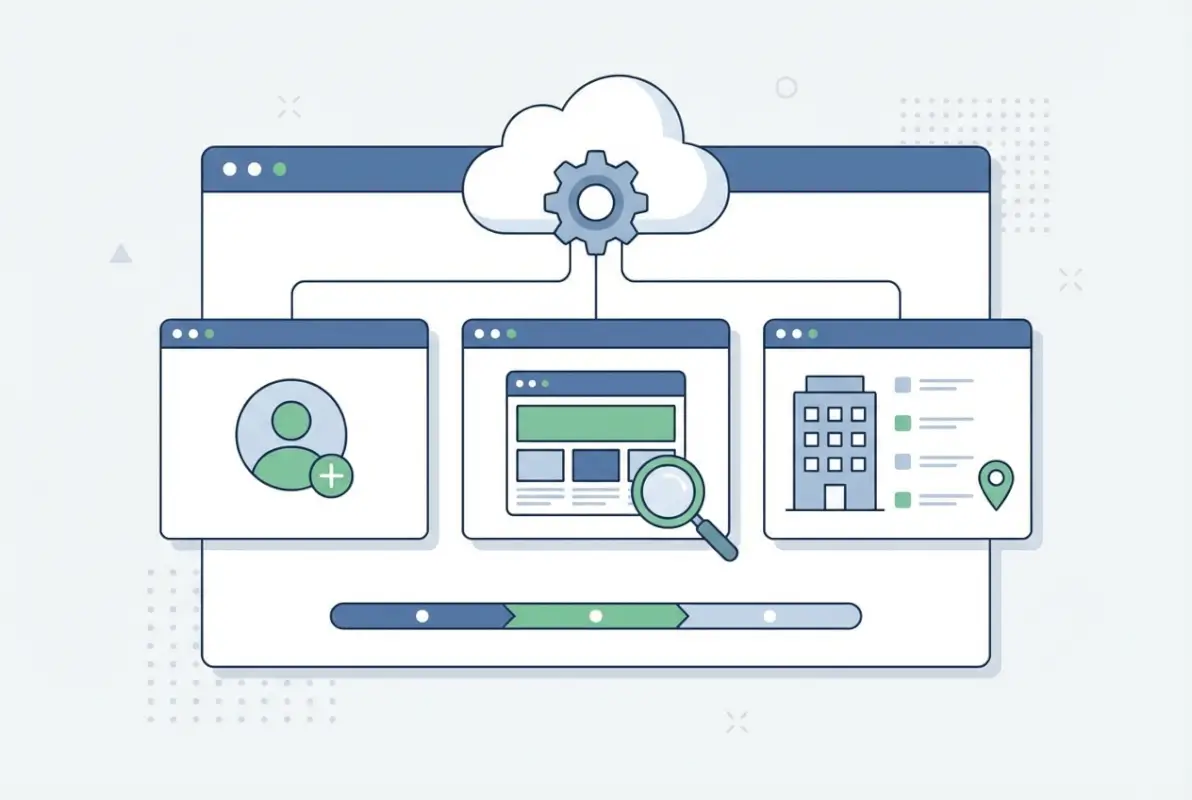
Define Your Niche and Target Audience
Generic business directories are a losing game in the current landscape. Google Business Profile, Yelp, and similar platforms have massive resources and established user bases. Where you can win is by going hyper-focused on a specific vertical or geography that larger platforms don’t serve well.
Think about it this way: would you rather be the 500th general business directory competing with giants, or the definitive guide to sustainable restaurants in Portland? The narrow focus gives you several advantages—you can build deeper relationships with business owners in that space, your data structure can be tailored to industry-specific needs (like certification types for green businesses), and your SEO strategy becomes much clearer when you’re targeting specific keywords.
I’ve seen successful directories built around incredibly specific niches: wedding vendors in rural areas, certified minority-owned contractors, pet-friendly businesses in specific cities, or health practitioners who accept certain insurance types. The key is finding a niche that’s large enough to sustain your directory but specific enough that you can become the authority.
Inventory Required Data Fields for Listings
Before you create your first database table in Wix, map out exactly what information each listing needs to include. This seems obvious, but it’s where many directory projects go wrong—they either collect too little information (making listings less useful) or too much (making submission forms overwhelming and reducing participation).
At minimum, you’ll need the standard NAP data: business name, full address, phone number, and website URL. But beyond that, think about what makes a listing actually useful to your target audience. Hours of operation? Accepted payment methods? Service area radius? Years in business? Certifications or licenses? Customer reviews or ratings?
The fields you choose should align with how people search and evaluate businesses in your niche. A restaurant directory needs menu price ranges and cuisine types; a contractor directory needs license numbers and insurance information; a healthcare directory needs accepted insurance and specialty areas. Don’t just copy what other directories do, actually talk to potential users about what information would help them make decisions.
Decide on Data Governance and Update Cadence
Here’s something most directory guides don’t talk about: your data will decay over time. Businesses close, phone numbers change, websites go offline, and hours shift. Without a clear plan for keeping information current, your directory becomes less valuable every month.
You need to decide early who owns data accuracy. Will business owners have accounts where they can update their own information? Will you manually verify changes? How often will you audit listings? What happens when a business closes or a listing expires? These aren’t just technical questions—they affect user trust and your directory’s reputation.
Consider implementing a tiered system where free listings might be reviewed annually, while paid listings get priority verification and unlimited updates. Some directories send quarterly emails asking businesses to confirm their information is still accurate. Others use automated checks (like verifying that URLs still resolve) to flag potentially outdated listings.
Choose Wix Components for Core Features
Wix gives you several pathways to build directory functionality. The most straightforward approach uses Wix’s Content Management System (CMS) with Collections—essentially custom databases where each item is a listing. You can create dynamic pages that automatically generate from your collection data, add repeaters to display multiple listings, and even implement custom filtering with Wix Code (now called Velo) if you need advanced functionality.
For simpler directories, you might embed a third-party directory widget using HTML iframes or custom elements. Apps like Community Box or MembershipWorks offer pre-built directory interfaces that you can configure and embed. The trade-off is less control over design and functionality, but faster setup and potentially better features than you’d build yourself.
The key is choosing components that match your technical comfort level and growth plans. Starting with Wix CMS Collections gives you the most flexibility—you can always add apps or custom code later—but requires more upfront learning.
Set Up Wix Infrastructure for a Directory
Once you’ve planned your directory structure and decided on your approach, it’s time to actually build the technical foundation. This is where Wix really shines—what would require custom development on other platforms can often be accomplished through Wix’s visual editor and built-in database tools.
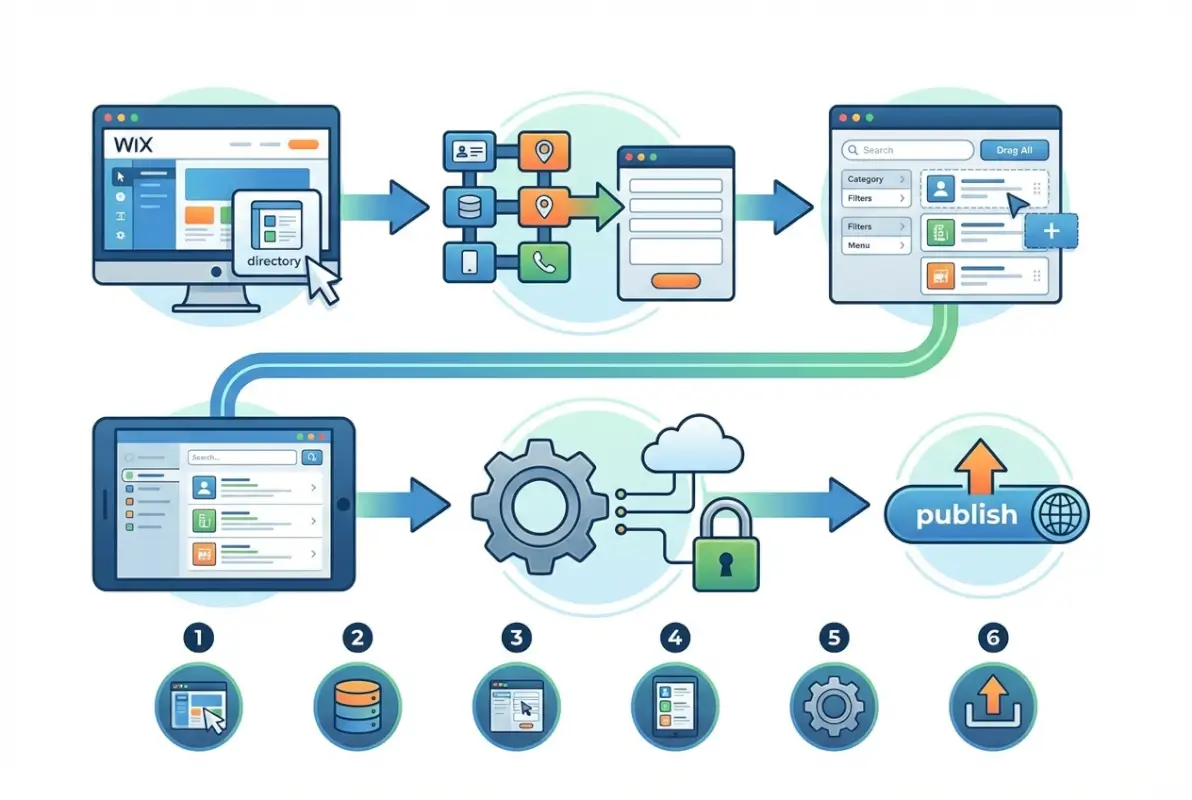
Create a Listings Database (Wix CMS)
Start by creating a new Collection in Wix’s CMS. Go to your site dashboard, navigate to CMS, and add a collection called “Listings” (or whatever makes sense for your directory). This collection becomes your central database where all business information lives.
For each field you identified in your planning phase, add a corresponding field to your collection. Wix supports various field types: text for names and descriptions, numbers for phone fields, URLs for websites, addresses for location data, images for photos, and even reference fields that can link to other collections (useful if you’re creating separate category or tag collections).
Pay attention to field settings. Mark essential fields as “required” so incomplete listings can’t be created. Set appropriate validation rules (like ensuring phone numbers follow a specific format). Consider which fields should be searchable and which should be filterable—this affects how users can find listings later.
Create Dynamic Listing Pages and Search/Filter
With your collection set up, create a dynamic page template that displays individual listing details. In Wix Editor, add a new page and connect it to your Listings collection. This single template will automatically generate a unique page for each listing in your database—incredibly powerful for SEO since every business gets its own indexable URL.
Design your template to highlight the most important information at the top: business name, category, location, and primary contact method. Add sections for descriptions, photos, hours, and any other fields you’re collecting. Use Wix’s dataset connections to bind each element to the appropriate database field.
For search and filtering, add a repeater element to a main directory page that displays all listings (or a filtered subset). Connect the repeater to your collection and configure which fields display in the listing cards. Then add filter elements—dropdowns for categories, text search for keywords, or location-based filters if you’re using address fields. Wix handles the basic filtering logic, though you might need some Velo code for more complex scenarios like radius-based search.
Build or Connect a Store Locator/Map Experience
Location-based discovery is crucial for most business directories. People want to see what’s near them, compare options in their area, and get directions to businesses they’re interested in. The Wix App Market offers several store locator apps that integrate with your CMS collection to display businesses on an interactive map.
These apps typically let users filter by distance, category, or other criteria while seeing results plotted on a map interface. Some include directions, click-to-call functionality, and even integration with navigation apps. Choose one that matches your design aesthetic and offers the filtering options your users need.
Alternatively, if you have development skills, you can build a custom map integration using Velo and mapping APIs like Google Maps or Mapbox. This gives you complete control over functionality and appearance but requires significantly more effort.
Data Normalization and Structured Data
Consistency in how you format data is essential for both user experience and search engine optimization. Establish standards for how addresses are written (abbreviate “Street” or spell it out?), how phone numbers are formatted, and how business hours are displayed. This consistency makes your directory look professional and helps with technical SEO.
Speaking of SEO, implementing structured data markup helps search engines understand your listings and potentially display them in rich results. Wix has built-in support for Local Business schema markup, which you should enable for each listing. This markup tells search engines key information like the business name, address, phone number, hours, and more in a standardized format they can easily parse.
If Wix’s built-in structured data doesn’t cover all your needs, you can add custom JSON-LD markup using the Custom Code section in your site settings or through Velo. Focus especially on consistent NAP data (Name, Address, Phone) across all listings—inconsistencies here confuse search engines and hurt local SEO performance.
Directory Architecture and User Experience
Having all the right technical pieces doesn’t matter if users can’t figure out how to actually find businesses in your directory. The architecture and user experience design determine whether people can quickly discover what they need or bounce in frustration after thirty seconds.
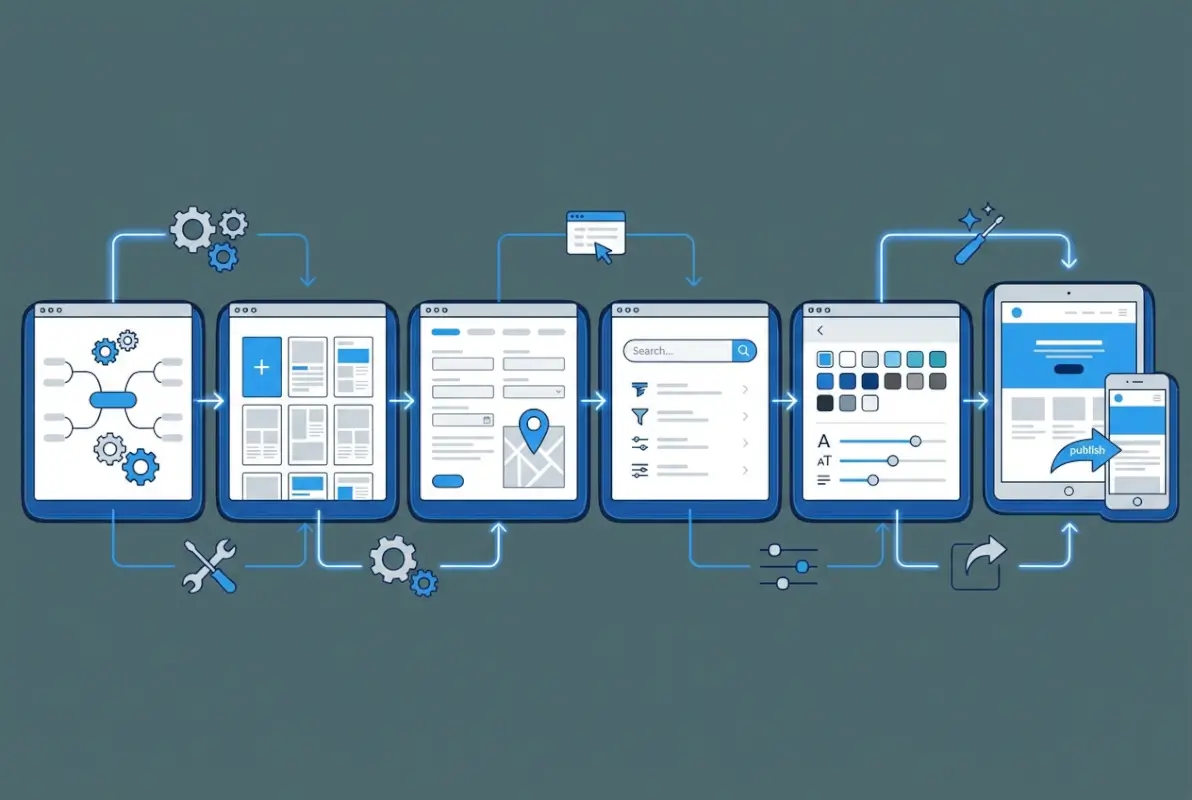
Information Architecture
Think carefully about how you organize and categorize listings. Most directories use a hierarchical category system—broad parent categories with more specific subcategories beneath them. For example, a home services directory might have “Contractors” as a parent category, with subcategories like “Electricians,” “Plumbers,” and “HVAC Specialists.”
Keep your category structure shallow enough that users don’t need to click through multiple levels, but specific enough that they can narrow down to relevant results. I’ve found that two to three levels is usually the sweet spot—more than that and navigation becomes tedious.
Location-based organization is equally important. Depending on your scope, you might organize by country, state, city, or even neighborhood. Make sure users can filter by location regardless of which category they’re browsing. Someone searching for restaurants should be able to specify their city without starting over.
Consider implementing tags in addition to categories. While categories are hierarchical and mutually exclusive (a business fits in one category), tags can be more flexible and overlapping. A restaurant might be categorized as “Italian Cuisine” but tagged with “outdoor seating,” “family-friendly,” and “wine bar” to help with more nuanced discovery.
| Organization Method | Best For | Considerations |
|---|---|---|
| Hierarchical Categories | Industry-specific directories | Clear structure, potential rigidity |
| Location-Based | Regional or city directories | Intuitive for local search, requires geocoding |
| Tag-Based | Multi-faceted services | Flexible discovery, can become chaotic |
| Hybrid Approach | Complex or large directories | Most powerful, requires careful planning |
Listing Pages and Templates
Your listing detail page is where conversions happen—whether that’s someone calling the business, visiting their website, or getting directions. Design these pages to facilitate action, not just display information.
Start with a strong hero section that immediately answers “what is this business and where are they?” Business name, primary category, location, and a large featured image should be above the fold. Contact methods (phone, website, email) should be prominently displayed with click-to-call and click-to-navigate functionality on mobile.
Organize additional information in scannable sections: about/description, services offered, hours of operation, photos or portfolio, customer reviews if you’re collecting them, and a map showing the location. Use clear headings and adequate white space so users can quickly scan to find what they need.
Don’t overlook the importance of photos. Listings with multiple quality images perform dramatically better than text-only entries. Set minimum image requirements—at least 3-5 photos for each listing, with guidelines about image quality, dimensions, and appropriate content.
Search, Filter, and Maps UX
The search experience often determines whether users find what they need or give up. Implement a prominent search bar on your main directory page—ideally one that supports both keyword search (matching against business names and descriptions) and location search (finding businesses near a specified address or zip code).
Filter options should be immediately visible, not hidden behind a button users might miss. Common filters include category/subcategory, location/distance radius, business features (like “wheelchair accessible” or “accepts credit cards”), and price range if applicable. Let users combine multiple filters to narrow results.
Map views should update dynamically as filters change, showing only businesses that match current criteria. Consider implementing different view modes—list view for detailed comparison, grid view for visual browsing, and map view for location-based discovery. Users have different preferences, and accommodating various browsing styles keeps more people engaged.
Accessibility and Performance
Accessibility isn’t just a nice-to-have; it’s essential for reaching your full audience and often a legal requirement. Ensure your directory meets basic WCAG standards: proper heading hierarchy, sufficient color contrast, keyboard navigation support, and descriptive alt text for images.
Forms for submitting or claiming listings should have clear labels, helpful error messages, and logical tab order. If you’re using custom components or Velo code, test with screen readers to verify they work as expected.
Performance matters too, especially as your directory grows. Lazy-load images on listing cards so the initial page loads quickly. Implement pagination or infinite scroll rather than loading hundreds of listings at once. Optimize images before uploading—a 5MB photo doesn’t look better than a properly compressed 200KB version but loads twenty-five times slower.
Test your directory on mobile devices regularly. Most users will browse directories on phones, particularly when they’re actively looking for local services. Touch targets should be large enough to tap easily, text should be readable without zooming, and critical functionality should work even on slower connections.
Data Submission, Moderation, and Growth Loops
Building your directory is only half the battle. The other half is populating it with quality listings and establishing processes that keep it growing and improving over time. Without a clear submission and moderation workflow, your directory either stays empty or fills with low-quality entries that erode user trust.

Submission Workflow for Business Owners
You have two main approaches to gathering listings: proactive outreach where you manually add businesses, or self-service submission where business owners add themselves. Most successful directories use both—seeding the directory with curated listings, then opening self-submission once there’s enough critical mass to look legitimate.
If you’re allowing self-submission, create a clear, user-friendly form that collects all required information without being overwhelming. Use conditional logic to show relevant fields based on category (for example, only asking restaurants about cuisine type). Include helpful hints or examples for fields that might be confusing.
Decide whether submissions go live immediately or require approval. Immediate publication gets listings online faster but risks spam or low-quality entries. Manual approval maintains quality but creates a moderation bottleneck. A hybrid approach—where paid or verified businesses publish instantly while free submissions require review—often works well.
Consider implementing a claiming system for businesses you add manually. Let business owners claim their listing by verifying ownership (usually via a phone call or postcard with a verification code), then grant them editing access. This distributes the maintenance burden while ensuring data stays current.
Moderation Policies and Abuse Prevention
Clear content guidelines protect your directory’s quality and reputation. Define what makes a listing eligible—are you industry-specific? Do businesses need to be licensed or certified? Are you only listing established businesses or allowing startups?
Create rules around photos and descriptions. Prohibit stock images, stolen photos, keyword-stuffed descriptions, or misleading information. Specify acceptable image dimensions and file sizes. If you’re collecting user reviews, establish policies around review authenticity, prohibit compensation for reviews, and outline how you’ll handle disputes.
Implement technical safeguards against spam and abuse. Use CAPTCHA on submission forms, require email verification for accounts, and monitor for duplicate submissions. Watch for patterns like multiple submissions from the same IP address or businesses with suspiciously similar descriptions.
Have a clear process for handling complaints and disputes. When someone reports inaccurate information or claims a listing is fraudulent, how quickly will you investigate? Who makes the final decision? Documenting these processes in advance prevents inconsistent enforcement.
On-boarding Partners and Data Sources
Growing your directory faster often means partnering with organizations that already have business relationships in your target market. Local chambers of commerce, industry associations, franchisors, or government agencies might share business data or help promote your directory to their members.
These partnerships usually work best when they’re mutually beneficial. What can you offer in return? Perhaps members get free premium listings, or the organization gets co-branding on relevant pages, or you share analytics about how their members’ listings perform.
If you’re importing data from partners, establish clear data-sharing agreements that specify usage rights, update responsibilities, and privacy considerations. Make sure you have permission to publish the information publicly and aren’t violating any existing agreements the businesses have.
Some directories license business data from commercial providers like InfoUSA or Data Axle. This can quickly populate your directory with thousands of listings, but the data quality varies and you’ll need ongoing subscriptions for updates. Weigh the cost against the effort of manual curation.
Growth Channels and SEO Integration
Local SEO is arguably the most powerful growth channel for business directories. When someone searches for “[business type] near me” or “[service] in [city],” you want your directory pages showing up in results. This requires strategic optimization of category pages, location pages, and individual listings.
Each listing should target long-tail keywords like “[business name] [city]” or “[business type] in [neighborhood].” Category pages can target broader terms like “restaurants in Portland” or “contractors in Austin.” Use descriptive, keyword-rich titles and meta descriptions, but avoid keyword stuffing—Google’s algorithms are sophisticated enough to detect and penalize over-optimization.
According to recent consumer behavior research, the majority of local searches now happen on mobile devices, often with immediate intent (meaning people are looking for services right now, not researching for later). This makes mobile optimization and fast-loading pages crucial for capturing this high-value traffic.
Build incoming links to your directory by participating in local business communities, contributing to industry publications, and offering value to businesses in your niche. When businesses link to their directory profile from their own websites, it not only sends traffic but also signals to search engines that your directory is authoritative. Encourage this by making it easy for business owners to link to and share their listings.
Monetization, Permissions, and Access Control
A directory requires ongoing effort to maintain, so you’ll likely want revenue streams to justify that investment. Multiple monetization models exist, from simple paid listings to sophisticated tiered memberships. The right approach depends on your audience, niche, and how much value you can demonstrably provide to listed businesses.

Listing Monetization Models
The freemium model works well for many directories: free basic listings that include essential information, with paid upgrades offering enhanced features. Premium listings might include additional photos, video content, social media links, or priority placement in search results and category pages.
Featured placements generate revenue while remaining transparently advertorial. Businesses pay for top positioning in relevant categories or on location pages, clearly marked as “Featured” or “Sponsored.” This works when you have significant traffic and can demonstrate that featured placement drives measurable results.
Subscription tiers let businesses choose ongoing membership levels. A basic tier might include a standard listing with limited updates. A professional tier adds enhanced profile features and analytics. An enterprise tier could include API access, bulk operations, or dedicated support.
Some directories charge per-lead rather than for listing placement. When someone clicks to call, requests a quote, or fills out a contact form through a listing, the business pays a fee. This performance-based model aligns incentives—businesses only pay when they get value—but requires sophisticated tracking and can create conflicts around lead quality.
| Model | Pros | Cons |
|---|---|---|
| Freemium Listings | Easy to explain, attracts many businesses | Low conversion rates to paid |
| Featured Placement | Simple pricing, predictable revenue | Limited inventory, must maintain traffic |
| Subscription Tiers | Recurring revenue, clear value ladder | Churn management, ongoing support |
| Pay-Per-Lead | Performance-based, aligns incentives | Complex tracking, lead quality disputes |
Access Control for Different User Roles
Wix’s member permissions system lets you define different user roles with specific capabilities. At minimum, you’ll want admin users (full control), business owners (can edit their own listings), and public users (can search and view).
Admins should have access to the CMS backend to create, edit, and delete any listing, manage categories, moderate submissions, and view analytics. Consider whether you need different admin tiers—perhaps some staff can moderate new submissions but can’t delete established listings or access payment information.
Business owner accounts should be restricted to editing only their own listing(s). They shouldn’t see other businesses’ information or have access to site-wide settings. Implement safeguards so owners can’t promote their listing to featured status without payment or manipulate placement algorithms.
For paid tiers, programmatically grant or revoke features based on subscription status. When someone upgrades to premium, their listing automatically gains additional photo slots and enhanced visibility. When a subscription lapses, those benefits should automatically revert without requiring manual intervention.
Compliance and Trust Considerations
Directories rely fundamentally on user trust. If people suspect your listings are inaccurate, paid placements are disguised as organic results, or reviews are fake, they’ll stop using your platform. Transparency and accuracy need to be core values, not afterthoughts.
Clearly disclose when content is paid placement or sponsored. Use visual indicators and label text so users understand which listings have commercial relationships with your directory. This transparency actually builds trust rather than undermining it—users are sophisticated enough to understand directories need revenue, they just want honesty about it.
If you collect user reviews, implement verification measures. Require verified accounts to leave reviews, flag suspiciously positive or negative reviews for manual inspection, and respond publicly to disputes. Never delete negative reviews just because a business complains (though you should remove reviews that violate your content policy or are demonstrably false).
Privacy compliance matters too. If you’re collecting personal information from business owners or users, ensure you have appropriate privacy policies, secure data handling, and compliance with regulations like GDPR or CCPA if applicable. Wix handles some of this automatically, but you’re ultimately responsible for how you use and protect data.
Launch Plan, Testing, and Go-to-Market
You’ve built your directory infrastructure, populated initial listings, and established operational processes. Now comes one of the most critical phases: launching publicly in a way that generates momentum while avoiding catastrophic issues. A methodical launch plan reduces risk and sets you up for sustainable growth.
Testing Plan
Before announcing your directory to the world, systematically test every major user flow and piece of functionality. Start with usability testing—have people unfamiliar with your directory attempt common tasks like finding a specific type of business, filtering by location, and viewing listing details. Watch where they get confused or stuck.
Performance testing becomes critical as your listing count grows. Load your development environment with realistic data volumes (if you’re planning thousands of listings eventually, test with thousands of test entries) and verify that search and filtering remain responsive. Identify performance bottlenecks before users encounter them.
Test across devices and browsers—Chrome on a desktop, Safari on an iPhone, Firefox on an Android tablet. Mobile traffic often dominates directory usage, so mobile testing deserves particular attention. Verify that maps work correctly, click-to-call functions trigger the phone dialer, and form inputs don’t have frustrating autocomplete or keyboard issues.
Don’t forget edge cases. What happens when someone enters a malformed address? When search returns zero results? When a listing has no images? When a business name contains special characters? These edge cases often surface bugs that simple happy-path testing misses.
Pre-Launch Data Clean-Up and QA
Do a final audit of all your listings before launch. Check for data consistency issues—inconsistent address formatting, phone numbers with different patterns, missing required fields, broken website links. These inconsistencies look unprofessional and hurt SEO.
Verify your URL structure and ensure all important pages are indexable. Check your robots.txt file and meta robots tags to confirm you’re not accidentally blocking search engines. Set up proper 301 redirects if you’ve changed any URLs during development.
Implement essential SEO elements: descriptive title tags and meta descriptions for all pages, proper heading hierarchy, image alt text, and structured data markup. Use a tool like Google’s Rich Results Test to verify your markup is valid and appearing correctly.
Set up analytics before launch, not after. Install Google Analytics (or your preferred platform), configure goal tracking for key actions like listing views or contact clicks, and verify events are firing correctly. You’ll want this baseline data from day one to measure growth and understand user behavior.
Launch Announcement and Onboarding
Don’t just flip your site to public and hope people find it. Plan a coordinated announcement across multiple channels. Email existing contacts who might be interested. Post to relevant social media communities. Reach out to local media or industry publications with a story angle (why this directory fills a gap or serves an underserved community).
If you’ve partnered with associations or organizations for initial listings, coordinate with them on announcement timing. They might promote the directory to their members, giving you a traffic boost and initial credibility.
Consider a soft launch or closed beta before going fully public, especially if you’re still working out operational kinks. Invite a small group of target users to try the directory and provide feedback. This limited exposure lets you identify issues without damaging your reputation with a wider audience.
Create onboarding materials for business owners whose listings you’ve added. Send emails explaining that they’re now listed, how to claim their listing for editing access, and the benefits of upgrading to paid tiers if applicable. Make this communication helpful and non-pushy—you’re offering value, not hard selling.
Leverage local SEO best practices from launch day. Submit your directory to relevant business listing aggregators, ensure your own Google Business Profile is set up if your directory has a physical presence, and build relationships with other local directories for potential partnerships or link exchanges.
Ongoing Optimization and Scaling
Launching is just the beginning. Successful directories are never “done”—they evolve continuously based on user behavior, competitive dynamics, and changing technologies. Ongoing optimization keeps your directory relevant, accurate, and growing.
Content and Data Quality Management
Establish a regular cadence for reviewing and updating listings. Monthly or quarterly audits help catch data decay before it becomes a user experience problem. Check for closed businesses, changed phone numbers, outdated hours, or broken website links.
Automate what you can. Set up monitoring for broken external links, or automated emails asking business owners to confirm their information is still accurate. Some directory platforms can detect signs of closed businesses (like disconnected phone numbers or suspended websites) and flag them for manual review.
Images deserve special attention. As your directory grows, image quality often declines because business owners upload whatever they have handy. Develop guidelines and, if necessary, offer to help businesses get quality photos. A directory full of low-resolution, poorly composed images looks unprofessional regardless of how good your underlying platform is.
Track which listings get the most views and engagement. These high-performing listings often reveal patterns—better photos, more detailed descriptions, specific keywords, or particular business attributes. Use these insights to coach other businesses on optimizing their profiles, and incorporate successful elements into your listing templates and guidelines.
Local SEO and Ranking Health
Monitor your directory’s search visibility regularly. Track rankings for target keywords like “[business type] in [city]” or category-level queries. Tools like Google Search Console show which queries are driving traffic and which pages are performing best.
Optimize for “near me” searches and local intent. These queries often have immediate commercial intent—someone searching “plumber near me” likely needs a plumber right now, making them high-value traffic. Ensure your location-based filtering works well and that individual listings are optimized for hyperlocal queries.
If you’re managing listings across multiple platforms (not just your own directory but also major platforms like Google Business Profile or Apple Maps), consider tools that help maintain consistency. According to business listings visibility research, inconsistent NAP data across platforms confuses search engines and hurts rankings.
Build topical authority by adding content beyond just listings. Blog posts about industry trends, guides to choosing services in your niche, or local market reports can attract links and establish your directory as an authoritative resource rather than just a data dump.
Analytics and KPIs
Define success metrics aligned with your directory’s goals. Traffic is important, but dig deeper—what’s the quality of that traffic? Are users finding what they need? How many listing views convert to clicks on contact information or website links?
Track listing-level metrics. Which listings get the most views? What’s the average time spent on listing pages? Do users tend to view multiple listings or just one? High view counts with short time-on-page might indicate your listings lack sufficient detail.
If you’re monetizing through paid listings, track conversion rates from free to paid. What percentage of business owners upgrade after claiming their listing? At what point in their journey do they convert? Understanding this funnel helps you optimize upgrade prompts and communicate value more effectively.
Monitor user behavior patterns. Which filters do people use most? Do they prefer list view or map view? Where do they enter the site and where do they exit? This behavioral data reveals what matters to users and where friction exists in the experience.
Set up monthly or quarterly business reviews where you analyze trends in these KPIs. Are things moving in the right direction? If a metric is declining, investigate why—perhaps a competitor launched, or a site change inadvertently hurt usability. Data-driven decisions beat intuition.
App Integrations for Enhanced Features
As your directory matures, you might want functionality beyond what you initially built. The Wix App Market offers numerous extensions that can enhance your directory without custom development.
Store locator apps provide advanced mapping features, radius search, and driving directions. Customer review apps add social proof and user-generated content. Booking or appointment apps let service businesses accept reservations directly through their listings. Analytics apps provide deeper insights than basic Wix analytics.
Before adding apps, verify they integrate well with your existing setup. Some apps require specific data structures or might conflict with custom code you’ve written. Test thoroughly in a development environment before deploying to your live directory.
Consider the user experience impact. Every app adds complexity and potential performance overhead. Make sure each integration genuinely improves the directory experience rather than just adding features for features’ sake.
Accessibility, Security, and Continuity
Operating a directory means managing sensitive business information and user data over time. Strong practices around security, privacy, and operational continuity protect both your users and your business from potential disasters.
Data Privacy and Permissions
Business information might seem public, but you still have obligations around how you collect, use, and share data. Publish a clear privacy policy explaining what data you collect, how you use it, who has access, and how long you retain it.
If you’re operating in regions with strict data protection regulations (like the EU’s GDPR), ensure compliance with those frameworks. This typically includes obtaining consent for data collection, providing mechanisms for users to access or delete their data, and implementing appropriate security measures.
Role-based access control isn’t just about features—it’s a security measure. Business owners should only access their own data, not see other businesses’ dashboard information or private details. Admins should have audit trails logging who changed what and when, useful for tracking down issues or investigating suspicious activity.
Be cautious about selling or sharing directory data with third parties. While some directories monetize their data, doing so requires transparency and often explicit consent from listed businesses. Violating trust for short-term revenue can destroy your reputation permanently.
Backups and Disaster Recovery
Wix handles infrastructure-level backups, but you should have your own contingency plans. Periodically export your listings database to a local backup. If something goes catastrophically wrong—a mistaken bulk delete, a corrupted import, or even Wix experiencing an outage—you’ll want an independent copy.
Document your directory’s structure and configuration. If you needed to rebuild from scratch, could you? Keep records of custom code, app configurations, design customizations, and integration settings. This documentation also helps if you need to train team members or transition responsibilities.
Test your disaster recovery plan occasionally. Try restoring from a backup to a development environment to verify the backup is complete and usable. Many organizations discover too late that their backups were incomplete or corrupted.
Documentation and Support
Create internal documentation for anyone who helps operate the directory. How do you moderate new submissions? What’s the escalation path for disputes? How do you process payments or handle refund requests? Documenting these procedures prevents inconsistent handling and makes it easier to scale operations.
Build external help resources for business owners and users. FAQs answering common questions, video tutorials showing how to claim and optimize a listing, and clear contact information for support questions all reduce support burden while improving user experience.
Consider creating a public roadmap or changelog. When you add features or make significant changes, communicate them to your users. This transparency builds trust and helps users understand the value of premium tiers if you’re positioning new features as paid upgrades.
Frequently Asked Questions
Can I build a directory on Wix without any coding knowledge?
Yes. Wix’s CMS Collections allow you to create a functional business directory using only the visual editor and built-in components. You can create listing databases, dynamic pages, search filters, and map integrations without writing code. For advanced functionality like custom algorithms or API integrations, Velo (Wix’s JavaScript framework) is available but optional.
How many listings do I need before launching my directory publicly?
Aim for at least 50-100 quality listings in your target niche before launching publicly. A directory with only a handful of listings looks incomplete and won’t retain visitors. Focus on depth in one category or location rather than sparse coverage across many areas. Users would rather see comprehensive coverage of one city than incomplete coverage of an entire state.
What’s the best way to get businesses to claim and update their listings?
Send personalized emails explaining that you’ve listed their business and offering them free editing access to enhance their profile. Emphasize benefits like increased visibility and customer inquiries. Include a simple claiming process with verification to prevent fraudulent claims. Follow up periodically with data showing their listing performance to re-engage inactive owners.
Should I allow user reviews on my business directory?
User reviews add valuable social proof and user-generated content but require active moderation and dispute resolution. Start without reviews to simplify operations, then add them once you have sufficient traffic and moderation resources. If you do enable reviews, implement verification requirements, clear content policies, and responsive dispute handling to maintain trust with both consumers and businesses.
How long does it typically take for a new directory to start ranking in search results?
New directories usually take three to six months to gain meaningful search visibility, sometimes longer for competitive niches. Focus initially on long-tail keywords and specific local queries where competition is lower. Building quality content, earning backlinks, and maintaining data consistency accelerates ranking progress. Patience is essential—directories are a long-term play.
What’s more important: listing quantity or listing quality?
Quality trumps quantity, especially early on. A directory with 100 complete, accurate, verified listings with photos and detailed information will outperform one with 1,000 minimal, inconsistent, or outdated entries. Users trust and return to directories with reliable information. Once you’ve established quality standards and processes, you can scale quantity without sacrificing quality.
Can I migrate my directory to a different platform later if Wix becomes limiting?
Yes, but it requires effort. You can export your listings data from Wix CMS Collections as CSV files and import them into another platform. However, you’ll lose design customizations, URL structures (requiring redirects), and any Wix-specific integrations. Consider your long-term needs carefully when choosing an initial platform to minimize future migration pain.
How do I handle competitors creating fake listings or spamming negative reviews?
Implement verification requirements for new listings (email confirmation at minimum, phone verification for higher tiers). Require account registration to leave reviews and flag suspicious patterns for manual review. Develop clear content policies and consistently enforce them. For egregious cases, consider legal action or reporting to relevant authorities—fraud and defamation have legal remedies.
What are the ongoing costs of operating a business directory on Wix?
Expect Wix hosting fees (ranging from basic to business premium plans depending on features needed), potentially app subscription costs for store locators or other functionality, payment processing fees if you’re collecting money, and domain registration. Beyond platform costs, budget for ongoing moderation time, content creation, marketing, and customer support. Total monthly costs can range from under $50 for small directories to several hundred dollars for feature-rich platforms.
Should I focus on mobile or desktop experience first when building my directory?
Design mobile-first, as the majority of local search and directory browsing happens on smartphones. Ensure core functionality—search, filtering, viewing listings, and initiating contact—works flawlessly on mobile before refining desktop experiences. Wix’s responsive design helps, but test extensively on actual mobile devices since the mobile context (slower connections, touch interfaces, smaller screens) creates different requirements than desktop.
Taking Your Directory from Concept to Reality
Building a successful business directory on Wix isn’t about mastering complex technology—it’s about understanding your audience, maintaining data quality, and consistently executing on fundamentals. The platform handles most technical heavy lifting, leaving you free to focus on curation, community building, and continuous improvement.
The directories that thrive long-term share common characteristics: clear niche focus, commitment to accuracy, transparent business practices, and genuine value for both consumers searching for businesses and the businesses being listed. Technology enables these qualities but doesn’t create them. Your strategic decisions around data governance, monetization ethics, and user experience matter far more than which specific apps you install or how fancy your filtering interface looks.
Start small and focused. Launch with deep coverage of one category or location rather than shallow coverage of many. Build relationships with business owners in your niche, understand their needs and challenges, and position your directory as a partner in their success rather than just another listing platform charging fees. This relationship-first approach creates a defensible moat that pure technology can’t replicate.
Remember that directories are marathon businesses, not sprints. You’re building a resource that compounds value over time—more listings attract more users, which attracts more listings. It might take months or even years to reach critical mass, but once you do, the momentum becomes self-sustaining. The question isn’t whether you can launch a directory in a weekend (you can), but whether you’ll still be optimizing and growing it a year from now.
Ready to Start Building?
Take the first step today by defining your niche and mapping out your essential listing fields. The directory that launches next month beats the perfect directory that never launches. Start building, gather feedback, iterate based on real user behavior, and commit to continuous improvement. Your niche is waiting for the definitive resource only you can create.
Was this article helpful?