8 Steps to Create an Online Directory of Church Members for Easy Access

Generating summary...
Building an online church directory isn’t just about creating a digital phone book—it’s about fostering genuine connection in an age where community can feel increasingly fragmented. I remember sitting in a planning meeting years ago when our church leadership realized that half our congregation didn’t know how to reach each other outside of Sunday mornings. We had a printed directory that was already six months out of date, and the thought of manually updating it again made everyone groan. That’s when we knew we needed something better, something that could grow and adapt with our community while respecting everyone’s privacy.
What many church leaders don’t realize is that a well-designed online directory does far more than provide contact information. It becomes the backbone of small group coordination, volunteer management, and emergency communication. It can reduce administrative overhead by 60-70% while simultaneously increasing member engagement. But—and this is crucial—only if you build it thoughtfully, with clear privacy guardrails and a sustainable maintenance plan from day one.
TL;DR – Quick Takeaways
- Start with governance, not technology – Define who can see what before choosing your platform
- Privacy is non-negotiable – Implement opt-in consent for all directory inclusions and sensitive data fields
- Mobile-first matters – Over 75% of church members will access your directory from phones, not desktops
- Data quality beats data quantity – Better to have accurate core information than outdated comprehensive records
- Integration saves time – Choose systems that connect with your existing church management tools
- Launch small, iterate often – Pilot with a trusted group before rolling out church-wide
Step 1: Define Goals, Scope, and Governance
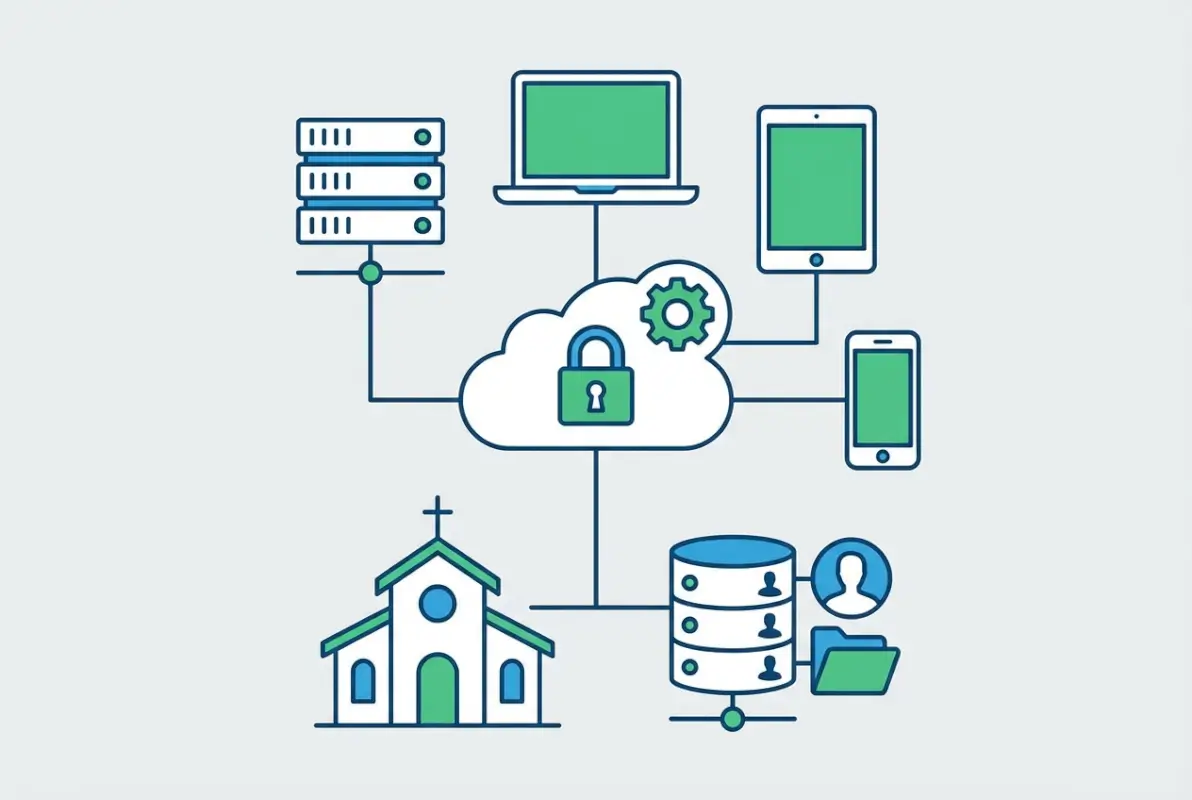
Before you touch a single piece of technology or start gathering contact information, you need absolute clarity on why you’re building this directory and who has authority over its contents. I’ve seen churches rush into directory projects because “everyone else has one,” only to discover three months later that nobody’s using it because the purpose was never clearly defined.
Clarify Your Objectives
Ask yourself: what problems are we actually solving? Different churches need directories for vastly different reasons. Some need them primarily for small group coordination—helping members find and connect with Bible study groups in their neighborhood. Others focus on volunteer management, making it easy to identify who has skills in childcare, audio-visual support, or event planning. Still others prioritize emergency communication, ensuring leadership can reach members quickly during crises.
Your access model flows directly from these objectives. A volunteer coordination directory might allow broad member access to skills and availability. An emergency contact system might restrict visibility to leadership only. A small group directory could use a hybrid approach—basic contact info visible to all members, but detailed preferences only shown to group leaders.
Establish Governance and Privacy Rules
This is where most churches stumble, the privacy and governance conversation feels tedious when you’re excited about technology. But skip this step and you’ll face serious trust issues down the road. Start with data minimization—what fields do you actually need versus what would be “nice to have”?
Essential fields typically include full name, at least one contact method (phone or email), family/household relationships, and membership status. Optional fields might be birthdays, photos, mailing addresses, preferred contact times, or ministry involvement. Each optional field should pass a simple test: will collecting this genuinely serve one of our top three objectives, and are members likely to consent to sharing it?
Roles and permissions deserve serious attention. Most churches need at least three permission levels: administrators (full edit access), members (view directory, edit own profile), and sometimes guests (limited or no access). Some churches add a fourth tier for ministry leaders with elevated access to their specific teams.
Define Success Metrics
How will you know if your directory is actually working? Vague goals like “improve communication” won’t cut it. You need concrete, measurable indicators. Consider tracking adoption rate (what percentage of active members have logged in within the first 90 days?), data freshness (what percentage of records have been updated in the last year?), and admin time savings (how many hours per month are you saving versus the old system?).
Other valuable metrics include login frequency, use of mobile versus desktop access, search patterns (are people actually finding what they need?), and support request volume. If you’re fielding constant “how do I…” questions three months after launch, your user experience needs work.
Step 2: Choose a Directory Model and Technology Stack
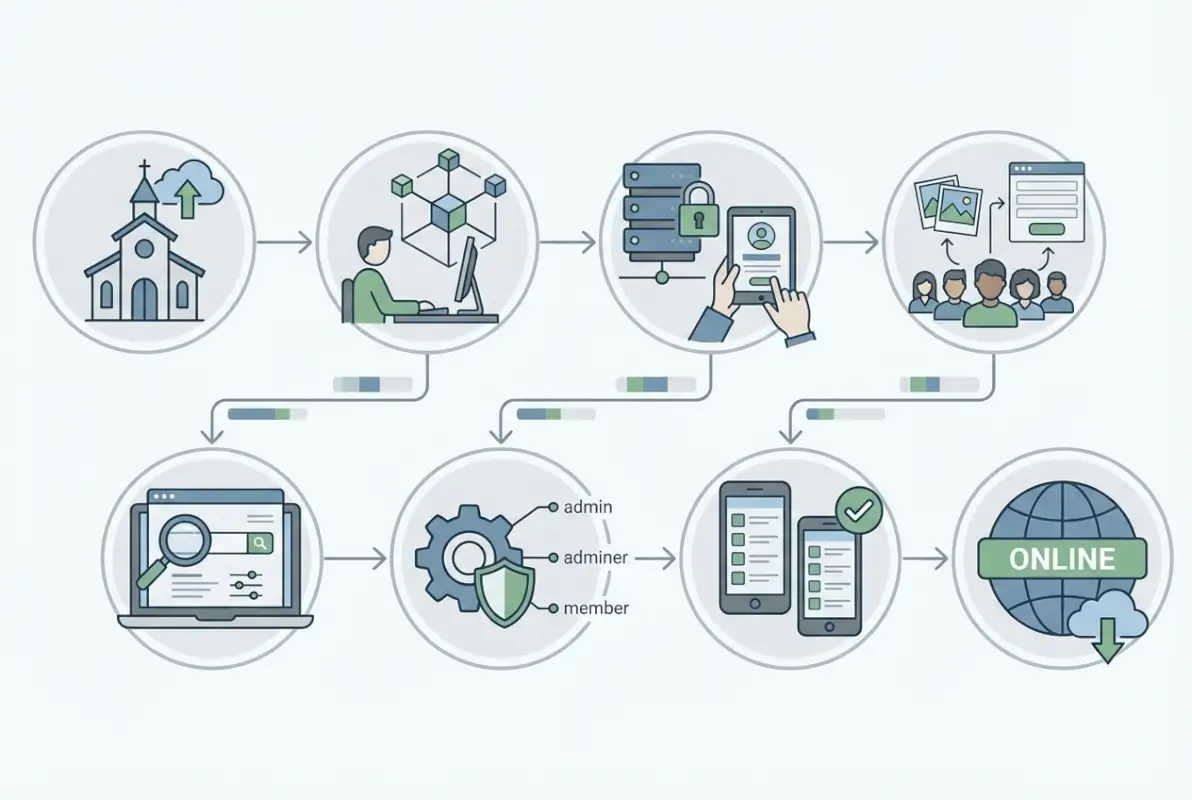
Now that you’ve established your governance framework, it’s time to select the technology that will support it. This decision isn’t about finding the fanciest platform with the most features—it’s about matching capabilities to your actual needs while staying within budget and technical capacity.
Directory Models to Consider
Internal church-only directories work well for smaller congregations (under 200 members) or churches with security concerns about information exposure. Access is tightly controlled, often limited to staff, elders, and active volunteers. These directories typically live behind additional authentication layers and may only be accessible from church-owned devices or networks.
Member/app-based directories have become the standard for most churches. Members download an app or access a web portal with personalized credentials. They can view other members (based on privacy settings), update their own information, and often access additional features like event calendars or giving portals. The flexibility to create online directories that serve multiple purposes makes this model attractive for growing churches.
Printable/digital hybrid approaches acknowledge that not everyone in your congregation is digitally savvy. The online directory remains the source of truth, but you generate periodic printed copies for specific events, leadership meetings, or for members who request them. This requires careful thinking about privacy—printed directories can’t be “updated” if someone opts out later.
Technology Options
Church Management Systems (ChMS) with integrated directory features offer compelling advantages. Platforms like Breeze, Planning Center, and Church Community Builder include directories as part of broader suites that handle giving, event management, and volunteer coordination. The integration means data flows seamlessly—when someone signs up to volunteer, their directory profile automatically reflects that involvement.
Standalone directory tools provide focused functionality without the complexity (or cost) of full ChMS platforms. Instant Church Directory, DirectorySpot, and similar services specialize in member directories with mobile apps, photo support, and straightforward permission systems. They’re ideal for churches that already use other tools for giving or events but need a dedicated directory solution.
| Feature | Integrated ChMS | Standalone Directory |
|---|---|---|
| Cost | $50-200/month (full suite) | $10-40/month (directory only) |
| Setup Complexity | Moderate to High | Low to Moderate |
| Data Integration | Seamless across features | Limited, often CSV-based |
| Mobile Access | Usually included | Often primary focus |
| Best For | Growing churches wanting unified systems | Churches with existing tools, need directory only |
When evaluating options, check data import/export capabilities carefully. Can you get your data out easily if you ever need to switch platforms? Does the system accept standard CSV formats? What happens to member data if you cancel your subscription? These questions matter more than they seem at first glance.
Data Security Basics
Security isn’t optional, especially when you’re handling personal contact information for hundreds of families. At minimum, verify that any platform you consider uses encryption in transit (HTTPS/SSL for web access, encrypted connections for mobile apps) and at rest (data stored in encrypted databases).
Role-based access control should be granular. You need to assign permissions by role (admin, leader, member) and ideally by data field. Maybe all members can see names and phone numbers, but only small group leaders can view home addresses for their specific groups. Audit trails—logs showing who accessed what information when—become invaluable if you ever face questions about data misuse.
Credential hygiene matters too. Require strong passwords, consider offering (or requiring) multi-factor authentication for administrators, and establish clear policies for credential sharing (hint: don’t allow it). When staff or leadership transitions happen, revoke access promptly.
Data Migration Readiness
Before you commit to any platform, understand the migration path from your current system. Most churches have member data scattered across multiple sources—an old Access database, several Excel spreadsheets, printed forms in file cabinets, and tribal knowledge in long-time members’ heads.
Prepare a clean data export with standardized fields: first name, last name, email, phone, physical address, family relationships, and any consent flags you’ve captured. The cleaner your export, the smoother your import. Most white-label directory solutions accept standard CSV formats, but check field mapping requirements before you start cleaning data.
Step 3: Define Data Fields, Privacy, and Access Rules
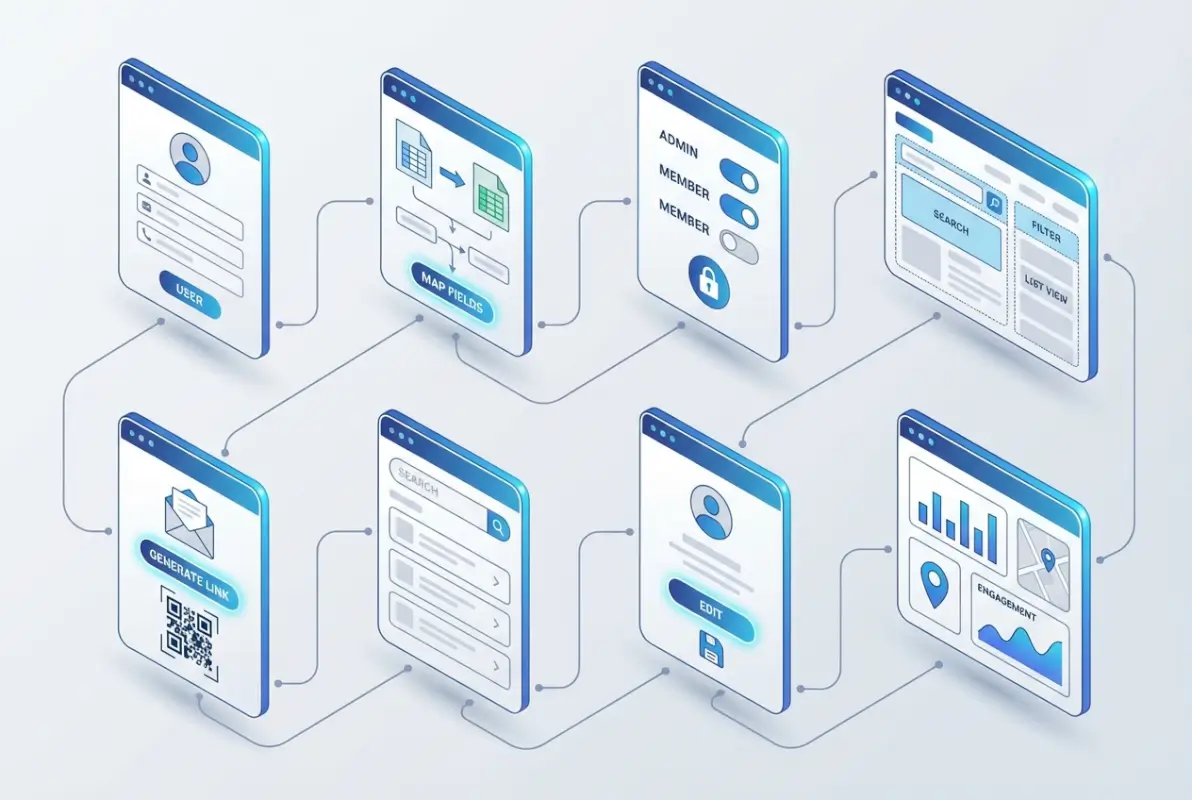
The data you collect shapes everything else about your directory. Collect too little and it won’t be useful, collect too much and you’ll face privacy concerns and maintenance nightmares. Finding the right balance requires thinking carefully about each field’s purpose and the consent required to display it.
Core Data Fields to Include
Essential fields form the foundation. Full name (ideally first, last, and optional middle/preferred name) provides basic identity. At least one contact method—phone or email—ensures reachability. Family/household grouping connects related individuals and prevents awkward situations where children appear as separate, unconnected entries. A membership or participation status flag (active member, regular attender, visitor, staff) helps with filtering and permissions.
A consent or “include in directory” flag is increasingly essential. This simple yes/no field captures whether someone wants to appear in the directory at all. Some members prefer to attend services without being listed in member directories, and that preference deserves respect.
Optional but valuable fields add richness when members consent to share them. Photos make directories much more useful—they help people put names to faces, especially in larger congregations. Birthdays (or just birth month/day without the year) enable celebration and connection, but only collect these with explicit consent. Preferred contact methods or times show respect for members’ boundaries. Ministry involvement or serving roles help with coordination but require regular updates to stay accurate.
Privacy and Consent
Privacy starts with clear, simple consent language. Don’t bury directory permissions in page 7 of a membership packet. Create a dedicated consent form that explains exactly what information will be visible, who can see it, and how members can update or remove their information later.
Granular consent works better than all-or-nothing approaches. Let members choose: “Include my name and phone number but not my email or address” or “Show my information to church members but not to visitors or guests.” This flexibility respects varying privacy comfort levels while still building a useful directory.
Data retention policies need definition upfront. When someone leaves your church or requests removal from the directory, what happens to their information? Best practice: remove them from the visible directory immediately, but retain basic records (for legal/accounting purposes) according to a defined retention schedule, typically 3-7 years depending on jurisdiction and denominational requirements.
Access Control Policies
Who sees what? This question has no one-size-fits-all answer. Conservative approaches limit directory access to confirmed members only, requiring pastoral or administrative approval before granting access. More open models allow anyone who attends regularly to view basic information (names, preferred contact method) while restricting sensitive fields (addresses, birthdays, children’s information) to confirmed members.
Login methods influence both security and adoption. Single sign-on (SSO) using existing church account credentials reduces password fatigue and improves security. Separate directory-specific accounts offer more control but create friction. Many churches find success with a hybrid: SSO for members who already have church accounts, plus a streamlined registration process for those who don’t.
Device access deserves consideration too. Will you support both mobile apps and web portals? Mobile-only access keeps things simple and takes advantage of built-in device security (biometric authentication, device encryption), but excludes less tech-savvy members who prefer desktop computers. Web-only access works but misses the convenience factor that drives regular usage. Most successful implementations support both, with mobile as the primary interface and web as a secondary option.
Step 4: Plan Data Migration, Structure, and Quality
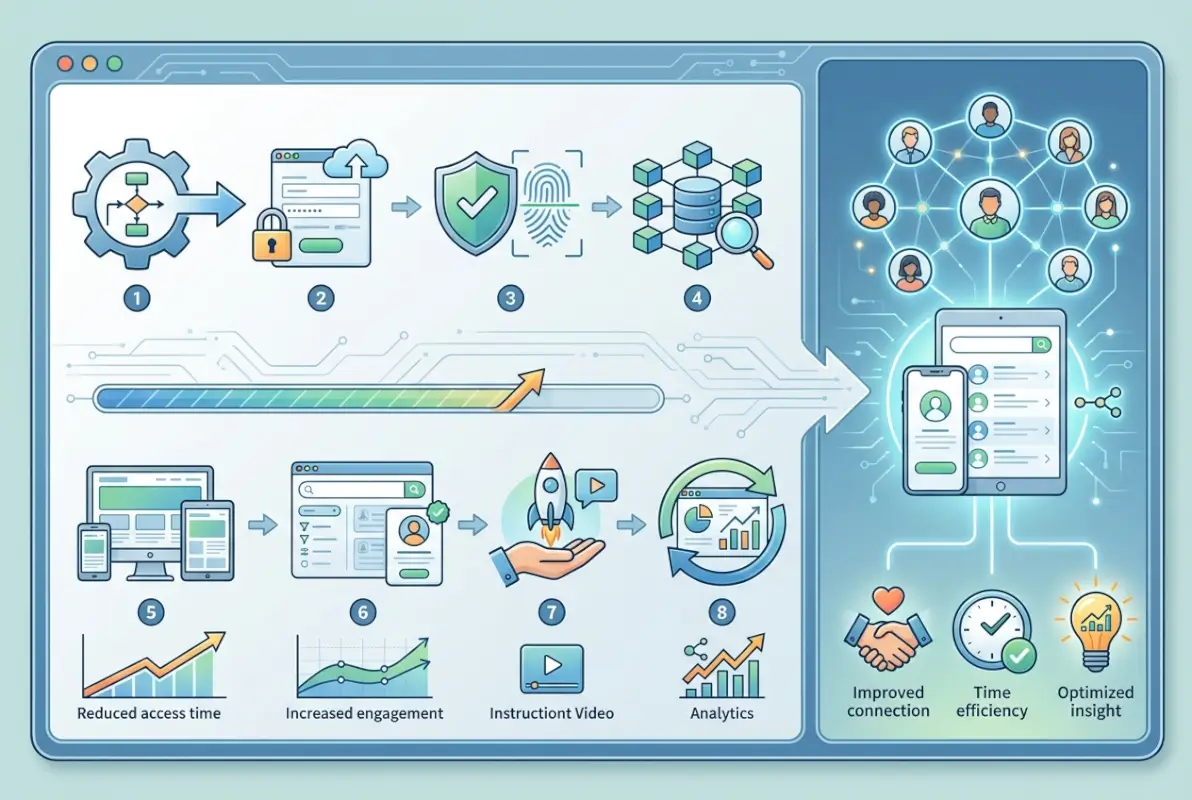
Data migration is where good intentions often collide with messy reality. You’ll discover duplicate records, inconsistent formatting, outdated information, and creative interpretations of “required fields” that made sense to whoever entered them but baffle everyone else.
Inventory Existing Data
Start by gathering every data source you currently maintain. That printed directory from two years ago. The Excel spreadsheet the secretary updates sporadically. The volunteer database the youth pastor maintains separately. The small group leader contact lists. The email distribution lists. Each source probably contains some information the others lack, and all of them likely contradict each other in interesting ways.
Don’t try to merge everything immediately. First, just map what exists—how many total records, what fields each source contains, rough estimate of how current each source is. This inventory helps you prioritize which sources to trust when you find conflicting information.
Clean and Normalize Data
Data cleaning is tedious but absolutely necessary. Standardize name formats—decide whether you’re storing “John Smith” or “Smith, John” and stick to it. Phone numbers need consistent formatting: (555) 123-4567 or 555-123-4567 or 5551234567. Pick one format and apply it everywhere. Email addresses should be lowercase (most systems treat email as case-insensitive, but consistency prevents confusion).
Address normalization matters if you’ll use addresses for anything beyond display. Standardize abbreviations (St. vs Street, Apt vs Apartment), spell out or abbreviate state names consistently, and validate zip codes against a reliable database.
Deduplication is perhaps the most painful part of data cleaning. You’ll find John Smith, Jon Smith, and J. Smith who are all the same person. Marie Johnson, Marie J. Thompson, and Marie Thompson who became the same person via marriage. The Smith family listed as three separate entries and also as one household. Automated deduplication tools help, but expect to manually review questionable matches—merging the wrong records creates headaches that last for years.
Migration Plan
Approach migration in waves rather than all-at-once. Start with your most reliable data source and import a clean core dataset—active members with verified contact information. Get that working correctly before adding layers of complexity like family relationships, photos, or historical members.
Test your import process with a small subset first. Import 20-30 records, verify they appear correctly, test permissions and access rules, then delete them and import again if needed. This small-scale testing catches formatting issues, field mapping problems, and permission quirks before they affect hundreds of records.
Map fields explicitly between your source data and the new system. Source column “Mobile Phone” maps to directory field “Primary Phone.” Source column “Email 1” maps to “Email Address.” Don’t rely on automatic matching—verify every mapping manually.
Data Quality Governance
Once data is migrated, keeping it accurate requires ongoing effort. Schedule quarterly data audits—automated reports that flag common quality issues like missing email addresses, disconnected phone numbers (check for obviously invalid formats like 000-000-0000), or members without household assignments.
Implement validation rules where possible. Email addresses should match standard email format patterns. Phone numbers should contain the right number of digits for your region. Required fields should actually be required—the system shouldn’t allow saving a record that’s missing critical information.
Create a clear process for members to submit updates, ideally self-service through the directory itself. When members can update their own information, accuracy improves dramatically. Pair self-service updates with periodic admin reviews—maybe require admin approval for changes to certain sensitive fields, or audit a random sample of recent changes monthly to catch errors.
Step 5: Implement the Directory (Access, Security, and UX)
Implementation is where your planning pays off—or where gaps in planning create frustration. A smooth rollout requires attention to authentication flows, user experience design, security controls, and thoughtful integration with your existing church technology ecosystem.

Access and Authentication
The login experience sets the tone for everything else. Complicated authentication drives people away, too-simple authentication creates security risks. Most churches find success with email-based authentication for initial setup (send a verification link to the member’s email on file) plus password creation for ongoing access.
Multi-factor authentication (MFA) might seem like overkill for a church directory, but consider it seriously for administrator accounts. If someone compromises an admin account, they gain access to contact information for your entire congregation. MFA adds minimal friction while substantially improving security.
Password reset flows need to be bulletproof and user-friendly. Members will forget passwords, lose devices, and need help regaining access. A smooth self-service password reset process (email verification link, security questions, or SMS code) reduces support burden while maintaining security.
User Experience and Accessibility
Directory search is the feature everyone uses, so it needs to work intuitively. Basic name search is table stakes. Add filters by household, ministry involvement, geographic area, or small group affiliation depending on your earlier-defined use cases. Autocomplete in search boxes dramatically improves the experience—start typing “Joh” and see “John Smith” and “Johnson family” as suggestions.
Mobile responsiveness isn’t optional. Research on church technology usage consistently shows 70-80% of members access church resources primarily from smartphones. Your directory must work flawlessly on small screens with touch interfaces. Test on actual phones, not just browser resize tools, the experience differs more than you’d think.
Accessibility considerations expand your directory’s reach. Ensure sufficient color contrast for readability. Support screen readers with proper semantic HTML and ARIA labels. Allow text resizing without breaking layouts. Provide keyboard navigation alternatives to mouse/touch interactions. These practices help members with visual impairments, motor difficulties, or cognitive differences, and they generally improve the experience for everyone.
Directory Features to Consider
Member profiles should strike a balance between useful information and overwhelming detail. Display contact methods prominently, show household/family connections clearly, and surface ministry involvement if relevant to your use cases. Allow members to edit their own profiles (within permission guardrails) to keep information current.
Photo support transforms directories from useful to indispensable. People remember faces better than names. Photos help newcomers identify who to look for, enable small group leaders to recognize members, and add warmth to what could otherwise feel like a sterile database. Offer clear guidance on photo standards (headshots vs full-body, individual vs family photos, file size limits) and respect members who prefer not to share photos.
Group tagging enables powerful filtering when implemented well. Tag members by small group, ministry team, volunteer role, or geographic area. Then let users filter the directory by these tags—”show me all members of the downtown small group” or “find volunteers with childcare experience.” Just remember: tags require maintenance; assign someone to keep them current as members’ involvement changes.
Export options for printing or offline reference remain valuable despite moving to online-primary. Generate PDFs with customizable field inclusion, formatted for standard paper sizes. Some churches create different exports for different purposes—a full directory for leadership, a names-and-phone-only version for event coordinators, a photo directory for helping members learn faces.
Security and Privacy Controls
Beyond basic authentication, implement granular access controls that match your privacy framework from Step 1. Field-level permissions let you show some information broadly while restricting sensitive data. Maybe everyone sees names and primary phone numbers, but only small group leaders see home addresses for their group members.
Audit logging creates accountability. Track who viewed which profiles when, especially for sensitive information. Most churches never need these logs, but when someone raises a concern about information misuse, having detailed audit trails makes investigation possible.
Regular security reviews should happen at least annually. Audit user permissions—do all those accounts still need access? Review exported data—what files containing member information are floating around? Check encryption settings and software updates. Security isn’t a one-time setup, it’s an ongoing practice.
Vendor Integration
If you’re using a church management system, directory integration usually happens automatically—member data flows between modules without manual sync. If you’ve chosen a standalone directory, investigate integration options with your existing tools.
Common integration points include online giving platforms (sync donor records with directory profiles), event registration systems (pull contact info from the directory for event signups), and email marketing tools (export directory segments for targeted communications). CSV export/import handles basic integration needs, while API connections enable more sophisticated, real-time syncing.
Evaluate the integration maintenance burden honestly. Automated integrations break when software updates change data formats or API specifications. Someone needs to monitor integrations, troubleshoot failures, and coordinate with vendors when problems arise. If you lack technical staff, simpler integration approaches (manual CSV exports on a schedule) might work better than complex API integrations.
Step 6: Data Quality, Maintenance, and Governance
Launch day isn’t the finish line, it’s the starting gun for ongoing directory maintenance. Directories decay naturally as members move, change phone numbers, get married, or update email addresses. Without active maintenance processes, even a perfectly clean launch dataset becomes unreliable within months.
Ongoing Data Hygiene
Automated reminders prompt members to review their information periodically. Send a quarterly email: “Please verify your directory information is current” with a direct link to their profile. Make updates easy—if reviewing and confirming takes more than 60 seconds, compliance drops dramatically.
Admin reviews catch what member self-service misses. Schedule monthly checks for common issues: duplicate records that slipped through, obviously incorrect data (phone numbers with too few digits, email addresses missing @ symbols), incomplete family relationships, or members who’ve been inactive for extended periods.
Bounce-back monitoring for email and phone outreach provides early warning of outdated contact information. If emails to a member consistently bounce, flag their record for admin review. If phone numbers go to disconnected messages, mark them for update.
Change Management
Define clear workflows for different types of changes. Simple updates (member changes their own phone number) might go live immediately. Significant changes (adding a new family, marking someone inactive) might require admin approval. Sensitive changes (deleting records, changing permission levels) should definitely require admin review and perhaps dual approval.
Version history or change logs create transparency and enable rollback if mistakes happen. When you discover that someone accidentally deleted half the youth group’s contact information last week, version history makes recovery possible. Most directory platforms include some version control; understand how it works and how far back you can restore.
Communication about changes keeps everyone aligned. When you update privacy policies, announce it clearly with an explanation of what changed and why. When you add new fields or features, provide simple instructions for how members can use them. When you discover and fix data quality issues, let affected members know you’ve updated their information.
Privacy and Compliance Reviews
Annual privacy assessments ensure your practices match your policies. Review actual access patterns against stated policies—are admins accessing information beyond what they need for their roles? Check consent records—do you have current, documented consent for everyone in the directory? Audit data retention—are you keeping information longer than your policy specifies?
Privacy guidelines from denominational bodies or established church networks provide frameworks for these reviews. The Christian Reformed Church’s privacy guidelines offer thoughtful perspectives on balancing transparency with privacy in church contexts, applicable well beyond that denomination.
Update your privacy approach as norms and regulations evolve. What felt appropriate five years ago might not align with current expectations around data privacy. Stay informed about changing standards, listen to member concerns, and adapt practices accordingly.
Training and Support
Admin training needs to happen at launch and whenever admins change. Document key procedures: how to add new members, update permissions, export reports, respond to access requests, and handle privacy concerns. Video walkthroughs work better than written documentation for complex procedures.
Member-facing help should be simple and easily discoverable. A one-page quick-start guide covering login, search, and profile updates handles 90% of member questions. Video tutorials help visual learners. An FAQ addressing common issues reduces support burden. Make help resources accessible directly within the directory interface, not buried on a separate website.
Designate a support contact and communicate that contact clearly. Members need to know who to ask when they have problems. Whether it’s a dedicated tech support email, a staff member’s extension, or a help desk ticketing system, make the support path obvious and responsive.
Step 7: Engagement Features and Integrations
Once your core directory is running smoothly, enhancements can deepen its value and integration into church life. These features aren’t essential for launch, but they transform a directory from a simple lookup tool into a hub for connection and participation.
Self-Service Member Features
Profile customization empowers members while reducing admin workload. Let members upload their own photos (with approval workflow if needed). Allow them to update contact preferences, add or remove optional information, and manage their privacy settings. The more control members have over their own information, the more invested they become in keeping it accurate.
Communication preferences deserve special attention. Let members specify how they prefer to be contacted (email vs phone vs text), what times are off-limits, and what types of communications they want to receive. A member who opts out of social event invitations but wants volunteer opportunities? Honor that preference in how you use directory data.
Group and Ministry Alignment
Ministry tagging turns your directory into a coordination tool. Tag members by serving areas (nursery volunteers, ushers, worship team, setup crew) and suddenly finding help for specific needs becomes trivial. Need someone to run sound this Sunday? Filter for audio-visual volunteers and see who’s available.
Small group integration helps members find community. Display small group affiliations on profiles, include small group leaders’ contact information, and let members search for groups by location, topic, or meeting time. Some platforms go further, letting group leaders communicate directly with their group through the directory.
Skills and interests databases extend directory value beyond basic contact information. Capture members’ professional skills, hobbies, or areas where they’d like to serve. Then when you need a licensed electrician to consult on building issues, or someone who speaks Mandarin to help with translation, or a graphic designer for event materials, you can search member skills rather than sending mass “does anyone know someone who…” emails.
Event and Volunteer Integration
Sync directory data with event registration to eliminate duplicate data entry. When members sign up for an event, pull their contact information from the directory rather than asking them to type it again. Update directory records when members provide new information during registration.
Volunteer scheduling integration streamlines coordination. See who’s scheduled for which serving roles, with contact information immediately available if you need to confirm or find last-minute replacements. When the directory knows who’s serving where, you avoid double-booking volunteers or missing coverage gaps.
The key is integration without overwhelming complexity. Each integration point adds maintenance burden and potential failure modes. Prioritize integrations that address your top use cases from Step 1; skip integrations that sound cool but don’t directly support your goals.
Printing and Offline Access
Despite the “online” in online directory, printable outputs remain valuable. Create PDF templates that format directory information for standard paper sizes with customizable field inclusion. Leadership might want a full directory with all information, event coordinators might need just names and phone numbers, small group leaders might want their group members with addresses for hosting rotations.
Offline access features help in low-connectivity situations. Some mobile apps cache directory data for access without internet connection—useful during retreats in rural areas or international mission trips. Balance offline convenience against security (cached data is harder to revoke if a device is lost) and freshness (offline data gets stale quickly).
Step 8: Evaluation, Metrics, and Optimization
The final step never actually ends—it cycles back to the beginning as you measure results, gather feedback, and refine your approach. Successful directories evolve continuously in response to how members actually use them and what needs emerge.
Measure Success Against Your Goals
Return to those success metrics you defined in Step 1. If you targeted 75% adoption within 90 days, where do you actually stand? If you hoped to save 10 admin hours per month, are you tracking actual time savings? If data freshness was a priority, what percentage of records have been updated in the last year?
Usage analytics reveal how members actually interact with your directory. Which features do they use frequently versus which ones are ignored? What search patterns are common? How long do typical sessions last? When do people access the directory (Sunday mornings, midweek evenings)? This behavioral data guides optimization priorities—enhance what people use, simplify or remove what they don’t.
Support request tracking identifies pain points. Are you fielding the same questions repeatedly? That’s a sign your interface or help documentation needs improvement. Are certain features generating disproportionate support burden? Maybe they’re too complex or poorly explained. Track support volume and categorize requests to spot patterns.
Gather and Act on Feedback
Direct feedback from members provides insights analytics can’t capture. Conduct a brief survey 30-60 days after launch: What’s working well? What’s confusing? What features do you wish existed? What would make the directory more useful to you? Keep surveys short (5-7 questions max) to maximize response rates.
Focus groups with different member segments uncover varying needs. How do young families use the directory differently than retirees? What do small group leaders need that general members don’t? How do less tech-savvy members struggle with features that seem obvious to digital natives?
Informal feedback matters too. When members mention directory issues casually after services or in other contexts, note those comments. Patterns in casual feedback often reveal issues people wouldn’t bother reporting formally.
Iterate and Optimize
Schedule regular review cycles—quarterly for the first year, then semi-annually once things stabilize. Each review should examine metrics, feedback, and usage patterns, then identify 2-3 specific improvements to tackle before the next review.
Prioritize changes that address common pain points or unlock significant value. A tweak that makes search 30% faster benefits everyone daily. Adding an obscure feature that two people requested? Probably not worth the development and maintenance cost.
Communicate changes clearly when you make updates. Members appreciate knowing their feedback drove improvements, and explaining changes helps people adapt. “Based on your feedback, we’ve simplified the profile edit process” makes members feel heard and encourages continued engagement.
Platform migrations might eventually make sense if your needs outgrow your current solution. Maybe you started with a simple standalone directory but now want full church management integration. Or vice versa—perhaps the comprehensive ChMS you bought is overkill and you’d save money with a focused WordPress-based directory solution. Regular evaluation helps you recognize when migration benefits outweigh migration costs.
Frequently Asked Questions
How do I decide which data fields to include in a church directory?
Start with essential fields only: full name, one contact method, household grouping, and consent status. Add optional fields like photos, birthdays, or addresses only if they serve specific use cases you identified in your goals phase. Fewer fields means easier maintenance and fewer privacy concerns. You can always add fields later as needs emerge.
Is a private, member-only directory more secure than a public one?
Yes, member-only directories significantly reduce exposure risk. They limit access to authenticated users, allow granular permission controls, and enable audit logging of who views what. Public directories expose contact information to anyone online, creating privacy and security concerns. Most churches should default to member-only access with rare exceptions for specific outreach purposes.
How can I ensure my church directory is accessible on mobile devices?
Choose platforms specifically designed with mobile-first architecture or that offer dedicated mobile apps. Test thoroughly on actual phones and tablets, not just browser resize tools. Verify that search, profile viewing, and common tasks work smoothly with touch interfaces. Check that text remains readable without zooming and buttons are large enough to tap accurately.
What are best practices for handling photos and sensitive information?
Require explicit opt-in consent before displaying photos. Provide clear guidelines for appropriate photos (headshots preferred, professional quality recommended). For sensitive information like children’s data, birth dates, or medical information, implement stricter access controls—often limiting visibility to staff and relevant ministry leaders only. Never share sensitive data publicly.
How do I get members to update their information regularly?
Make updates trivially easy through self-service profile editing. Send periodic reminders (quarterly works well) with direct links to member profiles. Show members how current information benefits them—better small group connections, relevant event invitations, accurate prayer requests. Consider gamification like “directory completion” status or public recognition for members who keep information current.
Can a directory integrate with our existing church management software?
Most church management systems include integrated directories, eliminating separate integration work. For standalone directories, check for CSV export/import capabilities at minimum. Some platforms offer API integrations with popular church management systems like Planning Center, Breeze, or Church Community Builder. Evaluate integration maintenance requirements before committing to complex connections.
What should I do if a member wants to opt out of the directory?
Honor opt-out requests immediately and without question. Remove their information from visible directory displays while potentially retaining minimal data (name, membership status) in administrative systems for legal/accounting purposes. Document their opt-out preference clearly to prevent accidental re-inclusion. Consider offering partial opt-out options—maybe they’ll share minimal information rather than complete removal.
How can we print a church directory from an online system?
Most directory platforms offer PDF export functionality with customizable field inclusion and formatting. Create templates for different purposes—full directories for leadership, condensed versions for events, photo directories for member recognition. Schedule periodic exports if you need physical copies for specific groups or events, but keep the online version as the authoritative source.
How often should we audit directory permissions and access?
Conduct permission audits at least annually, reviewing who has access and whether their access level still matches their role. Perform more frequent spot checks after staff transitions or leadership changes. Remove access immediately when people leave staff or leadership positions. Regular audits prevent permission creep where people accumulate access they no longer need.
What’s the biggest mistake churches make when creating online directories?
Skipping governance and privacy planning in the rush to implement technology. Churches pick a platform, import all available data, and launch without clearly defining who should see what or obtaining proper consent. This creates privacy violations, member distrust, and often requires painful rollbacks. Always start with governance, privacy, and goals before choosing technology.
Ready to Build Your Church Directory?
Creating an effective online church directory requires balancing technology with privacy, efficiency with security, and innovation with sustainability. Start small with a pilot group, focus relentlessly on data quality over quantity, and iterate based on real member feedback rather than assumptions.
Remember that a directory isn’t just a database—it’s infrastructure for community. When implemented thoughtfully, it reduces administrative friction while strengthening the connections that make church membership meaningful. The time you invest in planning, the care you take with privacy, and the discipline you maintain in data quality all directly impact how well your directory serves your congregation for years to come.
Begin with step one: gather your leadership team, define clear goals, and establish governance frameworks. Everything else flows from that foundation. And if you need more guidance on building effective online directories that boost engagement and streamline management, there are proven platforms and approaches ready to support your journey.
Was this article helpful?