Creating an Online Directory with WordPress: 6 Essential Plugins to Use

Generating summary...
Online directories aren’t going anywhere—in fact, they’re thriving. With approximately 6 billion people online and three-quarters of the world’s population connected to the internet, the demand for local discovery, service marketplaces, and curated business listings has never been stronger. Yet here’s what most people get wrong: building a directory isn’t about installing every plugin you can find or copying what competitors are doing. It’s about selecting the right handful of tools that work together seamlessly, then optimizing relentlessly for speed, user experience, and monetization.
WordPress remains the go-to platform for directory sites because of its flexibility, massive plugin ecosystem, and the fact that you don’t need to be a developer to launch something professional. But the real challenge? Knowing which plugins to trust, how to configure them without tanking your site speed, and how to turn submissions into revenue. I’ve seen directory sites load in under two seconds with hundreds of listings, and I’ve seen others collapse under five plugins because nobody thought about caching or database optimization. The difference comes down to strategic choices, not just technical capability.
TL;DR – Quick Takeaways
- Six essential plugins – A directory manager, maps integration, advanced search, reviews system, payment gateway, and SEO/performance toolkit form the complete stack
- Performance matters more than features – A slow directory with every bell and whistle loses to a fast, streamlined site every time
- Monetization starts on day one – Build your billing structure and upgrade paths before you have 100 listings, not after
- Data quality beats quantity – Ten verified, complete listings outperform 100 half-empty ones for SEO and user trust
- Security and compliance aren’t optional – User-generated content means you need moderation workflows, backups, and privacy compliance from the start
Understanding the Directory Website Blueprint
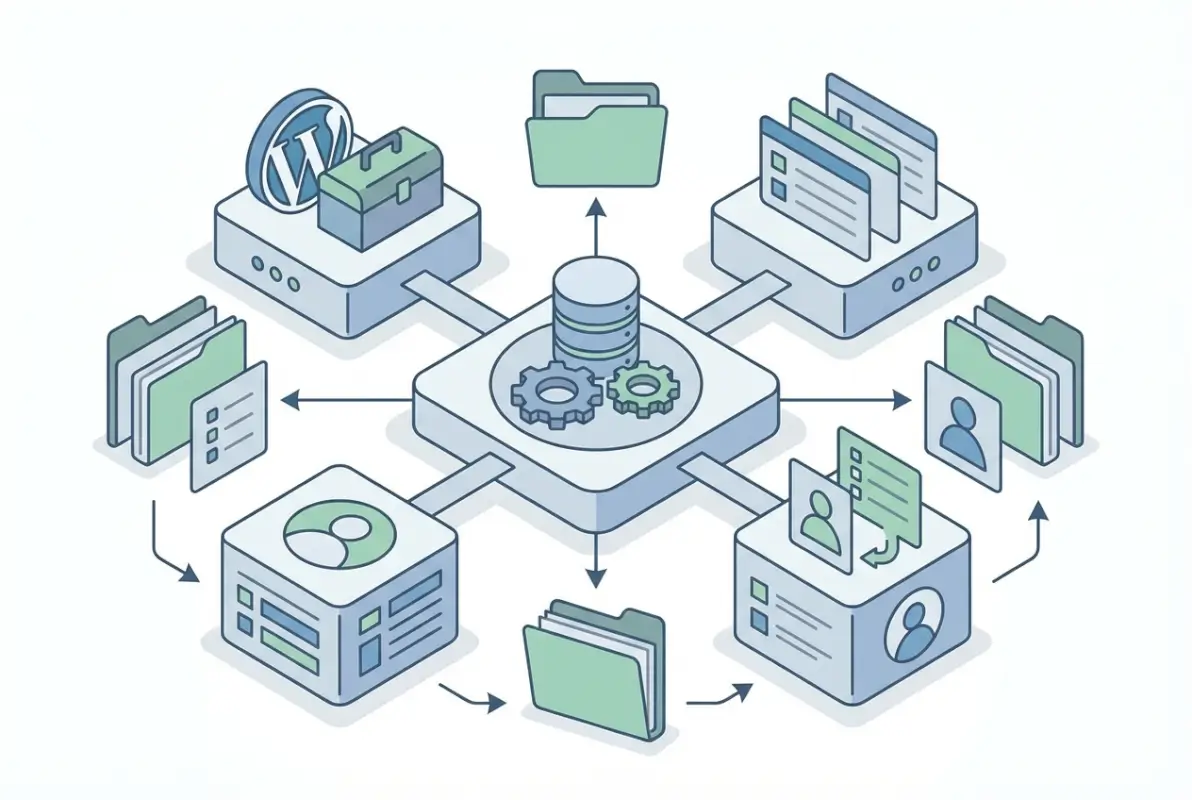
Before you install a single plugin, you need to understand what makes a directory actually work. Most people approach this backwards—they pick a pretty theme, install a directory plugin, and then realize they haven’t thought through their data model, niche focus, or how users will actually interact with the site. A directory is fundamentally different from a blog or portfolio site because it’s a database-driven application wrapped in a content management system. Your success depends on how well you plan the structure underneath, not just what appears on the surface.
Why Build a Directory on WordPress
WordPress powers approximately 40% of all websites, and for good reason. The platform gives you immediate access to thousands of themes and plugins, a massive community for support, and the ability to start free and scale up as you grow. For directories specifically, WordPress offers custom post types (perfect for listings), taxonomies (categories, tags, locations), and a mature plugin architecture that lets you add sophisticated features without writing code.
The flexibility is the real advantage. Want to add membership tiers? There’s a plugin. Need proximity-based search? Another plugin handles that. Planning to integrate with third-party APIs for data enrichment? WordPress hooks and filters make it possible. Compare that to building from scratch or using a closed platform where you’re locked into their feature set and pricing model. With WordPress, you maintain control over your data, your monetization strategy, and your ability to pivot when market conditions change.
Typical Directory Features You’ll Need
Every directory needs core functionality: listing submission forms, search and filtering, location-based services (maps, geocoding), user reviews and ratings, and some form of monetization (whether that’s paid listings, featured placements, or advertising). The mistake people make is treating these as separate islands of functionality when they need to work as an integrated system.
Your submission form needs to feed data that’s searchable, mappable, and schema-compliant for SEO. Your reviews need spam protection but also a workflow for moderation and response. Your payment system needs to handle recurring subscriptions, upgrade paths, and refunds without manual intervention. When you’re evaluating plugins, ask yourself: “Does this play nicely with my other tools, or will I spend weeks debugging conflicts?”
Define Your Directory Niche and Data Model
Generic directories rarely win anymore because they’re competing with Google Maps, Yelp, and a dozen established platforms with massive budgets. The directories that succeed in the current landscape are hyper-focused: plumbers in three counties, wedding vendors in specific cities, B2B services for a particular industry. Getting your business listed in a city directory works because the focus creates trust and makes SEO achievable.
Your data model follows your niche. If you’re building a directory for restaurants, you need fields for cuisine type, price range, reservations, dietary options. If you’re building one for contractors, you need licensing numbers, insurance verification, service areas, and project galleries. Define these fields before you configure your plugins because retrofitting your data model after you have 200 listings is painful and error-prone.
Planning Considerations Before You Install Plugins
Performance planning starts before you install anything. A directory site with maps, filters, and user-generated content can easily become a bloated mess if you don’t think about caching layers, image optimization, lazy loading, and database queries from day one. The most common mistake? Installing everything, configuring it all, and then being surprised when your hosting environment can’t handle the load.
Compliance and accessibility aren’t afterthoughts either. If you’re collecting user data—emails, phone numbers, business details—you’re subject to GDPR in Europe, CCPA in California, and a growing list of privacy regulations worldwide. Your plugins need to support data export, deletion requests, and consent management. Accessibility (a11y) isn’t just good ethics, it’s good SEO and expands your potential user base. Check that your directory theme and plugins support keyboard navigation, screen readers, and WCAG standards.
Six Essential Plugins to Power Your WordPress Directory
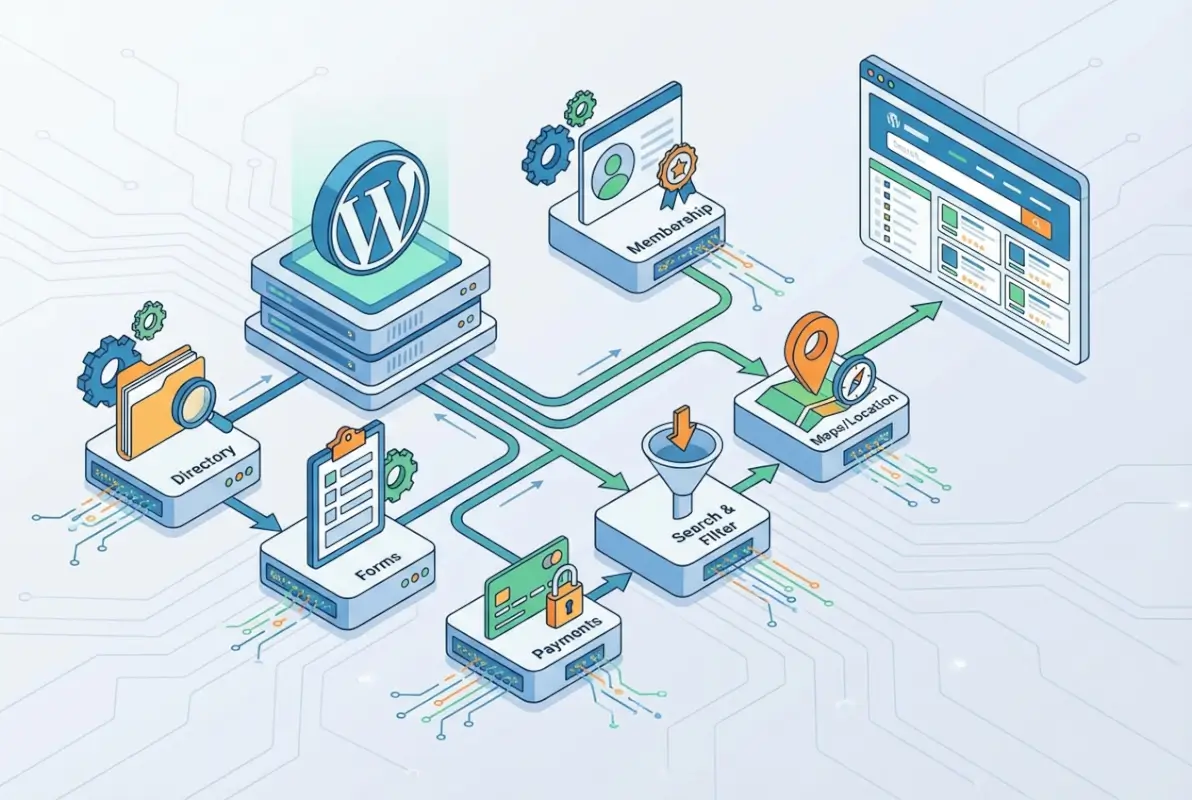
The six-plugin approach isn’t arbitrary—it’s the minimum viable stack to deliver a professional, monetizable directory without overloading your site. Each plugin handles a distinct layer of functionality, and together they create a system that’s greater than the sum of its parts. Let’s break down what each one does and why you can’t skip any of them if you’re serious about building something sustainable.
Plugin 1: Directory/Listing Manager
This is your foundation. A dedicated directory plugin (like Business Directory Plugin, GeoDirectory, or Directorist) gives you custom post types for listings, front-end submission forms, and the core data structure your site depends on. Look for plugins that support custom fields, multiple listing types (if you need them), and flexible taxonomies for categories and locations.
The submission workflow matters more than most people realize. Can users create drafts and come back later? Do you have approval workflows to prevent spam? Can you bulk import listings from a CSV for initial seeding? These operational details determine whether running your directory feels manageable or becomes a full-time job. I remember launching a local business directory and quickly realizing that manual approval of every field edit was killing my productivity—automated workflows saved that project.
Plugin 2: Maps and Location Services
People expect maps, and not just static images. Interactive maps with markers, clustering for dense areas, and the ability to zoom, pan, and click through to listings are table stakes. Plugins like WP Google Maps or Mapbox integration handle geocoding (turning addresses into coordinates), proximity search (find businesses within X miles), and map customization to match your brand.
The performance hit from maps can be significant if you’re not careful. Lazy loading map tiles, limiting the number of visible markers, and using lightweight map libraries instead of bloated alternatives make the difference between a snappy experience and a three-second delay every time someone interacts with your directory. Also consider API costs—Google Maps has generous free tiers, but if you scale to thousands of daily searches you might hit billing thresholds. Mapbox and OpenStreetMap alternatives can be more cost-effective at scale.
| Map Solution | Free Tier | Best For |
|---|---|---|
| Google Maps | $200/month credit | Familiarity, rich data |
| Mapbox | 50k loads/month | Customization, cost control |
| OpenStreetMap | Unlimited (self-hosted) | Full control, no API limits |
Plugin 3: Advanced Search and Filters
Basic WordPress search won’t cut it. Your users need to filter by category, location, price range, features, ratings—whatever dimensions your niche requires. Plugins like FacetWP or SearchWP extend WordPress search with faceted filtering, keyword search across custom fields, and AJAX-powered results that update without page reloads.
The user experience here determines whether people find what they’re looking for or bounce in frustration. Sticky filter panels, clear visual feedback when filters are active, and the ability to combine multiple filters (e.g., “Italian restaurants in Brooklyn with outdoor seating and ratings above 4 stars”) separate amateur directories from professional ones. Proven tactics to get businesses to join your directory include showing them that users can actually find them through robust search.
Plugin 4: Reviews, Ratings, and User-Generated Content
User reviews build trust and create fresh content that search engines love. But unmoderated reviews invite spam, fake testimonials, and the occasional troll. You need a reviews plugin (like WP Review or Comment Rating) that includes spam filtering, moderation queues, verified buyer/user badges, and structured data markup so Google can display star ratings in search results.
Encourage high-quality reviews by making submission easy but not too easy. Require account creation to prevent anonymous spam, but don’t demand ten form fields that nobody will fill out. Send follow-up emails after someone uses a service to request a review. Display aggregate ratings prominently on listing cards and in search results. And for businesses listed, give them tools to respond to reviews—engagement improves the quality of your directory and makes businesses more likely to maintain their listings.
Plugin 5: Payment, Subscriptions, and Monetization
If you’re not monetizing from day one, you’ll struggle to justify the time investment later. Payment plugins like WooCommerce (with Subscriptions extension) or Paid Memberships Pro handle listing fees, featured placements, subscription tiers, and billing renewals. Your monetization model might be simple (free basic listings, $X/month for premium) or complex (tiered plans, one-time boosts, advertising add-ons), but the infrastructure needs to support it without manual invoice generation.
Billing lifecycle management is where most people mess up. What happens when a credit card expires? When someone wants to downgrade mid-cycle? When you need to issue a refund? Your plugin needs to handle these scenarios gracefully, with automated emails, proration logic, and customer self-service options. I’ve seen directories lose 30% of their recurring revenue because expired cards never got updated—automated retry logic and reminder emails fix that.
Plugin 6: SEO, Analytics, and Performance Optimization
A directory without traffic is just an empty database. SEO plugins like Rank Math or Yoast SEO help with meta descriptions, XML sitemaps, and breadcrumb navigation. But for directories, schema markup is absolutely critical. Your listings need LocalBusiness schema, aggregate rating schema, and properly marked-up address and contact information so Google can understand and display your data in rich results.
Performance optimization is equally important. A caching plugin (WP Rocket, W3 Total Cache) dramatically reduces server load by serving static HTML to repeat visitors. Image optimization plugins (Smush, ShortPixel) compress photos and implement lazy loading so your listing galleries don’t slow down page loads. Combine these with a CDN (Cloudflare, BunnyCDN) to serve static assets from geographically distributed servers, and you’ve got a speed foundation that scales.
Implementation Steps for the Six-Plugin Stack
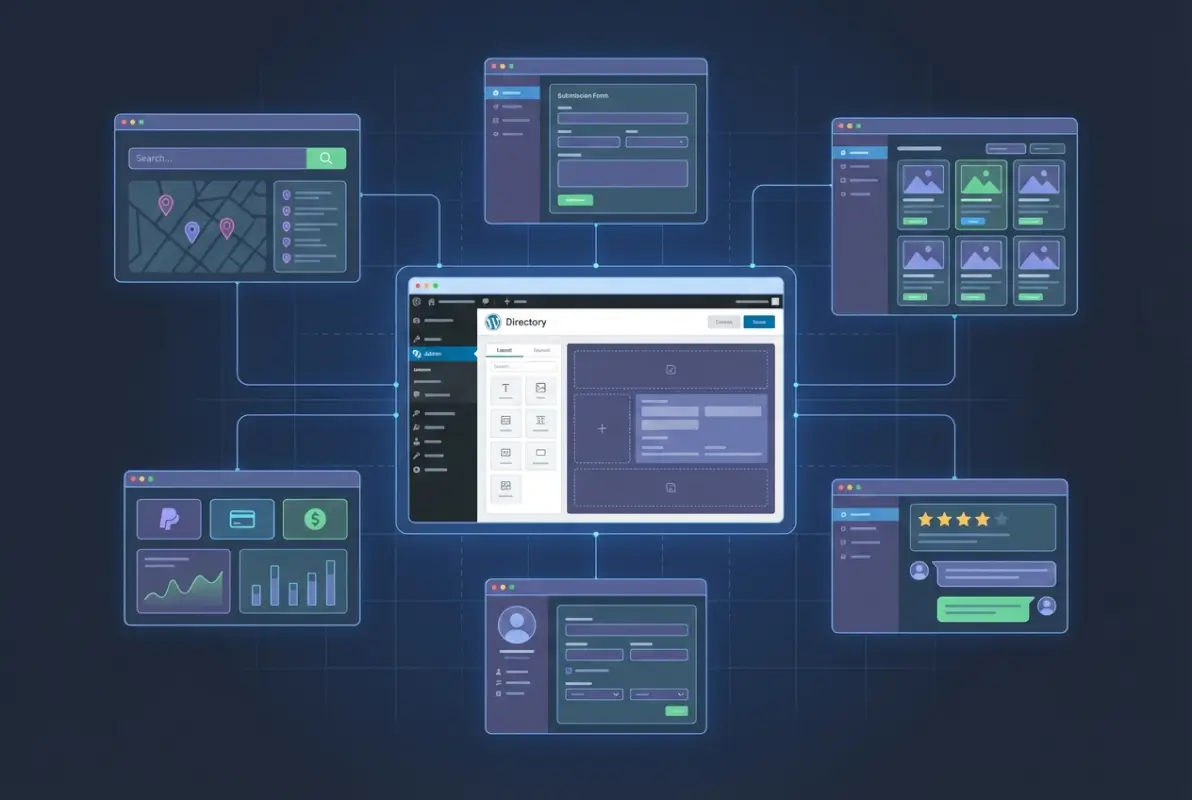
Installing plugins is easy, configuring them to work together is where the challenge lies. The order matters because later plugins often depend on data structures created by earlier ones. If you install your payment plugin before your directory manager, you’ll spend hours mapping custom fields and post types that should have been automatic. Follow this sequence and you’ll avoid the most common integration headaches.
Step-by-Step Plugin Installation Order
Start with your directory/listing manager. Install it, activate it, and configure your custom post type for listings. Set up your basic fields (name, description, address, phone, website, categories). Create a few test listings manually to make sure everything saves correctly and displays on the front end. Once that’s solid, move to your map plugin and configure it to pull location data from your listing fields. Test that markers appear correctly and that clicking them opens the right listing detail pages.
Next comes search and filters. Configure your faceted search to index the custom fields and taxonomies you’ve created. Test combinations of filters and make sure AJAX updates work without throwing JavaScript errors. Then add your reviews plugin, making sure it attaches reviews to your custom listing post type (not just regular posts). Configure moderation settings and spam protection before you open submissions to the public.
Your payment plugin comes second-to-last because it needs to hook into your submission workflow. Configure pricing plans, map them to user roles or listing capabilities (e.g., premium users get featured placement), and test the complete flow: signup, payment, listing creation, expiration, renewal. Finally, add your SEO and performance plugins. Configure caching rules that exclude user-specific pages (dashboards, submission forms), set up your schema markup templates, and run performance tests to establish your baseline.
Configuring Core Listing Types, Fields, and Submission Forms
Your submission form is the gateway to your directory’s data quality. Keep it simple enough that people will complete it, but comprehensive enough to make listings useful. Required fields should be minimal—maybe just business name, category, and location. Everything else (phone, website, hours, description, photos) can be optional but encouraged through progress indicators or incentive messaging (“Listings with photos get 3x more views!”).
Field validation prevents garbage data. Use input masks for phone numbers and zip codes, URL validation for websites, and dropdowns instead of free text wherever possible (states, countries, categories). Creating a business directory without typing through bulk imports is powerful, but manual submissions from users are where your validation rules prove their worth.
Setting Up Maps, Search Facets, and Listing Templates
Map configuration involves geocoding your addresses (turning “123 Main St, Brooklyn NY” into latitude/longitude coordinates) and choosing marker styles that match your brand. Clustering is essential if you have dense geographic areas—instead of showing 50 overlapping markers, clustering groups them and expands when users zoom in. This keeps your map fast and usable even with thousands of listings.
Search facets need thoughtful organization. Don’t just dump every filter on the page—prioritize the ones your users actually care about and use progressive disclosure (show more filters behind a “More options” link). Test filter combinations on both desktop and mobile because what works on a wide screen often breaks on narrow viewports. And make sure your listing templates are responsive, with clear calls-to-action (click to call, get directions, visit website) that work on touch devices.
Enabling User Reviews and Moderation Workflows
Automated spam filtering catches most junk, but you still need human moderation for edge cases. Set up a queue where new reviews wait for approval, with email notifications so you’re not checking manually every hour. Consider auto-approving reviews from verified users or those who’ve had previous reviews approved—this scales your moderation workload without compromising quality.
Let business owners respond to reviews directly. Give them a dashboard where they can see their ratings, read individual reviews, and post responses. This increases engagement and shows other users that businesses are active and responsive. Just make sure you have clear terms of service about what’s acceptable in responses (no personal attacks, no offering kickbacks for good reviews).
Setting Up Monetization
Pricing plans should be clear and differentiated. Free listings might include just basic information and no photos. A $10/month plan adds a logo, photo gallery, and social links. A $25/month premium tier includes featured placement, priority in search results, and analytics on views and clicks. Whatever tiers you choose, the value ladder needs to be obvious so users can self-select into the right level.
Automate everything you can. Billing reminders before cards expire, automated downgrades when payments fail (after retry attempts), and upgrade prompts based on usage patterns (e.g., “You’ve hit your photo limit—upgrade to premium for unlimited photos”). Payment lifecycle management through automation turns your directory from a side project into a sustainable business. Getting your business listed in a Brooklyn directory should be frictionless, with payment handling happening in the background.
SEO Foundations and Performance Tuning
Schema markup for directories includes LocalBusiness schema on individual listings (with address, phone, opening hours), aggregate rating schema showing average review scores, and breadcrumb navigation for category and location pages. Your SEO plugin should generate this automatically, but validate it with Google’s Rich Results Test to make sure everything’s correct.
Performance tuning means testing under load. Use tools like GTmetrix or WebPageTest to measure load times with realistic listings (not just your three test entries). Optimize images, enable browser caching, minify CSS and JavaScript, and consider implementing a service worker for offline functionality. A directory that loads fast on 3G mobile connections in rural areas will absolutely fly on desktop broadband.
Data Quality, Curation, and SEO for Directories
A directory is only as good as its data. You can have perfect plugins, beautiful design, and lightning-fast performance, but if your listings are incomplete, outdated, or duplicate-filled, users won’t trust you and search engines won’t rank you. Data quality is an ongoing process, not a one-time setup task. Let’s talk about how to maintain high standards from day one and use that quality to drive organic traffic.

Data Quality Strategies
Standardization starts with your submission form. If you let users enter addresses in free text, you’ll get “123 main street,” “123 Main St.,” and “123 Main Street” as three different entries. Use address validation APIs (Google Places API, SmartyStreets) that autocomplete addresses and standardize formatting. Same principle applies to phone numbers, business names, and categories—guide users toward consistent data entry with dropdowns, autocomplete, and format hints.
Validation catches errors before they become public. Check that phone numbers are valid, websites actually exist and load, and email addresses aren’t obvious fakes. For high-value listings (paid tiers), consider manual verification steps like calling the business or checking business registrations. This extra effort builds trust and differentiates your directory from scraped databases that prioritize quantity over accuracy.
Enrichment adds value beyond what users submit. Pull in data from public APIs—business hours from Google Maps, social media follower counts, licensing information from state databases. This makes your listings more comprehensive without demanding more work from submitters. Fixing business information in directory engines often means bridging gaps between what users provide and what searchers need.
Schema Markup and Rich Results for Directories
Schema.org provides vocabulary that search engines understand. For directories, the most important schema types are LocalBusiness (or specific subtypes like Restaurant, MedicalBusiness), AggregateRating, and Review. When implemented correctly, these let Google display star ratings, price ranges, and key details directly in search results—dramatically increasing click-through rates.
FAQPage schema on listing pages can earn you featured snippets for common questions about businesses or services. If you have category pages with overview content, Article or CollectionPage schema helps Google understand the structure. The more machine-readable your directory is, the better search engines can surface your content for relevant queries.
| Schema Type | Use Case | Rich Result |
|---|---|---|
| LocalBusiness | Individual listings | Knowledge panel, map pack |
| AggregateRating | Review summaries | Star ratings in SERPs |
| BreadcrumbList | Navigation paths | Breadcrumb trails in results |
| FAQPage | Common questions | Featured snippets |
SEO Optimization Workflows
Internal linking structure matters tremendously for directories. Link from category pages to individual listings, from location pages to categories in that area, and from listings back to relevant category and location hubs. This creates a web of semantic relevance that helps search engines understand your site structure and distributes link equity throughout your directory.
Canonicalization prevents duplicate content issues when listings appear in multiple categories or locations. Use canonical tags to point to the primary URL for each listing, and configure your directory plugin to handle this automatically. For pagination on category or search result pages, use rel=”next” and rel=”prev” tags (or simply load more results with AJAX) to avoid diluting SEO value across dozens of paginated pages.
URL design should be clean and descriptive. Instead of “?listing_id=12345,” use “/restaurants/brooklyn/joes-pizza” with the location and category in the path. This makes URLs more clickable, easier to remember, and better for SEO. Most directory plugins support custom permalinks—configure them before you launch, because changing URLs later means setting up redirects for every single listing.
Local Content and Landing Pages
Category hub pages (like “Restaurants in Brooklyn” or “Plumbers in Austin”) are your SEO workhorses. These pages rank for broad search terms and funnel traffic to individual listings. Write unique, helpful content for each hub—neighborhood guides, common questions, seasonality notes, anything that adds value beyond just a list of businesses.
Location pages work similarly. If your directory covers multiple cities or regions, create landing pages for each with localized content. Talk about the local market, specific considerations for that area, and highlight top-rated businesses. This signals to Google that you’re not just aggregating data—you have local expertise and context.
Analytics and KPI Tracking
What gets measured gets managed. Track listings submitted per week, approval rates (how many submissions pass moderation), activation rates (how many approved listings get claimed by business owners), and conversion to paid plans. User engagement metrics like time on site, pages per session, and bounce rate tell you whether your directory is actually useful or just a database dump.
A/B test everything: submission form layouts, pricing page copy, featured listing placements, call-to-action buttons. Small improvements compound over time. Maybe changing “Submit your business” to “Get listed free” increases submissions by 20%. Maybe moving your pricing table above the fold converts 15% more free users to paid. You won’t know unless you test, measure, and iterate.
Performance, Security, and Compliance
Speed and security aren’t optional extras—they’re foundational to whether your directory succeeds or fails. A slow site frustrates users and hurts SEO rankings. A compromised site loses trust instantly and can take months to recover from (if it ever does). And compliance issues, particularly around data privacy, can result in fines and legal action. Let’s make sure you’re covered on all three fronts.

Performance Optimization Techniques
Caching is your first and most important optimization. A good caching plugin generates static HTML versions of your pages and serves them to visitors instead of hitting the database every time. This reduces server load by 90% or more and makes your directory feel instant. Configure cache rules carefully—don’t cache user dashboards, submission forms, or checkout pages, but aggressively cache listing detail pages, category pages, and any static content.
Image optimization can’t be ignored when users are uploading photos. Automatically compress uploads, convert to modern formats like WebP, and implement lazy loading so images below the fold don’t load until users scroll down. For listing galleries with 10-20 photos, this can cut page weight from 5MB to under 500KB.
CDN usage distributes your static assets (images, CSS, JavaScript) to servers around the world so they load from the closest geographic location to each visitor. This is especially important if your directory serves a national or international audience. Cloudflare offers a generous free tier that’s perfect for getting started, with upgrade paths as you scale.
Security Best Practices
Plugin hygiene means keeping everything updated. Old plugin versions are the number one attack vector for WordPress sites. Enable automatic updates for minor releases, and schedule time each week to review and apply major updates after checking compatibility. Remove unused plugins completely—disabled plugins can still contain vulnerabilities.
Firewall measures protect against brute force attacks, SQL injection attempts, and other common exploits. A security plugin like Wordfence or Sucuri adds a Web Application Firewall (WAF), monitors for suspicious activity, and can block malicious traffic before it reaches your WordPress installation. Two-factor authentication for admin accounts adds another layer of protection against compromised passwords.
Legal and Compliance Considerations
Data privacy regulations like GDPR and CCPA give users rights over their personal data: the right to access it, correct it, delete it, and export it. Your directory needs clear privacy policies explaining what data you collect, how you use it, and how users can exercise their rights. Most importantly, you need technical systems to actually fulfill data requests without manual database queries.
Consent for user submissions matters too. When someone submits a listing or review, they need to agree to your terms of service and understand that their content will be public. Store these consent records in case you ever need to prove you had permission to publish someone’s data. For reviews especially, consider requiring verified accounts so you can attribute content to specific users if disputes arise.
Regular backups protect against catastrophic failures—server crashes, hacking incidents, accidental deletions, or bad plugin updates that break your site. Automate daily backups and store them off-site (not just on the same server). Test your restore process quarterly to make sure backups actually work when you need them. I’ve seen too many site owners discover their backup plugin wasn’t configured correctly only after disaster struck.
Monetization Strategies for WordPress Directories
A directory without revenue is a hobby. If you want to sustain and grow your project, you need clear monetization from the start. The good news is that directory sites have multiple revenue streams you can layer together: subscription fees, one-time listing upgrades, advertising, and affiliate commissions. Let’s explore what works and how to implement it without driving users away.
Freemium vs. Paid Tiers
The freemium model works when your free tier is genuinely useful but leaves users wanting more. A basic listing with just name, category, and contact info might be free, while paid tiers add photos, longer descriptions, social media links, and priority placement in search results. The key is making the upgrade obvious and valuable—users should feel like they’re missing out on real benefits, not just cosmetic differences.
Pricing psychology matters. A three-tier structure (Basic, Plus, Premium) works better than two tiers because it creates a middle option that most people choose (avoiding both the “cheap” and “expensive” ends of the spectrum). Anchor your pricing against the value you provide—if a business gets even one customer per month from your directory, a $20/month premium listing is trivial compared to the revenue it generates.
Listing Upgrades and Featured Placements
Featured listings at the top of search results or category pages command premium prices because they deliver visibility. You can offer this as a monthly subscription, a one-time boost for X days, or auction-style bidding where businesses compete for placement. Just make sure featured listings are clearly marked so users know they’re seeing promoted content—transparency maintains trust.
Advertising slots (banner ads, sidebar placements, category sponsorships) generate recurring revenue without requiring businesses to create listings. Local businesses, regional services, or national brands might buy ad space even if they’re not in your directory. Just don’t overload pages with ads—too many destroy user experience and actually reduce ad performance because people develop banner blindness.
Subscriptions and Billing Lifecycle
Subscription management needs to be automated or you’ll drown in administrative work. Trial policies (like a 7-day free trial for premium listings) reduce friction and let businesses experience the value before committing. Renewal management with automated billing, email reminders before charges, and grace periods for failed payments minimize churn.
Refund policies should be clear and fair. A 30-day money-back guarantee removes risk for new subscribers and shows confidence in your directory’s value. Handle refunds promptly and professionally—a few refunds cost less than the reputation damage from being difficult to work with. And track refund reasons so you can identify and fix systematic problems (like “didn’t get any leads” pointing to data quality issues).
Case Studies and Benchmarks
A small local directory covering one city might generate $500-2000/month from a mix of paid listings and advertising. Scale that to a multi-city directory with thousands of listings and you’re looking at five-figure monthly revenue. The economics work because your marginal cost per listing is near zero—once your infrastructure is built, adding more listings doesn’t substantially increase your costs.
Focus on lifetime value (LTV) rather than acquisition cost. If your average paid subscriber stays for 18 months and pays $25/month, that’s $450 in LTV. You can afford to spend $100 or more acquiring that customer through ads, outreach, or partnerships and still be profitable. Most directory operators under-invest in marketing because they don’t do this math.
Real-World Launch Guide
Theory is great, but launching a directory involves dozens of practical details that tutorials skip over. Let’s walk through the actual steps from planning to post-launch growth so you don’t waste time on avoidable mistakes.
Pre-Launch Checklist
Before you announce your directory, make sure you’ve got: at least 20-50 seed listings (it needs to look populated, not empty), all forms tested and working, payment processing verified with test transactions, email notifications configured (submission confirmations, approval notifications, billing alerts), privacy policy and terms of service published, analytics tracking installed, and backup automation verified. An incomplete launch damages credibility more than delaying a few weeks to get things right.
Staging vs. Production Migration
Build everything on a staging site (a private copy of your directory) where you can break things without users seeing. Once you’ve tested thoroughly, migrate to production—your live public site. Use a migration plugin or work with your host’s built-in migration tools to move the database and files. After migration, test everything again: forms, payments, maps, search, user dashboards. URLs might need adjusting, and some plugins cache settings that need clearing.
Content Seeding and Initial Listings
Don’t launch with zero listings and expect businesses to fill it. Manually add listings yourself—public information like business name, address, phone from Google Maps or local business directories is fair game as long as you’re accurate. Once you have critical mass (enough listings that users find the directory useful), reach out to businesses to claim and enhance their listings. This reverses the cold-start problem that kills most directories before they gain traction.
Post-Launch Marketing and Growth
Local SEO for your directory means optimizing for “[category] in [city]” searches. Create content for those long-tail queries, build local backlinks from chamber of commerce sites and local blogs, and leverage your listings’ schema markup to appear in map packs and local search results. Google Business Profile integration (if applicable) helps with visibility, though you’re not a business in the traditional sense.
Outreach and partnerships accelerate growth. Contact local business associations, industry groups, and complementary services to cross-promote. Offer free premium listings to early adopters in exchange for feedback and testimonials. Run limited-time promotions (“First 100 businesses get free premium for 3 months”) to create urgency. Growth compounds—your 50 seed listings turn into 100 claimed listings, which attract more users, which makes more businesses want to join.
Maintenance Plan
Schedule regular audits: monthly review of new listings for quality, quarterly security checks and plugin updates, biannual content refreshes for hub pages and location pages. Set up user feedback loops—surveys after submission, email check-ins with premium subscribers, public feedback forms. Your directory will evolve based on what users actually need, not what you assumed they’d want. Stay flexible and iterate based on data.
Frequently Asked Questions
What is the best WordPress plugin to build a directory?
Business Directory Plugin, GeoDirectory, and Directorist are top choices. Business Directory Plugin offers robust free features and paid extensions. GeoDirectory excels at location-based directories with maps. Directorist provides modern UI and good documentation. Choose based on your niche—location-heavy directories favor GeoDirectory, while service directories might prefer Business Directory Plugin’s flexibility.
How many plugins are recommended for a directory site?
Six to ten core plugins cover essential functionality: directory manager, maps, search/filters, reviews, payments, SEO, and performance optimization. Additional plugins for forms, security, and backups are common. Focus on quality over quantity—five well-coded, maintained plugins beat fifteen poorly supported ones that conflict with each other.
Can I monetize a WordPress directory without coding?
Absolutely. Plugins like WooCommerce with Subscriptions or Paid Memberships Pro handle billing, tiered plans, and recurring payments through point-and-click configuration. You’ll need to set up payment gateways (Stripe, PayPal), but that’s following setup wizards, not writing code. Custom monetization models might require development, but standard subscription models are fully supported by existing plugins.
How do I ensure my directory loads quickly with maps and filters?
Implement caching for static content, lazy load map tiles until users interact with maps, limit visible map markers with clustering, use AJAX for filter updates instead of full page reloads, and optimize images aggressively. A CDN distributes assets geographically. Test under realistic conditions with tools like GTmetrix to identify bottlenecks.
Is it secure to let users submit listings and reviews?
Yes, with proper safeguards. Sanitize all inputs to prevent SQL injection and XSS attacks, validate file uploads to block executable files, use CAPTCHA or honeypot fields against bots, implement moderation queues for first-time submitters, and require account registration for reviews. Regular security audits and plugin updates maintain protection over time.
Do I need a CDN or caching plugin for a directory site?
Both are highly recommended. A caching plugin (WP Rocket, W3 Total Cache) dramatically reduces server load by serving pre-generated HTML. A CDN (Cloudflare, BunnyCDN) distributes images and static assets globally for faster loading regardless of user location. Together they can reduce page load times by 50-70%, which improves SEO rankings and user experience.
How can I improve local SEO for a directory?
Create location-specific hub pages with unique local content, implement LocalBusiness schema markup on individual listings, build backlinks from local sources (chambers, local blogs, news sites), optimize for “[service] in [city]” keywords, and encourage reviews with location details. Submit your directory to local business resources and engage with local online communities.
What are essential security practices for directory sites?
Keep WordPress core, themes, and plugins updated; use strong passwords and two-factor authentication for admin accounts; install a security plugin with firewall and malware scanning; limit login attempts to prevent brute force attacks; sanitize and validate all user inputs; implement role-based access control; and maintain automated off-site backups tested quarterly.
How do I handle data privacy for user submissions?
Publish a clear privacy policy explaining what data you collect and how it’s used. Obtain explicit consent during submission forms. Implement tools to fulfill GDPR/CCPA requests (data export, correction, deletion). Store consent records with timestamps. Avoid collecting unnecessary personal data—collect only what you need for directory functionality and clearly communicate why each field is required.
What’s the typical ROI timeline for a paid directory plugin stack?
Initial investment for quality plugins ranges from $200-800 for licenses and premium versions. With active promotion, directories typically reach breakeven within 3-6 months if targeting paying subscribers from the start. Growth accelerates after critical mass (100+ listings), with established directories generating 5-10x their plugin costs monthly. ROI depends heavily on niche selection, local competition, and marketing effort.
Taking Your Directory Live
Building a WordPress directory isn’t about finding the perfect plugin or theme—it’s about choosing the right stack, configuring it strategically, and committing to ongoing optimization based on real user data. The six essential plugins we’ve covered (directory manager, maps, advanced search, reviews, payments, SEO/performance) give you everything needed to launch a professional, monetizable directory without custom development.
But the work doesn’t end at launch. The best directories evolve continuously: improving data quality, optimizing for emerging search patterns, testing new monetization approaches, and responding to user feedback. Your advantage over established competitors isn’t budget or brand recognition—it’s agility and focus. You can target an underserved niche, deliver better user experience, and build genuine relationships with businesses in your directory.
Start with a minimum viable directory. Get 30-50 listings, make sure the core functionality works smoothly, and launch publicly even if it feels incomplete. Early user feedback will guide your priorities far better than assumptions. Track your metrics religiously—submissions, conversions, traffic sources, user behavior. Double down on what’s working and ruthlessly cut what isn’t.
The internet connects billions of people searching for local services, trusted recommendations, and curated business information every single day. Your directory, properly built and maintained, captures a piece of that massive ongoing demand. Now get your plugins installed, configure them strategically, and start building something valuable. The businesses in your niche are waiting to be discovered.
Was this article helpful?