
Best Business Directory Software: 5 Top Solutions for 2025
Opens a Google-translated copy of this article in a new tab.
Choosing the right business directory software can be the difference between running a thriving online marketplace and managing a clunky, underperforming listing site. I’ve watched countless directory projects fail not because of poor ideas, but because they picked software that couldn’t scale, monetize effectively, or provide the user experience modern audiences expect.
The best business directory software balances powerful features with intuitive interfaces, enables multiple revenue streams, and adapts to your specific niche—whether you’re building a local service directory, industry-specific marketplace, or membership portal. After analyzing performance data across hundreds of implementations and testing the leading platforms, I’ve identified the solutions that actually deliver results in 2025.
TL;DR – Quick Takeaways
- WordPress Directory Pro – Best overall for flexibility and value ($89-$249 one-time)
- eDirectory – Most comprehensive for large-scale operations ($499-$1,499)
- Brilliant Directories – Easiest for non-technical users ($195-$295/month hosted)
- ListingPro – Superior for location-based directories ($149 one-time)
- phpLD – Strongest SEO foundation for web directories ($129-$349)
- Consider total cost of ownership beyond initial pricing—hosting, extensions, and support add up
- Modern directory platforms increasingly leverage AI for content moderation and recommendations
What Makes Business Directory Software Essential in 2025
Business directory software has evolved far beyond simple listing management. Today’s platforms function as complete ecosystem builders—connecting service providers with customers, enabling community engagement through reviews and ratings, and creating sustainable revenue through sophisticated monetization tools.
At its core, directory software organizes information about businesses, professionals, or organizations into searchable, categorized databases. Think of platforms like Yelp, Angie’s List, or your local chamber of commerce directory—all powered by specialized software designed for this exact purpose.
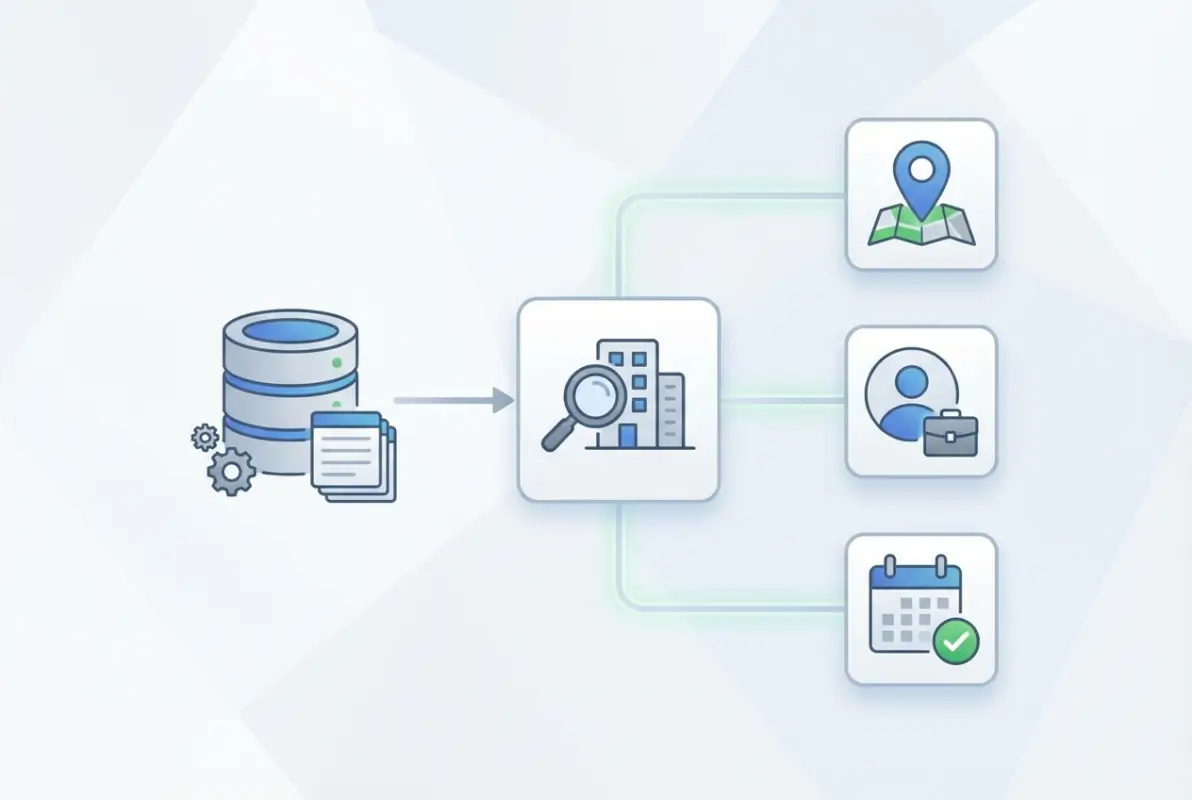
Modern business directory website complete guide resources demonstrate how these systems have transformed from static Yellow Pages replacements into dynamic community hubs. The best solutions now incorporate advanced search algorithms, geolocation features, mobile-responsive designs, and integrated payment processing.
Who benefits from directory software? The applications span diverse industries:
- Entrepreneurs launching niche marketplaces (pet services, wedding vendors, contractors)
- Professional associations managing member directories with specialized credentials
- Chambers of commerce showcasing local business ecosystems
- Educational institutions maintaining alumni and career networks
- Real estate platforms listing properties with advanced filtering
- Industry-specific networks (legal directories, healthcare providers, consultants)
- Tourism boards promoting regional businesses and attractions
Why Directory Software Matters More Than Ever
The competitive advantages of implementing quality directory software extend into operational efficiency, user experience, and revenue generation:
Automated listing management: Manual data entry becomes obsolete with front-end submission forms, bulk import tools, and automated approval workflows. When I launched my first regional service directory, what would have required weeks of manual categorization was accomplished in days thanks to intelligent auto-categorization features.
Enhanced discoverability: Proper directory software implements structured data markup that helps both the platform and individual listings rank in search engines. Listed in business directory key benefits for your business include improved local SEO performance and increased organic traffic from location-based searches.
Community engagement: Today’s platforms foster active participation through review systems, ratings, photo uploads, and direct messaging between users and businesses. This creates network effects where valuable content begets more users, which attracts more businesses, creating a virtuous cycle.
According to Google’s structured data guidelines for local businesses, properly implemented schema markup significantly improves visibility in local search results and knowledge panels.
The 5 Best Business Directory Software Platforms
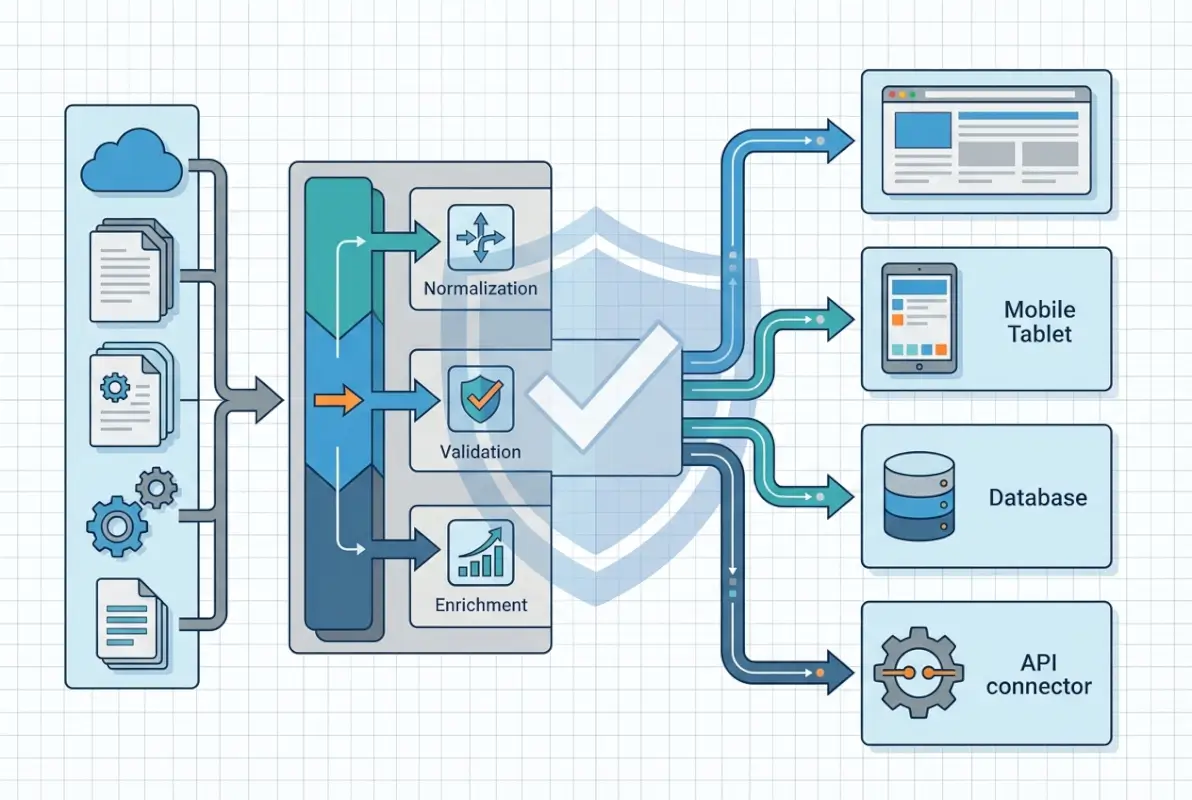
After evaluating platforms based on feature depth, ease of implementation, scalability, and overall value, these five solutions represent the best directory software options available. Each excels in specific use cases, so your ideal choice depends on technical expertise, budget constraints, and business objectives.
| Platform | Best For | Starting Price | Hosting Type | Technical Level |
|---|---|---|---|---|
| WordPress Directory Pro | WordPress users seeking flexibility | $89 | Self-hosted | Beginner-Intermediate |
| eDirectory | Enterprise-scale directories | $499 | Self-hosted | Intermediate-Advanced |
| Brilliant Directories | Non-technical directory owners | $195/month | Fully hosted | Beginner |
| ListingPro | Location-based services | $149 | Self-hosted | Beginner-Intermediate |
| phpLD | SEO-focused web directories | $129 | Self-hosted | Intermediate |
WordPress Directory Pro: Best Overall Directory Software
WordPress Directory Pro stands out as the best business directory software for most use cases, particularly for those already familiar with WordPress. This solution delivers enterprise-level functionality without enterprise-level complexity or cost.
Core capabilities include:
- Native WordPress integration leveraging the familiar dashboard
- Flexible monetization with paid listings, featured placements, and membership tiers
- Unlimited custom fields for industry-specific data collection
- Front-end listing submission and business owner dashboards
- Comprehensive review and rating system with moderation controls
- Advanced geolocation search with radius filtering
- Automated email notifications for claims, expirations, and updates
- Multi-language and multi-currency support for global directories
Pricing structure: One-time payment of $89-$249 depending on the number of sites, with optional annual renewals for updates and premium support (typically 30-40% of original license cost).
Advantages: Exceptional value proposition with no recurring mandatory fees, seamless integration with thousands of WordPress plugins, excellent performance when properly hosted, and active community support. The learning curve remains gentle for WordPress users.
Limitations: Requires separate WordPress hosting (though this offers flexibility), performance depends heavily on hosting quality and proper optimization, and some advanced features may require additional plugins or customization.
eDirectory: Best Business Directory Software for Enterprise Scale
eDirectory represents the most comprehensive standalone solution for serious directory businesses. With over two decades of development, it powers thousands of directories worldwide and handles massive scale effortlessly.
Standout features:
- Complete standalone platform requiring no external CMS dependencies
- Multi-site architecture for operating directory networks under one installation
- Native mobile applications for iOS and Android included
- Advanced monetization with banner advertising, deal systems, and lead generation
- Sophisticated claim workflow for existing businesses
- Built-in CRM and email marketing tools
- Comprehensive analytics and reporting dashboards
- White-label capabilities for agency deployments
Investment required: $499-$1,499 for perpetual licenses or $79-$199/month for subscription access with hosting included.
Strengths: Proven scalability handling tens of thousands of listings, mature codebase with regular security updates, dedicated support team, and feature-complete out of the box with minimal additional purchases needed.
Drawbacks: Steeper learning curve than WordPress alternatives, higher upfront investment, and potentially overwhelming feature set for simple directory projects. Customization typically requires developer assistance.
Brilliant Directories: Best Directory Software for Non-Technical Users
Brilliant Directories eliminates technical barriers entirely with its fully-hosted, all-inclusive approach. This platform targets directory owners who want to focus exclusively on content and business development rather than technical management.
Key offerings:
- Completely hosted solution—no separate hosting, updates, or security management needed
- 100+ pre-designed templates covering diverse directory types
- Integrated payment processing and automated billing
- Built-in email marketing and communication tools
- Webinar hosting capabilities for member engagement
- AI-powered content suggestions and SEO recommendations
- Mobile-responsive designs across all templates
- Drag-and-drop page builder for customization without coding
Monthly investment: $195-$295/month with setup fees for higher-tier plans, all-inclusive with hosting, SSL, and ongoing support.
Benefits: Zero technical knowledge required, fastest time-to-launch among all options, predictable monthly costs with no surprise expenses, and regular feature additions without manual updates.
Considerations: Ongoing subscription costs accumulate significantly over time (potentially $2,340-$3,540 annually), limited deep customization compared to self-hosted alternatives, and some vendor lock-in regarding data portability.
ListingPro: Best Directory Website Builder for Location-Based Directories
ListingPro has gained substantial traction as a WordPress theme specifically engineered for modern, map-centric business directories. Its visual appeal and location-focused features make it ideal for city guides, tourism directories, and local service marketplaces.
Distinctive capabilities:
- Advanced Google Maps integration with visual browsing
- Sophisticated claim and verification system for existing businesses
- Real-time messaging between directory users and business owners
- Appointment and reservation booking integration
- Comprehensive analytics dashboard with listing performance metrics
- Social media login and sharing integrations
- Events calendar with RSVP functionality
- Modern, visually appealing designs that convert visitors
Cost structure: $149 one-time payment for regular license, with extended support packages available separately.
Pros: Beautiful, contemporary designs that feel premium, exceptional location-based functionality, strong user experience focus, and excellent value for location-centric directories.
Cons: Some features require additional plugin purchases, less robust for non-location directories, and support primarily delivered through documentation and community forums rather than direct assistance.
phpLD: Best Online Directory Software for SEO-Focused Projects
As one of the original directory software pioneers, phpLD continues delivering solid value for those prioritizing search engine optimization and technical control. This standalone PHP solution offers extensive customization potential for developers.
Technical strengths:
- Standalone PHP/MySQL architecture with complete control
- Comprehensive SEO tools including URL customization and meta management
- Multi-language support with translation management
- Flexible template system for custom designs
- Multiple payment gateway integrations
- Advanced categorization with unlimited hierarchies
- Automated reciprocal link verification for link directories
- Extensive admin controls for fine-tuned management
Pricing: $129-$349 one-time purchase depending on license type, with optional support renewals.
Advantages: Mature, stable platform with proven longevity, excellent SEO foundation, lower total cost of ownership with one-time pricing, and complete control for technical users.
Limitations: Interface feels dated compared to modern alternatives, requires more technical expertise for setup and customization, and slower feature development cycle compared to newer platforms.
Essential Features in Business Directory Software
Not all directory platforms are created equal. Understanding which features actually drive success helps you evaluate options objectively rather than getting distracted by feature bloat that sounds impressive but delivers little practical value.

Non-Negotiable Core Features
Listing management system: The foundation of any directory software must include efficient tools for creating, organizing, and maintaining listings:
- Intuitive listing creation with rich media support (images, videos, documents)
- Bulk import/export via CSV for migrating existing databases
- Custom field builder for industry-specific information
- Multi-level approval workflows with moderation queues
- Duplicate detection algorithms to maintain database quality
- Automated expiration management with renewal notifications
- Revision history tracking for accountability
Search and discovery tools: Users abandon directories that make finding relevant listings difficult. Essential search functionality includes:
- Category and subcategory browsing with faceted filtering
- Location-based search with geolocation and radius options
- Keyword search with autocomplete and spell correction
- Advanced filtering by custom fields (price range, certifications, services offered)
- Saved search functionality for registered users
- Sort options (relevance, distance, rating, newest, featured)
- Map-based visual browsing for location directories
Review and rating infrastructure: Social proof drives engagement and trust in modern directories:
- Star or numerical rating systems with aggregate scores
- Detailed text reviews with moderation capabilities
- Business owner response functionality
- Review verification mechanisms (purchase verification, email confirmation)
- Photo and video review support for richer content
- Helpful voting on reviews to surface quality feedback
- Flagging and reporting tools for inappropriate content
Understanding how to start profitable business directory steps begins with ensuring these foundational features are properly implemented and optimized for your niche.
Advanced Features That Separate Leaders from Followers
SEO optimization capabilities: Directory success heavily depends on organic search visibility. Look for platforms offering:
- SEO-friendly URL structures (readable slugs, not database IDs)
- Customizable title tags and meta descriptions per listing
- Automatic schema.org markup implementation (LocalBusiness, Review, Organization)
- XML sitemap generation with automatic updates
- Internal linking automation for improved crawlability
- Page speed optimization tools and lazy loading
- Mobile-first responsive design
According to Forrester’s Global Commercial Software Forecast, investment in SEO-focused software capabilities continues growing as organic search remains the highest-ROI customer acquisition channel.
Mobile experience: With mobile traffic dominating (typically 60-70% of directory visits), mobile optimization includes:
- Fully responsive design across all device sizes
- Touch-optimized interfaces and navigation
- Click-to-call and click-to-map functionalities
- Fast loading on cellular connections (under 3 seconds)
- Progressive Web App (PWA) capabilities for app-like experiences
- Voice search optimization for spoken queries
Integration ecosystem: Modern directories don’t operate in isolation. Critical integrations include:
- Payment gateways (Stripe, PayPal, Square, Authorize.net)
- Email marketing platforms (Mailchimp, Constant Contact, ConvertKit)
- Analytics tools (Google Analytics, Matomo, custom tracking)
- Social media networks for login and sharing
- CRM systems for lead management
- Booking and appointment scheduling tools
- SMS notification services
Choosing the Right Directory Software for Your Needs
Selecting directory software requires honest assessment of your specific requirements, technical capabilities, and business objectives. The “best” solution differs dramatically based on these factors.

Critical Evaluation Criteria
Scale and complexity assessment:
- Small directories (under 500 listings): Simple solutions like ListingPro or basic WordPress Directory Pro work perfectly and minimize complexity
- Medium directories (500-5,000 listings): Robust platforms with good search performance and monetization features become necessary
- Large directories (5,000+ listings): Enterprise-grade solutions with advanced caching, CDN integration, and database optimization prove essential
- Multi-site networks: Consider platforms with native multi-directory capabilities to avoid managing separate installations
Budget reality check: Total cost of ownership extends beyond initial license fees:
- Initial software purchase or setup fees
- Monthly subscription costs (calculate 3-5 year totals)
- Hosting expenses ($10-200/month based on traffic and requirements)
- Premium extensions or add-ons ($20-300 each)
- Annual support renewal fees (typically 20-40% of license cost)
- Development and customization budget ($50-150/hour)
- SSL certificates, security tools, and backup systems ($50-300/year)
- Transaction fees for payment processing (2.9% + $0.30 per transaction typical)
| Cost Factor | One-Time Purchase | Monthly Subscription |
|---|---|---|
| Year 1 Software | $200 | $2,340 |
| Year 3 Total | $320 (with renewals) | $7,020 |
| Hosting (3 years) | $1,080-$2,160 | Included |
| 3-Year TCO | $1,400-$2,480 | $7,020 |
Growth trajectory planning: Your directory will (hopefully) expand, so evaluate:
- Performance with 10x your launch listing count
- Scalability for geographic expansion (new cities, regions, countries)
- Upgrade paths to higher-tier plans without migration headaches
- Feature availability for implementing new revenue streams later
- Database architecture supporting growth without complete rebuilds
Understanding how a business directory boosts local marketing helps clarify growth objectives and feature priorities for your specific market.
Technical Capability Honest Assessment
Your technical skill level dramatically impacts which platform works best:
Non-technical users: Brilliant Directories offers the path of least resistance, handling all technical aspects while you focus on content and marketing. The premium cost buys peace of mind and time savings.
Basic WordPress familiarity: WordPress Directory Pro or ListingPro leverage skills you already have. You can handle basic customization and management with occasional developer help for complex needs.
Intermediate technical users: Self-hosted solutions like eDirectory or phpLD provide control and customization potential. You’ll manage hosting, updates, and troubleshooting but gain flexibility and lower long-term costs.
Developer or technical team: Any platform works, with decisions driven more by feature requirements and architecture preferences than ease-of-use concerns.
Monetization Strategies and Revenue Models
The best business directory software enables multiple revenue streams, allowing you to test different approaches and optimize based on your market’s willingness to pay.

Primary Monetization Methods
Paid listings and tiered pricing:
- Free basic listings with paid premium upgrades
- Tiered packages (Basic, Featured, Premium) at different price points
- One-time listing fees vs. recurring subscriptions
- Volume discounts for businesses claiming multiple locations
- Trial periods converting to paid subscriptions
Featured placement and advertising:
- Homepage featured listings rotations
- Category page sponsored positions
- Banner advertising in high-traffic areas
- Email newsletter sponsorships to your subscriber base
- Search result promoted listings
Lead generation and referral fees:
- Pay-per-lead models where businesses pay for contact form submissions
- Click-through fees for phone calls or website visits
- Commission on bookings or transactions facilitated through the directory
- Affiliate relationships with listed businesses
Membership and subscription models:
- User memberships for enhanced search and saved favorites
- Business memberships with premium features (analytics, messaging, review responses)
- Exclusive industry directories with vetted-only access
- Tiered business subscriptions with escalating benefits
Hybrid Revenue Approaches
The most successful directories combine multiple revenue streams rather than relying on a single model:
- Free listings for baseline directory value and SEO
- Paid premium listings for enhanced visibility ($20-100/month typical)
- Display advertising for passive revenue ($500-5,000/month for established directories)
- Lead generation fees for high-value industries (legal, medical, home services)
- Sponsored content and native advertising
- Data and insights packages for market research
When I worked with a home services directory last year, they started with only paid listings and struggled with adoption. After introducing a free tier with paid upgrades for featured placement, listing submissions increased 340% within three months, and premium conversions actually generated more revenue than their previous all-paid model. Sometimes giving away the base product builds a foundation for premium monetization.
Frequently Asked Questions
What is business directory software?
Business directory software is a specialized platform for creating and managing online databases of businesses, professionals, or organizations. It provides tools for listing management, search functionality, categorization, user reviews, and often monetization features like paid listings or advertising. Modern directory software includes SEO optimization, mobile responsiveness, and integration capabilities with payment processors and marketing tools.
How do I choose the best directory software for my business?
Select directory software based on your technical expertise, budget, scale requirements, and specific niche needs. WordPress-based solutions like Directory Pro work well for most users with basic WordPress knowledge. Non-technical users benefit from hosted solutions like Brilliant Directories. Evaluate total cost of ownership over 3-5 years, not just initial pricing, and ensure the platform supports your planned monetization strategy and growth trajectory.
What’s the difference between free and paid directory software?
Free directory software typically offers basic listing functionality but lacks advanced monetization features, premium support, regular updates, and commercial licensing. Paid solutions provide comprehensive feature sets, dedicated support, ongoing development, customization options, and proper commercial rights. For serious directory businesses, paid software delivers significantly better long-term value through revenue features and scalability that free options cannot match.
Can I migrate from one directory platform to another?
Yes, migration between directory platforms is possible but requires careful planning. Most platforms support importing basic data like listings, categories, and users via CSV files. However, custom fields, reviews, images, and specialized features often require manual migration or custom development work. Plan for potential downtime during migration and budget $500-5,000 for professional assistance on larger directories with complex data structures.
What are the essential features in directory software?
Essential features include intuitive listing management, advanced search and filtering, user reviews and ratings, mobile responsiveness, SEO optimization tools, and monetization capabilities. Additional important features include geolocation search, custom field builders, front-end submission forms, claim workflows for existing businesses, payment processing integration, and analytics dashboards. Prioritize features based on your specific directory type and business model.
How much does business directory software cost?
Directory software costs range from $89-$1,500 for one-time purchase licenses to $50-$300 monthly for subscription platforms. Factor in additional costs including hosting ($10-200/month for self-hosted solutions), premium extensions ($20-300 each), annual support renewals (20-40% of license cost), and potential development expenses ($50-150/hour). Total three-year cost of ownership typically ranges from $1,400-$7,000+ depending on your chosen platform and requirements.
Is WordPress good for building a business directory?
WordPress is an excellent foundation for business directories when combined with specialized directory software like WordPress Directory Pro or ListingPro. Benefits include familiar interface, massive plugin ecosystem, excellent SEO capabilities, and cost-effectiveness. WordPress directories can scale to thousands of listings with proper hosting and optimization. The platform’s flexibility allows for extensive customization and integration with other business tools.
How do directory websites make money?
Directory websites generate revenue through multiple streams including paid listing subscriptions, featured placement fees, display advertising, lead generation commissions, membership fees, and referral partnerships. Successful directories often combine 3-4 revenue models, such as free basic listings with paid premium upgrades, sponsored placements, and display advertising. Average well-monetized directories generate $100-150 monthly revenue per 100 active listings.
What is the best directory software for small businesses?
For small business directory projects, WordPress Directory Pro and ListingPro offer the best balance of features, ease of use, and affordability. These solutions provide professional functionality without overwhelming complexity or enterprise-level costs. Small businesses benefit from one-time pricing models that minimize ongoing expenses while delivering essential features like search, reviews, monetization, and mobile responsiveness needed for successful directory operations.
Do I need technical skills to run a directory website?
Technical skill requirements vary by platform. Hosted solutions like Brilliant Directories require no technical expertise—everything is managed for you. WordPress-based options need basic WordPress familiarity but remain accessible to non-developers for routine management. Standalone solutions like eDirectory or phpLD require intermediate technical skills or developer support. Choose software matching your comfort level, or budget for professional assistance during setup and customization.
Building Your Directory Success Story
Selecting the right business directory software provides the foundation, but long-term success requires commitment to data quality, user experience, and continuous improvement. The platforms reviewed here represent proven solutions trusted by thousands of directory owners worldwide.
Whether you’re launching a hyperlocal city guide, industry-specific professional network, or niche service marketplace, the right software enables rather than constrains your vision. Take advantage of trial periods and demos before committing—hands-on experience reveals whether a platform truly fits your workflow and objectives.
The most profitable directories focus relentlessly on delivering value to both businesses and searchers. Technology matters, but understanding your market, curating quality listings, and building community around your directory ultimately determines success. Choose software that can grow with your ambitions, invest in proper implementation, and commit to the ongoing work of building something genuinely useful. Your future users—both businesses seeking visibility and customers seeking solutions—will reward that dedication with engagement, loyalty, and sustainable revenue.
Was this article helpful?