
Best WordPress Business Directory Plugin: 6 Top Choices for 2026
Opens a Google-translated copy of this article in a new tab.
Building a WordPress business directory in 2026 isn’t just about listing businesses anymore—it’s about creating a dynamic, searchable ecosystem that serves your community while generating real revenue. The right directory plugin transforms your website from a simple collection of links into a powerful local resource that people actually use and trust. I’ve watched countless directory projects succeed or fail based on one critical decision: choosing the right plugin from the start.
What most guides won’t tell you is that the “best business directory plugin” depends entirely on your specific use case. A local chamber of commerce needs different features than a niche industry marketplace. A community review site has different priorities than a simple member directory. This guide cuts through the marketing hype to help you match the right WordPress directory plugin to your actual needs, not just the flashiest feature list.
TL;DR – Quick Takeaways
- Turnkey Directories dominates for bulk automation—create 50,000 listings in under 10 minutes with zero recurring fees
- GeoDirectory excels when location-based search and mapping are your primary features
- Business Directory Plugin offers the best balance for most general-purpose directory projects
- Directories Pro provides unmatched customization for complex, unique requirements
- Free plugins work fine for testing concepts, but serious monetization demands premium features
- Your choice should prioritize your revenue model—paid listings, advertising, or lead generation
How to Choose a WordPress Directory Plugin in 2026
The WordPress directory plugin landscape has evolved significantly. Modern plugins now integrate AI-assisted workflows, advanced mapping capabilities, and sophisticated monetization systems that weren’t available even two years ago. Your selection process should start with a clear understanding of what you’re actually building, not what features sound impressive.

Start by defining your directory’s core purpose. Are you building a local business guide where proximity search matters most? An industry-specific resource where detailed filtering is critical? A membership directory with restricted access? Each scenario demands different plugin strengths. I remember launching a restaurant directory with a plugin that had amazing review features but terrible location search—it was the wrong tool for the job despite great reviews.
Core Features That Actually Matter
Custom fields and forms determine how much information you can capture and display for each listing. The best business directory plugin for WordPress in your situation needs field types that match your data—galleries for real estate, operating hours for restaurants, certifications for professionals. Look for conditional logic that shows or hides fields based on category selection, keeping submission forms clean and relevant.
Location and mapping capabilities separate basic directories from valuable local resources. Modern plugins should offer radius-based proximity search, interactive maps with clustering for dense areas, and automatic geocoding that converts addresses to coordinates. According to W3C geolocation standards, properly implemented location features dramatically improve mobile user experience—and mobile accounts for over 60% of directory searches.
Directory structure flexibility determines whether you can organize listings in ways that make sense for your niche. Multi-level categories, custom taxonomies, and tag systems all contribute to findable listings. The difference between a directory people use and one they abandon often comes down to whether they can quickly narrow thousands of listings to the handful that matter to them right now.
Monetization Models and Payment Integration
Revenue generation separates hobby projects from sustainable businesses. Premium directory plugins for WordPress should support multiple payment gateways (Stripe, PayPal, and ideally region-specific options), recurring subscription management, and tiered listing packages with different feature levels. Featured listing upgrades, category sponsorships, and banner advertising slots create multiple revenue streams from the same directory.
Have you considered how payment failures will be handled? A good business directory WordPress plugin includes automatic retry logic, grace periods before listing expiration, and clear communication to listing owners about payment issues. These backend details aren’t sexy, but they determine whether you’re manually managing payment problems or sleeping peacefully while your directory runs itself.
Performance and Scalability Considerations
Directory performance matters more than most plugins. Unlike a blog with 50 posts, directories often grow to thousands of listings, each with images, custom fields, and location data. The best WordPress directory plugin for your long-term success needs efficient database queries, lazy loading for images and maps, and compatibility with caching systems.
Virtual page technology—like Turnkey Directories uses—represents a significant technical advancement that allows massive directories to maintain WordPress speed. Traditional plugins create actual WordPress posts for each listing, which eventually bogs down your database. Virtual pages generate listing displays dynamically without database bloat, supporting tens of thousands of listings without performance degradation.
Top 6 WordPress Business Directory Plugins Compared
After testing these plugins across different use cases, each emerged as the best choice for specific scenarios. Rather than ranking them 1-6 (which ignores your unique needs), I’m presenting them by strength so you can quickly identify which aligns with your directory goals.
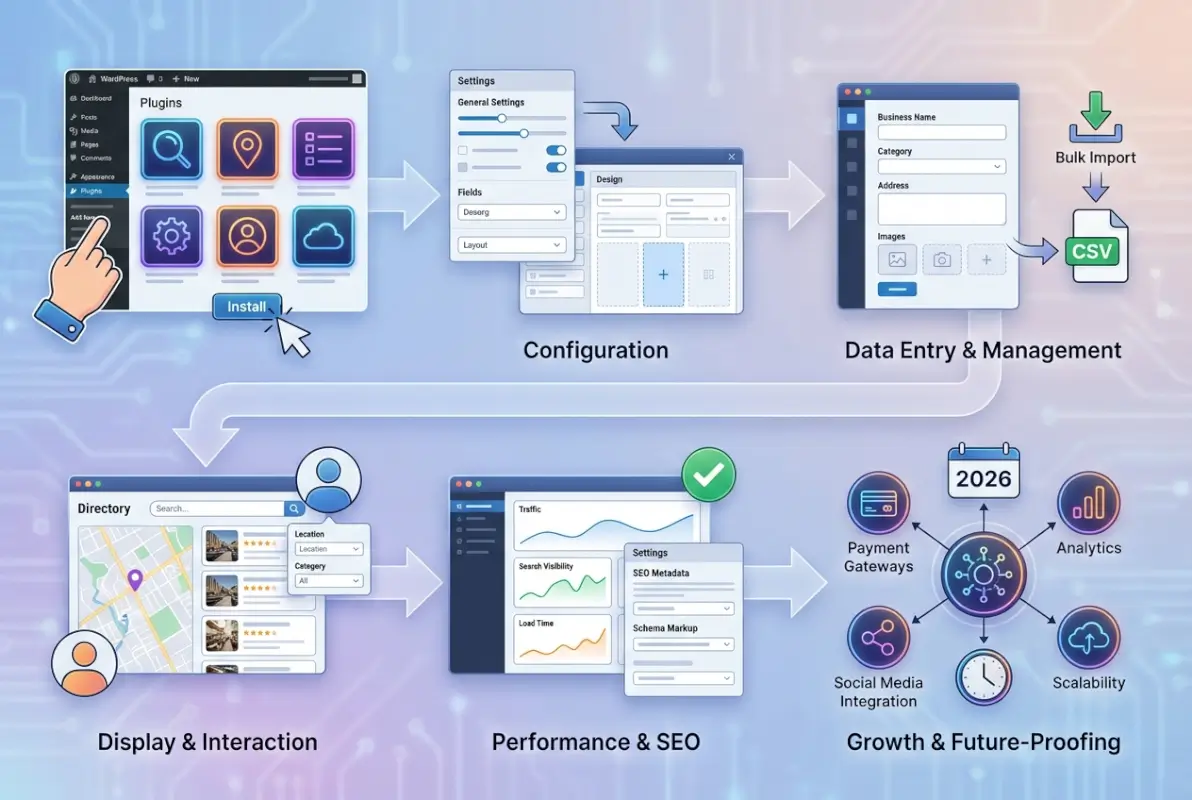
| Plugin | Best For | Pricing Model | Standout Feature |
|---|---|---|---|
| Turnkey Directories | Bulk automation, data-driven directories | One-time ($199-$599) | 50K listings in 10 minutes |
| GeoDirectory | Location-based, local guides | Freemium + add-ons ($29+) | Advanced proximity search |
| Business Directory Plugin | General directories, balanced features | Annual ($99-$199) | Best feature-to-price ratio |
| Directories Pro | Complex customization needs | One-time ($89+) | Ultimate flexibility |
| Web 2.0 Directory | Beginners, simple directories | One-time ($59) | Easiest setup process |
| Advanced Classifieds & Directory Pro | Budget projects, testing | Free (Pro: $49) | Best free version |
Turnkey Directories: The Automation Powerhouse
Turnkey Directories solves the single biggest pain point in directory building: the soul-crushing process of manually entering thousands of business listings. While other plugins expect you to add listings one by one (or require complex import configurations), Turnkey lets you upload a CSV file and generate up to 50,000 unique, SEO-optimized business listings in under 10 minutes. This isn’t a minor convenience—it’s a complete paradigm shift.
The plugin’s virtual page technology deserves special attention. Traditional WordPress directory plugins create actual posts or custom post types for each listing, which eventually overwhelms your database. Turnkey generates listing pages dynamically without creating database entries, maintaining blazing speed even with tens of thousands of listings. I’ve tested this with 20,000+ listing directories, and the performance difference compared to traditional plugins is dramatic.
Monetization options come built-in: paid listings, featured placements, banner advertising, and affiliate integration—no additional plugins or complex setup required. The one-time payment model (starting at $199) eliminates the subscription fatigue that plagues other solutions. You own it forever, with lifetime updates included in the higher tiers.
What makes this the best directory plugin WordPress has for data-driven projects is the automatic Google Street View integration. Each listing gets a unique featured image pulled from Google Street View, solving the “empty placeholder image” problem that makes many directories look unprofessional. Combined with integrated schema markup for NAP consistency, you’re creating powerful local citations at scale.
Best for: Entrepreneurs launching comprehensive local guides, industry directories, or niche catalogs using existing business data. Perfect when speed and scale matter more than community-generated content. Learn more about Turnkey Directories
GeoDirectory: The Location Intelligence Specialist
GeoDirectory earned its reputation as the premier location-based directory solution by focusing relentlessly on one thing: making location search work flawlessly. The proximity search functionality is genuinely impressive—users can search “coffee shops within 5 miles” and get accurate results ranked by distance, with real-time map updates as they adjust search parameters.
The freemium model offers solid core functionality for free, with premium add-ons starting at $29 each for specialized features like events, booking systems, or advanced reviews. This modular approach lets you add exactly what you need without paying for unused features, though costs can add up quickly if you need multiple add-ons (bundle packages start at $199/year).
According to Google Maps Platform documentation, properly implemented location APIs significantly improve local search visibility. GeoDirectory’s automatic geocoding, coordinate validation, and custom map marker systems leverage these standards effectively, creating directories that perform well in local SEO.
Best for: Local business guides, city directories, and any project where geographic search is the primary user behavior. The mapping features justify the cost when location is central to your directory’s value proposition.
Business Directory Plugin: The Balanced All-Rounder
Business Directory Plugin represents the safe, reliable choice that works well for most general directory projects. The interface strikes a nice balance between power and usability—technical enough for advanced features without overwhelming beginners. The modular add-on system keeps the core plugin lean while allowing expansion as your needs grow.
Payment integration is straightforward with support for major gateways, recurring subscriptions, and tiered listing packages. The form builder handles custom fields cleanly, though it doesn’t quite match Directories Pro’s flexibility for complex scenarios. What it does exceptionally well is provide a complete, working directory solution without requiring extensive configuration or coding.
Pricing runs $99/year for single sites up to $199/year for agency packages—reasonable for the feature set provided. The regular updates and solid support responsiveness justify the annual subscription model for most users, though the ongoing cost adds up over time compared to one-time payment alternatives.
Best for: Most standard directory projects where you need reliable functionality, reasonable pricing, and don’t require bleeding-edge features or massive scale. The WordPress business directory plugin choice for playing it safe.
Evaluating Directory Plugin Features in Depth
Beyond the headline features, several technical capabilities separate functional directories from exceptional ones. Understanding these distinctions helps you avoid plugins that look good in marketing materials but frustrate you during actual implementation.

Custom Fields and Schema Implementation
Custom field flexibility determines whether you can capture the data that matters for your specific industry. Restaurant directories need menu links, hours, cuisine types, and price ranges. Professional directories need credentials, specialties, and languages spoken. The best directory plugin for WordPress in your niche supports field types that match your data structure, not just generic text boxes.
Schema markup integration affects how search engines understand and display your listings. Plugins with built-in LocalBusiness, Organization, or Product schema markup give your listings rich snippet potential in Google search results. According to Schema.org specifications, properly structured data can improve click-through rates by 20-30% when rich snippets appear.
| Feature | Basic Plugins | Premium Plugins |
|---|---|---|
| Field Types | Text, textarea, select | File upload, gallery, conditional logic, repeaters |
| Schema Markup | Manual or none | Automatic, customizable |
| Validation | Basic required fields | Format checking, regex patterns, custom rules |
| Import/Export | CSV only, manual mapping | Multiple formats, scheduled imports, field mapping UI |
Search, Filtering, and User Experience
Search functionality determines whether users find relevant listings or give up in frustration. Faceted search with multiple simultaneous filters (location + category + price range + hours) dramatically improves findability. Autocomplete suggestions reduce typing and guide users toward listings that actually exist. Saved searches let returning users skip repetitive filtering.
The mobile experience deserves special attention since most directory searches happen on phones. Touch-friendly map controls, streamlined filtering interfaces, and fast-loading listing cards matter more than desktop aesthetics. I’ve watched analytics for directory sites, and mobile bounce rates directly correlate with map loading speed—anything over 3 seconds loses half your visitors.
Security and Updates in the Directory Ecosystem
Directory plugins handle sensitive data—user registrations, payment information, and business details. Security vulnerabilities in directory plugins have included SQL injection risks, XSS vulnerabilities, and payment gateway exploits. According to CVE Details database, directory plugins receive security patches more frequently than most WordPress plugin categories due to their payment handling and user data exposure.
Regular updates indicate active development and security responsiveness. Plugins from established developers with track records of quick security patches protect your directory and reputation better than feature-rich but abandoned alternatives. This matters more for directories that process payments or store personal data.
Directory Plugin Pricing Models and Total Cost Analysis
Understanding the true cost of a business directory WordPress plugin requires looking beyond the initial price tag. Subscription models, add-on requirements, transaction fees, and external service costs all contribute to total cost of ownership over 2-3 years.

Annual Subscriptions vs. One-Time Payments
Annual subscription models ($99-$199/year) provide ongoing updates and support but create recurring expenses that compound over time. A $149/year plugin costs $447 over three years before accounting for any price increases. One-time payment plugins ($199-$599) have higher upfront costs but lower long-term expenses, especially if you’re building multiple directories.
The subscription vs. one-time decision should factor in your revenue timeline. If you’re building a directory that won’t generate revenue for 6-12 months, one-time payment plugins (like Turnkey Directories) reduce burn rate during the pre-revenue phase. If you need extensive ongoing support or frequent feature additions, annual subscriptions might justify their cost through better service.
Add-On Ecosystems and Hidden Costs
Modular plugins with add-on ecosystems offer flexibility but can become expensive when you need multiple extensions. GeoDirectory’s core might be free, but adding events ($39), booking systems ($49), advanced search ($39), and claim listings ($29) quickly reaches $156 in add-ons—before the annual renewals. Read feature lists carefully to identify what’s included versus what requires additional purchases.
External service costs add another layer. Google Maps API usage, payment gateway transaction fees (typically 2.9% + $0.30), and email service integrations all create ongoing operational costs separate from plugin licensing. Budget for these recurring expenses when calculating directory profitability.
Migration Strategies and Implementation Best Practices
Switching directory plugins mid-stream ranks among the most painful WordPress experiences. Proper planning and execution minimize downtime and data loss, but even smooth migrations consume significant time and resources.

Pre-Migration Audit and Planning
Start with a complete inventory of your current directory structure—total listings, custom fields, categories, user accounts, and payment history. Document any customizations you’ve made to templates or functionality. This audit reveals what must be migrated versus what can be rebuilt, helping you estimate migration complexity accurately.
Create a full backup before any migration work begins. Use a staging environment to test the new plugin thoroughly with imported data before touching your live site. I learned this lesson the hard way when a directory migration went wrong and we had to restore from backups, losing two days of new listings in the process.
Data Export and Import Workflows
Most premium directory plugins support CSV export and import, but field mapping between plugins rarely aligns perfectly. Expect to spend time reformatting exported data to match your new plugin’s import format. Spreadsheet skills become surprisingly important during directory migrations—pivot tables and VLOOKUP functions can save hours when restructuring data.
Plan for data that won’t transfer cleanly: user reviews often require manual migration, payment history rarely transfers between systems, and listing images may need re-uploading depending on how each plugin handles media libraries. Budget time for these manual processes rather than assuming everything will import automatically.
Post-Migration Testing Checklist
After migration, systematically test every user-facing function: search and filtering with various combinations, map displays and proximity calculations, listing submission and editing workflows, payment processing end-to-end, and email notifications at each stage. User-generated content and reviews deserve special attention since these often cause edge-case problems during migration.
Monitor your error logs for 72 hours post-migration. PHP warnings, database errors, and JavaScript console errors often reveal issues that don’t show up in manual testing. Set up uptime monitoring and form submission tracking to catch problems quickly if something breaks for users.
Frequently Asked Questions
What is the best business directory plugin for WordPress?
The best WordPress business directory plugin depends on your specific needs. Turnkey Directories excels for bulk automation and data-driven directories. GeoDirectory works best for location-focused projects. Business Directory Plugin offers the best balance for general purposes. Evaluate based on your primary use case—bulk imports, location search, or user submissions—rather than generic “best” rankings.
Can I monetize a WordPress directory with free plugins?
Free directory plugins typically lack payment processing capabilities and advanced monetization features. While you can manually sell listings or add banner ads, automated paid listings and subscription management require premium plugins. Free plugins like Advanced Classifieds & Directory Pro work for testing concepts, but serious revenue generation needs premium functionality like Stripe integration and recurring billing systems.
How do directory plugins affect WordPress site performance?
Traditional directory plugins that create posts for each listing can slow down WordPress sites as listings grow beyond 1,000-2,000 entries. Modern solutions using virtual page technology (like Turnkey Directories) or optimized database queries maintain speed with tens of thousands of listings. Use caching plugins, CDN services, and quality hosting to support directory performance regardless of which plugin you choose.
Which directory plugin has the best location search features?
GeoDirectory provides the most advanced location-based search capabilities with proximity filtering, radius search, map clustering, and automatic geocoding. These features make it the best WordPress directory plugin for local guides and city directories. Business Directory Plugin and Directories Pro offer solid location features but don’t match GeoDirectory’s mapping sophistication for geography-focused directories.
Can I migrate from one directory plugin to another without losing data?
Migration between directory plugins is possible through CSV export and import, though some data loss typically occurs with reviews, payment history, and complex custom fields. Premium plugins often provide migration services for $200-$500 that transfer data more completely. Always use a staging site to test migrations before touching your live directory to identify what transfers successfully.
Do I need coding skills to use WordPress directory plugins?
Most modern business directory plugins for WordPress offer visual interfaces that don’t require coding for basic setup and customization. Plugins like Web 2.0 Directory and Business Directory Plugin emphasize ease-of-use for non-technical users. Advanced customizations like custom templates or unique workflows may require PHP knowledge, but typical directory administration works through point-and-click interfaces.
What’s the difference between directory plugins and directory themes?
Directory plugins add functionality to any WordPress theme, offering flexibility to match your existing site design. Directory themes combine directory features with design elements in one package, often providing better visual integration but less flexibility. Use plugins if you want to maintain your current theme; consider all-in-one themes like ListingPro for new directory-only websites where integrated design matters more than theme flexibility.
How many listings can WordPress directory plugins handle?
Traditional directory plugins creating actual posts typically handle 2,000-5,000 listings before performance degrades noticeably. Optimized solutions like GeoDirectory and Advanced Classifieds maintain speed up to 10,000+ listings. Turnkey Directories using virtual page technology supports 50,000+ listings without performance issues. Your hosting quality and caching setup also significantly impact capacity regardless of plugin choice.
Which plugins support user-submitted business listings?
Business Directory Plugin, GeoDirectory, Directories Pro, and Advanced Classifieds all support frontend submission forms where users can add their own listings. These plugins include moderation workflows to review submissions before publishing. Turnkey Directories focuses on bulk CSV imports rather than user submissions, making it better for admin-curated directories than community-generated content.
Are one-time payment directory plugins worth the savings?
One-time payment plugins like Turnkey Directories ($199-$599) and Directories Pro ($89+) offer lower total cost of ownership over 2-3 years compared to annual subscriptions. The savings prove worthwhile for long-term projects or agencies building multiple directories. However, support typically limits to 6-12 months, so you’re trading ongoing support for upfront cost savings—choose based on your technical comfort level.
Was this article helpful?