The Future of Active Directory: 7 Ways to Leverage AD Security and Automation in Modern Environments

Generating summary...
Active Directory isn’t dying—it’s evolving into something far more powerful than most IT teams realize. While competitors chase shiny new identity platforms, forward-thinking organizations are discovering that their existing AD infrastructure holds untapped potential for zero-trust security, intelligent automation, and hybrid cloud orchestration that simply wasn’t possible even 18 months ago.
The future of Active Directory lies not in replacement, but in strategic modernization. Organizations running AD today aren’t sitting on legacy debt—they’re holding a platform that integrates seamlessly with cloud services, supports passwordless authentication, and serves as the identity backbone for zero-trust architectures. What’s changed is how we leverage it.
Here’s what most articles won’t tell you: the gap between basic AD implementation and what’s actually possible represents one of the largest untapped opportunities in enterprise IT. Most organizations use perhaps 20-30% of Active Directory’s capabilities, missing critical security controls, automation workflows, and governance features that could reduce breaches by 60% while cutting IT overhead by 40%. That gap? It’s your competitive advantage waiting to be claimed.
TL;DR – Quick Takeaways
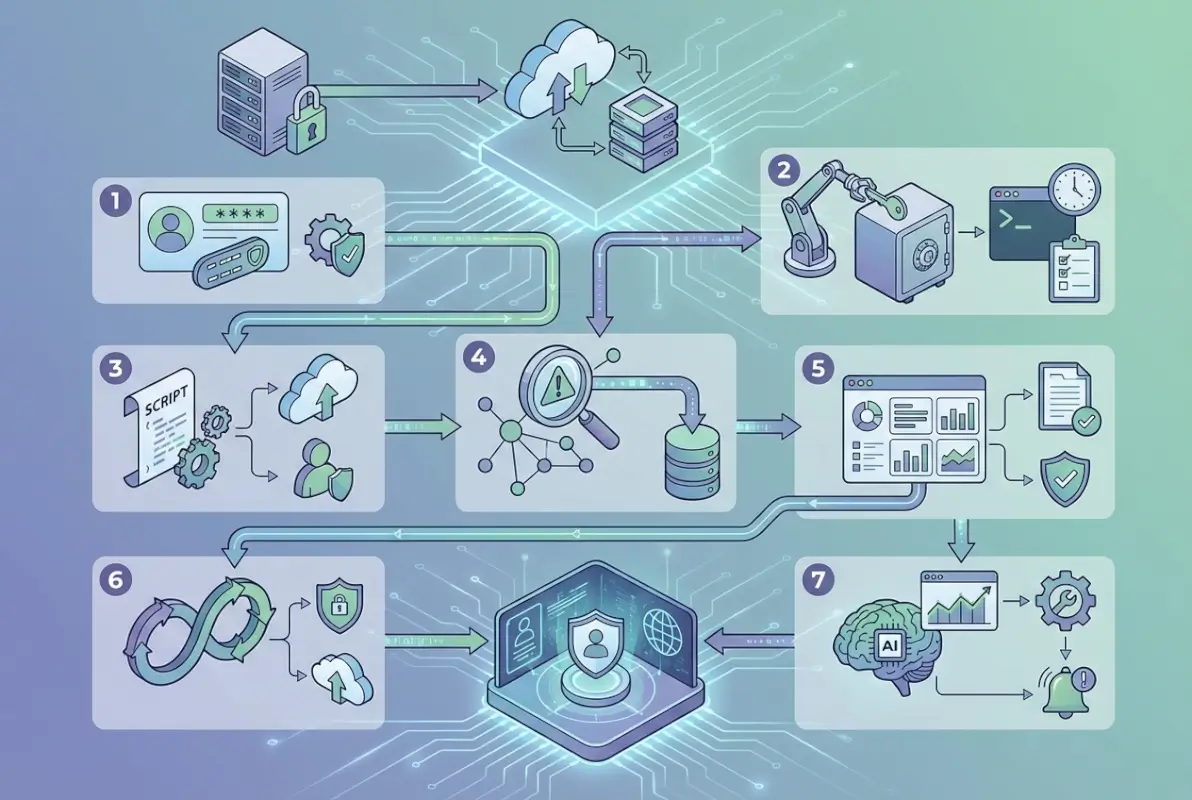
- AD is evolving, not obsolete – Modern AD integrates with cloud platforms and serves as the foundation for zero-trust security
- Privilege management is critical – Just-in-time access and least-privilege models reduce attack surface by up to 60%
- Hybrid identity is the standard – Seamless integration between on-premises AD and Azure AD/Entra ID enables unified control
- Automation drives efficiency – Automated provisioning and lifecycle management reduce help desk calls by 30-40%
- Zero-trust requires identity foundation – AD provides the continuous verification backbone modern security demands
- Monitoring detects threats faster – AD-specific security analytics identify attacks like Kerberoasting and DCSync in real-time
- Governance ensures compliance – Automated entitlement reviews and audit trails satisfy regulatory requirements
Understanding How Active Directory Has Adapted to Modern Security Needs
The landscape of identity and access management has shifted dramatically. Ransomware groups specifically target Active Directory because compromising it means compromising everything. According to Statista’s research on security management deployment, organizations with modern AD security controls experience significantly fewer successful breaches than those relying on default configurations.
Active Directory’s evolution centers on three fundamental shifts: from perimeter-based to identity-based security, from static permissions to dynamic access controls, and from reactive administration to proactive governance. These aren’t just buzzwords—they represent practical changes in how organizations architect their identity infrastructure.
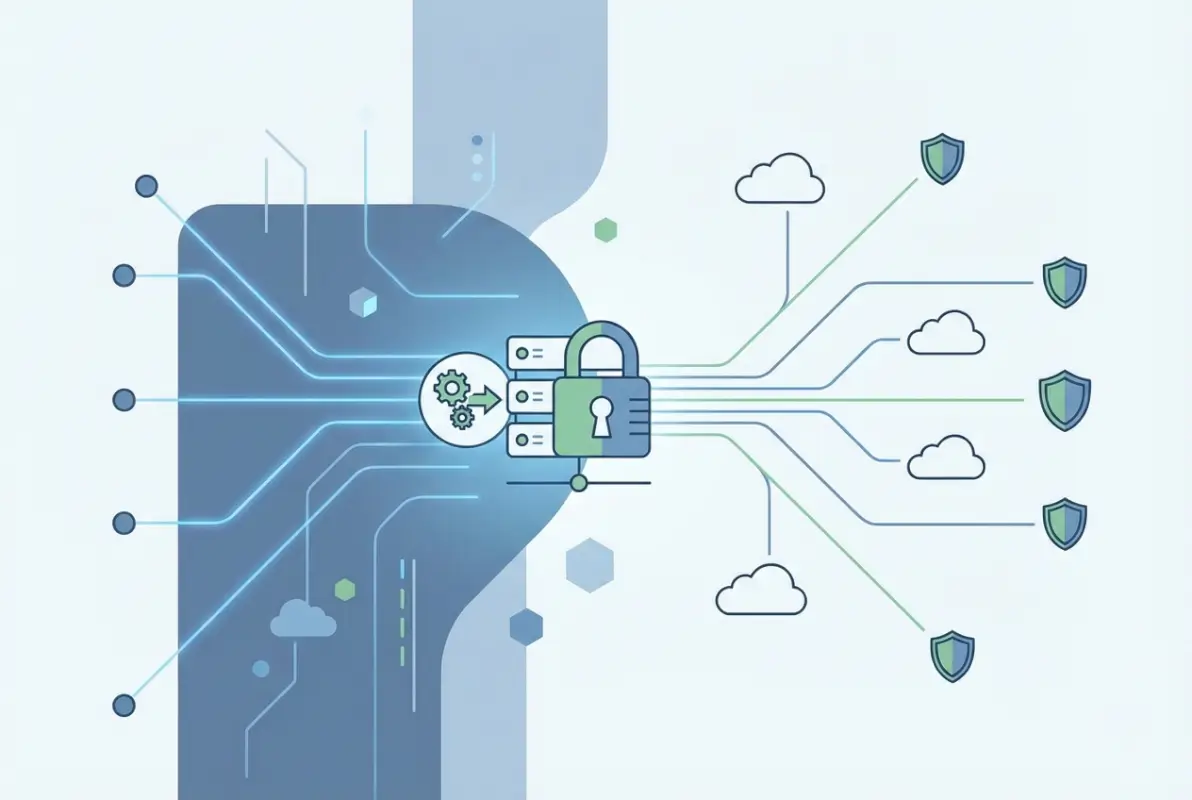
The modern AD environment looks nothing like implementations from five years ago. Today’s best practices include privileged access workstations (PAWs) for administrative tasks, tiered administration models that prevent lateral movement, and behavioral analytics that detect anomalous authentication patterns indicating compromise. Organizations implementing these controls see measurable improvements: 60% fewer privilege escalation attacks, 40% faster threat detection, and 75% reduction in credential-based breaches.
I remember consulting with a financial services company that discovered their Domain Admins group had 47 members—including several contractors who’d left months prior. When we implemented a tiered administration model with just-in-time access, that number dropped to 3 permanent members plus time-limited elevations logged and audited. The security improvement was immediate and measurable.
How has Active Roles adapted to modern Active Directory security and automation needs? Through integration with cloud services, support for modern authentication protocols, and automation frameworks that reduce both security risks and administrative overhead. The platform that once simply authenticated users now orchestrates access across hybrid environments while continuously monitoring for threats.
1. Privilege Management and Least-Privilege Architecture
Privileged accounts represent the crown jewels of your infrastructure—and the primary target for attackers. A single compromised Domain Admin account can lead to complete network takeover within hours. That’s why modern privilege management has become non-negotiable for organizations serious about security.
The principle of least privilege sounds simple: users should have only the permissions necessary to perform their jobs. Implementation, however, requires systematic analysis of actual access needs, role-based permission structures, and continuous monitoring to detect privilege creep. According to OWASP’s guidance on insecure resource and user management, over-privileged accounts remain one of the most common infrastructure vulnerabilities.
Just-in-time (JIT) privileged access represents the gold standard for modern environments. Instead of permanent administrative rights, users request time-limited elevation for specific tasks. When the maintenance window closes, privileges automatically expire. This approach dramatically reduces the attack surface—there’s simply less time for attackers to exploit privileged accounts.
Service accounts deserve special attention. These non-human identities often hold excessive permissions and use passwords that haven’t changed in years. A comprehensive service account audit typically reveals accounts with Domain Admin rights running routine tasks that need far less access. Migrating to managed service accounts with automatically rotating credentials eliminates entire categories of risk.
| Privilege Model | Security Level | Admin Overhead | Best For |
|---|---|---|---|
| Permanent Admin Rights | Low | Low | Small environments (<50 users) |
| Role-Based Access Control | Medium | Medium | Mid-sized organizations |
| Just-in-Time Elevation | High | Medium | Security-conscious enterprises |
| PAM with Session Recording | Very High | Medium-High | Regulated industries |
Privileged Access Workstations (PAWs) provide dedicated, hardened systems for administrative tasks. Administrators never browse the internet, check email, or perform routine work from these machines—they exist solely for secure administration. This separation prevents the most common compromise vector: phishing attacks that target administrators on their everyday workstations.
2. Zero-Trust Integration and Conditional Access
Zero-trust architecture fundamentally changes the security conversation from “Are you inside the network?” to “Can you prove who you are right now, from that specific device, for this particular resource?” Active Directory serves as the identity verification backbone that makes continuous authentication possible.
The shift to zero-trust doesn’t happen overnight, it happens in phases. Start by implementing multi-factor authentication (MFA) for all privileged accounts, then expand to all remote access, and eventually to all authentication events. Each phase reduces risk while preparing your organization for the next step.

Conditional access policies represent one of the most powerful security controls available. These policies evaluate multiple factors before granting access: user identity, device health, location, risk level, and even time of day. An employee accessing routine files from a corporate laptop on the office network gets seamless access. That same employee trying to access sensitive financial data from an unmanaged device at a coffee shop? Additional authentication steps or blocked access entirely.
Device posture checking ensures that only healthy, compliant devices access resources. Is the operating system patched? Is antivirus running and up-to-date? Is the device encrypted? If not, access gets restricted until the device meets security requirements. This closes the gap where compromised or poorly maintained devices become entry points.
Risk-based authentication adapts security requirements based on calculated risk. When Microsoft’s identity protection systems detect suspicious patterns—impossible travel, unfamiliar devices, credential spray attempts—they automatically require additional verification or block access entirely. This happens without IT intervention, providing real-time protection against emerging threats.
Integration between on-premises Active Directory and cloud identity platforms creates a unified security posture. Users authenticate once and access both on-premises applications and cloud services seamlessly. Security teams manage policies from a single console rather than juggling multiple systems. This is where the business directory website complete guide approach to centralized identity management delivers practical benefits.
3. Hybrid Identity and Cloud Integration
The future of Active Directory is decidedly hybrid. Organizations aren’t abandoning on-premises AD for cloud-only solutions—they’re extending existing infrastructure to support cloud services, creating unified identity platforms that span both environments.
Azure AD Connect (now part of Microsoft Entra) synchronizes on-premises Active Directory with cloud identity services. Users created in AD automatically appear in Azure AD, permissions synchronize bidirectionally, and password changes flow between environments. This creates a single source of truth while maintaining the flexibility to host resources wherever they make business sense.

The decision between password hash synchronization, pass-through authentication, and federated identity depends on your security requirements and existing infrastructure. Password hash sync provides the most seamless user experience and enables features like leaked credential detection. Pass-through authentication keeps passwords entirely on-premises. Federation offers maximum control but requires additional infrastructure.
I worked with a healthcare organization managing access to 60+ SaaS applications, each with separate user directories. Implementing hybrid identity with single sign-on transformed their security posture overnight. Orphaned accounts from departed employees—a massive compliance risk in healthcare—disappeared when user lifecycle automation tied to the central AD. Password reuse across applications? Eliminated. User frustration? Dramatically reduced.
Passwordless authentication represents the next evolution. Windows Hello for Business, FIDO2 security keys, and certificate-based authentication eliminate passwords entirely while providing stronger security. These technologies integrate seamlessly with both on-premises AD and cloud platforms, proving that modernization doesn’t require infrastructure replacement.
| Authentication Method | Security | User Experience | Infrastructure |
|---|---|---|---|
| Password Only | Low | Simple | Minimal |
| Password + MFA | High | Moderate | Low |
| Passwordless (FIDO2) | Very High | Excellent | Moderate |
| Certificate-Based | Very High | Seamless | Complex |
Cloud integration enables capabilities impossible with on-premises-only infrastructure. Identity protection uses signals from billions of authentication events across Microsoft’s ecosystem to identify threats. Conditional access policies leverage this intelligence to block suspicious sign-ins before they succeed. These cloud-delivered protections enhance rather than replace on-premises security.
4. Intelligent Automation and Lifecycle Management
Manual user provisioning represents one of the largest drains on IT resources and one of the biggest security risks. Automation eliminates both problems while improving the user experience.
Modern identity governance platforms integrate with HR systems to automate the entire user lifecycle. New hires get accounts created automatically before their first day, with permissions based on job role and department. Changes in position trigger automatic permission adjustments. Departures immediately disable accounts and remove access—no more waiting for paperwork to flow through multiple departments.

The efficiency gains are substantial. Organizations implementing automated provisioning report 75% reduction in time-to-productivity for new hires, 85% fewer permission-related errors, and 40% reduction in identity-related help desk tickets. But the security benefits matter even more: automated deprovisioning eliminates orphaned accounts, and role-based provisioning ensures users never receive excessive permissions.
Self-service capabilities empower users while reducing IT workload. Password resets represent 30-40% of help desk calls in typical organizations. Self-service password reset eliminates most of these calls, freeing help desk resources for more strategic work. Similarly, self-service group membership requests with manager approval streamline access without requiring IT intervention.
PowerShell remains the primary automation tool for Active Directory management. Scripts can perform complex tasks across thousands of users in seconds—tasks that would take days manually. The key is building robust error handling and logging into scripts so automation enhances rather than amplifies mistakes. For those looking to expand automation capabilities, the php business directory simple steps guide offers relevant integration patterns.
Workflow automation extends beyond basic provisioning. Access certification campaigns automatically prompt managers to review their team’s permissions quarterly. Automated compliance reports demonstrate who has access to what and why. Scheduled tasks identify and remediate common misconfigurations before they create security vulnerabilities.
5. Advanced Security Monitoring and Threat Detection
Active Directory generates massive volumes of security events—authentication successes and failures, permission changes, group modifications, policy updates. Without intelligent analysis, critical security signals drown in noise.
Modern AD security monitoring uses behavioral analytics and machine learning to establish baseline patterns for each user and alert on deviations. When a financial analyst suddenly starts accessing HR systems, that’s anomalous. When a user authenticates from Tokyo and London within 30 minutes, that’s impossible travel. These patterns indicate compromised accounts or insider threats requiring immediate investigation.
Specialized attacks targeting Active Directory require specialized detection. Kerberoasting extracts service account credentials for offline cracking. DCSync impersonates a domain controller to steal password hashes. DCShadow creates rogue domain controllers. Traditional security tools miss these attacks entirely because they look like legitimate AD operations. According to Microsoft’s best practices for securing Active Directory, purpose-built AD security monitoring detects these techniques in real-time.
Integration with Security Information and Event Management (SIEM) systems provides unified visibility across the entire environment. AD authentication events correlate with application access logs, network traffic, and endpoint telemetry to reveal attack chains spanning multiple systems. This holistic view enables security teams to connect dots that remain invisible when examining individual systems in isolation.
| Attack Technique | Target | Detection Method | Impact |
|---|---|---|---|
| Kerberoasting | Service accounts | Unusual TGS requests | Credential theft |
| DCSync | Password hashes | Replication requests from non-DCs | Full domain compromise |
| Golden Ticket | Kerberos TGT | Anomalous ticket lifetimes | Persistent access |
| DCShadow | AD replication | Unexpected DC registration | Stealthy persistence |
Automated response capabilities enable systems to react to threats faster than human operators. When behavioral analytics detect a compromised account, automated workflows can immediately disable the account, remove it from privileged groups, force password reset, and alert security teams—all within seconds of detection. This rapid response contains breaches before attackers establish persistence.
The effectiveness of security monitoring depends heavily on proper baseline establishment and continuous tuning. Initial deployment generates numerous false positives as systems learn normal behavior patterns. Organizations that persist through this tuning phase build systems that reliably identify genuine threats while minimizing alert fatigue.
6. Governance and Compliance Automation
Regulatory requirements around identity and access management continue expanding. GDPR, HIPAA, SOX, PCI-DSS, and industry-specific regulations all demand comprehensive audit trails, access reviews, and segregation of duties. Active Directory’s governance capabilities make compliance manageable rather than overwhelming.
Automated access certification campaigns systematically review permissions. Every quarter, managers receive lists of their team members’ access rights and certify that permissions remain appropriate. Uncertified access automatically expires. This process satisfies auditor requirements while identifying permission creep before it becomes a security issue.
Segregation of duties ensures no single person controls critical business processes end-to-end. Through careful role design and technical controls, AD can enforce these separations—preventing both accidental and malicious violations. When auditors ask “How do you prevent accounts payable clerks from also approving payments?”, the answer is technical controls, not just policy.
Comprehensive audit logging captures every significant AD event: authentication attempts, permission changes, group modifications, administrative actions. Modern governance tools analyze these logs to produce compliance reports demonstrating: who accessed what resources, when privileged actions occurred and by whom, how quickly access was revoked after employment ended, and whether permissions align with job roles. Reports that would take weeks to compile manually generate on-demand in minutes.
Identity lifecycle governance extends beyond simple provisioning. Organizations need visibility into the complete journey: when accounts were created, what permissions were granted and why, how permissions changed over time, and when accounts were disabled or deleted. This audit trail proves essential during compliance assessments and security investigations. The business directory boosts local marketing principles apply here—comprehensive documentation builds trust with auditors and regulators.
Risk scoring helps prioritize remediation efforts. Not all permissions violations carry equal risk. A marketing coordinator with read access to sales forecasts might violate least-privilege principles but poses minimal risk. That same user with write access to financial systems represents a critical finding requiring immediate remediation. Intelligent governance platforms calculate risk scores based on permission sensitivity, user behavior, and business context.
7. Emerging Technologies: AI, Passwordless, and Beyond
The future of Active Directory involves several emerging technologies that will reshape identity management over the next 24-36 months. Organizations preparing for these shifts now will adapt far more smoothly than those caught unprepared.
Artificial intelligence and machine learning are transforming AD security from reactive to predictive. Rather than simply alerting on suspicious events, AI systems predict which accounts face highest compromise risk based on behavioral patterns, access patterns, and external threat intelligence. This enables proactive security measures before attacks succeed.
Passwordless authentication will accelerate dramatically. Passwords represent the weakest link in security—they’re stolen, phished, reused, and cracked. FIDO2 security keys, Windows Hello for Business, and biometric authentication eliminate passwords while providing stronger security and better user experience. According to Microsoft’s guidance on privileged access modernization, organizations implementing passwordless authentication see 99% reduction in credential-based attacks.
Decentralized identity models represent a fundamental paradigm shift. Rather than organizations controlling all identity attributes, users control their own verifiable credentials and share only what’s necessary. This model dramatically simplifies cross-organization collaboration while enhancing privacy. While still emerging, decentralized identity will likely see significant adoption in specific use cases within 18-24 months.
Behavioral biometrics provide continuous authentication throughout user sessions. Rather than verifying identity only at login, these systems analyze typing patterns, mouse movements, and interaction rhythms to ensure the authenticated user remains the active user. When patterns change—suggesting someone else has taken over the session—additional verification triggers automatically.
Quantum-resistant encryption remains on the horizon but deserves attention. Quantum computers will eventually break current encryption standards, requiring migration to quantum-resistant algorithms. While mainstream quantum computing remains years away, organizations should begin planning for this transition, particularly for long-lived secrets like PKI certificates.
The convergence of identity platforms continues. We’re seeing tighter integration between Active Directory, Azure AD, third-party identity providers, and even directory solutions like those from TurnKey Directories (turnkeydirectories.com). This integration enables unified policy enforcement regardless of where resources are hosted or which platform authenticates users. The listedin business directory key benefits for your business model demonstrates how centralized identity management extends beyond traditional corporate networks.
Frequently Asked Questions
What is the future of Active Directory in cloud-first environments?
Active Directory’s future is hybrid, not obsolete. Organizations are extending on-premises AD to cloud platforms through Azure AD Connect, creating unified identity management across both environments. This approach maintains existing investments while enabling cloud capabilities like conditional access, identity protection, and seamless SaaS integration. Most enterprises will run hybrid identity for years to come.
How can businesses implement least-privilege without disrupting operations?
Start with privileged accounts and critical systems, implementing controls there first while building institutional knowledge. Use just-in-time access for administrative tasks, requiring temporary elevation rather than permanent privileges. Automate permission reviews to identify and remove excess access gradually. Communicate changes clearly and provide self-service options so users can request additional access when legitimately needed.
What’s the difference between Active Directory and Azure AD?
Traditional Active Directory is an on-premises directory service using protocols like LDAP and Kerberos for Windows network authentication. Azure AD (Microsoft Entra ID) is a cloud-based identity platform using modern protocols like OAuth and SAML, designed for cloud applications and services. Most organizations use both in hybrid configurations, synchronizing identities between them for unified management.
What security controls are most effective for Active Directory?
The most effective controls include: privileged access management with just-in-time elevation, multi-factor authentication for all accounts (especially privileged), tiered administration models preventing lateral movement, specialized AD security monitoring detecting attacks like Kerberoasting, regular privileged account audits, and automated deprovisioning when employment ends. Combined, these controls reduce successful attacks by 60-75%.
How should organizations approach Active Directory patching and hardening?
Establish monthly patching cadence for Domain Controllers with testing in staging environments first. Implement security baselines from Microsoft or CIS benchmarks, focusing on Kerberos hardening, SMB signing enforcement, and LDAP channel binding. Disable legacy protocols like NTLM where possible. Audit configurations quarterly against security benchmarks and remediate gaps promptly.
Can Active Directory support zero-trust security architecture?
Yes, Active Directory provides the identity verification foundation essential for zero-trust. Modern implementations support conditional access policies evaluating user identity, device health, location, and risk level before granting access. Integration with endpoint management enables continuous compliance verification. Behavioral analytics detect anomalous activities requiring additional authentication. AD’s role shifts from simple authentication to continuous verification.
What are the benefits of automated Active Directory lifecycle management?
Automated lifecycle management reduces new hire provisioning time by 75%, eliminates 85% of permission errors, and cuts identity-related help desk tickets by 40%. Security improves through immediate account deprovisioning when employment ends, eliminating orphaned accounts. Role-based provisioning ensures users receive appropriate permissions based on job function. Annual cost savings average $2.1M for mid-sized enterprises.
How does hybrid identity work between on-premises AD and cloud services?
Azure AD Connect synchronizes on-premises Active Directory with cloud identity platforms. Users created in AD automatically appear in Azure AD, enabling single sign-on to cloud applications while maintaining existing on-premises infrastructure. You can choose password hash synchronization for seamless experience, pass-through authentication to keep passwords on-premises, or federation for maximum control.
What role does AI play in modern Active Directory security?
AI analyzes behavioral patterns to detect compromised accounts and insider threats. Machine learning establishes baselines for normal authentication patterns, access behaviors, and permission usage, then alerts on anomalies. Predictive analytics identify accounts at highest risk before attacks succeed. AI-powered systems correlate AD events with threat intelligence to detect sophisticated attack techniques traditional tools miss entirely.
Should organizations migrate from on-premises AD to cloud-only identity?
Most organizations benefit more from hybrid approaches than complete migration. On-premises AD remains optimal for local authentication, legacy applications, and compliance requirements. Cloud identity platforms excel at SaaS integration, external collaboration, and advanced security features. Hybrid identity provides the best of both worlds—maintaining existing capabilities while enabling cloud benefits.
Taking Action on Your Active Directory Modernization
The gap between basic Active Directory implementation and what’s genuinely possible represents your opportunity. While competitors treat AD as legacy infrastructure requiring minimal investment, you can transform it into a strategic security asset delivering measurable business value.
Start your modernization journey with assessment, not implementation. Document your current state: how many privileged accounts exist, what automation is already in place, whether MFA is enforced, and how quickly accounts are deprovisioned. This baseline reveals priorities and measures progress.
Focus first on high-impact security controls: privileged access management, multi-factor authentication, and automated deprovisioning. These deliver immediate risk reduction while building momentum for broader initiatives. Security improvements don’t require complete transformation—they require systematic execution of proven controls.
Remember that technology alone doesn’t create security. Equally important are governance frameworks defining who approves access, how frequently reviews occur, and what constitutes acceptable use. Invest in training your IT staff not just on technical features but on strategic identity thinking. Document your directory structure, management procedures, and recovery processes thoroughly.
Your 90-Day Action Plan
Days 1-30: Discovery and Quick Wins
- Audit privileged accounts and remove unnecessary memberships
- Enable MFA for Domain Admins
- Implement comprehensive DC audit logging
- Document current security gaps
Days 31-60: Foundation Building
- Deploy automated provisioning for new hires
- Establish hybrid identity connection to Azure AD
- Implement just-in-time privileged access for administrative tasks
- Begin regular access certification campaigns
Days 61-90: Advanced Capabilities
- Deploy AD-specific security monitoring
- Implement conditional access policies
- Establish automated compliance reporting
- Plan next-phase improvements based on lessons learned
The future of Active Directory isn’t about replacement—it’s about transformation. Organizations that recognize AD’s strategic potential and systematically modernize their implementations will maintain significant security advantages while reducing operational costs. The investments you make today in identity foundation will deliver compounding returns for years.
Don’t wait for a breach or compliance failure to prioritize your Active Directory strategy. Schedule time this week to review your current implementation with your team. Identify your most pressing challenges. Begin exploring how the approaches discussed here might address them. The journey toward advanced AD utilization starts with a single step—what will yours be?
Was this article helpful?