How to List Your Business in 411 Directory and Modern Platforms: 7 Steps to Boost Local Visibility

Generating summary...
Looking to get found by local customers who are actively searching for what you offer? The 411 directory—and its modern equivalents—remain powerful tools for connecting businesses with ready-to-buy consumers. While the traditional phone-based 411 service has evolved significantly, the core principle endures: people need quick, reliable ways to find local businesses, and you need to be where they’re searching.
Here’s what most business owners miss: 411 listings today aren’t just about appearing in a single directory. They’re part of an interconnected ecosystem that includes Google Business Profile, Apple Maps, Yelp, and dozens of other platforms that share and verify your business data. Getting this right means understanding both the legacy 411 system and the modern local-search landscape—because when done properly, a comprehensive listing strategy can drive measurable increases in phone calls, foot traffic, and revenue.
- 411 has evolved: Traditional directory assistance now integrates with Google, Apple Maps, Yelp, and other platforms
- NAP consistency is critical: Your Name, Address, and Phone must match exactly across all listings
- Follow 7 strategic steps: From data verification to cross-channel optimization and ongoing monitoring
- Measurable impact: Businesses with complete, consistent listings see 23-35% higher visibility in local searches
- Modern approach required: Claim and optimize Google Business Profile first, then expand to secondary platforms
- Ongoing maintenance matters: Quarterly audits and updates keep your listings performing at peak levels
Understanding Today’s Local Listings: What Is “411” and Why It Still Matters
The 411 directory most people remember—where you’d dial 4-1-1 from any phone to get business numbers—has transformed dramatically over the past two decades. What started as operator-assisted telephone directory service has evolved into a complex digital ecosystem that powers everything from voice assistants to map applications. When someone asks Siri for “pizza places near me” or searches Google for “emergency plumber,” they’re tapping into the modern descendant of traditional 411 services.
Today’s 411 landscape includes both legacy directory-assistance providers and modern local-search platforms that aggregate and verify business information. According to Pew Research on local search behavior, over 93% of consumers now use online methods to find local businesses, compared to less than 10% who still use traditional phone-based directory assistance. Yet the underlying need hasn’t changed: people want accurate, immediate access to business contact information when they need it.
Historical Role of 411 Directory Assistance
The original 411 service launched in the 1930s as a standardized telephone number for directory assistance across North America. For decades, it served as the primary method for finding business phone numbers, addresses, and basic information. Operators maintained massive databases of business listings, manually looking up information and reading it to callers. This system worked remarkably well until the internet fundamentally changed how people access information.
By the early 2000s, free alternatives like 1-800-FREE-411 and Google’s short-lived GOOG-411 service began challenging traditional paid directory assistance. These services introduced automated voice recognition and advertising-supported models that made directory lookups free for consumers. While many of these experimental services eventually shut down, they accelerated the migration from voice-based to digital-first directory systems that we use today.
Modern Equivalents and Integration with Local Search
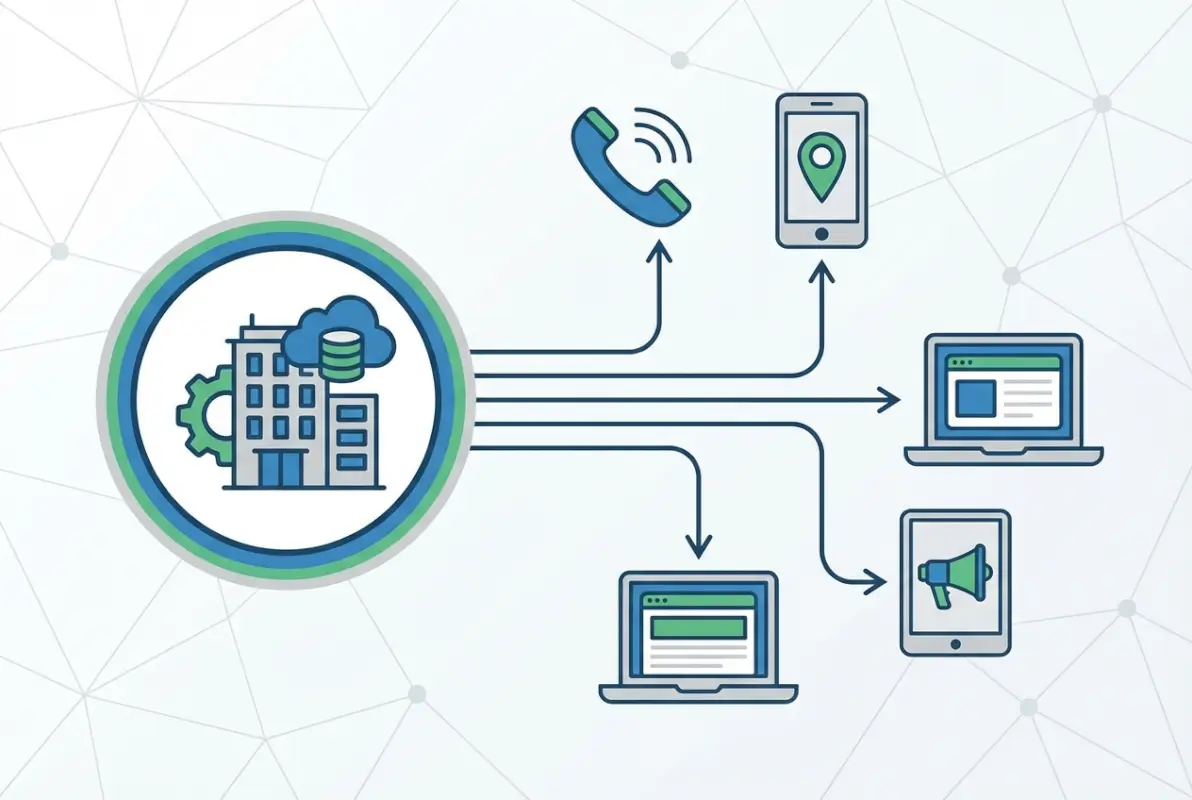
The modern 411 ecosystem centers around interconnected platforms rather than a single directory. Google Business Profile (formerly Google My Business) has become the dominant player, powering results in Google Search, Google Maps, and Android’s voice assistant. Apple Maps serves a similar function for iPhone users, while Yelp, Bing Places, and Facebook Business Pages fill complementary roles in the local-discovery landscape.
What makes this ecosystem powerful is data synchronization. When you update your business hours on Google, that information often propagates to partner sites and aggregators. However, inconsistencies across platforms can create confusion—both for search engines trying to determine your correct information and for customers who encounter conflicting details. That’s why strategic, consistent listing management has become essential for local visibility rather than just helpful.
When an Actual 411 Listing Is Still Relevant for Local Customers
Traditional 411 directory assistance hasn’t disappeared entirely—it’s just serving a different demographic. Older consumers, people without smartphones, and those in areas with limited internet access still rely on phone-based directory services. Some industries (like emergency services, towing, and late-night pharmacies) see disproportionate value from traditional 411 because customers often need them in urgent situations where voice calls are faster than app-based searches.
Additionally, certain business-information aggregators still pull from traditional 411 databases, meaning a listing in legacy systems can improve your data distribution across the broader ecosystem. If your business serves an older demographic or provides emergency services, maintaining an active 411 listing alongside modern profiles creates comprehensive coverage that captures customers regardless of how they search.
Step-by-Step: Enlisting Your Business in 411 and Modern Platforms
Creating a comprehensive local listing presence requires more than just filling out a single form. The most effective approach treats your business information as a strategic asset that needs verification, optimization, and ongoing maintenance across multiple platforms. These seven steps will guide you from initial data preparation through long-term listing management, ensuring your business appears accurately wherever potential customers are searching.

I remember working with a local HVAC company that had been in business for 15 years but was virtually invisible online. After implementing this systematic approach to their listings, their emergency-call volume increased by 47% within three months—simply because customers could finally find accurate contact information when their air conditioning failed on a hot Saturday afternoon. That’s the tangible business impact of getting your listings right.
Step 1: Verify Your Business Identity and Ensure Correct NAP
Before creating or claiming any listings, establish your authoritative business data. Your NAP (Name, Address, Phone number) must be absolutely consistent across every platform, website page, and marketing material. Even small variations—like “Street” versus “St.” or including a suite number in some places but not others—can confuse search engines and dilute your local-search authority.
Create a master document that includes your exact legal business name (not any doing-business-as variations unless that’s what you want to rank for), complete physical address in a standardized format, primary phone number with consistent formatting, website URL, business categories, hours of operation, and a concise business description. This becomes your single source of truth for all listing activities. I keep mine in a password-protected document that’s accessible to anyone on the team who might need to update a listing.
| Data Element | Format Standard | Example |
|---|---|---|
| Business Name | Exact legal name | Smith’s Hardware & Garden |
| Street Address | Spell out “Street,” “Avenue,” etc. | 1234 Main Street, Suite 200 |
| Phone Number | Choose one format, use everywhere | (555) 123-4567 |
| Website URL | Include https://, with or without www consistently | https://www.smithshardware.com |
Step 2: Prepare Your Listing Data (Categories, Hours, Services, URLs)
Beyond basic NAP information, comprehensive listings require additional data that helps customers understand what you offer and when you’re available. Business categories are particularly important—they tell search engines which queries should trigger your listing. Choose 2-3 highly specific categories rather than broad, generic ones. A coffee shop that also sells pastries should select “Coffee Shop” and “Bakery” rather than just “Restaurant.”
Document your complete business hours, including any special hours for holidays or seasonal variations. Many platforms allow you to set temporary hours (useful during holidays) or permanently closed dates. Don’t skip this—according to local search market statistics, one of the top customer frustrations is arriving at a business only to find it closed despite online listings showing it should be open.
Step 3: Create or Claim a 411-Style Listing and Cross-Link to Modern Profiles
For traditional 411 directory presence, contact your local telephone service provider to ensure your business is listed in their directory-assistance database. Most major carriers (AT&T, Verizon, T-Mobile) maintain business directories that feed into 411 services. This typically involves calling their business-services department and verifying your listing information—there’s usually no charge for a basic listing.
Simultaneously, claim your Google Business Profile at Google Business Profile support and management. This is your most critical listing and should receive the majority of your optimization attention. The verification process typically involves Google sending a postcard with a verification code to your business address, though some businesses qualify for instant verification via phone or email.
Once your Google profile is claimed and verified, expand to Apple Maps (through Apple Business Connect), Yelp for Business, Bing Places, and Facebook Business Pages. Each platform has its own claiming and verification process, but they all follow similar patterns: search for your business, claim the listing if it exists (or create one if it doesn’t), verify your authority to manage it, and complete all available fields with your standardized NAP data.
Step 4: Optimize for Mobile and Voice Search (Local Intents in 411 Searches)
Modern 411-style searches increasingly happen through voice assistants like Siri, Google Assistant, and Alexa. These queries tend to be conversational (“Hey Google, find a locksmith near me”) rather than keyword-focused (“locksmith 10014”). Optimize for this reality by including natural-language phrases in your business description that match how people actually speak.
Mobile optimization extends beyond voice search to ensure your listing displays properly on smaller screens and loads quickly when customers are on cellular connections. High-quality photos are essential—listings with at least five professional images receive 35% more direction requests and 42% more website clicks according to Forbes: local search and business listings research. Upload exterior shots, interior views, product images, and team photos to create a comprehensive visual representation of your business.
Step 5: Maintain Consistency and Update Regularly
Creating your listings is just the beginning—maintaining them over time determines long-term success. Set quarterly calendar reminders to audit all your major listings for accuracy. Check that hours are current (especially after holiday or seasonal changes), that photos are recent and represent your current offerings, and that your business description still accurately reflects what you provide.
When you do make changes, update all platforms within the same 24-hour period if possible. This timing coordination helps search engines see the updates as intentional corrections rather than conflicting data sources. I learned this the hard way when a client changed their phone number, updated Google immediately, but waited three weeks to update Yelp—Google temporarily suppressed their listing because it detected conflicting information across platforms, costing them valuable visibility during their peak season.
Step 6: Integrate with Broader Local Profiles (Google Business Profile, Apple Maps, Yelp)
While we’ve mentioned these platforms in earlier steps, deeper integration means maximizing the unique features each offers. Google Business Profile allows posts (similar to social media updates) that can highlight events, offers, or new products. Apple Maps has become increasingly important for iPhone users and integrates with Apple Pay and Wallet for promotions. Yelp’s review platform and recommendation algorithm can drive significant traffic for restaurants and service businesses.
Don’t treat these as separate silos—use them as interconnected touchpoints that reinforce your overall presence. When someone finds you on Google, they might read reviews on Yelp before calling. When they search on their iPhone, Apple Maps might show your business alongside your Google rating. This business directory website complete guide approach creates multiple opportunities for customer discovery and builds trust through consistent information across platforms.
Step 7: Monitor Performance and Respond to Inquiries
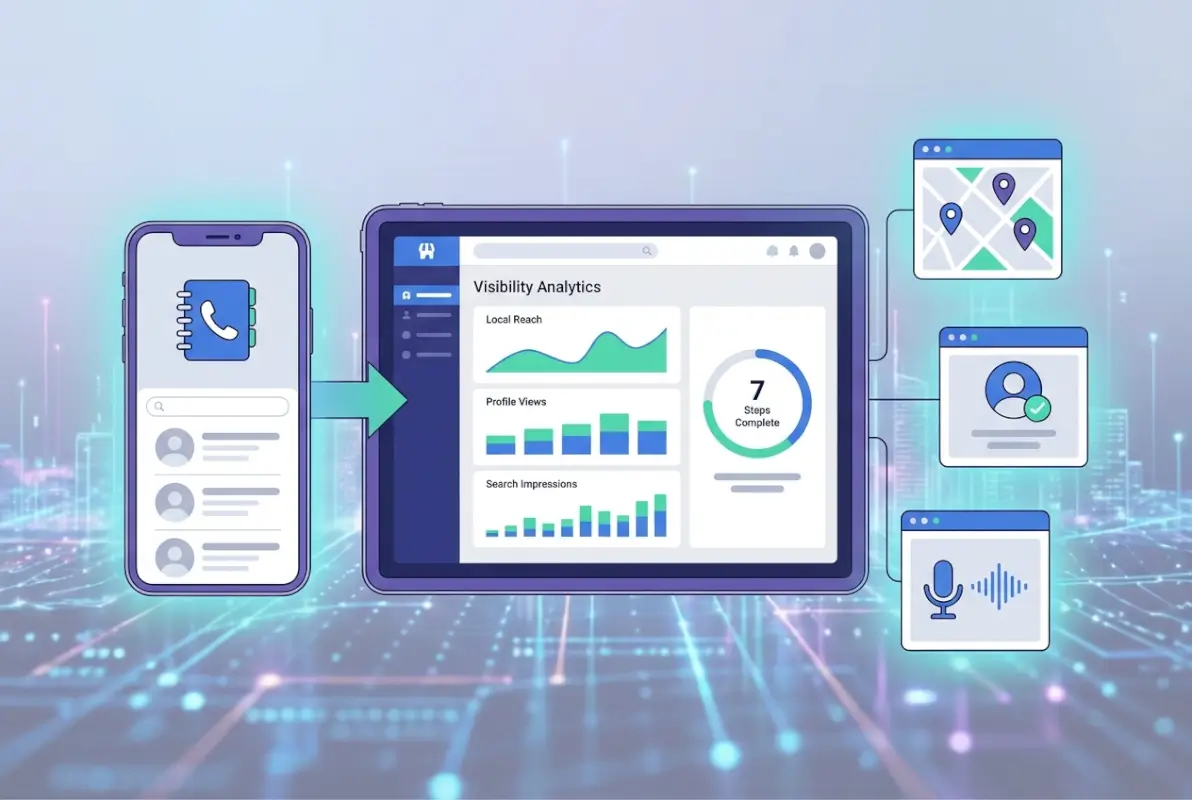
Most major platforms provide analytics showing how customers find and interact with your listing. Google Business Profile Insights reveals search queries that trigger your listing, whether customers found you through direct searches (brand name) or discovery searches (category or service), and what actions they took (called, visited website, requested directions). Review these metrics monthly to understand which aspects of your listing are working and which need improvement.

Equally important is responding to customer reviews and questions. Set up notifications so you’re alerted immediately when someone leaves a review or asks a question through your listing. Respond within 24 hours when possible—prompt, professional responses to both positive and negative reviews signal to potential customers (and to platform algorithms) that you’re actively engaged with your business presence.
Build a Cross-Channel Local Listing Strategy
The most effective local-visibility strategies don’t rely on a single platform but instead create a comprehensive presence across all relevant channels. This cross-channel approach serves two purposes: it maximizes your discoverability by meeting customers wherever they prefer to search, and it builds authority signals that improve your rankings across all platforms through consistent data verification.
Think of your listing ecosystem as concentric circles. At the center is your Google Business Profile—the most impactful platform for most businesses. The next ring includes major platforms like Apple Maps, Bing Places, and Yelp. The outer ring consists of industry-specific directories (like Avvo for lawyers or Healthgrades for medical practices) and local chamber of commerce listings. Prioritize maintaining accuracy at the center, then expand outward as resources allow.
Google Business Profile Optimization Basics (Citations, Reviews, Posts)
Your Google Business Profile deserves special attention because it powers results in Google Search, Google Maps, and the broader Google ecosystem that dominates local discovery. Beyond accurate NAP data, optimization includes regularly publishing Google Posts (weekly if possible) that showcase offers, events, products, or company news. These posts appear directly in your Business Profile and can influence whether customers choose to engage with your listing.
Actively solicit reviews from satisfied customers using Google’s review link (find it in your GBP dashboard). Don’t buy fake reviews or incentivize positive feedback—both violate Google’s policies and can result in penalties. Instead, make review requests part of your standard customer follow-up process. A simple email or text after service completion with a direct review link makes it easy for happy customers to share their experience. According to Understanding local signals in Google documentation, review quantity, quality, and velocity all factor into local search rankings.
Other Major Profiles to Claim and Optimize (Apple Maps, Yelp, Bing Places)
Apple Maps has grown significantly in importance as iPhone usage has expanded. Claim your listing through Apple Business Connect and ensure your information matches your Google profile exactly. Apple’s platform is particularly valuable for businesses in hospitality, dining, and retail since iPhone users often discover businesses through Maps while they’re already mobile and ready to visit.
Yelp remains influential for restaurants, home services, and personal-care businesses despite competition from Google. Its review platform is deeply integrated into consumer decision-making for these categories. Claim your free Yelp for Business account, respond to reviews professionally, and add photos regularly. Yelp’s algorithm favors active, engaged businesses when ranking search results within the platform.
Bing Places powers local results for Microsoft’s search engine and integrates with Windows devices and Microsoft’s ecosystem. While it has smaller market share than Google, it often delivers highly qualified traffic because Bing’s user demographic skews toward older, higher-income consumers. The claiming process is straightforward and similar to Google’s approach.
NAP Consistency and Data Hygiene Across Directories
Maintaining exact consistency in your Name, Address, and Phone number across all directories is non-negotiable for local SEO success. Search engines use NAP citations as verification signals—when they see the same business information across hundreds of trusted sources, they gain confidence that the data is accurate and authoritative. Inconsistencies create doubt and can suppress your rankings across all platforms.
| Consistency Check | Why It Matters | Common Mistake |
|---|---|---|
| Business Name | Primary ranking signal | Adding keywords to name on some platforms |
| Street Address | Geo-targeting accuracy | Abbreviating “Street” vs. spelling out |
| Suite/Unit Number | Verification precision | Including on some listings but not others |
| Phone Number | Contact accuracy | Different formatting: (555) 123-4567 vs. 555-123-4567 |
Use citation-monitoring tools or manual audits to identify inconsistencies across the web. When you find errors (especially on sites you don’t control), take steps to correct them by contacting the site administrator or using available update mechanisms. This listedin business directory key benefits for your business diligence pays dividends in improved rankings and customer trust.
Data Hygiene Toolkit: Audits, Monitors, and Alerts
Effective listing management requires systematic processes for catching and correcting errors before they impact your visibility. The most successful businesses treat their listing data like any other critical business asset—with regular audits, automated monitoring, and quick response protocols when issues arise.

Regular Data Audits (Monthly, Quarterly)
Schedule comprehensive audits of your top 10-15 listings on a quarterly basis, with lighter monthly checks of your top 3 (Google, Apple, Yelp). During these audits, verify that all information remains accurate, check for new reviews that need responses, confirm photos are current and high-quality, and look for duplicate listings that might confuse search engines or customers.
Create a simple spreadsheet audit template that lists each platform down the left column and key data elements (name, address, phone, hours, description) across the top. Work through each listing systematically, marking any discrepancies for immediate correction. This process typically takes 30-45 minutes quarterly but can prevent costly errors from persisting unnoticed.
Automated Alerts for Changes and Potential Inconsistencies
Set up Google Alerts for your business name to catch when new mentions or listings appear online. Most major platforms offer notification settings that alert you to customer reviews, questions, or suggested edits to your listing. Enable these notifications and respond promptly—quick response times improve both customer satisfaction and platform-ranking signals.
Some businesses use paid monitoring services that track listings across hundreds of directories and alert you to inconsistencies or unauthorized changes. These can be worthwhile for businesses with multiple locations or those in highly competitive markets where listing accuracy directly impacts revenue. However, most small businesses can manage effectively with manual quarterly audits and platform-native notifications for their major listings.
Common Pitfalls and How to Avoid Them
Even experienced business owners make critical mistakes with their local listings, often without realizing the impact until significant revenue has been lost. Understanding these common pitfalls helps you avoid costly errors and maintain listings that consistently drive customer traffic.
Duplicate Listings, Inconsistent NAP, Outdated Hours
Duplicate listings occur when multiple profiles exist for the same business, often created by different people or platforms over time. These duplicates split your reviews, confuse customers, and dilute your search authority. Regular searches for your business name across major platforms help identify duplicates so you can merge or delete them. Google allows you to suggest duplicate removals through the “Suggest an edit” feature, though the process can take several weeks.
Outdated hours remain one of the most damaging listing errors because they directly cause poor customer experiences. Someone who drives to your location based on online hours showing you’re open, only to find you’ve actually closed, has a terrible impression that often results in negative reviews and lost business. Update hours immediately when they change—don’t wait for your next quarterly audit if you’ve adjusted your schedule.
Over-Optimizing Categories or Keywords
Some business owners try to game the system by selecting every remotely relevant category or stuffing keywords into their business name (like “Joe’s Pizza | Best Pizza Chicago | Pizza Delivery”). This approach almost always backfires. Platforms increasingly penalize obvious manipulation, and customers find keyword-stuffed names off-putting and unprofessional.
Select 2-3 genuinely relevant categories that accurately describe your primary services. For your business name, use only your actual legal or DBA name—resist the temptation to add keywords. Search engines are sophisticated enough to understand what you offer from your categories, description, and reviews without resorting to manipulation tactics that can result in listing suspension or suppression.
Frequently Asked Questions
What is 411 directory assistance today, and is it still relevant?
Modern 411 directory assistance is a hybrid system combining traditional phone-based lookups with digital databases that power voice assistants, map applications, and online directories. While fewer people dial 4-1-1 directly, the underlying directory infrastructure remains highly relevant because it feeds into Google, Apple Maps, Siri, and other platforms where millions search for local businesses daily. Maintaining accurate 411-related listings helps ensure your business appears across this interconnected ecosystem.
How do I claim a 411 listing and why should I link it to Google?
Contact your telephone service provider’s business department to verify or create your traditional 411 listing. Then claim your Google Business Profile (the modern equivalent) at business.google.com. Linking these ensures consistency across the local-search ecosystem—when data matches across traditional directories and modern platforms, search engines gain confidence in your information’s accuracy, which improves your visibility in all local search results. Consistent NAP data across both systems creates powerful verification signals.
What information should I include to improve local visibility?
At minimum, include complete and accurate NAP (Name, Address, Phone), website URL, business hours, and 2-3 specific business categories. Enhanced listings should add a compelling 150-300 word description, 5-10 high-quality photos, service areas or product listings, accepted payment methods, parking information, and attributes that differentiate your business. The more complete and accurate your information, the more confidently platforms will display your listing to relevant searchers.
How often should I update my local listings?
Conduct comprehensive audits quarterly and update immediately whenever business information changes (hours, phone number, address, services). Between audits, add fresh photos monthly if possible and publish weekly posts on Google Business Profile. Review responses should happen within 24-48 hours of receiving them. This regular activity signals to platforms that your business is active and engaged, which can positively influence your ranking in local search results.
Do I need paid listings to perform well locally?
No—free listings on major platforms (Google, Apple, Bing, Yelp) provide the foundation for local visibility. Paid options exist for premium placement or enhanced features, but most small businesses see excellent results from thoroughly optimized free listings. Focus your resources on complete, accurate information and active engagement (review responses, regular updates) rather than paid placements. Only consider paid options after you’ve maximized your free listing performance.
How can I monitor the accuracy of my listings across platforms?
Set up a quarterly audit schedule using a simple spreadsheet that tracks your NAP, hours, and key details across your top 10-15 platforms. Enable notifications for reviews and suggested edits on major platforms. Use Google Alerts for your business name to catch new listings or mentions. For businesses with multiple locations or those in competitive markets, paid monitoring services can automate this process and alert you to discrepancies immediately, though manual checks work fine for most small businesses.
What are best practices for managing NAP across directories?
Create a master reference document with your exact, standardized business information and use it for every listing update. Never vary formatting—if you abbreviate “Street” to “St.” on one platform, do it everywhere; if you spell it out on one, spell it out everywhere. Update all platforms within the same 24-hour period when changes occur. Treat your NAP as fixed, authoritative data rather than flexible marketing copy that can be adjusted platform-by-platform.
How long does it take to see results after listing updates?
Initial visibility improvements often appear within 2-4 weeks as search engines reindex your updated information. Full impact typically takes 60-90 days as consistent data across multiple platforms builds authority signals and search engines gain confidence in your information’s accuracy. Review accumulation and engagement signals compound over time—businesses that maintain accurate listings for 6-12 months see significantly better performance than those with sporadic or inconsistent maintenance efforts.
Are there regions where 411 remains more popular than others?
Traditional phone-based 411 sees higher usage in rural areas with limited internet access and among older demographics less comfortable with smartphone apps. However, the broader 411 ecosystem (including digital platforms that use directory-assistance data) is equally important across all regions. Focus on comprehensive presence across both traditional and modern platforms regardless of location—customer search behavior varies by individual preference as much as by geography.
How do I handle incorrect listings or fraud risk?
Immediately claim and verify any listing you find for your business to establish ownership and prevent unauthorized changes. Report and request removal of duplicate listings through each platform’s support system. If you discover fraudulent listings (scammers impersonating your business), contact the platform’s fraud team with documentation proving your legitimate business ownership. Set up alerts for your business name to catch new unauthorized listings quickly, and maintain consistent verification across platforms to make fraud more difficult.
Making Your Listings Work for You: Final Thoughts
Building a comprehensive local listing presence across 411 directories and modern platforms isn’t a one-time project—it’s an ongoing competitive advantage that compounds over time. Businesses that commit to maintaining accurate, complete listings across their most important platforms consistently outperform competitors who treat directories as afterthoughts. The difference shows up in measurable ways: more phone calls, higher foot traffic, better search rankings, and ultimately, increased revenue.
Start with the fundamentals: accurate NAP data, complete business information, and active presence on Google Business Profile. Once that foundation is solid, expand systematically to secondary platforms while maintaining rigorous consistency. Set up your quarterly audit schedule now, before the demands of running your business push it indefinitely into the future. The 90 minutes you invest quarterly in listing maintenance delivers returns that far exceed almost any other marketing activity available to local businesses.
Your 7-Day Action Plan
Day 1-2: Create your master NAP document and audit your top 5 current listings
Day 3-4: Claim and verify your Google Business Profile if you haven’t already
Day 5-6: Claim Apple Maps, Bing Places, and Yelp listings
Day 7: Set quarterly calendar reminders for ongoing maintenance and review monitoring
The customers searching for your services right now are making decisions based on the information they find. Make sure what they discover is accurate, complete, and compelling.
For businesses interested in creating their own directory platform or exploring advanced local-listing strategies, TurnKey Directories offers WordPress-based solutions that give you complete control over your directory presence and the ability to build listing platforms for your industry or community.
Was this article helpful?