7 Powerful Ways Free Business Listings Boost Local SEO Rankings

Visual overview of 7 Powerful Ways Free Business Listings Boost Local SEO Rankings
Translated to

Most local businesses leave thousands of dollars on the table every month, and they don’t even realize it. The culprit? Unclaimed, incomplete, or poorly optimized free business listings scattered across the web. While everyone obsesses over paid ads and fancy marketing automation, there’s a remarkably simple truth hiding in plain sight: free business listings remain one of the most powerful—and consistently underestimated—weapons in your local SEO arsenal.

What separates thriving local businesses from struggling ones isn’t always budget size or marketing sophistication. It’s often something far more fundamental: their ability to be found when customers are actively searching. Free business listings create a digital footprint that works 24/7, constantly signaling to search engines that your business exists, matters, and deserves to be shown to nearby searchers. The fascinating part? Most of your competitors are doing this wrong, which creates a massive opportunity for businesses willing to invest a few strategic hours.

TL;DR – Quick Takeaways

  • Citation building drives rankings – Consistent NAP data across 20+ directories creates powerful trust signals search engines reward
  • Google Business Profile dominates – 76% of local mobile searches result in same-day visits to physical locations
  • Reviews impact everything – 88% of consumers trust online reviews as much as personal recommendations
  • Completeness matters exponentially – Fully optimized listings with photos perform 35-70% better than basic profiles
  • Free listings level the playing field – Small businesses can outrank larger competitors through strategic optimization
  • Results compound over time – Most businesses see measurable visibility improvements within 1-3 months
  • ROI crushes paid advertising – One-time effort creates perpetual visibility without ongoing costs

Understanding Free Business Listings and Their Local SEO Power

Free business listings are structured digital profiles containing your business information on platforms where potential customers actively search for services. These aren’t passive directory entries from the Yellow Pages era—they’re dynamic, interactive profiles that directly influence how search engines perceive your business’s legitimacy, relevance, and authority in your local market.

The ecosystem includes obvious players like Google Business Profile and Bing Places, but extends far beyond to Apple Maps, Yelp, Facebook Business, industry-specific directories, and hundreds of smaller platforms that aggregate business data. Each listing serves as a citation—a mention of your business name, address, and phone number (NAP) that search algorithms use to validate your existence and location.

Core concepts behind 7 Powerful Ways Free Business Listings Boost Local SEO Rankings

What makes these listings particularly powerful is their dual function. They don’t just help customers find you; they tell search engines where you are, what you do, and whether you’re trustworthy enough to recommend. According to research on local SEO effectiveness, businesses with complete, accurate listings across multiple platforms see significantly higher local search rankings than those with incomplete or inconsistent information.

Think about your own behavior for a moment. When you search for “emergency plumber near me” at 11 PM with water pooling in your kitchen, you’re not leisurely browsing—you’re looking for immediate solutions from businesses that appear legitimate, nearby, and available. Free business listings put you in front of these high-intent searchers at their moment of maximum need.

46%
of all Google searches have local intent—nearly half of all searches

The mechanics work through what’s called entity validation. When Google sees your business name, address, and phone number appearing consistently across dozens of trusted platforms, it develops confidence that you’re a real, established business rather than a fly-by-night operation or spam listing. This confidence translates directly into ranking advantages, particularly for the coveted local pack—those top three map results that capture 40-50% of all clicks for local searches.

The Citation Consistency Factor: Why NAP Data Makes or Breaks Rankings

Here’s something most business owners completely underestimate: tiny variations in how your business information appears across different platforms can sabotage your local SEO performance. The difference between “123 Main St.” and “123 Main Street” might seem trivial to humans, but to search algorithms trying to validate your business across hundreds of data points, it creates confusion that dilutes your ranking potential.

Citation consistency refers to maintaining identical business information—particularly your Name, Address, and Phone number—across every platform where your business appears. This isn’t about being pedantic; it’s about speaking the language search engines understand. When algorithms encounter conflicting information, they can’t confidently determine which version is correct, which weakens the trust signals your listings generate.
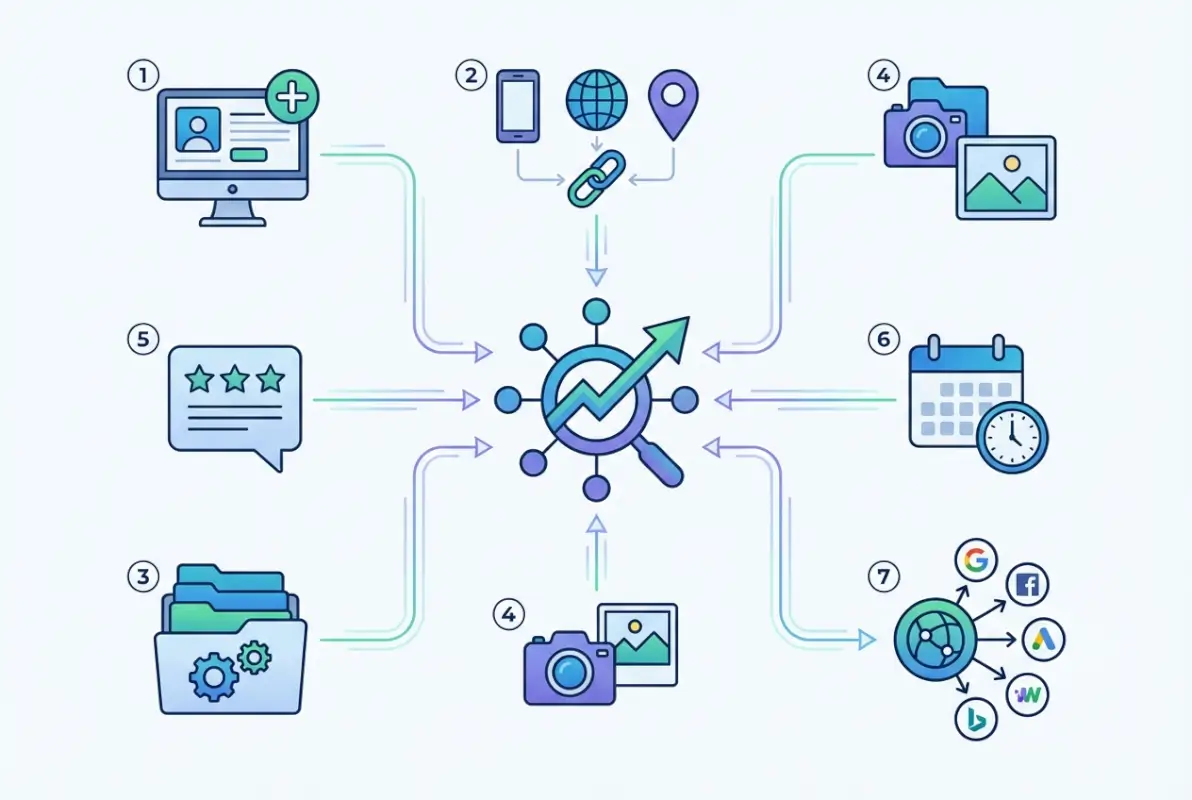
Step-by-step process for 7 Powerful Ways Free Business Listings Boost Local SEO Rankings

I’ve witnessed businesses lose significant visibility simply because they abbreviated “Suite” as “Ste.” on some platforms but spelled it out on others, or used different phone numbers across various listings. One restaurant I consulted for was using their old location address on 12 different directories without realizing it—they were essentially competing against themselves in search results, with neither version gaining traction.

Consistency ElementImpact on RankingsCommon Mistakes
Business NameVery HighAdding/removing LLC, Inc., using branded names inconsistently
Address FormatHighSt. vs Street, Suite vs Ste., # vs Unit
Phone NumberHighMixing local/toll-free, different tracking numbers
Business CategoryMediumUsing different primary categories across platforms

The solution isn’t complicated, but it does require discipline. Create a master document with your official business information formatted exactly as it should appear everywhere, then systematically audit and update every listing to match. This includes checking the ways to access business park directory listings if you’re in a commercial complex, ensuring even specialized directories reflect accurate information.

Pro Tip: Set a quarterly calendar reminder to audit your top 20 listings for accuracy. Business hours change, phone systems update, and addresses shift—staying current prevents the slow decay of citation quality that kills local visibility.

Research indicates that citation consistency can impact local search rankings by 15-35%, depending on competitive intensity in your market. In highly competitive niches like legal services or home improvement, perfect consistency becomes even more critical as search engines look for any signal to differentiate between similar businesses.

Google Business Profile: The Non-Negotiable Foundation

If you only optimize one free business listing in your entire existence, make it Google Business Profile (formerly Google My Business). This single platform drives more local visibility, customer actions, and business outcomes than all other directories combined. It’s not even close.

The reason is simple: Google processes over 3.5 billion searches daily, and nearly half have local intent. When someone searches for services in your area, your Google Business Profile determines whether you appear in the local pack, on Google Maps, or in the knowledge panel that dominates the right side of search results on desktop. These prime real estate positions capture the majority of clicks, leaving organic results below to fight over scraps.

Tools and interfaces for 7 Powerful Ways Free Business Listings Boost Local SEO Rankings

Yet I’m constantly amazed by how many businesses either haven’t claimed their profile or have claimed it but left it woefully incomplete. A basic listing with just your name, address, and phone number is like showing up to a networking event and standing silently in the corner—technically you’re there, but nobody’s going to engage with you.

70%
increase in location visits for businesses with complete Google Business Profiles

Complete optimization means filling every available field: business description with natural keyword inclusion, all relevant categories (primary and secondary), accurate hours including special hours for holidays, accepted payment methods, accessibility features, service areas, and appointment links if applicable. The profile supports Posts—short updates about offers, events, or news that keep your listing fresh and engaging.

Photos matter enormously, perhaps more than any other single element. Businesses with photos receive 42% more requests for directions and 35% more clicks to their websites compared to those without. These aren’t just any photos—they should be high-quality, well-lit images that showcase your location, products, team, and happy customers. Google even provides data on photo performance, showing you which images generate the most engagement.

Important: Never create multiple Google Business Profiles for a single location trying to rank for different keywords. Google considers this spam and will suspend all your listings, potentially damaging your visibility for months during the appeals process.

The Questions & Answers feature on Google Business Profile is remarkably underutilized. Customers can ask questions directly on your listing, and your answers appear publicly. Smart businesses seed this section with common questions they want to answer—essentially creating an FAQ that appears directly in search results and helps with voice search optimization.

Review Generation and Management: The Credibility Multiplier

Reviews have evolved from nice-to-have social proof into a critical ranking factor that influences both algorithm performance and customer behavior. The businesses dominating local search results almost universally have robust review profiles—not just quantity, but quality, recency, and engagement through owner responses.

Search engines interpret reviews as fresh, user-generated content that validates your business quality and relevance. A steady stream of reviews signals that you’re an active business serving real customers, while businesses with sparse or stale reviews appear dormant or potentially closed. According to consumer behavior research, 88% of consumers trust online reviews as much as personal recommendations—they’re not just reading reviews, they’re making decisions based on them.

Best practices for 7 Powerful Ways Free Business Listings Boost Local SEO Rankings

The challenge isn’t getting reviews—it’s creating a systematic process that generates them consistently without violating platform policies. Google, Yelp, and other directories prohibit incentivized reviews, making it illegal to offer discounts or rewards in exchange for positive feedback. The ethical approach involves making it easy for satisfied customers to share their experience through gentle reminders and simple processes.

I’ve found the most effective review generation happens through multiple touchpoints: a follow-up email 2-3 days after service delivery, a text message with a direct review link, and physical signage or cards for in-person businesses. The key is timing—catching customers while their positive experience is fresh but after they’ve had time to actually use your product or service.

Review Strategy ElementImpactImplementation
Review QuantityHighSystematic ask process, multiple touchpoints
Review RecencyVery HighContinuous generation, not campaigns
Review QualityMediumSpecific service prompts in requests
Owner ResponsesHighRespond to all reviews within 24-48 hours

Responding to reviews—all reviews, not just positive ones—demonstrates engagement and professionalism that influences both algorithms and prospective customers. Negative reviews handled well can actually enhance your reputation more than having zero negative feedback, which often appears suspicious or filtered. Address concerns specifically, apologize when appropriate, and offer to resolve issues offline with contact information.

One pattern I’ve noticed: businesses that respond to reviews consistently see 20-30% higher engagement on their listings overall. It creates a virtuous cycle where engagement signals boost visibility, which drives more profile views, which generates more reviews and customer actions. For detailed guidance on maintaining this cycle, resources about key steps run successful directory website business can help establish sustainable review management workflows.

Beyond Google: The Multi-Platform Visibility Advantage

While Google Business Profile deserves primary focus, limiting yourself to a single platform leaves significant opportunities on the table. Different consumers have different platform preferences—some default to Yelp for restaurant research, others use Apple Maps for navigation, and industry-specific directories attract users with particular needs.

The strategic approach involves claiming your presence on three tiers of directories: universal platforms everyone should use (Google, Bing, Apple Maps, Facebook), major consumer directories relevant to your industry (Yelp for restaurants, Zillow for real estate, Healthgrades for healthcare), and niche directories specific to your particular service category or geographic region.

Advanced strategies for 7 Powerful Ways Free Business Listings Boost Local SEO Rankings

This multi-platform presence creates citation diversity—mentions of your business across varied, authoritative sources that compound your local search signals. It’s similar to getting multiple character references instead of just one; each additional credible source strengthens the overall validation of your business legitimacy.

76%
of people who search for something nearby on their smartphone visit a business within 24 hours

Bing Places deserves particular attention despite Google’s market dominance. Bing powers search for Windows devices, Siri results, and Amazon Alexa, creating distribution beyond Bing.com itself. The platform has significantly lower competition than Google, making it easier to rank prominently even in competitive markets. I’ve seen businesses generate 10-15% of their total online leads from Bing-powered sources with minimal optimization effort.

Apple Maps has quietly become critical for iOS users, who represent roughly 50% of smartphone users in many markets. When iPhone users search for businesses or ask Siri for recommendations, Apple Maps data determines what they see. The platform draws information from multiple sources, but claiming your business directly through Apple Business Connect ensures accuracy and allows you to provide detailed information.

Key Insight: Industry-specific directories often convert better than general platforms because users searching them have higher intent and more specific needs. A plumber listed on HomeAdvisor reaches people actively seeking plumbing services, not just browsing.

Facebook Business Pages function as hybrid listings combining directory features with social presence. They appear in Facebook searches, support reviews and recommendations, and allow direct messaging and appointment booking. For consumer-facing businesses, an optimized Facebook Business Page captures the significant portion of your audience that uses Facebook as their primary internet gateway.

Measuring Impact and Optimizing Performance

The beauty of free business listings lies in their measurability—you can track exactly how they influence your visibility, traffic, and customer acquisition. Google Business Profile provides detailed insights showing how many people found your listing through direct searches (branded), discovery searches (non-branded), and Maps. You can see which customer actions they took: website clicks, phone calls, direction requests, and message sends.

Google Search Console offers another data layer, showing which queries trigger your website appearances and how often users click through. By segmenting local search performance, you can identify whether visibility improvements correlate with listing optimization efforts. Tracking direction requests, phone calls, and form submissions provides concrete evidence of listing ROI beyond just impressions or clicks.

For businesses operating in commercial complexes, understanding how to search businesses in fslocal directory tips helps you see how customers discover your location within larger business environments, revealing optimization opportunities specific to your situation.

Section Summary: Effective measurement combines platform-specific analytics (GBP Insights), general analytics (Google Search Console), and business metrics (calls, visits, conversions) to create a comprehensive picture of listing performance and identify high-impact optimization opportunities.

The metrics that matter most vary by business model. Retail stores should focus on direction requests and foot traffic, while service businesses need to track phone calls and contact form submissions. Professional services might prioritize website clicks leading to consultation bookings. Define your primary conversion action, then work backward to optimize listing elements that drive that specific outcome.

Testing provides the final optimization layer. Try different business descriptions, rotate photos to see which generate more engagement, experiment with Google Posts featuring different offers, and test various calls-to-action in your review response templates. Small improvements compound—a 5% increase in click-through rate multiplied across thousands of monthly impressions creates meaningful business impact.

Common Pitfalls and Myths That Sabotage Results

The “more listings equal better results” myth causes businesses to spam their information across hundreds of low-quality directories that provide zero value and potentially harm rankings. Quality dramatically outweighs quantity—20 listings on authoritative, relevant platforms will outperform 200 listings scattered across obscure, spammy directories that search engines don’t trust.

Another dangerous practice involves creating multiple listings to rank for different keywords or neighborhoods. This “separate listing per service area” approach violates platform policies and confuses search algorithms trying to understand your actual location. It’s one of the fastest ways to get suspended from Google Business Profile, potentially losing all visibility during lengthy appeals processes.

Some businesses neglect listings after initial setup, treating them as “set and forget” assets. Search algorithms favor active, maintained listings with regular updates, fresh photos, recent reviews, and current information. Dormant listings signal potentially closed businesses, causing search engines to deprioritize them in results even if the information remains technically accurate.

Important: Buying fake reviews or using review generation services that violate platform policies can result in permanent listing suspension and lasting damage to your business reputation. The short-term gain never justifies the catastrophic long-term risk.

Keyword stuffing in business names represents another common violation—adding keywords like “Best Pizza Downtown Chicago” to your business name field. Platforms explicitly prohibit this practice and routinely suspend businesses caught doing it. Your business name should be exactly what appears on your storefront, legal documents, and marketing materials, nothing more.

Finally, many businesses underestimate the importance of category selection, either choosing the wrong primary category or neglecting to add relevant secondary categories. Your primary category heavily influences which searches trigger your listing, while secondary categories expand your relevance for related queries. A restaurant might have “Italian Restaurant” as primary but add “Pizza Restaurant,” “Wine Bar,” and “Takeout Restaurant” as secondaries to capture broader search intent.


FAQ

Are free business listings actually effective for local SEO in competitive markets?

Absolutely. Free listings create citation signals and local relevance indicators that search algorithms rely on regardless of competition level. In fact, they’re more critical in competitive markets where algorithmic differentiation factors matter most. Complete, optimized listings with strong review profiles can help smaller businesses outrank larger competitors through superior local signals, even when domain authority and content volume favor the larger company.

Which free business listings should I prioritize first?

Start with Google Business Profile as your absolute first priority—it drives more local visibility than all other platforms combined. Follow with Bing Places for Business and Apple Maps Connect to cover the major search ecosystems. Then add Yelp, Facebook Business, and 2-3 industry-specific directories relevant to your business category. This core set of 6-8 listings provides 80% of the value with 20% of the effort.

How often should I update my free business listings?

Review your top 5-10 most important listings monthly for accuracy, particularly hours, contact information, and photos. Add fresh content like Google Posts or updates weekly if possible. Conduct comprehensive audits quarterly to verify NAP consistency across all platforms and identify outdated information. Immediate updates are necessary whenever business details change—new phone numbers, relocated addresses, or modified hours should be corrected across all listings within 24-48 hours.

Do multiple free listings actually improve rankings or just visibility?

Both. Multiple quality listings improve rankings by creating citation diversity and validation signals that algorithms interpret as legitimacy indicators. They also expand visibility by placing your business on additional platforms where consumers search. The ranking impact comes from algorithmic trust signals, while visibility impact comes from occupying more digital real estate across the platforms your target customers actually use for local discovery.

How do I fix inconsistent NAP data across numerous directories?

Create a master NAP document with your official business information formatted exactly as it should appear everywhere. Systematically audit your listings, starting with the most important platforms. Claim and update listings you control directly, then submit correction requests to aggregators like Data Axle and Neustar Localeze that distribute business data to hundreds of smaller directories. For persistent incorrect listings you can’t control, document the corrections you’ve attempted as evidence of good-faith efforts to maintain accuracy.

What’s the most effective way to manage reviews across multiple free listings?

Implement a centralized monitoring system—either manual checks of your top 5 platforms daily or reputation management software that aggregates reviews from multiple sources into a single dashboard. Respond to all reviews within 24-48 hours with personalized, specific replies that address the reviewer’s comments. Create response templates for common scenarios but customize each reply. Make review generation systematic through post-service email sequences, text messages, and physical reminder cards rather than sporadic campaigns.

Can free listings drive actual revenue or just website traffic?

Free listings drive direct revenue through multiple mechanisms: phone calls directly from listings, direction requests leading to physical visits, booking button clicks for appointments, and message sends from potential customers. Google Business Profile analytics shows these actions separately from website clicks, revealing that many customers convert directly through listings without ever visiting your website. For local businesses, listings often generate more qualified leads than website traffic because users interacting with listings typically have higher immediate purchase intent.

How long does it take to see measurable results from optimizing free listings?

Initial visibility improvements typically appear within 2-4 weeks as search engines re-crawl and re-index updated listings. Meaningful ranking improvements usually take 6-12 weeks as citation consistency signals propagate across the web and review velocity builds. Significant business impact—measurable increases in calls, direction requests, and conversions—generally emerges within 8-16 weeks for most businesses. Competitive markets may require 4-6 months for substantial ranking improvements, though engagement metrics on the listings themselves often improve more quickly.

Should I hire someone to manage my listings or do it myself?

Initial setup and optimization is absolutely manageable for most business owners—claiming listings, completing profiles, and ensuring NAP consistency requires time but not specialized expertise. Ongoing management benefits from delegation since monthly monitoring, review responses, and content updates become time-consuming across multiple platforms. Many businesses handle this through part-time staff or virtual assistants rather than expensive agencies. Consider professional help if you have multiple locations, complex service areas, or persistent duplicate listing issues that require technical cleanup.

Do I need listings on every possible directory or just major platforms?

Focus on quality over quantity. The major platforms (Google, Bing, Apple Maps, Facebook, Yelp) plus 3-5 industry-specific directories provide most of the value. Adding your business to 200+ obscure directories offers minimal benefit and creates maintenance nightmares when information changes. Prioritize directories that rank well in Google for your industry searches, have strong domain authority, and actually drive traffic to member listings. Tools like white label business directory software solutions can help manage listings efficiently without overwhelming administrative burden.

Taking Action: Your Strategic Implementation Plan

Free business listings represent one of the highest-ROI activities available to local businesses—permanent digital assets that work continuously without ongoing costs. The businesses thriving in local search aren’t necessarily the ones with the biggest budgets or most sophisticated marketing teams; they’re the ones who systematically build, optimize, and maintain their listing presence across platforms that matter to their specific market.

Start by auditing your current state. Search for your business on Google, Bing, and Apple Maps—what appears? Is the information accurate, complete, and compelling? Are there duplicate listings confusing search engines and splitting your visibility? Are your competitors outranking you because they’ve invested in optimization while you’ve left basic listings unclaimed? This honest assessment reveals your starting point and highest-priority opportunities.

30-Day Listing Optimization Blueprint

  • Days 1-7: Claim and verify Google Business Profile, Bing Places, Apple Maps—complete verification processes
  • Days 8-14: Fill all profile fields with complete information, upload 10-15 high-quality photos to each platform
  • Days 15-21: Create profiles on Yelp, Facebook Business, and identify/claim 3 industry-specific directories
  • Days 22-28: Implement review generation system, respond to all existing reviews, create first Google Post
  • Day 29-30: Document your official NAP format, audit all listings for consistency, schedule monthly maintenance
  • Ongoing: Weekly content updates, daily review monitoring, monthly accuracy audits, quarterly comprehensive listing reviews

Remember that listings work synergistically with all your other marketing efforts—they amplify your content marketing by driving traffic to valuable resources, enhance your social media by creating additional touchpoints, and improve paid advertising ROI by building organic visibility that reduces long-term ad dependence. They’re not an isolated tactic but rather a fundamental business asset that establishes your digital presence and credibility.

The businesses that dominate local search understand this and treat listing optimization as ongoing business infrastructure rather than a one-time project. They maintain accurate information, regularly add fresh content, actively cultivate reviews, and monitor performance to identify optimization opportunities. The compound returns from this systematic approach far exceed sporadic attention or neglect.

Your competitors are making a choice about free business listings every day—either investing strategic effort in optimization or leaving this powerful channel underutilized. The gap between businesses that excel at listings and those that ignore them continues widening as search algorithms increasingly rely on local signals, review quality, and citation consistency for ranking decisions. Which side of that gap will your business occupy?

Was this article helpful?

Similar Posts

  • Blog

    Best Business Listing Websites Free & Paid: Boost Your Online Presence in 2025

    Finding customers online isn’t optional anymore – it’s survival. When 97% of consumers search online before making local purchases, your business needs to appear where they’re looking. That means claiming your spot on the right business listing websites, from free platforms to strategic paid options that actually drive traffic. I’ve watched countless small businesses struggle…

  • Blog

    How to Find Your Chrome Plugins Directory: A Step-by-Step Guide

    Chrome extensions have become the backbone of our browsing experience, transforming a simple web browser into a powerful productivity suite. But what happens when you need to dig deeper into the technical side of your extensions – perhaps for troubleshooting a misbehaving plugin, creating backups before a major system update, or manually removing stubborn extensions…

  • Blog

    How to Hire a Listing Agent: 5 Essential Tips to Find the Right Real Estate Professional

    Selling your home is one of the most significant financial transactions you’ll ever make, and having the right listing agent by your side can make all the difference. The best listing agents don’t just stick a sign in your yard and hope for the best—they strategically position your property in the market, negotiate skillfully on…

  • Blog

    How to Download an Online Directory: 6 Simple Methods

    substring(replace(

    Downloading an online directory shouldn’t feel like cracking a vault, yet many professionals waste hours wrestling with stubborn web platforms, anti-scraping defenses, and jumbled data exports. Here’s something most guides won’t tell you upfront: the “best” method isn’t always the most technical one. I’ve seen Fortune 500 teams burn weeks on custom scraper code when a simple built-in CSV export was sitting right in the platform’s admin panel. The real skill lies in matching your method to the directory’s structure, your technical comfort zone, and—crucially—the legal and ethical boundaries of the data you’re after. Whether you’re grabbing 200 local business listings for a marketing campaign or pulling 50,000 industry contacts for competitive analysis, this guide breaks down six practical methods to download an online directory, complete with real-world gotchas, compliance checkpoints, and post-download cleanup strategies that actually work.

    TL;DR – Quick Takeaways

    • Six distinct methods exist – from manual copy-paste (under 500 records) to API pipelines and third-party aggregators, each suited to different directory sizes and access models.
    • Start with built-in exports – before reaching for scraping tools, check if the platform offers CSV/JSON export; saves time, respects terms of use, and delivers cleaner data.
    • Legality and terms of use are non-negotiable – always review robots.txt, terms of service, and privacy policies; violating them can trigger IP bans, legal notices, or unusable data.
    • Data quality trumps speed – raw downloads often contain duplicates, broken fields, and inconsistent formatting; budget time for deduplication, normalization, and validation checks.
    • Automation beats one-off hacks – for directories that update frequently, set up repeatable workflows (API sync, scheduled scraper runs) rather than manual re-downloads every month.

    Method 1 — Manual Copy-Paste and Save-as Techniques

    Manual copy-paste sounds archaic in an era of AI and automation, but it remains the go-to for micro-projects where the overhead of tooling outweighs the task itself. Think of it as the Swiss Army knife approach: you open the directory page in a browser, highlight rows of data, copy them into a spreadsheet, and repeat across a handful of pages. This method shines when you’re dealing with under 500 records, static HTML tables, or one-off research tasks where you’ll never touch that directory again. The beauty lies in its simplicity—no API keys, no scraper configs, no risk of triggering anti-bot systems because you’re behaving exactly like a human reader.

    [KBIMAGE_1]

    However (and this is a big caveat), manual methods fall apart fast when directories use infinite scroll, JavaScript-rendered content, or dynamic filters that hide data until you click through multi-step wizards. I once tried copying physician listings from a state medical board directory that loaded records via AJAX calls, only the visible ten rows would paste into Excel, leaving me with a fraction of the dataset and no clean way to grab the rest without manually clicking “Load More” 87 times. That’s when you know it’s time to graduate to a better method.

    When This Works Well (Small Directories, One-Off Tasks)

    Manual copy-paste is ideal for directories with fewer than 1,000 records, especially if they’re presented in simple HTML tables or list views. Local chamber of commerce member lists, small professional association rosters, or niche hobby group directories often fall into this category. The key advantage: you maintain complete control over what you grab. You can eyeball each entry as you go, skip irrelevant records, and spot formatting quirks in real time. For compliance-sensitive projects (like medical or legal directories where each record must be verified), this human-in-the-loop approach actually reduces error rates compared to automated scrapes that blindly ingest everything.

    💡 Pro Tip: Use browser extensions like “Table Capture” or “Copytables” to preserve formatting when copying HTML tables directly into Google Sheets or Excel. They auto-detect table structures and save you from pasting garbled text that requires hours of cleanup.

    Step-by-Step Guide: Copy, Paste, and Structure

    Start by opening the directory in a modern browser (Chrome, Firefox, Edge). Navigate to the first page of listings and identify the data rows—look for repeating patterns like name, address, phone, category. Select the visible rows by click-dragging or using keyboard shortcuts (Ctrl+A on the table element if it’s isolated). Copy the selection (Ctrl+C or Cmd+C) and paste into a blank spreadsheet. Immediately check that columns align correctly; if they don’t, you may need to paste as plain text first, then use “Text to Columns” or delimiter splitting to separate fields.

    Move to the next page (if pagination exists) and repeat the copy-paste cycle. As you accumulate rows, keep an eye out for header rows sneaking into your dataset—many directory sites repeat column headers at the top of each page, so you’ll need to manually delete those duplicate header lines before you finish. Once all pages are captured, save the spreadsheet in your preferred format (CSV for universal compatibility, XLSX if you need to preserve formulas or multi-sheet workbooks). Finally, do a quick sanity check: sort by name or ID to spot duplicates, scan for empty cells in critical fields, and confirm the record count matches your expectation from the directory’s page counter (e.g., “Showing 1–50 of 237 results”).

    Pros and Cons (Accuracy, Time, and Rate Limits)

    The upside of manual methods is near-zero technical barrier and maximum transparency—you see exactly what you’re getting. There’s no risk of a scraper misinterpreting JavaScript variables or API pagination logic, because you’re grabbing only what’s rendered on screen. Rate limits are a non-issue since you’re clicking and scrolling at human speed, well below any anti-bot threshold. This makes manual copy-paste one of the safest approaches from a terms-of-service perspective, provided you’re not violating explicit “no copying” clauses (rare but they exist).

    The downside? Time and scalability. Copying 50 records takes a few minutes, 500 might take an hour with breaks, but 5,000 becomes an all-day ordeal that invites repetitive strain injuries and transcription errors. Formatting drift is another pain point—some directories mix text and images in table cells, use nested divs instead of clean tables, or inject ads between rows. When you paste those into a spreadsheet, you get broken layouts that require tedious manual cleanup. And if the directory updates frequently, you’re stuck re-doing the entire manual process every time you need fresh data, which is unsustainable for ongoing projects.

    AspectManual Copy-PasteAutomated Methods
    Setup Time~5 minutes30–120 minutes
    Ideal Record Count< 1,000> 1,000
    AccuracyHigh (human review)Varies (config-dependent)
    RepeatabilityLow (must redo manually)High (scriptable)
    Terms-of-Use RiskMinimalModerate to High

    Method 2 — Built-in Export Features from Directory Platforms

    Before you spin up a scraper or dive into API documentation, pause and ask: does this directory platform already offer an export button? You’d be surprised how often the answer is yes—tucked away in account settings, admin dashboards, or behind a “Download” icon that blends into the UI. Platforms like Yelp for Business, local government business listing sites, industry association portals, and SaaS directory products routinely include CSV, JSON, XLSX, or XML export capabilities for account holders. These exports are purpose-built, meaning they include all standard fields (name, address, phone, category, URL, metadata) in a clean, predictable structure. No parsing headaches, no missing data from hidden DOM elements, no CAPTCHA walls.

    [KBIMAGE_2]

    The catch is access control. Many directories gate exports behind paid tiers, verified membership, or admin privileges. A free public user might see listings but lack the “Export All” option, while premium subscribers get one-click downloads. If you’re working with a directory you already pay for (think CRM integrations, trade association databases, or enterprise directories), this method is your fastest path to a complete dataset. Even if the export isn’t perfect—maybe it’s paginated in chunks of 1,000 records, or the CSV uses semicolon delimiters instead of commas—you’re still miles ahead of manual methods or scraping from scratch.

    Export Formats (CSV, JSON, XLSX, XML)

    Different platforms favor different formats based on their technical stack and intended audience. CSV (Comma-Separated Values) is the universal standard: lightweight, human-readable, and compatible with every spreadsheet tool and database on the planet. Use CSV when you need maximum portability and don’t care about preserving complex metadata like nested categories or multi-language fields. JSON (JavaScript Object Notation) is preferred by modern web APIs and developer-focused platforms; it handles nested structures elegantly (e.g., an array of contact numbers per business) and integrates seamlessly into Python, Node.js, or any programming workflow. If the directory serves developers or offers an API-tied export, you’ll likely see JSON as an option.

    XLSX (Excel) exports are common on business-oriented directories because they support multiple sheets, cell formatting, and embedded formulas. They’re great if you plan to do pivot analysis or share the data with non-technical stakeholders who live in Excel. Just be aware that XLSX files are binary and slightly less portable than CSV or JSON for scripting purposes. Finally, XML (eXtensible Markup Language) shows up in government datasets, healthcare directories, and legacy enterprise systems. It’s verbose and harder to read than JSON, but it’s still machine-parseable and useful if the directory adheres to a specific schema standard (like NIEM for public safety records or HL7 for medical directories).

    ✅ Key Insight: If you have a choice, pick JSON for programmatic processing (APIs, data pipelines) and CSV for spreadsheet analysis or quick imports into databases. XLSX is a middle ground when you need formatting but want to avoid coding.

    How to Locate Export Options (Account Settings, Admin Dashboards, API-Tied Exports)

    Export buttons rarely announce themselves with flashing neon signs. Start by logging into your account (if the directory requires one) and heading to your profile or account settings page. Look for sections labeled “Data Export,” “Download,” “Backup,” or “Tools.” On platforms like Angie’s List or professional directories, the export feature might live under a “Reports” tab or inside a bulk-actions menu when you select multiple listings. If you manage the directory (e.g., you’re an admin of a chamber of commerce member portal), check the admin dashboard for “Export Members” or “Generate CSV” options—these are often segregated from the public-facing interface.

    For directories with official APIs, the export might be API-driven rather than a GUI button. You’d visit the API documentation (usually at example.com/api or example.com/developers), find the endpoint that lists all records (often /api/v1/listings or similar), and authenticate with an API key or OAuth token. The response is typically JSON, which you can save as a file or pipe into a script. Some platforms blend both approaches: a GUI export that triggers an API call under the hood, delivering a download link via email once the export job completes. If you’re stuck, try searching the platform’s help docs for keywords like “export,” “download,” “CSV,” or “bulk data”—or reach out to their support team; they’re usually happy to point paying customers to export features.

    Handling Large Exports (Pagination, Rate Limits, Incremental Exports)

    Even when a directory offers exports, size constraints can complicate things. A platform with 100,000 records might cap each export at 10,000 rows to prevent server overload, forcing you to run multiple exports with different filters or date ranges. This is called pagination in the API world or “batch exports” in GUI terms. The workflow becomes: export records 1–10,000, then 10,001–20,000, and so on, finally merging all CSV files into one master dataset. Tools like csvkit (command-line) or Python’s pandas library make merging painless, but you need to plan for it upfront.

    Rate limits are another wrinkle. If the export runs through an API, you might hit a cap of, say, 100 requests per hour or 10,000 records per day. Exceeding that threshold triggers HTTP 429 errors (“Too Many Requests”) or temporary IP bans. The solution: throttle your requests. If you’re scripting the export, insert delays (e.g., wait 1 second between API calls) and respect the Retry-After header if you get rate-limited. For GUI exports, you may need to wait between downloads—annoying but necessary to stay compliant with the platform’s terms. Incremental exports are a smarter long-term strategy: instead of re-downloading the entire directory monthly, configure an export that pulls only new or updated records since your last sync (often filterable by “modified_since” timestamp in APIs). This reduces data volume, speeds up processing, and keeps your local copy fresh without redundant work.

    Section Summary: Built-in exports are your first line of attack—check account settings, admin panels, and API docs before building custom tooling. They deliver cleaner data faster, though pagination and rate limits require planning for large directories.

    Method 3 — Web Scraping Tools (No-Code / Low-Code)

    When a directory lacks export buttons and manual copy-paste feels like digital archaeology, web scraping tools bridge the gap. Modern no-code and low-code scrapers have democratized data extraction, you don’t need to be a Python wizard to pull thousands of records from a complex directory. These tools work by letting you point and click on webpage elements (like business names, addresses, phone numbers) to teach the scraper what data to grab, then they crawl through multiple pages automatically, extracting the same pattern on each one. Think of it as recording a macro that runs across the entire directory instead of repeating your manual clicks ad nauseam.

    [KBIMAGE_3]

    Popular options in this space include browser extensions like Web Scraper (Chrome), point-and-click platforms like Octoparse and ParseHub, and cloud-based services that handle JavaScript rendering and CAPTCHA challenges for you. The learning curve is measured in hours rather than weeks, making them accessible to marketers, researchers, and small business owners who need data but don’t have engineering teams on standby. That said, scraping is a double-edged sword: it’s powerful and flexible, but it also raises legal and ethical questions we’ll tackle in detail below.

    Popular No-Code / Low-Code Scrapers (Point-and-Click Extractors)

    The no-code scraper market has matured significantly in recent years, offering robust feature sets without requiring you to write a single line of code. Web Scraper (Chrome extension) is a favorite for lightweight projects; you define selectors (CSS or XPath) by clicking on elements, configure pagination rules, and export to CSV or JSON. It runs inside your browser, so it inherits your login sessions (handy for directories behind authentication) and handles JavaScript-rendered content automatically. The free tier is generous, though cloud-based scheduling and API access require a paid plan.

    Octoparse targets mid-sized projects with its desktop client and cloud scrapers. It offers templates for popular sites (Amazon, LinkedIn, etc.), though custom directories require manual setup. The visual workflow builder lets you configure loops, conditionals, and data cleaning steps in a drag-and-drop interface—think of it as a flowchart for your scraping logic. ParseHub competes on similar turf, with a strong emphasis on handling AJAX and infinite scroll. Its free plan allows up to five scraping projects, making it ideal for testing before committing to a subscription.

    For enterprise needs, Apify and Scrapy Cloud (built on the Scrapy framework) offer hybrid low-code/code-optional platforms. You can start with pre-built actors (Apify’s term for scraper templates) and customize them with JavaScript or Python if needed. These platforms excel at scale—think millions of records, rotating proxies, and CAPTCHA-solving integrations—but they assume a bit more technical comfort than pure no-code tools. The right choice depends on your directory’s complexity and your tolerance for configuration tweaks versus coding.

    Setting Up Careful Scraping: Selectors, Delays, and Politeness

    A scraper is only as good as its selectors—the patterns it uses to identify data on the page. Most tools let you pick elements visually, clicking on a business name to auto-generate a CSS selector like .listing-title or div.business-card h2. Always test your selectors on multiple listings to ensure they’re robust; if the directory uses inconsistent class names or IDs, a selector that works on page one might fail on page ten. XPath selectors offer more precision (e.g., //h2[@class='name']/text()) but have a steeper learning curve. Whichever you choose, validate the extracted data row-by-row in a sample export before unleashing the scraper across thousands of pages.

    Delays are your scraper’s manners card. Hammering a directory with 100 requests per second screams “bot” and will get you blocked faster than you can say “rate limit.” Configure random delays between page loads—typically 1–3 seconds for small directories, 5–10 seconds for larger or more restrictive ones. Some tools call this “throttling” or “wait time”; use it generously. Politeness also means respecting the site’s robots.txt file (a plain-text file at example.com/robots.txt that specifies which paths bots can crawl). While not legally binding in most jurisdictions, ignoring robots.txt can violate the Computer Fraud and Abuse Act in the U.S. or similar laws elsewhere if combined with circumventing access controls.

    ⚠️ Important: Always check the directory’s terms of service for explicit anti-scraping clauses before you start. Violating ToS can result in IP bans, cease-and-desist letters, or legal action—even if the data is publicly visible. When in doubt, contact the directory owner to request permission or explore official data partnerships.

    Compliance and Anti-Scraping Considerations

    Web scraping occupies a legal gray zone in many countries. In the U.S., the landmark hiQ Labs v. LinkedIn case (2022) affirmed that scraping publicly accessible data doesn’t violate the Computer Fraud and Abuse Act, but that ruling doesn’t give you carte blanche to ignore terms of service or circumvent technical barriers like CAPTCHAs or login walls. Europe’s GDPR adds another layer: scraping personal data (names, emails, phone numbers) from EU residents without a lawful basis (consent, legitimate interest, etc.) can trigger hefty fines. The safest path is to scrape only publicly available, non-personal data (business names, addresses, categories) or anonymize/aggregate personal fields immediately.

    On the technical side, many directories deploy anti-scraping defenses: CAPTCHAs, IP rate limiting, fingerprinting (tracking mouse movements, browser headers), and honeypot traps (invisible links that only bots click). Sophisticated scrapers counter with rotating residential proxies, headless browsers that mimic human behavior, and CAPTCHA-solving services (2Captcha, Anti-Captcha). While these workarounds are technically feasible, they often violate the directory’s terms and escalate the ethical stakes. A pragmatic middle ground: scrape at modest speeds, use a single IP (or a small pool), and avoid aggressive evasion tactics. If the directory blocks you despite polite behavior, that’s a signal to explore official channels—API access, data partnerships, or licensed datasets from aggregators who’ve already negotiated the legal groundwork.

    Keep detailed logs of your scraping activity (URLs visited, timestamps, selectors used) in case you need to demonstrate good faith or troubleshoot issues later. And always, always review the directory’s privacy policy: if it explicitly states “data not for commercial use” or “scraping prohibited,” you’re on thin ice regardless of technical feasibility. When compliance is mission-critical (e.g., using directory data for regulated industries like finance or healthcare), consult legal counsel before proceeding. The OWASP Foundation offers useful resources on ethical web scraping practices if you want to dive deeper.

    Method 4 — API Access and Data Feeds

    Application programming interfaces (APIs) and structured data feeds represent the gold standard for downloading directory data programmatically. When a directory platform offers an official API, you gain access to clean, machine-readable data with predictable schemas and built-in update mechanisms. This method is ideal for medium to large directories where you need regular updates, high data quality, and formal terms of service that permit commercial use.

    [KBIMAGE_4]

    The first step is determining whether the directory offers a public API or requires an application process. Many business directories, government data portals, and industry platforms publish API documentation openly. Look for links labeled “Developer,” “API,” “Data Access,” or “For Developers” in the site footer or account settings. Government directories often publish APIs under open data initiatives; for example, the U.S. federal portal at api.data.gov aggregates machine-readable endpoints across dozens of agencies. Once you locate the documentation, note any rate limits, authentication requirements, and supported data formats (typically JSON or CSV).

    When Directories Offer Official APIs or Data Feeds

    Official APIs provide several advantages over scraping or manual methods. They deliver data in a consistent schema, often with versioning to track changes over time. Fields are clearly labeled and types are documented (strings, integers, dates, geocoordinates), reducing post-download cleanup. APIs also respect the platform’s infrastructure: rate limits and pagination controls distribute load and prevent overload. Many directories include metadata in API responses—timestamps, source IDs, and change flags—that simplify incremental updates and version control.

    Common scenarios where APIs excel:

    • Government and civic directories: Public sector portals (business registries, health inspections, permits) often publish open APIs under freedom-of-information mandates.
    • Industry platforms: Trade associations and chambers of commerce sometimes offer member-directory APIs with permission-based access.
    • Enterprise SaaS directories: CRM platforms, marketing databases, and lead-generation services frequently expose API endpoints to paying subscribers.
    • Geospatial and mapping directories: Location-based services (points of interest, business listings) typically use APIs to enable real-time lookups and updates.

    If the directory does not advertise an API, check whether it offers RSS/Atom feeds, sitemaps with structured data, or data-dump archives. These alternatives can serve as quasi-APIs for batch downloads.

    Authentication, Rate Limits, and Data Formats (JSON, CSV)

    Most APIs require authentication to track usage and enforce quotas. The two most common schemes are:

    Authentication TypeHow It WorksWhen to Use
    API KeyYou register an application and receive a unique alphanumeric key that you pass in headers or query strings with each request.Public or low-security APIs; simple read-only endpoints.
    OAuth 2.0You authenticate on behalf of a user or application, receiving a short-lived access token that you refresh periodically.User-scoped data, enterprise APIs, platforms requiring fine-grained permissions.

    Always store credentials securely (environment variables, secret managers) and never commit them to version control. Review the API’s rate limits—typically expressed as requests per minute or requests per day. Exceeding these limits may result in temporary bans or throttled responses. Design your scripts to respect limits: introduce delays between requests, handle 429 “Too Many Requests” responses gracefully with exponential backoff, and cache responses when appropriate.

    Most modern APIs return data in JSON format, which is lightweight, human-readable, and easy to parse in any programming language. A typical JSON response for a directory listing might look like:

    {
      "listings": [
        {
          "id": "12345",
          "name": "Acme Hardware",
          "address": "123 Main St, Springfield, IL 62701",
          "phone": "+1-217-555-0199",
          "category": "Hardware Store",
          "latitude": 39.7817,
          "longitude": -89.6501,
          "updated_at": "2025-03-15T08:30:00Z"
        }
      ],
      "pagination": {
        "next_page": 2,
        "total_pages": 50
      }
    }
    

    Some APIs also support CSV output for direct import into spreadsheets. If both formats are available, choose JSON for programmatic workflows (scripts, pipelines) and CSV for quick one-off analysis in Excel or Google Sheets.

    Example Workflows: Pull-and-Update Pipelines, Incremental Syncing

    Once authenticated, you can build repeatable workflows that fetch directory data on a schedule and integrate it into your systems. Here are two common patterns:

    Pattern 1: Full Refresh

    Download the entire directory each time (useful for small to medium datasets or when change tracking is unavailable). Store each snapshot with a timestamp, compare against the previous version, and flag new, updated, or deleted records. This approach is simple but may waste bandwidth and processing if the directory is large and changes infrequently.

    Pattern 2: Incremental Sync

    Many APIs support filtering by update timestamp (e.g., updated_since=2025-03-01). On your first run, download all records and note the latest updated_at value. On subsequent runs, request only records updated after that timestamp. Merge the delta into your local copy, updating existing records and adding new ones. This pattern minimizes data transfer and processing time, making it ideal for large directories with frequent updates.

    A typical pull-and-update script might run daily via cron or a scheduler (Windows Task Scheduler, cloud functions). Pseudocode for an incremental sync looks like:

    last_sync = read_last_sync_timestamp()
    response = api.get("/listings", params={"updated_since": last_sync})
    for record in response["listings"]:
        upsert_into_database(record)
    write_last_sync_timestamp(response["max_updated_at"])
    

    Always log each run (timestamp, record counts, errors) and set up alerts for failures or anomalies (sudden drop in record count, API downtime). This ensures you catch issues early and maintain data continuity.

    Method 5 — Crawlers, Download Managers, and Batch Grabbers

    When a directory lacks an official API or export feature but spans dozens or hundreds of pages, automated crawlers and download managers become practical tools for batch harvesting. These utilities navigate page links, download HTML, and optionally extract data—all without manual intervention. This method sits between point-and-click scraping (Method 3) and full API access (Method 4), offering flexibility for mid-size directories and repeatable workflows.

    [KBIMAGE_5]

    Crawlers work by following hyperlinks: you provide a starting URL (the directory’s index page), and the crawler discovers and downloads linked pages up to a specified depth. Download managers extend this by handling concurrency, retries, and deduplication. Both tools respect robots.txt by default (though this can be overridden) and can be configured to introduce polite delays between requests. For directories organized as paginated lists or hierarchical categories, crawlers efficiently collect all pages without manual clicks.

    Using Download Managers for Multi-Page Harvesting

    Download managers—originally designed for bulk file downloads—can harvest directory pages when configured correctly. Popular open-source and commercial options include:

    • Wget: Command-line tool available on Linux, macOS, and Windows. Supports recursive downloads, rate limiting, and user-agent customization.
    • cURL: Another command-line staple, often used in scripts to fetch individual pages or API endpoints in a loop.
    • HTTrack: GUI-based website copier that mirrors entire sites locally, preserving directory structure and links.
    • Scrapy: Python framework for building custom crawlers with fine-grained control over navigation, parsing, and data export.

    For a simple directory harvest with Wget, you might run:

    wget --recursive --level=2 --wait=2 --limit-rate=200k \
         --user-agent="MyBot/1.0 (+http://example.com/bot.html)" \
         --accept-regex="/directory/category/" \
         https://example.com/directory/
    

    This command crawls up to two levels deep, waits two seconds between requests, limits bandwidth to 200 KB/s, and only downloads pages matching the category URL pattern. Always set a descriptive user-agent so site administrators can contact you if needed.

    After downloading pages, you can parse the HTML locally using the same selectors and extraction logic described in Method 3. Because the files are now on disk, you can experiment with different parsing strategies without hitting the live site repeatedly.

    Managing Redirects, Errors, and Deduplication

    Real-world crawling encounters many edge cases:

    ChallengeSolution
    Redirects (301, 302)Follow redirects automatically (most tools do by default) and log final URLs to detect canonical pages.
    HTTP errors (404, 500)Retry 5xx errors with exponential backoff; skip 404s but log them for investigation.
    Duplicate URLsNormalize URLs (remove tracking parameters, fragments) and maintain a visited set to avoid re-downloading.
    Infinite loops (calendar pages, session IDs)Set a maximum crawl depth and use URL pattern filters to exclude non-directory pages.
    Rate limiting by the serverDetect 429 responses or sudden slowdowns; increase inter-request delay or pause the crawl temporarily.

    URL deduplication is critical: many directories generate multiple URLs for the same listing (e.g., /listing?id=123 and /listing/123/acme-hardware). Normalize URLs by stripping query parameters unless they affect content, and use canonical link tags when present. Store a hash of page content to detect true duplicates even when URLs differ.

    Monitor your crawler’s progress with logs that capture timestamp, URL, status code, and response size. If error rates spike or the crawler stalls, investigate anti-bot measures (see next subsection).

    Scripting Approaches for Repeatable Downloads

    For directories that update regularly, scripting turns a one-time crawl into a repeatable pipeline. A basic Python script using the Requests library and BeautifulSoup might look like:

    import requests
    from bs4 import BeautifulSoup
    import time
    
    base_url = "https://example.com/directory"
    visited = set()
    
    def crawl_page(url):
        if url in visited:
            return
        visited.add(url)
        response = requests.get(url, headers={"User-Agent": "MyBot/1.0"})
        if response.status_code != 200:
            return
        soup = BeautifulSoup(response.text, "html.parser")
        # Extract data here
        for link in soup.select("a.next-page"):
            next_url = link["href"]
            time.sleep(2)  # Polite delay
            crawl_page(next_url)
    
    crawl_page(base_url)
    

    For larger projects, consider frameworks like Scrapy, which handle concurrency, retries, and middleware (user-agent rotation, proxy support) out of the box. Scrapy spiders define start URLs, parse methods, and item pipelines that export data to CSV, JSON, or databases. A minimal Scrapy spider skeleton:

    import scrapy
    
    class DirectorySpider(scrapy.Spider):
        name = "directory"
        start_urls = ["https://example.com/directory"]
    
        def parse(self, response):
            for listing in response.css("div.listing"):
                yield {
                    "name": listing.css("h2::text").get(),
                    "address": listing.css("span.address::text").get(),
                }
            next_page = response.css("a.next::attr(href)").get()
            if next_page:
                yield response.follow(next_page, self.parse)
    

    Run the spider with scrapy crawl directory -o listings.json to export all extracted items to a JSON file. Scrapy’s settings allow you to configure download delays, concurrent requests, and auto-throttling to adapt to server responsiveness.

    ⚠️ Anti-Bot Defenses

    Many directories deploy anti-scraping measures: CAPTCHAs, JavaScript challenges (Cloudflare, PerimeterX), IP-based rate limits, and fingerprinting. If your crawler is blocked, first verify you are complying with robots.txt and terms of service. If blocking persists despite polite behavior, consider requesting official API access or exploring Method 6 (outsourcing). Aggressive circumvention (rotating proxies, headless browsers with evasion scripts) may violate terms and legal boundaries.

    Method 6 — Outsourcing or Third-Party Data Aggregators

    Sometimes the most efficient path to a clean, compliant directory dataset is to purchase or license it from a specialized data vendor. Third-party aggregators invest in infrastructure, legal agreements, and quality assurance to compile directories from multiple sources, deduplicate records, and enrich fields with additional metadata. This method trades upfront cost for speed, legal clarity, and data quality—ideal when internal resources are limited or when licensing is complex.

    When to Consider a Data Service or Custom Aggregation

    Outsourcing makes sense in several scenarios:

    • Comprehensive coverage: You need a national or global directory that aggregates data from dozens of sources (government registries, industry lists, web directories). Building this in-house would require months of integration work.
    • Legal clarity: The target directory’s terms prohibit scraping or downloading, but a licensed vendor has negotiated redistribution rights.
    • Time constraints: You need the data within days, not weeks, and lack the expertise to build scrapers or API clients.
    • Enriched data: Vendors often append firmographic data (employee count, revenue estimates), technographic signals (website platform, contact software), or intent signals that raw directories lack.
    • Ongoing updates: You require monthly or weekly refreshes, and the vendor maintains pipelines to detect changes and deliver deltas automatically.

    Common providers include business-intelligence platforms (Dun & Bradstreet, ZoomInfo, Clearbit), local-business aggregators (Factual, Foursquare Places), and niche data brokers serving specific industries (healthcare, legal, education). Open-data initiatives and government portals sometimes partner with aggregators to distribute curated datasets under permissive licenses.

    Evaluating Data Quality, Licensing, and Cost

    Not all data vendors are equal. Before committing, evaluate these dimensions:

    DimensionWhat to Check
    AccuracyRequest a sample dataset and verify a random subset of records against known sources. Look for error rates below 5% for critical fields (phone, address).
    FreshnessAsk how often the vendor updates their data. Monthly is standard; weekly or real-time is premium.
    CoverageConfirm geographic scope (national, regional, global) and completeness (percentage of target population included).
    LicensingReview permitted uses (internal analytics, marketing, redistribution). Some licenses prohibit resale or public display.
    PricingCompare per-record, subscription, or enterprise pricing. Factor in update frequency and support costs.
    Support & SLAsCheck for documented service-level agreements (uptime, response times) and technical support channels.

    Licensing terms vary widely. Some vendors offer perpetual licenses (one-time purchase, use forever) while others require annual renewals. Enterprise agreements may bundle data with analytics tools, CRM integrations, or API access. Always clarify whether you can store the data indefinitely, share it with partners, or merge it with other datasets.

    Cost structures typically fall into three buckets:

    1. Per-record or per-field: Pay a small fee (cents to dollars) for each listing or enriched field. Economical for small projects but expensive at scale.
    2. Subscription: Monthly or annual fee for unlimited access to a defined dataset (e.g., all businesses in a state). Predictable budgeting and good for ongoing needs.
    3. Enterprise custom: Negotiate a tailored package with guaranteed freshness, custom enrichment, and dedicated support. High upfront cost but maximizes quality and compliance.

    Examples of Typical Deliverables (Cleaned Datasets, Metadata, Provenance)

    When you engage a data vendor, expect deliverables that go beyond raw scrapes:

    • Cleaned and normalized records: Standardized addresses (USPS or international postal formats), validated emails and phone numbers, deduplicated entries.
    • Enrichment fields: Industry codes (NAICS, SIC), geocoordinates, website technologies, social media profiles, employee counts, revenue bands.
    • Metadata and provenance: Source attribution (which directories contributed each record), last-verified timestamps, confidence scores for each field.
    • Change logs: Delta files showing new, updated, and deleted records since the last delivery, enabling efficient incremental updates.
    • Documentation: Data dictionaries describing each field, sample queries, and integration guides for popular CRM and analytics platforms.

    Premium vendors also provide match-and-append services: you supply a list of companies or addresses, and they return enriched records with additional fields. This is particularly useful when you have partial data and need to fill gaps.

    Before finalizing a contract, run a pilot with a small subset of data. Load it into your systems, test integrations, and measure the impact on your workflows. If the quality and fit are strong, scale up; if not, negotiate adjustments or explore alternative vendors.

    Methodology and Best Practices for All Methods

    Regardless of which method you choose—manual copy-paste, export features, scraping, APIs, crawlers, or outsourcing—certain best practices apply universally. This section consolidates legal, technical, and operational guidance to ensure your directory downloads are compliant, high-quality, and maintainable over time.

    Legal, Privacy, and Terms-of-Use Considerations

    Downloading directory data without permission can expose you to legal risk, even when the data is publicly visible. Always begin by reviewing the directory’s terms of service (ToS) or terms of use. Look for clauses that explicitly permit or prohibit automated access, bulk downloads, or commercial reuse. If the ToS is silent or ambiguous, contact the directory owner to request clarification or formal permission.

    Key legal and ethical checkpoints:

    • Robots.txt compliance: Check https://example.com/robots.txt to see which paths are disallowed for automated agents. Respect these rules unless you have explicit written permission to override them.
    • Copyright and database rights: In the EU and some other jurisdictions, databases enjoy sui generis protection. Extracting substantial portions may require a license, even if individual facts are not copyrightable.
    • Personal data and privacy: If the directory includes personal information (names, emails, phone numbers of individuals), ensure your use complies with GDPR (EU), CCPA (California), or other privacy laws. Obtain consent if required, and implement data-minimization and security measures.
    • Computer Fraud and Abuse Act (CFAA) in the U.S.: Unauthorized access to computer systems—including scraping past technical barriers or ignoring ToS—can trigger civil or criminal liability under the CFAA. Recent case law (hiQ Labs v. LinkedIn) has narrowed some interpretations, but risk remains.
    • Attribution and provenance: When permitted to use directory data, cite the original source and respect any attribution requirements (e.g., “Data sourced from Example Directory, licensed under CC BY 4.0”).

    If you are unsure, consult legal counsel before proceeding. The cost of a brief legal review is far lower than the cost of litigation or reputational damage.

    Data Quality Checks: Deduplication, Normalization, and Validation

    Raw directory exports often contain errors, duplicates, and inconsistent formatting. Implement these quality checks immediately after download:


    Frequently Asked Questions

    How can I download a website directory for offline use?

    Use a tool like HTTrack or wget to mirror the entire directory structure locally. Configure the download depth, file types, and exclusion rules before starting. Most tools preserve the original folder hierarchy and update internal links to work offline, creating a fully browsable local copy.

    What is the fastest way to download multiple files from an online directory?

    Browser extensions like DownThemAll or command-line tools with parallel download capabilities offer the fastest performance. These tools can download multiple files simultaneously, resuming interrupted transfers and filtering by file type. For maximum speed, adjust the concurrent connection settings based on your bandwidth.

    Can I download an entire directory from a website without permission?

    While technically possible, downloading content without permission may violate copyright laws and terms of service. Always check the website’s robots.txt file and legal notices before downloading. Public domain content, open-source repositories, and explicitly shared directories are generally safe, but private or copyrighted material requires authorization.

    What file types can I download from an online directory?

    Most download tools support all standard file types including documents (PDF, DOCX), images (JPG, PNG), videos (MP4, AVI), audio files (MP3, WAV), archives (ZIP, RAR), and code files. You can filter downloads by extension to grab only specific types, saving bandwidth and storage space.

    How do I download a directory listing from an FTP server?

    Connect using FileZilla or another FTP client with your credentials. Navigate to the target directory, select all files, and drag them to your local folder. Command-line users can use tools like lftp or ncftp with recursive download flags to mirror entire directory structures efficiently.

    Should I use a VPN when downloading large directories?

    A VPN adds privacy but may reduce download speeds due to encryption overhead. Use a VPN if accessing public Wi-Fi or downloading from sources where privacy matters. For trusted networks and legitimate sources, direct connections typically offer better performance without compromising security for most everyday downloading tasks.

    Can I automate directory downloads to run on a schedule?

    Most command-line tools can be scheduled using cron jobs (Linux/Mac) or Task Scheduler (Windows). Create a script with your download parameters, then configure it to run at specified intervals. This works perfectly for backing up regularly updated directories or syncing files from remote servers automatically.

    What should I do if a directory download fails halfway through?

    Most modern download tools support resume functionality. Simply restart the download with the same settings and the tool will skip completed files and continue from where it stopped. Check your download log to identify failed files, verify your connection stability, and consider reducing concurrent downloads if timeouts occur.

    How much storage space do I need to download an online directory?

    Check the directory size before downloading if possible, then allocate at least 20% extra space for safety. Use your download tool’s preview or estimation feature to calculate total size. Consider downloading in batches if storage is limited, or use selective filtering to grab only essential files first.

    Ready to Master Directory Downloads?

    You now have six proven methods to download online directories efficiently. Whether you prefer graphical tools or command-line power, these techniques will save you hours of manual downloading and help you archive content reliably.

    Start with the method that matches your technical comfort level. Test it on a small directory first, then scale up to larger projects as you gain confidence. Remember to respect copyright restrictions and always verify you have permission before downloading content in bulk.

    Take Action Today

    The difference between knowing these methods and mastering them comes down to practice. Pick one technique from this guide and try it on a real directory you need to download. Notice how much time you save compared to downloading files individually.

    As you become comfortable with basic downloads, experiment with advanced features like scheduling, filtering, and bandwidth management. These capabilities transform simple downloads into powerful automation workflows that run without your constant attention.

    The tools and techniques covered here serve professionals across countless industries. Researchers archive data sets, developers clone repositories, archivists preserve digital content, and businesses backup critical files. Your specific needs may differ, but the fundamental skills remain the same.

    Stop wasting time on manual downloads. Choose your preferred method and start building your directory download workflow today.

    ; <[^>]+>; ); 0; 155)

  • Blog

    How to Get Listings from Other Agents: 6 Networking Tips for Realtors

    In the competitive world of real estate, the agents who consistently close more deals aren’t necessarily the ones with the biggest marketing budgets or the flashiest websites. They’re the ones who’ve mastered something far more valuable: the art of getting listings from other agents. While most realtors spend thousands chasing cold leads through expensive advertising…

  • CheckHow to Perform
    DeduplicationIdentify duplicates by exact match on key fields (name + address) or fuzzy match (Levenshtein distance, phonetic algorithms). Remove or merge duplicates, keeping the most complete record.
    Address normalizationUse postal-authority APIs (USPS Address Validation, Google Maps Geocoding) to standardize addresses and append geocoordinates.
    Phone validationParse phone numbers into E.164 international format using libraries like libphonenumber. Flag invalid numbers.
    Email verificationCheck syntax with regex, verify domain MX records, and optionally use third-party validation services to detect disposable or invalid addresses.
    CompletenessCalculate the percentage of records with non-null values for critical fields. Flag records missing required fields (e.g., name, address).
    Outlier detectionIdentify anomalies (e.g., phone numbers with too many digits, addresses outside expected geographies) and review for data-entry errors.