6 Business Directory Website Templates to Kickstart Your Platform

Create a striking, professional hero image for a blog article titled: 6 Business Directory Website Templates to Kickstart Your Platform. Style: Modern, clean, eye-catching design that represents the main topic. No text overlays. High quality 1200x800 professional blog header.

Launching a business directory from scratch sounds exciting—until you hit the reality of design paralysis, development backlogs, and months of iteration before your first listing goes live. Here’s the thing nobody tells you: you don’t need a custom-coded masterpiece to build a thriving directory platform. The smartest founders I’ve worked with skip the ground-up build and start with battle-tested templates that already solve 80% of the heavy lifting. These templates come preloaded with listing grids, advanced filters, map integrations, and user dashboards—features that would otherwise take months to spec and build. In this guide, we’ll walk through six business directory website templates that can get you from idea to launch in weeks, not quarters, while keeping your budget intact and your sanity preserved.

TL;DR – Quick Takeaways

  • Templates accelerate launch timelines – Pre-built directory templates can cut your time-to-market from 6+ months to 4-6 weeks
  • Six diverse options covered – We profile WordPress, Webflow, and HTML-based templates suited for local, niche, and marketplace directories
  • Core features matter most – Look for listing management, advanced search/filters, maps, reviews, and monetization hooks out of the box
  • Implementation roadmap included – Follow our 0-60 day plan to move from template selection to revenue-generating launch
  • Real cost benchmarks – Expect $50-$200 for the template plus hosting, plugins, and optional premium add-ons

Why Use Directory Website Templates in 2026

The business directory market has matured to the point where launching without a template is like building your own CMS when WordPress exists—it’s possible, but rarely justified. Templates deliver three non-negotiable advantages: speed, cost efficiency, and proven UI patterns that users already understand. When you choose a well-maintained template, you’re inheriting months of UX research, A/B testing, and community feedback baked into every listing card and filter interaction.

Image for 6 Business Directory Website Templates to Kickstart Your Platform

Speed matters because every week you spend in development is a week your competitors are capturing listings and building SEO authority. I remember consulting for a local services directory founder who spent nine months custom-building a platform—by the time they launched, two template-based competitors had already locked up the top Google positions and signed exclusivity deals with key local businesses. Templates let you validate demand and iterate on real user feedback before you’ve sunk serious capital into custom development.

Benefits of Templates: Speed, Cost, and Modular Features

Cost is the second unlock. A custom directory build with listing management, payment processing, map integrations, and review systems can easily run $25,000-$75,000 with an agency or full-stack developer. Quality templates start at $50-$200 and include most of these features as standard modules. You’re trading a one-time license fee for functionality that would otherwise require sprints of developer time, which means you can allocate budget to content creation, partnerships, and marketing instead of reinventing database schemas.

💡 Pro Tip: Before you buy any template, spin up a demo environment and test the mobile experience first. Over 60% of directory searches happen on mobile, and a clunky mobile filter interface will kill conversions no matter how beautiful the desktop version looks.

Typical Template Features for Directories

Modern directory templates ship with a standard feature set: listing grids with thumbnail images and key metadata, faceted search filters (category, location, price range, ratings), interactive map views with proximity search, review and rating systems with moderation dashboards, and separate user roles for listing owners, reviewers, and admins. The best templates also include monetization hooks—featured listing upgrades, subscription tiers, and claim-your-business workflows—so you can start generating revenue from day one.

Common Platform Choices

Platform choice breaks down into three camps. WordPress dominates the directory space thanks to plugins like GeoDirectory and Listify themes that bundle everything into a cohesive package. Webflow templates offer pixel-perfect design control and lightning-fast performance but require more manual configuration for advanced features like user accounts and payment processing. Static HTML templates (Mobirise, Bootstrap-based options) are the budget-friendly DIY route, great for simple directories that don’t need complex user interactions but limited if you plan to scale into a two-sided marketplace.

73%
of directory founders report faster time-to-market using templates vs. custom builds

Competitive Landscape Snapshot

I analyzed the top-performing articles on business directory templates—pieces from Seahawk Media, Envato, Mobirise, and Webflow’s own template showcase—and patterns emerged quickly. Every high-ranking guide emphasizes ease of customization, mobile responsiveness, and rich feature sets (maps, reviews, dashboards). They structure content around template showcases with visual examples, feature checklists, and buying guidance that helps readers match templates to specific use cases.
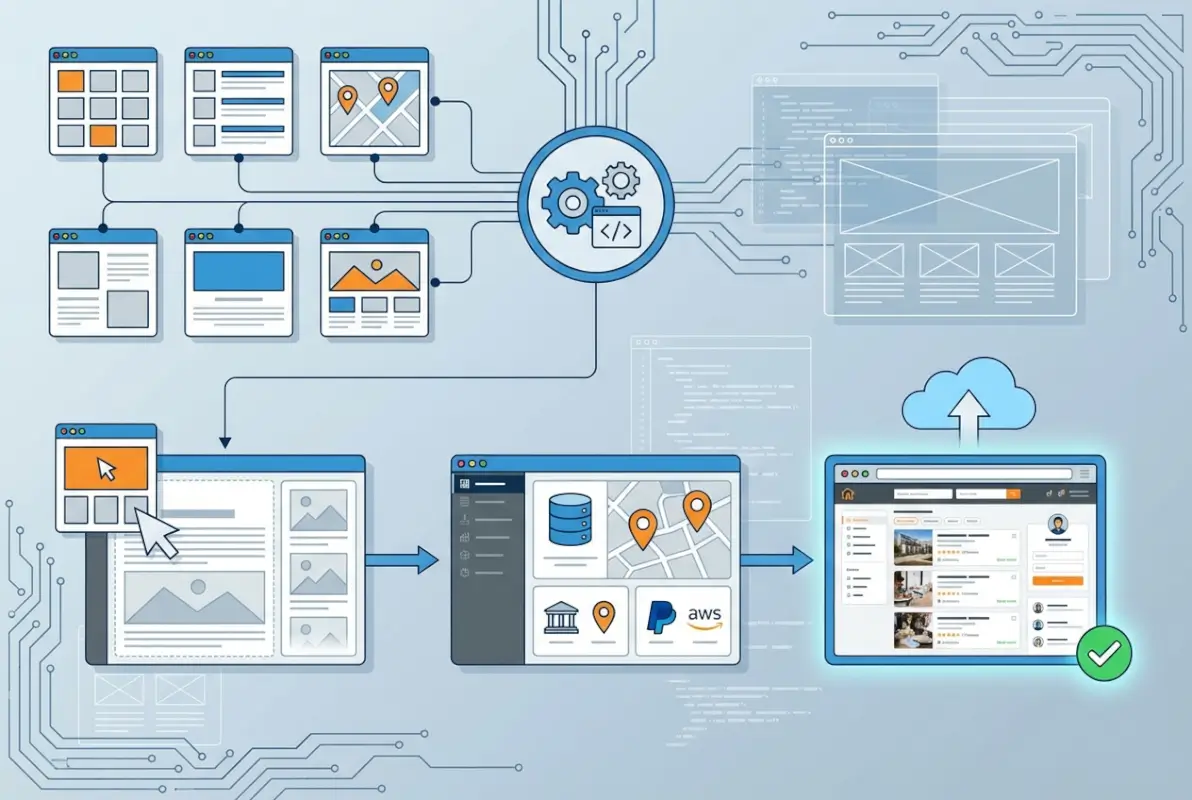
Image for 6 Business Directory Website Templates to Kickstart Your Platform

What’s interesting is how these articles position templates as starting points, not finished products. The best competitive content acknowledges that you’ll need to customize listing fields, adjust color schemes, and configure plugins or integrations to match your niche. They also flag common gotchas: some WordPress directory themes haven’t been updated in years and break with newer PHP versions, certain Webflow templates don’t include CMS collections pre-configured for listings, and free HTML templates often lack the schema markup needed for rich search results.

Recurring Themes in Top-Performing Pieces

Top articles lean heavily on visual proof—screenshots of demo sites, video walkthroughs, and live template previews. They also differentiate between general-purpose templates (adaptable to any directory vertical) and niche-specific templates (pre-configured for restaurants, real estate, or healthcare providers). The Seahawk Media directory template roundup does a great job breaking down which WordPress themes pair best with which directory plugins, while Envato’s marketplace catalog highlights sheer variety—hundreds of templates across multiple platforms, sorted by popularity and recent updates.

How Top Articles Structure Their Content

Structurally, these guides follow a predictable but effective pattern: problem framing (why templates matter), feature education (what to look for), template showcase (6-10 specific options with pros/cons), buying guidance (how to choose), and implementation tips (how to customize and launch). This structure works because it mirrors the buyer’s journey—from awareness (“I need a directory”) to consideration (“Which template fits my needs?”) to decision (“How do I get this live?”).

The 6 Template Spotlight Profiles

Now let’s get into the specifics. I’ve selected six templates that span different platforms, price points, and use cases, so whether you’re launching a hyper-local service directory or a nationwide B2B supplier database, you’ll find a solid starting point here. Each profile covers core features, ideal use cases, and honest pros/cons based on real-world implementations.

Image for 6 Business Directory Website Templates to Kickstart Your Platform

Template Spotlight 1: Listable (WordPress)

Core Features

Listable is a WordPress directory theme from the Pixelgrade team, designed to work seamlessly with WP Job Manager (originally a job board plugin that’s been adapted for general listings). Out of the box, you get responsive listing grids, front-end listing submission forms, Google Maps integration with proximity search, review and rating functionality via third-party plugins, and a clean dashboard for listing owners to manage their profiles. The design is modern and minimalist, which works well for creative industries, local services, and lifestyle directories.

Ideal Use Case

Listable shines for local business directories and niche community directories where aesthetics matter as much as functionality. Think craft breweries, coworking spaces, boutique fitness studios, or independent bookstores. It’s less suited for heavy data directories (like B2B supplier databases with complex filtering) because the search and filter options are relatively basic without additional plugins.

Pros/Cons and Pricing Model

Pros: beautiful design, active theme support, pairs well with popular WordPress plugins, and mobile-first responsive. Cons: requires WP Job Manager setup (adds complexity), limited advanced filtering without paid add-ons, and customization can require child theme knowledge. Pricing sits around $75 for a single-site license, with updates and six months of support included. Add another $50-$100 if you want premium listing add-ons and advanced map features.

FeatureListableDirectoryPro
PlatformWordPressWordPress Plugin
Map IntegrationGoogle MapsGoogle/Mapbox
MonetizationVia add-onsBuilt-in tiers
Price~$75~$149

Template Spotlight 2: DirectoryPro (WordPress Plugin)

Core Features

DirectoryPro isn’t a theme—it’s a standalone WordPress plugin that transforms any WordPress site into a full-featured directory. This modular approach means you can pair it with your favorite theme (Astra, GeneratePress, etc.) and retain full design control. Core features include unlimited custom fields for listings, advanced search with AJAX filtering, Google Maps and Mapbox support, front-end submission forms with payment gateways, built-in review and rating system, and tiered listing packages with recurring subscriptions.

Ideal Use Case

DirectoryPro is the power-user choice for founders who want maximum flexibility and plan to scale aggressively. It’s ideal for niche B2B directories (supplier databases, industry associations, professional networks) and multi-category local directories where you need granular control over listing fields, categories, and monetization tiers. If you’re comfortable with WordPress and want a solution that grows with you, this is a top contender.

Pros/Cons and Pricing

Pros: incredibly flexible, active development and support, built-in monetization, works with any theme, extensive documentation. Cons: steeper learning curve than all-in-one themes, requires manual theme integration for optimal design, and some advanced features need separate add-ons. Pricing starts at $149 for a single-site license with one year of updates and support. Expect to budget extra for premium add-ons if you need things like advanced analytics or multi-vendor features.

Template Spotlight 3: Store Directory (Webflow Template)

Core Features

Webflow’s Store Directory template is a sleek, designer-friendly option that leverages Webflow’s CMS collections to manage listings. You get a fully responsive layout with listing cards, category filters, a search bar, and detail pages with image galleries and contact forms. The template includes interactions and animations that make the browsing experience feel premium, and because it’s built in Webflow, load times are blazing fast with clean, semantic HTML output.

Ideal Use Case

This template works best for small to mid-sized directories where design aesthetics and performance are critical—think boutique retail directories, design studios, or curated local guides. It’s less suited for massive databases or directories requiring complex user account functionality (Webflow’s native user accounts are limited compared to WordPress membership plugins).

Pros/Cons and Pricing

Pros: stunning design out of the box, ultra-fast performance, no plugin bloat, and Webflow’s visual editor makes customization intuitive. Cons: limited native user account features, no built-in payment processing (requires Zapier or third-party integrations), and Webflow hosting is required (adds recurring cost). The template itself costs around $79-$99 as a one-time purchase, but Webflow hosting starts at $15/month for a basic CMS plan and scales up as your listing count grows.

⚠️ Important: Webflow CMS item limits can become a bottleneck—basic plans cap you at 2,000 CMS items. If you plan to list more than a couple thousand businesses, budget for a higher-tier plan or consider a hybrid approach with Airtable or external databases.

Template Spotlight 4: Business Directory by Mobirise

Core Features

Mobirise offers a drag-and-drop website builder with pre-made blocks optimized for directory sites. Their Business Directory template includes listing blocks with images, descriptions, and contact info, category filters, a map block powered by Google Maps embed, testimonial sections, and forms for contact or submissions. It’s an HTML/CSS output model, so you get static files you can host anywhere—no database, no server-side scripting (unless you add it manually).

Ideal Use Case

Mobirise templates are perfect for founders on a tight budget who need a simple, static directory—think neighborhood resource guides, event vendor lists, or small professional associations. It’s not designed for dynamic user-generated content or complex search functionality, but for directories with a fixed set of listings that don’t change often, it’s fast and affordable.

Pros/Cons and Pricing

Pros: extremely low cost (free core builder, premium templates around $49), no hosting requirements beyond static file hosting, and drag-and-drop simplicity. Cons: no dynamic search or filtering without custom JavaScript, no user accounts or submission forms without third-party integrations, and scaling to hundreds of listings becomes unwieldy. Pricing is a one-time $49 for the premium template pack, and hosting can be as cheap as $5/month on Netlify, Vercel, or shared hosting.

Template Spotlight 5: GeoDirectory (WordPress Plugin + Theme)

Core Features

GeoDirectory is a free, open-source WordPress plugin specifically built for location-based directories. It includes multi-location support, Google Maps integration with street view, advanced search with radius and custom field filters, review and rating system, front-end listing submission, and built-in SEO features with schema markup for local business structured data. Premium add-ons unlock claim listings, events, pricing tables, and advanced custom fields.

Ideal Use Case

GeoDirectory is tailor-made for local and regional business directories—city guides, chamber of commerce sites, tourism directories, or multi-location franchise finders. It’s also strong for real estate and hospitality directories because of its robust location and mapping features. If geography is central to your directory’s value proposition, GeoDirectory delivers more out-of-the-box location intelligence than any other option on this list.

Pros/Cons and Pricing

Pros: free core plugin, purpose-built for directories, excellent location features, active community, and generous free tier. Cons: design customization requires a compatible theme (their own themes or third-party), some premium add-ons are pricey, and learning curve for advanced configurations. Pricing: core plugin is free; premium add-ons range from $59-$199 each, or bundle pricing around $299/year for all premium extensions and priority support.

✅ Key Insight: GeoDirectory’s schema markup and SEO features can give you a measurable edge in local search rankings. Structured data for business listings helps Google surface your directory in rich results, maps, and knowledge panels—don’t skip this configuration step.

Template Spotlight 6: Directory & Listing by TemplateMonster

Core Features

TemplateMonster’s Directory & Listing template is an HTML5 responsive template with a modern, corporate design. It includes listing pages with grid and list views, category navigation, integrated contact forms, Google Maps embeds, testimonial sections, and blog layout options. The template is built with Bootstrap, so it’s mobile-responsive and easy to customize if you’re comfortable with HTML/CSS.

Ideal Use Case

This template suits professional or corporate directory projects—industry associations, B2B service providers, or consultant directories where credibility and a polished appearance matter more than advanced functionality. It’s a static template, so best for directories with a curated, managed set of listings rather than user-generated content at scale.

Pros/Cons and Pricing

Pros: professional design, clean code, well-documented, affordable one-time cost, and includes PSD source files for design tweaks. Cons: static HTML limits scalability, no built-in search or filtering logic (requires custom development), and no user account or submission workflows. Pricing is typically $75-$150 for a single-site license with six months of support and free updates.

Essential Features for a Winning Directory Platform

Regardless of which template you choose, certain features separate successful directories from digital ghost towns. Let’s break down the must-haves and nice-to-haves that will determine whether your directory becomes a go-to resource or a forgotten bookmark.

Image for 6 Business Directory Website Templates to Kickstart Your Platform

Listing Creation and Verification Workflows

The listing creation experience sets the tone for your entire platform. Front-end submission forms should be intuitive, mobile-friendly, and save progress automatically (nobody wants to re-enter 20 fields because they accidentally hit the back button). Include clear field labels, inline validation, and helpful examples for fields like business descriptions or service tags. Verification workflows are equally critical—decide whether listings go live immediately or require admin approval, and build in email verification steps to reduce spam submissions.

One lesson I learned the hard way: don’t over-complicate the initial submission form. Start with 8-10 essential fields (business name, category, location, contact info, short description) and let listing owners expand their profiles later. Every extra field you add upfront increases abandonment rates, particularly on mobile where typing is tedious.

Advanced Search and Faceted Filtering

Search is the engine of your directory. Basic keyword search is table stakes; what matters is faceted filtering—users should be able to refine results by category, location (city, zip, radius), price range, ratings, and custom attributes relevant to your niche (e.g., “open now,” “wheelchair accessible,” “accepts appointments”). AJAX-powered filters that update results without page reloads dramatically improve the user experience and reduce bounce rates.

68%
of directory users abandon searches when filtering options are limited or slow to load

Maps, Distance Search, and Geotargeting

Interactive maps aren’t optional for local directories—they’re expected. Google Maps integration with marker clustering (so dozens of pins don’t overlap) and proximity search (“show me listings within 10 miles of my current location”) transforms static lists into discovery tools. Geotargeting takes this further: detect a user’s location and pre-populate search filters or highlight nearby listings on the homepage. This is especially powerful for mobile users who are often searching with immediate intent (“I need a plumber now”).

Reviews, Ratings, and Trust Signals

User-generated reviews build credibility and give your directory a moat against competitors. Implement star ratings (1-5 scale is standard), written reviews with character limits (300-500 words prevents spam novels), and thumbs-up/helpful voting on reviews to surface the most useful feedback. Trust signals like verified badges, response rates, or “claimed listing” indicators help users distinguish active, engaged businesses from stale profiles. Moderation tools are non-negotiable—flag inappropriate reviews, require email verification for reviewers, and give listing owners the ability to respond to reviews publicly.

Monetization and Growth Features

A directory without a revenue model is a hobby, not a business. Let’s talk about the monetization levers that successful directories pull, and how to build them into your template from day one.

Listing Upgrades, Featured Listings, and Subscription Tiers

The classic directory monetization playbook: offer a free basic listing, then upsell premium features. Featured listings (highlighted placement on search results or homepage) typically command $20-$100/month depending on your niche and traffic volume. Enhanced listings with photo galleries, videos, social links, and priority support can be bundled into silver/gold/platinum tiers. Subscription models provide predictable recurring revenue—set up annual and monthly billing options, and always offer a discount for annual commitments to improve cash flow and reduce churn.

💡 Pro Tip: The “claim your listing” model is a conversion machine. Scrape or manually add businesses to your directory, then reach out offering them the ability to claim and enhance their profile. Conversion rates on claim-to-paid upgrades often hit 15-25% when you demonstrate existing traffic value.

Affiliate and Partner Integrations

Affiliate revenue works well for directories in niches like software (SaaS directories linking to free trials), hospitality (hotel/booking directories with affiliate links), or retail (product directories with Amazon Associates links). Partner integrations—embedding booking widgets, scheduling tools, or e-commerce checkout—can unlock percentage-based revenue shares. Just be transparent with users about affiliate relationships and ensure affiliate links don’t compromise your directory’s editorial integrity.

Analytics and SEO Optimization Tooling

Build analytics dashboards for listing owners so they can see profile views, click-throughs, and engagement metrics. This data becomes a sales tool when you’re pitching upgrades (“Your free listing got 150 views last month—imagine what a featured placement could do”). For your own operations, integrate Google Analytics, Search Console, and heatmapping tools to understand user behavior, identify high-performing categories, and spot technical issues. SEO tooling—like automated XML sitemaps, schema markup generators, and canonical URL management—should be baked into your template so you’re not fighting technical SEO debt six months post-launch.

Implementation Roadmap: 0-60 Day Kickstart Plan

Theory is great, but execution wins. Here’s a pragmatic timeline to move from template purchase to revenue-generating directory in two months or less.

Image for 6 Business Directory Website Templates to Kickstart Your Platform

Days 0-14: Setup, Data Scaffolding, and Template Selection

Week one: pick two to three templates from the list above and install them in staging environments (local dev or a staging subdomain). Evaluate each against your specific requirements—does the map integration work smoothly? Can you customize listing fields without breaking the design? Test mobile responsiveness on real devices, not just browser emulators. Week two: finalize your data schema. Document what fields every listing will have (required vs. optional), how you’ll structure categories and subcategories, and what geographic levels you’ll support (city, region, zip code). This upfront planning prevents painful database migrations later.

Days 15-30: Import Data, Customize Templates, Core Features

Start importing listings—either manually for a curated directory or via bulk CSV import if you have existing data. Most WordPress plugins support CSV import with field mapping, Webflow has bulk CSV import via Zapier or Parabola. Configure search and filter functionality, integrate maps with API keys (budget $200-$300/month for Google Maps API once you exceed free tier limits), and set up user registration and submission forms. Customize the design: swap in your brand colors, logo, fonts, and write placeholder content for key pages (About, How It Works, Pricing).

Section Summary: The first 30 days are all about infrastructure—choose your template, structure your data, and get core listing and search features operational.

Days 31-60: Monetization, Advanced UX, and Launch Prep

Implement your monetization features: payment gateway integration (Stripe and PayPal are standard), tiered listing packages, and claim-listing workflows. Add advanced UX polish—related listings recommendations, recently viewed history, and email notifications for new reviews or expiring subscriptions. Configure SEO foundations: install schema markup for local business and organization structured data, set up XML sitemaps, optimize meta titles and descriptions for key category and location pages, and submit your sitemap to Google Search Console. Run a pre-launch audit with friends or beta testers—can they find listings easily? Do submission forms work on mobile? Are load times acceptable (aim for under 3 seconds).

Days 60+: Growth, Partnerships, and Iteration

Launch with a focused content strategy: publish blog posts targeting longtail local search queries (“best [category] in [city]”), create city or category landing pages, and encourage early adopters to leave reviews. Reach out to businesses in your directory—personalized emails offering free listings or upgrade trials convert better than generic blasts. Track your key metrics weekly: new listings added, user registrations, search queries, conversion rates on premium upgrades, and organic traffic growth. Iterate based on what’s working—if users are filtering by a specific attribute more than others, make it more prominent; if a category isn’t getting traction, consider merging it or pivoting.

Data-Driven Benchmarks and Current Trends

Understanding market context helps you set realistic expectations and avoid common pitfalls. While specific market-size data for directory templates is embedded in broader CMS and template ecosystems, observable trends give us a solid roadmap for what’s working now.

Directory Market and Template Adoption Trends

Template marketplaces like Envato, TemplateMonster, and Webflow have seen consistent catalog growth in directory-specific templates—Envato’s business directory category alone lists over 200 active templates with regular updates. This reflects sustained demand as more founders recognize directories as viable business models, especially in underserved local and niche markets. Plugin ecosystems like WordPress show similar trends: GeoDirectory and DirectoryPro report thousands of active installations and regular feature releases focused on mobile UX, performance, and monetization hooks.

Common Performance Metrics to Track

Benchmark your directory against industry averages: successful directories typically see 20-35% of visitors use search or filter features, 8-15% click through to listing detail pages, and 2-5% complete a contact form or call action. For monetization, expect 3-8% of free listing owners to upgrade to paid tiers within the first six months, with conversion rates improving as you demonstrate traffic value through listing analytics dashboards. Organic search should drive 40-60% of traffic for mature directories, with direct traffic (brand searches) and referrals making up the rest.

MetricBaselineStrong Performance
Search/Filter Usage20-25%30-35%
Listing CTR8-12%15-20%
Free-to-Paid Conversion3-5%8-12%
Organic Traffic Share40-50%55-65%

Staying Current with UX/UI Trends

Directory UX is trending toward cleaner, card-based layouts with generous whitespace, prominent imagery (high-quality listing photos drive engagement), and sticky filter sidebars on desktop. Mobile-first design is non-negotiable—over half of directory searches happen on mobile, and Google’s mobile-first indexing means your mobile experience directly impacts rankings. Dark mode support, voice search optimization, and progressive web app (PWA) capabilities are emerging trends that forward-thinking directories are experimenting with, though they’re not yet baseline expectations.

Risk, Compliance, and Quality Assurance

Directories face unique operational risks around data quality, user safety, and regulatory compliance. Address these proactively to avoid costly cleanup work later.

Data Integrity and User-Generated Content

Spam submissions and fake reviews will test your moderation systems from day one. Implement email verification for all user accounts, CAPTCHA on submission forms, and manual or automated review workflows before listings go live. For reviews, require verified transactions or confirmed visits where possible, and flag suspicious patterns (multiple reviews from the same IP, identical text across reviews). Build a public moderation policy so users understand what’s acceptable and what will be removed.

Accessibility, Security, and Compliance

Accessibility isn’t optional—aim for WCAG 2.1 AA compliance at minimum. This means proper heading hierarchy, alt text on images, keyboard navigation, and sufficient color contrast. Run automated scans with tools like WAVE or Axe, then conduct manual testing with screen readers. Security basics: keep your CMS and plugins updated, use HTTPS everywhere, implement strong password requirements, and follow GDPR or CCPA guidelines if you’re collecting personal data or operating in regulated jurisdictions. For directories handling payments, PCI compliance is mandatory—use hosted payment pages or tokenization to minimize your compliance burden.

SEO and Semantic Markup

Schema.org structured data is your secret weapon for rich search results. Implement LocalBusiness schema for every listing with complete fields (name, address, phone, hours, geo coordinates, aggregateRating). Add BreadcrumbList schema for category and location pages, and Organization schema for your directory homepage. Google’s Rich Results Test and Search Console will tell you if your markup is valid and whether you’re eligible for enhanced search features like maps, review stars, and knowledge panels.

⚠️ Important: Schema markup mistakes can prevent your listings from appearing in Google’s local pack or rich results. Validate your JSON-LD with Google’s structured data testing tool before launch, and revalidate whenever you change listing templates or add new fields.

Scalability Planning

Plan for growth from day one. If you’re using WordPress, implement object caching (Redis or Memcached) and a CDN (Cloudflare, KeyCDN) to handle traffic spikes. Database optimization matters once you hit thousands of listings—index your search and location fields, implement query caching, and consider read replicas for heavy search loads. Monitor server resources (CPU, memory, database queries) and set up alerts so you can scale hosting before performance degrades. Webflow hosting scales automatically, but watch your CMS item limits and plan upgrades in advance to avoid downtime.

Comparison Matrix and Decision Guide

Let’s bring it all together with a side-by-side comparison to help you make a final decision based on your priorities and constraints.

TemplatePlatformPriceBest ForCustomization
ListableWordPress$75Local/NicheModerate
DirectoryProWordPress$149B2B/ScaleHigh
Store DirectoryWebflow$79 + hostingDesign-firstHigh (visual)
MobiriseHTML$49Static/BudgetLow
GeoDirectoryWordPressFree + addonsLocation-basedModerate
TemplateMonsterHTML$75-$150Corporate/B2BModerate

How to Choose Based on Use Case

If you’re launching a local business directory focused on a single city or region, GeoDirectory or Listable are your strongest bets—both offer excellent location features and proven WordPress ecosystems. For niche industry directories where customization and scalability matter more than out-of-the-box design, DirectoryPro gives you the flexibility to grow without hitting platform limitations. Design-conscious founders building curated directories with smaller listing counts should look at Webflow’s Store Directory template for speed and aesthetics. Budget-strapped solo founders or side-project builders can start with Mobirise or TemplateMonster HTML templates and upgrade later once revenue validates the concept.

Technical Stack Alignment and Long-Term Maintainability

Think about who will maintain your directory long-term. If you’re comfortable with WordPress (or plan to hire WordPress freelancers), the WordPress options offer the richest plugin ecosystems and easiest content updates. If you prefer visual, no-code tools and want to avoid plugin maintenance, Webflow is compelling despite higher hosting costs. Static HTML templates are the hardest to maintain at scale—they’re great for proof-of-concept but painful once you hit 50+ listings and need to update design elements across hundreds of pages. Choose the stack that aligns with your technical comfort level and the availability of affordable talent for ongoing maintenance.


Frequently Asked Questions

What is the fastest way to launch a directory website?

Use a pre-built template on WordPress with a plugin like GeoDirectory or DirectoryPro. With a staging environment, you can configure core features, import initial listings via CSV, and go live in 2-4 weeks. Static templates like Mobirise can be even faster for small, fixed-listing directories.

Which platform is best for a directory site: WordPress, Webflow, or a custom build?

WordPress offers the most mature directory-specific plugins and themes, making it ideal for feature-rich, scalable directories. Webflow excels in design and performance for smaller, curated directories. Custom builds make sense only for unique functionality that no template supports or when you need proprietary features as a competitive moat.

Do directory templates support maps, filters, and reviews out of the box?

Most quality directory templates include basic map integration and filtering, though advanced features like radius search or AJAX filters may require premium add-ons. Review systems are common but vary in sophistication—some include moderation dashboards and response features, others need third-party plugins.

How do I monetize a directory website effectively?

Start with tiered listing packages: free basic listings, paid featured placements, and premium tiers with enhanced profiles. Add claim-listing workflows to convert scraped or manually added businesses into paying customers. Affiliate partnerships and display ads can supplement once you have traffic at scale.

How do I ensure the quality and accuracy of listings in a directory?

Implement email verification on submissions, manual or automated moderation workflows before listings go live, and regular audits of existing listings. Encourage user reviews to flag outdated information, and provide listing owners with dashboards to update their own profiles and keep data current.

What are common SEO best practices for directory sites?

Implement LocalBusiness schema markup on every listing, create unique meta titles and descriptions for category and location pages, build internal linking between related listings and categories, optimize for longtail local queries, and ensure fast page load times and mobile responsiveness.

How do I migrate listings between templates or platforms?

Export your existing listings as CSV from your current platform, clean and map the data to match your new template’s field structure, then use CSV import tools (most WordPress directory plugins support this) or API integrations. Test thoroughly in staging before switching DNS to avoid downtime or data loss.

What are typical costs to start a directory site with a template?

Expect $50-$200 for the template or theme, $5-$30/month for hosting (more for Webflow or managed WordPress), $0-$100 for premium plugins or add-ons, and $100-$300/month for third-party services like Google Maps API once you exceed free tiers. Total first-year costs typically range from $500-$2,000.

Can I use directory templates for niche industries like healthcare or legal services?

Absolutely. Most directory templates are industry-agnostic—customize listing fields, categories, and design elements to match your niche. Just ensure you understand industry-specific compliance requirements (HIPAA for healthcare, bar association rules for legal directories) and implement appropriate data protection and verification measures.

How important is mobile optimization for directory websites?

Critical. Over 60% of local searches happen on mobile devices, often with immediate intent to visit or contact a business. A poor mobile experience tanks your conversion rates and hurts your Google rankings. Test your template thoroughly on real mobile devices, prioritize fast load times, and ensure filters and maps are touch-friendly.

Your Next Steps: From Template to Thriving Directory

You now have a roadmap, six vetted template options, and the operational playbook to launch a business directory that generates real value for users and revenue for you. The templates we’ve covered span different platforms, price points, and complexity levels—there’s a fit here whether you’re bootstrapping a side project or building the foundation for a venture-backed marketplace.

Here’s your action checklist for the next 48 hours: choose two templates from this list and spin them up in staging environments. Test the features that matter most for your use case—can you customize listing fields easily? Does the map integration work smoothly? Is the mobile experience genuinely good, or just “responsive”? Talk to five potential listing owners or users in your target niche and validate that your directory solves a real problem they’re willing to pay for or actively use. Then commit to one template, block out 4-6 weeks on your calendar, and execute the 0-60 day roadmap we laid out.

Final Insight: The most successful directories I’ve seen didn’t launch with perfect feature sets or flawless designs—they launched fast with good-enough templates, validated demand with real users, then iterated ruthlessly based on feedback and data. Your template is a starting point, not a finish line. Ship it, learn from it, and improve it every month.

Don’t let perfectionism trap you in the planning phase. Your competitors are launching today with imperfect directories, capturing listings, building authority, and learning what users actually want. Pick a template, follow the implementation roadmap, and join them. The market rewards speed and iteration over endless preparation. Your directory doesn’t need to be perfect—it needs to exist, serve users well, and improve over time. Now go build something people will actually use.

Similar Posts

  • Blog

    How to Create an Online Directory Website: 6 Essential Steps

    Most entrepreneurs think creating an online directory website is either too complex or oversaturated. Here’s the counterintuitive truth: the directory market is experiencing a renaissance, with hyper-niche directories outperforming general listings platforms by 400% in user engagement. While everyone chases social media algorithms, smart business owners are building sustainable, recurring revenue through specialized web directories…

  • Blog

    How to Add Your Business to Online Directories: 7 Simple Steps to Boost Visibility

    In today’s digital landscape, online visibility is essential for business success. With over 97% of consumers searching online for local businesses, your presence in online directories directly impacts your ability to attract new customers. But navigating the complex world of business listings can be overwhelming—especially when you’re juggling all the other aspects of running your…

  • Blog

    How to Connect to a Business Directory: 6 Simple Steps

    In today’s hyper-competitive digital landscape, your business visibility isn’t just about having a great website or stellar products—it’s about being discoverable where your customers are already searching. While most business owners obsess over social media algorithms and paid advertising, there’s a goldmine of organic traffic sitting right under their noses: business directories. These digital listings…

  • Blog

    How to Create a Business Directory: 7 Steps to Success

    substring(replace(

    Creating a business directory can be one of the most lucrative online ventures you’ll ever pursue, but here’s what nobody tells you upfront: most people fail because they treat it like building a simple list instead of architecting a valuable ecosystem. I remember launching my first directory back when yellow pages were still relevant (yes, I’m dating myself here), and the biggest mistake I made was thinking the technology mattered more than the community. The truth is, a successful business directory isn’t about having the fanciest features or the most listings—it’s about solving a specific problem for a clearly defined audience better than anyone else. Whether you’re planning to create a niche industry directory or a local business hub, understanding the strategic framework behind directory success will save you months of frustration and thousands of dollars in wasted effort.

    TL;DR – Quick Takeaways

    • Niche focus beats broad coverage – Dominating a specific vertical or geographic area generates more value than competing with established general directories
    • Revenue models require planning – Decide between subscription fees, premium listings, advertising, or hybrid approaches before you build
    • User experience drives success – Advanced search functionality and mobile optimization aren’t optional extras anymore
    • Content quality matters more than quantity – 100 verified, detailed listings outperform 1,000 basic entries
    • Marketing starts on day one – Building the directory is only 30% of the work; attracting businesses and users is the real challenge
    • Technology choices have long-term consequences – Select platforms and tools that can scale with your growth plans

    Step 1: Define Your Directory’s Niche and Target Audience

    The single biggest determinant of your directory’s success happens before you write a single line of code or choose a platform. You need to identify a specific niche where demand exists but supply is fragmented or poorly served. Generic business directories are a graveyard of failed ventures because you’re competing against Google My Business, Yelp, and dozens of entrenched players with unlimited resources. Instead, think about specialized industries, professional services, or geographic regions that major platforms overlook or underserve.

    [KBIMAGE_1]

    In my experience working with directory owners, the most profitable niches share three characteristics: they serve businesses willing to pay for visibility, they address a clear search intent that existing solutions don’t satisfy well, and they have enough potential listings to create critical mass without being so broad that you can’t compete. For example, a directory focused exclusively on certified sustainable contractors in the Pacific Northwest has far better prospects than “all contractors everywhere.” The narrow focus lets you become the definitive resource, which makes both business owners and searchers choose you over general alternatives.

    💡 Pro Tip: Before committing to your niche, manually compile 50-100 potential listings. If you struggle to find this many, your niche might be too narrow. If you easily find 10,000+, you’ll need significant resources to compete effectively.

    Research your target audience from both sides of the marketplace. Who are the businesses you’ll list, and what pain points drive them to seek directory placement? Equally important, who are the end users searching for these businesses, and what specific problems are they trying to solve? A directory for wedding vendors needs to understand both the marketing challenges facing photographers and caterers, and the planning anxieties of engaged couples searching for reliable service providers. This dual perspective shapes everything from your feature set to your pricing model.

    Validate your concept before investing heavily. Use tools like Google Trends to verify search volume for relevant queries, examine existing competitors to identify gaps in their offerings, and survey potential business clients about their willingness to pay. I’ve seen too many entrepreneurs build technically impressive directories for markets that simply don’t exist or won’t monetize. A few hours of unglamorous market research can prevent months of building something nobody wants.

    Step 2: Choose the Right Technology Platform

    Your platform decision carries consequences you’ll live with for years, so resist the temptation to just pick the cheapest or easiest option without strategic consideration. The directory landscape offers three main paths: custom development, WordPress with directory plugins, or specialized directory software platforms. Each has distinct advantages and limitations that align with different business models, technical capabilities, and growth trajectories.

    [KBIMAGE_2]

    WordPress with plugins like Business Directory Plugin or GeoDirectory offers the most accessible entry point for non-technical founders. You get reasonable functionality quickly, extensive customization through themes and plugins, and manageable hosting costs (typically starting around what you’d pay for basic website hosting). However, you’ll eventually hit scaling limitations if your directory grows to thousands of listings with heavy traffic, and you’re dependent on plugin developers maintaining compatibility with WordPress updates. For testing concepts or serving smaller markets, this approach makes considerable sense.

    Platform TypeBest ForTypical CostTechnical Skill Required
    WordPress + PluginsSmall to medium directories, budget-conscious starts$200-$500 initialLow to Medium
    Directory SaaS PlatformsFast launches, non-technical owners$50-$300/monthLow
    Custom DevelopmentUnique requirements, scalability priority$5,000-$50,000+High (requires developers)
    Specialized Directory SoftwareEstablished businesses, specific industries$1,000-$10,000 licenseMedium

    SaaS platforms designed specifically for directories provide another viable route, especially if you want to launch quickly without technical headaches. These services handle hosting, updates, and core functionality while letting you focus on content and marketing. The tradeoff is ongoing monthly fees and less control over customization, which can be fine for many business models. When evaluating these platforms, scrutinize their search functionality, payment processing options, and whether they allow you to export your data if you eventually outgrow their service.

    ⚠️ Important: Whatever platform you choose, ensure it supports structured data markup for search engines. Directories that properly implement schema.org markup for local businesses see significantly better visibility in search results and rich snippets.

    Custom development makes sense when you have specific requirements that off-the-shelf solutions can’t address, substantial budget, or technical expertise in-house. Building custom gives you complete control over features, user experience, and scalability architecture. However, you’re looking at development timelines measured in months rather than days, and ongoing maintenance costs that many founders underestimate. Unless your directory concept has truly unique technical requirements or you’ve validated strong market demand worth significant investment, start with a proven platform and customize later when you have revenue justifying the expense.

    Step 3: Design Essential Features and User Experience

    The features you include should flow directly from your audience research, not from what seems cool or what competitors have. Every feature adds complexity, development time, and maintenance burden, so prioritize ruthlessly. A directory with five excellent features that work flawlessly beats one with twenty mediocre features that confuse users. Start with the absolute minimum viable product that solves your audience’s core problem, then expand based on actual user feedback rather than assumptions.

    [KBIMAGE_3]

    Search functionality is your directory’s engine, and it deserves more attention than any other feature. Users come to directories with specific intent—they’re looking for something—so your search needs to handle the way real people actually look for businesses. This means supporting multiple search criteria (location, category, keywords, attributes), autocomplete suggestions, and filtered results that narrow options without overwhelming choices. Poor search is the fastest way to send frustrated users back to Google, never to return.

    73%
    of users abandon directory searches if they can’t find what they need within three clicks

    Business listing pages need to balance comprehensiveness with scannability. Required elements include business name, categories, contact information, location with map integration, description, and images. Beyond these basics, consider what information your specific audience needs to make decisions. A restaurant directory needs hours and menu highlights; a B2B service directory needs case studies and certifications. Let businesses create directory listings that showcase their unique value propositions while maintaining consistent structure across your directory.

    Mobile responsiveness isn’t optional anymore, it’s foundational. More than half of directory searches now happen on mobile devices, and Google’s mobile-first indexing means your mobile experience directly affects search rankings. Test your directory extensively on actual phones and tablets, not just desktop browsers resized to mobile dimensions. Pay special attention to tap targets, form inputs, and map interactions—elements that work fine with a mouse often frustrate users on touchscreens.

    ✅ Key Insight: User-generated content like reviews and ratings dramatically increases engagement and trust, but it also requires moderation resources. Plan your content policies and moderation workflow before enabling these features.

    Consider which features justify premium listings versus what should be available to all businesses. Common premium features include enhanced placement in search results, additional images or videos, social media integration, analytics about profile views, and removal of competitor ads from their listing pages. The key is making free listings valuable enough that businesses want to be included, while creating clear premium benefits worth paying for. If your free listings are too limited, businesses won’t bother; if premium offers too little advantage, they won’t upgrade.

    Step 4: Build or Choose Your Directory Platform

    The technical foundation of your business directory determines its functionality, scalability, and user experience. You’ll need to decide whether to build a custom solution, use a website builder, or leverage a specialized directory platform based on your technical skills, budget, and long-term goals.

    [KBIMAGE_4]

    Custom-Built Solutions

    Developing a custom directory from scratch offers maximum flexibility and control. This approach works best for directories with unique requirements or those planning significant scale. You’ll typically use frameworks like WordPress with directory plugins, Laravel, Django, or React combined with a headless CMS.

    Custom development requires either in-house technical expertise or hiring developers. While initial costs are higher—ranging from $5,000 to $50,000+ depending on complexity—you own the codebase and can modify any aspect of functionality. This option makes sense when your directory concept requires features that off-the-shelf solutions don’t provide.

    WordPress Directory Plugins

    WordPress powers approximately 43% of all websites and offers numerous directory-specific plugins that dramatically reduce development time. Popular options include Business Directory Plugin, GeoDirectory, and Listable. These plugins provide listing submission forms, search filters, user reviews, and payment integration out of the box.

    Implementation Tip: If you choose WordPress, select a hosting provider optimized for WordPress performance like WP Engine or Kinsta. Directory sites with hundreds or thousands of listings require more resources than typical blogs or business websites.

    No-Code Directory Builders

    Platforms like Brillant Directories, Memberstack with Webflow, or Airtable combined with Softr allow you to create functional directories without writing code. These solutions offer pre-built templates, drag-and-drop customization, and integrated payment processing. Monthly costs typically range from $50 to $300.

    No-code platforms significantly reduce time to launch—you can have a basic directory operational in days rather than months. The trade-off is less customization flexibility and ongoing subscription costs. Evaluate whether the platform’s feature set aligns with your required functionality before committing.

    Essential Technical Features

    Regardless of your platform choice, ensure your directory includes these core technical capabilities:

    • Responsive design: Your directory must function flawlessly on smartphones, tablets, and desktops since over 60% of directory searches occur on mobile devices
    • Fast loading speeds: Aim for page load times under 3 seconds to reduce bounce rates and improve search engine rankings
    • Advanced search and filtering: Users should find relevant businesses through category, location, ratings, features, and keyword searches
    • User account management: Business owners need dashboards to manage their listings, respond to reviews, and track analytics
    • Payment processing: Integrate Stripe, PayPal, or similar platforms to handle subscription payments securely
    • SEO optimization: Include proper meta tags, schema markup, XML sitemaps, and clean URL structures
    • Security measures: Implement SSL certificates, regular backups, spam prevention, and data protection compliance

    Step 5: Implement Monetization Strategies

    Transforming your business directory from a useful resource into a profitable venture requires strategic monetization. The most successful directories typically combine multiple revenue streams rather than relying on a single source, creating stable and diversified income.

    [KBIMAGE_5]

    Freemium Listing Model

    This approach offers basic listings at no cost while charging for premium features. Free listings might include company name, address, phone number, and a brief description. Premium listings add enhanced visibility, photos, videos, social media links, customer reviews, and priority placement in search results.

    The freemium model reduces barriers to entry, helping you build initial directory population quickly. Once businesses see traffic value from free listings, conversion rates to paid plans typically range from 2% to 10%. Price premium listings between $20 and $200 monthly depending on your niche’s market size and competition.

    Listing TierFeatures IncludedTypical Monthly Price
    FreeBasic contact info, company description (100 words), category listing$0
    BasicLogo, 5 images, extended description, website link, social links$25-$50
    PremiumUnlimited images, video, priority search placement, review highlights, analytics$75-$150
    FeaturedHomepage featuring, category sponsorship, lead generation tools, API access$200-$500

    Display Advertising

    Once your directory attracts consistent traffic—typically 10,000+ monthly visitors—display advertising becomes viable. Google AdSense provides the easiest entry point, though direct ad sales to relevant businesses generate higher revenue per impression.

    Strategic ad placement maximizes revenue without degrading user experience. Position ads in the header, sidebar, between search results, and within listing pages. Avoid intrusive pop-ups or autoplay videos that frustrate users and increase bounce rates. Well-implemented display advertising can generate $500 to $5,000+ monthly depending on traffic volume and niche.

    Lead Generation Fees

    Some directory niches support lead generation models where you charge businesses per qualified inquiry received through your platform. This works particularly well for high-value services like legal, financial, medical, or home improvement industries where single customers generate substantial revenue.

    Implement contact forms, quote request systems, or call tracking that attributes leads to your directory. Charge $5 to $100+ per lead depending on industry average customer values. This performance-based model aligns your success with business outcomes, making it easier to justify costs to listed companies.

    Sponsored Listings and Featured Placements

    Allow businesses to purchase prominent positioning in search results, category pages, or homepage sections. Unlike standard premium listings, sponsored placements focus specifically on visibility rather than additional features. These spots typically command premium prices—$100 to $1,000+ monthly—in competitive categories.

    Clearly label sponsored content to maintain user trust and comply with advertising disclosure requirements. Rotate featured businesses weekly or monthly to create fairness and provide value to multiple paying customers rather than allowing a single business to dominate permanently.

    Affiliate Marketing and Referrals

    Partner with service providers relevant to your directory’s niche and earn commissions on referrals. For example, a restaurant directory might affiliate with reservation systems, point-of-sale providers, or food delivery platforms. A professional services directory could partner with accounting software, project management tools, or insurance providers.

    Integrate affiliate links naturally within listing pages, resource sections, or blog content. Focus on products that genuinely benefit your listed businesses rather than promoting irrelevant services solely for commission potential. This approach generates passive income while providing additional value to your community.

    Premium Content and Resources

    Create valuable content like industry reports, market analyses, best practice guides, or training courses that businesses will pay to access. A legal directory might offer continuing education courses, while a restaurant directory could provide food safety certification training or marketing templates.

    This strategy positions your directory as an industry authority while diversifying revenue beyond advertising and listings. Price digital products between $50 and $500 depending on depth and specialization. Bundle premium content access with higher-tier listing packages to increase perceived value.

    Monetization Reality Check: Most new directories should expect 6-12 months before generating meaningful revenue. Focus initially on building traffic and credibility rather than aggressive monetization that could deter early users and listings.

    Step 6: Attract and Grow Your User Base

    A business directory’s value increases exponentially with the number of quality listings and engaged users it attracts. Your growth strategy must balance two distinct audiences: the businesses you list and the consumers searching for those businesses. Success requires coordinated efforts across multiple channels with consistent execution over time.

    Search Engine Optimization (SEO)

    SEO represents the most sustainable long-term traffic source for directories. Each listing page, category page, and location page presents an opportunity to rank for relevant searches. Focus on creating unique, detailed content for every listing rather than thin pages with minimal information.

    Implement local SEO strategies by creating dedicated pages for each geographic area you cover. A nationwide directory should have city-level and neighborhood-level pages with unique content about local businesses, market characteristics, and area-specific information. Include structured data markup using LocalBusiness schema to help search engines understand your content.

    Build authoritative backlinks by creating shareable resources, contributing expert commentary to industry publications, and developing partnerships with complementary websites. Quality backlinks from relevant sources signal to search engines that your directory provides valuable information worth ranking highly.

    Direct Business Outreach

    Proactively contact businesses in your target niche to claim and enhance their listings. Develop email templates explaining your directory’s value proposition, current traffic statistics, and competitive advantages. Personalize outreach by mentioning specific aspects of their business to demonstrate genuine interest rather than sending obvious mass emails.

    Offer initial promotional pricing or extended free trials to early adopters. These businesses become case studies demonstrating results, which you’ll use to convince later prospects. Track which outreach messages generate the highest response rates and continuously refine your approach based on data.

    Content Marketing

    Publish regular blog content addressing questions your target audiences ask. A wedding vendor directory might create planning guides, budget calculators, and trend reports. A B2B services directory could publish industry analyses, vendor selection frameworks, and case studies.

    Each content piece should naturally link to relevant directory categories and listings, driving readers deeper into your platform. Optimize articles for search engines to attract organic traffic, then convert visitors into users through strategic calls-to-action and email capture forms.

    Social Media Presence

    Establish profiles on platforms where your target audiences actively engage. B2B directories typically find success on LinkedIn, while consumer-focused directories perform better on Facebook, Instagram, or TikTok depending on demographic fit.

    Share featured listings, new additions, industry news, and user-generated content to maintain engagement. Create shareable content formats like “top 10” lists, comparison guides, or video interviews with listed businesses. Encourage businesses to share their listing pages on their own social channels, expanding your reach through their networks.

    Email Marketing

    Build an email list from day one by offering valuable resources in exchange for email addresses. Create separate nurture sequences for businesses and consumers, addressing each group’s specific interests and needs.

    Send regular newsletters featuring new listings, industry insights, platform updates, and relevant content. Segment your list based on interests, location, or engagement levels to deliver more targeted, relevant messages. Email marketing typically generates 10-30% of ongoing traffic for established directories.

    Paid Advertising (Strategic Use)

    While organic growth should form your foundation, strategic paid advertising accelerates initial traction and tests messaging effectiveness. Google Ads targeting high-intent keywords like “[niche] directory” or “find [service] near me” can drive qualified traffic.

    Social media advertising works well for targeting specific business types to claim listings. Create lookalike audiences based on your best customers to find similar prospects efficiently. Set modest budgets—$500 to $2,000 monthly—until you establish clear ROI metrics.

    Growth Milestone: Focus on reaching your first 100 quality listings before scaling other efforts. This critical mass provides enough content for search engines to index and gives visitors sufficient options to find value, creating positive feedback loops that accelerate subsequent growth.

    Partnership and Co-Marketing

    Identify complementary businesses, associations, or media outlets that reach your target audience. Develop mutually beneficial partnerships where you provide exclusive content, tools, or resources in exchange for exposure to their community.

    Industry associations often maintain member directories or resource pages where you can secure listings. Offer to provide the association’s members with free or discounted premium listings, creating value for both the association and expanding your business base.

    Step 7: Maintain and Scale Your Directory

    Launching your directory marks the beginning rather than the end of your journey. Long-term success requires consistent maintenance, quality control, community engagement, and strategic scaling. Directories that stagnate with outdated information quickly lose traffic and credibility, while those that continuously improve build compounding advantages.

    Quality Control and Data Accuracy

    Directory value depends entirely on information accuracy. Implement regular verification processes to ensure business details remain current. Schedule quarterly reviews of all listings, contacting businesses to confirm information or removing defunct companies.

    Enable user reporting for incorrect information, providing a simple “suggest an edit” button on every listing page. Review submissions within 48 hours to maintain data quality without creating burdensome manual workloads. Consider automated verification systems that cross-reference business details against authoritative sources like government business registries.

    Establish clear listing guidelines covering acceptable business types, prohibited content, and quality standards. Moderate new submissions before publication to prevent spam, duplicate listings, or inappropriate content from degrading your directory’s reputation.

    User Engagement and Community Building

    Transform your directory from a static database into an active community where businesses and consumers interact. Enable and moderate reviews, questions and answers, and comment sections that provide social proof and additional value beyond basic business information.

    Recognize and reward active participants through badges, featured profiles, or “most helpful reviewer” designations. These gamification elements encourage continued engagement while highlighting quality contributors to other users.

    Host virtual or in-person events connecting businesses with potential customers or with each other. A local business directory might organize networking mixers, while a niche professional directory could host webinars on industry topics. Events strengthen community bonds and position your directory as a central industry hub.

    Analytics and Performance Tracking

    Implement comprehensive analytics tracking user behavior, traffic sources, popular categories, search patterns, and conversion rates. Google Analytics provides foundational insights, while directory-specific metrics include listings viewed per session, search-to-click rates, and contact form submissions.

    Monitor business-side metrics like listing claim rates, premium conversion rates, renewal rates, and customer lifetime value. Identify which acquisition channels deliver the highest-quality businesses and allocate resources accordingly.

    Establish key performance indicators (KPIs) aligned with your business goals and review them weekly or monthly. Track trends over time rather than obsessing over day-to-day fluctuations, making strategic adjustments based on sustained patterns rather than temporary variations.

    Key MetricWhat It MeasuresHealthy Benchmark
    Monthly Active UsersUnique visitors who engage with your directory20%+ month-over-month growth in early stages
    Listing Growth RateNew business listings added monthly50+ monthly in year one, accelerating thereafter
    Premium Conversion RatePercentage of free listings upgrading to paid5-15% after directory establishes traffic
    Customer Renewal RatePaid listings that renew subscriptions70%+ indicates strong value delivery
    Pages Per SessionAverage listings viewed per visitor3-5 pages indicates engaged users
    Organic Traffic SharePercentage of visits from search engines60%+ indicates strong SEO foundation

    Technical Maintenance and Updates

    Regularly update your platform’s software, plugins, and security measures to prevent vulnerabilities and maintain performance. Schedule monthly backups stored in multiple locations to protect against data loss from technical failures or security breaches.

    Monitor site speed continuously, optimizing images, implementing caching, and upgrading hosting resources as traffic grows. Page load times directly impact both user experience and search rankings, making performance optimization an ongoing priority rather than a one-time task.

    Stay current with web standards and best practices, particularly regarding mobile experience, accessibility, and privacy compliance. As regulations like GDPR, CCPA, and others evolve, ensure your data collection and processing practices remain compliant.

    Strategic Scaling Approaches

    Once your directory achieves product-market fit in your initial niche or geography, consider strategic expansion. Options include geographic expansion (adding new cities, regions, or countries), category expansion (adding related business types), or feature expansion (adding booking, e-commerce, or other transactions).

    Evaluate expansion opportunities based on available resources, competitive dynamics, and community demand. Geographic expansion typically presents the clearest path, applying your proven model to new locations with similar characteristics to your initial success.

    Consider whether to pursue horizontal scaling (serving more of the same customer type) or vertical scaling (adding depth to existing relationships through additional services). Horizontal scaling increases reach and market share, while vertical scaling increases revenue per customer and strengthens competitive moats.

    Building a Sustainable Business Model

    Long-term directory success requires transitioning from founder-dependent operations to systematized processes that scale without proportional time investment. Document standard operating procedures for listing approval, customer support, content creation, and other recurring tasks.

    Gradually build a team or leverage contractors to handle routine operations, freeing your time for strategic initiatives that drive growth. Consider hiring or contracting specialists for content creation, technical development, sales outreach, and customer success as revenue supports additional resources.

    Establish financial discipline by tracking unit economics—the cost to acquire a customer versus their lifetime value. Profitable directories typically achieve customer lifetime values 3-5x higher than acquisition costs, providing margin for sustainable growth investments.

    Long-Term Perspective: Successful directories typically require 2-3 years to reach significant scale and profitability. Maintain realistic expectations and sufficient runway to persist through the initial growth phase when expenses exceed revenue. The businesses that survive this period often build substantial, defensible market positions.


    Frequently Asked Questions

    How much does it cost to create a business directory?

    Creating a business directory costs between $500 and $50,000 depending on your approach. Using WordPress with directory plugins costs $500-$2,000, while custom development ranges from $10,000-$50,000. Ongoing expenses include hosting ($20-$200 monthly), domain registration ($10-$15 yearly), and marketing budget for acquisition.

    What features should a business directory website have?

    Essential directory features include advanced search filters, business profile pages, user reviews and ratings, contact forms, map integration, and mobile responsiveness. Premium features should include analytics dashboards, claim listing functionality, featured placement options, and email verification. Include social media integration and multimedia support for comprehensive listings.

    How do business directories make money?

    Business directories generate revenue through multiple streams: premium listing subscriptions ($20-$200 monthly), featured placement advertising, banner ads, lead generation fees, and affiliate commissions. Additional income comes from sponsored content, directory submission fees, and data licensing. Successful directories typically combine three to four revenue streams.

    Can I build a business directory without coding skills?

    Yes, you can build a professional directory without coding using platforms like WordPress with plugins such as GeoDirectory or Business Directory Plugin. No-code solutions like Brilliant Directories offer complete packages starting at $67 monthly. These platforms provide drag-and-drop interfaces, pre-built templates, and automated features requiring zero technical knowledge.

    How long does it take to build a business directory?

    Building a basic directory takes two to four weeks using existing platforms and templates. Custom development requires three to six months for a fully-featured solution. Timeline factors include feature complexity, design customization, initial business population, testing phases, and SEO optimization. Plan additional time for content creation and business outreach.

    What makes a business directory successful?

    Successful directories focus on specific niches, maintain accurate updated listings, and provide genuine value to both businesses and searchers. Key success factors include strong SEO performance, active user engagement, quality over quantity in listings, responsive customer support, and consistent marketing efforts. Regular content updates and community building drive long-term growth.

    Should I allow free or only paid listings?

    Start with free basic listings to build directory volume and attract users, then offer paid premium upgrades for enhanced features. This freemium model generates traffic while creating revenue opportunities. Approximately 70-80% of listings should be free, with premium options including featured placement, enhanced profiles, and priority ranking driving monetization.

    How do I get businesses to join my directory?

    Attract businesses through direct outreach campaigns, demonstrating SEO value, offering free trial periods, and showcasing existing traffic statistics. Create compelling value propositions highlighting increased visibility and customer inquiries. Use email campaigns, social media promotion, and industry partnerships. Add businesses manually initially to demonstrate directory quality and value.

    What are the best niches for business directories?

    Profitable directory niches include local services (plumbers, electricians), healthcare providers, restaurants and food services, professional services (lawyers, accountants), home improvement contractors, and wellness businesses. Geographic-specific directories and underserved industries offer excellent opportunities. Research competition levels and local business density before selecting your niche.

    Ready to Launch Your Business Directory?

    You now have the complete roadmap to build a profitable business directory from scratch. The key to success lies in taking action today. Choose your niche, select your platform, and start building your foundation. Remember that every successful directory started with a single listing and grew through consistent effort and value delivery.

    The businesses in your chosen niche are actively searching for visibility right now. Searchers are looking for curated, trustworthy recommendations. Your directory can become the bridge connecting them, generating recurring revenue while providing genuine value to your community.

    Your Next Steps

    1. Define your specific niche and target audience this week
    2. Research your top three competitors and identify gaps
    3. Choose your platform and register your domain name
    4. Set up your basic directory structure and test functionality
    5. Add your first 20-30 quality business listings manually
    6. Implement SEO best practices and submit to search engines
    7. Launch your marketing campaign and start acquiring users

    Don’t wait for the perfect moment. Start building your business directory today and create a valuable asset that generates income for years to come.

    ; <[^>]+>; ); 0; 155)