Does Church Plant Media Support a Password-Protected Online Directory?

When church leaders begin exploring online directory solutions, one question consistently surfaces: “Can we actually password-protect our member directory?” It’s not just a technical question—it’s about trust, privacy, and stewardship of sensitive member information in an era where data breaches make headlines weekly. Church Plant Media has emerged as a popular website platform for new and growing churches, but does it truly support the password-protected online directory features that modern congregations need?

Here’s what most articles won’t tell you: the real challenge isn’t whether a platform claims to offer password protection—it’s how that protection actually works in practice, what level of granular access control you get, and whether your volunteer staff can realistically manage it without becoming accidental security risks. After analyzing Church Plant Media alongside its competitors and examining current industry data through 2026, I’ve uncovered some surprising gaps in how churches think about directory security versus how they should be approaching it.
TL;DR – Quick Takeaways
- Church Plant Media does support password-protected pages – Their website builder includes password protection features, making it viable for directory content
- Password protection alone isn’t enough – True security requires role-based access, opt-out capabilities, and controlled distribution methods
- Dedicated directory platforms offer deeper features – Tools like DirectorySpot and Instant Church Directory provide specialized directory management beyond basic page protection
- PDF directories are a major security risk – Industry best practices strongly discourage publicly posted or broadly shared PDF directories
- Member portals beat password-shared pages – Individual login credentials provide better security and accountability than shared passwords
- Integration with church management systems matters – Seamless data flow prevents outdated directory information and reduces manual workload
Understanding Password-Protected Online Directories for Churches
Before we evaluate specific platforms, we need to establish what actually constitutes a secure, functional online directory for churches. Too many congregations settle for basic password protection without understanding the full spectrum of features that protect member privacy while maintaining accessibility.

A password-protected online directory isn’t just a list of names and phone numbers behind a login screen, it’s a dynamic system that balances transparency within the church community with appropriate privacy boundaries. The architecture matters significantly more than most church administrators realize when they first start shopping for solutions.
What Defines a True Password-Protected Directory?
At its core, a password-protected directory restricts access to member information through authentication mechanisms. However, the implementation varies dramatically across platforms. Some systems use a single shared password that anyone can distribute (a security nightmare), while others employ individual member credentials tied to specific access permissions.
The distinction matters because shared passwords inevitably leak. I remember consulting with a church that discovered their “secret” directory password had been posted in a Facebook group, shared via email chains, and even written on a bulletin board in the church kitchen. That’s not security—that’s security theater.
Why Churches Need Online Directories
The case for online directories extends beyond mere convenience. Printed directories become outdated the moment they’re published—someone moves, changes phone numbers, or updates their email. Digital directories solve the constant-update problem while improving accessibility for members who need to connect with one another.
Privacy considerations have evolved significantly in recent years. Members increasingly expect churches to handle their personal information with the same care as financial institutions or healthcare providers. A well-implemented online directory demonstrates that stewardship extends to data management, not just financial resources, which builds trust within the congregation.
Architecture Options: PDF vs. Portal vs. App
Churches typically encounter three main approaches to online directory distribution, each with distinct security implications:
| Approach | Security Level | Update Frequency | Best For |
|---|---|---|---|
| Password-Protected PDF | Low | Manual/Quarterly | Small churches with low turnover |
| Web Portal (Shared Password) | Medium | Real-time | Churches testing online directories |
| Portal (Individual Logins) | High | Real-time | Growing churches prioritizing security |
| Mobile App (User Accounts) | High | Real-time | Tech-savvy congregations |
The PDF approach remains surprisingly common despite its security weaknesses. Once a PDF leaves your control—even a password-protected one—you can’t revoke access, track who viewed it, or prevent further distribution. Dynamic portals and apps solve these problems by maintaining control over the data itself rather than distributing copies.
Security and Privacy Fundamentals
Password management represents just one layer of directory security. Comprehensive protection requires thinking about access scopes (who sees what information), opt-out mechanisms for privacy-conscious members, and policies around data retention and deletion.
Consider a common scenario: a member goes through a divorce and needs their address hidden immediately for safety reasons. With a PDF directory already distributed to 200 families, you have no way to retract that information. With a dynamic portal, you update one database entry and the change propagates instantly to everyone with access.
Church Plant Media’s Password Protection Capabilities
Now let’s examine what Church Plant Media actually offers for password-protected directories. The platform markets itself primarily as a website builder for church plants and growing congregations, with password protection listed among its core features. But understanding the nuances of how that protection works reveals both strengths and limitations.
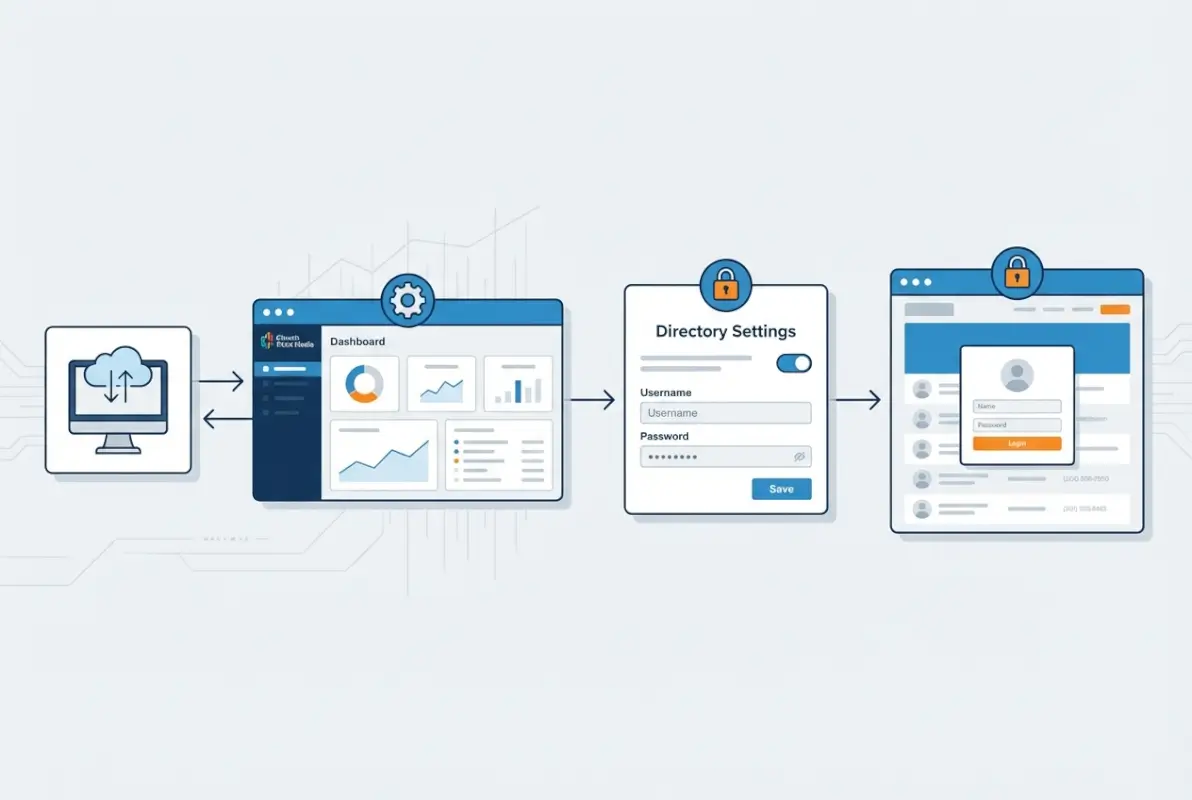
Church Plant Media’s website builder includes the ability to password-protect individual pages or sections of content. This functionality operates at the page level, meaning you can create a dedicated “Member Directory” page and restrict access through password authentication. The system integrates cleanly with their theme options and doesn’t require custom coding or technical expertise to implement.
How Church Plant Media’s Password Protection Works
The password protection feature in Church Plant Media functions as a content gate. When enabled on a specific page, visitors encounter a password prompt before viewing the content. Once they enter the correct password, they gain access to that page and typically maintain access through browser cookies for a defined period.
This approach works well for basic content protection scenarios. If you’re building a simple member directory as a formatted page with contact information, the password feature prevents public access while allowing members who know the password to view the information. The interface for setting up password protection is straightforward enough for non-technical church administrators to manage.
However, this implementation uses shared password authentication rather than individual user accounts. Everyone who accesses the directory enters the same password, which means you can’t track who viewed the directory, differentiate access levels between members and leadership, or revoke access for specific individuals without changing the password for everyone.
Comparing Church Plant Media to Specialized Directory Solutions
To fairly evaluate Church Plant Media’s directory capabilities, we need to benchmark against platforms built specifically for church directories. Creating a functional online directory involves considerations beyond simple password protection, and specialized tools address these comprehensively.
DirectorySpot exemplifies the dedicated directory approach. Their platform provides per-directory login credentials, meaning members authenticate with individual accounts rather than shared passwords. The system includes built-in group communication tools, customizable visibility settings for different member types, and mobile apps that maintain synchronized access across devices. DirectorySpot’s architecture assumes directory management as the primary function, with features like photo directories, birthday notifications, and emergency contact management built into the core experience.
Instant Church Directory takes a similar approach but emphasizes ease of migration from printed directories. Their platform strongly discourages PDF distribution in favor of their web portal and mobile apps. Security guidance from Instant Church Directory explicitly warns against sharing directory passwords through insecure channels, and their support documentation provides detailed best practices for preventing unauthorized access. The platform includes audit capabilities that show when members accessed the directory, which Church Plant Media’s page-level protection cannot provide.
| Feature | Church Plant Media | DirectorySpot | Instant Church Directory |
|---|---|---|---|
| Password Protection | Shared page password | Individual logins | Individual logins |
| Role-Based Access | Limited | Yes | Yes |
| Mobile App | Responsive web | Dedicated app | Dedicated app |
| Member Self-Service | No | Yes | Yes |
| Access Audit Logs | No | Yes | Yes |
| Primary Focus | Website builder | Directory platform | Directory platform |
Church Teams approaches directories as part of a broader church management suite. Their online directory feature integrates with their volunteer scheduling, event management, and communication tools. The system allows administrators to configure which member information appears in the directory and provides granular visibility controls. According to their help documentation, churches can customize field visibility (showing phone numbers to everyone but restricting addresses to leadership, for example) which shared password pages cannot easily replicate.
Online Church Solutions provides a password-protected member portal that encompasses directory functions alongside other church management features. Their approach emphasizes the portal as a hub for member engagement rather than just information lookup, with search functionality, photo galleries, and document libraries accessible through the same authenticated session.
Practical Implementation Considerations for Church Plant Media Users
If you’re committed to using Church Plant Media for your website and want to incorporate a password-protected directory, several implementation strategies can maximize security within the platform’s capabilities.
First, consider creating the directory as a dynamic content area rather than static text. If you’re comfortable with basic web development or have access to volunteers with those skills, you can embed a searchable directory using JavaScript that loads member data from a protected source. This allows for filtering and search functionality that static page content cannot provide.
Second, establish clear password rotation policies. Since Church Plant Media uses shared passwords for page protection, you should plan to change the directory password regularly—ideally quarterly, and definitely when staff transitions occur or when you suspect the password may have been compromised. Communicate password changes through secure channels rather than public announcements or email blasts that could be intercepted.
Third, think about how to structure your directory listing to minimize exposed data. Include only essential contact information and provide a contact form or internal messaging system for detailed communication rather than publishing everyone’s personal email addresses and cell phone numbers. This approach reduces privacy risk even if the password protection fails.
Integration with Church Management Systems
One significant consideration when evaluating Church Plant Media for directory purposes is database integration. Dedicated directory platforms like DirectorySpot often integrate directly with church management systems (Planning Center, Breeze, Fellowship One, etc.), automatically synchronizing member data without manual updates.
Church Plant Media’s website builder doesn’t natively integrate with these systems, which means directory updates require manual editing of page content. For small congregations with minimal turnover, this might be manageable. For growing churches where addresses, phone numbers, and family compositions change frequently, the manual update burden becomes substantial. One church administrator I worked with reported spending 3-4 hours monthly just updating their website-based directory, whereas churches using integrated directory platforms invest minutes rather than hours.
That said, workarounds exist. Some churches export member data from their management system as CSV files, then use mail merge or scripting tools to generate HTML directory pages that they upload to Church Plant Media. This semi-automated approach reduces workload while keeping the directory on the main church website platform.
Industry Insights from Competing Directory Solutions
Analyzing what the top directory providers emphasize reveals important trends and best practices that apply regardless of which platform you ultimately choose. The common themes across specialized directory solutions highlight features and security considerations that churches should prioritize.
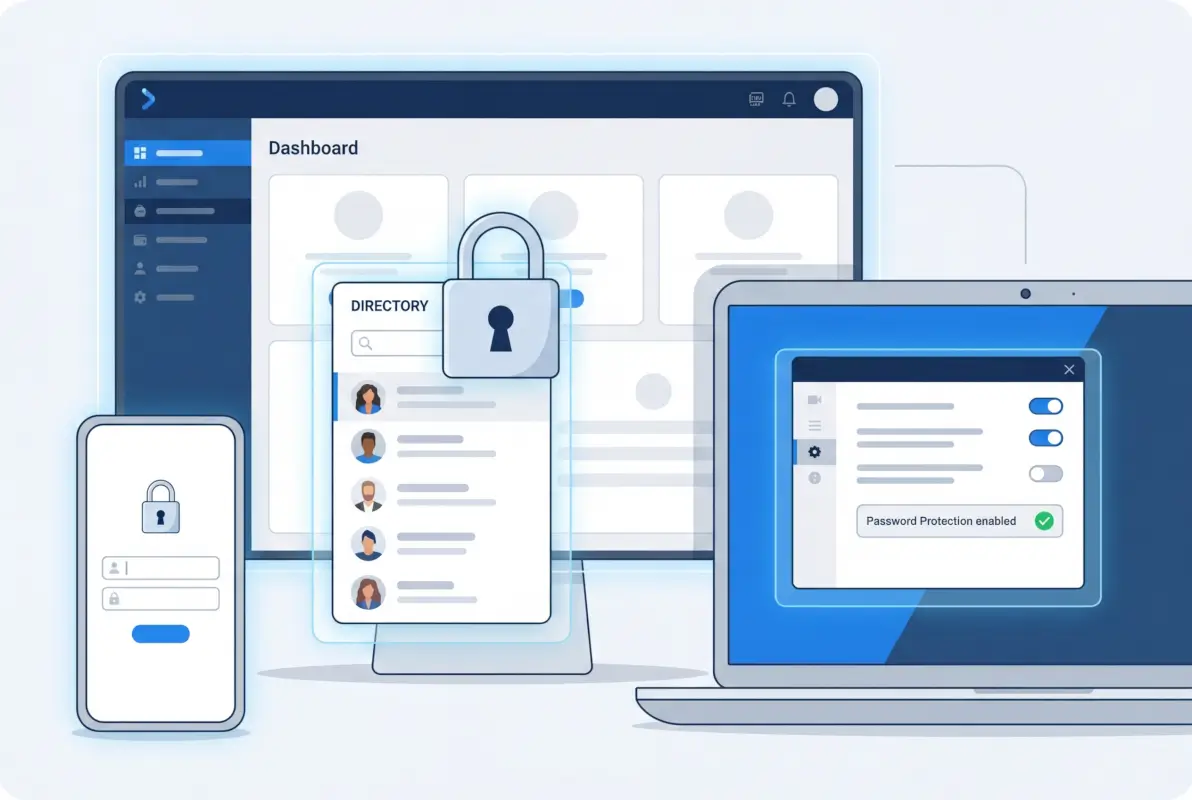
The competitive landscape for church directories has matured significantly over the past several years, with providers converging on certain core principles while differentiating on implementation details and pricing models. Understanding these patterns helps church leaders evaluate any solution—including general website builders like Church Plant Media—against industry standards.
What Leading Directory Platforms Emphasize
Security through individual authentication appears as the dominant theme across established directory providers. DirectorySpot, Instant Church Directory, Church Teams, and Online Church Solutions all architect their systems around individual member accounts rather than shared passwords. This isn’t coincidental—it reflects hard lessons learned from security breaches and privacy complaints over the past decade.
The shift away from PDF directories represents another universal trend. Instant Church Directory’s blog explicitly warns about PDF security risks, noting that scammers target church administrators specifically because directory data provides rich personal information useful for identity theft and social engineering attacks. Their guidance recommends never emailing directory PDFs and avoiding any public posting of directory files, regardless of password protection on the file itself.
Mobile accessibility has transitioned from optional feature to baseline expectation. Every major directory provider now offers either dedicated mobile apps or highly optimized responsive web interfaces. This reflects broader church communication trends documented in the Unstuck Church Report, which notes that mobile-first communication strategies increasingly define how congregations expect to interact with church systems.
Configurable Visibility Controls
Another consistent feature across dedicated directory platforms is granular control over information visibility. Church Teams’ documentation details how administrators can configure which member fields display in the directory and who can see them. For example, a typical configuration might show names and phone numbers to all members, restrict home addresses to small group leaders and above, and limit email addresses to staff only.
This granularity matters because member comfort with directory inclusion varies significantly. Some families happily share full contact details with the entire congregation, while others prefer minimal exposure due to privacy concerns, past experiences with stalking or harassment, or simple personal preference. Platforms that force all-or-nothing visibility tend to see lower opt-in rates compared to those offering flexible controls.
Opt-out capabilities represent the ethical baseline for directory systems. Every reviewed platform allows members to exclude themselves entirely or limit which information appears. Some churches make directory inclusion opt-in (requiring explicit consent), while others default to inclusion with opt-out available. Regulatory trends and privacy best practices increasingly favor opt-in approaches, particularly when directories include photos, children’s information, or detailed contact data.
Communication Features Beyond Static Directories
Modern directory platforms increasingly bundle communication tools alongside member information lookup. DirectorySpot highlights group messaging capabilities, allowing directory users to contact ministry teams, small groups, or leadership directly through the platform. This integration transforms the directory from a passive reference tool into an active communication hub.
These communication features create important security considerations. If your directory platform enables messaging, you need policies governing appropriate use, spam prevention, and handling of inappropriate content. Online directory services that include messaging typically provide reporting and moderation tools, but churches must still establish clear guidelines and monitor activity.
Access Control and Authentication Methods
The authentication mechanisms employed by directory platforms vary in sophistication and user-friendliness. At the basic level, platforms assign username/password credentials to each member. More advanced implementations include:
- SMS verification codes sent to registered phone numbers for password resets
- Email-based magic links that provide one-time access without requiring password recall
- Social login integration allowing sign-in through Google, Facebook, or Apple accounts
- Two-factor authentication requiring both password and secondary verification
- Single sign-on (SSO) integration with existing church authentication systems
The tradeoff between security and convenience defines authentication strategy. Highly secure methods like two-factor authentication reduce unauthorized access risk but increase friction for users who may struggle with technology. Simplified approaches like magic links improve adoption but provide fewer security layers. Church leadership must balance these factors based on their congregation’s technical sophistication and actual security threat level.
Current Data on Church Technology and Directory Adoption
Understanding how churches actually use directory technology—and broader digital tools—provides valuable context for platform decisions. Recent studies and industry surveys reveal adoption patterns, security concerns, and effectiveness metrics that should inform your directory strategy.

Church technology adoption has accelerated dramatically, driven initially by pandemic necessity and sustained by demonstrated value and changing member expectations. The data landscape through 2025 and into 2026 shows churches increasingly treating digital tools as core infrastructure rather than optional enhancements.
Website and Digital Presence Statistics
The most recent comprehensive church statistics indicate that the majority of churches now maintain websites, though quality and functionality vary considerably. According to data compiled from denominational reports and church research organizations, approximately 78% of churches with regular attendance over 100 report having a website, while smaller congregations lag at around 45% website adoption.
However, having a website doesn’t automatically mean having an online directory. Research from church communication studies suggests that only about 40% of churches with websites include any form of member directory, and fewer than half of those implement password protection. This represents a significant gap between available capability and actual implementation, often driven by concerns about technical complexity or uncertainty about member privacy preferences.
Privacy and Security Concerns in Church Context
Survey data from denominational studies and church consulting groups reveals that member privacy concerns significantly influence directory adoption and participation rates. When churches implement opt-in directories, participation typically ranges from 65-80%, compared to 85-95% participation in traditional printed directories where opt-out requires explicit action.
This participation gap reflects several factors. Some members distrust online security regardless of technical safeguards. Others object philosophically to digital systems, preferring traditional printed formats. Still others worry specifically about how their information might be misused—a concern not entirely unfounded given documented cases of church directories being exploited for solicitations, political campaigning, or even stalking.
Churches that communicate clearly about security measures, demonstrate competent data handling, and provide granular opt-out controls see higher participation rates than those treating directory implementation as a purely technical decision. The Malphurs Group survey data from pastoral and lay leader interviews emphasizes that trust in church leadership’s technical judgment correlates strongly with willingness to participate in online directories.
Communication Effectiveness and Digital Tools
The Unstuck Church Report from Q1 2025 highlights a critical insight: churches are over-communicating while under-connecting. The proliferation of digital communication channels—email, text messaging, social media, apps, and traditional printed materials—creates information overload that reduces effectiveness of each individual channel. Directory functionality should facilitate targeted, relevant communication rather than adding another broadcast channel to an already noisy environment.
Churches that integrate directories with communication segmentation (allowing targeted messages to specific groups) report higher engagement rates than those using directories purely for information lookup. For example, a worship team coordinator who can message all musicians through the directory system sees better response rates than one who copies emails individually from a static directory listing.
Adoption Patterns by Church Size and Age
Church size dramatically influences directory approach and technology adoption. Small churches (under 75 in regular attendance) frequently rely on printed directories or simple shared documents, finding the investment in specialized directory platforms difficult to justify. Mid-sized churches (75-300 attendance) represent the primary market for directory platforms, as they’ve outgrown informal communication but lack the staff resources of larger churches.
Large churches (over 300 attendance) often implement church management systems that include directory functionality as one component of broader member engagement platforms. These comprehensive systems—Planning Center, Church Community Builder, Breeze, and similar tools—provide directory features alongside giving management, event registration, and volunteer coordination.
Church age also correlates with technology adoption patterns. Newly planted churches tend to adopt digital-first approaches, often skipping printed directories entirely in favor of online platforms. Established churches frequently maintain hybrid approaches, producing printed directories periodically while also offering online access to accommodate member preferences across generational lines.
Implementation Blueprint for Secure Church Directories
Whether you’re using Church Plant Media with its password-protected pages or implementing a dedicated directory platform, following a structured implementation process minimizes security risks while maximizing member adoption and satisfaction. This blueprint applies across platforms, adapted to specific tool capabilities.

Successful directory implementations balance technical security, user experience, and organizational change management. Too many churches focus exclusively on the technical aspects while neglecting the human factors that ultimately determine whether members actually use and trust the system.
Architecture and Data Flow Design
Start by mapping your data sources and desired information flow. Most churches maintain member data in some form—spreadsheets, church management systems, or even handwritten records. Identifying your authoritative data source prevents the confusion of multiple competing “official” directories with conflicting information.
Your data model should include these core fields at minimum: name, family relationships, contact information (phone, email, address), photos, and privacy preferences. Additional useful fields include birthday, anniversary, ministry involvement, and small group membership. However, more fields mean more data to maintain, so balance comprehensiveness against practical update capacity.
Design your access layer to reflect your church’s actual structure and communication needs. Typical access levels include:
- Public/visitor: No access to directory at all
- Regular attendee: Access to basic directory (names, limited contact info)
- Member: Full directory access with all opted-in member information
- Ministry leader: Additional administrative fields like birthdays, children’s names
- Staff: Complete access including privacy preferences and opt-out status
- Administrator: Full system access including security settings and audit logs
The presentation layer—how members actually access the directory—should prioritize mobile experience since most directory lookups happen when someone needs contact information immediately. Responsive web design works adequately, but dedicated mobile apps provide better experience if your platform supports them and you have the resources to support an app rollout.
Security Configuration and Best Practices
Security for church directories operates on multiple levels, each requiring specific attention. At the infrastructure level, ensure your directory platform uses encrypted transmission (HTTPS/TLS) for all connections and stores data in encrypted format. Reputable platforms handle this automatically, but if you’re self-hosting or building custom solutions, these requirements need explicit configuration.
Authentication represents your primary security perimeter. If your platform supports individual logins rather than shared passwords, use them. Configure password complexity requirements appropriate to your congregation’s technical level—requiring 12-character passwords with special characters increases security but also increases support requests from members who can’t remember credentials.
| Security Layer | Configuration | Priority Level |
|---|---|---|
| Encryption in transit | HTTPS/TLS 1.3 | Critical |
| Authentication | Individual credentials preferred | Critical |
| Password complexity | Minimum 8 characters, mixed case | High |
| Access logging | Track who accessed when | Medium |
| Session timeout | Auto-logout after 30 minutes inactive | Medium |
| Data minimization | Only display necessary fields | High |
Implement session timeouts to automatically log out idle users. This prevents the scenario where someone accesses the directory on a shared computer and walks away, leaving the directory accessible to the next person who uses that device. Thirty minutes represents a reasonable balance between security and convenience for most churches.
Data minimization reduces exposure risk by showing only necessary information. Consider whether you really need to display full addresses or whether city/state suffices for most directory purposes. Do members need to see everyone’s email address, or would a contact form that forwards messages provide adequate communication while protecting email addresses from harvesting? Creating an effective online directory involves these thoughtful design decisions, not just technical implementation.
Privacy Governance and Policies
Technical security measures fail without supporting governance policies that define appropriate use, consent requirements, and response procedures. Develop a written data privacy policy that addresses:
- What information the directory contains and why
- Who can access the directory and under what circumstances
- How members opt in or opt out of inclusion
- How data is protected technically and organizationally
- How long data is retained and how it’s deleted when members leave
- What happens in case of suspected data breach
- How members can review and correct their information
This policy shouldn’t be a lengthy legal document that nobody reads. One page of clear, direct language explaining your church’s commitments and members’ rights builds trust more effectively than ten pages of legalese. Share the policy prominently when launching your directory and include it in new member orientation materials.
Consent mechanisms vary by jurisdiction and legal counsel preferences, but increasingly churches implement explicit opt-in for directory inclusion rather than assuming consent. A simple checkbox during membership process or annual confirmation form allows members to affirmatively choose directory participation while maintaining control over their information.
Migration Strategy from Legacy Systems
If you’re transitioning from printed directories or switching platforms, plan a phased migration rather than abrupt cutover. Running parallel systems temporarily allows members to adjust to new technology while maintaining communication continuity.
Start with a pilot group—perhaps your leadership team or tech-comfortable ministry volunteers—who can test the system and provide feedback before broader rollout. This pilot phase identifies usability issues, missing features, and technical problems while the stakes are low. Iterating based on pilot feedback dramatically improves the eventual member experience.
Data cleansing should happen during migration, not after. Review member records for accuracy, confirm contact information is current, and remove outdated entries. Many churches discover during directory projects that their member database contains dozens of people who haven’t attended in years, creating both clutter and potential privacy issues if those individuals didn’t consent to ongoing directory inclusion.
Communication about the migration determines adoption success as much as technical execution. Announce the project early, explain why you’re making the change, address anticipated concerns proactively, and provide multiple training opportunities for members who need support. Some churches successfully use videos demonstrating directory access, while others prefer hands-on training sessions after services. Offer both, since people learn differently.
Evaluation Criteria and Practical Recommendations
Whether you’re evaluating Church Plant Media’s built-in password protection for directories or comparing dedicated directory platforms, applying consistent evaluation criteria helps you make informed decisions aligned with your church’s specific needs and constraints.
Core Feature Assessment Framework
Evaluate potential directory solutions against these essential capabilities, prioritizing based on your church’s situation:
Authentication and access control: Does the platform support individual user accounts or only shared passwords? Can you configure different access levels for members versus leadership? How do members reset forgotten passwords without administrative intervention?
Data management: How easily can you import existing member data? Does the platform support batch updates or only individual edits? Can members update their own information subject to approval? What export formats are available if you need to migrate later?
Integration capabilities: Does the directory integrate with your church management system, accounting software, or communication tools? Are APIs available for custom integration if needed? Can the directory embed in your existing website or must it operate standalone?
Mobile experience: Is there a native mobile app or responsive web interface? How well does the directory function on smartphones with limited screen space? Can members access the directory offline or does it require constant internet connection?
Privacy and security features: What granular controls exist for information visibility? Can members opt out entirely or partially? Does the platform provide audit logs showing who accessed the directory? How does the vendor handle security vulnerabilities when discovered?
Support and training resources: What documentation and training materials are available? Does the vendor provide implementation support or are you entirely self-service? What is response time for technical support inquiries?
Church Plant Media Specific Recommendations
If you’re already invested in Church Plant Media for your church website, these specific recommendations maximize their password protection capabilities for directory purposes:
Use their password protection for basic directories: For churches under 150 regular attendees with low member turnover, Church Plant Media’s page-level password protection adequately protects a static directory. Create a well-formatted directory page with clear contact information, password-protect it through the platform controls, and distribute the password through secure channels.
Implement regular password rotation: Change the directory password quarterly at minimum. Announce password changes during services and via direct mail or secure email rather than posting publicly. Consider seasonal password patterns that help members remember (e.g., “SpringDirectory2025” in March).
Layer additional security through information design: Don’t publish every piece of member information just because you have it. Show names and preferred contact methods but consider hiding full addresses. Use contact forms rather than exposing email addresses directly. This approach reduces damage from password compromise.
Supplement with dedicated tools for advanced needs: If your church needs features like member self-service updates, mobile apps, or integration with church management systems, embed or link to a specialized directory platform from your Church Plant Media site rather than trying to build everything within their page builder. This hybrid approach leverages Church Plant Media’s strengths for general website content while using specialized tools where appropriate.
Risk Mitigation Strategies
Regardless of platform, these practices minimize common directory security risks:
Never post PDF directories publicly: Even password-protected PDFs become insecure once distributed because you can’t revoke access after the file leaves your control. If you must provide PDF format, generate it on-demand for authenticated users rather than hosting a static file.
Audit access regularly: If your platform provides access logs, review them quarterly for unusual patterns. Look for unexpected access times, unusually frequent access, or access from unfamiliar locations that might indicate compromised credentials.
Remove departed staff access immediately: When staff or volunteers with administrative access leave their roles, disable their credentials the same day. This prevents resentful ex-volunteers from retaining access to sensitive member information.
Educate members about phishing: Scammers specifically target churches with directory-related phishing emails. Teach members never to respond to emails requesting directory passwords or “verification” of member information, even if the email appears to come from church leadership.
Maintain offline backup systems: Ensure you have current member contact information in a format accessible without internet connectivity. If your online directory becomes unavailable during an emergency, you need alternative ways to reach your congregation quickly.
Frequently Asked Questions About Church Directories and Password Protection
Does Church Plant Media support password-protected online directories?
Yes, Church Plant Media includes password protection features for pages within their website builder platform. You can create a member directory page and restrict access using their built-in password authentication. However, this uses shared passwords rather than individual user accounts, which provides basic security but lacks the granular access controls of dedicated directory platforms.
How do password-protected church directories typically work?
Most modern church directories use individual member logins rather than shared passwords. Members create accounts with unique credentials, log into a web portal or mobile app, and access directory information based on their permission level. Advanced systems include searchable directories, photo galleries, messaging capabilities, and self-service profile updates. Shared password systems are simpler but less secure and don’t support personalized experiences.
What are common security risks with church directories and how can we mitigate them?
Major risks include unauthorized access via shared passwords, PDF directories posted publicly or distributed too broadly, phishing attacks targeting administrators, and data exposure from inadequate technical security. Mitigate these through individual authentication, avoiding PDF distribution, implementing encryption, providing member opt-outs, educating staff about phishing, and regularly auditing access. Never post directory passwords publicly or share administrative credentials via email.
Can a password-protected directory integrate with our church management system?
Integration capability varies significantly by platform. Dedicated directory solutions like DirectorySpot and Instant Church Directory often integrate with major church management systems (Planning Center, Breeze, Church Community Builder), enabling automatic data synchronization. General website builders like Church Plant Media typically don’t offer native integration, requiring manual data updates or custom development work. Evaluate integration options specifically for your existing systems when choosing platforms.
What does “opt-out” mean for online directory data?
Opt-out allows members to exclude themselves from the directory entirely or limit which personal information appears. Some platforms provide all-or-nothing opt-out, while others offer granular controls letting members hide specific fields like addresses or phone numbers while remaining listed. Strong opt-out capabilities respect member privacy preferences and often increase overall directory participation by giving members control over their data exposure.
Are there best practices for sharing directory access with members?
Distribute access credentials through secure channels like in-person pickup, direct mail, or authenticated member portals—never via public announcements, social media, or widely forwarded emails. For shared password systems, change passwords regularly and announce changes through controlled channels. For individual login systems, provide clear onboarding instructions and password reset procedures. Never embed passwords in publicly accessible website content or shared documents.
How often should we update our church directory?
Dynamic online directories should reflect changes within days of notification, as members expect current information when accessing digital tools. Static directories need updates at least quarterly, though monthly is preferable for churches experiencing growth or significant member turnover. Establish clear processes for members to report changes and assign responsibility for implementing updates promptly. Outdated directories frustrate members and reduce trust in church systems.
Should our church use a mobile app or web-based directory?
Most churches benefit from responsive web-based directories accessible from any device without requiring app installation. Mobile apps provide superior user experience and offline access but require members to download and install software, creating adoption barriers particularly for less tech-comfortable members. Consider apps if your congregation is mobile-savvy and you have resources to support app-specific issues. Otherwise, well-designed responsive web directories serve most churches effectively.
What legal considerations apply to church directories?
Privacy laws vary by jurisdiction, but generally require consent before collecting and publishing personal information, particularly regarding children. Some states require explicit opt-in consent rather than assumed consent with opt-out options. You may need written privacy policies explaining data use and member rights. Consult legal counsel familiar with your location’s privacy regulations before implementing directories, especially if your church includes minors or operates across state or national boundaries.
How do we handle directory access for visitors or non-members?
Most churches restrict directory access exclusively to members, as visitors have no legitimate need for contact information beyond what’s publicly available on the website. Some churches create tiered access, providing limited directory visibility (names only, no contact information) to regular attendees while reserving full access for formal members. Never grant directory access to first-time visitors or unknown individuals regardless of their requests or explanations.
Making the Right Directory Decision for Your Church
After examining Church Plant Media’s capabilities, comparing industry alternatives, analyzing current data, and exploring implementation strategies, we can draw clear conclusions about password-protected directories for churches. The landscape offers solutions ranging from basic page protection to sophisticated member portals, each appropriate for different church contexts and requirements.
Church Plant Media successfully supports password-protected online directories through their page-level authentication features. For churches prioritizing an integrated website experience where the directory exists as one component of broader web presence, their platform delivers adequate functionality. Small to mid-sized congregations with stable membership and limited need for advanced features will find Church Plant Media’s approach workable, particularly when combined with thoughtful implementation strategies like regular password rotation and careful information design.
However, churches requiring sophisticated directory features—individual member authentication, granular visibility controls, mobile apps, integration with church management systems, or member self-service capabilities—will find dedicated directory platforms better suited to those needs. The specialized tools from DirectorySpot, Instant Church Directory, and similar providers reflect years of development focused specifically on directory functionality and security rather than general website building.
Your Next Steps:
- Survey your congregation to understand actual directory preferences and privacy concerns
- Audit your current member data quality and identify cleanup needs before implementation
- Evaluate 2-3 specific platforms using the criteria outlined here
- Develop written privacy policies and access governance before launch
- Plan phased rollout with pilot group testing and iterative improvement
The most critical insight from our analysis is that technical platform choice matters less than thoughtful implementation and governance. A sophisticated directory platform mismanaged creates more security risk than a simple password-protected page administered carefully. Success depends on matching tool capabilities to your church’s actual operational capacity, not choosing the most feature-rich option available.
Privacy and security in church directories ultimately reflect stewardship values. Members trust leadership with sensitive personal information, expecting that data will be protected with the same care given to financial resources or facility access. Whether you implement directories through Church Plant Media, dedicated platforms, or hybrid approaches, maintaining that trust requires ongoing attention to security practices, policy governance, and member communication.
The directory landscape will continue evolving as privacy expectations shift, technology capabilities expand, and church communication patterns develop. What remains constant is the need to balance accessibility—connecting members for community building and mutual support—with appropriate privacy boundaries that honor individual preferences and protect vulnerable populations. Make your directory decisions with both connection and protection in mind, and you’ll serve your congregation well regardless of which specific platform you choose.