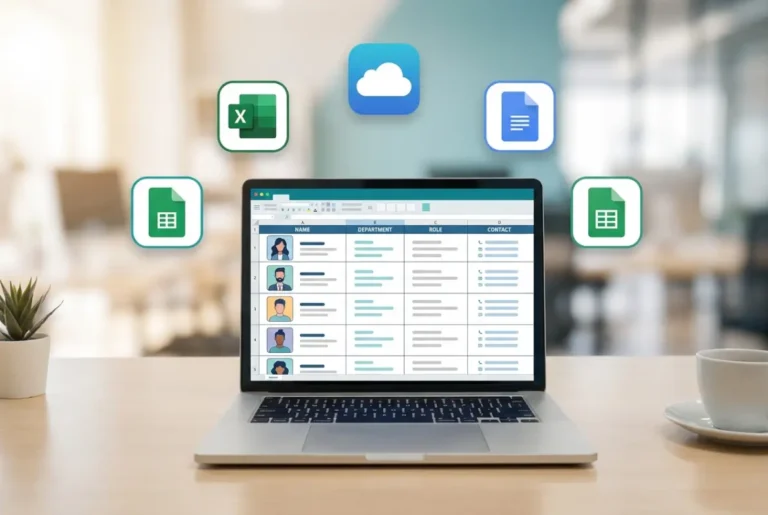
What Is a Company Directory? Definition, Types & How to Build One in 2025
Opens a Google-translated copy of this article in a new tab.
Ever spent 20 minutes hunting down someone’s email address, only to find it was wrong anyway? Or maybe you’ve watched a promising cross-team project stall because nobody could figure out who owned what. These frustrations—common in organizations of every size—usually point to one missing piece: a functional company directory.
A company directory is more than a digital phonebook. It’s the infrastructure that determines whether your team connects instantly or wastes hours playing contact detective. When done right, it transforms how people collaborate, onboard, and get work done. When neglected, it becomes the silent productivity killer nobody talks about but everyone feels.
The gap between a static list of names and a genuinely useful directory comes down to design, governance, and integration. Most organizations focus on implementation and miss the governance part entirely—which is why their directories are outdated within months.
TL;DR – Quick Takeaways
- A company directory is a searchable database of employee contact details, roles, and organizational structure—not just a list of phone numbers
- Modern directories integrate with HR systems, email platforms, and org charts to stay current automatically
- Key benefits include 25% faster internal communication, smoother onboarding, and reduced turnover in companies with strong connection tools
- Implementation requires data governance first, technology second—most failures stem from unclear ownership of updates
- Digital vs. physical isn’t really a debate anymore; the question is which digital platform fits your existing workflow
- Security matters—employee consent, role-based access, and privacy compliance aren’t optional features
What a Company Directory Is Today: Definitions, Scope, and Distinctions
A company directory is a centralized, searchable repository of information about people in your organization. At minimum, it includes names, job titles, departments, and contact methods (email, phone, office location). More sophisticated versions add reporting relationships, expertise areas, current projects, time zones, work hours, and profile photos.
The term “company directory” often gets used interchangeably with “employee directory,” “corporate directory,” or “staff directory.” Technically, these all refer to the same thing—a system for finding and connecting with people inside an organization. The distinction that actually matters is between internal directories (for employees) and external business directories (public-facing listings for customers to find your company).

Think of it this way: an org chart shows you who reports to whom. A company directory shows you how to reach them and what they do. You need both, but they serve different purposes. The org chart is for understanding hierarchy; the directory is for making contact.
Internal vs. External Directories and Data Sources
Internal directories pull data from your HRIS (Human Resource Information System), Active Directory, or identity management platform. They’re meant for employees, contractors, and sometimes partners who need to navigate your organization. Access is usually restricted—you log in through your company credentials.
External business directories are different animals entirely. These are public-facing databases (think Google Business Profile, Yelp for B2B, or industry-specific listings) where customers find your company. The data flows the opposite direction: you push information out for discovery rather than aggregating internal contacts.
The confusion between these two types causes real problems. I’ve seen companies try to repurpose external directory software for internal use (disaster—no access controls, no HR integration). And I’ve watched others accidentally expose internal employee data publicly because they didn’t understand the difference (legal nightmare). Know which one you’re building before you pick a platform.
Data sources matter more than most people realize. If your directory relies on manual spreadsheet updates, it’ll be 40% wrong within six months. If it syncs automatically from your HRIS and email system, it stays current with almost no effort. The best implementations treat the HRIS as the single source of truth and pull from there.
Core Features and Value Drivers in Modern Company Directories
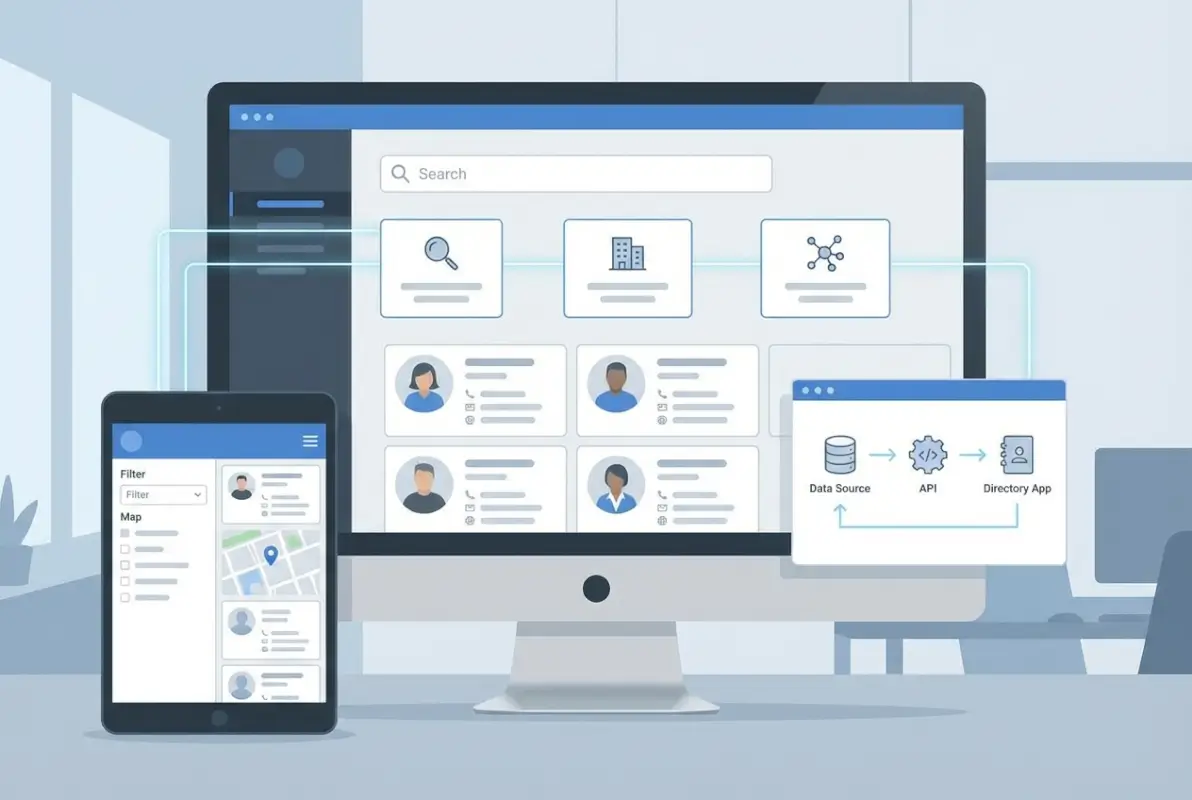
Modern directories aren’t complicated, but they do need a few non-negotiable features to actually work. Fast search with multiple filter options (by name, department, location, skills) is the baseline. If someone can’t find a colleague in under 10 seconds, your directory has failed its primary job.
Access controls come next. Different people need different visibility. HR sees everything. Individual employees might see only their department. Contractors might see limited contact info. Role-based permissions aren’t optional if you handle any sensitive data (and you do—home addresses, personal phone numbers, salary bands tied to titles).
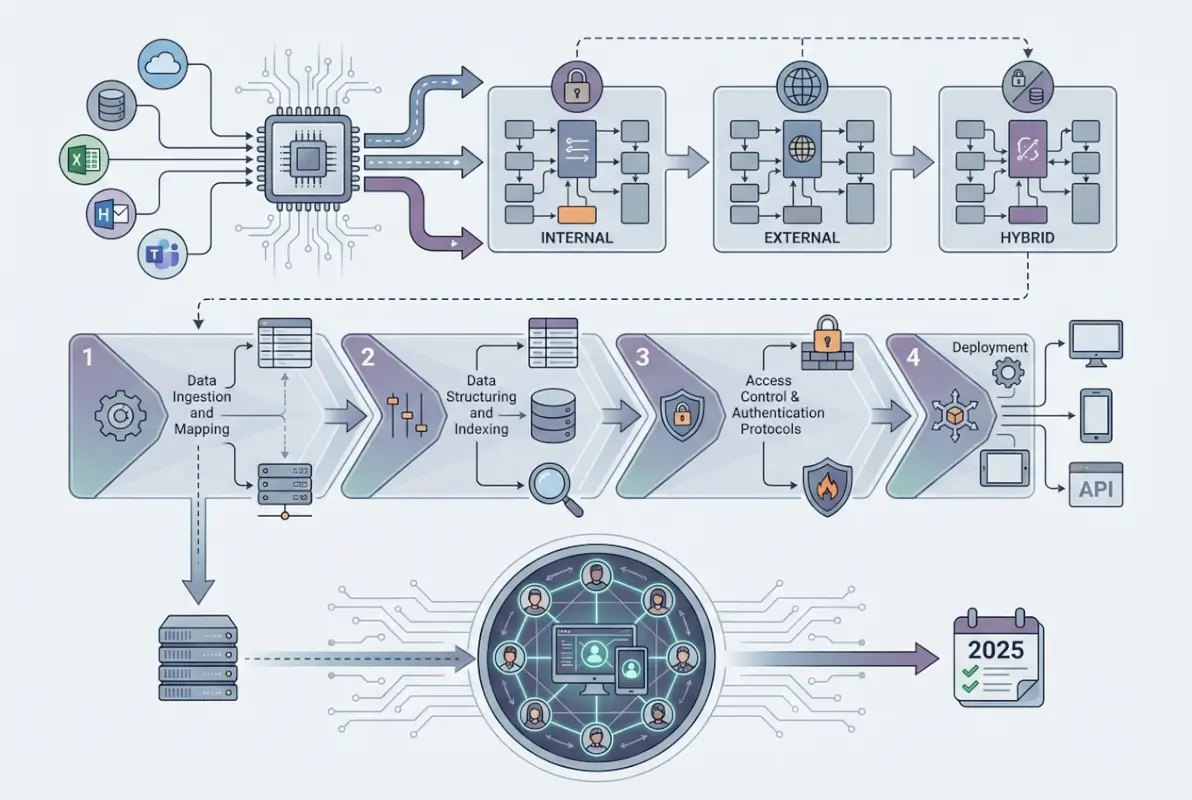
Integration is where good directories separate from mediocre ones. At minimum, your directory should connect to your email system (click a name, compose an email), your calendar (check availability, book meetings), and your org chart tool (visualize reporting lines). Better implementations tie into Slack or Teams for instant messaging, project management tools to show current assignments, and SSO (single sign-on) for seamless access.
Core Features Readers Should Expect
Here’s what you should demand from any directory platform:
- Advanced search with autocomplete, filters by multiple attributes, and fuzzy matching for typos
- Self-service updates so employees can correct their own bio, profile photo, or phone extension without submitting IT tickets
- Mobile-responsive design—half your lookups will happen on phones
- Profile completeness indicators that nudge people to fill in missing fields
- Export options for creating team contact sheets or emergency call lists
- Audit logs that track who changed what and when (crucial for compliance and debugging)
- API access for custom integrations with your specific workflow tools
For WordPress sites, TurnKey Directories offers these features out of the box with flexible customization—worth considering if you’re already in the WordPress ecosystem.
Business Impact: Collaboration, Onboarding, and Governance
The ROI of a good directory shows up in unexpected places. New hires get productive faster when they can instantly see who does what and how to reach them—reducing time-to-productivity by 30-40% in organizations I’ve worked with. Cross-functional projects form more easily when people can search by skills or expertise, not just department names.
Customer service improves measurably. When a support rep can find the product specialist in 5 seconds instead of 5 minutes, call handle times drop and escalations resolve faster. One SaaS company I consulted for cut average response time by 40% just by implementing a searchable directory with expertise tags.
Governance sounds boring until you need it. During audits, mergers, or compliance reviews, being able to instantly produce accurate lists of who has access to what (based on directory data) saves weeks of manual reconciliation. GDPR and CCPA requests become manageable when your directory knows exactly where personal data lives and who’s responsible for it.
Choosing the Right Model: Internal Directory, Org Chart, or Hybrid
Most companies don’t actually need to choose between a directory and an org chart—they need both, and they need them to talk to each other. The question is whether you buy separate tools or use a platform that combines them.
Standalone directories excel at searchability and rich profile data. Standalone org charts excel at visualizing hierarchy and reporting relationships. Hybrid platforms try to do both, with varying success. The right choice depends on what problem you’re solving.
When to Use an Employee Directory Alone vs. an Org-Chart-Enabled Directory
Go directory-only if your organization is flat, small (under 50 people), or already has a well-functioning org chart tool that everyone uses. Adding an org chart to your directory becomes redundant overhead.
Go hybrid (directory + org chart in one platform) if you’re mid-sized (50-500 employees), have complex reporting structures, or find that people constantly ask “who does this person report to?” The visual context helps new employees and cross-functional teams understand the organization faster.
Go org-chart-first if you’re restructuring frequently or trying to communicate organizational changes. Tools like Pingboard or BambooHR emphasize the chart view and treat the directory as secondary. This works well for fast-growing companies where understanding structure matters more than finding phone extensions.
Company size matters, but so does remote/distributed work. If your team works across 3+ time zones, rich directory profiles (with work hours, time zones, and preferred contact methods) become more valuable than org chart hierarchy. For organizations that encourage businesses to sign up for directory services, understanding these tradeoffs helps position the right solution.
Hybrid Approaches and Vendor Considerations
Hybrid platforms promise simplicity—one login, one database, one bill. In practice, you trade simplicity for flexibility. If your org chart needs are basic (show reporting lines, export to PDF), hybrid works great. If you need advanced features like scenario planning, succession modeling, or dynamic team views, you’ll probably outgrow the directory’s built-in chart and need a specialist tool anyway.
Evaluate vendors on data freshness first, features second. Ask: How often does this platform sync with our HRIS? What happens if sync fails—do we get alerts? Can employees flag outdated information? A feature-rich platform with stale data is useless.
Privacy and access controls vary wildly. Some platforms let you hide specific people from the directory (useful for executives or undercover security staff). Others make everyone visible by default. Some let individuals opt out of certain fields (like sharing their cell phone). Make sure the platform’s privacy model matches your culture and legal requirements.
Practical Implementation: From Data to a Live Directory
Most directory projects fail not because of bad software, but because of bad data governance. You can’t build a reliable directory on top of unreliable data—and most organizations discover their data is a mess only after they start aggregating it.
Start with a data audit. Who currently owns employee data? (Usually HR, but sometimes IT, sometimes Finance for contractors.) Where does the authoritative version live? (HRIS, payroll system, Active Directory, scattered spreadsheets?) What fields are mandatory vs. optional? What’s the update cadence? If you can’t answer these questions cleanly, fix governance before you buy software.

Data Hygiene and Governance
Establish a data dictionary first. Define every field you’ll include (legal name vs. preferred name, work email vs. personal email, direct phone vs. mobile, office location vs. mailing address). Standardize formats (phone numbers, addresses, job titles). Decide which fields are searchable and which are private.
Assign ownership clearly. Someone in HR should own core biographical data (name, title, department, manager). Someone in IT should own technical identifiers (email addresses, user IDs). Someone in each department should own specialty fields (skills, certifications, project assignments). Without clear ownership, updates don’t happen.
Get explicit consent for optional fields. Under GDPR and similar regulations, profile photos, personal phone numbers, and social media links require employee consent. Build a consent workflow into your onboarding and directory setup process. Don’t assume silence equals permission.
Automate as much as possible. Manual updates fail. The best implementations sync from HRIS nightly, pull org chart data from Active Directory, and let employees self-update certain fields (bio, photo, interests) through the directory interface. For guidance on organizing Active Directory for business environments, proper schema design up front saves months of cleanup later.
Onboarding and Adoption Playbook
Roll out in phases, not all at once. Start with a pilot group—ideally a department that feels the pain of not having a directory (sales, customer support, or a distributed team). Collect feedback, fix obvious issues, then expand to the next group. A phased rollout catches problems before they become organization-wide disasters.
Train different audiences differently. Executives need a 5-minute demo focused on search and organizational visibility. End users need walkthroughs on updating their own profiles and finding colleagues. Admins need deep training on permissions, data sync, and troubleshooting. Don’t use the same training deck for everyone.
Create adoption momentum with quick wins. Announce the directory with a concrete use case: “Need to find someone in the Denver office who speaks Spanish? Search the directory by location and language.” Show the time savings, not the feature list. Highlight departments that have complete profiles. Gamify it if that fits your culture (leaderboards for most complete teams).
Make it sticky by integrating into existing workflows. Add directory lookup to your intranet homepage, your Slack sidebar, your email signature generator. The less friction to access, the higher the adoption. If people have to bookmark a separate URL and remember to use it, they won’t.
The Market and Trends: What’s New in 2025
Company directories in 2025 look different than they did even two years ago. The shift to hybrid and remote work forced directories to evolve from “nice to have” to “mission-critical.” If you can’t find someone or see their availability across time zones, collaboration grinds to a halt.
AI-assisted verification is the biggest new capability. Platforms now use machine learning to flag outdated information (someone’s title hasn’t changed in 5 years but their LinkedIn says they were promoted 2 years ago). Some systems cross-reference email activity to suggest updates (this person’s auto-reply says they moved offices, but the directory still shows the old location). It’s not perfect, but it catches errors that manual audits miss.

Directory Market Trends and Consumer Expectations in 2025
Employees now expect directory profiles to feel modern and social-media-like (profile photos, cover images, personal bios, links to portfolios or LinkedIn). The stiff, corporate “Name, Title, Extension” format feels dated. Companies that treat their internal directory like a stripped-down professional network see higher engagement and more complete profiles.
Trust signals matter more than ever. Verification badges showing “Last updated 2025-04-15” or “Confirmed by HR” help users trust the data. In distributed organizations, knowing when someone last logged in or updated their profile tells you whether that phone number is still good. According to BrightLocal’s 2025 research, data accuracy and freshness are the top factors in directory trust—across both internal and external directories.
Cross-platform synchronization is becoming table stakes. Your directory data shouldn’t live in a silo. Best-in-class implementations push updates to email signatures, chat tools, project management systems, and even conference room booking screens. When someone changes departments, that update should propagate everywhere automatically. Single-source-of-truth architecture isn’t just for engineers anymore—it’s a user expectation.
Examples and Case Flavors
Tech companies and professional services firms lead directory adoption, but manufacturing and healthcare are catching up fast. A logistics company I worked with reduced safety incident reporting time by 60% after implementing a directory with emergency contact workflows—warehouse staff could instantly find the right safety officer instead of calling a central number and waiting on hold.
Universities use directories not just for faculty and staff, but for students, alumni, and research collaborators. The same platform serves multiple audiences with different permission levels. Education has pioneered a lot of the privacy-by-default features now spreading to corporate directories.
Nonprofits and associations face unique challenges—volunteers and part-time staff need directory access, but turnover is high and data quality suffers. Organizations that help users search businesses in directory platforms often apply lessons from association directories: lightweight onboarding, aggressive nudges to update profiles, and simple verification workflows that don’t require IT intervention.
What is a company directory and how is it different from an org chart?
A company directory is a searchable database of employee contact information, roles, and profiles. An org chart visualizes reporting relationships and hierarchy. Directories help you reach people; org charts help you understand structure. Most organizations need both, ideally integrated.
Why should a company invest in a live, searchable directory?
A live directory reduces time wasted finding contacts by up to 25%, speeds onboarding, improves cross-team collaboration, and enhances customer service by routing inquiries faster. It’s infrastructure for communication that pays for itself in hours saved every week.
What features define a modern company directory?
Modern directories include advanced search with filters, self-service profile updates, mobile responsiveness, integration with email and calendar systems, role-based access controls, and automated sync with HR systems. Profiles often include photos, bios, skills, and time zones.
How do internal directories keep data up-to-date and private?
Best-practice directories sync automatically with HRIS or Active Directory, establish clear data ownership with HR and IT, use role-based access controls, and comply with privacy regulations like GDPR. Employees can update certain fields themselves while core data remains locked to admins.
Should a company build in-house or buy a directory solution?
Buy unless you have unique requirements no vendor can meet. Commercial platforms like TurnKey Directories, BambooHR, or Pingboard handle common use cases faster and cheaper than custom development. Build only if you need specialized integrations or have strict data residency rules.
How can a directory support onboarding and cross-team collaboration?
New hires use directories to quickly identify who does what and how to reach them, cutting time-to-productivity by 30-40%. Searchable skills and expertise tags let project managers find the right people across departments without relying on personal networks.
How do external business directories differ from internal employee directories?
External business directories are public listings where customers find companies (like Google Business Profile). Internal employee directories are private tools for staff to find colleagues. They serve opposite audiences and require completely different security, data, and access models.
What are best practices for directory data governance and privacy?
Establish single-source-of-truth data sources, assign clear ownership to HR and IT, get explicit consent for optional personal fields, implement role-based access, conduct quarterly data audits, and comply with GDPR/CCPA requirements for data retention and deletion.
Building a Directory That Actually Connects Your Organization
The difference between a directory people use and a directory people ignore comes down to three things: accurate data, easy access, and clear value. Technology is the easy part. Governance and adoption are where most projects stumble.
Start small, prove value quickly, and expand from there. Don’t wait for perfect data—launch with what you have, fix errors as you find them, and improve incrementally. A directory that’s 80% accurate and actively maintained beats a directory that’s 95% accurate but never updated.
Make someone accountable. Directory projects fail when they’re “owned” by a committee or treated as an IT side project. Assign an individual owner—ideally in HR with IT support—and give them the authority and time to keep it running.
What Your Directory Should Enable
- Find anyone in under 10 seconds—including contractors, remote staff, and part-timers
- See current, accurate information—synced from authoritative sources, not stale spreadsheets
- Contact people the way they prefer—email, phone, Slack, Teams, whatever works
- Discover expertise—search by skills, certifications, languages, or project experience
- Respect privacy—give employees control over what’s visible and to whom
- Work everywhere—desktop, mobile, integrated into tools people already use daily
The organizations that win in 2025 aren’t necessarily the ones with the most advanced technology. They’re the ones that make connection effortless—where finding the right person is never the bottleneck. Your company directory is the foundation. Build it with clear governance, maintain it with automated processes, and your return shows up in collaboration speed, employee satisfaction, and projects that don’t stall because someone couldn’t find a phone number.
What’s the one directory improvement you could make this week that would save your team the most time?
Was this article helpful?