6 Steps to Create a Business Directory in Wix & Drive Targeted Traffic

Building a business directory on Wix isn’t just about throwing together a list of local businesses—it’s about creating a traffic magnet that pulls in highly targeted, intent-driven searchers who are ready to take action. Here’s what most people get wrong: they treat directories like passive databases when they should be thinking of them as dynamic SEO ecosystems. A well-built Wix directory doesn’t just list businesses; it becomes the go-to resource in its niche, capturing searches that competitors miss and converting casual browsers into engaged users. The opportunity is massive because most business directories are outdated, poorly structured, and completely ignore modern SEO tactics. If you can nail the architecture, implement smart filtering, and layer in local SEO fundamentals, you’ll build something that compounds value over time.

TL;DR – Quick Takeaways
- Niche focus wins – narrow directories outperform broad ones in SEO and conversion
- Wix CMS collections – the foundation for scalable, dynamic directory pages
- Schema markup is non-negotiable – local business structured data dramatically improves visibility
- User submissions require workflows – moderation and approval systems prevent spam
- Monetization from day one – featured listings and tiers drive revenue faster than ads
- Data hygiene = long-term success – outdated listings kill credibility and rankings
Step 1 — Define Your Directory Niche, Scope, and Value Proposition
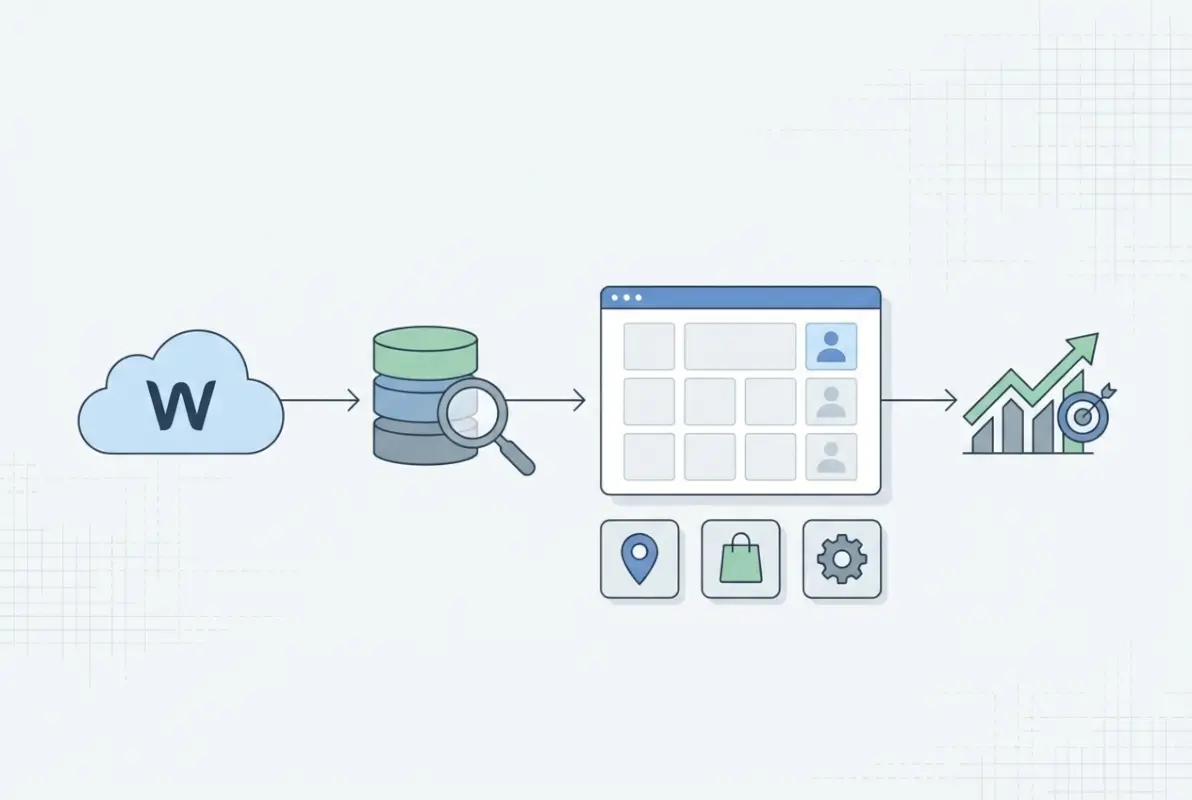
The biggest mistake directory builders make is going too broad. A directory of “all businesses in California” sounds impressive until you realize you’re competing with Yelp, Google Maps, and a thousand other established players. Instead, carve out a vertical that’s specific enough to dominate but large enough to sustain traffic. Think “licensed HVAC contractors in Phoenix metro” or “wedding photographers serving coastal Maine.” The narrower your focus, the faster you’ll rank for high-intent searches and the easier it becomes to build authority.
Choose a Focused Vertical
Your vertical should align with search demand and business density. Run keyword research on terms like “[city] [service] directory” or “best [trade] in [region]” to validate demand. Look for searches with commercial intent—people looking to hire, compare, or contact businesses. Geographic niches work especially well because they tap into USA business directory sites traffic patterns where users want local, verified options. Service-based niches (plumbers, electricians, contractors) convert better than retail because the buying decision is immediate and high-value.
Clarify Listing Fields and Data Model
Your data model determines how flexible and scalable your directory becomes. At minimum, every listing needs NAP (name, address, phone), but high-performing directories go deeper. Include business hours, service areas, pricing tiers, certifications, photos, videos, social links, and custom fields relevant to your niche (like “24-hour emergency service” for plumbers or “accepts insurance” for medical providers). The richer your data, the more filterable and useful your directory becomes. Wix CMS collections let you define custom fields, so map out your schema before you start building.
Establish Listing Tiers and Monetization Options
Freemium models work best for directories. Offer a basic free listing with limited fields and visibility, then create paid tiers that unlock featured placement, logo uploads, social links, and priority in search results. Pricing should reflect the value of leads generated—if your directory drives real business, companies will pay for better positioning. Consider monthly subscriptions rather than one-time fees to create recurring revenue. Featured listings, homepage banners, and category sponsorships add additional revenue streams without cluttering the user experience.
Competitor Landscape Quick Audit
Before you build, study the top three directories in your niche (even if they’re not on Wix). Look at their listing structure, navigation, filtering options, and monetization tactics. What fields do they include? How do they handle user reviews? What’s their UX for mobile search? Use this intel to identify gaps—maybe they lack map integration, or their categories are too vague, or they don’t optimize for voice search queries. Your goal is to build something better-structured and easier to use than what already exists.
Step 2 — Plan Your Wix Architecture for a Directory
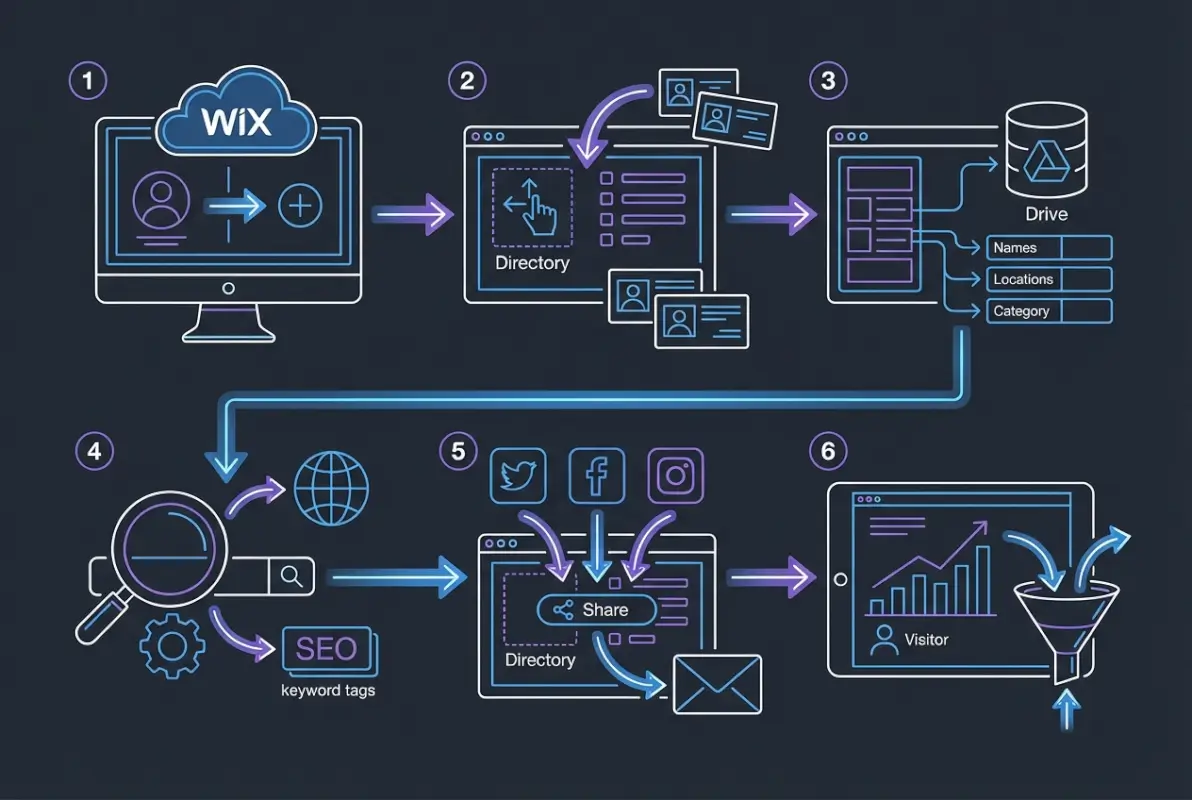
Wix’s CMS collections are the backbone of any directory build. Think of collections as custom databases where each item is a business listing with defined fields. Dynamic pages automatically generate a unique URL for every listing, which is crucial for SEO. The architecture you choose now determines how easily you can scale from 50 listings to 5,000. A poorly planned structure means manual rework later, so invest time upfront mapping out collections, relationships, and page templates.
Data Structure and CMS Setup in Wix
Create a primary collection called “Businesses” or “Listings” with fields for name, address, city, state, ZIP, phone, email, website, category, tags, description, hours, logo, and any custom fields. Use reference fields to link to secondary collections like “Categories” or “Service Areas” for cleaner data organization. Enable filtering on key fields (category, city, tags) so users can narrow results. Set field validation rules to ensure data quality—require phone numbers to follow a specific format, validate URLs, and limit text field lengths to prevent spam.
Directory App Choices on Wix
Wix offers native CMS functionality that handles most directory needs, but third-party apps can extend capabilities. Tools like EmbedDirectory provide pre-built widgets with advanced filtering and map integration. Community Box offers membership-focused directory features if you’re building a directory with user accounts and private access. Evaluate apps based on flexibility, mobile responsiveness, and whether they generate clean URLs (critical for SEO). Native Wix CMS gives you the most control and best performance, but apps can accelerate build time if you need specific features quickly.
Map, Filtering, and Search UX
Users expect instant filtering by location, category, and service type. Wix’s built-in dataset filtering works for basic searches, but consider layering in map views using Wix’s Google Maps integration. Display listings as pins on a map with clickable info windows that preview key details. Add autocomplete search that suggests categories and cities as users type. Filtering should be sticky—when someone selects “Phoenix” and “HVAC,” those filters should persist as they browse, compare, and return to search results. Mobile UX is especially critical here since most directory searches happen on phones.
Security, Data Governance, and Privacy Considerations
If you accept user-submitted listings, implement CAPTCHA to block spam bots and require email verification before listings go live. Create clear terms of service that outline what data you collect, how it’s used, and your moderation policies. GDPR and CCPA compliance matters even for small directories—add cookie consent banners, let users request data deletion, and secure form submissions with SSL. Wix handles infrastructure security, but you’re responsible for data accuracy and user privacy policies. Draft a simple privacy policy (templates are available from the U.S. Small Business Administration) and link it in your footer.
Step 3 — Build Your Directory Infrastructure on Wix (Practical, Play-by-Play)
Now you move from planning to execution. This is where abstract ideas become clickable, searchable pages. The build phase is methodical—set up collections, design templates, connect data, test workflows, and launch. Follow the sequence carefully because each step builds on the previous one. Rushing through template design or skipping submission workflows creates technical debt that’s painful to fix later.

Create a Listing Template with Essential Fields
In the Wix Editor, go to CMS and create your “Businesses” collection. Add fields one by one: text for name and description, URL for website, address for location, phone number, dropdown for category, tags for multi-select options, image for logo, and gallery for photos. Set display names clearly so they make sense in forms and dynamic pages. Once your collection is built, create a dynamic page template that pulls these fields and displays them in a clean, scannable layout. Include a prominent call-to-action button (like “Visit Website” or “Call Now”) and breadcrumb navigation for SEO.
Implement Site-Wide Search and Category-Driven Navigation
Add a search bar in your header that queries the “Businesses” collection by name, category, and tags. Wix’s dataset search functionality lets users type a keyword and see instant results. For navigation, create a main “Categories” page that lists all verticals (like “Plumbing,” “Electrical,” “HVAC”) as clickable tiles. Each tile links to a filtered view of your listings collection showing only businesses in that category. This structure mirrors how users think and how search engines crawl—clear hierarchy, logical groupings, and targeted reach through local business directories architecture.
Add Filtering, Map Integration, and Geotargeted Views
On your main directory page, add filter dropdowns for category, city, and any custom fields. Use Wix dataset filters to dynamically update results without page reloads. For maps, embed a Google Maps element and connect it to your collection’s address field. Each listing marker should link to its dynamic page. Geotargeted views are powerful for local SEO—create city-specific landing pages (like “Phoenix HVAC Directory” or “Austin Plumbers”) that filter the collection by location and include localized content. These pages target “[city] + [niche]” keywords that competitors often miss.
| Feature | Wix Native CMS | Third-Party Apps |
|---|---|---|
| Customization | Full control over fields and design | Limited to app templates |
| SEO | Clean URLs, full meta control | May use iframe embeds (poor SEO) |
| Setup Time | Moderate (requires setup) | Fast (plug-and-play) |
| Ongoing Cost | Included in Wix plan | Monthly app fees |
Create Submission Workflows
Build a “Submit Your Business” form that captures all required fields and saves submissions to a separate “Pending Listings” collection. This prevents unmoderated entries from appearing live immediately. Add an admin dashboard (Wix CMS has built-in moderation tools) where you review, edit, and approve submissions before publishing them to the main collection. Require email verification to reduce spam, and send automated confirmation emails when listings are approved. Clear submission guidelines prevent low-quality entries—specify photo dimensions, character limits, and prohibited content upfront.
Set Up Membership/Registrant Areas if You Plan Paid Listings
For paid or featured listings, enable Wix Members Area. Create membership tiers (Free, Basic, Premium) with different listing privileges. Free members get a basic listing, Basic pays monthly for enhanced fields and photos, Premium unlocks featured placement and homepage banners. Use Wix Pricing Plans to handle subscriptions and payment processing. Connect member login to listing ownership so businesses can claim and edit their entries. This self-service model scales better than manually managing hundreds of listings.
Integrate with External Data Sources or APIs as Needed
If you’re seeding your directory with existing data, import via CSV into Wix CMS collections. For ongoing updates, consider integrating with business data APIs (like Google Places API for hours and ratings) or industry-specific feeds. Wix supports custom code via Velo, so you can build automated sync scripts that refresh data weekly. This is especially useful for directories with hundreds of listings where manual updates aren’t feasible. Just ensure any imported data respects privacy laws and business consent.
Step 4 — Optimize for Traffic: SEO, Local SEO, and Content Strategy
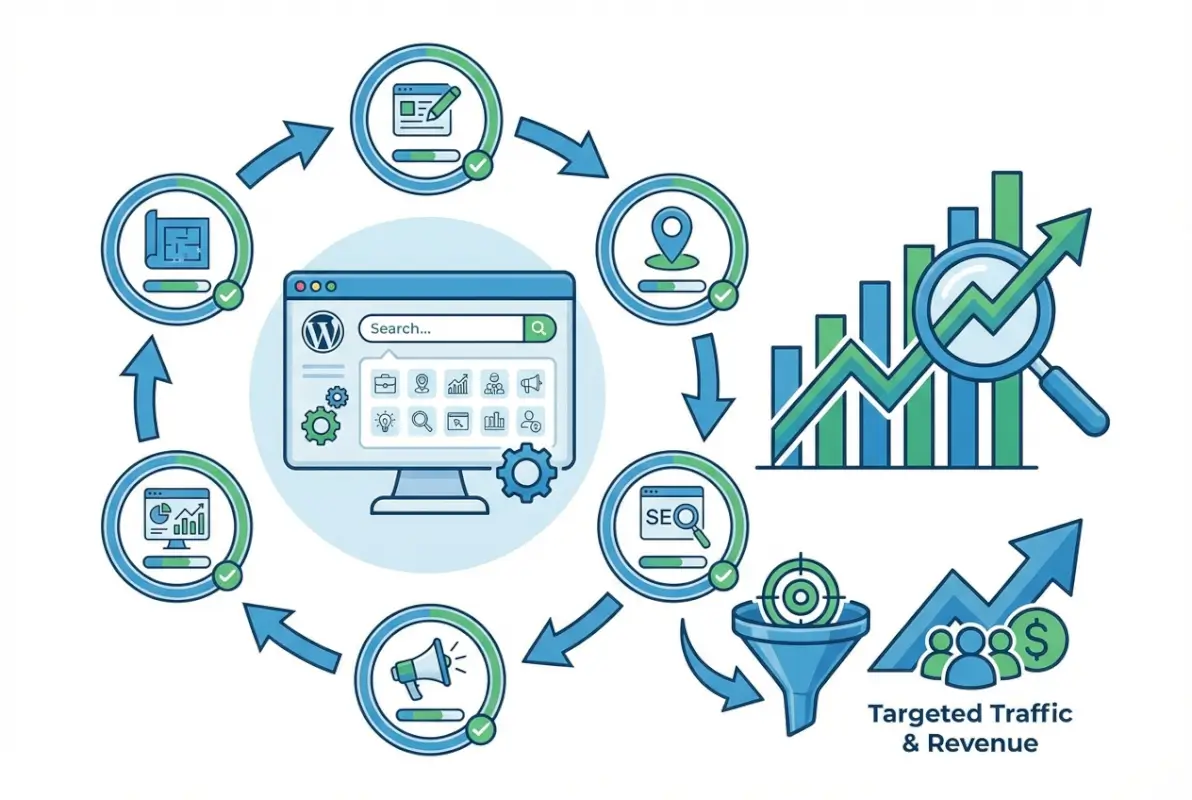
A beautiful directory means nothing if no one finds it. SEO is how you turn your directory from a static project into a traffic-generating asset. Local SEO is especially powerful for directories because you’re targeting high-intent, location-specific queries where competition is often weak. Combine on-page optimization, structured data, and content marketing to build authority and capture search demand across multiple keyword clusters.
On-Page SEO for Directory Pages
Every dynamic listing page needs a unique title and meta description. Use templates like “[Business Name] – [Category] in [City] | [Directory Name]” for titles and “[Business Name] offers [services] in [city]. View contact details, hours, reviews, and more on [Directory Name].” for descriptions. Add H1 tags with business name and location, and structure content with H2 subheadings for sections like Services, Hours, Contact Info. Include the business’s primary keyword naturally in the first 100 words. Optimize images with descriptive alt text (e.g., “logo of Smith Plumbing in Phoenix AZ”). Clean, fast-loading pages with clear information architecture rank better and convert higher.
Structured Data and Rich Results
Implement Local Business schema on every listing page. This structured data tells search engines exactly what each page represents—business name, address, phone, hours, price range, and more. Google uses this to generate rich snippets and Knowledge Graph panels. Wix supports schema markup through custom code or SEO apps. At minimum, include Organization schema on your homepage and LocalBusiness schema on individual listings. For categories and city pages, use ItemList schema to list businesses. Proper schema can dramatically improve click-through rates by making your listings more prominent in search results, especially for mobile users.
Content Strategy to Attract Relevant Traffic
Don’t rely solely on listing pages for traffic. Create supporting content that answers user questions and targets informational keywords. Write “best of” guides like “Top 10 HVAC Companies in Phoenix” or “How to Choose a Licensed Electrician in Austin.” Publish city-specific service guides that explain what to look for when hiring in your niche. These pages link internally to relevant listings, creating a content ecosystem that ranks for multiple query types. Blog posts also build topical authority, signaling to Google that your directory is a comprehensive resource. Aim for one new piece of content per week—consistency beats volume.
Local Intent and NAP Consistency Across Platforms
For directories targeting local searches, NAP (name, address, phone) consistency is critical. Ensure every business listing displays identical NAP data across your directory, their Google Business Profile, Bing Places, and any other free US business directory sites where they’re listed. Inconsistent data confuses search engines and dilutes ranking signals. If you’re aggregating listings, verify NAP accuracy before publishing. Encourage businesses to claim and update their listings, and provide a simple edit workflow. Local citations (mentions of business NAP on other sites) also boost rankings, so consider partnerships with local chambers of commerce or industry associations.
AI-Assisted Content and User Engagement Strategies
Generative AI tools can accelerate content creation, but don’t outsource quality control. Use AI to draft category descriptions, business summaries, or FAQ answers, then edit for accuracy and voice. AI-generated content works best when combined with human fact-checking and real user insights (like reviews or testimonials). For engagement, add interactive elements like comparison tools (“Compare electricians side-by-side”) or calculators (“Estimate your HVAC installation cost”). User-generated content like reviews and ratings increases dwell time and provides fresh signals for search engines. Just moderate aggressively to maintain quality.
Step 5 — Growth, Promotion, and Traffic Acceleration
Launch day is just the beginning. Growth requires a multi-channel strategy that combines organic SEO, partnerships, social proof, and strategic promotion. The first 90 days are critical—early momentum signals to search engines that your directory is active and valuable. Focus on high-ROI activities: acquire initial listings, build backlinks, activate reviews, and establish distribution channels that compound over time.

Acquisition Channels
SEO is your primary long-term channel, but it takes months to ramp. Supplement with content marketing (publish weekly guides and roundups), social media (share new listings and highlight featured businesses), and email outreach to businesses in your niche. Create a simple pitch: “We’re building the go-to directory for [niche] in [region] and want to include your business for free.” Most businesses will accept because it’s a free backlink and visibility. Paid ads (Google, Facebook) can jumpstart traffic, but test small and measure ROI carefully. Focus ad spend on high-intent keywords like “[city] [service] directory” rather than broad awareness campaigns.
Directory Partnerships and Cross-Listings
Partner with local business associations, chambers of commerce, and industry groups. Offer to list their members in exchange for a link from their resources page. These backlinks boost domain authority and send referral traffic. Cross-list with complementary directories (e.g., a wedding vendors directory might partner with venue directories). Guest post on local blogs and news sites with links back to relevant category pages. The goal is to build a network of quality backlinks that establish your directory as a trusted resource. According to Google’s official SEO documentation, authoritative backlinks remain one of the strongest ranking signals.
Reviews and Social Proof to Boost Credibility and CTR
Enable user reviews on listing pages. Businesses with 10+ positive reviews convert significantly higher than those without. Send automated email requests to users who view or contact a business asking for a review. Display average ratings and review counts prominently in search results and on listing cards. Feature “top-rated” businesses on your homepage and in email newsletters. Social proof isn’t just about conversions—pages with active reviews and engagement signals rank better because search engines interpret them as high-quality, user-valued content.
Paid Add-Ons and Upsell Paths for Listings
Once you have baseline traffic, monetization becomes easier. Offer featured placement on homepage, category pages, or search results for a monthly fee. Create limited “sponsored” slots to maintain scarcity and value. Upsell businesses on enhanced profiles with video, photo galleries, special offers, or priority customer support. Bundle services—like “Premium listing + monthly newsletter feature + social media shoutout” for a flat rate. Track which upsells convert best and double down on those. Use Wix’s built-in analytics to identify high-traffic categories and pitch sponsorships to businesses in those niches.
| Traffic Channel | Time to Results | Cost | Sustainability |
|---|---|---|---|
| Organic SEO | 3-6 months | Low (time investment) | High (compounds over time) |
| Paid Ads | Immediate | High (ongoing spend) | Low (stops when budget ends) |
| Partnerships | 1-2 months | Low (outreach time) | Medium (depends on partners) |
| Content Marketing | 2-4 months | Medium (content creation) | High (evergreen value) |
Analytics Setup and Conversion Tracking
Install Google Analytics 4 and Wix Analytics from day one. Track key metrics: unique visitors, top landing pages, bounce rate, average session duration, and conversion events (form submissions, clicks to business websites, phone taps). Set up goals for user actions like “viewed listing,” “clicked contact,” or “submitted review.” Use heatmaps (tools like Hotjar integrate with Wix) to see where users click and scroll. Monthly review your top-performing content and double down on what works. If certain cities or categories drive disproportionate traffic, create more content targeting those niches. Data-driven iteration beats guesswork every time.
Step 6 — Maintenance, Compliance, and Scale
Directories degrade without maintenance. Businesses close, phone numbers change, websites go offline. A directory filled with outdated listings loses credibility fast and tanks in search rankings. Ongoing maintenance isn’t glamorous, but it’s what separates successful directories from abandoned projects. Build systems for data hygiene, monitor performance, stay compliant with privacy laws, and plan for scalable growth.
Ongoing Data Hygiene and Listing Approval Policies
Quarterly, audit a sample of listings to verify accuracy. Email businesses to confirm NAP details, hours, and services. Remove or mark as closed any businesses that don’t respond or are confirmed defunct. Automate reminders for businesses to update their listings annually. For user submissions, enforce strict approval policies: require verified email, moderate descriptions for spam or off-topic content, and reject listings with placeholder data or broken links. Clear submission guidelines (posted on your “Submit a Business” page) set expectations and reduce moderation workload.
Performance Monitoring
Use Google PageSpeed Insights and Lighthouse to monitor load times and Core Web Vitals monthly. Wix sites can slow down as you add more listings, images, and apps, so compress images aggressively, lazy-load media, and limit third-party scripts. Test mobile UX regularly on real devices—listings should load in under 3 seconds on 4G. Accessibility matters for both SEO and legal compliance: add alt text to images, ensure color contrast meets WCAG standards, and make forms keyboard-navigable. Slow, inaccessible directories alienate users and rank poorly.
Data Governance, Privacy, and Terms for User Submissions
Draft terms of service that cover user submissions, content ownership, moderation rights, and liability disclaimers. Specify that you reserve the right to edit or remove listings that violate guidelines. Include a DMCA takedown policy if applicable. Privacy policies should explain what data you collect (emails, IP addresses, business info), how it’s used (directory display, marketing), and third-party sharing (analytics tools, payment processors). Link these policies in your footer and submission forms. Legal compliance protects you from liability and builds user trust, both of which contribute to long-term sustainability.
Versioning and Backups for Listings and Configurations
Wix automatically backs up site data, but export your CMS collections monthly as a redundancy. If you make bulk changes (like updating category structures or adding new fields), create a backup first so you can roll back if something breaks. For major redesigns or template updates, use Wix’s site duplication feature to test changes in a staging environment before pushing live. Losing months of listing data to a configuration error is preventable with basic backup hygiene.
Roadmap for Feature Expansion
As your directory grows, plan feature expansions based on user feedback and traffic data. Common next steps include: multi-location support (expanding to new cities or regions), API integrations (syncing with industry databases), mobile apps (native iOS/Android listings apps), and advanced analytics dashboards for business owners (showing listing views, clicks, and leads). Prioritize features that increase listing value or reduce your operational workload. A roadmap keeps growth intentional rather than reactive, and helps you communicate future value to paid listing customers.
Optional: Monetization Models and Sustainability
Monetization should feel natural, not exploitative. The businesses you list benefit from exposure; charging for premium placement or enhanced features is a fair exchange. Multiple revenue streams create resilience—if one channel underperforms, others compensate. Test pricing strategies, track conversion rates, and iterate based on what businesses value most. The goal is recurring, predictable revenue that scales with your directory’s growth.
Listing Pricing Strategies
Tiered pricing works best: free basic listings to seed the directory, $25-50/month for enhanced listings with photos and priority placement, $100-200/month for featured homepage spots and premium support. Offer annual discounts (e.g., pay for 10 months, get 12) to lock in long-term customers. Seasonal promos (like “launch special: 50% off first three months”) create urgency during slow periods. Test pricing by niche—professional services (lawyers, accountants) can afford higher fees than small retail shops. Use Wix Pricing Plans to automate billing and reduce churn.
Featured Listings, Banners, and Promoted Placement
Sell limited featured slots on high-traffic pages (homepage, popular categories, city landing pages). Display featured listings in a visually distinct section—like a carousel at the top of search results or a highlighted card on category pages. Banners work for brand awareness but convert less than featured listings, so price them accordingly. Promoted placement in search results (like Google Ads but internal to your directory) lets businesses bid for top positions. Transparency is key—label promoted content clearly to maintain user trust.
Affiliate/Lead-Gen Integrations and Revenue Sharing
For certain niches, lead-gen models outperform flat listing fees. Charge businesses per qualified lead (e.g., $5-15 per contact form submission or phone call). Use call tracking software and form analytics to attribute leads accurately. Affiliate partnerships work if your niche aligns with e-commerce—like linking to product listings on Amazon or supplier sites and earning commissions. Revenue sharing with strategic partners (like co-branded directories with trade associations) splits costs and profits while expanding reach. Just ensure revenue models align with user trust—overly aggressive monetization kills credibility.
Partnerships and Attribution Dashboards
If you partner with local organizations or run affiliate programs, build attribution dashboards so partners can track performance. Show metrics like referral traffic, leads generated, and conversion rates. Wix integrates with Google Analytics and third-party dashboards (like Supermetrics or Data Studio). Transparent reporting builds trust and justifies ongoing partnerships. For affiliate programs, use tools like Impact or Refersion to automate tracking and payouts. Clear attribution also helps you identify high-performing partners and double down on those relationships.
Case Studies and Real-World Tactics
Learning from real implementations beats theory every time. Here are a few patterns I’ve seen work across Wix-based directories, including some projects I’ve advised on personally. These aren’t comprehensive case studies (those would require full access to analytics), but they illustrate tactics you can replicate.
Concise Case Study Snapshots
Case 1: Regional Trade Directory (Construction Services) — A directory targeting licensed contractors in a mid-sized metro area started with 50 free listings manually sourced from state licensing databases. The founder created city-specific landing pages for each suburb, targeting “[suburb] + [trade]” keywords. Within six months, organic traffic hit 2,000 monthly visitors, and 15 businesses upgraded to paid featured listings at $75/month. Key tactic: hyperlocal content (neighborhood guides, permit info) that ranked for long-tail local searches.
Case 2: Niche Professional Services Directory (Wedding Vendors) — Launched with 200 user-submitted listings (photographers, planners, venues). Monetization came from featured homepage spots ($150/month, limited to 10 vendors) and a “preferred vendor” badge. Traffic grew to 8,000 monthly visitors in year one, driven by blog content like “How to Choose a Wedding Photographer” and vendor interviews. Reviews and real wedding galleries (user-generated content) created engagement and backlinks. Key tactic: content marketing paired with strong social proof drove both traffic and conversions.
Case 3: Hyper-Local Service Directory (Single City Focus) — A directory focused exclusively on one mid-sized city (population ~300K) across all service categories. By owning the “[city name] business directory” keyword and creating comprehensive category pages, the site became the de facto local resource. Revenue came from Google Ads on high-traffic pages and $50/month enhanced listings. Traffic plateaued around 15,000 monthly visitors but remained stable, demonstrating the power of geographic focus. Key tactic: comprehensive local coverage with consistent NAP data built authority faster than broader, shallower directories.
Quick-Start Checklists and Templates
Here’s a go-live sprint plan you can adapt:
- Week 1-2: Define niche, audit competitors, map data model, set up Wix CMS collections
- Week 3-4: Build listing template, category pages, search/filter UX, submission form
- Week 5-6: Seed 30-50 initial listings (manual or import), add basic content (homepage, about, FAQs)
- Week 7: Implement schema markup, optimize meta tags, set up Google Analytics and Search Console
- Week 8: Launch, submit to Google for indexing, outreach to first batch of businesses
- Week 9-12: Publish weekly content, build backlinks, activate reviews, refine based on analytics
Frequently Asked Questions
How do I create a directory on Wix without coding?
Use Wix’s native CMS collections to store business data and dynamic pages to display listings. Set up fields for business name, address, phone, category, and other details, then create a template that pulls this data automatically. Wix’s drag-and-drop editor lets you design listing pages visually. For advanced features like filtering and maps, add Wix apps or use Wix Velo for custom code if needed.
What Wix features are best for directory-style sites?
Wix CMS collections are the foundation—they let you create custom databases with dynamic pages for each listing. Use dataset filtering for search and category browsing, Google Maps integration for location views, and Wix Members for user accounts and paid listings. Wix Pricing Plans handle subscriptions, and Wix Forms collect user submissions. These features combine to build fully functional directories without third-party dependencies.
How can I ensure my Wix directory ranks for local search?
Optimize every listing page with unique titles and meta descriptions that include business name, category, and city. Add Local Business schema markup so Google understands your content. Create city-specific landing pages targeting “[city] + [service]” keywords. Ensure NAP consistency across your directory and external sites like Google Business Profile. Build backlinks from local partners and publish localized content that answers common search queries in your niche.
How should I structure listing data to improve conversions and engagement?
Include essential fields (name, address, phone, hours, website) prominently, along with photos, reviews, and calls-to-action like “Call Now” or “Visit Website.” Add trust signals like verification badges, certifications, or awards. Display average ratings and review counts near the top of the page. Use clear headings and scannable formatting so users can quickly find what they need. The easier it is to contact or learn about a business, the higher your conversion rate.
What are effective pricing models for Wix directory listings?
Freemium models work best: offer free basic listings to attract volume, then charge $25-75/month for enhanced listings with photos and priority placement, and $100-200/month for featured homepage spots. Consider annual discounts to reduce churn. For lead-gen niches, charge per qualified lead ($5-20 per contact). Test pricing by niche—professional services can afford higher fees than small retailers. Limit featured slots to maintain scarcity and value.
How do I handle user-submitted listings and moderation on Wix?
Create a submission form that saves entries to a “Pending Listings” collection separate from your live directory. Review submissions in Wix CMS for quality, accuracy, and compliance with your guidelines before approving them to the main collection. Require email verification to reduce spam. Send automated confirmation emails when listings go live. Set clear submission guidelines (character limits, required fields, prohibited content) on your submission page to reduce low-quality entries.
What metrics should I track to measure directory success?
Track unique visitors, top landing pages, bounce rate, and session duration in Google Analytics. Set up conversion goals for user actions like listing views, contact clicks, phone taps, and review submissions. Monitor search rankings for target keywords in Google Search Console. For monetization, track paid listing conversion rates, upgrade frequency, and monthly recurring revenue. Review these metrics monthly and adjust your content, SEO, and promotion strategies based on what’s working.
How can I drive traffic to a Wix directory quickly in the first 90 days?
Start with manual outreach to businesses in your niche offering free listings in exchange for feedback and shares. Publish weekly blog content targeting long-tail keywords like “best [service] in [city].” Submit your site to Google Search Console and request indexing. Build backlinks by partnering with local chambers of commerce, industry associations, and complementary directories. Share new listings on social media and in email newsletters. Consider small paid ad campaigns targeting high-intent local keywords to jumpstart visibility.
How can I optimize for AI-generated search results and evolving SERPs?
Structure content to directly answer conversational queries—use clear headings and concise paragraphs. Implement comprehensive schema markup (Local Business, Organization, FAQPage) so AI systems can parse your data. Create FAQ sections that answer “how,” “what,” and “where” questions users might ask voice assistants. Focus on E-E-A-T (experience, expertise, authoritativeness, trustworthiness) by featuring verified listings, real reviews, and authoritative local content. AI search favors sources that are accurate, well-structured, and user-focused.
Conclusion: Your Roadmap to a High-Traffic Wix Directory
You now have a complete, six-step framework for building a Wix directory that attracts targeted traffic, converts visitors, and scales sustainably. Start by defining a focused niche where you can dominate—narrower beats broader every time. Plan your Wix architecture around CMS collections and dynamic pages, then build with user experience and SEO in mind from day one. Optimize relentlessly with schema markup, local SEO tactics, and supporting content that answers real user questions. Promote through multiple channels, but prioritize organic search and partnerships for long-term growth. Monetize smartly with tiered listings and featured placements, and maintain rigorously to keep data fresh and credible.
Most successful directories didn’t start with thousands of listings or six-figure budgets. They started with a clear focus, consistent execution, and a willingness to learn from data. If you follow this blueprint, you’ll be ahead of 90% of directory projects that never make it past the planning phase. The opportunity is still massive because most local and niche directories are outdated, poorly optimized, and neglected. You can build something better, and the traffic (and revenue) will follow.
Now go build your directory. Track your progress, celebrate small wins, and adjust your strategy as you learn what works in your specific niche. The next few months will be a grind, but the compounding benefits of a well-built directory make it worth the effort. Good luck.