7 Steps to Create a Business Directory in Wix That Drives Traffic
You’ve decided to build a business directory on Wix—smart move. But here’s the thing most people don’t realize: a directory isn’t just a glorified list. When done right, it becomes a self-sustaining traffic engine that pulls in category-relevant searches, delivers evergreen value, and opens multiple monetization doors (featured listings, ads, subscriptions). The real challenge isn’t setting up the directory itself; it’s architecting it so it actually drives traffic from day one instead of sitting idle like a digital ghost town.

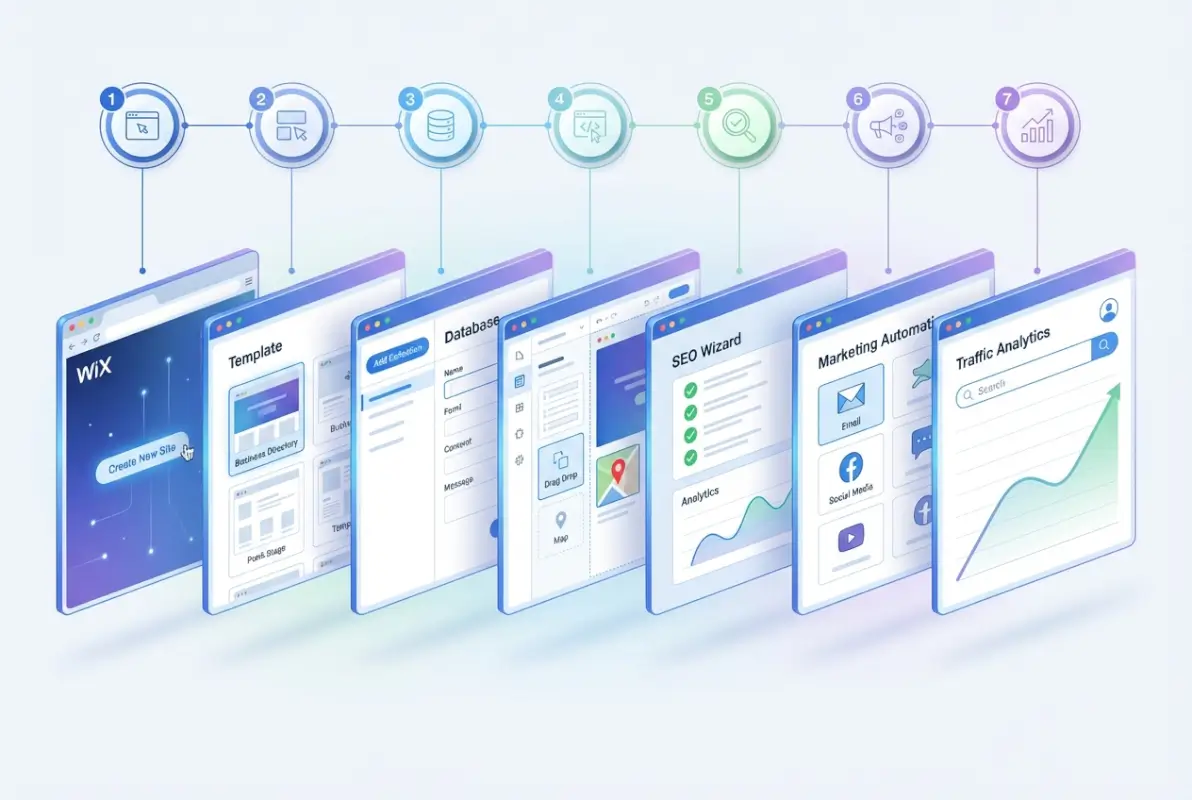
In this guide, I’m walking you through a concrete 7-step framework that goes beyond the basics. We’ll cover serviceable SEO tactics, content structures that work, and data-backed strategies you can implement today. Whether you’re building a local service directory or a vertical niche hub, this roadmap will help you create something scalable and profitable on the Wix platform.
TL;DR – Quick Takeaways
- Strategy First: Define your niche, revenue model, and KPIs before building anything—this prevents costly pivots later.
- Architecture Matters: Use Wix CMS collections and dynamic pages to create scalable, indexable directory structures.
- Content is King: Optimize every listing with proper schema, keywords, and rich content hubs to maximize search visibility.
- Quality Control: Implement moderation workflows and submission standards to maintain trust and reduce spam.
- Traffic Tactics: Combine SEO-optimized listings with content marketing, local signals, and strategic partnerships.
- Monetization Paths: Layer revenue streams through featured placements, tiered pricing, and affiliate relationships.
- Launch Smart: Test thoroughly, monitor early KPIs, and iterate based on real user behavior and traffic data.
Planning and Strategy: The Foundation That Most Directories Skip
I’ve seen too many directories fail because they skipped this step. People jump straight into design and features without answering the fundamental questions: who are you serving, what problem are you solving, and how will you make money? These aren’t philosophical questions, they’re practical constraints that shape every decision you’ll make.

Start by defining your niche with laser precision. “Business directory” is too broad—are you focusing on local service providers, B2B SaaS tools, sustainable brands, or freelance professionals? The tighter your focus, the easier it becomes to rank for category-relevant searches and build authority. A USA business directory targeting “eco-friendly contractors in Portland” will outperform a generic national directory every time.
Define Niche and Target Audience
Your target audience dictates everything from your URL structure to your monetization strategy. Ask yourself: are you serving end consumers searching for services, or businesses looking for B2B partners? These groups have completely different search behaviors and expectations. End consumers want reviews, photos, and quick contact options. B2B buyers want case studies, certifications, and detailed service descriptions.
Decide on Directory Scope (Local vs. Vertical/Niche)
Geographic scope is another critical decision. Local directories (city or metro-level) benefit from strong local SEO signals and easier moderation, but they cap your growth potential. Vertical directories (industry-specific, regardless of location) scale better but face stiffer competition. Consider starting local and expanding systematically rather than launching nationwide with thin coverage.
Revenue Model Choices (Free Listings, Featured Listings, Subscriptions, Ads)
Don’t wait until you have traffic to figure out monetization. Plan it now. Common models include: free basic listings + paid upgrades for featured placement; subscription tiers with enhanced profiles and analytics; display ads (though these work best at scale); and affiliate commissions if you’re linking to third-party services. Hybrid models work well—offer free listings to build volume, then upsell premium features.
Compliance and Governance
Set clear submission rules, moderation standards, and user terms from day one. You need policies for handling spam, duplicate listings, outdated information, and user disputes. These aren’t just legal protections (though they are that too)—they signal quality to both users and search engines. A directory full of spam listings won’t rank and won’t retain visitors.
Success Metrics and KPIs
Decide now what success looks like. Track organic traffic to listing pages, submission volume (both user-submitted and manual additions), conversion rates (clicks to business websites or contact forms), and time-on-page. If you’re monetizing, track paid upgrade rates and churn. Don’t wait three months to realize you’re measuring the wrong things.
Wix Infrastructure and Directory Architecture: Building for Scale
Wix offers multiple ways to build a directory, but choosing the wrong approach will haunt you later. The platform’s CMS collections and dynamic pages are powerful, but only if you set them up correctly from the start. Think of your directory architecture like a database schema—get it right now, or refactor painfully later.

Choose the Right Wix App or Built-In Approach
Wix has several directory-focused apps (some third-party, some native), but the most flexible approach is often using Wix’s built-in CMS Collections. This gives you full control over data structure, URL patterns, and page templates. Third-party apps can be faster to set up but may limit customization or lock you into specific workflows. For serious, long-term directories, the CMS route is typically better.
Data Model: Listings, Categories, Locations, Tags
Your CMS collections should include at least: Listings (business name, description, contact, URL, images), Categories (service types or industries), and optionally Locations (cities, zip codes, neighborhoods). Use reference fields to connect listings to categories and locations—this enables dynamic filtering and category landing pages. Tags add another layer for attributes like “wheelchair accessible” or “24-hour service.”
| Collection | Key Fields | Purpose |
|---|---|---|
| Listings | Name, Description, Category, Location, URL, Images | Individual business profiles |
| Categories | Name, Slug, Description, Icon | Service/industry groupings |
| Locations | City, State, Zip, Coordinates | Geographic filtering |
| Tags | Label, Type | Attributes and filters |
URL Structure and Navigation That Favor Indexability
Clean, descriptive URLs help both users and search engines. Wix’s dynamic pages can generate URLs like yoursite.com/plumbers/chicago or yoursite.com/listing/business-name. Avoid unnecessary parameters or session IDs. Keep URLs short, readable, and keyword-rich. Navigation should expose category and location pages prominently—these become hub pages that distribute link equity to individual listings.
Dynamic Pages and CMS Collections
Dynamic pages are your secret weapon. Set up templates that auto-generate listing pages from CMS data. This means adding 100 listings creates 100 indexable pages without manual page-building. Configure dynamic URLs with the listing’s name slug, set up automatic title and meta tags pulling from CMS fields, and ensure each page has unique content (descriptions, images, reviews).
Performance Considerations
Speed matters for both SEO and user experience. Compress images before uploading (Wix does some optimization but don’t rely on it entirely), lazy-load images below the fold, and minimize heavy scripts or third-party widgets. Test mobile performance using Google’s PageSpeed Insights—Wix sites can be fast, but sloppy builds drag them down. According to Wix’s own SEO guide, mobile responsiveness and page speed directly impact search rankings.
Accessibility and Schema Markup Basics
Accessibility isn’t optional—it’s good SEO and good ethics. Use semantic HTML, alt text on images, and sufficient color contrast. For directories, implement LocalBusiness schema (or the appropriate schema.org type) on listing pages. Wix’s SEO tools support custom schema, but you may need to add JSON-LD manually for full control. Schema helps Google understand your listings and can trigger rich results.
Content and On-Page SEO for Directory Pages: Making Every Listing Count
This is where most directories fail. They treat listings as data entries instead of SEO opportunities. Every single listing page should be optimized like a standalone landing page—unique title, meta description, keyword-rich content, schema markup, and internal links. When you’re managing hundreds or thousands of listings, automation and templates are essential, but quality can’t be sacrificed.
Keyword Research Focused on “Directory” + Niche Terms
Start with your core terms: “[niche] directory,” “[location] [service] listings,” “find [service] near me.” Use tools like Google Keyword Planner, Ahrefs, or even Google’s autocomplete to uncover long-tail variations. Look for “People Also Ask” queries related to your niche—these often reveal user intent and content gaps. For example, if you’re building a USA free business directory, research variants like “free business listing sites” or “how to list my business online free.”
On-Page Elements Per Listing
Each listing should have a unique, keyword-optimized title tag (business name + category + location), a compelling meta description (under 155 characters, include a call-to-action), and at least 150-200 words of unique descriptive content. Don’t just copy the business’s website—summarize their services, highlight differentiators, and include relevant keywords naturally. Add high-quality images with descriptive alt text. If you allow user reviews, that’s additional unique content that boosts relevance.
Local/Geo Targeting Strategies
If your directory has a geographic component, create dedicated landing pages for each location (city, neighborhood, or zip code). These pages should list all businesses in that area, include location-specific content (e.g., “Top plumbers in Austin, Texas”), and incorporate local keywords. Link these pages from your main navigation and internal footer. This structure helps you rank for “[service] in [location]” queries, which are high-intent and often convert well.
Rich Content Beyond Listings
Listings alone won’t build authority. Create category hub pages with buying guides, how-tos, and “best of” roundups. For example, if you’re running a home services directory, publish articles like “How to Choose a Reliable HVAC Contractor” or “10 Questions to Ask Before Hiring a Plumber.” These pages attract top-of-funnel traffic, build backlinks, and funnel visitors to your listings. They also give you content to promote on social media and through email.
Internal Linking Strategy
Distribute link equity by linking category pages to related listings, linking location pages to relevant categories, and linking blog content to both. Use descriptive anchor text (avoid generic “click here”). For example, from a blog post about sustainable living, link to your “eco-friendly product directory” category page. Internal linking helps search engines discover and understand the relationship between your pages, improving crawl efficiency and rankings.
Schema.org and Structured Data Best Practices
Implement structured data on every listing using LocalBusiness, Organization, or Product schema (depending on your directory type). Include fields like name, address, phone, hours, ratings, and price range. Test your schema with Google’s Rich Results Test to ensure it’s valid. Proper schema can trigger rich snippets, knowledge panels, and other enhanced search features that increase click-through rates. According to research from WordStream, pages with schema markup rank an average of four positions higher in search results.
Data Quality, Submissions, and Moderation: The Trust Factor
User-generated content is a double-edged sword. It scales your directory without manual effort, but it also introduces spam, outdated information, and low-quality entries. The key is balancing openness with quality control—make it easy to submit, but enforce standards before publishing.

Submission Forms and User Experience for Listings
Your submission form should be simple but thorough. Ask for essential fields only (business name, category, location, description, contact info, website URL, logo/image), but make them required. Use dropdown menus for categories and locations to ensure consistency. Include clear instructions and examples. Consider a multi-step form if you need extensive data—it feels less overwhelming than a single long page. Tools like Wix Forms or third-party integrations can handle this smoothly.
Moderation Workflows and Spam Prevention
Never auto-publish user submissions. Set up a moderation queue where you (or a team member) review each submission before it goes live. Check for duplicates, verify the business exists, ensure descriptions aren’t keyword-stuffed or plagiarized, and confirm contact information is accurate. Use CAPTCHA or similar tools to block automated spam. If you’re targeting USA business directory sites level quality, manual moderation is non-negotiable in the early stages.
Standards for Data Completeness and Accuracy
Require minimum standards: at least 100 words of unique description, a valid website URL, and at least one high-quality image. Reject listings with placeholder text, obvious typos, or missing critical fields. Periodically audit existing listings—businesses close, change names, or update services. Set up a system for users to report outdated or inaccurate listings, and act on those reports quickly. Data quality is your competitive moat.
Import/Export Strategies (CSV or API) for Large Directories
If you’re seeding your directory with hundreds of listings, manual entry isn’t practical. Wix CMS supports CSV import for bulk uploads. Prepare a clean spreadsheet with all required fields, then import via the Wix dashboard. Validate the data before importing—fix formatting issues, remove duplicates, and ensure consistency. For ongoing updates or integration with external data sources, explore Wix’s API or third-party automation tools like Zapier.
Traffic Generation Tactics: From Invisible to Indispensable
Building the directory is the easy part, getting traffic is where the real work begins. SEO alone won’t cut it (at least not immediately), you need a multi-channel approach that combines organic visibility, content marketing, local signals, and strategic partnerships.

SEO-First Approach: Optimized Listing Pages and Hub Content
We’ve covered on-page SEO, but the broader strategy is publishing consistently. Aim to add new listings regularly (even if it’s just 5-10 per week) to signal freshness to search engines. Publish blog content targeting long-tail keywords and informational queries. Update existing pages with new reviews, images, or expanded descriptions. SEO is a compounding effort—small, consistent actions add up to significant traffic over time.
Content Marketing: Category-Specific Articles, Local Guides, and “Best Of” Roundups
I remember when a local service directory I worked on struggled to get traction. We started publishing “Best [Service] in [City]” roundups and “How to Choose a [Service Provider]” guides. Within three months, those articles were driving more traffic than the listings themselves, and they funneled visitors directly to relevant categories. Content marketing isn’t a side project—it’s the primary traffic driver for new directories. Leverage best US local business directories strategies by studying what top directories publish.
Local Signals and Maps Integration
If your directory focuses on local businesses, integrate Google Maps on listing pages. Embed a map showing the business location (using Wix’s map element and the business’s coordinates). Add NAP (Name, Address, Phone) consistently across all listings. Encourage businesses to claim and optimize their Google Business Profile—this indirectly boosts your directory’s credibility as a trusted local resource. Local citations and backlinks from other directories or local news sites also help.
External Promotion: Partnerships, Guest Posts, and Listing Directories
Reach out to businesses you’ve listed and ask them to link back to their profile on your directory. Most will happily add a badge or link if it drives traffic. Guest post on industry blogs or local publications, linking back to relevant category pages. Submit your directory to meta-directories (yes, directories of directories exist) and niche aggregators. Build relationships with complementary services—for example, if you run a contractor directory, partner with home improvement bloggers or local real estate agents.
Analytics: Track Landing Pages, Listing Clicks, and Submission Funnels
Set up Google Analytics and Wix’s built-in analytics to monitor which pages drive traffic, where visitors come from, and how they interact with your directory. Track clicks on external links (to business websites or contact forms) to measure engagement. Monitor submission funnel drop-off—if most users abandon the form halfway, simplify it. Use this data to double down on what works and fix what doesn’t.
| Traffic Channel | Effort Level | Time to Results | Scalability |
|---|---|---|---|
| Organic SEO | High | 3-6 months | High |
| Content Marketing | Medium | 1-3 months | High |
| Partnerships | Low-Medium | Immediate | Medium |
| Paid Ads | Low ($$) | Immediate | Low (cost-dependent) |
Monetization and Growth: Turning Traffic into Revenue
A directory that doesn’t generate revenue isn’t sustainable long-term. You need a clear path to monetization that doesn’t compromise user experience or SEO. The best directories layer multiple revenue streams so they’re not dependent on a single source.
Pricing Tiers and Feature Gating for Listings
Offer a free basic listing (name, category, short description, contact info) to encourage submissions and build volume. Then upsell premium tiers with enhanced features: extended descriptions, photo galleries, social media links, priority placement in category pages, or featured badges. Price tiers based on value—businesses will pay for visibility if your directory drives traffic. Test pricing (start conservative, raise gradually as traffic grows).
Featured Listings and Promotional Placements
Sell featured placements at the top of category or location pages. These can be time-based (monthly or quarterly subscriptions) or auction-based (highest bidder gets top spot). Clearly label them as “Featured” or “Sponsored” to maintain trust. Rotate featured listings if you have multiple paying clients in the same category to ensure fairness and maximize inventory.
Syndication and Affiliate Relationships
If you’re linking to third-party services (e.g., booking platforms, e-commerce sites, SaaS tools), negotiate affiliate commissions. Add tracking parameters to outbound links so you get credit for referrals. Some directories syndicate their listings to other platforms (with backlinks or co-branding) for a fee or cross-promotional benefit. This extends reach without diluting your brand.
Expansion Strategies
Once one directory is profitable, replicate the model in adjacent niches or geographies. For example, if your “plumbers in Austin” directory succeeds, launch “electricians in Austin” or expand to nearby cities. Wix supports multi-page sites, but you may eventually outgrow it and migrate to a more robust platform (WordPress with custom directory plugins, for instance). Plan for scalability from the start—use consistent naming, URL structures, and CMS patterns that can be cloned.
Technical, Security, and Compliance Considerations
The unglamorous stuff that keeps your directory alive. Ignoring these areas leads to data loss, legal headaches, or SEO penalties. Treat them as non-negotiable infrastructure, not optional extras.
Data Protection, User-Generated Content Policies, and Moderation Standards
If you collect user data (emails, phone numbers, addresses), comply with privacy laws like GDPR (if you have EU visitors) or CCPA (California). Post a clear privacy policy explaining what data you collect, how you use it, and users’ rights. Require users to agree to your terms of service before submitting listings. Include clauses that let you remove spam, fraudulent, or abusive content. Moderation isn’t just about quality, it’s about legal protection too.
Backup Strategies and Data Integrity
Wix handles server-level backups, but export your CMS data regularly as a safety net. Download a CSV of your listings monthly and store it securely. If you ever need to migrate platforms or recover from a catastrophic error, you’ll have a clean data set. Test restoration processes—backups are useless if you don’t know how to use them.
Accessibility and UX Reliability
Accessibility isn’t just compliance, it’s good UX for everyone. Use semantic HTML, provide keyboard navigation, ensure color contrast meets WCAG standards, and add alt text to all images. Test your directory with screen readers or accessibility tools like WAVE. A reliable, accessible site retains users and ranks better (Google considers accessibility signals in its algorithms).
Platform Updates: Staying Aligned with Wix Capabilities and SEO Best Practices
Wix regularly updates its features and SEO tools. Subscribe to Wix’s blog or product updates so you know when new functionality (like improved schema support or CMS enhancements) becomes available. Periodically audit your directory against current SEO best practices—algorithm updates, schema changes, and user behavior shifts mean what worked two years ago may not work today. Set a quarterly review to check for broken links, outdated content, and technical issues.
Launch, Testing, and Iteration: Going Live the Right Way
Don’t just flip the switch and hope for the best. A structured launch and post-launch iteration process maximizes your chances of early traction and minimizes embarrassing mistakes.
Pre-Launch Checklist (SEO Readiness, Indexing, Redirects)
Before you announce your directory, run through this checklist: all pages have unique, optimized title tags and meta descriptions; schema markup is implemented and validated; XML sitemap is submitted to Google Search Console; robots.txt isn’t blocking important pages; mobile responsiveness is tested on multiple devices; page speed is acceptable (aim for under 3 seconds); all forms and submission flows work correctly; moderation queue is set up and tested. If you’re replacing an old site or migrating content, set up 301 redirects for any changed URLs.
A/B Testing Opportunities
Once live, test variations to optimize performance. A/B test category page layouts (grid vs. list), call-to-action copy (“Submit Your Business” vs. “Get Listed Free”), and pricing page messaging. Use tools like Google Optimize or Wix’s native A/B testing features. Even small wins (a 5% increase in submissions or click-through rate) compound over time.
Post-Launch Monitoring and Quick-Wins
In the first 30 days, watch analytics like a hawk. Identify your top-performing pages (which categories or locations get the most traffic) and double down—add more listings, publish related blog content, build backlinks to those pages. Fix quick-win issues: broken links, missing images, slow-loading pages. Reach out to businesses you’ve listed and ask for feedback (and backlinks). Respond to user questions or complaints immediately to build trust.
Case Studies and Real-World Examples
Theory is helpful, but seeing what actually works in practice is invaluable. Here are a few mini-case studies from directories built on Wix or similar platforms.
Case Study 1: Local Service Directory in Mid-Sized City
A directory focusing on home service providers (plumbers, electricians, landscapers) in a metro area of about 500,000 people. The founder started with 30 manually added listings, then opened user submissions with strict moderation. Key success factors: published weekly “How to Choose a [Service]” guides that ranked for informational queries; built backlinks by reaching out to local news blogs and chambers of commerce; offered free basic listings but charged $49/month for featured placement. After 12 months, the directory was attracting 5,000 monthly visitors and generating $800/month in revenue from featured listings.
Case Study 2: Niche B2B SaaS Directory
A vertical directory listing marketing automation tools, CRMs, and analytics platforms. The founder focused on detailed, review-style listings with pros, cons, pricing, and screenshots. Monetization came from affiliate commissions (20-30% on referred sales). Key tactics: published comparison articles (“Tool A vs. Tool B”) that ranked for high-intent keywords; built relationships with SaaS vendors who promoted their listings to customers; used schema markup for SoftwareApplication to trigger rich results. After 18 months, monthly traffic hit 15,000 visitors and affiliate revenue exceeded $3,000/month.
Lessons Learned and Pitfalls to Avoid
Both directories succeeded because they focused on quality over quantity, invested in content marketing from day one, and monetized early (even modestly). Common pitfalls to avoid: launching with too few listings (aim for at least 50-100 to appear credible); neglecting moderation (spam kills user trust and SEO); relying solely on SEO without content or partnerships; overcomplicating pricing or submission processes. Start simple, validate demand, then scale complexity.
Frequently Asked Questions
How do I create a Wix directory step by step?
Start by planning your niche and revenue model. Then set up Wix CMS Collections for listings, categories, and locations. Create dynamic page templates for individual listings and category hubs. Configure submission forms with required fields and moderation workflows. Optimize each page with unique titles, meta descriptions, and schema markup. Launch with at least 50 quality listings, promote via content marketing and partnerships, and iterate based on analytics.
What Wix features are best for a directory (apps vs. built-in)?
For maximum flexibility and control, use Wix’s built-in CMS Collections and dynamic pages rather than third-party directory apps. This approach lets you customize data structure, URL patterns, and page templates. Third-party apps can be faster to set up but often limit customization and may introduce dependencies or additional costs. The CMS route is better for serious, scalable directories.
How can I optimize directory listings for SEO on Wix?
Each listing should have a unique, keyword-optimized title tag (business name + category + location), a compelling meta description under 155 characters, at least 150-200 words of unique content, and relevant schema markup (LocalBusiness or Organization). Add high-quality images with descriptive alt text, internal links to category and location pages, and ensure mobile responsiveness. Consistency and uniqueness are critical for SEO success.
How do I handle user-generated listings and moderation?
Set up a moderation queue so submissions don’t auto-publish. Review each entry for completeness, accuracy, and compliance with your guidelines. Check for duplicates, verify the business exists, and ensure descriptions aren’t plagiarized or spammy. Use CAPTCHA to block bots. Reject low-quality submissions and provide feedback so users can resubmit correctly. Periodically audit existing listings and allow users to report outdated information.
How can I monetize a Wix directory without harming user experience?
Offer free basic listings to build volume and trust, then upsell premium tiers with enhanced features like extended descriptions, photo galleries, or priority placement. Clearly label featured listings as “Sponsored” or “Featured” to maintain transparency. Consider affiliate commissions for outbound links to third-party services, and explore subscription models for ongoing revenue. Balance monetization with quality—overloading pages with ads or gating too much content will drive users away.
What are common mistakes when building a directory on Wix?
Common mistakes include launching with too few listings (aim for 50+ minimum), neglecting moderation (spam kills SEO and trust), relying solely on SEO without content marketing or partnerships, using generic or duplicate content across listings, ignoring mobile optimization, and failing to set up analytics or track key metrics. Avoid these by planning thoroughly, enforcing data standards, and committing to ongoing iteration.
How can I measure traffic and conversions from a Wix directory?
Use Google Analytics and Wix’s built-in analytics to track page views, unique visitors, traffic sources, and user behavior. Set up event tracking for key actions like clicks on external links (to business websites), form submissions, and internal navigation. Monitor which category and location pages drive the most traffic, track submission funnel drop-off rates, and measure conversion rates for paid upgrades or affiliate referrals. Use this data to optimize high-performing pages and fix issues.
Can I import existing listings in bulk to Wix?
Yes, Wix CMS Collections support CSV import for bulk uploads. Prepare a clean spreadsheet with all required fields (name, category, location, description, URL, images), validate the data for consistency and duplicates, then import via the Wix dashboard. After import, spot-check entries to ensure formatting and field mapping are correct. For ongoing updates or integration with external data sources, explore Wix’s API or automation tools like Zapier.
How long does it take for a Wix directory to start ranking in Google?
Expect 3-6 months for meaningful organic traffic if you’re consistently adding quality listings and publishing supporting content. Early wins may come from long-tail, low-competition keywords within a few weeks. Speed depends on factors like niche competition, content quality, backlink acquisition, and technical SEO execution. Don’t rely on SEO alone in the early stages—use content marketing, partnerships, and social promotion to accelerate visibility.
What schema markup should I use for directory listings?
Use LocalBusiness schema for service providers with physical locations, Organization schema for companies or nonprofits, and Product or SoftwareApplication schema for tools or products. Include fields like name, address, phone, URL, logo, ratings, hours, and price range where applicable. Validate your schema with Google’s Rich Results Test and monitor for errors in Search Console. Proper schema can trigger rich snippets, knowledge panels, and enhanced search visibility.
Final Thoughts: From Launch to Long-Term Growth
Building a business directory on Wix is absolutely doable, but only if you approach it strategically. The 7-step framework we’ve covered—planning and strategy, infrastructure and architecture, content and SEO, data quality and moderation, traffic generation, monetization, and technical considerations—gives you a concrete roadmap from concept to launch and beyond.
The directories that succeed aren’t the ones with the flashiest design or the most features, they’re the ones that solve a real problem for a well-defined audience, maintain high data quality, and commit to ongoing optimization. Start with a pilot: choose a specific niche and location, set up your core CMS structure, add 50-100 quality listings, publish a few category guides, and track your early KPIs. Learn what works, iterate fast, and scale systematically.
Remember, a directory is a living asset that grows more valuable over time—if you feed it with quality content, vigilant moderation, and user-focused improvements. The businesses you list, the users who find them, and the revenue you generate all benefit when you get this right. Now go build something that actually drives traffic.