How to Start a Directory Website: 5 Essential Features for Launch Success

Generating summary...
Starting a directory website in 2025 means entering a market that’s both crowded and full of opportunity. The difference between a thriving directory and one that languishes in obscurity comes down to the features for successful directory website launch you implement from day one. After helping dozens of entrepreneurs build profitable directory platforms, I’ve learned that success isn’t about having the most features—it’s about having the right ones.
Here’s something most guides won’t tell you: your biggest competitor isn’t other directories. It’s the status quo. Users already have ways to find what they’re looking for, even if those methods are inefficient. Your directory needs to solve a problem so clearly that switching to your platform becomes obvious. That means ruthless focus on user value, not feature bloat.
When you start directory website projects, the temptation is to build everything at once. I’ve watched founders spend months perfecting advanced filtering systems before they had a single listing worth filtering. The smartest approach? Launch with core features that deliver immediate value, then iterate based on real user behavior.
- Niche specificity beats broad coverage – Target a focused audience with clear needs rather than trying to serve everyone
- Core functionality trumps fancy features – Reliable search, clean submission forms, and mobile responsiveness matter more than advanced bells and whistles
- SEO foundations must be built-in, not bolted on – Structured data, clean URLs, and proper internal linking from launch day
- Security and accessibility aren’t optional – Basic protections and usability standards protect both your users and your reputation
- Early growth comes from content, not just listings – Strategic content assets and community-building drive initial traffic
Build a Directory Website That Delivers Clear Value and Usability
The foundation of any successful directory starts before you write a single line of code or install a plugin. It starts with understanding exactly who you’re serving and what problem you’re solving for them. I once consulted with a founder who’d built a “local business directory” covering three states and 47 different business categories. Six months in, they had 200 listings and almost no traffic. Why? Nobody searches for “businesses in the tri-state area.” They search for “organic grocery stores in Portland” or “emergency plumbers near me.”

The directories that win are the ones that become the definitive resource for a specific audience. When someone in your niche thinks “I need to find X,” your directory should be the first place they go. That level of authority only comes from focused execution.
Define a Focused Niche and Audience Before Launch
Niche selection isn’t just about picking a category—it’s about identifying a specific audience with a real, recurring need that existing solutions don’t adequately address. The sweet spot lies at the intersection of three factors: sufficient market demand, manageable competition, and clear monetization potential.
Start with keyword research to validate demand. According to Google’s SEO Starter Guide, understanding search intent is fundamental to creating valuable content. Tools like Google Keyword Planner reveal not just search volume, but the types of questions people are asking. Look for monthly search volumes between 1,000-10,000 for your primary keywords. Below 1,000 suggests insufficient demand; above 10,000 often means established players have already dominated the space.
But here’s where most founders go wrong: they stop at keyword volume. Dig deeper into the actual businesses or professionals in your potential niche. Can they afford to pay for listings? Do they currently spend money on other forms of advertising? A directory of nonprofit organizations might have healthy search volume, but monetization will be challenging. A directory of home service contractors in affluent suburbs? Much easier to build a business around.
Geographic focus offers another dimension for differentiation. Rather than competing nationally, become the definitive resource for your metro area. I’ve seen hyperlocal directories in mid-sized cities outperform national competitors simply because they could verify every listing personally and build real relationships with local businesses.
Align Key Features with User Intent and Core Use Cases
Once you’ve defined your niche, map out the actual user journeys your directory needs to support. Real users fall into distinct patterns: some know exactly what they’re looking for and want fast search, others prefer browsing categories to discover options, and still others want recommendations based on specific criteria.
The features for successful directory website launch should support these core use cases without overwhelming users with options they don’t need. Start by documenting 3-5 primary user stories. For a contractor directory, that might be: “Homeowner needs emergency plumber in their zip code,” “Homeowner wants to compare reviews of local electricians,” and “Property manager needs multiple quotes for HVAC installation.”
Each user story reveals required functionality. Emergency needs demand location-based search and clear availability indicators. Comparison shopping requires consistent information presentation and review aggregation. Quote requests might need built-in contact forms or messaging systems.
The mistake I see most often is building features because they seem cool, not because users need them. Advanced filtering by 15 different criteria looks impressive but creates decision paralysis if users only care about location, price range, and ratings. Build what serves your specific audience, not what worked for someone else’s completely different directory.
Core Feature Set for a Successful Directory Launch
The technical features you implement at launch determine whether your directory becomes a trusted resource or just another abandonware project. But “feature-rich” doesn’t mean “feature-bloated.” The most successful directories I’ve worked with launched with surprisingly minimal feature sets, then expanded based on actual user feedback rather than assumed needs.
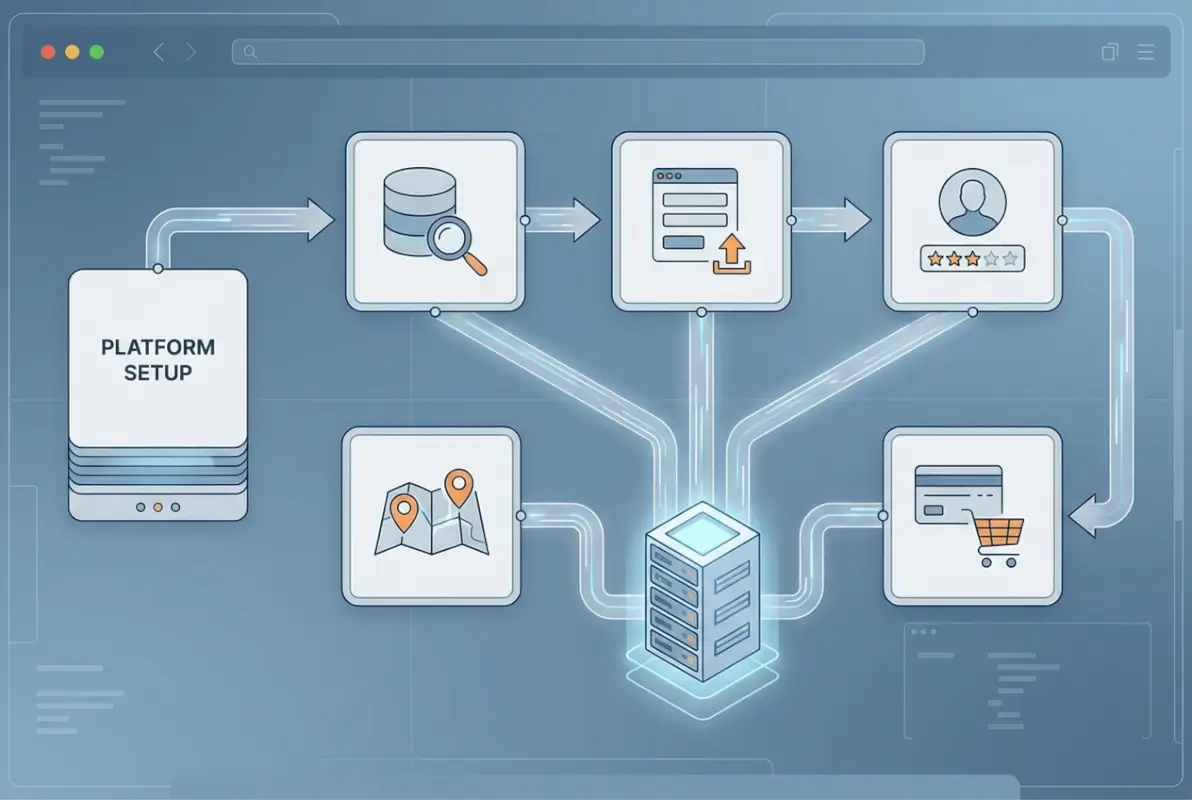
Your core platform needs to nail three things: making it easy for users to find what they need, making it simple for businesses to get listed, and providing clear paths to revenue. Everything else is secondary.
Robust Search, Filters, and Listing Submission Workflow
Search functionality is your directory’s primary interface. Users who can’t find relevant results in 10-15 seconds will leave and probably won’t return. This means your search needs to handle various input formats (partial names, categories, locations) and return relevant results even with typos or incomplete information.
For location-based directories, geographic search becomes critical. Users might search by city name, zip code, or neighborhood. Your platform needs to understand these variations and show results sorted by proximity when relevant. The TurnKey Directories plugin handles this out of the box with radius search and map integration, which is why it’s become a go-to solution for many WordPress-based directory projects.
Filters should be limited to criteria that actually matter to your users. A restaurant directory might need filters for cuisine type, price range, and dietary accommodations. But adding filters for parking availability, outdoor seating, and live music starts to create choice overload unless your specific audience has demonstrated they care about these factors. Each additional filter adds cognitive load—use them strategically.
The listing submission workflow represents the other critical flow. Businesses need to get listed with minimal friction, but you need enough information to make listings valuable. This balance is tricky. I’ve found that 6-8 required fields hits the sweet spot for most directories: business name, category, description (150-300 characters), contact info, location, and website. Everything else should be optional or part of premium upgrades.
Build in validation from the start. Email verification prevents spam submissions and ensures you can reach listing owners. For location-based directories, validate that addresses are real using geocoding APIs. For professional services, consider requiring proof of licensing or credentials before approval. This quality control work feels tedious, but it’s what separates trusted directories from spam-filled wastelands.
Monetization-Ready Architecture
Your revenue model should be designed into your directory from day one, even if you launch with free listings initially. Retrofitting payment systems later creates technical debt and user confusion. The most successful directories use tiered pricing models that align with business value received.
A freemium approach works well for new directories. Basic listings are free, which helps you build content volume quickly. This matters for SEO—Google doesn’t rank directories with 12 listings, regardless of how perfect your technical setup is. Once you have 200-300 quality listings and consistent traffic, introduce premium tiers with enhanced features.
| Pricing Tier | Core Features | Best For | Monthly Range |
|---|---|---|---|
| Free/Basic | Text listing, contact details, single category | Content building phase | $0 |
| Standard | 5 photos, extended description, social links, review responses | Small businesses establishing presence | $20-40 |
| Premium | Featured placement, video, analytics dashboard, priority support | Growing businesses wanting visibility | $60-120 |
| Enterprise | Multiple locations, homepage features, dedicated account manager | Established brands with multiple locations | $200-500+ |
Premium features should provide genuine business value, not just vanity metrics. Featured placement in category pages or search results directly impacts lead generation. Analytics showing how many people viewed their listing helps businesses justify the cost. Priority customer support matters to businesses that depend on their directory presence.
Beyond subscription pricing, consider these supplementary revenue streams: banner advertising in specific categories (sold directly to relevant businesses), affiliate commissions for booking platforms or e-commerce integrations, and lead generation fees for industries like home services or professional consulting where introductions have clear dollar value.
The technical architecture needs to support all these models even if you only activate some initially. Use a platform that integrates with payment processors like Stripe or PayPal, supports recurring billing, and can enforce access controls based on subscription levels. WordPress with plugins like Business Directory Plugin or GeoDirectory handles this well, which is why roughly 35% of directory websites run on WordPress according to industry data.
SEO, Performance, and Security Foundations You Must Build at Launch
Technical foundations matter more for directories than almost any other website type. A poorly optimized directory can have thousands of pages and still get zero traffic. Get the structure right from day one, because fixing foundational SEO issues later means rebuilding everything.

The directories I’ve seen succeed all prioritized technical SEO, page speed, and security from their first day live. The ones that struggled typically tried to add these elements later after realizing they had problems—by then, they’d already lost months of potential ranking time.
SEO Best Practices Tailored to Directory Sites
Directory SEO differs from standard website optimization because you’re managing potentially thousands of similar pages. Your URL structure needs to be logical and scalable. Use clear hierarchies like yoursite.com/category/subcategory/business-name rather than database-generated strings like yoursite.com/?listing=12847.
Structured data is non-negotiable for directories. Implement LocalBusiness or Organization schema on every listing page so search engines understand what they’re looking at. According to Google’s structured data documentation, proper schema markup increases the likelihood of rich results in search, which can dramatically improve click-through rates.
Each listing page needs unique content. The business description helps, but you should also generate unique introductory text for each category and location combination. A plumbing contractor in Austin shouldn’t have the exact same page template as one in Boston. Even small variations in the introductory paragraph help avoid duplicate content issues.
Internal linking structure becomes critical as your directory grows. Category pages should link to relevant subcategories and featured listings. Individual listing pages should link to related categories and similar businesses. This creates pathways for both users and search engine crawlers to discover your content.
The canonical tag strategy for directories requires thought. If a business appears in multiple categories, choose one primary listing URL and mark the others as canonical duplicates. This consolidates ranking signals rather than splitting them across multiple similar pages.
Technical Security and Accessibility Basics
Security vulnerabilities in directories typically stem from user-submitted content. Any form that accepts input creates potential attack vectors. Input validation and sanitization need to be built into your submission forms from the start, not added after you get your first spam attack.
The OWASP Top Ten provides a solid foundation for web application security. For directories specifically, focus on preventing SQL injection through parameterized queries, protecting against cross-site scripting (XSS) by sanitizing all user input before display, and implementing CSRF tokens on all forms to prevent cross-site request forgery.
SSL certificates aren’t optional—Google has made HTTPS a ranking signal, and modern browsers actively warn users about non-secure sites. If you’re collecting any user information (which you are, through listing submissions), encryption during transmission is legally required in many jurisdictions under data protection regulations.
Accessibility standards from the W3C’s Web Content Accessibility Guidelines (WCAG) ensure your directory works for users with disabilities. This isn’t just ethical—it’s often legally required for commercial websites and expands your potential audience. Key accessibility considerations include proper heading hierarchy (H1, H2, H3 in logical order), alt text for all images, keyboard navigation for all interactive elements, and sufficient color contrast ratios for text.
For directories, special attention should go to search and filter forms. Screen reader users need clear labels on all form fields and meaningful error messages when validation fails. Map integrations should include text-based alternatives for users who can’t interact with visual maps.
Growth Engine: Traffic, Content, and Community Build
A technically perfect directory with zero traffic is worthless. Growth requires intentional content strategy and community building, not just waiting for listings to magically appear. The most successful directory launches I’ve seen combined three elements: strategic content that attracts target users, ethical link building that establishes authority, and early user acquisition tactics that create momentum.

Your growth strategy should start before you have your first listing. Building an audience of potential users creates demand that makes it easier to recruit businesses to list with you. This “audience-first” approach flips the traditional directory model and works surprisingly well.
Content Strategy and Link-Building Approach
Content for directories serves dual purposes: attracting your target audience and providing natural opportunities to showcase listings. The mistake most directories make is focusing exclusively on listing pages and neglecting editorial content that brings in traffic.
Start with comprehensive guides related to your niche. If you’re building a wedding vendor directory, create in-depth guides like “How to Choose a Wedding Photographer: 12 Questions to Ask” or “Austin Wedding Venue Guide: 50 Unique Locations by Style and Budget.” These content assets target informational queries that bring engaged users who aren’t quite ready to book but are actively researching—exactly the audience vendors want to reach.
Category roundup posts work exceptionally well for directories. “10 Best Italian Restaurants in Downtown Seattle” naturally showcases your listings while targeting commercial search queries. These posts attract links from local blogs and news sites, building the domain authority that helps all your pages rank better.
Location-specific content pages provide another opportunity. Create neighborhood guides, comparison articles between different areas, or seasonal roundups. This content targets long-tail keywords with less competition while demonstrating your expertise in the local market.
Link building for directories should focus on relevance over volume. A single link from a respected industry publication or local news outlet carries more weight than dozens of links from random blogs. Strategies that work include getting featured in “best resource” roundups for your industry, contributing expert commentary to journalists through services like HARO, and partnering with complementary businesses for reciprocal content promotion.
Early User Acquisition and Onboarding Tactics
The cold start problem—how do you attract users when you have few listings, and how do you attract listings when you have few users—trips up most new directories. The solution is to seed your directory with quality listings before you officially launch to the public.
Spend your first 4-6 weeks manually adding listings for the best businesses in your niche. Yes, this is tedious. Yes, it’s worth it. Aim for 100-200 solid listings before promoting your directory. This critical mass makes your directory actually useful and gives you credibility when approaching businesses about claiming and enhancing their free listings.
Once you have baseline content, launch with a focused outreach campaign. Email businesses that you’ve pre-listed, letting them know they’re included and offering them the opportunity to claim and enhance their listing for free (initially). Roughly 15-25% will respond and claim their listings, giving you a foundation of active users.
Build a pre-launch email list by creating a simple landing page that explains your directory’s value proposition and includes a signup form. Offer early access or founding member benefits to incentivize signups. This list becomes your initial audience when you launch.
Social proof matters enormously for new directories. Feature testimonials from early listing customers prominently on your homepage. Showcase any press mentions or industry recognition you receive. Display real-time statistics like “1,247 verified businesses” or “Updated within the last 48 hours” to demonstrate activity and currency.
Community-building starts with engagement. Respond to every inquiry within 24 hours. Thank businesses that list with you. Ask for feedback and actually implement good suggestions. The directories that become category leaders are the ones that made their early users feel heard and valued.
Compliance, Risk Management, and Long-Term Maintainability
The legal and operational aspects of running a directory get overlooked until they create problems. Data privacy regulations, user-generated content liability, and technical maintenance requirements all need attention from day one. I’ve watched directories get threatened with lawsuits over review content and others face regulatory fines for mishandling personal data—all preventable with proper planning.

The good news is that compliance and risk management don’t have to be complicated or expensive. A few hours of setup work and clear policies protect you from the vast majority of issues you might face.
Data Governance, Privacy, and Consent Controls
Every piece of information you collect about users or businesses represents a data governance responsibility. Privacy regulations like GDPR in Europe and CCPA in California require explicit consent before collecting personal data, transparent disclosure about how you’ll use it, and systems that allow users to access, export, or delete their data on request.
Your privacy policy needs to clearly explain what data you collect (contact information, browsing behavior, payment details), how you use it (operating the directory, marketing, analytics), who else might access it (payment processors, email service providers), and how long you retain it. Generic template policies don’t cut it—you need one that accurately reflects your actual practices.
Implement data minimization from the start. Only collect information you actually need and will use. If you don’t need a business owner’s birthdate, don’t ask for it. Every additional piece of data you collect increases your compliance burden and liability if there’s ever a breach.
Consent mechanisms need to be clear and explicit. Pre-checked boxes don’t constitute valid consent under GDPR. Users should actively choose to receive marketing emails or allow cookies for non-essential purposes. Document when and how consent was obtained in case you need to prove compliance later.
User-generated content like reviews creates additional complications. Establish clear terms of service that address content ownership, prohibited content types, your rights to moderate or remove content, and the process for disputing content. Many directories include clauses establishing that they’re platforms hosting third-party content rather than publishers endorsing that content—this distinction provides important legal protection in many jurisdictions.
Maintenance Playbook: Audits, Updates, and Scaling
Directory maintenance falls into three categories: content accuracy, technical updates, and strategic optimization. Each requires different attention intervals and processes.
Content audits should happen quarterly for active directories. Implement automated checks that flag listings that haven’t been updated in 6+ months, dead links, or phone numbers that no longer connect. Send verification emails asking businesses to confirm their information is current. Remove or archive listings for businesses that have closed rather than letting dead entries accumulate.
Technical maintenance includes keeping your CMS, plugins, and themes updated. WordPress releases security patches regularly, and outdated software represents the primary attack vector for most website compromises. Set up automated backups that run daily and store files off-server. Test your restoration process at least once so you know it works when you need it.
Performance monitoring should be continuous. Tools like Google PageSpeed Insights or GTmetrix reveal performance issues before they impact user experience. As your directory grows, you’ll need to optimize database queries, implement caching, and potentially upgrade hosting to maintain fast load times.
| Maintenance Task | Frequency | Priority | Automation Potential |
|---|---|---|---|
| Security updates | As released (check weekly) | Critical | Partial |
| Content verification | Quarterly | High | High |
| SEO audits | Monthly | High | Medium |
| Performance optimization | Monthly | Medium | Low |
| Feature roadmap review | Quarterly | Medium | None |
Strategic optimization involves analyzing user behavior through analytics and making data-driven improvements. Which search terms are users entering that return no results? That’s content gap you should fill. Which categories have high traffic but low engagement? Perhaps those category pages need better content or clearer calls-to-action. Where do users drop off in your listing submission flow? Those friction points need smoothing.
Scaling considerations become relevant once you’re consistently adding 50+ new listings per month. At that point, manual moderation becomes unsustainable and you’ll need automated spam detection and approval workflows. Plan for these transitions before you hit capacity, not after quality starts suffering.
What makes a directory website successful in 2025?
Success comes from solving a specific problem for a defined audience better than existing alternatives. The most successful directories combine niche focus, quality content, strong SEO foundations, and genuine value for both users and listed businesses. Technical features matter less than understanding your market and executing consistently.
How do I choose a niche for my directory?
Identify niches with 1,000-10,000 monthly searches, manageable competition, and clear monetization potential. Interview potential listing customers to validate demand and willingness to pay. Geographic focus often provides easier differentiation than competing nationally. Choose a niche where you have expertise, connections, or genuine interest to sustain long-term effort.
What are the essential features every directory must have at launch?
Core requirements include functional search with filters, clean listing submission forms with validation, mobile-responsive design, structured data for SEO, basic security protections, and a clear path to monetization even if you launch with free listings initially. Everything else can wait until you validate market fit and understand actual user needs through data.
How can I monetize a new directory without losing listing quality?
Start with free basic listings to build content volume and traffic, then introduce premium tiers with enhanced features like featured placement, analytics, or additional photos. Freemium models maintain listing quantity while generating revenue from businesses that value extra visibility. Avoid requiring payment for basic listings until you have proven traffic value to offer businesses.
What security and accessibility steps are non-negotiable for directories?
Implement SSL encryption, input validation to prevent injection attacks, CSRF tokens on forms, and regular security updates. For accessibility, ensure proper heading hierarchy, alt text on images, keyboard navigation, and sufficient color contrast. Both protect your users and your business from liability while expanding your potential audience and improving search visibility.
What early growth tactics yield the fastest traction for a new directory?
Manually seed 100-200 quality listings before public launch, create strategic content targeting informational keywords in your niche, build a pre-launch email list offering early access, and personally reach out to pre-listed businesses inviting them to claim their profiles. This combination creates the appearance of an established resource and provides initial user engagement.
How should I structure my directory’s SEO to avoid duplicate content issues?
Use clean hierarchical URLs, implement canonical tags for businesses appearing in multiple categories, create unique content for each category and location combination, and use structured data on every listing. Build strong internal linking between related categories and listings. Focus category pages on commercial keywords while individual listings target branded and long-tail searches.
How do I handle user-generated content and reviews safely?
Establish clear review guidelines prohibiting defamatory content, implement moderation workflows for flagged content, include terms of service establishing your role as a platform host rather than content publisher, require user registration before submitting reviews, and respond promptly to legitimate removal requests. Document your moderation decisions to demonstrate good-faith effort if challenged legally.
Launch Your Directory With Confidence
Building a successful directory website requires more than just installing software and waiting for listings to appear. The directories that thrive are the ones that start directory website projects with clear strategic focus, implement essential features for successful directory website launch from day one, and commit to consistent execution over months and years.
You now have a roadmap covering the five essential areas: defining clear value and niche focus, implementing core functionality that serves real user needs, building SEO and security foundations properly from the start, creating content and community that drives growth, and establishing compliance and maintenance systems that protect long-term viability.
The next step is action. Validate your niche through keyword research and customer interviews, choose your platform (WordPress with TurnKey Directories or similar directory-focused solutions), manually seed quality listings, and launch with focused execution on the fundamentals rather than trying to build everything at once. Your directory won’t become the definitive resource in your niche overnight, but with patient, strategic work, it absolutely can get there.
Was this article helpful?