How to Build a Profitable GeoAccess Directory Platform: 7 Essential Elements for Success

Generating summary...
Building a directories online geoaccess system isn’t just about listing businesses—it’s about creating a location-intelligent platform that connects users with precisely what they need, exactly where they need it. Unlike generic directories that drown users in irrelevant results, a well-designed geoaccess platform leverages geographic data to deliver hyper-relevant matches, turning casual browsers into paying customers and transforming simple listings into revenue-generating assets.
The economic opportunity here is substantial. While massive platforms like Google dominate broad searches, specialized geo-directories consistently outperform in niche markets where location context matters most—think wedding vendors within 20 miles, emergency plumbers available now, or commercial real estate in specific districts. The businesses in these niches desperately need qualified local leads and will pay premium rates for platforms that deliver them.
TL;DR – Quick Takeaways
- Location intelligence is your competitive edge – Generic directories lose to geo-smart platforms that understand radius search, proximity ranking, and service area mapping
- Data verification drives monetization – Verified, fresh listings command 3-5x higher subscription rates than unverified entries
- Multi-channel distribution beats build-and-hope – Successful directories syndicate content across local media, industry blogs, and partner platforms from day one
- Local SEO multiplies organic reach – Proper schema markup and location-based content architecture can generate 10x more qualified traffic than generic optimization
- Trust infrastructure enables premium pricing – Security, privacy compliance, and transparent data handling justify higher listing fees and reduce churn
Strategic Foundation for a GeoAccess Directory
Your geoaccess platform lives or dies based on how well you solve a specific geographic discovery problem. The directories that generate six-figure annual revenue share one trait: they’ve identified a clear gap between what users need to find locally and what existing solutions provide. This means going beyond “business directory for [city]” to pinpoint genuine friction in local discovery.

Start by mapping the local discovery journey for your target audience. Are wedding planners in Chicago frustrated searching for vendors who actually service suburbs? Do commercial property managers waste hours verifying which contractors cover specific industrial parks? These pain points reveal your value proposition. I remember launching a directory for specialized medical practitioners—the breakthrough came when we realized patients didn’t just need “doctors nearby,” they needed providers accepting new patients within their insurance network and offering weekend appointments. That specificity drove our entire platform architecture.
Defining Value Proposition and Niche Focus
A profitable geoaccess platform needs three components: a target audience with urgent location-based needs, service providers willing to pay for qualified local leads, and a geographic scope you can actually dominate. Avoid the trap of “we’ll list everything everywhere”—that’s a losing battle against established giants.
Instead, consider these high-value niches where location context creates genuine competitive advantage:
- Emergency and time-sensitive services – Plumbers, locksmiths, towing services where “available now within 10 miles” matters more than generic reviews
- Venue and event services – Wedding vendors, party rentals, caterers where service radius and travel fees are deal-breakers
- Commercial and B2B services – Industrial suppliers, commercial contractors, business services where service areas and certifications determine eligibility
- Regulated professionals with territories – Real estate agents, insurance brokers, financial advisors who operate within specific geographic boundaries
According to U.S. Census Bureau business data, service-based businesses in metropolitan areas spend 12-18% of revenue on local marketing, with lead generation representing their highest ROI channel. Your geoaccess platform taps directly into that budget by delivering pre-qualified, location-verified prospects.
Business Model and Monetization Blueprint
The most sustainable directory monetization combines recurring subscription revenue with performance-based income. Here’s the framework that works:
- Tiered subscription listings – Free basic presence, $99-299/month for enhanced visibility with featured placement, media galleries, and preferential search ranking
- Geographic exclusivity – Premium businesses pay $500-2000/month for category exclusivity within specific ZIP codes or radius (works exceptionally well for high-ticket services)
- Lead generation fees – Charge per qualified inquiry ($5-50 depending on industry), taking a percentage when your platform directly connects customers to providers
- Advertising and sponsorships – Complementary businesses pay for banner placement, newsletter features, or category page sponsorships
The economics improve dramatically when you track customer acquisition cost against lifetime value. For a local services directory, typical metrics look like: $150 CAC through direct outreach, $35-45 monthly subscription average, 18-month average customer lifetime = $630-810 LTV. That 4-5x return justifies aggressive early growth investment.
Directory Architecture, Data Quality, and User Experience
The technical foundation of your geoaccess platform determines whether users trust your data and whether businesses see ROI. Poor data quality—outdated hours, wrong addresses, disconnected phone numbers—destroys credibility faster than anything else. In my experience auditing failing directories, data freshness issues caused 60-70% of user abandonment.
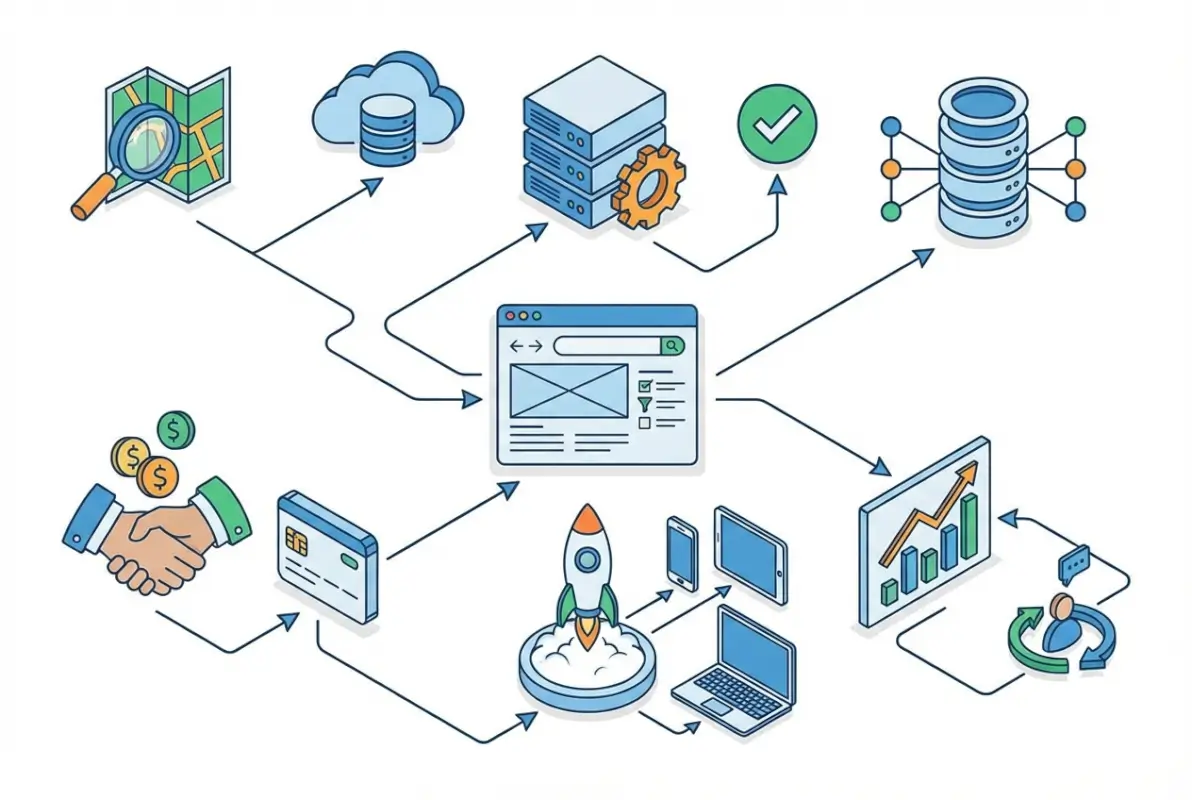
Your data schema needs to capture not just basic NAP (name, address, phone) but the geographic intelligence that powers location-based discovery:
- Precise geolocation coordinates – Latitude/longitude for accurate distance calculations and map placement
- Service area definitions – Not just business location but the geographic territory they actually serve (critical for mobile services)
- Multi-location handling – Businesses with multiple branches need proper parent/child relationships to avoid duplicate listings
- Temporal data – Hours of operation including holiday exceptions, seasonal availability, appointment-only designations
- Category taxonomy with geographic relevance – Hierarchical categories that make sense for local search patterns
Data Schema, Verification, and Freshness
Implementing a verification pipeline separates professional directories from amateur listings sites. Consider this three-tier approach:
Automated verification catches obvious errors through phone number validation, address standardization via USPS APIs, and business license verification against public records. This handles 60-70% of submissions without manual intervention.
Crowdsourced validation lets users flag outdated information, with trusted community members earning reputation scores for accurate updates. According to research from Pew Research Center on digital trust, user-contributed verification builds stronger community engagement than top-down moderation alone.
Manual review for premium listings justifies higher subscription tiers—your team personally verifies business credentials, calls to confirm details, and may conduct site visits for top-tier members. This white-glove service commands 3-5x standard pricing.
| Verification Level | Methods Used | Accuracy Rate | Pricing Multiplier |
|---|---|---|---|
| Basic | Automated checks only | 75-80% | 1x (baseline) |
| Community-Verified | Automated + user validation | 88-92% | 2x |
| Premium Verified | All methods + manual review | 96-99% | 3-5x |
Search, Filtering, and Map-Based UX
Modern users expect instant, relevant results with powerful filtering. Your search implementation should support:
Intelligent radius search that accounts for actual travel distance (driving routes, not straight-line calculations) and adjusts results based on service density—10 miles in rural areas might show 30 businesses while the same radius in urban cores returns 300+.
Faceted filtering lets users narrow by multiple criteria simultaneously: “open now” + “accepts credit cards” + “wheelchair accessible” + “within 5 miles.” Each filter application should maintain all other active filters while updating result counts in real-time.
Geolocation with privacy options enables “near me” searches while respecting user privacy preferences. Implement W3C Geolocation API standards with clear consent flows and the option to manually enter location instead.
For mobile users (typically 65-75% of directory traffic), your interface must prioritize touch-friendly map interactions, one-tap calling, and simplified filtering that doesn’t require typing. Progressive Web App architecture delivers app-like performance without installation friction.
Growth, Distribution, and Platform Optimization
The fatal mistake most directory builders make is expecting “if you build it, they will come.” They won’t, at least not initially. Successful geoaccess platforms launch with a comprehensive distribution strategy that drives traffic from multiple channels while simultaneously recruiting quality listings.

Your growth engine needs to run on parallel tracks: content that attracts users searching for local businesses, and outreach that converts those businesses into paying directory members. Neither works particularly well without the other, which creates that classic chicken-and-egg problem. The solution? Seed your directory with 100-200 quality listings before public launch, then drive traffic that demonstrates value to those businesses.
Content Strategy and Cross-Channel Distribution
Location-focused content serves double duty—it attracts users conducting local searches while establishing your directory as an authoritative local resource. The most effective content types include:
- City/neighborhood guides – “Best Wedding Venues in Downtown Chicago” or “Top-Rated Plumbers Serving Brooklyn Heights”—these target high-intent local searches while naturally featuring your directory members
- Category comparisons and buying guides – “How to Choose a Commercial Roofing Contractor” with a featured list of directory members who meet quality standards
- Local industry insights and trends – “Q3 Real Estate Market Analysis: Lincoln Park” positions you as the go-to source while promoting relevant listings
- Provider spotlights and success stories – In-depth profiles of directory members generate backlinks when businesses share them and provide valuable user-generated content
Distribution channels matter as much as content quality. Consider these syndication partnerships:
Local news outlets and community blogs often need quality local business content. Offer them free, exclusive neighborhood guides featuring your directory listings in exchange for backlinks and brand exposure. I’ve seen this single strategy generate 40% of initial traffic for new directories.
Industry associations and trade organizations reach exactly the businesses you want to recruit. Guest post on their platforms, sponsor their newsletters, or partner on co-branded local resource guides that drive traffic back to your directory.
Complementary service providers make natural partners—a wedding directory might syndicate content to bridal shops, venues, and photographers who all serve the same customer base but don’t compete directly.
Platform Selection and Onboarding Flow
Choosing your technical foundation is one of those decisions that’s hard to reverse later, so it’s worth getting right initially. For most geoaccess directory projects, TurnKey Directories offers the optimal balance of functionality, customization, and cost-effectiveness—it’s a WordPress-based solution that includes built-in geolocation features, review systems, and membership management without custom development expenses.
Alternative approaches include:
- Full-service platforms like Brilliant Directories – Faster launch with less flexibility, typically $100-200/month plus setup fees
- Custom development – Complete control but $15,000-50,000 initial investment and ongoing maintenance costs
- Other WordPress directory plugins – Lower cost but may require additional plugins for geolocation and advanced features
Whichever platform you choose, optimize your onboarding flow to maximize listing completion rates. The average directory loses 60-70% of started listings due to friction in the submission process. Reduce abandonment by:
- Enabling social login options (Google, Facebook) to eliminate registration friction
- Pre-populating business data from public sources when users enter their business name
- Breaking lengthy forms into 3-4 short steps with clear progress indicators
- Offering “save draft” functionality so users can return later without losing work
- Sending automated email reminders to users who abandon partially completed listings
SEO, Local SEO, and Authority Building
Search engine optimization for directories differs fundamentally from typical content sites. You’re not competing for “how to” queries—you’re targeting high-intent local searches where users want to find and contact businesses immediately. That means your SEO strategy must prioritize local signals, structured data, and trust indicators that Google uses to determine local search rankings.
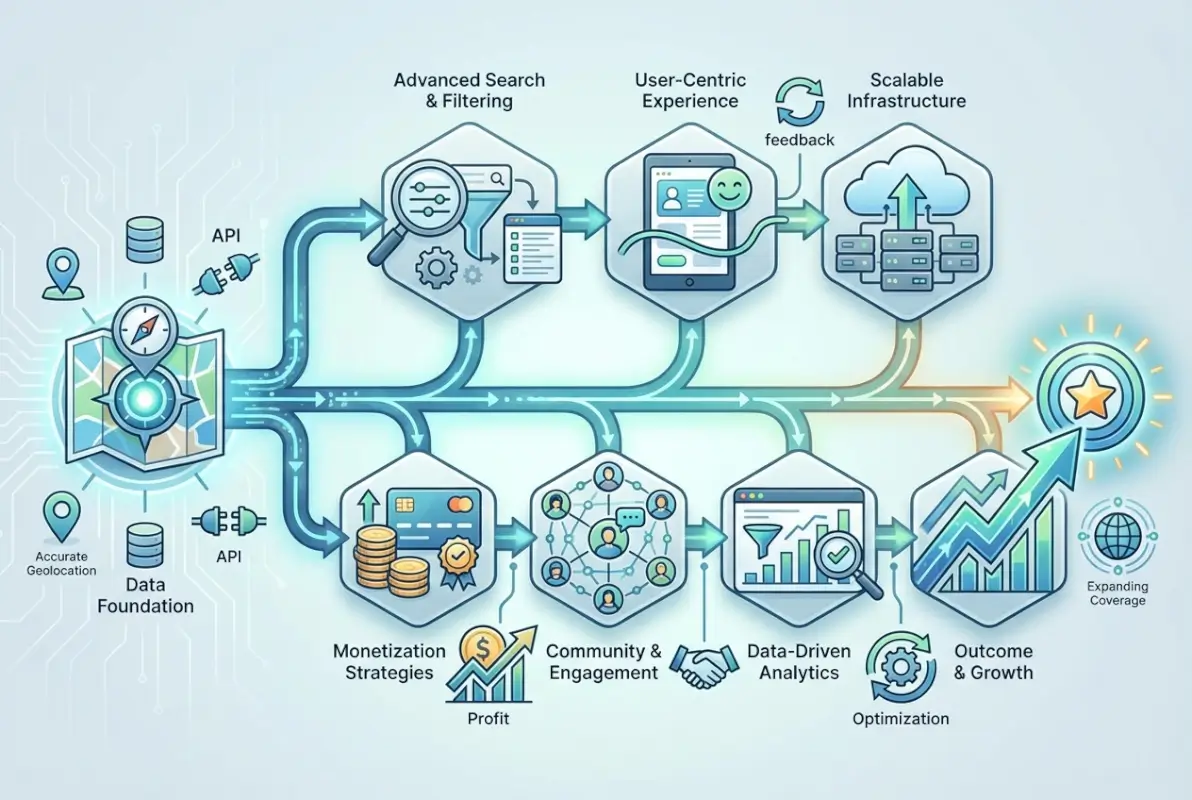
The opportunity here is substantial. Well-optimized directory pages regularly outrank individual business websites because they aggregate trust signals (reviews, citations, updated information) that individual businesses struggle to maintain. Your category pages can capture valuable “near me” and “[service] in [city]” searches that drive users with immediate purchase intent.
On-Page, Technical SEO, and Structured Data
Structured data implementation is non-negotiable for directory success. According to Google’s structured data documentation, proper schema markup dramatically improves your eligibility for rich results, local pack placement, and featured snippets.
Implement these schema types across your directory:
- LocalBusiness schema on individual listing pages with complete NAP data, hours, price range, and accepted payment methods
- Organization schema for multi-location businesses showing the relationship between headquarters and branch locations
- Review and AggregateRating schema to display star ratings in search results (this alone can increase CTR by 30-40%)
- FAQPage schema for category pages addressing common questions about services in that category
- BreadcrumbList schema showing site hierarchy and improving navigation in search results
Technical infrastructure that supports these features includes:
XML sitemaps segmented by content type (listings, categories, content pages) and updated automatically when new businesses join or existing listings change. Submit separate sitemaps through Google Search Console for better indexing control.
Canonical URL management preventing duplicate content issues when the same business appears in multiple categories or locations. Your platform should automatically assign canonical tags pointing to the primary listing page.
Page speed optimization through image compression, lazy loading for below-the-fold content, and caching strategies that serve static pages to search engines while maintaining dynamic functionality for users. Target Core Web Vitals scores in the “Good” range (LCP under 2.5s, FID under 100ms, CLS under 0.1).
Local Signals, Reviews, and Trust Indicators
Google’s local search algorithm weighs three primary factors: relevance, distance, and prominence. Your geoaccess platform can optimize all three:
Relevance optimization through detailed category taxonomies, comprehensive business descriptions, and service area definitions. Encourage listed businesses to specify exactly what services they offer and which geographic areas they serve—this specificity improves matching for long-tail searches.
Distance optimization by implementing precise geolocation and displaying accurate service radius information. Users searching for “plumber near me” should see providers actually willing to travel to their location, not just businesses physically closest to their search coordinates.
Prominence optimization through review collection, citation building, and backlink acquisition. Your directory can facilitate all three:
- Automated review request emails sent to customers after service completion
- Structured review displays that encourage detailed, keyword-rich feedback
- Citation syndication to major data aggregators (ensuring NAP consistency across the web)
- Embeddable “featured on” badges that listed businesses add to their websites, generating backlinks
Trust, Security, Compliance, and Risk Management
Operating a geoaccess platform means handling sensitive business information and personal data from both directory members and users. Security breaches destroy trust instantly—I’ve watched a single data leak eliminate 18 months of growth for a regional directory that failed to implement basic protections. Conversely, visible security and privacy measures justify premium pricing and reduce churn among paying members.

Your users evaluate trustworthiness within seconds of landing on your site. Security indicators, transparent data handling, and compliance badges signal professionalism that separates legitimate platforms from amateur listings sites. These elements directly impact conversion rates, with secure directories seeing 25-40% higher paid listing signup rates than unsecured alternatives.
Privacy, Data Protection, and Consent
Privacy regulations like GDPR and CCPA apply to directories collecting personal information from users or business contacts, even if you don’t operate in Europe or California. Users from these jurisdictions might visit your site, triggering compliance obligations. Rather than geo-blocking or ignoring these regulations, implement universal privacy standards that protect all users.
Essential privacy practices include:
- Transparent data collection with clear privacy policies explaining what data you collect, why you need it, how you’ll use it, and who you’ll share it with
- Granular consent management allowing users to opt into marketing emails, analytics tracking, and third-party data sharing separately
- Data minimization collecting only information necessary for directory functionality (avoid requiring birthdates, social security numbers, or other excessive data)
- User data access and deletion providing simple mechanisms for users to export or permanently delete their information
- Cookie consent with clear explanations of essential vs. optional cookies and easy opt-out for non-essential tracking
Implement these through cookie consent banners that actually work (not fake “accept or leave” walls), dedicated privacy centers where users manage their preferences, and automated deletion workflows that purge user data when requested.
Security Posture and Best Practices
Directory platforms face specific security risks: account takeovers that allow competitors to sabotage listings, SQL injection attacks targeting business data, and XSS vulnerabilities that could expose user information. Follow OWASP security best practices for web applications to address the most critical threats.
Priority security implementations include:
Authentication security through strong password requirements (minimum 12 characters, complexity rules), two-factor authentication options for business accounts, and session management that logs users out after inactivity. Consider passwordless authentication via magic links for reduced friction with maintained security.
Data encryption using HTTPS for all pages (not just login/checkout), encrypted database storage for sensitive fields like payment information, and TLS for all email communications. SSL certificates are free through Let’s Encrypt—there’s no excuse for unsecured directories.
Input validation and sanitization preventing XSS attacks through proper output encoding, SQL injection via parameterized queries, and CSRF attacks through token validation. If you’re using WordPress with TurnKey Directories or similar plugins, many of these protections are built-in, but custom code requires careful security review.
Access controls and monitoring limiting database access to necessary personnel, logging all administrative actions, implementing intrusion detection, and maintaining regular security audit trails. Set up alerts for suspicious activities like mass data exports or unusual login patterns.
Payment security deserves special attention if you’re processing subscription fees or lead generation payments. Use established payment processors (Stripe, PayPal, Authorize.net) rather than handling card data directly. PCI DSS compliance is complex and expensive—let specialized providers handle it while you focus on directory features.
What is a geoaccess platform and how does it differ from regular directories?
A geoaccess platform is a location-intelligent directory that uses geographic data to deliver hyper-relevant search results based on proximity, service areas, and regional availability. Unlike basic directories that simply list businesses alphabetically or by category, geoaccess platforms incorporate radius search, proximity ranking, service area mapping, and location-based filtering to connect users with businesses that actually serve their specific location.
How can I monetize a local directory without alienating users?
Balance free basic listings (maintaining directory utility for users) with premium subscription tiers that offer enhanced visibility, featured placement, and additional media. Users accept monetization when it improves their experience—verified premium listings with detailed information serve users better than sparse free entries. Combine subscriptions ($99-299/month), geographic exclusivity ($500-2000/month), and performance-based lead generation fees for sustainable revenue without compromising user experience.
What data should I collect for each listing and how do I verify it?
Essential data includes business name, complete address, phone number, precise geolocation coordinates, service area radius, operating hours, accepted payment methods, and category classifications. Verify through automated checks (phone validation, address standardization via USPS APIs), crowdsourced validation from community members, and manual review for premium listings. Implement three-tier verification where basic automated checks handle 60-70% of submissions, community validation adds another layer, and manual review provides 96-99% accuracy for paid members.
Which platform should I choose to build my geoaccess directory?
TurnKey Directories offers the best balance of functionality and cost for most projects, providing WordPress-based directory features with built-in geolocation, review systems, and membership management at $200-500 initial cost. Alternatives include Brilliant Directories ($100-200/month subscription), custom development ($15,000-50,000 upfront for complete control), or other WordPress plugins. Choose based on budget, technical expertise, and required customization—WordPress solutions work for 80% of directory projects.
How can I improve local SEO for my directory and attract more listings?
Implement LocalBusiness schema markup on every listing page, create location-specific category pages targeting “[service] in [city]” queries, encourage user reviews that generate fresh content, build citations in major data aggregators ensuring NAP consistency, and develop neighborhood guides that rank for local searches. Combine technical optimization (schema, mobile performance, Core Web Vitals) with content strategy (local guides, provider spotlights) and link building (industry partnerships, local media syndication) for comprehensive local search visibility.
How do I build trust and protect user data on my directory platform?
Implement HTTPS across all pages, display visible security badges and privacy compliance indicators, create transparent privacy policies explaining data collection and usage, offer granular consent management for cookies and tracking, and follow OWASP security best practices for authentication and data protection. Use established payment processors for subscription handling, conduct quarterly security audits, maintain incident response plans, and provide users with easy access to export or delete their personal information.
How do I measure success and track KPIs for a geoaccess directory?
Track listing submission rate, conversion rate from free to paid listings, average revenue per user (ARPU), customer lifetime value (LTV), monthly churn rate, organic search traffic by location, review generation rate, and user engagement metrics (searches per session, contact actions). Compare customer acquisition cost against LTV maintaining a 3-5x ratio, monitor listing renewal rates quarterly, and track category-level performance to identify highest-value niches worth expanding.
What security and privacy practices are essential for directories online geoaccess?
Essential practices include SSL/TLS encryption for all data transmission, secure authentication with optional two-factor verification, input validation preventing SQL injection and XSS attacks, GDPR and CCPA compliance with transparent consent flows, regular security audits identifying vulnerabilities, encrypted database storage for sensitive information, and clear privacy policies with user-controlled data management. Display trust indicators prominently and maintain incident response procedures addressing potential breaches quickly.
Taking Action on Your GeoAccess Directory
Building a profitable geoaccess platform requires more strategic thinking than technical expertise. The directories that generate sustainable revenue share three traits: they solve specific geographic discovery problems better than alternatives, they implement robust verification that justifies premium pricing, and they build distribution channels before perfecting every feature.
Start by identifying one clear geographic niche where existing solutions fail users—don’t try to build another Yelp. Map the discovery journey for both users and businesses in that niche, identifying exactly where location context creates value. Then build the minimum viable platform that delivers that value: verified listings with accurate geolocation, powerful radius search, and basic membership tiers.
Launch with 100-200 pre-populated listings and immediately focus on distribution. Content marketing, local partnerships, and strategic outreach will drive more early growth than perfecting your UI. Once traffic demonstrates value, converting free listings to paid memberships becomes straightforward—businesses pay for what works.
Your 30-Day Launch Checklist
Week 1: Define your niche and validate demand through 20 customer interviews. Week 2: Set up your platform infrastructure and create initial content. Week 3: Pre-populate 100+ quality listings and implement verification workflows. Week 4: Launch distribution strategy and begin converting listings to paid memberships.
The directories that succeed treat launch as the beginning, not the end. Commit to continuous improvement based on user feedback, stay current with local SEO best practices, and reinvest 25-30% of revenue into platform enhancements. Your geoaccess directory can become both a valuable community resource and a profitable business that generates sustainable revenue for years.
Was this article helpful?